Anchor # Anchor **An offline first, self hostable note taking application** [![Version](https://img.shields.io/github/v/release/zhfahim/anchor?label=version&style=for-the-badge)](https://github.com/zhfahim/anchor/releases) [![License: AGPL v3](https://img.shields.io/badge/License-AGPL%20v3-blue.svg?style=for-the-badge)](LICENSE) [![Docker](https://img.shields.io/badge/Docker-Ready-2496ED.svg?style=for-the-badge&logo=docker)](https://github.com/zhfahim/anchor) [![Discord](https://img.shields.io/discord/1487830114795257906?label=Discord&style=for-the-badge)](https://discord.gg/sAfqjy8EYK) ZhFahim%2Fanchor | Trendshift Anchor focuses on speed, privacy, simplicity, and reliability across mobile and web. Notes are stored locally, editable offline, and synced across devices when online.

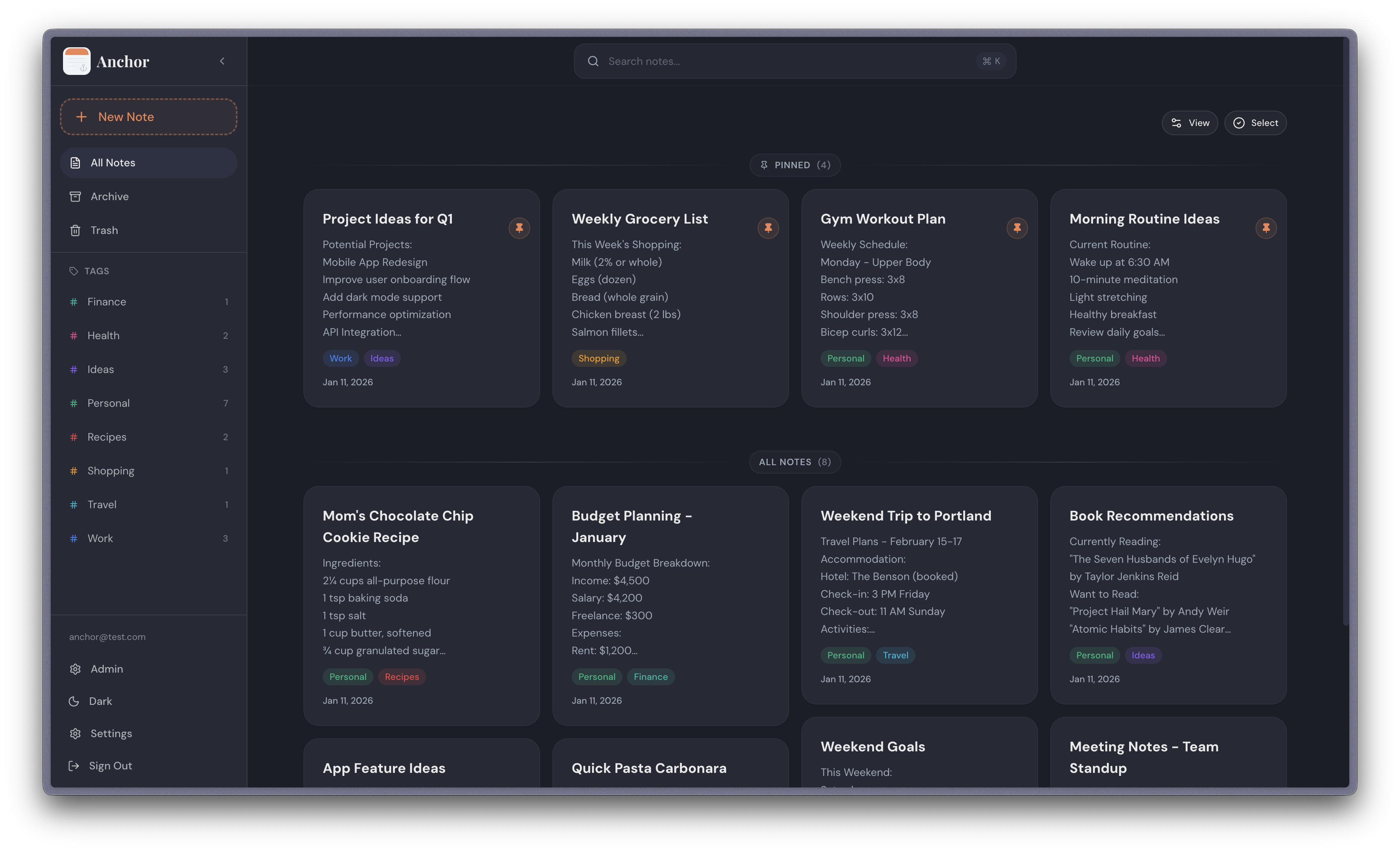
## Features - **Rich Text Editor** - Create and edit notes with powerful formatting (bold, italic, underline, headings, lists, checkboxes) - **Offline First** - All edits work offline with local database - **Note Sharing** - Share notes with other users (viewer or editor) - **Note History** - Read earlier versions of a note and put one back - **Tags System** - Organize notes with custom tags and colors - **Attachments** - Attach images and audio to notes - **Note Backgrounds** - Customize notes with solid colors and patterns - **Pin Notes** - Pin important notes for quick access - **Archive Notes** - Archive notes for later reference - **Reminders** - Set a time on any note and get a notification on your phone, once or repeating - **Search** - Search notes locally by title or content - **Trash** - Soft delete notes with recovery period - **Automatic Sync** - Sync changes across devices when online - **Import & Export** - Back up your full library, or move notes in and out as plain Markdown - **Home Screen Widget** - Quick access to your notes from the Android home screen - **Admin Panel** - User management, registration control, and system statistics - **OIDC Authentication** - Sign in with OpenID Connect providers (Pocket ID, Authelia, Keycloak, etc.) ## Screenshots ### Web App
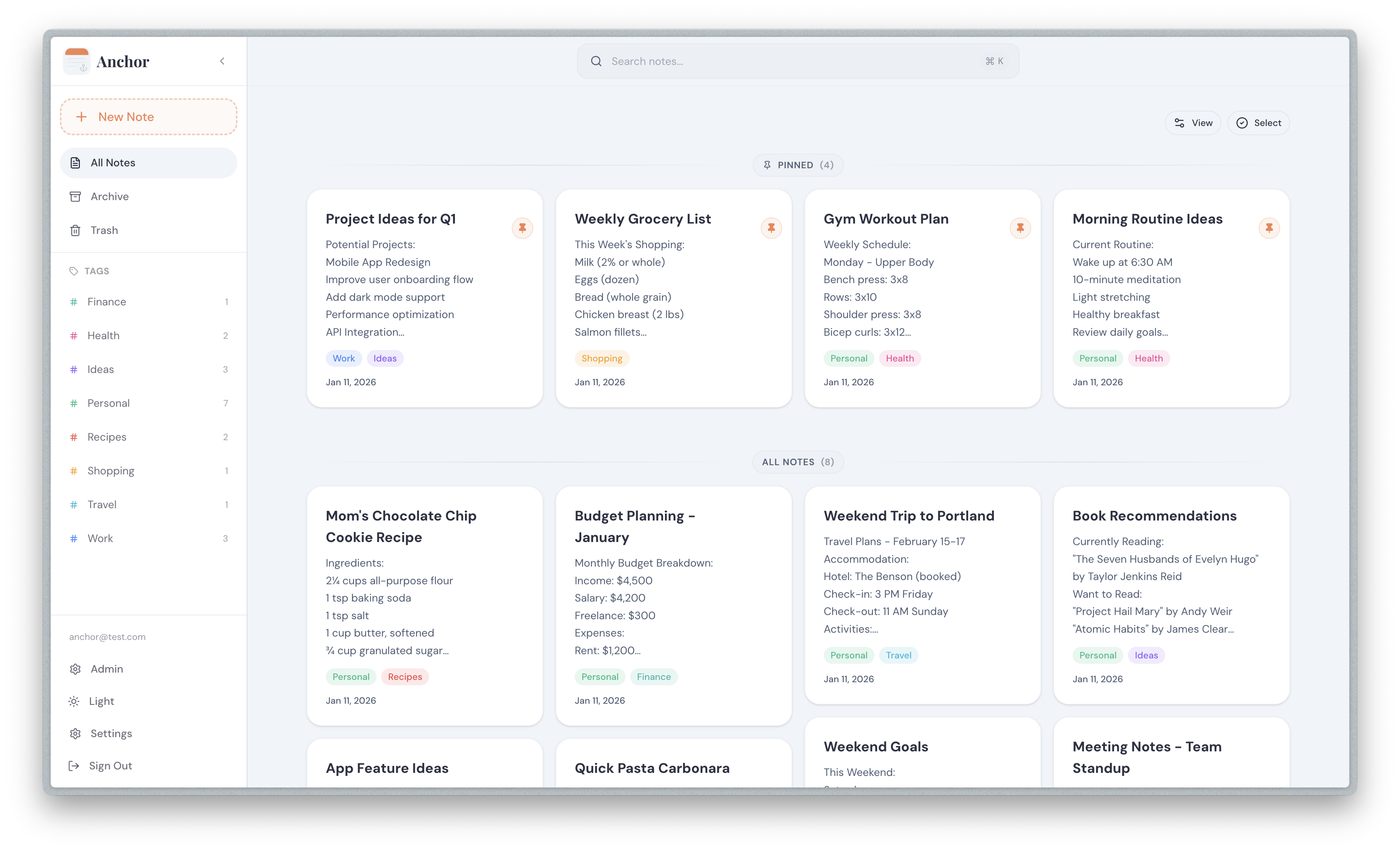
Web Light Mode Web Dark Mode
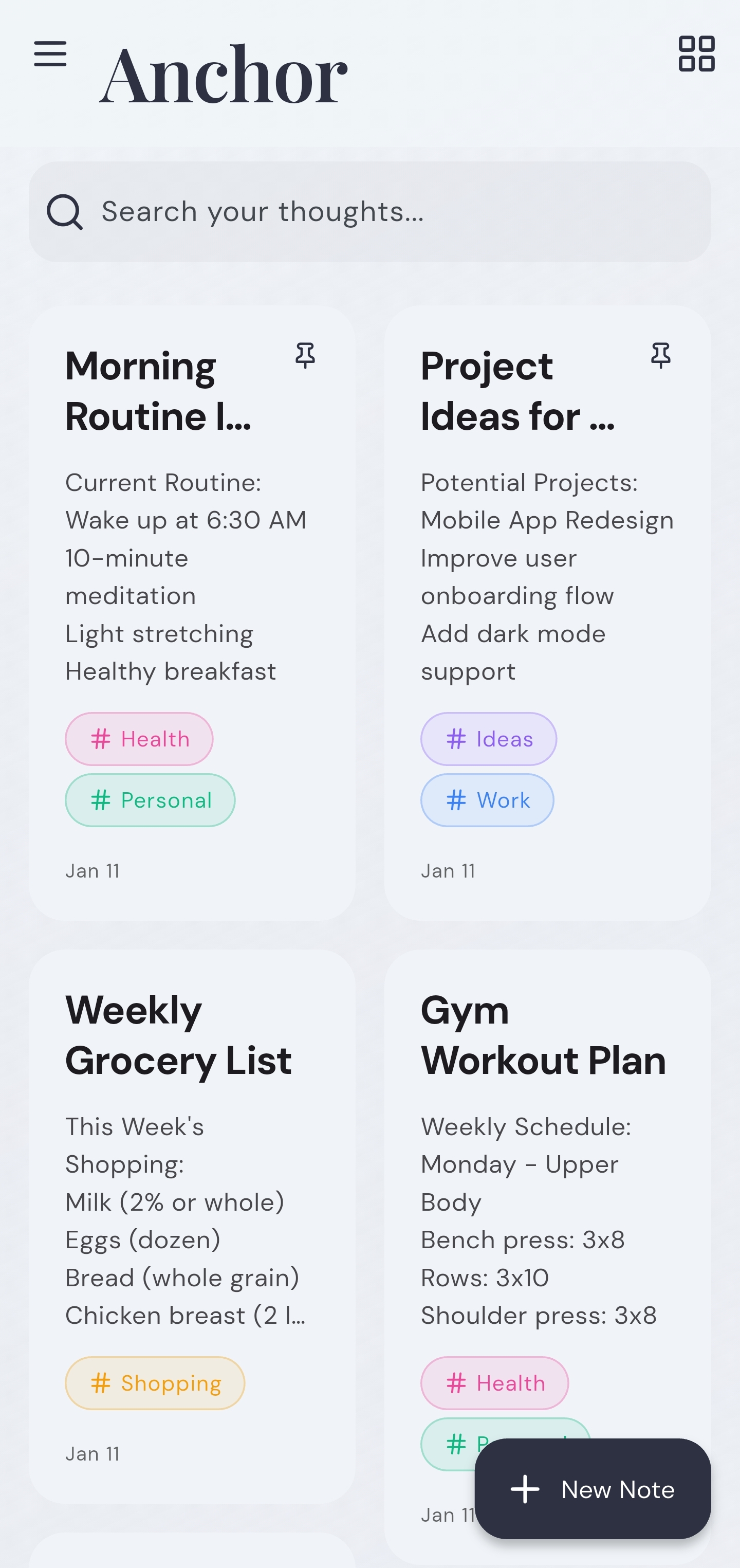
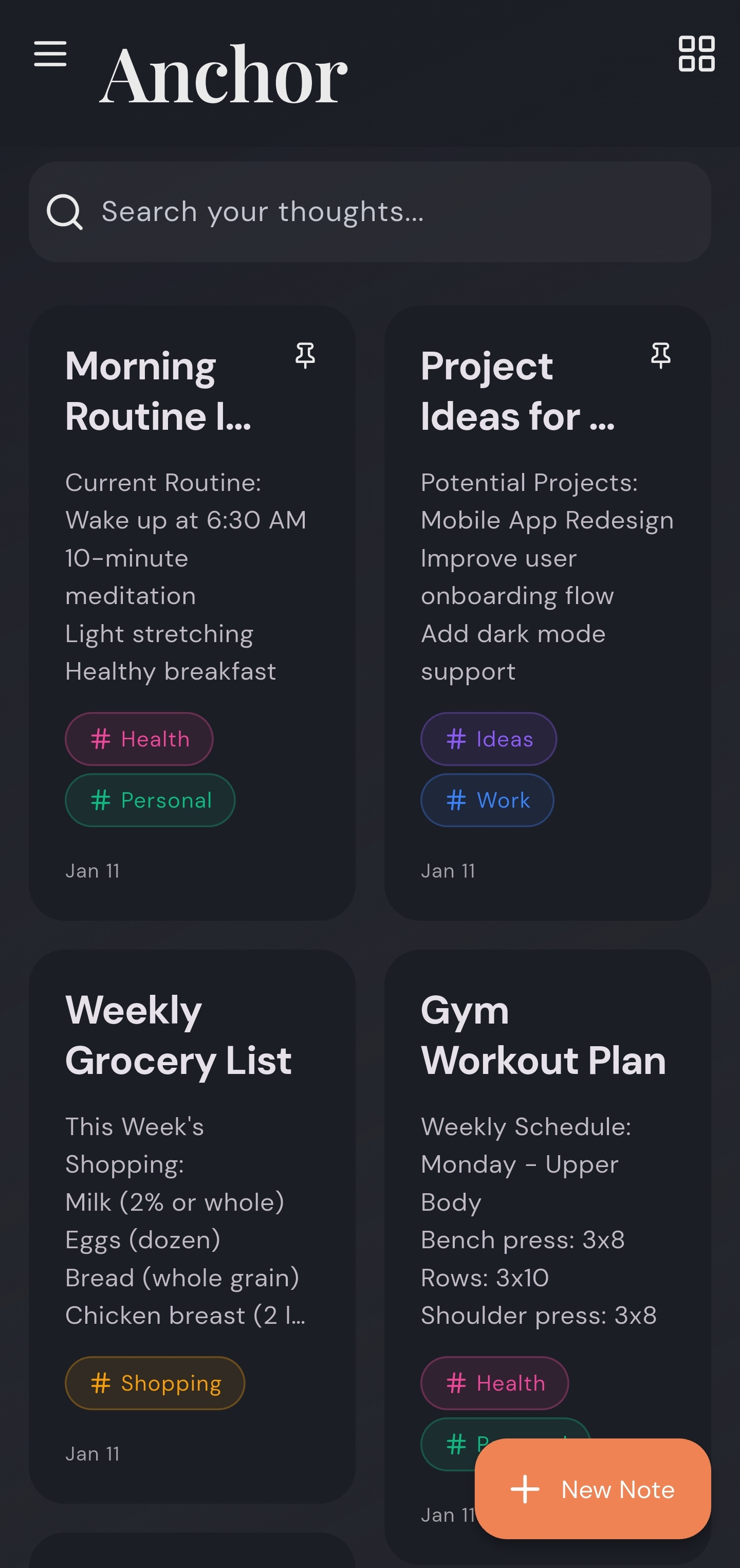
### Mobile App
Mobile Light Mode Mobile Dark Mode
## Self Hosting With Docker ### Option 1: Using Pre-built Image (Recommended) 1. **Create a `docker-compose.yml` file:** ```yaml services: anchor: image: ghcr.io/zhfahim/anchor:latest container_name: anchor restart: unless-stopped ports: - "3000:3000" volumes: - anchor_data:/data volumes: anchor_data: ``` 2. **(Optional) Configure environment:** Add environment variables to the `environment` section. Most users can skip this step - defaults work out of the box. Available options: | Variable | Required | Default | Description | |----------|----------|---------|-------------| | `APP_URL` | No | `http://localhost:3000` | Base URL where Anchor is served | | `JWT_SECRET` | No | (auto-generated) | Auth token secret. Min 16 characters when set | | `DATA_DIR` | No | `/data` | Root directory for persisted uploads | | `CORS_ORIGINS` | No | (allow all) | Comma-separated allowlist of CORS origins | | `PG_HOST` | No | (empty) | External Postgres host (leave empty for embedded) | | `PG_PORT` | No | `5432` | Postgres port | | `PG_USER` | No | `anchor` | Postgres username | | `PG_PASSWORD` | No | `password` | Postgres password | | `PG_DATABASE` | No | `anchor` | Database name | | `USER_SIGNUP` | No | (not set) | Sign up mode: `disabled`, `enabled`, or `review`. If not set, admins can control it via the admin panel | | `OIDC_ENABLED` | No | — | Enable OIDC authentication | | `OIDC_PROVIDER_NAME` | No | `"OIDC Provider"` | Display name for the login button | | `OIDC_ISSUER_URL` | When OIDC enabled | — | Base URL of your OIDC provider | | `OIDC_CLIENT_ID` | When OIDC enabled | — | OIDC client ID | | `OIDC_CLIENT_SECRET` | No | — | OIDC client secret. Omit for public client (PKCE) | | `DISABLE_INTERNAL_AUTH` | No | `false` | Hide local login form when OIDC is enabled (OIDC-only mode) | 3. **Start the container:** ```bash docker compose up -d ``` 4. **Access the app:** Open http://localhost:3000 ### Pre-release (Beta) Image To test upcoming features before they are officially released, use the `next` tag: ```yaml services: anchor: image: ghcr.io/zhfahim/anchor:next container_name: anchor restart: unless-stopped ports: - "3000:3000" volumes: - anchor_data:/data volumes: anchor_data: ``` > **Warning:** The `next` image is built from the `next` branch and may contain incomplete features or breaking changes. Do not use it in production. Back up your data before switching. ### Option 2: Building from Source If you want to build from source or customize the image: 1. **Clone the project:** ```bash git clone https://github.com/zhfahim/anchor.git cd anchor ``` 2. **Start the container:** ```bash docker compose up -d ``` The `docker-compose.yml` file will build the image from source automatically. ## Mobile App Download the Android mobile app. 1. **Visit the releases page:** Go to [GitHub Releases](https://github.com/zhfahim/anchor/releases). 2. **Download the latest release:** Multiple APK files are available: - **Universal APK** (`anchor-{version}.apk`) - Recommended for most users, works on all devices - **Architecture-specific APKs** - Smaller file sizes for specific CPU architectures ## OIDC Authentication Anchor supports OpenID Connect (OIDC) authentication for simplified credential management and streamlined multi-user deployments. ### Features - Support for standard OIDC providers (Pocket ID, Authelia, Authentik, Keycloak, etc.) - Configuration via environment variables or admin settings UI - OIDC only mode: disable local username/password login - Support for public OIDC clients (PKCE, no client secret required) - Auto create users on first login (if user signup is not disabled) - Auto link existing users by email ### Configuration #### Mobile app and Public client If you want to use OIDC in the mobile app, configure Anchor as a **Public client** (PKCE, no client secret) in your OIDC provider. Add this redirect URI in your OIDC provider: ``` anchor://oidc/callback ``` #### Required Callback URL (Web) When configuring your OIDC provider for web login, add this callback/redirect URL: ``` {APP_URL}/api/auth/oidc/callback ``` For example, if your Anchor instance is at `https://notes.example.com`, the callback URL would be: ``` https://notes.example.com/api/auth/oidc/callback ``` #### Environment Variables Configure OIDC via environment variables in your `docker-compose.yml`. Pocket ID example: ```yaml services: anchor: image: ghcr.io/zhfahim/anchor:latest environment: - OIDC_ENABLED=true - OIDC_PROVIDER_NAME=Pocket ID - OIDC_ISSUER_URL=https://pocketid.example.com - OIDC_CLIENT_ID=your-client-id - OIDC_CLIENT_SECRET=your-client-secret # Optional for public clients - DISABLE_INTERNAL_AUTH=false - APP_URL=https://notes.example.com ``` #### Admin UI Configuration Alternatively, configure OIDC via the admin panel (Settings → OIDC Authentication) when the three env vars are not all set. ## Backup and Restore Log into your Anchor deployment, go to **Settings**, scroll to **Export & Import** and export **Anchor backup (.zip)**. The resulting `anchor-export-YYYY-MM-DD.zip` contains: - `manifest.json` which includes the backup metadata, tags, notes, and attachment references in plain text - the referenced attachments, stored within the `attachments` folder structure Restore the notes by uploading that file through the web UI. Go to **Settings**, then scroll down to the **Export & Import** section. ## Troubleshooting & Collecting Logs Anchor never collects any data. When you need to report a bug, you can collect logs yourself and share them with the maintainer. **Mobile app** 1. Reproduce the issue. 2. Open Settings → View Logs. 3. Tap the **Export** button at the bottom, then share the saved `.log` file in your bug report. > Sensitive values are stripped before anything is written to the log file. This includes authorization headers, passwords, tokens, refresh tokens, secrets, and email addresses, which are always replaced with `***`. Logs are stored locally on the device only (rolling, ~2 MB max). ## Roadmap Future planned features: - Real-time collaboration ## Tech Stack - **Backend**: Nest.js, PostgreSQL, Prisma - **Mobile**: Flutter - **Web**: Next.js, TypeScript ## Contributing 1. Fork the repository 2. Create a feature branch: ```bash git checkout -b feature/your-feature ``` 3. Make your changes 4. Ensure builds pass and code is linted: - Web: `cd web && pnpm build && pnpm check` - Server: `cd server && pnpm build && pnpm check` 5. Commit changes: ```bash git commit -m "Describe your change" ``` 6. Push and create a Pull Request ### Code style Linting and formatting are enforced in CI and by a pre-commit hook (`.githooks/pre-commit`) that checks staged files. Running `pnpm install` in either `web` or `server` enables the hook automatically (via the `prepare` script). To enable it manually: ```bash git config core.hooksPath .githooks ``` Before committing, fix issues with `pnpm check:fix` in the relevant project. ## Support If you find Anchor useful, consider supporting its development: [Buy me a coffee](https://www.buymeacoffee.com/zahid) ## License This project is licensed under the GNU Affero General Public License v3.0 (AGPL v3) - see the [LICENSE](LICENSE) file for details.