
# dsh-easy-appearance
Persistent appearance settings for the DeepSeek Harness WebUI
[中文](README.md) · [Install](#install-into-official-dsh-011-rc2) · [Configuration](#configuration) · [Troubleshooting](#troubleshooting)
[](LICENSE)
[](#verified-snapshot)
[](https://github.com/Zhen-WushuiLingchun/dsh-easy-appearance/releases)
A community-maintained DeepSeek Harness WebUI extension. It adds light/dark palettes, wallpaper, opacity, fonts, selected VS Code theme mapping, and custom CSS to DSH's native Settings → Appearance page, and persists the complete configuration in the plugin's own profile entry `Config` (the DSH `0.2.0-rc.2` configuration form is the only writer).
> [!IMPORTANT]
> Version `0.2.0` is an official DSH Profile Bundle. Installation neither modifies nor rebuilds the official DSH source tree. This project is not an official DeepSeek release.
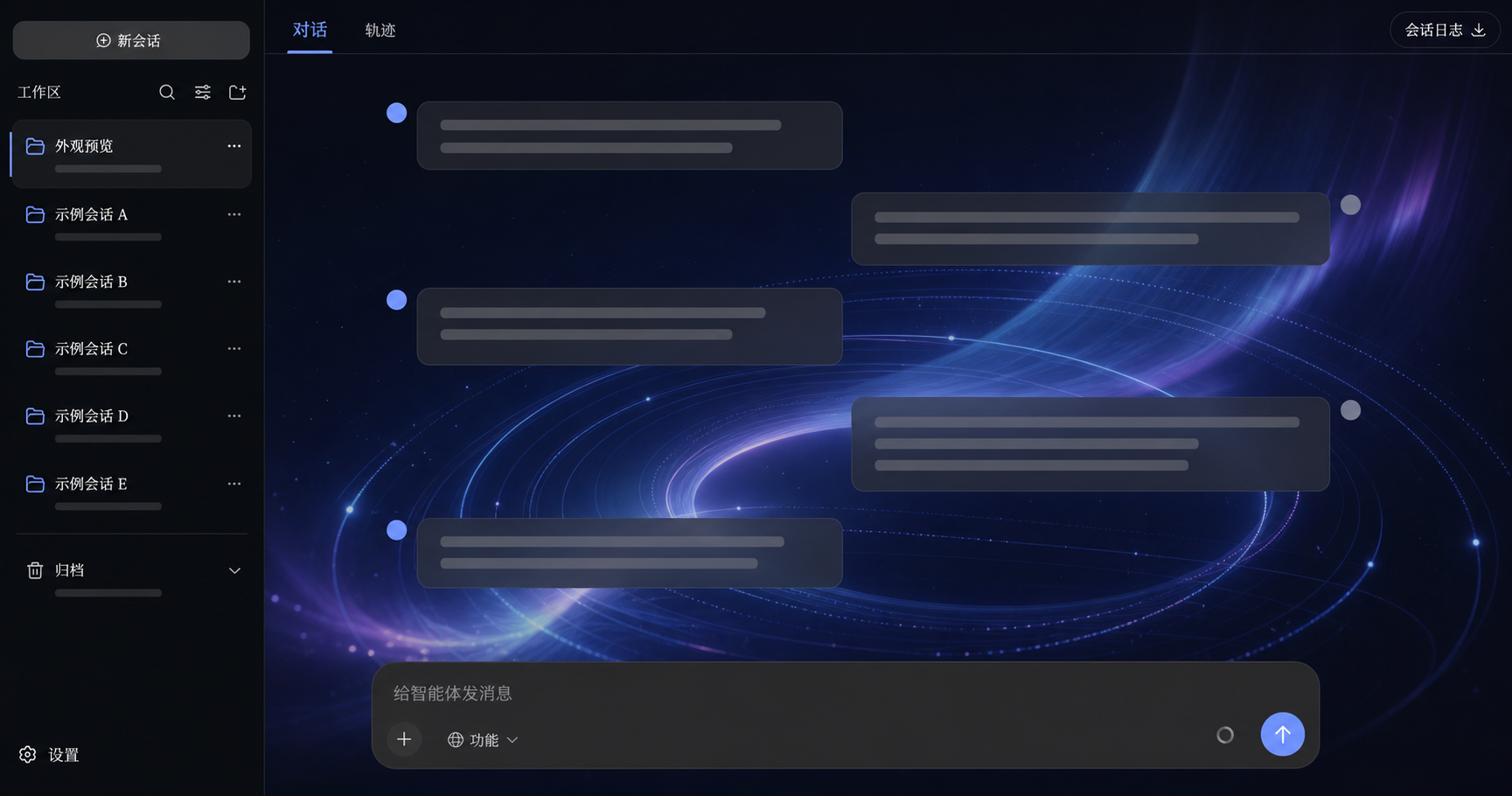
> Documentation images have been sanitized to remove real workspace names, paths, and conversations. They demonstrate the plugin's appearance; the running DSH version remains authoritative for exact controls.
## Features
| Capability | Behavior |
| --- | --- |
| Light / dark / system mode | Keeps DSH `ui-theme` mode selection and stores separate light and dark palettes |
| Unified accent | Projects one accent into brand, business-state, and info-button tokens for tabs, folders, links, focus, carets, and send controls |
| Wallpaper | Accepts HTTP(S) URLs, local image uploads, and four built-in gradient presets |
| Opacity and scrim | Controls application-surface visibility independently from the wallpaper readability scrim |
| Fonts | Supports UI and code font stacks with common presets |
| VS Code theme import | Maps five core colors from a theme JSON `colors` object |
| Custom CSS | Loads text or `.css` files live and persists the result |
| Layout actions | Collapses/expands the sidebar and opens/closes the details pane |
| Host persistence | Restores after refresh, plugin reload, or DSH restart and verifies each write against the Host user layer |
## Screenshots
### Appearance settings
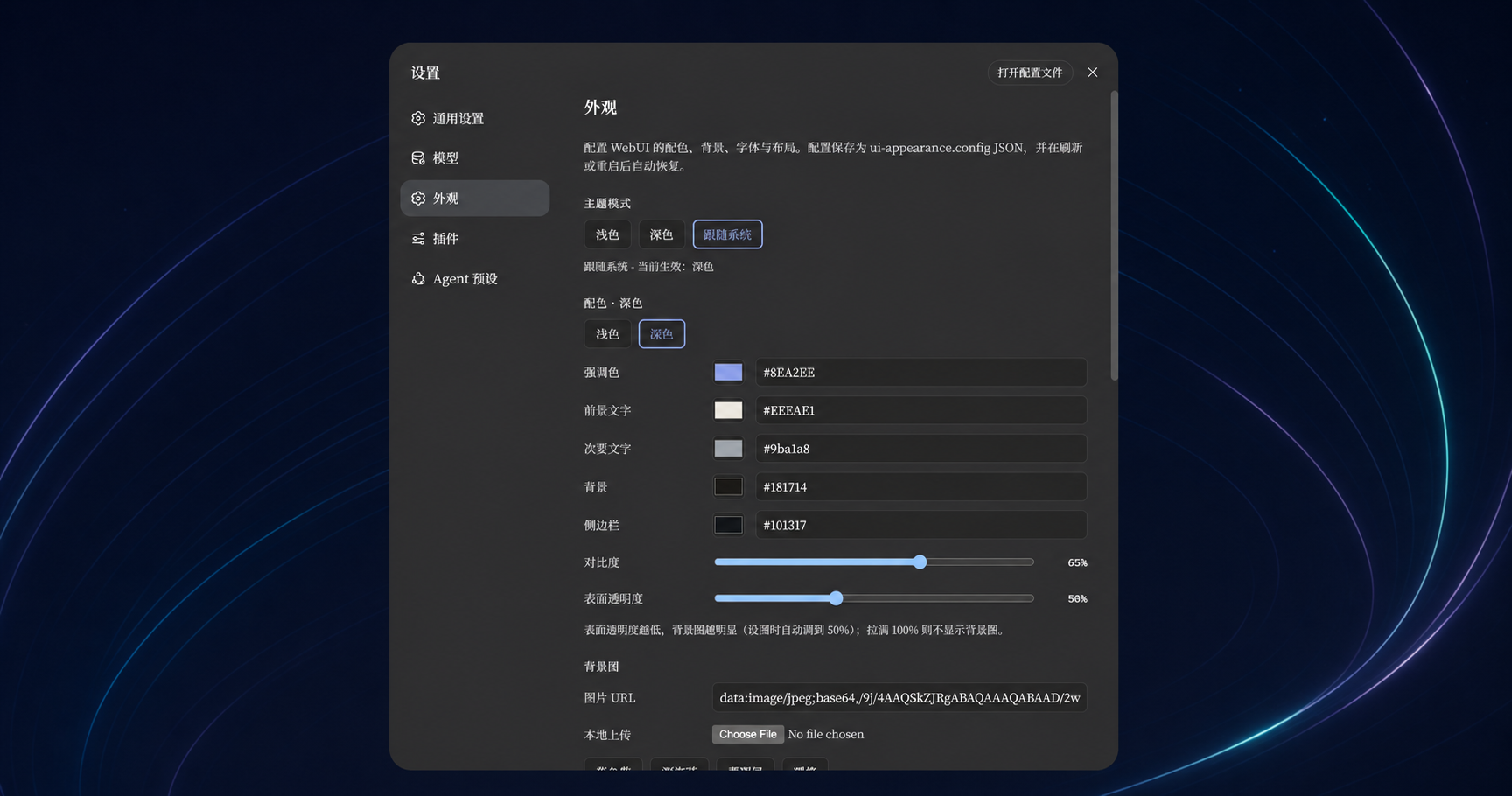
The section is embedded in DSH's existing settings UI instead of creating a second configuration application. Light and dark schemes keep independent accent, text, background, and sidebar values.
### One accent across major interaction states
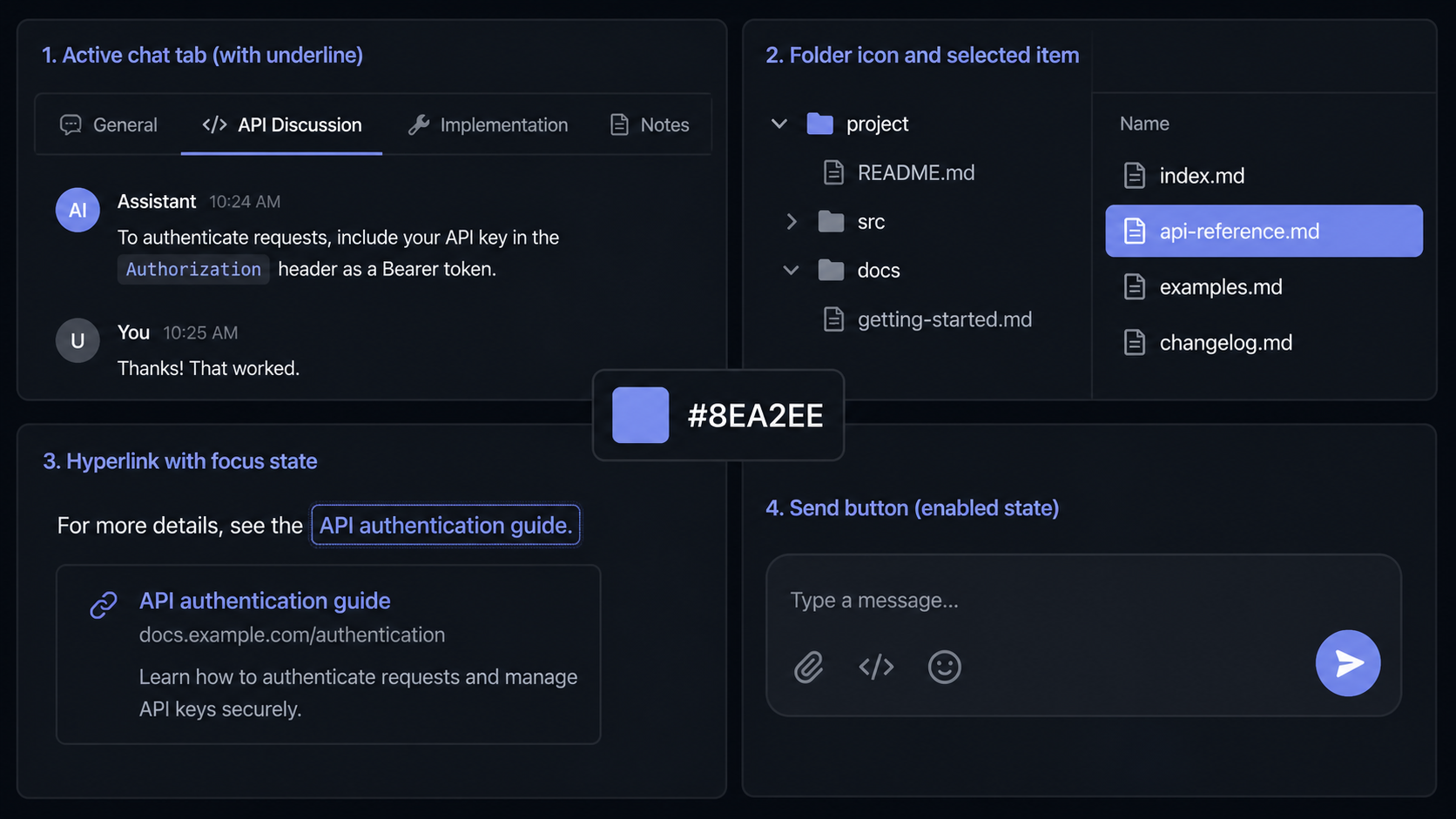
The early prototype only changed `brand-primary`, so the send button, folders, links, and current chat tab could keep the stock blue. The formal package projects the configured accent into:
```text
--dsw-alias-brand-primary
--dsw-alias-brand-primary-new-colorprimary-new-color
--dsw-alias-state-business-primary
--dsw-alias-state-business-tertiary
--dsw-alias-button-info-fill
--dsw-alias-button-info-hover
```
Disabled controls still use each component's normal reduced-opacity rule.
## Verified snapshot
| Item | Value |
| --- | --- |
| Package | `@deepseek-ai/dsh-client-ui-appearance` `0.3.1` |
| Official DSH | `0.2.0-rc.2` (npm-published client packages) |
| DSH baseline | `npm:@deepseek-ai/dsh-client-*@0.2.0-rc.2` |
| Verification date | 2026-09-29 |
| Formal source and bundle | `packages/client/ui-appearance/` |
| Integration | root `package.json` + `cordis.patch.yml` Profile Bundle |
| Durable location | the `ui-appearance` entry's own `Config.config` (a `volatile()` string) |
> **Version pairing**: `0.3.x` targets DSH **`0.2.0-rc.2`**, the runtime the official Desktop app ships; `0.2.x` targets `0.1.1-rc.2` and never activates on Desktop. Check your DSH version first, or Appearance will not appear in Settings.
The published file count and SHA-256 tree digest are recorded in [`integration/tested-snapshot.json`](integration/tested-snapshot.json) and can be reproduced locally.
The old `host.js` / `prototype.client.js` implementation lives under [`legacy-prototype/`](legacy-prototype/README.md) for historical reference only. It is not the recommended installation.
## Install into official DSH 0.2.0-rc.2
### Requirements
- Official `@deepseek-ai/dsh` `0.2.0-rc.2` installed and runnable
- Node.js `^22.19.0` or `>=24.0.0`
- Windows PowerShell 5.1 or PowerShell 7+ for the helper scripts
- A backup of `$DSH_HOME/profiles/