# crocson
A fork of [howeyc/crocgui](https://github.com/howeyc/crocgui/releases/tag/v1.11.5) — a [schollz/croc](https://github.com/schollz/croc) designed for Android, Windows, Linux and macOS.
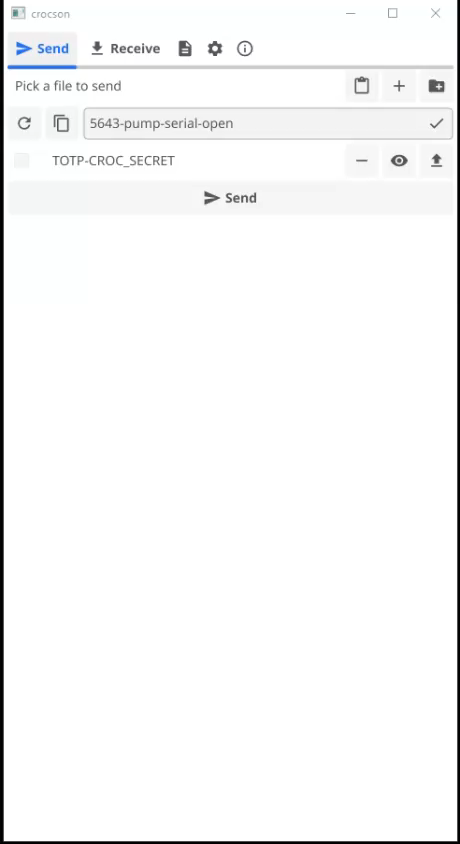
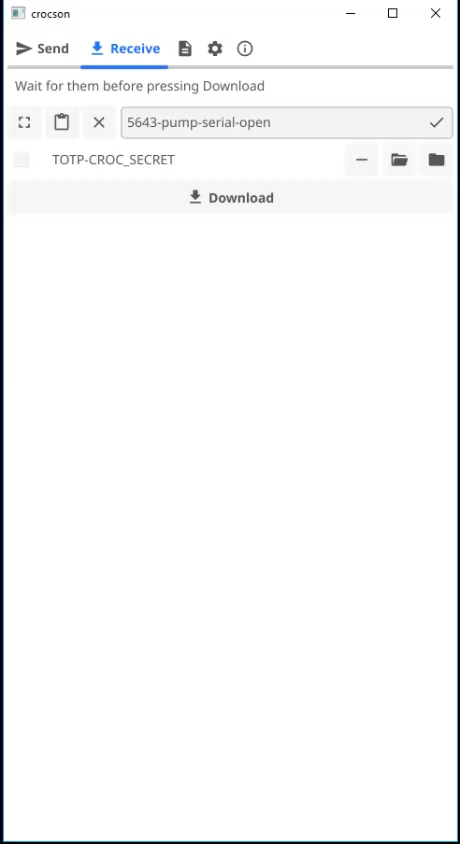
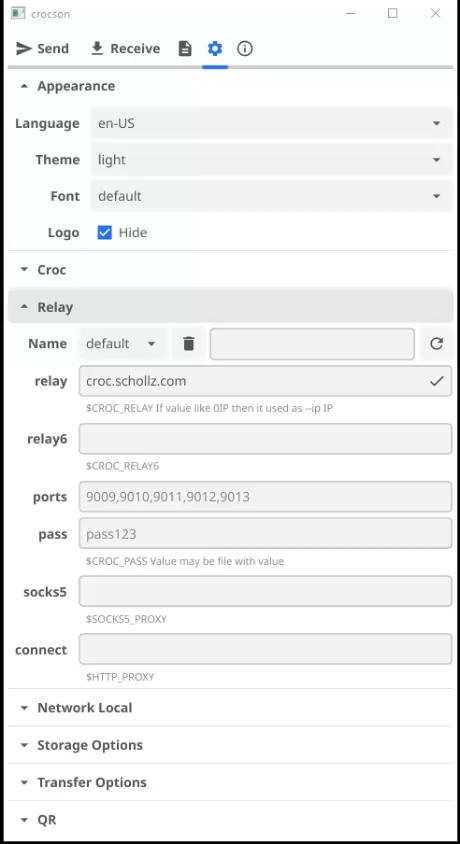
The author of croc, Zack Scholl, chose the name
croc as a metaphor for safely transporting animals by a crocodile taxi driver.
crocson is the heir of the crocodile taxi driver, enabling secure online communication.
## File Transfer
`F-Droid: File Transfer` `FreeDesktop: Network;FileTransfer` `MS Store: Productivity` `Google Play: Communication;Tools`
- Transfer files and folders between any two computers via a relay
- Transfer multiple files and folders (sequentially)
- Cross-platform: Windows, Linux, macOS, Android
- No local server or port forwarding required
- IPv6-first with automatic IPv4 fallback
- Self-hosted relay (`crocson relay`)
- Custom relay ports
- File and folder selection dialogs
- Drag-and-drop (Windows, Linux, macOS)
- Command line: arguments and stdin pipe (`cat file | crocson`)
- Android: "Share" menu from file managers for one or multiple files
- Android: "Open with"
- Send text/URL via clipboard
- Android: send without nested folders, receive nested folders — save as .zip
- Overall and per-file progress bars
- Cancel transfer button
- Send ↔ Receive toggle
## WebDAV
`F-Droid: Connectivity;Cloud Storage & File Sync` `FreeDesktop: Network` `MS Store: Productivity` `Google Play: Productivity`
- Built-in WebDAV server (HTTP/HTTPS)
- Self-signed TLS certificate (deterministic, based on local IPs)
- Browse files via web browser (directory listing)
- WebDAV file tree in GUI
- Host/port selection
- Stream audio/video playback via WebDAV
- Forward WebDAV through encrypted tunnel (accessible remotely without public IP)
## Video Calls
`F-Droid: Voice & Video Chat` `FreeDesktop: Network;VideoConference` `MS Store: Social` `Google Play: Communication`
- P2P video calls via WebRTC (built-in HTML page)
- Screen sharing: browser tab, application window, or entire desktop
- Video call rooms (create/join/wait/end)
- Real-time video+audio delivery via WebSocket
- Mirror preview before the second participant connects
- Server-side video call recording (WebM/MP4)
- Codec and resolution selection
## Chat
`F-Droid: Messaging` `FreeDesktop: Network;Chat` `MS Store: Social` `Google Play: Communication`
- Built-in text chat
- Message history
- Auto-open chat when a message is received
- Send screenshots and video recordings to chat
## Video/Audio Recording
`F-Droid: Multimedia` `FreeDesktop: AudioVideo;Recorder` `MS Store: Photo + video` `Google Play: Video Players & Editors`
- Record video+audio via webcam/microphone in browser
- Recording with timestamp (YYYYMMDD_HHMMSS_mmm)
- Publish recordings to chat
## Webcam
`F-Droid: Multimedia` `FreeDesktop: AudioVideo` `MS Store: Photo + video` `Google Play: Photography`
- Webcam capture via browser
- Screenshots from video calls
## Security
`F-Droid: Security` `FreeDesktop: Security` `MS Store: Security` `Google Play: Tools`
- End-to-end encryption based on PAKE
- One-time passwords (TOTP) with timer
- Secret from input field or CROC_SECRET environment variable
- Elliptic curve selection for encryption
- Hashing: imohash, md5, xxhash, highway
- Relay password
- Encrypted tunnel through relay
## QR Code & Deep Links
`F-Droid: Connectivity` `FreeDesktop: Network` `MS Store: Productivity` `Google Play: Tools`
- QR code generation with code phrase
- QR code scanning via camera
- Support for multiple Android scanners (Xiaomi, Samsung, OPlus, BinaryEye, Lens, ZXing, Chrome, Via, Samsung Browser, Opera mini, Microsoft, Firefox)
- Deep Links: `https://abakum.github.io/croc#...` (base64-encoded settings)
- Deep Links: `davX:` / `webdavX:` to open WebDAV
## Relay Profiles
`F-Droid: Connectivity` `FreeDesktop: Network` `MS Store: Productivity` `Google Play: Tools`
- List of relay profiles (save/load)
- Switch between relays
- Local relay with GUI management
- Custom address, IPv6, ports, password
- Proxy support: SOCKS5 (including Tor), HTTP
## Transfer Settings
`F-Droid: Connectivity` `FreeDesktop: Network` `MS Store: Productivity` `Google Play: Tools`
- Disable local transfer (relay only)
- Connect to local senders only
- .gitignore support
- Overwrite files
- Compression on/off
- Multiplexing on/off
- ZIP folders when sending
- Upload speed throttle
## Interface
`F-Droid: Personalization` `FreeDesktop: Settings` `MS Store: Personalization` `Google Play: Personalization`
- Themes: system, light, grey, dark, black
- Font selection (embedded + system fonts)
- Multilingual (en-US, tr-TR, ja-JP, zh-CN, ru-RU)
- Hide logo
- Colored transfer log
- Android: log via `adb logcat -s croc`
## CLI Mode
If at least one non-file parameter is passed, crocson works as croc CLI:
- Resume interrupted transfers (resuming)
- Pipes (stdin/stdout): `cat file | crocson send`
- Send text: `crocson send --text "hello"`
- QR code for mobile devices
- Quiet mode for scripts
- Copy code to clipboard
- Exclude folders (`--exclude`)
- CROC_SECRET environment variable for process security
---
## Category Ranking by App Stores
| Feature | F-Droid | FreeDesktop | MS Store | Google Play |
|---|---|---|---|---|
| File Transfer | **File Transfer** | Network;FileTransfer | Productivity | Communication |
| WebDAV | **Connectivity**; Cloud Storage & File Sync | Network | Productivity | Productivity |
| Video Calls | **Voice & Video Chat** | Network;VideoConference | Social | Communication |
| Chat | **Messaging** | Network;Chat | Social | Communication |
| Video/Audio Recording | **Multimedia** | AudioVideo;Recorder | Photo + video | Video Players & Editors |
| Webcam | **Multimedia** | AudioVideo | Photo + video | Photography |
| Security | **Security** | Security | Security | Tools |
| QR Code / Deep Links | **Connectivity** | Network | Productivity | Tools |
| Relay Profiles | **Connectivity** | Network | Productivity | Tools |
| Transfer Settings | **Connectivity** | Network | Productivity | Tools |
| Interface | **Personalization** | Settings | Personalization | Personalization |