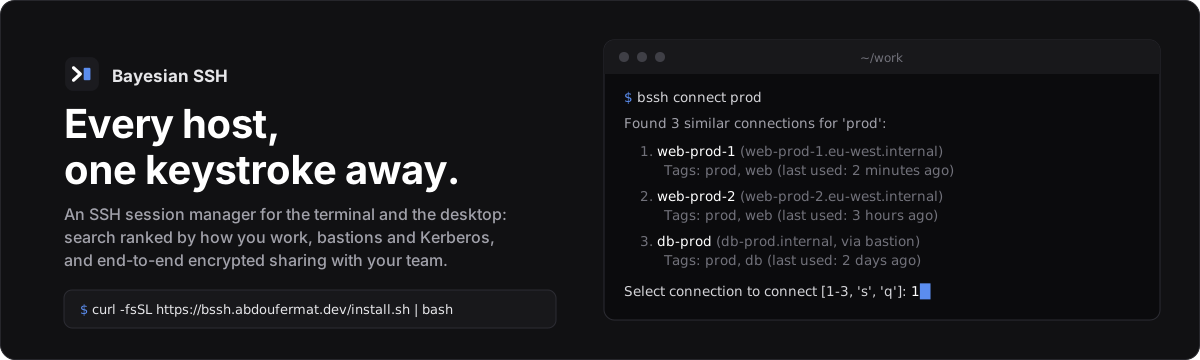
Finds the host you mean
Type part of a name, a tag or an abbreviation. Hosts are ranked by how often, how recently and in what context you use them; bssh why explains a ranking.
|
 Command line and desktop
The same hosts in bssh and in the desktop app: terminal tabs, file transfer, a command palette.
|
 Bastions and Kerberos
Jump hosts per connection or by default, ProxyJump picked up from ~/.ssh/config, Kerberos tickets handled for you.
|
 Every host at once
Run a command or upload files across every host with a tag, in parallel, with one summary.
|
 Session history
Who connected where, for how long, and how it ended. Sessions can be recorded and replayed.
|
 bssh Teams
Share connections with your team through a vault encrypted on your devices, with a signed audit log.
|
## Install
```bash
curl -fsSL https://bssh.abdoufermat.dev/install.sh | bash
```
Add `-s -- --no-gui` for the CLI only. `.deb`, `.rpm`, AppImage and checksums are on the
[releases page](https://github.com/abdoufermat5/bayesian-ssh/releases); there is also a
[snap](https://snapcraft.io/bayesian-ssh) (`sudo snap install bayesian-ssh`), and apt/dnf
repositories that update with the rest of your system. All the methods, release signature
checks and updates: [Installation](https://bssh.abdoufermat.dev/start/installation/).
## Quick start
```bash
bssh import # bring in hosts from ~/.ssh/config
bssh add web-prod web.example.com -u deploy
bssh connect webprod # fuzzy: finds web-prod
bssh upload -t prod ./app.tar.gz /opt/app/
bssh history --days 7
bayesian-ssh-desktop # the desktop app
```
`bssh` is the short name for `bayesian-ssh`. Next: the [quick start](https://bssh.abdoufermat.dev/start/quick-start/),
the [guides](https://bssh.abdoufermat.dev/guides/connections/), [bssh Teams](https://bssh.abdoufermat.dev/teams/overview/)
and the [CLI reference](https://bssh.abdoufermat.dev/reference/cli/).
## Build from source
```bash
git clone https://github.com/abdoufermat5/bayesian-ssh.git && cd bayesian-ssh
make release && make install # `make package` builds .deb and .rpm
```
## Contributing
Pull requests are welcome; open an issue first for anything large. Release notes are in
[CHANGELOG.md](CHANGELOG.md), and the documentation source is in
[bssh-docs](https://github.com/abdoufermat5/bssh-docs).
## License
MIT, see [LICENSE](LICENSE).