
# LAN Share
LAN Share is a cross-platform application for transferring files over a local area network. Built with the Qt GUI framework, it enables seamless transfer of files or folders, large or small, without additional configuration.
## Installation
Download the latest version from the [releases page](https://github.com/abdularis/LAN-Share/releases).
### Ubuntu/Debian (.deb)
1. Download the `.deb` package (e.g., `lanshare_1.2.1-1_amd64.deb`).
2. Open a terminal and navigate to the download directory.
3. Run:
```
sudo dpkg -i ./lanshare_1.2.1-1_amd64.deb
```
### Arch Linux (AUR)
1. Download the [PKGBUILD](https://aur.archlinux.org/packages/lan-share-bin).
2. In a terminal, run:
```
makepkg -si
```
Or, with an AUR helper:
```
yay -S lan-share-bin
```
### Linux (AppImage)
1. Download the AppImage.
2. Make it executable:
```
chmod +x ./LANShare.AppImage
```
3. Run the AppImage directly.
### Windows
Download the executable from the [releases page](https://github.com/abdularis/LAN-Share/releases) or [Softpedia](https://www.softpedia.com/get/Internet/File-Sharing/LAN-Share.shtml).
## Compiling from Source
### Prerequisites
Install Qt tools. For Debian-based systems:
```
sudo apt install qt5-qmake qt5-default
```
Learn more about `qmake` [here](https://doc.qt.io/qt-5/qmake-tutorial.html).
### Steps
1. Clone the repository:
```
git clone https://github.com/abdularis/LAN-Share
```
2. Navigate to the source directory:
```
cd LAN-Share-1.2.1/src
```
3. Compile:
```
qmake -o Makefile LANShare.pro
make
```
## Features
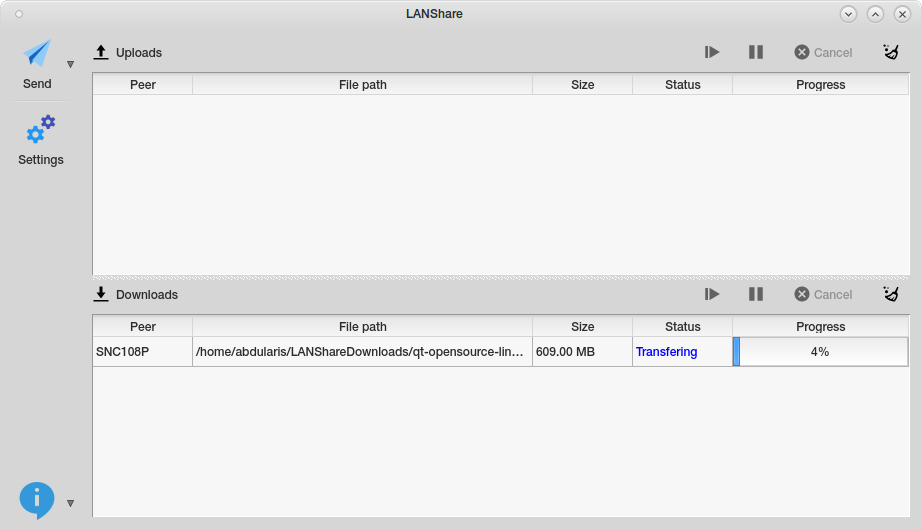
- Transfer single or multiple files
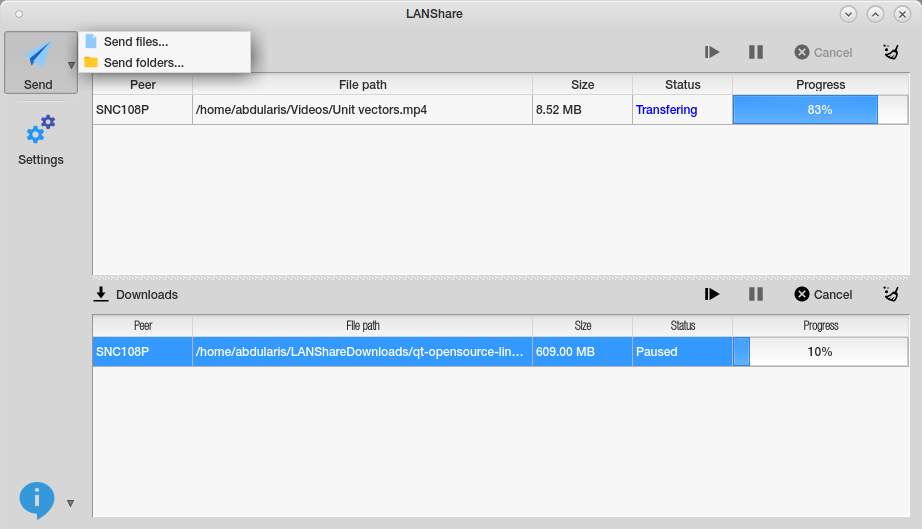
- Send entire folders
- Support for multiple simultaneous receivers
- Pause, resume, or cancel transfers
## Usage
1. Ensure both sender and receiver are connected to the same local network (wired or wireless).
2. Launch LAN Share on both devices.
3. On the sender’s device:
- Click *Send* and choose files or folders.
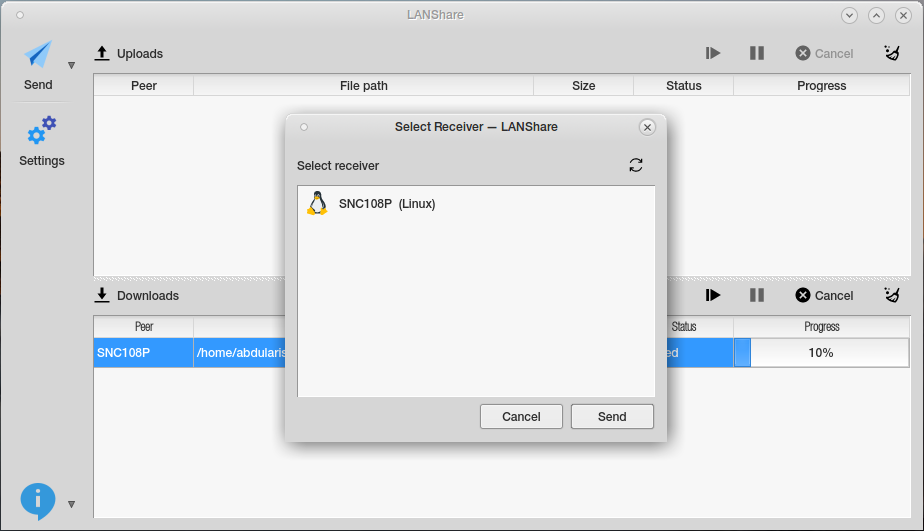
- Select the receiver in the *Select Receiver* dialog.
- Click *Send* to start the transfer.
4. The receiver automatically accepts the files or folders.
## Screenshots
## License
GPLv3