# Goki
A terminal-based spaced repetition flashcard tool.
## Now supports OpenAI API Integration and...
- **Importing decks from Anki and csv's!**
- **Reviewing from TUI and Terminal!**
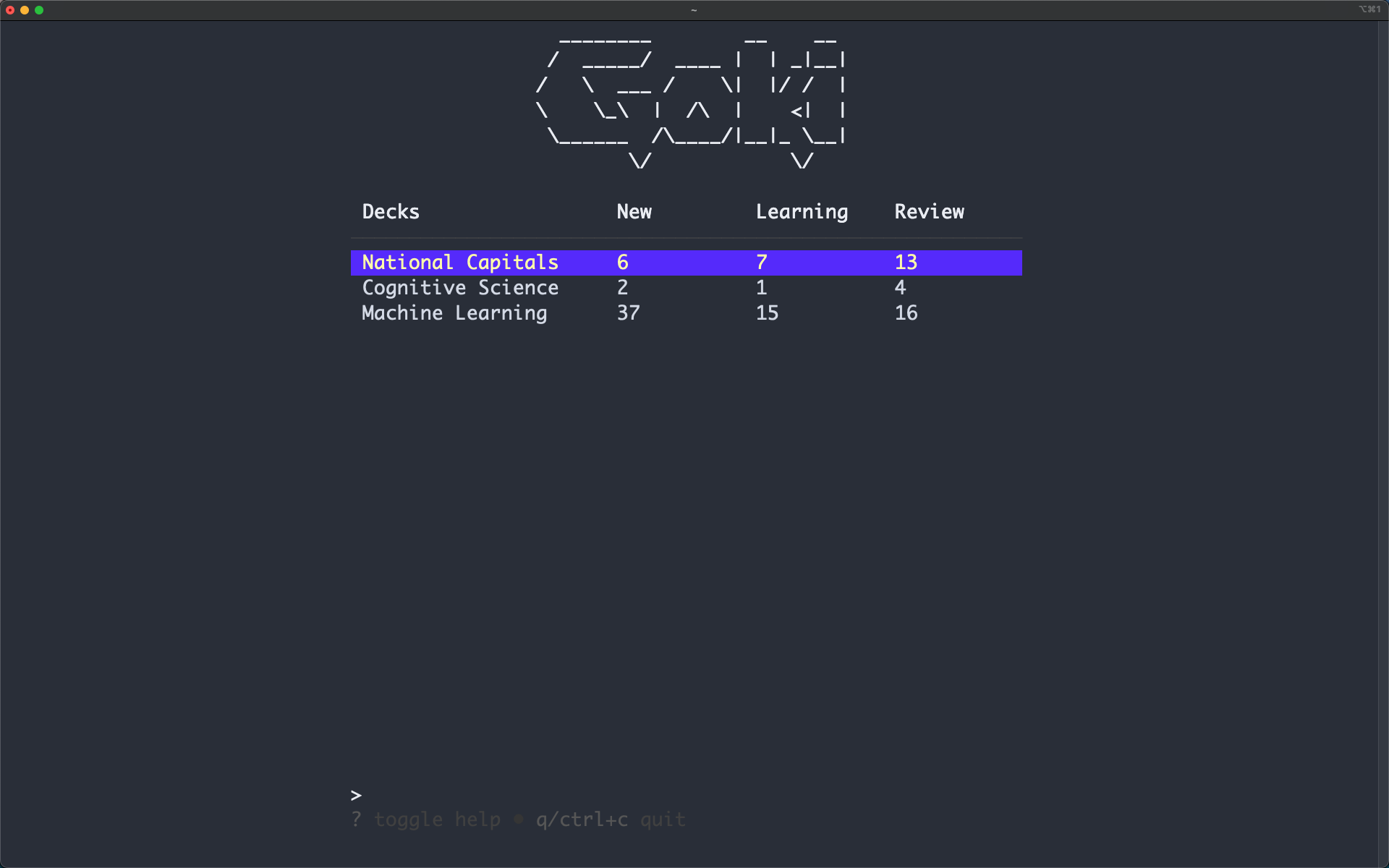
Theme: [material default-community](https://github.com/kaicataldo/material.vim)
Goki is an intelligent flashcard management tool inspired by
[Anki](https://apps.ankiweb.net/) built in the terminal!
## Table of contents
- [TUI Demo](#tui-demo)
- [Key Mappings](#key-mappings)
- [Installation](#installation)
- [Examples](#examples)
- [OpenAI API Integration](#openai-api-integration)
- [Import Flashcards](#import-from-csv)
- [Reviewing Flashcards](#reviewing-flashcards)
- [Creating Decks](#creating-decks)
- [Creating Flashcards](#creating-flashcards)
- [Commands](#commands)
- [Resources](#resources)
## TUI Demo
Launch by running `goki`:
https://github.com/abeleinin/goki/assets/95333017/91d46c80-6580-4550-b6c2-405342a48290
Goki features a [Spaced Repetion Algorithm](https://en.wikipedia.org/wiki/Spaced_repetition)
which uses user feedback on card difficulty to effectively space out practice sessions.
## Key Mappings
Home Page
| Action | Keybinding |
|--------------|------------|
| Review Decks Flashcards | `r` |
| Create New Deck | `N` |
| Generate a Deck using GPT | `G` |
| View Deck Card List | `o` |
| Edit Deck Name | `e` |
| Delete Deck | `d` |
| Move Up | `up arrow`,`k` |
| Move Down | `down arrow`,`j` |
| Toggle Help Menu | `?` |
| Quit | `q`,`ctrl+c` |
Flashcard List Page
| Action | Keybinding |
|------------------|------------|
| Move Up | `up arrow`,`k` |
| Move Down | `down arrow`,`j` |
| Next page | `right arrow`,`l` |
| Previous Page | `left arrow`,`h` |
| Search Flashcards | `/` |
| New Card | `n` |
| Edit Card | `e` |
| Delete Card | `d` |
| Undo Deleted Card | `u` |
Create/Edit Flashcard Form
| Action | Keybinding |
|----------------|------------|
| Next Field / Submit | `enter` |
| Previous Field | `tab` |
| Exit Form | `esc` |
Flashcard
| Action | Keybinding |
|-------------|------------|
| Exit Review | `esc` |
| Show Back | `o` |
| Flashcard needs repeated again | `1` |
| Flashcard took some thought | `2` |
| Flashcard was easy to remember | `3` |
## Installation
Using `go`:
```
go install github.com/abeleinin/goki@latest
```
Build from source (go 1.13+)
```
git clone https://github.com/abeleinin/goki.git
cd goki
go build
```
## Examples
### OpenAI API Integration
https://github.com/abeleinin/goki/assets/95333017/96234116-ef6f-4238-959a-b972e9adf0b3
Supports:
- Generating decks from text or markdown files using `stdin`
- Generating arbitrary decks from a `` in CLI and TUI
Goki uses `gpt-4-turbo-preview`. Set the `OPENAI_API_KEY` environment variable to a valid OpenAI key. You can generate one [here](https://platform.openai.com/api-keys).
There are two ways to generate decks using the API. First, you can use `stdin` to generate a deck from your notes:
```
goki --gpt < my_notes.txt
goki --gpt "my prompt"
```
Or from the TUI, you can use the `G` key to be prompted to type some content on the bottom of the screen relating to the deck you want to generate. Testing has been limited, so please [report](https://github.com/abeleinin/goki/issues/new) any bugs or errors that occur.
### Import from CSV
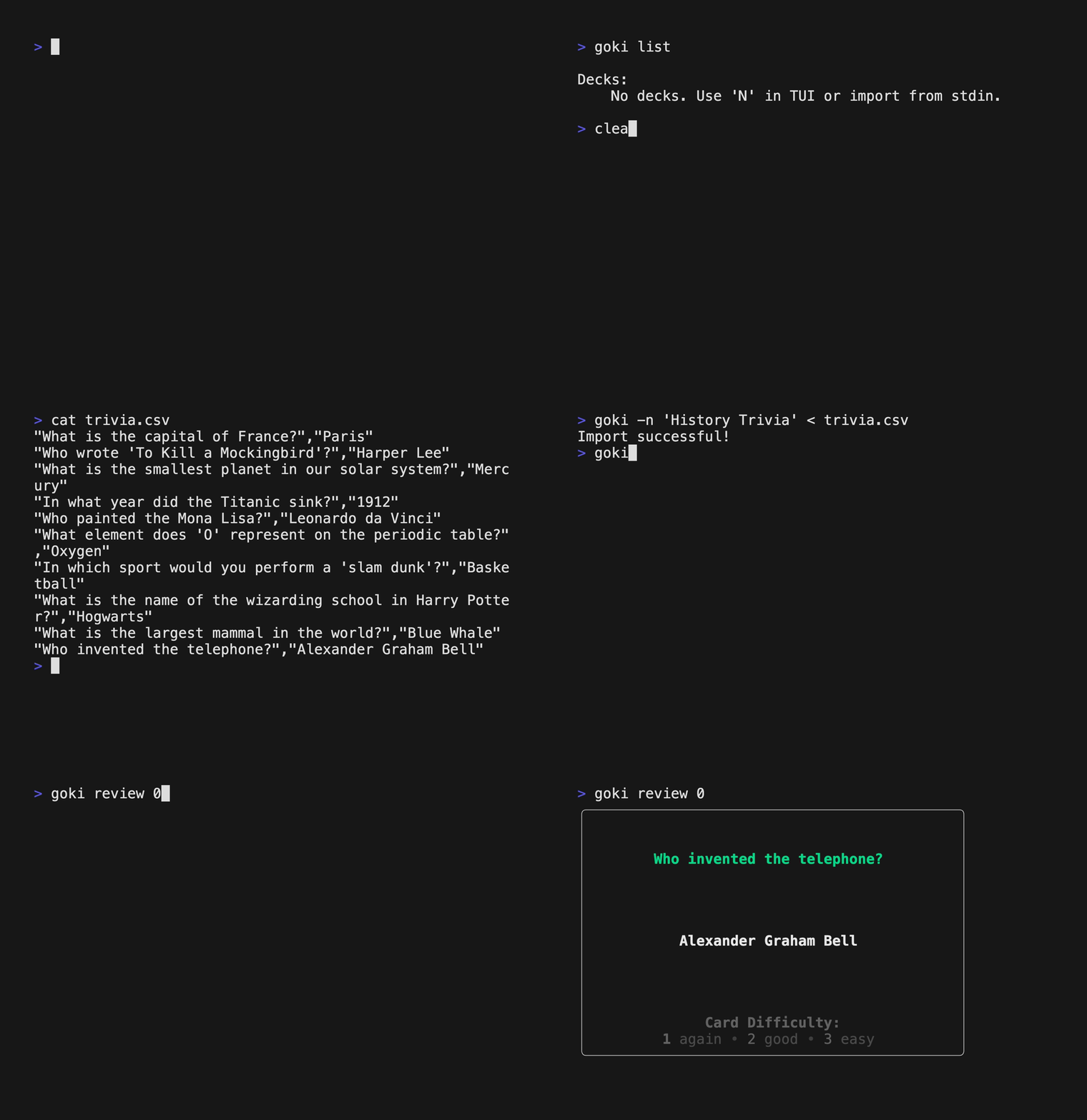
Using the pipe operator `<` to feed flashcard data in as `stdin`. Apply
a custom name with the `-n` flag, or a default name will be assigned.
`-t` flag assigns the data seperation character, comma `,` separation
is the default.
```
goki < flashcards.csv # default sep=','
goki -t < flashcards.txt # use -t to set sep='\t'
goki -n "My Deck Name" < flashcards.csv
goki -n "My Deck Name" -t < flashcards.txt
```
Here is an example of data formatting. Only rows with 2 elements
will be parsed, the first as the question and second as answer.
```
"Question","Answer"
Question Answer
```
### Import from Anki
Export as `Notes in Plain Text (.txt)` in Anki, which generates a tab `\t` separated text file. Run the follow on the exported file.
```
goki -n "My Anki Cards" -t < anki.txt
```
### Reviewing Flashcards
Press `r` on the selected deck you want to review on the home page. Or
use the command `goki review ` to review from the CLI.
**Review from CLI:**
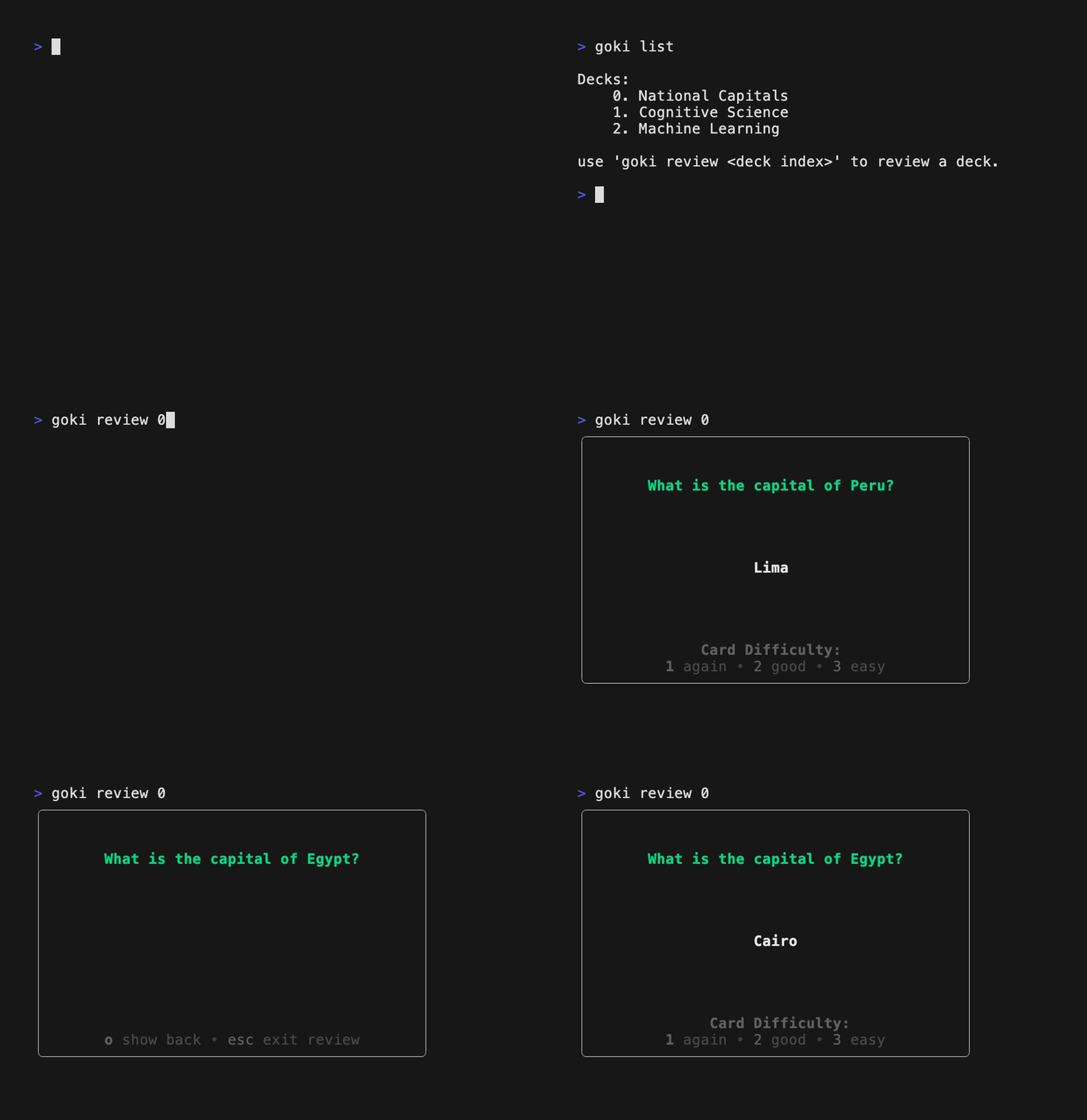
**Review from TUI:**

### Creating Decks
Press `N` in the home page. Use `e` to edit the currently selected deck.

### Creating Flashcards
Press `o` to view the cards in a deck. Press `n` to create a new card.

## Commands
```
Usage:
goki - tui mode
goki list - view deck index
goki review - review deck from cli
Import:
opt: - optional flags
-n "deck name" - assigned deck name to imported cards
-t - assigns tab sep (default sep=',')
goki opt < deck.txt - import deck in using stdin
Generate:
goki --gpt "my prompt" - generate a deck from a text prompt
goki --gpt < my_notes.txt - generate a deck from text or markdown files
```
## Resources
- [Augmenting Long-term Memory ](https://augmentingcognition.com/ltm.html) by Michael Nielsen, Y Combinator Research, July 2018
- Created using [Charm](https://charm.sh/)