





CLI to sync labels between repositories on GitHub

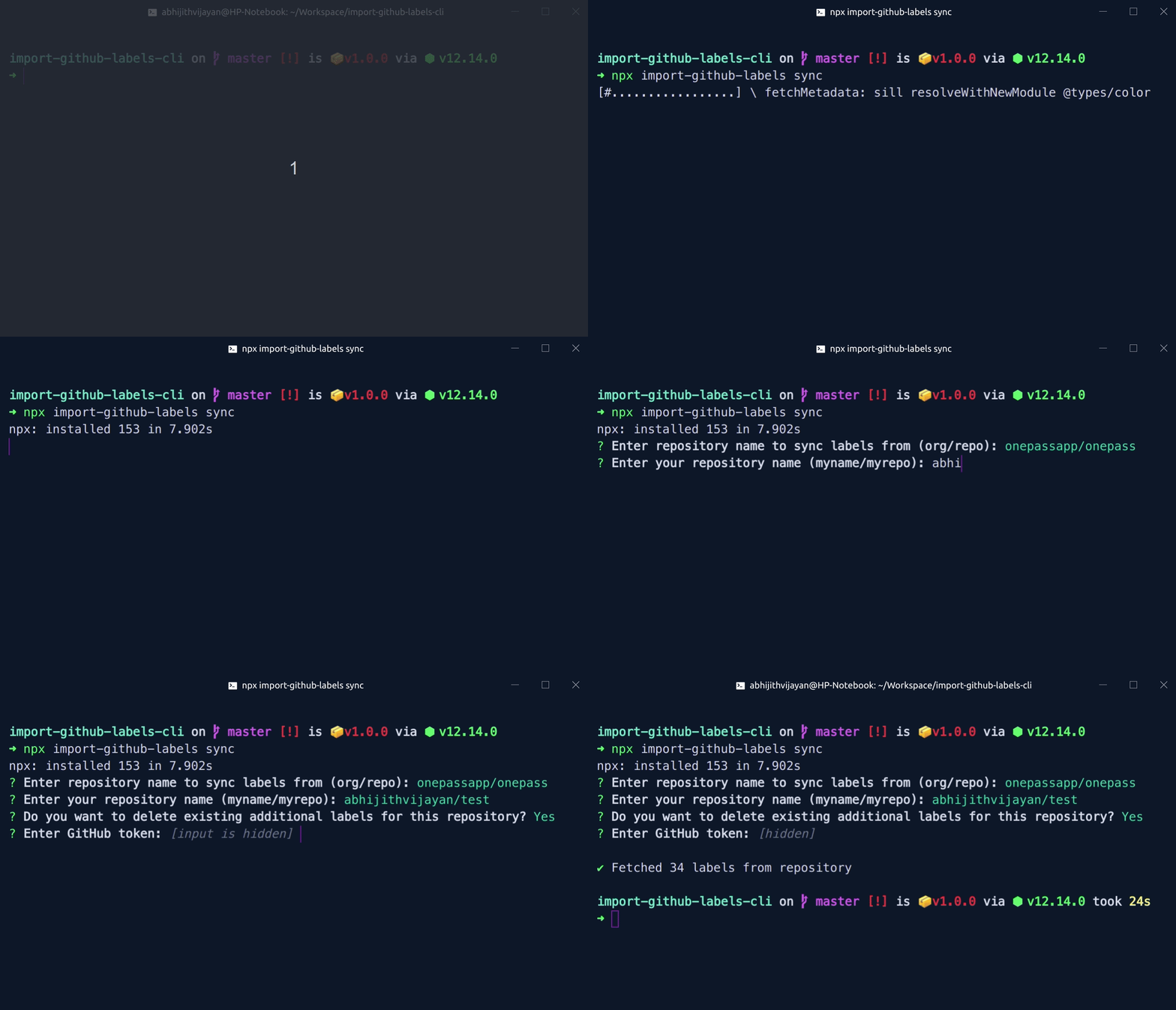 ## Table of Contents
- [Installation](#installation)
- [Usage](#usage)
- [FAQs](#faqs)
- [Issues](#issues)
- [🐛 Bugs](#-bugs)
- [LICENSE](#license)
## Installation
Ensure you have [Node.js](https://nodejs.org) 10 or later installed. Then run the following:
```
npm install --global import-github-labels
```
If you don't want to install the CLI globally, you can use `npx` to run the CLI:
```
npx import-github-labels --help
```
## Usage
```
$ import-github-labels --help
Create GitHub repo from Command-line
Usage
$ import-github-labels [input] [options]
Input
sync Import GitHub labels from a repo to another
Options
-v, --version Show the version and exit with code 0
Examples
$ import-github-labels sync
```
## FAQs
### Generate new token
Go to [Personal access tokens](https://github.com/settings/tokens)
### Why do I need a token
- For unauthenticated requests, the rate limit is 60 requests per
hour.
See [Rate Limiting](https://developer.github.com/v3/#rate-limiting)
- The token must be passed together when asked
## Issues
_Looking to contribute? Look for the [Good First Issue](https://github.com/abhijithvijayan/import-github-labels-cli/issues?q=is%3Aissue+is%3Aopen+sort%3Aupdated-desc+label%3A%22good+first+issue%22)
label._
### 🐛 Bugs
Please file an issue [here](https://github.com/abhijithvijayan/import-github-labels-cli/issues/new) for bugs, missing documentation, or unexpected behavior.
[**See Bugs**](https://github.com/abhijithvijayan/import-github-labels-cli/issues?q=is%3Aissue+is%3Aopen+sort%3Aupdated-desc+label%3A%22type%3A+bug%22)
### Linting & TypeScript Config
- Shared Eslint & Prettier Configuration - [`@abhijithvijayan/eslint-config`](https://www.npmjs.com/package/@abhijithvijayan/eslint-config)
- Shared TypeScript Configuration - [`@abhijithvijayan/tsconfig`](https://www.npmjs.com/package/@abhijithvijayan/tsconfig)
## License
MIT © [Abhijith Vijayan](https://abhijithvijayan.in)
## Table of Contents
- [Installation](#installation)
- [Usage](#usage)
- [FAQs](#faqs)
- [Issues](#issues)
- [🐛 Bugs](#-bugs)
- [LICENSE](#license)
## Installation
Ensure you have [Node.js](https://nodejs.org) 10 or later installed. Then run the following:
```
npm install --global import-github-labels
```
If you don't want to install the CLI globally, you can use `npx` to run the CLI:
```
npx import-github-labels --help
```
## Usage
```
$ import-github-labels --help
Create GitHub repo from Command-line
Usage
$ import-github-labels [input] [options]
Input
sync Import GitHub labels from a repo to another
Options
-v, --version Show the version and exit with code 0
Examples
$ import-github-labels sync
```
## FAQs
### Generate new token
Go to [Personal access tokens](https://github.com/settings/tokens)
### Why do I need a token
- For unauthenticated requests, the rate limit is 60 requests per
hour.
See [Rate Limiting](https://developer.github.com/v3/#rate-limiting)
- The token must be passed together when asked
## Issues
_Looking to contribute? Look for the [Good First Issue](https://github.com/abhijithvijayan/import-github-labels-cli/issues?q=is%3Aissue+is%3Aopen+sort%3Aupdated-desc+label%3A%22good+first+issue%22)
label._
### 🐛 Bugs
Please file an issue [here](https://github.com/abhijithvijayan/import-github-labels-cli/issues/new) for bugs, missing documentation, or unexpected behavior.
[**See Bugs**](https://github.com/abhijithvijayan/import-github-labels-cli/issues?q=is%3Aissue+is%3Aopen+sort%3Aupdated-desc+label%3A%22type%3A+bug%22)
### Linting & TypeScript Config
- Shared Eslint & Prettier Configuration - [`@abhijithvijayan/eslint-config`](https://www.npmjs.com/package/@abhijithvijayan/eslint-config)
- Shared TypeScript Configuration - [`@abhijithvijayan/tsconfig`](https://www.npmjs.com/package/@abhijithvijayan/tsconfig)
## License
MIT © [Abhijith Vijayan](https://abhijithvijayan.in)