# Pocket Wormhole
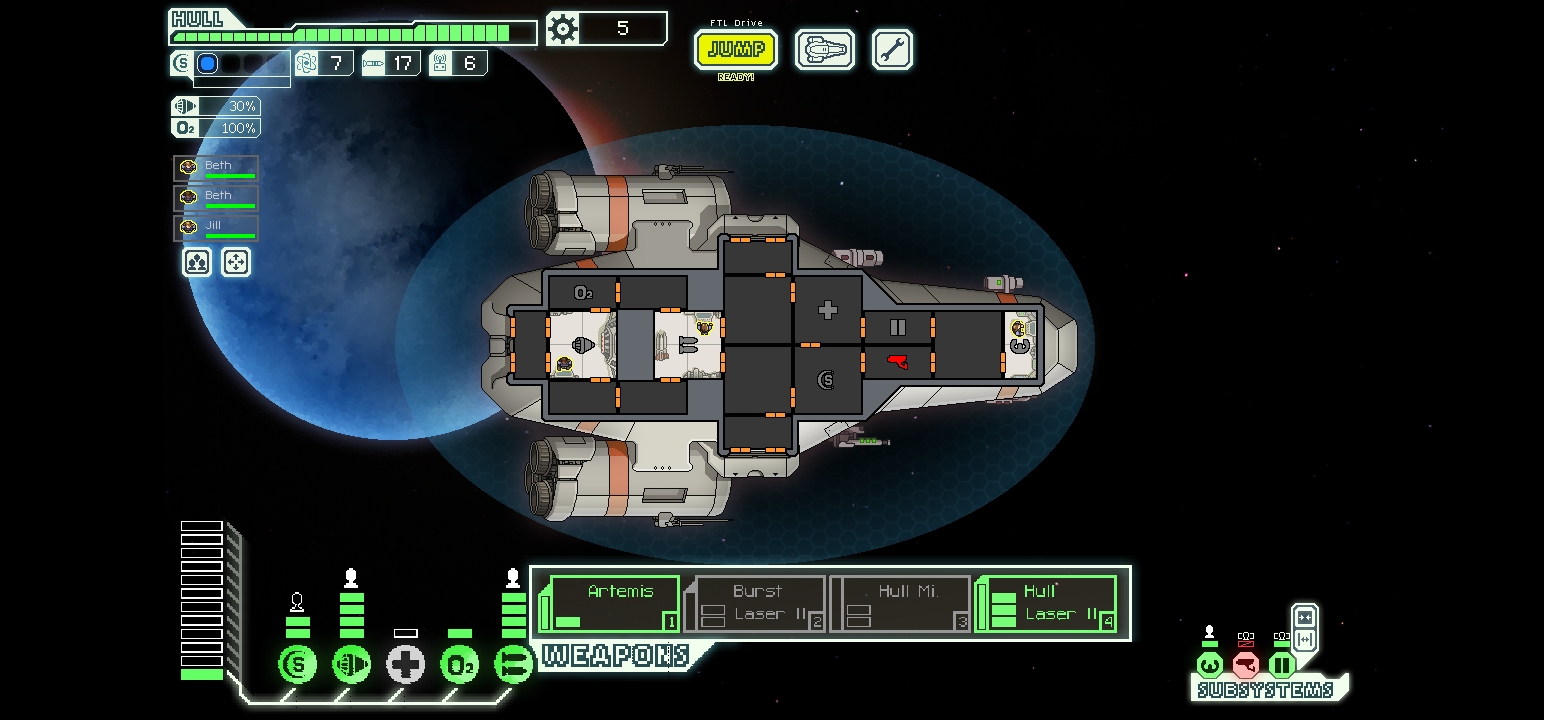
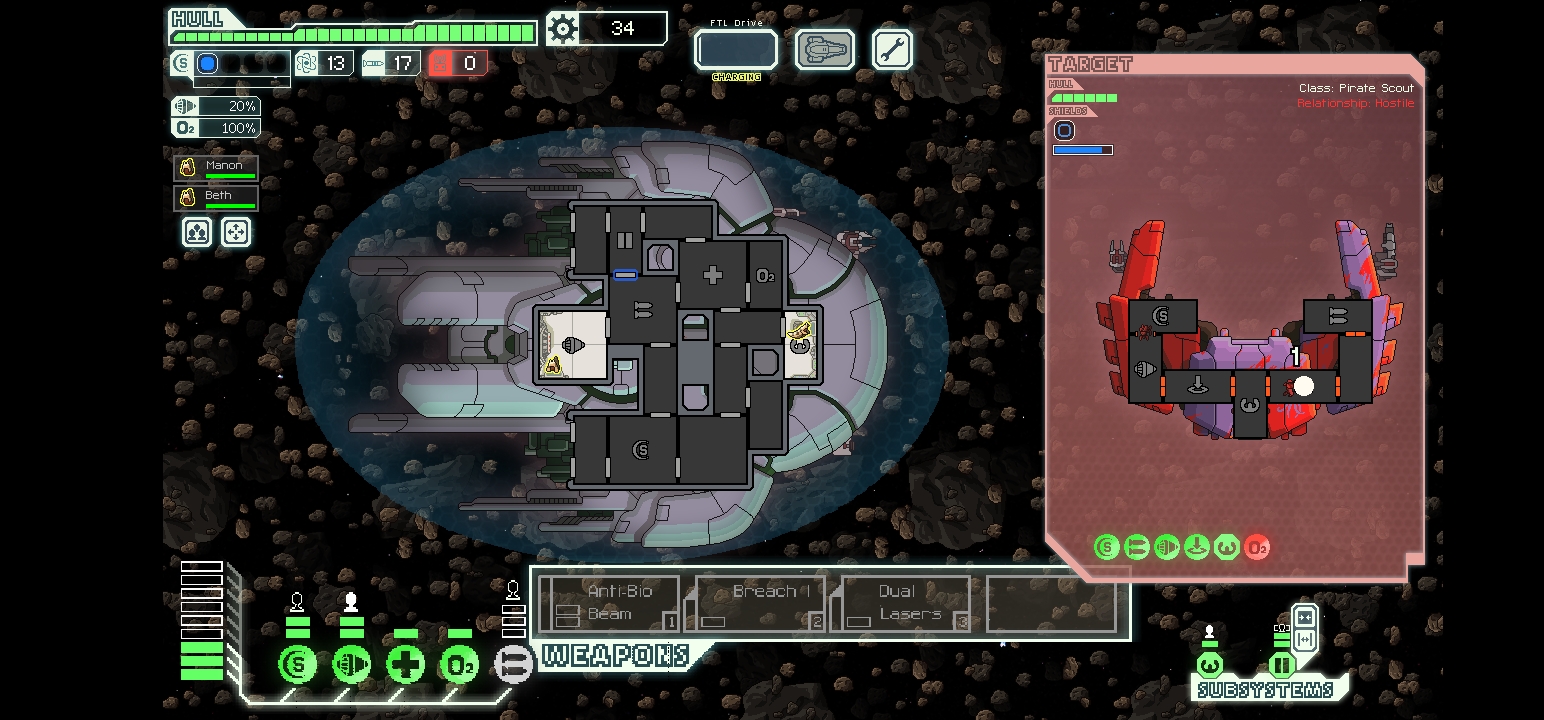
A native Android port of [Project Wormhole](https://gitlab.com/znixian/xftl)
(xftl), the clean-room reimplementation of the **FTL: Faster Than Light**
engine by Campbell Suter (ZNix) and contributors. The engine is re-implemented
from scratch and loads **all game assets directly from your own `ftl.dat`** —
the exact file that ships with your Steam/GOG copy of FTL.
**No FTL assets are included.** You must own the game.
FTL: Faster Than Light is © Subset Games; this project is not affiliated
with or endorsed by them.
## Installing
1. Grab the latest APK from
[GitHub Releases](https://github.com/adamkulik/pocket-wormhole/releases)
(or build it — see below), copy it to your phone and install it (allow
"install from unknown sources").
2. Copy `ftl.dat` from your PC's FTL install
(`FTL Faster Than Light\ftl.dat`, ~280 MB) to the phone — anywhere you like.
3. Launch the app. On first run it asks you to pick `ftl.dat` with the system
file picker. It copies the file into the app's private storage (one time,
needs ~280 MB free) and then starts.
## Controls
| Action | Result |
|---------------------|-----------------------------------------------------|
| Tap | Left click |
| Drag | Mouse drag |
| Long-press (~0.5 s) | Right click (move crew, power down systems, cancel) |
| Two-finger drag ↕ | Scroll wheel (ship lists, options) |
| Back button | Escape (opens the pause/escape menu) |
| Physical keyboard | Space/Enter/arrows/Tab/Escape/letters reach the game |
| Tap a crewmember | Selects them and auto-pauses in room-selection mode — tap a room to send them there, tap empty space to cancel |
| Tap a system icon | Opens a power panel with big +/− buttons (drones get on/off toggles); the game auto-pauses |
| Tap a weapon to fire | Auto-pauses in targeting mode — your ship shrinks out of the way and the enemy ship goes full-size; tap rooms to target (drag for beams), long-press to cancel |
| In the store, maps & upgrades | First tap on an item just inspects it (highlights + shows its description); tap the same item again to buy/sell/jump/confirm. Tapping a different item moves the highlight, tapping empty space clears it. Event choices and the pause menu stay single-tap |
## Saves & data
Everything lives in the app's internal private storage (`Context.filesDir`,
`/data/data/com.pocketwormhole.android/files/`), which file managers can't
open without root:
- `ftl.dat` — the copied game data
- `ProjectWormhole/save-profile.xml` — profile (unlocks, achievements, options)
- `ProjectWormhole/run-save.xml` — your in-progress run
- `ProjectWormhole/ftl-path.txt` — pointer to the copied `ftl.dat`
- `ProjectWormhole/mods/` — mods, loaded like on desktop (with an `order.txt`
listing them); since the folder is private, there's currently no way to put
mods there on an unrooted phone
- `log-session-*.txt` — session logs (useful for bug reports); these are also
written to `/Android/data/com.pocketwormhole.android/files/`, which you can
reach over USB or with a file manager on most Android versions
**Save + Quit** (escape menu) saves your run; the next time you open the app
the run resumes automatically, exactly where you left it. Starting a new run
or dying discards the saved one, as in vanilla FTL.
## Moving runs between devices (EXPORT / IMPORT SAVE)
The pause menu can **EXPORT** your run as a vanilla-compatible `continue.sav`
(loadable by vanilla FTL 1.6.14+ with AE, or another Pocket Wormhole install)
and **IMPORT** such a file back.
> **⚠️ READ THIS BEFORE USING — these are hard limitations, not fine print:**
>
> - **Move runs at the start of a sector.** The EXPORT button only exists
> while you stand on the newly arrived sector's entry beacon, because that
> is the one state that transfers faithfully. There is no way to pin a
> mid-sector position across engines.
> - **The map layout reshuffles on every transfer.** Ship, crew, weapons,
> scrap, sector number, visited route, stores, quests and fleet progress
> all carry over — but the beacon geometry is re-rolled by whichever
> engine imports the save, so everything sits in different places.
> - **In-flight state is dropped**: an active battle (enemy ship and
> projectiles), open event dialogs, hacking effects and crew waiting in
> the clonebay do not survive a transfer.
> - **Exports from v0.2.4 or older are broken** and will *hang vanilla FTL*
> on load. Re-export the run with v0.2.5 or newer.
> - Lifetime profile statistics are zeroed in exports (vanilla keeps its own
> totals in its `prof.sav` anyway).
> - `run-save.xml` — the engine-native autosave — is **not** a transfer
> format. It only works between Pocket Wormhole installs.
In short: jump to a new sector, EXPORT, move the file, IMPORT (or drop it
next to vanilla's saves), and continue there.
## Known limitations
- XSLT-based mod patches are unsupported (Saxon doesn't run on Android);
vanilla data and most Slipstream mods work fine.
- Requires Android 8.0+ (API 26) and a GLES 3.0 GPU (everything from ~2014 on).
- The hangar ship editor UI is mouse-centric; it works with touch but is fiddly.
- Hover-dependent desktop UI (tooltips) only shows while you're touching —
except in the store, maps and upgrades, where a tap keeps the info up
(see tap-to-confirm above).
## Building from source
Prerequisites: JDK 17, Android SDK (platform 34, build-tools 34.0.0).
```
./gradlew assembleDebug # Linux/macOS
gradlew.bat assembleDebug # Windows
```
The APK lands in `app/build/outputs/apk/debug/`.
`local.properties` is created by Android Studio, or write it yourself:
`sdk.dir=`.
### How it works
The engine (`xyz.znix.xftl`), Slipstream (`net.vhati.*`) and patched
jorbis/PNGDecoder sources are compiled into the app; the desktop LWJGL layer
is replaced by small Android-backed shims:
- `org.lwjgl.opengl.*` — GL11..GL30 → `android.opengl.GLES30` (the engine's
renderer is GL 3.0-core, mapping 1:1 onto GLES 3); each frame is drawn into
an offscreen framebuffer with a guaranteed depth+stencil attachment
- `org.lwjgl.openal.*` — a software OpenAL implementation (SoftAL) mixing to
an `AudioTrack`, including buffer-queue streaming for music and
`AL_SEC_OFFSET` seeking
- `org.lwjgl.glfw.GLFW` — key constants; windowing is replaced by
`AndroidGameContainer` (GLSurfaceView) and `AndroidInput` (touch → mouse,
with a one-frame click deferral so the engine's draw-time hover state is
correct for instant taps)
- `org.newdawn.slick.*` — the Slick2D classes the engine uses (decoders,
listeners, geometry), with Android-backed implementations
Patches to the upstream engine are kept minimal; see the source comments and
git history.
## Credits & licences
See [NOTICE.md](NOTICE.md) for the full list. In short:
- [Project Wormhole](https://gitlab.com/znixian/xftl) — Campbell Suter (ZNix)
and contributors (GPL-2.0+)
- [Slipstream Mod Manager](https://github.com/Vhati/Slipstream-Mod-Manager) —
Vhati and contributors (GPL-2.0)
- [JOrbis/JOgg](http://www.jcraft.com/jorbis/) — JCraft (LGPL-2.1)
- PNGDecoder — Matthias Mann (BSD-3-clause)
- **FTL: Faster Than Light** — © Subset Games. This project ships none of its
assets; load them from your own copy.
## Licence
This project is free software: you may redistribute and/or modify it under
the terms of the [GNU General Public License v2.0](LICENSE), or (at your
option) any later version.