
Mario Kart World (Nintendo Switch 2) recompiled to run natively on Linux and Windows.



Releases · Help wiki · Discord · Changelog · Contributing · Sources · Roadmap · Performance · Issues · Discussions · Archive
English · 简体中文 · Español · العربية · हिन्दी · Português (Brasil) · Português (Portugal) · Deutsch
*Mario Kart World* (Switch 2, versions 1.0.0 and 1.8.0) turned into a native program for Linux and Windows. You need your own copy of the game, dumped from your own console: nothing of the game is in this repository or its releases. **It is a recompilation, not an emulator.** The game's AArch64 code is translated to C ahead of time and compiled for your CPU (x86-64, or AArch64 on Linux); there is no CPU interpreter or JIT. The GPU is not emulated either: NVN2, the Switch 2 graphics API, runs on top of Vulkan, and the game's shaders are translated to SPIR-V ahead of time. ## Status Early, and moving fast (12/11/2026): - It boots, plays the intro movies, goes through the menus and races, on Linux and Windows (x86-64) and on Linux AArch64 (its own AppImage, tested on an Adreno 740 handheld). - The start screen sets the game up from your copy on your machine and holds every setting. - Races run at 60 fps on high-end GPUs and at 30 on mid-range ones. Measured frame times per GPU: [docs/project/performance.md](docs/project/performance.md). - Known problems: a few menus (mode, character and vehicle select) need work, the kart's shadow misses a frame now and then, some audio cuts during movies, and on some AMD drivers the GPU can hang. There is no online play. ## Roadmap The open work, in order (details: [docs/project/roadmap.md](docs/project/roadmap.md)): - **60 fps in races**: recording the game's frame for Vulkan is on the critical path, so it needs less CPU. - **The picture as on the console**: the last shader bugs and the kart's shadow. - **Every menu checked** against the console. - **No GPU hangs**, less GPU memory, loading without stutter, a Linux package for non-rolling distributions. - **1.8.0 on par with 1.0.0**: ultrawide, shadow map size, fixed seed ([#19](https://github.com/adriadam10/mkw-recomp/issues/19)). ## Playing > **Stuck?** Search the [wiki](https://github.com/adriadam10/mkw-recomp/wiki) first: installation, settings, controls, > [known errors by their log line](https://github.com/adriadam10/mkw-recomp/wiki/Troubleshooting) and a > [FAQ](https://github.com/adriadam10/mkw-recomp/wiki/FAQ). 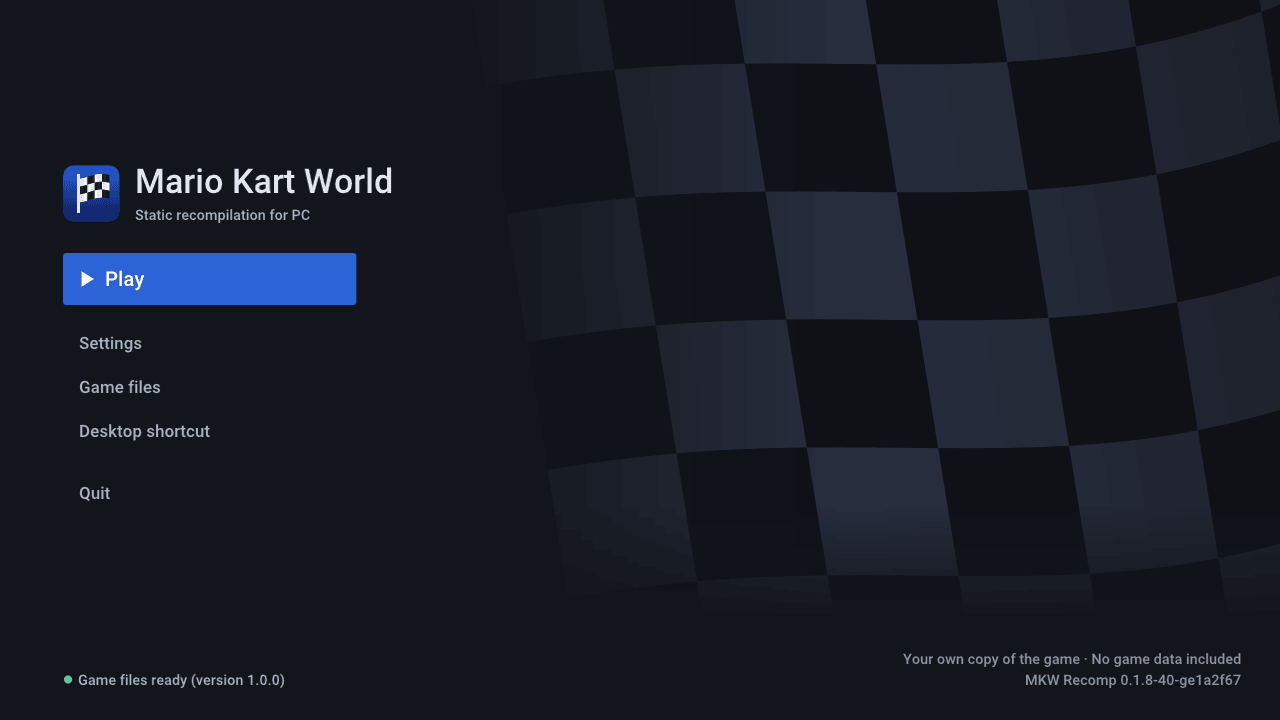  1. Dump Mario Kart World 1.0.0 or 1.8.0 from your Switch 2 (`exefs/` and `romfs/`, decrypted; 1.8.0 with the update merged into the base RomFS), or the same dump packed as one `.nup` or `.nx` file. 2. Download the launcher from [Releases](https://github.com/adriadam10/mkw-recomp/releases): the `.AppImage` on Linux (`-aarch64` on ARM; glibc 2.31 or newer: Debian 11, Ubuntu 20.04, SteamOS and later) or the `.zip` on Windows, unpacked into a folder. About 30 GB free. 3. Run it (`chmod +x` the AppImage first), open **Game files**, optionally **Choose game folder** (default on Linux: `~/.local/share/mkw-recomp`), point it at your dump and press **Set up**. The first setup takes a while: it compiles the whole game and downloads NVIDIA's `nvdisasm` and `ptxas` (84 MB on Linux, 126 MB on Windows). Then **Play**. 4. New releases are offered on the start screen (**Update to vX**); **Settings → Menu → Check for updates** turns that off. Requirements: x86-64 CPU with AVX2 (or, on Linux, AArch64 with ARMv8.2: LSE, FP16, RCpc, DotProd, CRC32), a GPU with Vulkan 1.3 (`VK_EXT_mesh_shader` recommended), 16 GB of RAM recommended. In a Docker or Podman container on Linux, allow `userfaultfd` in the seccomp profile (Docker's default refuses it), or it runs several times slower. To add your machine to the performance list, open a [performance report](https://github.com/adriadam10/mkw-recomp/issues/new?template=performance.yml). ## Extra features Beyond the console, all optional and off (or at the console's value) by default: - **Display**: any internal resolution, 21:9 / 32:9 / 48:9, AMD FSR 1 scaling, HDR, VSync, mailbox or immediate presentation. - **Frame generation**: frames made between the game's (30 fps shown at 60, or 240). Smoother, not faster; fast motion and the minimap can smear. - **Frame rate**: 20 and 15 fps besides 60 and 30; Automatic drops to them when frames take too long, so a slow GPU keeps the race at real speed. **Low latency** (on by default) starts each frame as late as the GPU allows. - **Graphics**: texture filtering and quality, detail distance, shadow quality. - **Sound**: 5.1 surround. - **Controls**: every key and button rebindable, mouse camera, Nintendo, Xbox or PlayStation icons, motion steering, vibration, local multiplayer with one controller each. Switch 2 controllers work over Bluetooth and, on Linux, USB (Windows USB: see below). Gyro from a Cemuhook / DSU server (DS4Windows, BetterJoy) is supported. Racing wheels work as a controller (steering and first buttons); for pedals, put a `gamecontrollerdb.txt` in the game folder. - **Hacks**: turbo (F2), skip movies, unlock everything, fixed randomness, straight to time trial or free roam. - **Languages**: menus in 20 languages; the game also in Catalan, Galician, Basque and Turkish. - **Tools**: performance overlay and a one-click system info for bug reports. ### Switch 2 controllers over USB on Windows They only start after a command sent to their second USB interface, which Windows leaves without a usable driver. Once per controller, with [Zadig](https://zadig.akeo.ie/): 1. Plug the controller in and open Zadig. 2. **Options → List All Devices**, pick the controller's **Interface 1** (USB ID `057E` and `2069` Pro Controller, `2066`/`2067` right/left Joy-Con, `2073` GameCube). Not Interface 0: replacing it hides the controller from other apps. 3. Driver **WinUSB**, then **Replace Driver**. The same applies to a virtual controller with those IDs (Switch2Connect's USB/IP mode). To undo it, uninstall that interface's device in Device Manager with "delete the driver" ticked. ## Mods The start screen's **Mods** page has two tabs: - **Find on GameBanana**: Mario Kart World's mods on [GameBanana](https://gamebanana.com/games/22152), with author, license, screenshots and description. **Install** downloads only when you ask. - **Installed**: each mod with an on/off switch; **Import zip / Import folder** takes a mod you already have (`.zip`, `.rar` or `.7z` with `romfs/`, `exefs/` and/or `plugin/` inside). Mods that replace game files (`romfs/`) apply at the next start. Mods that patch the game's code (`exefs/` `.ips` or `.pchtxt`, such as 200cc or 30 FPS) rebuild the game before you play (a few minutes). Two mods that change the same file: the page asks which one wins. It also warns about mods that replace graphics settings or shaders. A mod with a `plugin/` folder carries a native plugin (`.dll` or `.so`) that runs its own program on your computer: turn it on only if you trust its source. For modders, the API is one header, [`runtime/plugin/mkw_plugin.h`](runtime/plugin/mkw_plugin.h), explained in the wiki's [Writing a plugin](https://github.com/adriadam10/mkw-recomp/wiki/Writing-a-plugin); more in the wiki's [Mods](https://github.com/adriadam10/mkw-recomp/wiki/Mods) page. Mods are made by others and not tested here: one can crash the game or damage your save. Keep a copy of your save, report a mod's problems to its author, and when you report a bug here say which mods were on (the log lists them). ## Building from source Linux, with `uv`, `clang`, `lld`, `ninja`, SDL3, Opus, libvpx, zstd, xxHash, the Vulkan headers and VMA 3.4.0 (details in [tools/build/README.md](tools/build/README.md)). Put your dump in `game/` (`game/exefs`, `game/romfs`) or set `MKW_GAME=