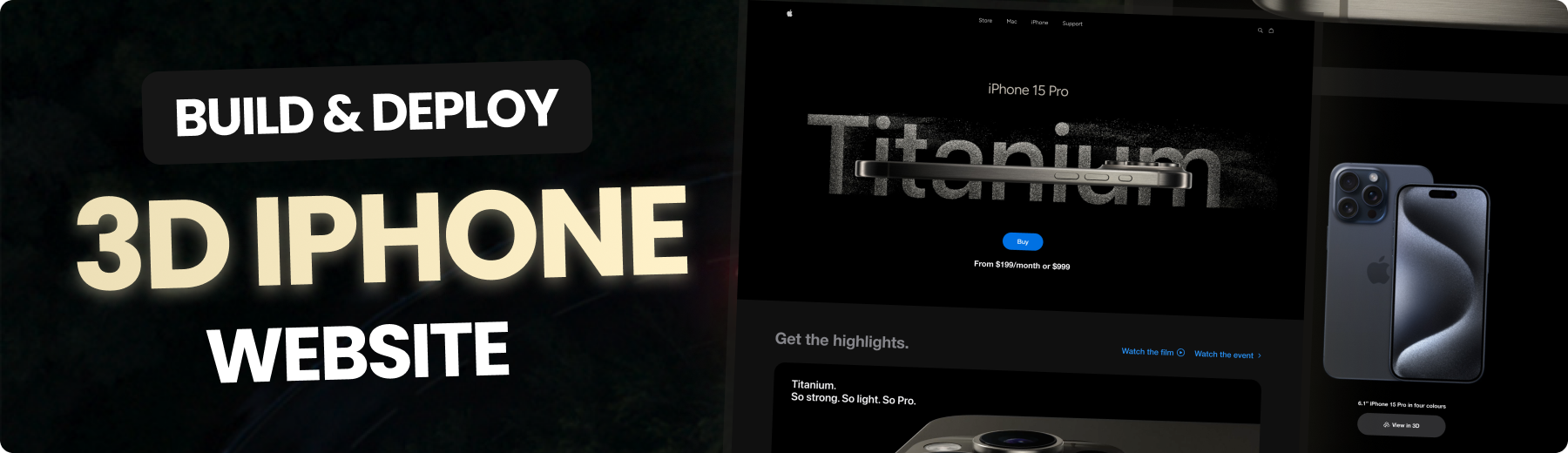



Build this project step by step with our detailed tutorial on JavaScript Mastery YouTube. Join the JSM family!
## π Table of Contents
1. π€ [Introduction](#introduction)
2. βοΈ [Tech Stack](#tech-stack)
3. π [Features](#features)
4. π€Έ [Quick Start](#quick-start)
5. πΈοΈ [Snippets](#snippets)
6. π [Links](#links)
7. π [More](#more)
## π¨ Tutorial
This repository contains the code corresponding to an in-depth tutorial available on our YouTube channel, JavaScript Mastery.
If you prefer visual learning, this is the perfect resource for you. Follow our tutorial to learn how to build projects like these step-by-step in a beginner-friendly manner!
## π€ Introduction
This is a clone of Apple's iPhone 15 Pro website using React.js and TailwindCSS. It highlights the effective use of GSAP (Greensock Animations) and Three.js for displaying iPhone 15 Pro models in various colors and shapes.
If you're getting started and need assistance or face any bugs, join our active Discord community with over 27k+ members. It's a place where people help each other out.
## βοΈ Tech Stack
- React.js
- Three.js
- React Three Fiber
- React Three Drei
- GSAP (Greensock)
- Vite
- Tailwind CSS
## π Features
π **Beautiful Subtle Smooth Animations using GSAP**: Enhanced user experience with seamless and captivating animations powered by GSAP.
π **3D Model Rendering with Different Colors and Sizes**: Explore the iPhone 15 Pro from every angle with dynamic 3D rendering, offering various color and size options.
π **Custom Video Carousel (made with GSAP)**: Engage users with a unique and interactive video carousel developed using GSAP for a personalized browsing experience.
π **Completely Responsive**: Consistent access and optimal viewing on any device with a fully responsive design that adapts to different screen sizes.
and many more, including code architecture and reusability
## π€Έ Quick Start
Follow these steps to set up the project locally on your machine.
**Prerequisites**
Make sure you have the following installed on your machine:
- [Git](https://git-scm.com/)
- [Node.js](https://nodejs.org/en)
- [npm](https://www.npmjs.com/) (Node Package Manager)
**Cloning the Repository**
```bash
git clone https://github.com/JavaScript-Mastery-Pro/iphone-doc.git
cd iphone-doc
```
**Installation**
Install the project dependencies using npm:
```bash
npm install
```
**Running the Project**
```bash
npm run dev
```
Open [http://localhost:5173](http://localhost:5173) in your browser to view the project.
## πΈοΈ Snippetstailwind.config.js
```javascript
/** @type {import('tailwindcss').Config} */
export default {
content: ["./index.html", "./src/**/*.{js,ts,jsx,tsx}"],
theme: {
extend: {
colors: {
blue: "#2997FF",
gray: {
DEFAULT: "#86868b",
100: "#94928d",
200: "#afafaf",
300: "#42424570",
},
zinc: "#101010",
},
},
},
plugins: [],
};
```
constants/index.js
```javascript
import {
blackImg,
blueImg,
highlightFirstVideo,
highlightFourthVideo,
highlightSecondVideo,
highlightThirdVideo,
whiteImg,
yellowImg,
} from "../utils";
export const navLists = ["Store", "Mac", "iPhone", "Support"];
export const hightlightsSlides = [
{
id: 1,
textLists: [
"Enter A17 Pro.",
"Gameβchanging chip.",
"Groundbreaking performance.",
],
video: highlightFirstVideo,
videoDuration: 4,
},
{
id: 2,
textLists: ["Titanium.", "So strong. So light. So Pro."],
video: highlightSecondVideo,
videoDuration: 5,
},
{
id: 3,
textLists: [
"iPhone 15 Pro Max has the",
"longest optical zoom in",
"iPhone ever. Far out.",
],
video: highlightThirdVideo,
videoDuration: 2,
},
{
id: 4,
textLists: ["All-new Action button.", "What will yours do?."],
video: highlightFourthVideo,
videoDuration: 3.63,
},
];
export const models = [
{
id: 1,
title: "iPhone 15 Pro in Natural Titanium",
color: ["#8F8A81", "#ffe7b9", "#6f6c64"],
img: yellowImg,
},
{
id: 2,
title: "iPhone 15 Pro in Blue Titanium",
color: ["#53596E", "#6395ff", "#21242e"],
img: blueImg,
},
{
id: 3,
title: "iPhone 15 Pro in White Titanium",
color: ["#C9C8C2", "#ffffff", "#C9C8C2"],
img: whiteImg,
},
{
id: 4,
title: "iPhone 15 Pro in Black Titanium",
color: ["#454749", "#3b3b3b", "#181819"],
img: blackImg,
},
];
export const sizes = [
{ label: '6.1"', value: "small" },
{ label: '6.7"', value: "large" },
];
export const footerLinks = [
"Privacy Policy",
"Terms of Use",
"Sales Policy",
"Legal",
"Site Map",
];
```
Lights.jsx
```javascript
import { Environment, Lightformer } from "@react-three/drei";
const Lights = () => {
return (
// group different lights and lightformers. We can use group to organize lights, cameras, meshes, and other objects in the scene.
{/**
* @description Environment is used to create a background environment for the scene
* https://github.com/pmndrs/drei?tab=readme-ov-file#environment
*/}
{/**
* @description Lightformer used to create custom lights with various shapes and properties in a 3D scene.
* https://github.com/pmndrs/drei?tab=readme-ov-file#lightformer
*/}
{/**
* @description spotLight is used to create a light source positioned at a specific point
* in the scene that emits light in a specific direction.
* https://threejs.org/docs/#api/en/lights/SpotLight
*/}
);
};
export default Lights;
```
materials
```javascript
useEffect(() => {
Object.entries(materials).map((material) => {
// these are the material names that can't be changed color
if (
material[0] !== "zFdeDaGNRwzccye" &&
material[0] !== "ujsvqBWRMnqdwPx" &&
material[0] !== "hUlRcbieVuIiOXG" &&
material[0] !== "jlzuBkUzuJqgiAK" &&
material[0] !== "xNrofRCqOXXHVZt"
) {
material[1].color = new THREE.Color(props.item.color[0]);
}
material[1].needsUpdate = true;
});
}, [materials, props.item]);
```
VideoCarousel.jsx
```javascript
import gsap from "gsap";
import { useGSAP } from "@gsap/react";
import { ScrollTrigger } from "gsap/all";
gsap.registerPlugin(ScrollTrigger);
import { useEffect, useRef, useState } from "react";
import { hightlightsSlides } from "../constants";
import { pauseImg, playImg, replayImg } from "../utils";
const VideoCarousel = () => {
const videoRef = useRef([]);
const videoSpanRef = useRef([]);
const videoDivRef = useRef([]);
// video and indicator
const [video, setVideo] = useState({
isEnd: false,
startPlay: false,
videoId: 0,
isLastVideo: false,
isPlaying: false,
});
const [loadedData, setLoadedData] = useState([]);
const { isEnd, isLastVideo, startPlay, videoId, isPlaying } = video;
useGSAP(() => {
// slider animation to move the video out of the screen and bring the next video in
gsap.to("#slider", {
transform: `translateX(${-100 * videoId}%)`,
duration: 2,
ease: "power2.inOut", // show visualizer https://gsap.com/docs/v3/Eases
});
// video animation to play the video when it is in the view
gsap.to("#video", {
scrollTrigger: {
trigger: "#video",
toggleActions: "restart none none none",
},
onComplete: () => {
setVideo((pre) => ({
...pre,
startPlay: true,
isPlaying: true,
}));
},
});
}, [isEnd, videoId]);
useEffect(() => {
let currentProgress = 0;
let span = videoSpanRef.current;
if (span[videoId]) {
// animation to move the indicator
let anim = gsap.to(span[videoId], {
onUpdate: () => {
// get the progress of the video
const progress = Math.ceil(anim.progress() * 100);
if (progress != currentProgress) {
currentProgress = progress;
// set the width of the progress bar
gsap.to(videoDivRef.current[videoId], {
width:
window.innerWidth < 760
? "10vw" // mobile
: window.innerWidth < 1200
? "10vw" // tablet
: "4vw", // laptop
});
// set the background color of the progress bar
gsap.to(span[videoId], {
width: `${currentProgress}%`,
backgroundColor: "white",
});
}
},
// when the video is ended, replace the progress bar with the indicator and change the background color
onComplete: () => {
if (isPlaying) {
gsap.to(videoDivRef.current[videoId], {
width: "12px",
});
gsap.to(span[videoId], {
backgroundColor: "#afafaf",
});
}
},
});
if (videoId == 0) {
anim.restart();
}
// update the progress bar
const animUpdate = () => {
anim.progress(
videoRef.current[videoId].currentTime /
hightlightsSlides[videoId].videoDuration
);
};
if (isPlaying) {
// ticker to update the progress bar
gsap.ticker.add(animUpdate);
} else {
// remove the ticker when the video is paused (progress bar is stopped)
gsap.ticker.remove(animUpdate);
}
}
}, [videoId, startPlay]);
useEffect(() => {
if (loadedData.length > 3) {
if (!isPlaying) {
videoRef.current[videoId].pause();
} else {
startPlay && videoRef.current[videoId].play();
}
}
}, [startPlay, videoId, isPlaying, loadedData]);
// vd id is the id for every video until id becomes number 3
const handleProcess = (type, i) => {
switch (type) {
case "video-end":
setVideo((pre) => ({ ...pre, isEnd: true, videoId: i + 1 }));
break;
case "video-last":
setVideo((pre) => ({ ...pre, isLastVideo: true }));
break;
case "video-reset":
setVideo((pre) => ({ ...pre, videoId: 0, isLastVideo: false }));
break;
case "pause":
setVideo((pre) => ({ ...pre, isPlaying: !pre.isPlaying }));
break;
case "play":
setVideo((pre) => ({ ...pre, isPlaying: !pre.isPlaying }));
break;
default:
return video;
}
};
const handleLoadedMetaData = (i, e) => setLoadedData((pre) => [...pre, e]);
return (
<>
**Accelerate your professional journey with the Expert Training program**
And if you're hungry for more than just a course and want to understand how we learn and tackle tech challenges, hop into our personalized masterclass. We cover best practices, different web skills, and offer mentorship to boost your confidence. Let's learn and grow together!
#