
# Sotto
### Practice a language before the pressure of speaking.
Source-available language-learning infrastructure you run yourself, with a full **[CEFR](https://www.coe.int/en/web/common-european-framework-reference-languages/level-descriptions) course** built around _your_ work, interests, and the situations you want to rehearse.
Your progress, your data, your models, on a stack **you** control.
[](LICENSE)
[](https://github.com/affromero/Sotto/releases/latest)
[](#self-host)
[](#bring-your-own-claude--codex)
[](#bring-your-own-claude--codex)
[](#run-it-100-offline)
[](https://github.com/affromero/Sotto/actions/workflows/deploy.yml)
[](https://github.com/affromero/Sotto/actions/workflows/codeql.yml)
[](https://github.com/affromero/Sotto/actions/workflows/gitleaks.yml)
[](.github/dependabot.yml)
[](https://socket.dev)
[](https://nextjs.org)
[](https://react.dev)
[](https://www.typescriptlang.org/)
[](https://prisma.io)
[](https://www.postgresql.org/)
[](CONTRIBUTING.md)
[](https://ko-fi.com/afromero)
[**Quick Start**](#quick-start) · [**Use Cases**](docs/06-user-flows.md) · [**Why Sotto**](#why-sotto) · [**What You Get**](#what-you-get) · [**Compare**](#how-sotto-compares) · [**Self-host**](#self-host) · [**BYOK**](#bring-your-own-claude--codex)
[Changelog](CHANGELOG.md) · [Manual release guide](docs/releases.md)
Private language rehearsal for the context you choose to share.
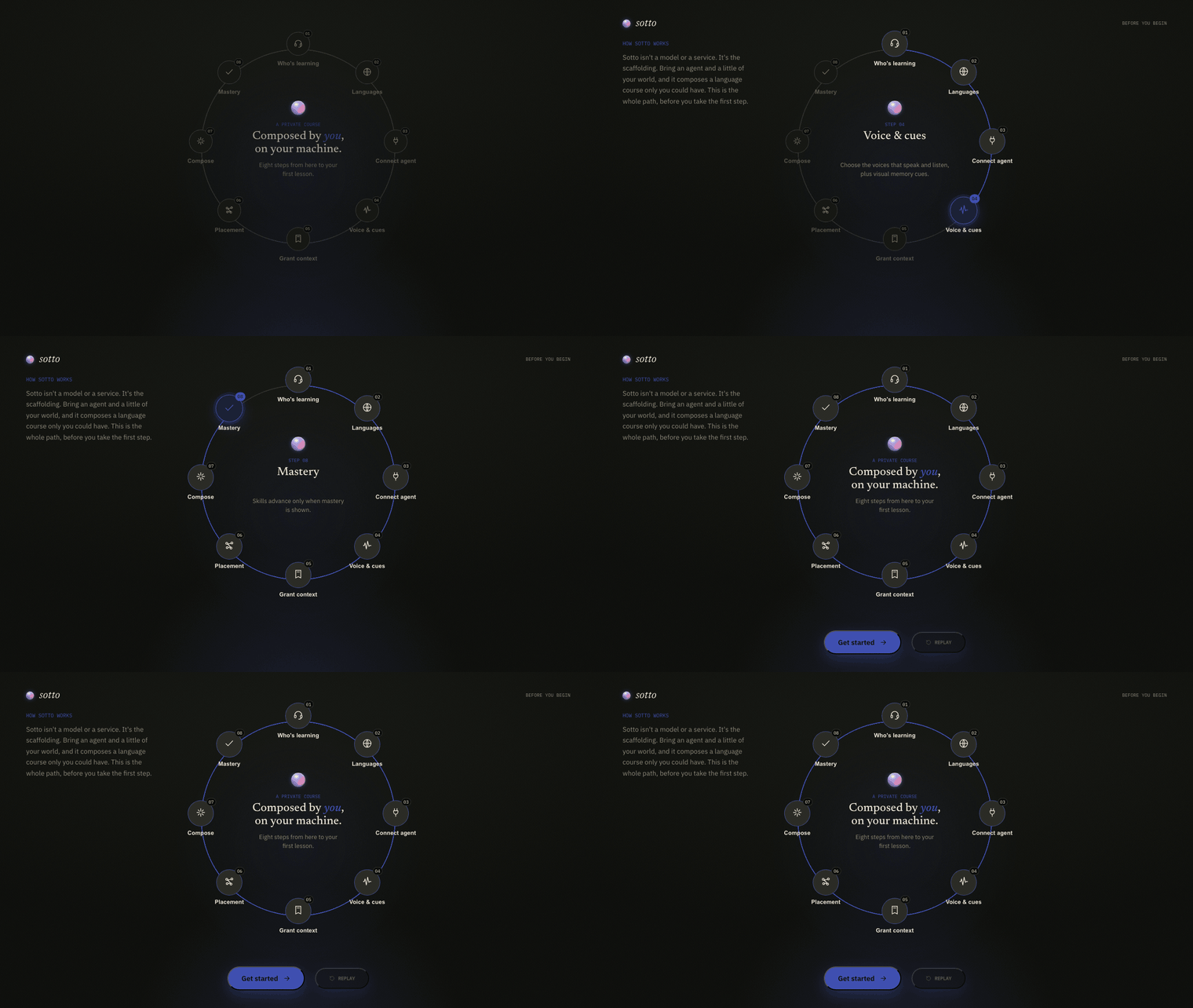
---
## Quick Start
Install and start Docker with Compose v2, then run this in a terminal on Linux or macOS. On Windows, use a WSL2 terminal with Docker Desktop integration enabled:
```bash
curl -fsSL https://sotto.fm/install.sh | bash
```
The installer pulls the pre-built images, asks how to connect your AI (an API key, your local **Claude Code or Codex CLI** with no key, or your Claude agent on a VPS over SSH), writes config to `~/.sotto`, and starts everything. Local CLI login refreshes travel through a networkless credential-sync sidecar that copies only the CLI auth JSON into the app containers.
The installer checks image availability before changing configuration and pins a matching web and worker release. It asks for the first Admin profile and shared password locally before the web app opens. OpenAI can supply generation and speech with one key. Other agents need a separately configured speech provider for listening and speaking.
**Desktop controls:** Unsigned preview launchers for macOS `.dmg`, Windows `.exe`, and Linux `.AppImage` are available from **[sotto.fm/download](https://sotto.fm/download)**. Install the stack with the terminal command above first. Sotto Host starts and stops that installation. Your OS may require an explicit security override. On Windows, the launcher must be pointed at the installation inside WSL; using the browser from WSL is the simpler path.
1. Open the local URL and enter the shared password set during installation. You can save a passkey when prompted or skip it, then choose the Admin profile.
2. Configure languages and providers.
3. Take the placement test and start your first class.
Manage it from `~/.sotto`: `docker compose logs -f`, `docker compose down`.
Update with `sotto-host update`. See the [installation and troubleshooting guide](docs/03-self-host-deployment.md#install-on-your-computer) if Docker, image downloads, or startup fail.
For the full self-hosted journey, see [User Flows](docs/06-user-flows.md): start the stack, create a course, take a class, use the iPad workbook, connect devices, and maintain the deployment.
---
## Why Sotto?
Every serious language app is closed, hosted, and subscription-funded. Your progress, your vocabulary, and the model that teaches you all live on someone else's servers.
The social side is its own barrier. Private tutoring, classroom speaking, and conversation exchange can be valuable, but they also put learners on the spot with a stranger or a room waiting. Sotto gives them a private rehearsal loop first.
There is also learning-tool fatigue. Sotto should not feel like another AI language chatbot with an empty prompt box. It wraps the models you already run in a structured course, practice, memory, and teacher follow-up loop.
**Sotto inverts that.** You run the application, database, and files, connect your own Claude or Codex, and choose the context it can use. Content sent to configured cloud AI, speech, search, or storage providers is processed under those providers' terms; local providers can keep processing on infrastructure you control.
> **The differentiators**
>
> - **Taught in your own context:** connect your agent and grant the context you choose: notes, goals, and what you're working on. Lessons, readings, and listening are drawn from _that_, not generic content.
> - **Low-pressure rehearsal:** repeat speaking, writing, and listening practice privately before you try it with a teacher, tutor, classmate, or stranger.
> - **Not another AI chatbot:** learners get classes, prompts, recordings, rubrics, review queues, and memory practice instead of another blank chat window.
> - **You own the learning stack:** run it with your keys, your database, and your files. No Sotto account holds your progress hostage.
> - **Pedagogy over gamification:** mastery gates use [retrieval practice](https://en.wikipedia.org/wiki/Testing_effect); adaptive listening uses [comprehensible input](https://en.wikipedia.org/wiki/Input_hypothesis) (Krashen's _i+1_); the memory graph uses [SM-2](https://super-memory.com/english/ol/sm2.htm) [spaced repetition](https://en.wikipedia.org/wiki/Spaced_repetition). Progress is measured by demonstrated mastery, not streaks.
> - **Bring your own stack:** LLM, TTS, STT via explicit provider selection, BYOK, or a keyless local agent. You pay your providers directly; nothing is billed through the build you run.
---
## What You Get
A complete CEFR course across **five graded skills**, on a stack you control:
| | |
| ------------- | ------------------------------------------------------------------------------------------- |
| **Grammar** | Multiple-choice drills with elaborative feedback from your connected LLM |
| **Reading** | Graded passages with comprehension checks + vocabulary extraction |
| **Listening** | An adaptive audio episode generated + narrated by your TTS, seeded with your due vocabulary |
| **Speaking** | Record when ready → STT → pronunciation scoring with a rubric |
| **Writing** | Free-text tasks graded synchronously with inline AI corrections (old → new + why) |
The rest of the loop:
- **Classes gated by mastery:** you cannot advance until you pass; failed sections regenerate in a similar form without copying the old one.
- **Ungated practice:** drill any single skill on your own time, driven by spaced repetition and separate from the graded classes. Use it as private rehearsal before live interaction, not as a human replacement.
- **Personal memory graph:** a per course, [Obsidian](https://obsidian.md/) style vocabulary and grammar graph with [SM-2](https://super-memory.com/english/ol/sm2.htm) spaced repetition that drives review, seeds the listening episode, and renders as an interactive [Cytoscape](https://js.cytoscape.org/) visualization.
- **Sourced classes:** build a class from a real article, paper, or YouTube link, or from a topic in your interests. Sotto extracts it, levels it to your CEFR, and teaches from it with verified `[N]` citations.
- **Live conversation:** when you are ready, speak and hear real time translation in either direction through the [Gemini Live API](https://ai.google.dev/gemini-api/docs/live). New words you hit feed straight into your memory graph. Runs on your own Google key in Settings, and stays hidden until you add one.
- **Practice exams:** full, multi section mock exams modeled on each language's flagship ([Goethe-Zertifikat](https://www.goethe.de/en/spr/kup/prf.html), [DELE](https://examenes.cervantes.es/), [Cambridge English](https://www.cambridgeenglish.org/), or a generic CEFR mock), with a mock band and feedback by section. Practice only, never an official score, and never changes your level.
- **Notes that shape the course:** tell Sotto your goals and background once; it threads through placement, classes, and practice.
- **Flexible language pairs:** English to German, English to Spanish, and Spanish to English ship as hand authored reference curricula that set the quality bar; other selected native to target pairs are composed by your configured model or agent on demand and cached per pair.
- **iPad workbooks:** a PDF workbook for any class, with cover, class map, reading and writing space, speaking prep, QR links back to the web class, and a server rendered PDF built for GoodNotes style annotation.
---
## The Learning Loop
```mermaid
flowchart LR
P([Placement]) --> C
C["Mastery-gated class