 Memora
"You never truly know the value of a moment until it becomes a memory."
Give your AI agents persistent memory
A lightweight MCP server for semantic memory storage, knowledge graphs, conversational recall, and cross-session context.



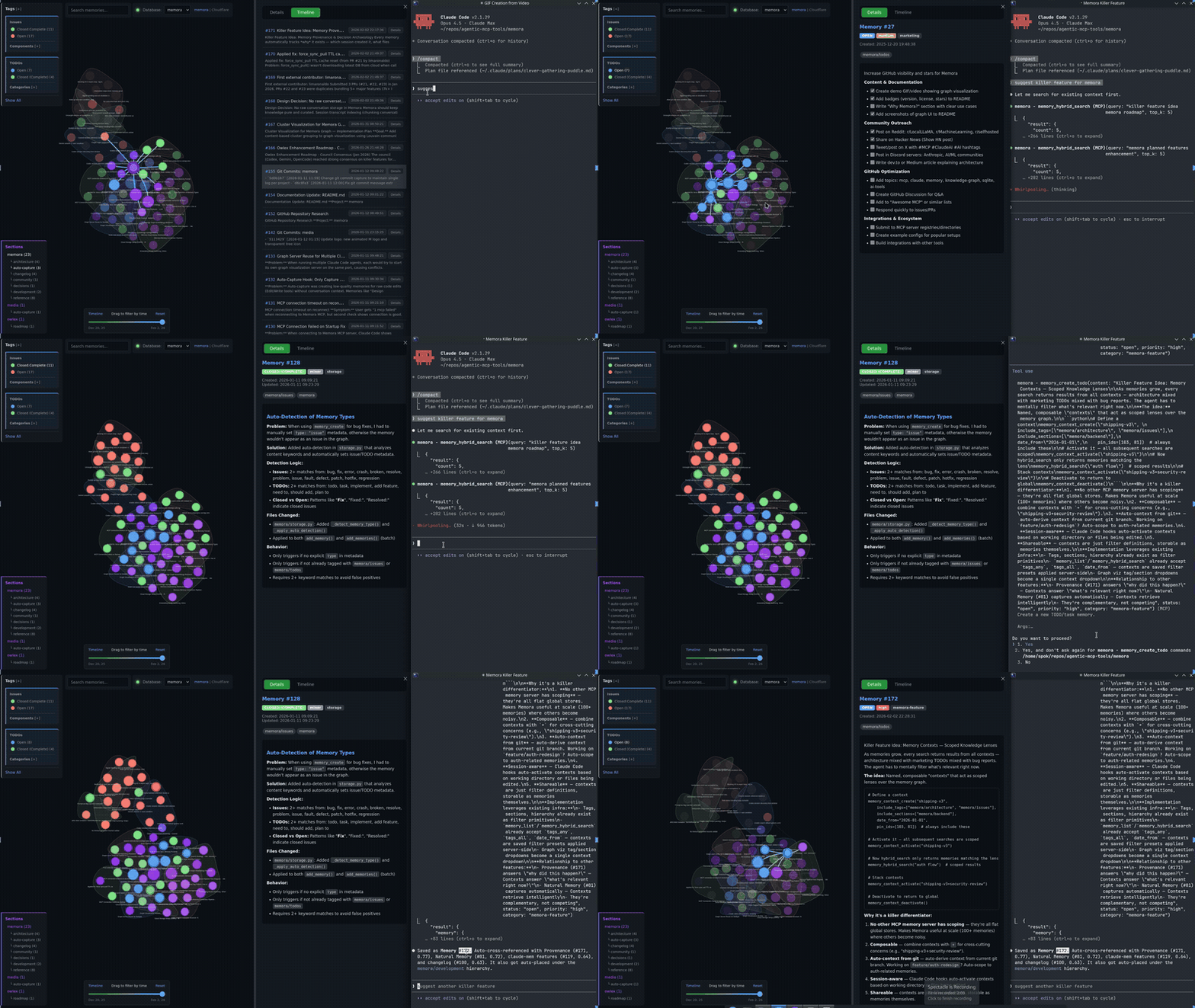
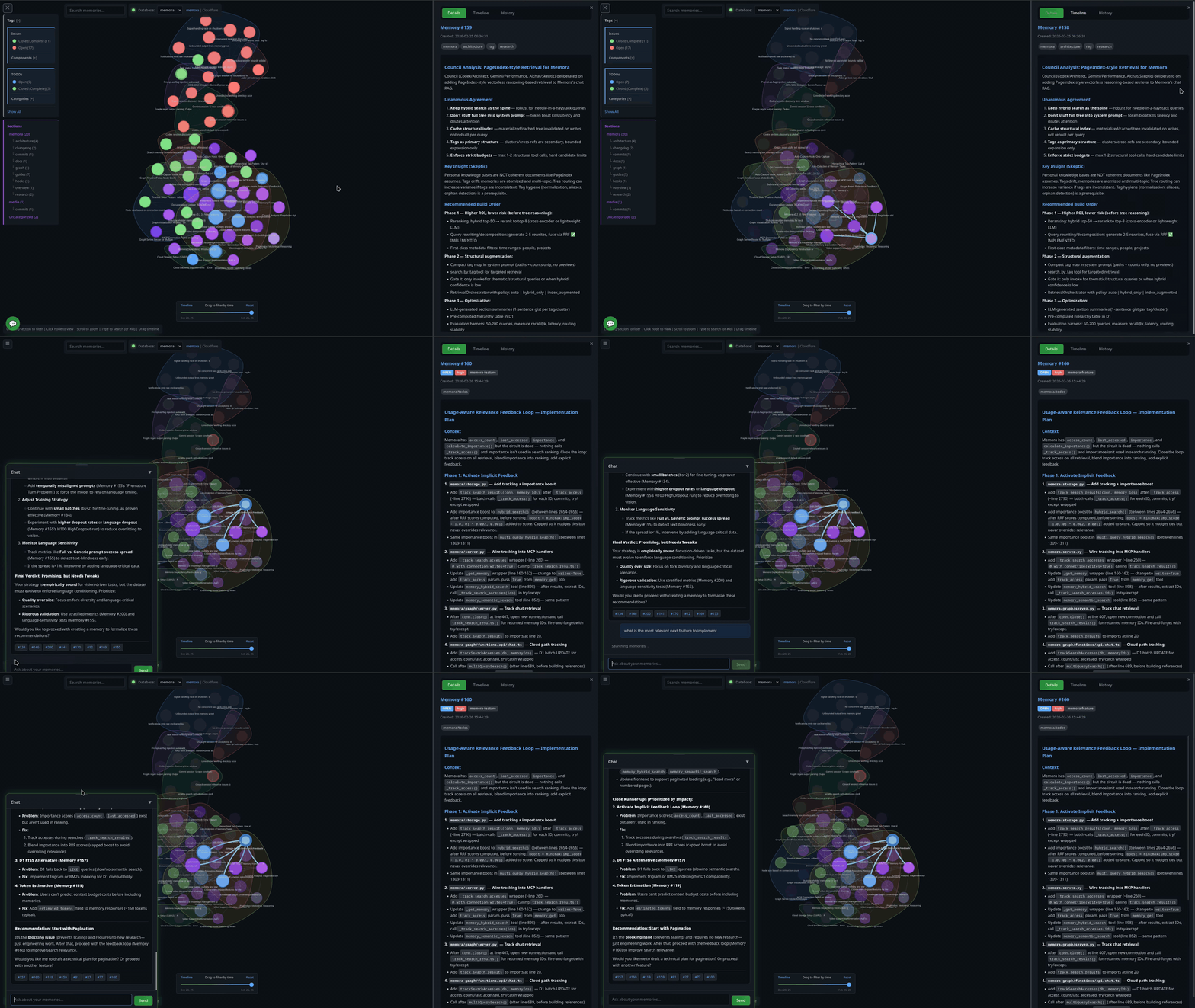
Features · Install · Usage · Config · Live Graph · Cloud Graph · Chat · Semantic Search · LLM Dedup · Linking · Neovim
## Features
**Core Storage**
- 💾 **Persistent Storage** - SQLite with optional cloud sync (S3, R2, D1)
- 📂 **Hierarchical Organization** - Section/subsection structure with auto-hierarchy assignment
- 📦 **Export/Import** - Backup and restore with merge strategies
**Search & Intelligence**
- 🔍 **Semantic Search** - Vector embeddings (TF-IDF, sentence-transformers, OpenAI)
- 🎯 **Advanced Queries** - Full-text, date ranges, tag filters (AND/OR/NOT), hybrid search
- 🔀 **Cross-references** - Auto-linked related memories based on similarity
- 🤖 **LLM Deduplication** - Find and merge duplicates with AI-powered comparison
- 🔗 **Memory Linking** - Typed edges, importance boosting, and cluster detection
**Tools & Visualization**
- ⚡ **Memory Automation** - Structured tools for TODOs, issues, and sections
- 🕸️ **Knowledge Graph** - Interactive visualization with Mermaid rendering and cluster overlays
- 🌐 **Live Graph Server** - Built-in HTTP server with cloud-hosted option (D1/Pages)
- 💬 **Chat with Memories** - RAG-powered chat panel with LLM tool calling to search, create, update, and delete memories via streaming chat
- 📡 **Event Notifications** - Poll-based system for inter-agent communication
- 📊 **Statistics & Analytics** - Tag usage, trends, and connection insights
- 🧠 **Memory Insights** - Activity summary, stale detection, consolidation suggestions, and LLM-powered pattern analysis
- 📜 **Action History** - Track all memory operations (create, update, delete, merge, boost, link) with grouped timeline view
## Install
```bash
pip install git+https://github.com/agentic-box/memora.git
```
Includes cloud storage (S3/R2) and OpenAI embeddings out of the box.
```bash
# Optional: local embeddings (offline, ~2GB for PyTorch)
pip install "memora[local]" @ git+https://github.com/agentic-box/memora.git
```
Usage
The server runs automatically when configured in Claude Code. Manual invocation:
```bash
# Default (stdio mode for MCP)
memora-server
# With graph visualization server
memora-server --graph-port 8765
# HTTP transport (alternative to stdio)
memora-server --transport streamable-http --host 127.0.0.1 --port 8080
```
Configuration
### Claude Code
Add to `.mcp.json` in your project root:
**Local DB:**
```json
{
"mcpServers": {
"memora": {
"command": "memora-server",
"args": [],
"env": {
"MEMORA_DB_PATH": "~/.local/share/memora/memories.db",
"MEMORA_ALLOW_ANY_TAG": "1",
"MEMORA_GRAPH_PORT": "8765"
}
}
}
}
```
**Cloud DB (Cloudflare D1) - Recommended:**
```json
{
"mcpServers": {
"memora": {
"command": "memora-server",
"args": ["--no-graph"],
"env": {
"MEMORA_STORAGE_URI": "d1:///",
"CLOUDFLARE_API_TOKEN": "",
"MEMORA_ALLOW_ANY_TAG": "1"
}
}
}
}
```
With D1, use `--no-graph` to disable the local visualization server. Instead, use the hosted graph at your Cloudflare Pages URL (see [Cloud Graph](#cloud-graph)).
**Cloud DB (S3/R2) - Sync mode:**
```json
{
"mcpServers": {
"memora": {
"command": "memora-server",
"args": [],
"env": {
"AWS_PROFILE": "memora",
"AWS_ENDPOINT_URL": "https://.r2.cloudflarestorage.com",
"MEMORA_STORAGE_URI": "s3://memories/memories.db",
"MEMORA_CLOUD_ENCRYPT": "true",
"MEMORA_ALLOW_ANY_TAG": "1",
"MEMORA_GRAPH_PORT": "8765"
}
}
}
}
```
### Codex CLI
Add to `~/.codex/config.toml`:
```toml
[mcp_servers.memora]
command = "memora-server" # or full path: /path/to/bin/memora-server
args = ["--no-graph"]
env = {
AWS_PROFILE = "memora",
AWS_ENDPOINT_URL = "https://.r2.cloudflarestorage.com",
MEMORA_STORAGE_URI = "s3://memories/memories.db",
MEMORA_CLOUD_ENCRYPT = "true",
MEMORA_ALLOW_ANY_TAG = "1",
}
```
Environment Variables
| Variable | Description |
|------------------------|-----------------------------------------------------------------------------|
| `MEMORA_DB_PATH` | Local SQLite database path (default: `~/.local/share/memora/memories.db`) |
| `MEMORA_STORAGE_URI` | Storage URI: `d1:///` (D1) or `s3://bucket/memories.db` (S3/R2) |
| `CLOUDFLARE_API_TOKEN` | API token for D1 database access (required for `d1://` URI) |
| `MEMORA_CLOUD_ENCRYPT` | Encrypt database before uploading to cloud (`true`/`false`) |
| `MEMORA_CLOUD_COMPRESS`| Compress database before uploading to cloud (`true`/`false`) |
| `MEMORA_CACHE_DIR` | Local cache directory for cloud-synced database |
| `MEMORA_ALLOW_ANY_TAG` | Allow any tag without validation against allowlist (`1` to enable) |
| `MEMORA_TAG_FILE` | Path to file containing allowed tags (one per line) |
| `MEMORA_TAGS` | Comma-separated list of allowed tags |
| `MEMORA_GRAPH_PORT` | Port for the knowledge graph visualization server (default: `8765`) |
| `MEMORA_EMBEDDING_MODEL` | Embedding backend: `openai` (default), `sentence-transformers`, or `tfidf` |
| `SENTENCE_TRANSFORMERS_MODEL` | Model for sentence-transformers (default: `all-MiniLM-L6-v2`) |
| `OPENAI_API_KEY` | API key for OpenAI embeddings and LLM deduplication |
| `OPENAI_BASE_URL` | Base URL for OpenAI-compatible APIs (OpenRouter, Azure, etc.) |
| `OPENAI_EMBEDDING_MODEL` | OpenAI embedding model (default: `text-embedding-3-small`) |
| `MEMORA_LLM_ENABLED` | Enable LLM-powered deduplication comparison (`true`/`false`, default: `true`) |
| `MEMORA_LLM_MODEL` | Model for deduplication comparison (default: `gpt-4o-mini`) |
| `CHAT_MODEL` | Model for the chat panel (default: `deepseek/deepseek-chat`, falls back to `MEMORA_LLM_MODEL`) |
| `AWS_PROFILE` | AWS credentials profile from `~/.aws/credentials` (useful for R2) |
| `AWS_ENDPOINT_URL` | S3-compatible endpoint for R2/MinIO |
| `R2_PUBLIC_DOMAIN` | Public domain for R2 image URLs |
Semantic Search & Embeddings
Memora supports three embedding backends:
| Backend | Install | Quality | Speed |
|---------|---------|---------|-------|
| `openai` (default) | Included | High quality | API latency |
| `sentence-transformers` | `pip install memora[local]` | Good, runs offline | Medium |
| `tfidf` | Included | Basic keyword matching | Fast |
**Automatic:** Embeddings and cross-references are computed automatically when you `memory_create`, `memory_update`, or `memory_create_batch`.
**Manual rebuild required** when:
- Changing `MEMORA_EMBEDDING_MODEL` after memories exist
- Switching to a different sentence-transformers model
```bash
# After changing embedding model, rebuild all embeddings
memory_rebuild_embeddings
# Then rebuild cross-references to update the knowledge graph
memory_rebuild_crossrefs
```
Live Graph Server
A built-in HTTP server starts automatically with the MCP server, serving an interactive knowledge graph visualization.
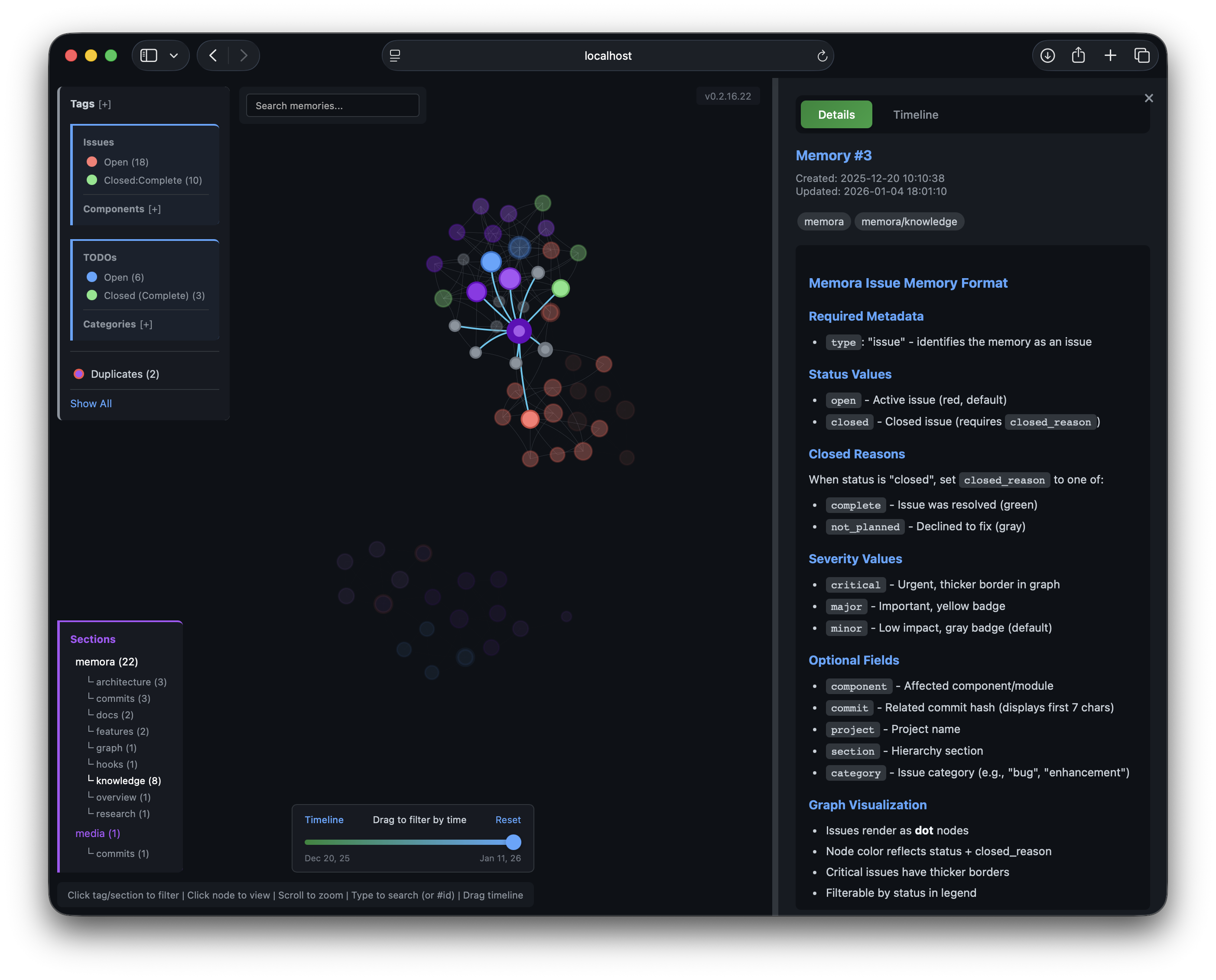
Details Panel |
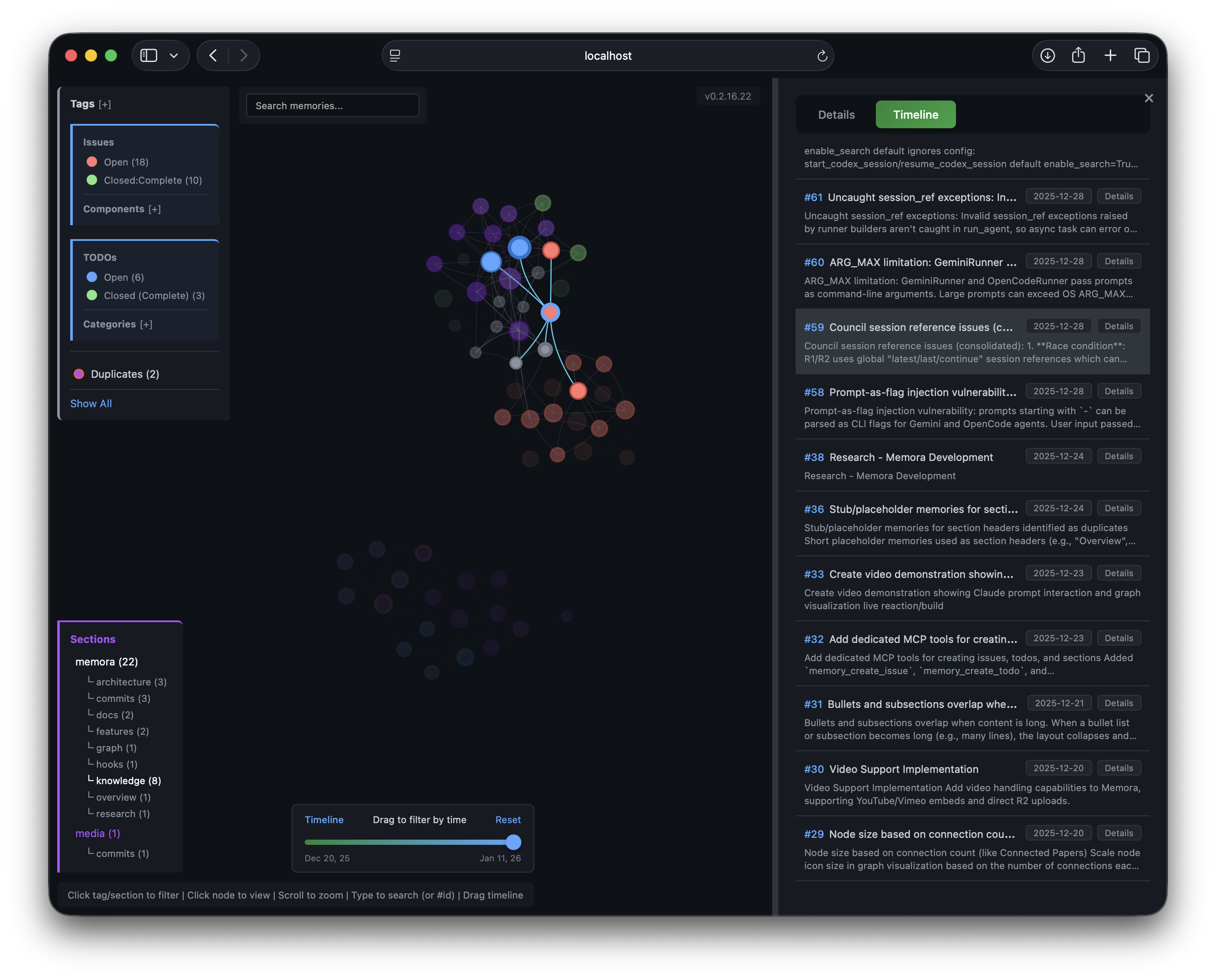
Timeline Panel |
**Access locally:**
```
http://localhost:8765/graph
```
**Remote access via SSH:**
```bash
ssh -L 8765:localhost:8765 user@remote
# Then open http://localhost:8765/graph in your browser
```
**Configuration:**
```json
{
"env": {
"MEMORA_GRAPH_PORT": "8765"
}
}
```
To disable: add `"--no-graph"` to args in your MCP config.
### Graph UI Features
- **Details Panel** - View memory content, metadata, tags, and related memories
- **Timeline Panel** - Browse memories chronologically, click to highlight in graph
- **History Panel** - Action log of all operations with grouped consecutive entries and clickable memory references (deleted memories shown as strikethrough)
- **Chat Panel** - Ask questions about your memories using RAG-powered LLM chat with streaming responses and clickable `[Memory #ID]` references
- **Time Slider** - Filter memories by date range, drag to explore history
- **Real-time Updates** - Graph, timeline, and history update via SSE when memories change
- **Filters** - Tag/section dropdowns, zoom controls
- **Mermaid Rendering** - Code blocks render as diagrams
### Node Colors
- 🟣 **Tags** - Purple shades by tag
- 🔴 **Issues** - Red (open), Orange (in progress), Green (resolved), Gray (won't fix)
- 🔵 **TODOs** - Blue (open), Orange (in progress), Green (completed), Red (blocked)
Node size reflects connection count.
Cloud Graph (Recommended for D1)
When using Cloudflare D1 as your database, the graph visualization is hosted on Cloudflare Pages - no local server needed.
**Benefits:**
- Access from anywhere (no SSH tunneling)
- Real-time updates via WebSocket
- Multi-database support via `?db=` parameter
- Secure access with Cloudflare Zero Trust
**Setup:**
1. **Create D1 database:**
```bash
npx wrangler d1 create memora-graph
npx wrangler d1 execute memora-graph --file=memora-graph/schema.sql
```
2. **Deploy Pages:**
```bash
cd memora-graph
npx wrangler pages deploy ./public --project-name=memora-graph
```
3. **Configure bindings** in Cloudflare Dashboard:
- Pages → memora-graph → Settings → Bindings
- Add D1: `DB_MEMORA` → your database
- Add R2: `R2_MEMORA` → your bucket (for images)
4. **Configure MCP** with D1 URI:
```json
{
"env": {
"MEMORA_STORAGE_URI": "d1:///",
"CLOUDFLARE_API_TOKEN": ""
}
}
```
**Access:** `https://memora-graph.pages.dev`
**Secure with Zero Trust:**
1. Cloudflare Dashboard → Zero Trust → Access → Applications
2. Add application for `memora-graph.pages.dev`
3. Create policy with allowed emails
4. Pages → Settings → Enable Access Policy
See [`memora-graph/`](memora-graph/) for detailed setup and multi-database configuration.
Chat with Memories
Ask questions about your knowledge base directly from the graph UI. The chat panel uses RAG (Retrieval-Augmented Generation) to search relevant memories and stream LLM responses with tool calling support.
- **Toggle** via the floating chat icon at bottom-right
- **Semantic search** finds the most relevant memories as context
- **Streaming responses** with clickable `[Memory #ID]` references that focus the graph node
- **Tool calling** — the LLM can create, update, and delete memories directly from chat (e.g., "save this as a memory", "delete memory #42", "update memory #10 with...")
- Works on both the local server and Cloudflare Pages deployment
**Configure the chat model:**
| Backend | Variable | Default |
|---------|----------|---------|
| Local server | `CHAT_MODEL` env var | Falls back to `MEMORA_LLM_MODEL` |
| Cloudflare Pages | `CHAT_MODEL` in `wrangler.toml` | `deepseek/deepseek-chat` |
Requires an OpenAI-compatible API (`OPENAI_API_KEY` + `OPENAI_BASE_URL` for local, `OPENROUTER_API_KEY` secret for Cloudflare). The chat model must support tool use (function calling).
LLM Deduplication
Find and merge duplicate memories using AI-powered semantic comparison:
```python
# Find potential duplicates (uses cross-refs + optional LLM analysis)
memory_find_duplicates(min_similarity=0.7, max_similarity=0.95, limit=10, use_llm=True)
# Merge duplicates (append, prepend, or replace strategies)
memory_merge(source_id=123, target_id=456, merge_strategy="append")
```
**LLM Comparison** analyzes memory pairs and returns:
- `verdict`: "duplicate", "similar", or "different"
- `confidence`: 0.0-1.0 score
- `reasoning`: Brief explanation
- `suggested_action`: "merge", "keep_both", or "review"
Works with any OpenAI-compatible API (OpenAI, OpenRouter, Azure, etc.) via `OPENAI_BASE_URL`.
Memory Automation Tools
Structured tools for common memory types:
```python
# Create a TODO with status and priority
memory_create_todo(content="Implement feature X", status="open", priority="high", category="backend")
# Create an issue with severity
memory_create_issue(content="Bug in login flow", status="open", severity="major", component="auth")
# Create a section placeholder (hidden from graph)
memory_create_section(content="Architecture", section="docs", subsection="api")
```
Memory Insights
Analyze stored memories and surface actionable insights:
```python
# Full analysis with LLM-powered pattern detection
memory_insights(period="7d", include_llm_analysis=True)
# Quick summary without LLM (faster, no API key needed)
memory_insights(period="1m", include_llm_analysis=False)
```
Returns:
- **Activity summary** — memories created in the period, grouped by type and tag
- **Open items** — open TODOs and issues with stale detection (configurable via `MEMORA_STALE_DAYS`, default 14)
- **Consolidation candidates** — similar memory pairs that could be merged
- **LLM analysis** — themes, focus areas, knowledge gaps, and a summary (requires `OPENAI_API_KEY`)
Memory Linking
Manage relationships between memories:
```python
# Create typed edges between memories
memory_link(from_id=1, to_id=2, edge_type="implements", bidirectional=True)
# Edge types: references, implements, supersedes, extends, contradicts, related_to
# Remove links
memory_unlink(from_id=1, to_id=2)
# Boost memory importance for ranking
memory_boost(memory_id=42, boost_amount=0.5)
# Detect clusters of related memories
memory_clusters(min_cluster_size=2, min_score=0.3)
```
Knowledge Graph Export (Optional)
For offline viewing, export memories as a static HTML file:
```python
memory_export_graph(output_path="~/memories_graph.html", min_score=0.25)
```
This is optional - the Live Graph Server provides the same visualization with real-time updates.
Neovim Integration
Browse memories directly in Neovim with Telescope. Copy the plugin to your config:
```bash
# For kickstart.nvim / lazy.nvim
cp nvim/memora.lua ~/.config/nvim/lua/kickstart/plugins/
```
**Usage:** Press `sm` to open the memory browser with fuzzy search and preview.
Requires: `telescope.nvim`, `plenary.nvim`, and `memora` installed in your Python environment.