




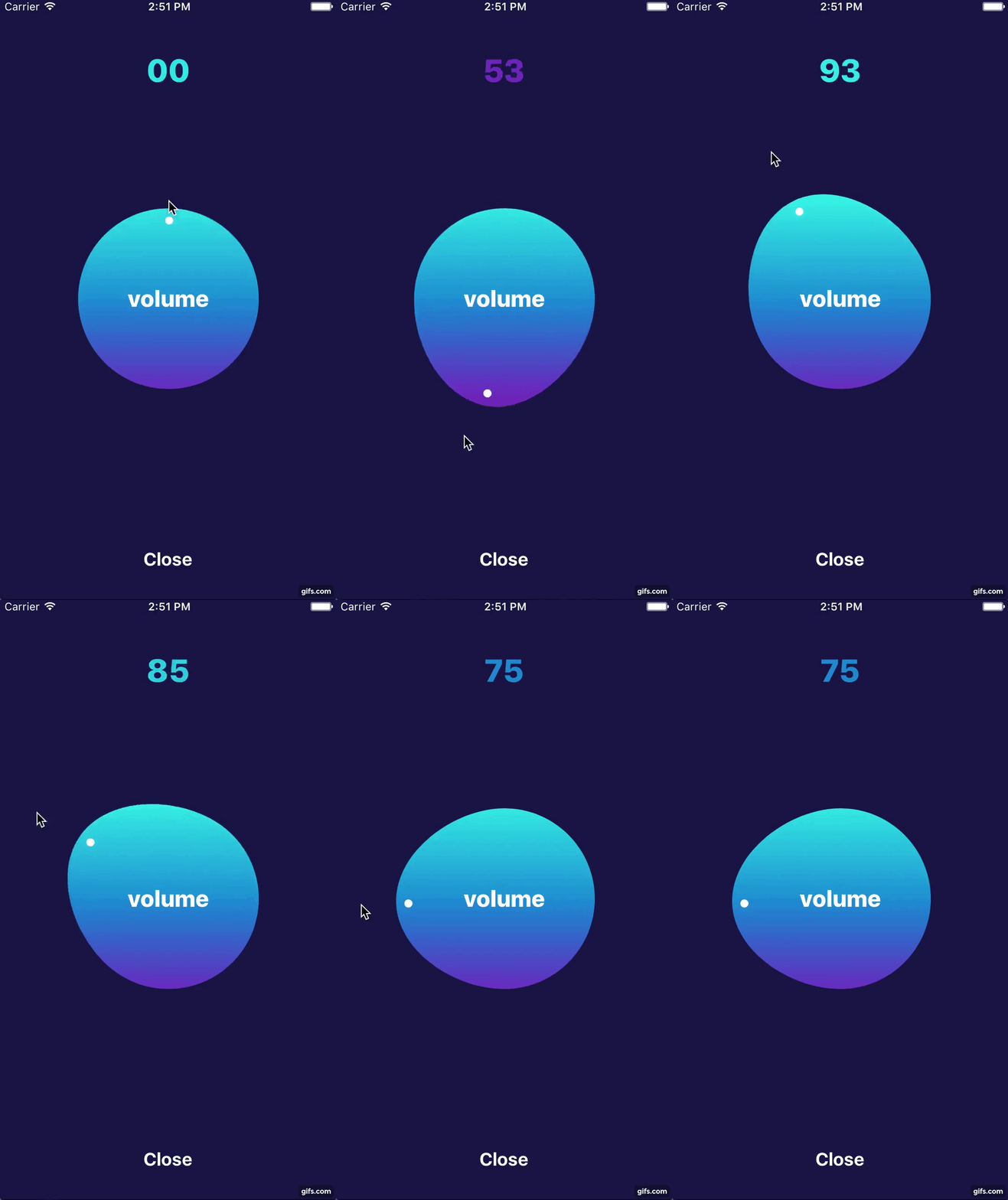
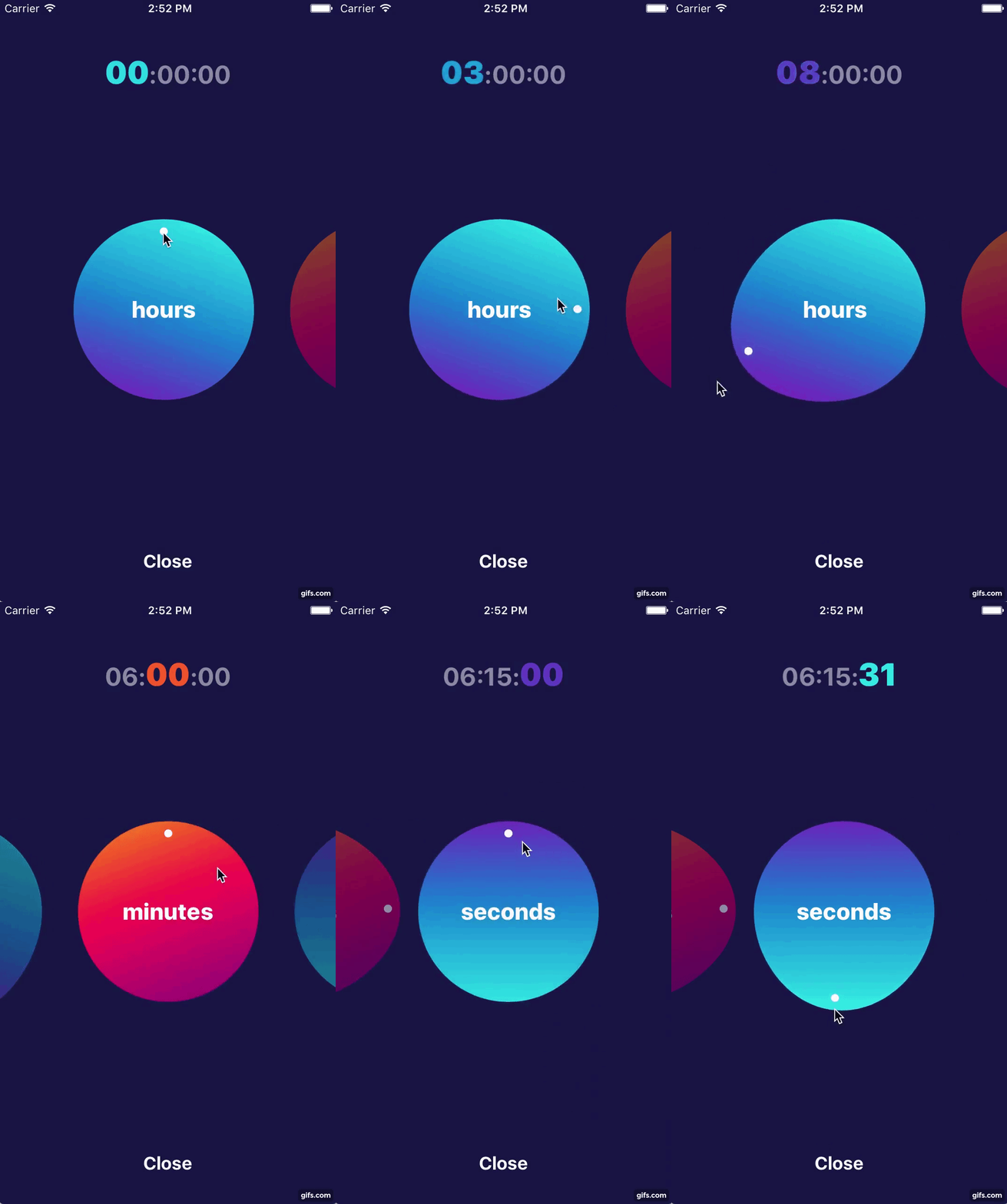
 ## Example
To run the example project, clone the repo, and run `pod install` from the Example directory first.
## Usage
```swift
import AGCircularPicker
```
AGCircularPickerView could be used either from Interface Builder by linking outlet or from the code.
The main requirement to let it work is to setup AGCircularPickerOption. Once it is set picker will automatically setup all required data.
```swift
public struct AGCircularPickerOption {
var titleOption: AGCircularPickerTitleOption? = nil
var valueOption: AGCircularPickerValueOption!
var colorOption: AGCircularPickerColorOption = AGCircularPickerColorOption()
}
```
It consists of three option groups: AGCircularPickerTitleOption (defines title, it's color and font), AGCircularPickerValueOption (defines min and max values and number of rounds) and AGCircularPickerColorOption (defines gradient colors, gradient locations and angle)
AGCircularPickerValueOption is required whereas two others are optionals.
If AGCircularPickerTitleOption is empty control will have no title.
If AGCircularPickerColorOption is not set control will use default colors.
AGCircularPickerView has a delegate to notify about any changes
```swift
public protocol AGCircularPickerViewDelegate {
func circularPickerViewDidChangeValue(_ value: Int, color: UIColor, index: Int)
func circularPickerViewDidEndSetupWith(_ value: Int, color: UIColor, index: Int)
func didBeginTracking(timePickerView: AGCircularPickerView)
func didEndTracking(timePickerView: AGCircularPickerView)
}
```
Let's see how we can use it in practice. First we should link it in the Interface Builder
```swift
@IBOutlet weak var circularPickerView: AGCircularPickerView!
```
Then we should define required options and setup control with it and delegate if needed
```swift
override func viewDidLoad() {
super.viewDidLoad()
let valueOption = AGCircularPickerValueOption(minValue: 0, maxValue: 100)
let titleOption = AGCircularPickerTitleOption(title: "volume")
let option = AGCircularPickerOption(valueOption: valueOption, titleOption: titleOption)
pickerView.setupPicker(delegate: self, option: option)
}
```
For more details please see our example
## Troubleshooting
Problems? Check the [Issues](https://github.com/agilie/AGCircularPicker/issues) block
to find the solution or create an new issue that we will fix asap. Feel free to contribute.
## Author
This iOS visual component is open-sourced by [Agilie Team](https://www.agilie.com?utm_source=github&utm_medium=referral&utm_campaign=Git_Swift&utm_term=AGCircularPicker)
## Example
To run the example project, clone the repo, and run `pod install` from the Example directory first.
## Usage
```swift
import AGCircularPicker
```
AGCircularPickerView could be used either from Interface Builder by linking outlet or from the code.
The main requirement to let it work is to setup AGCircularPickerOption. Once it is set picker will automatically setup all required data.
```swift
public struct AGCircularPickerOption {
var titleOption: AGCircularPickerTitleOption? = nil
var valueOption: AGCircularPickerValueOption!
var colorOption: AGCircularPickerColorOption = AGCircularPickerColorOption()
}
```
It consists of three option groups: AGCircularPickerTitleOption (defines title, it's color and font), AGCircularPickerValueOption (defines min and max values and number of rounds) and AGCircularPickerColorOption (defines gradient colors, gradient locations and angle)
AGCircularPickerValueOption is required whereas two others are optionals.
If AGCircularPickerTitleOption is empty control will have no title.
If AGCircularPickerColorOption is not set control will use default colors.
AGCircularPickerView has a delegate to notify about any changes
```swift
public protocol AGCircularPickerViewDelegate {
func circularPickerViewDidChangeValue(_ value: Int, color: UIColor, index: Int)
func circularPickerViewDidEndSetupWith(_ value: Int, color: UIColor, index: Int)
func didBeginTracking(timePickerView: AGCircularPickerView)
func didEndTracking(timePickerView: AGCircularPickerView)
}
```
Let's see how we can use it in practice. First we should link it in the Interface Builder
```swift
@IBOutlet weak var circularPickerView: AGCircularPickerView!
```
Then we should define required options and setup control with it and delegate if needed
```swift
override func viewDidLoad() {
super.viewDidLoad()
let valueOption = AGCircularPickerValueOption(minValue: 0, maxValue: 100)
let titleOption = AGCircularPickerTitleOption(title: "volume")
let option = AGCircularPickerOption(valueOption: valueOption, titleOption: titleOption)
pickerView.setupPicker(delegate: self, option: option)
}
```
For more details please see our example
## Troubleshooting
Problems? Check the [Issues](https://github.com/agilie/AGCircularPicker/issues) block
to find the solution or create an new issue that we will fix asap. Feel free to contribute.
## Author
This iOS visual component is open-sourced by [Agilie Team](https://www.agilie.com?utm_source=github&utm_medium=referral&utm_campaign=Git_Swift&utm_term=AGCircularPicker)