---
> **A VPS deployment tool for DSH: it puts stock DSH, behind a login page, on your own VPS so you can use it from any browser.** Pick either way to install:
**① From a form in the DSH on your own computer**: install the `dsh-vps` plugin from the plugin market (or run `dsh plugin add dsh-vps`), open **Settings → VPS Deploy**, enter the server IP, SSH port and username, pick how to log in (password / private key / this computer's key), plus a domain if you have one, and click "Install on this VPS".
**② With one command on the VPS**:
```bash
curl -fsSL https://raw.githubusercontent.com/AIcivilization/dsh-vps/main/install.sh | sudo bash -s
```
With a domain, or behind the GFW, append arguments at the end, e.g. `bash -s -- --domain dsh.example.com --mirror cn`. See [Install](#install) below.
---
## Overview
[DeepSeek Harness](https://github.com/deepseek-ai/deepseek-harness) (DSH) trusts the operator's own browser only: its privileged interfaces — settings, API keys, plugin management — sit behind a browser-trust fence, and a plain reverse proxy to the public internet leaves those pages dead.
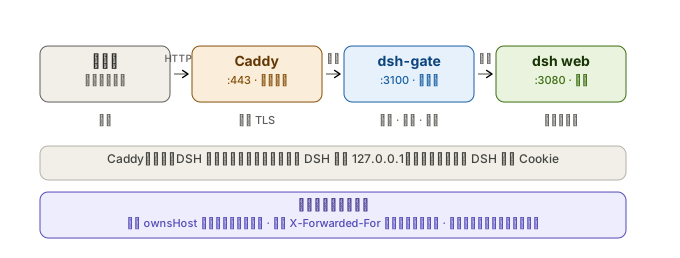
dsh-vps puts a zero-dependency login gateway (dsh-gate) in front of DSH: public requests pass a scrypt login gate first, then the gateway performs DSH session authentication server-side and proxies the rest. You open a browser anywhere and get the stock DSH web interface — settings, models, API keys and the plugin marketplace all working.
---
## Capabilities
| Capability | Notes |
| --- | --- |
| Two ways to install | fill in a form and click install from the DSH on your own computer (Mac / Windows / Linux), or run one `curl \| bash` on the VPS; then it runs as a systemd service, started on boot |
| Login gate | scrypt password + HMAC session cookie + rate limiting; "Keep me signed in" (on by default) lasts 30 days; change the password under Settings → VPS Deploy → This server (needs the current one; every other device is signed out) |
| Add to your phone's home screen | scan the QR code under Settings → VPS Deploy → This server and add DSH to your home screen; it opens full-screen like a native app |
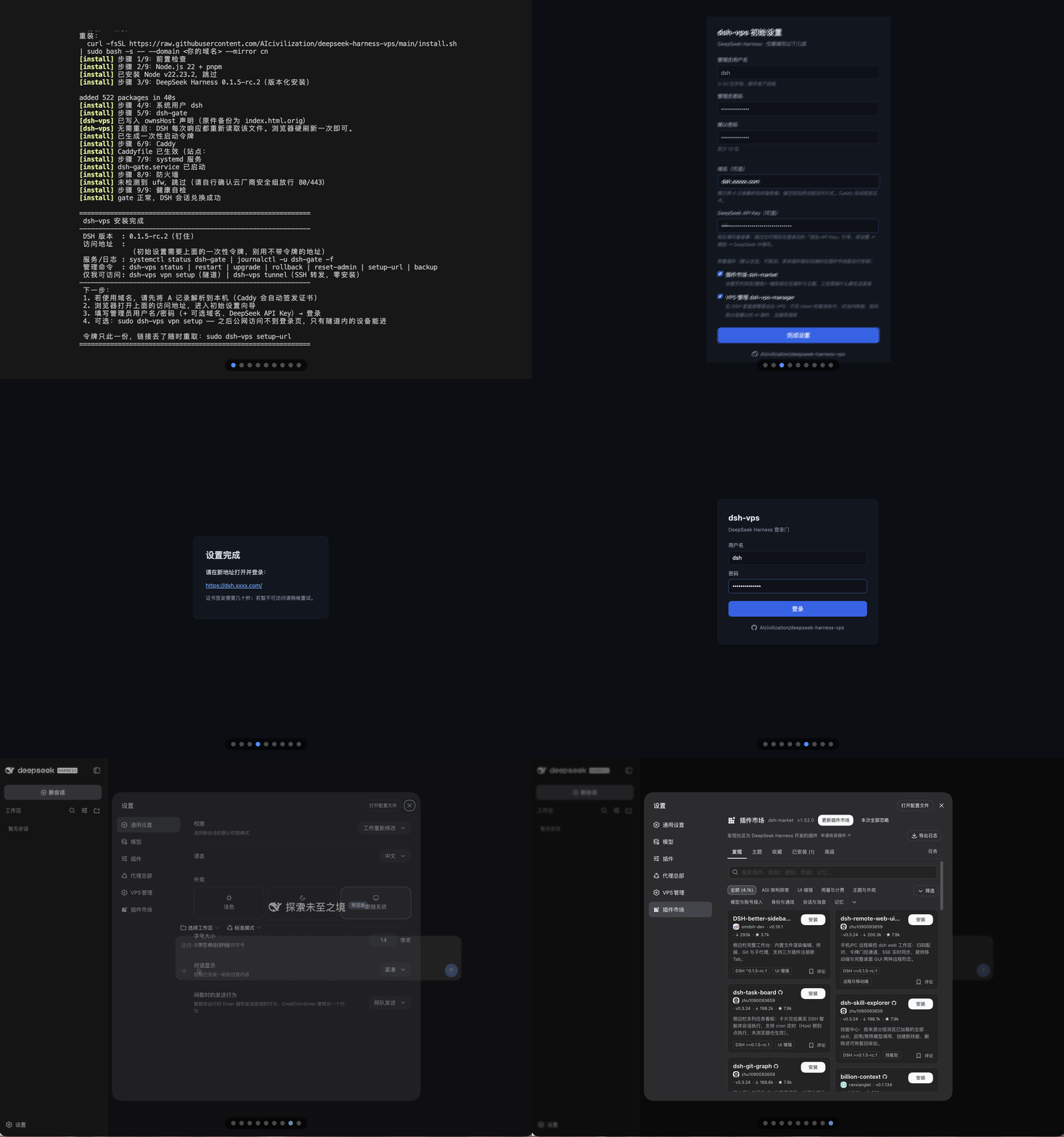
| Browser setup wizard | admin account, domain, DeepSeek API key and bundled plugins — all filled in from the browser |
| Chinese and English | the sign-in page, setup wizard and startup page follow the browser language, with a switch in the top-right corner that is remembered; the VPS Deploy page and upgrade prompt inside DSH follow the DSH language setting |
| One-time setup token | the wizard only answers to holders of the token; the link is printed at install time, re-printable, and voided once setup completes |
| One-click bundled plugins | 3 shipped in the wizard: this project's settings page dsh-vps (required), plus the plugin market and VPS manager (pre-checked, optional); installed in the background and activated by an automatic restart |
| Automatic HTTPS | Caddy issues and renews certificates; changing the domain in the wizard hot-reloads instantly |
| Native settings on a public domain | settings, models, API keys and permission policies read and write normally |
| Working plugin marketplace | browse and install plugins from the marketplace, and "restart now" just works |
| Self-healing startup | the first boot and plugin installs take tens of seconds; the page waits and enters on its own |
| One-click upgrades that follow upstream | a prompt appears when DSH releases a new version; upgrade with one click under Settings → VPS Deploy — backup → self-check → automatic rollback on failure, plus manual rollback at any time |
| Observable and recoverable | `/gate/health` on the server reports the crash reason and crash streak; `dsh-vps backup` keeps the latest 3 copies |
| Tightened exposure | session cookies are always Secure/HttpOnly/SameSite; diagnostics are reachable only from the server itself or an authenticated session; the service runs as the unprivileged `dsh` user under systemd sandboxing |
---
## Screenshots
 # dsh-vps