Download: macOS (Apple silicon) · macOS (Intel) · Windows x64 · Windows arm64 · Linux x64 · Linux arm64 · All releases · iPhone (TestFlight)
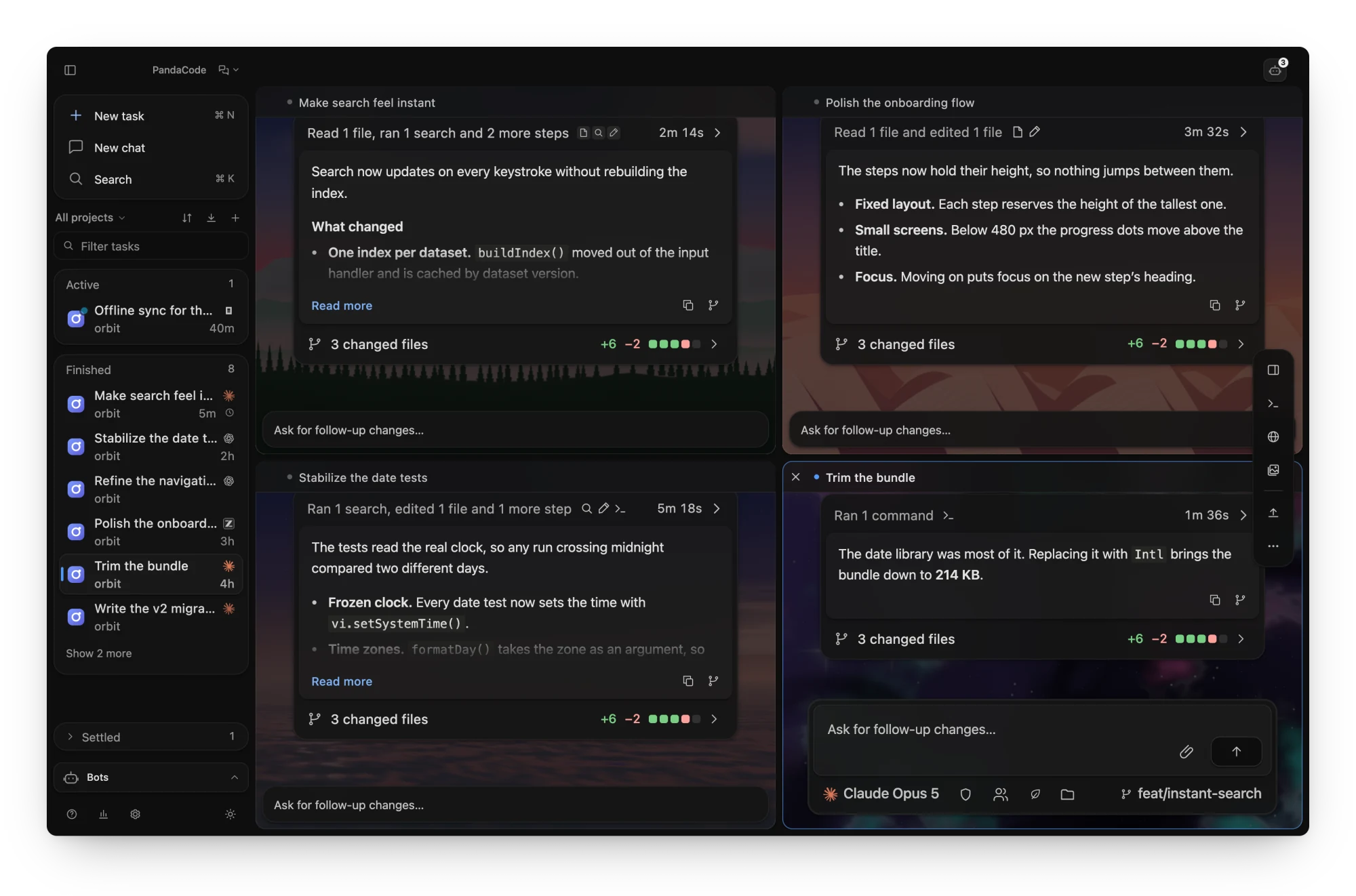
 **Up to six threads at once.** Tile threads inside the thread area, each with its own
scene. The focused tile is the full thread and the others update live.
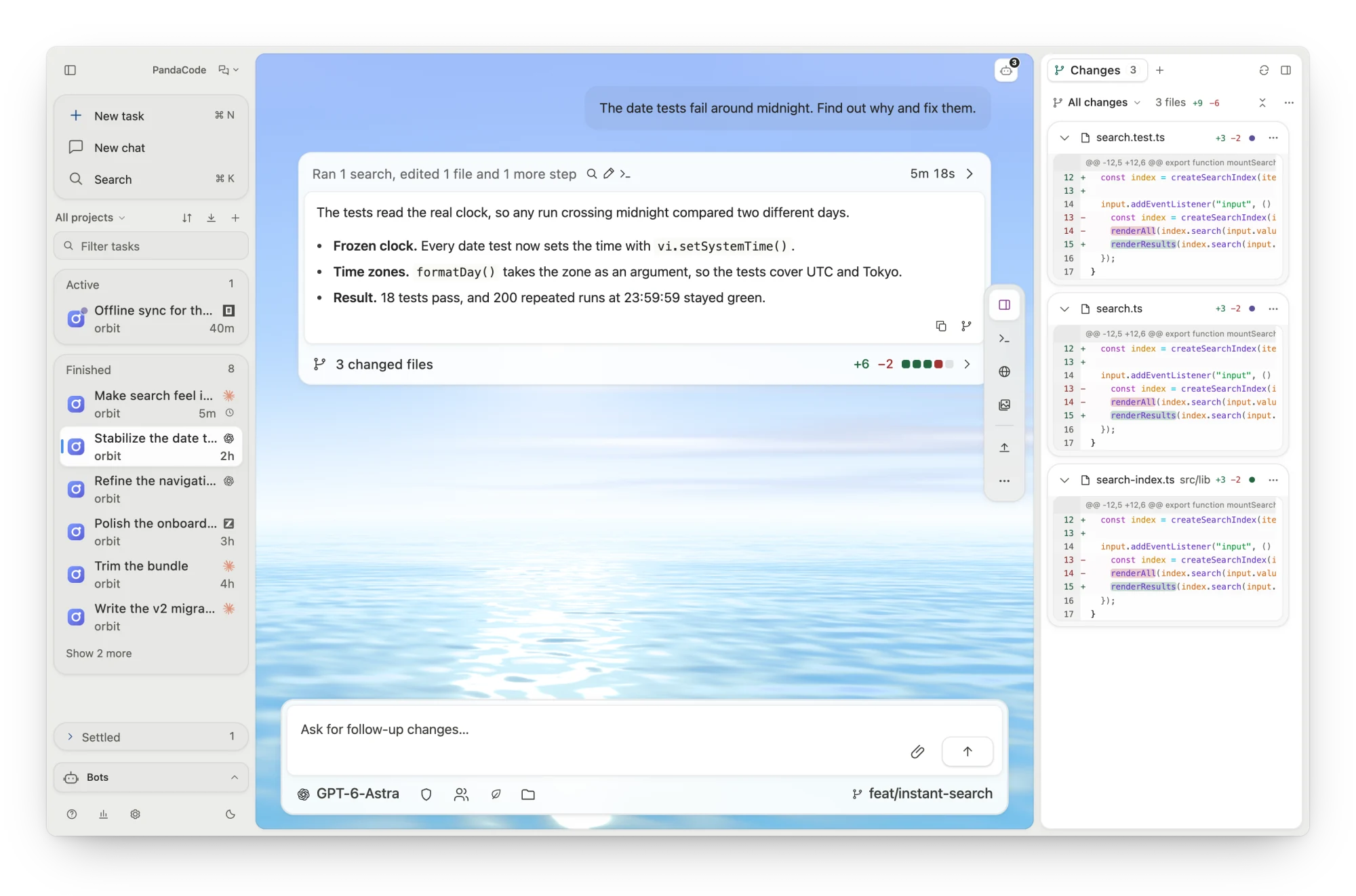
 **Light or dark, with a scene that follows the clock.**
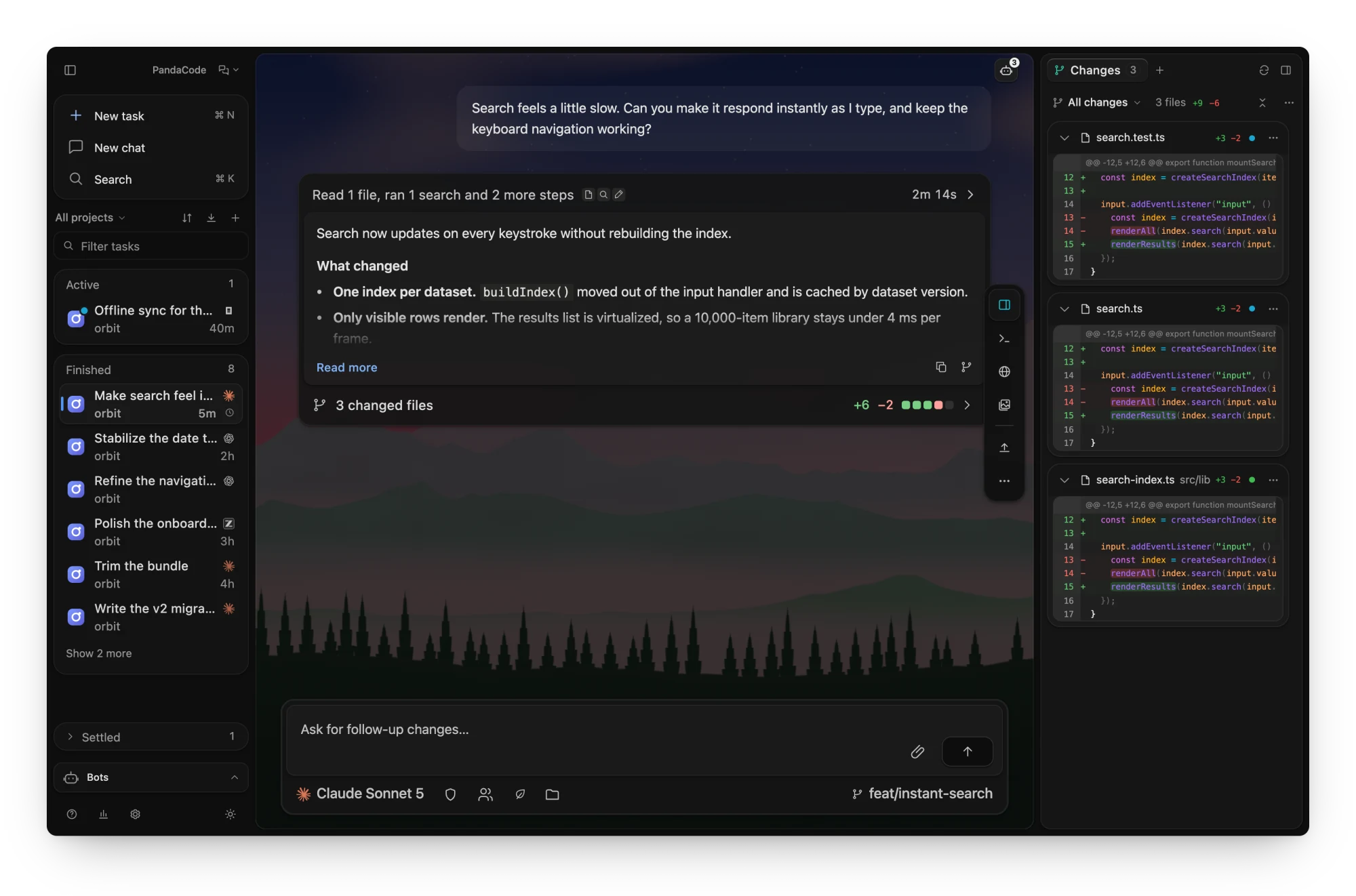
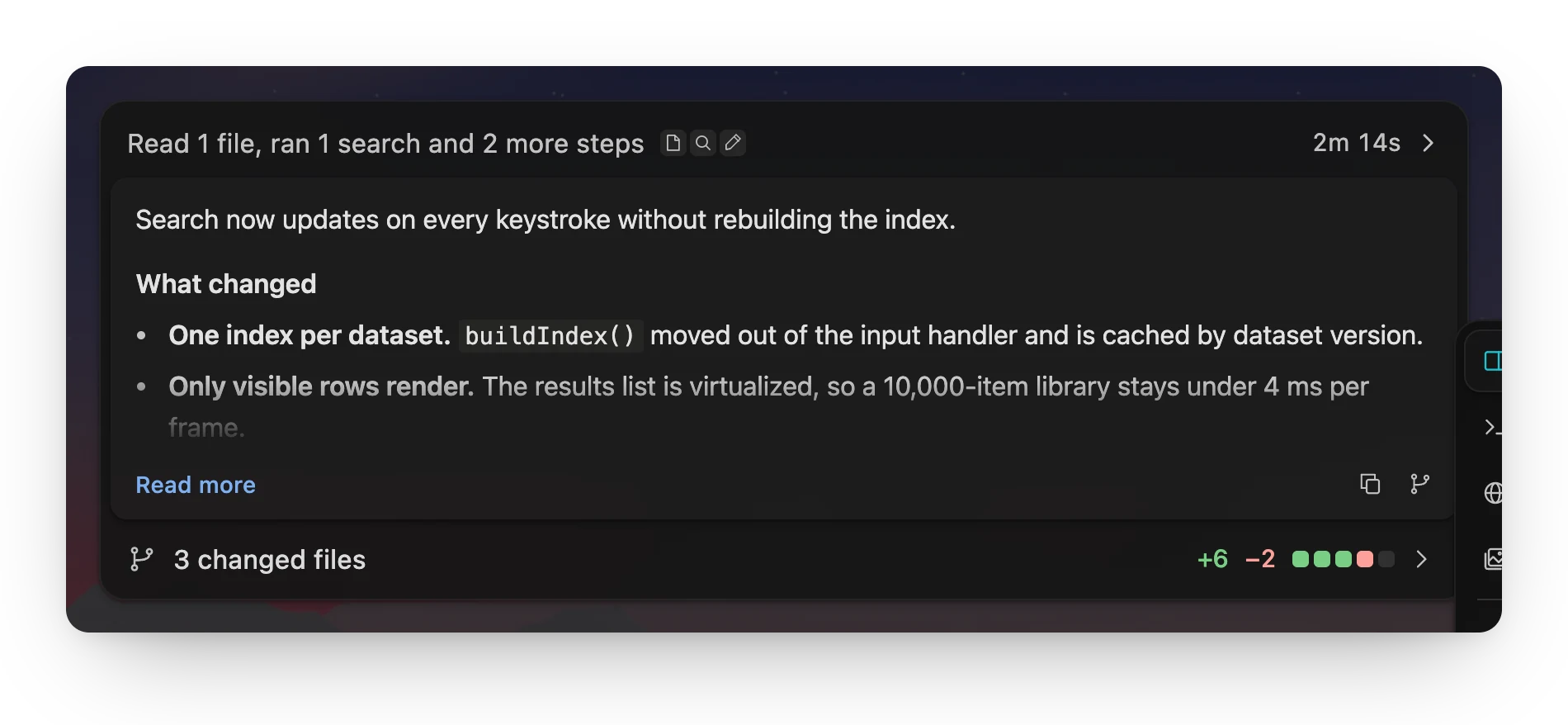
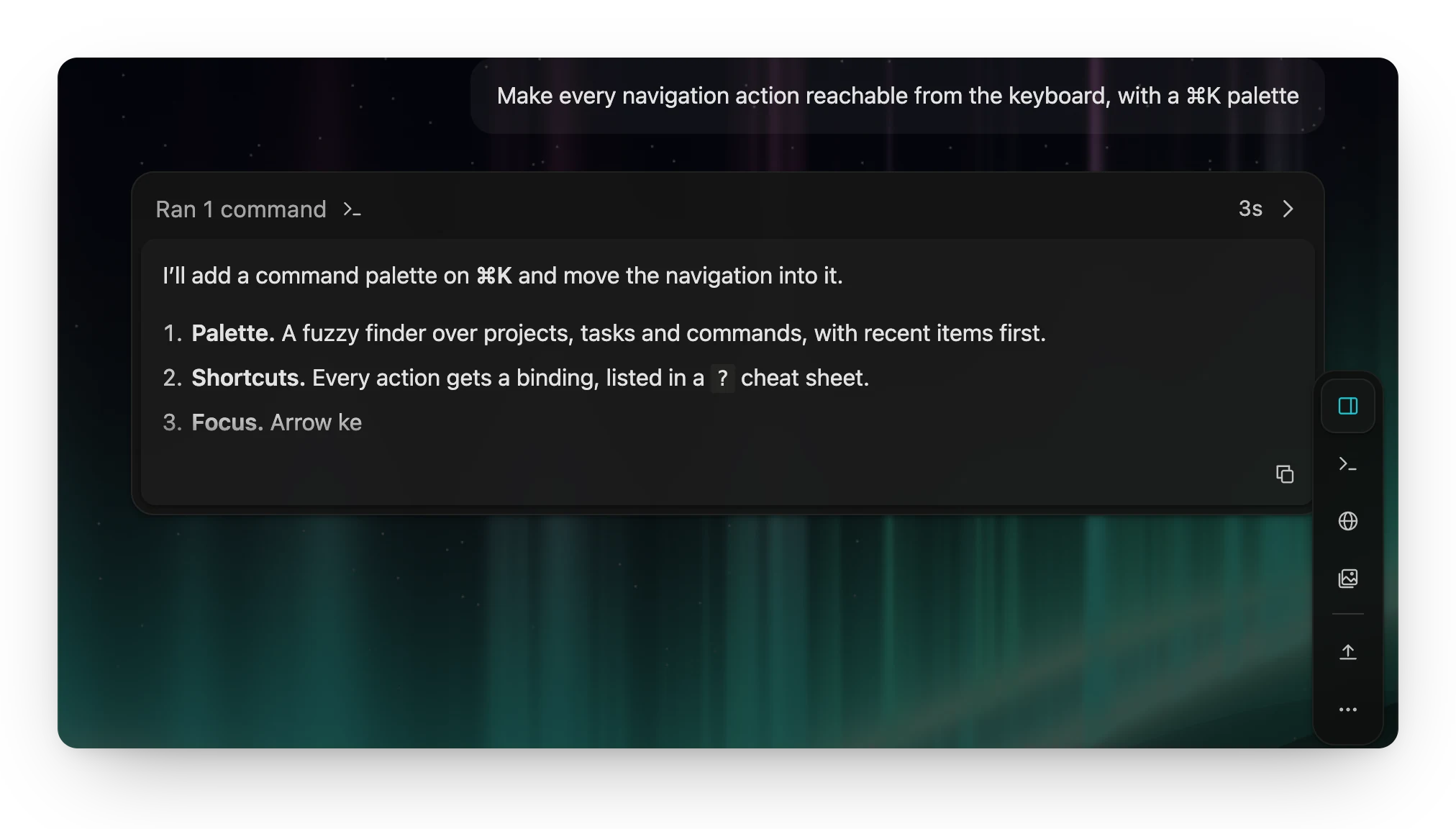 Live replies. Responses stream in as Markdown, under the step the agent is on. |
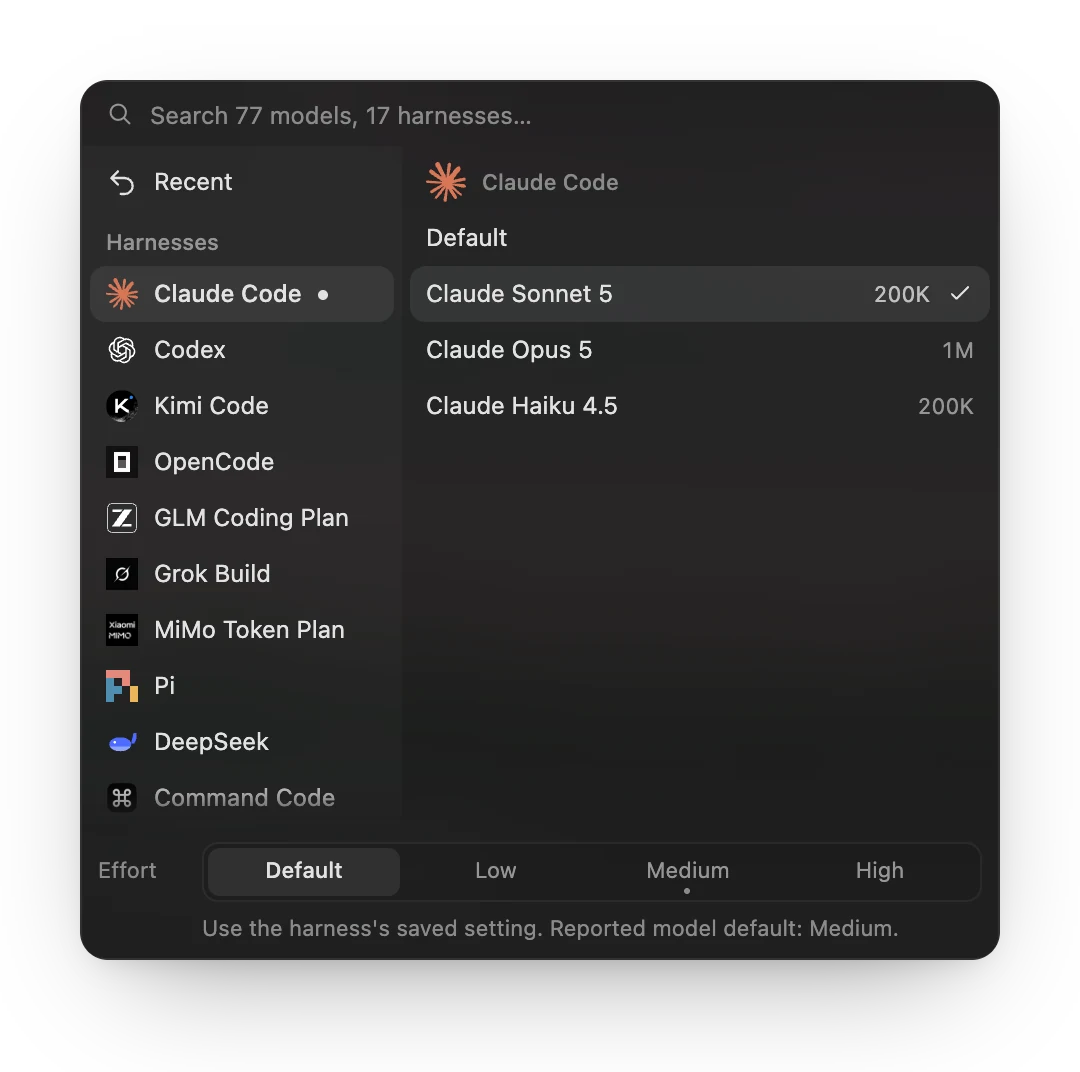 Any harness, any model. Switch per task, with context size and reasoning effort. |
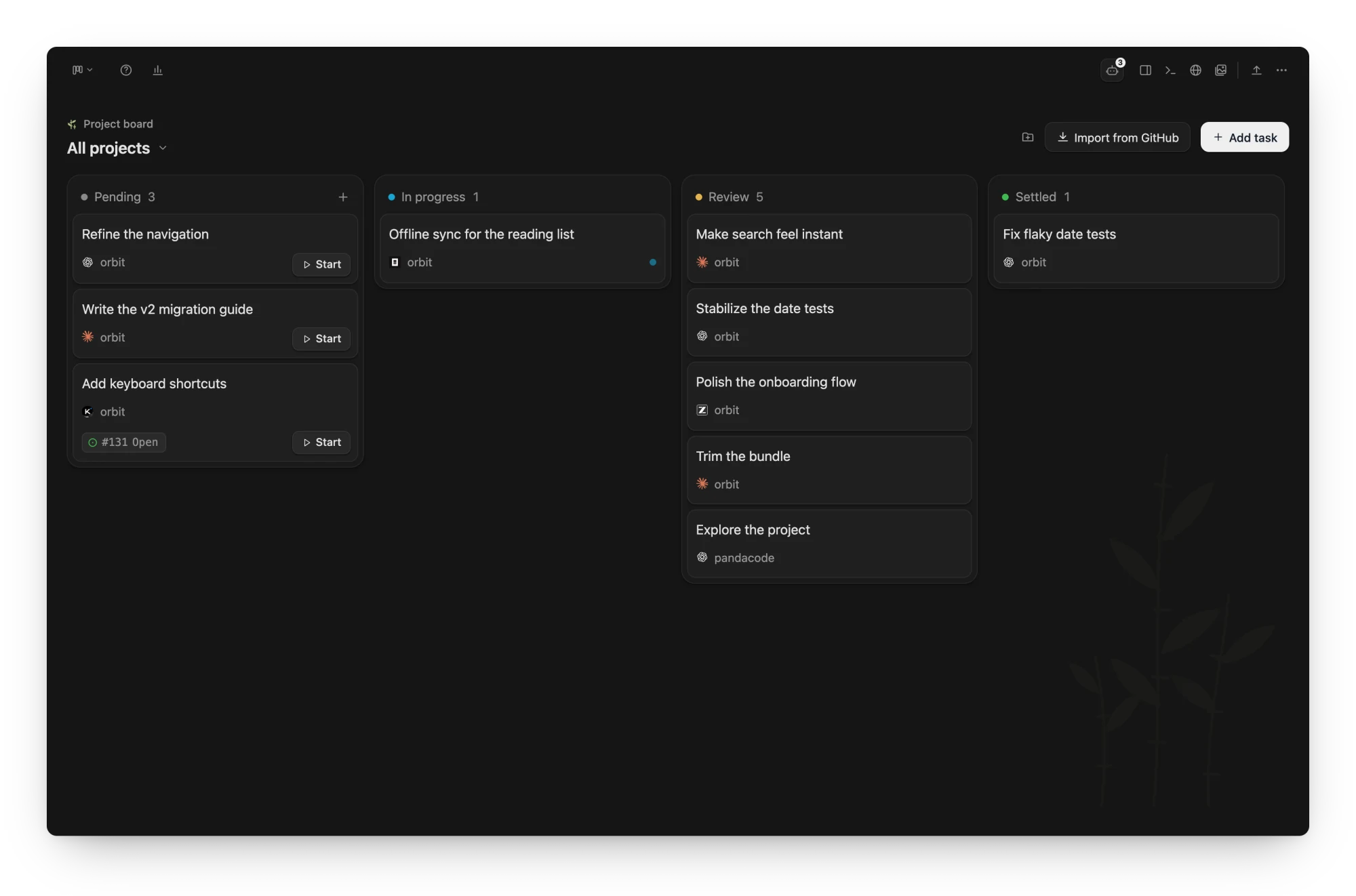
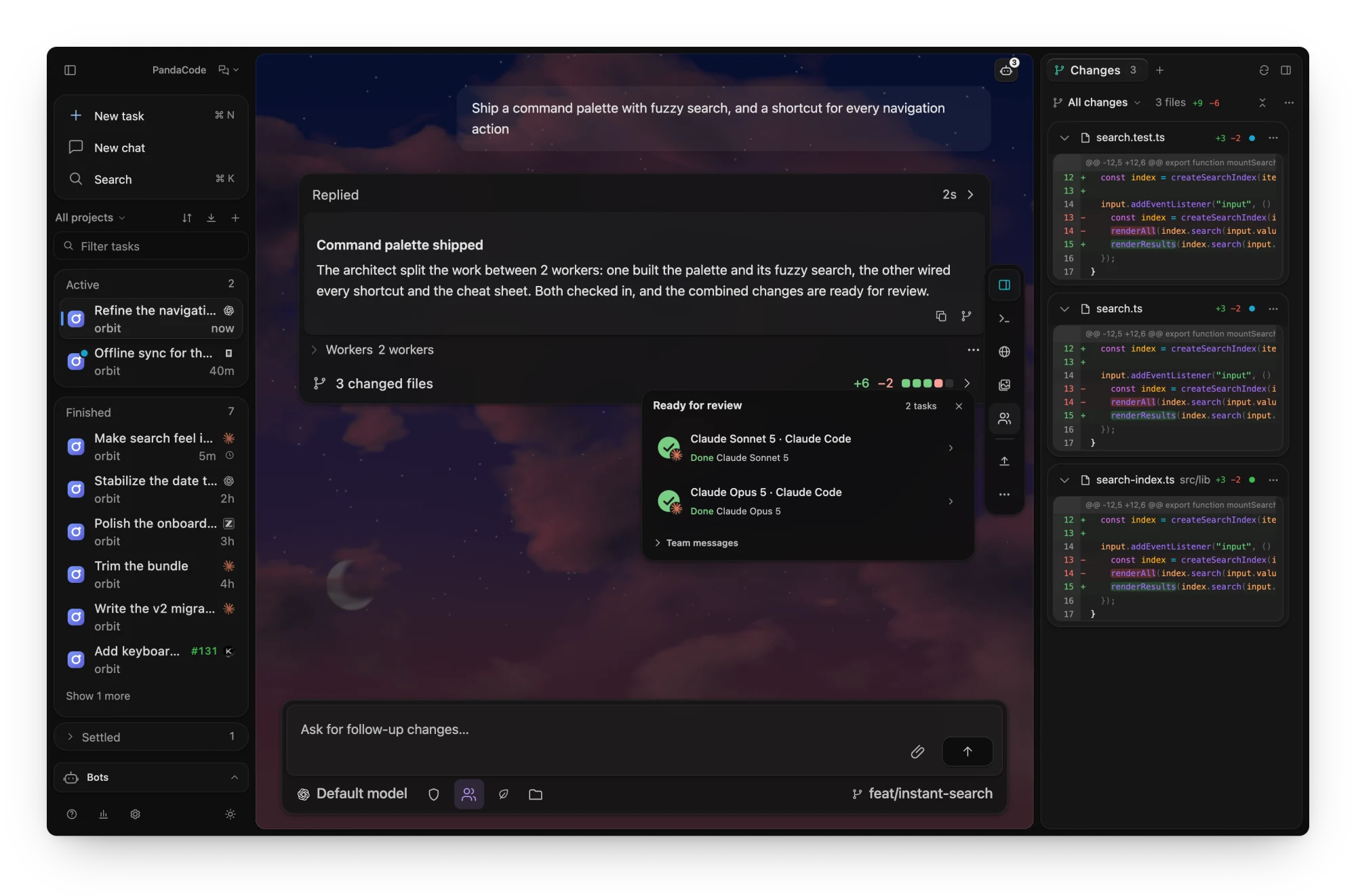 **A board for everything in flight.** Tasks from every project move from Pending to
Settled, each with its harness and linked issue.
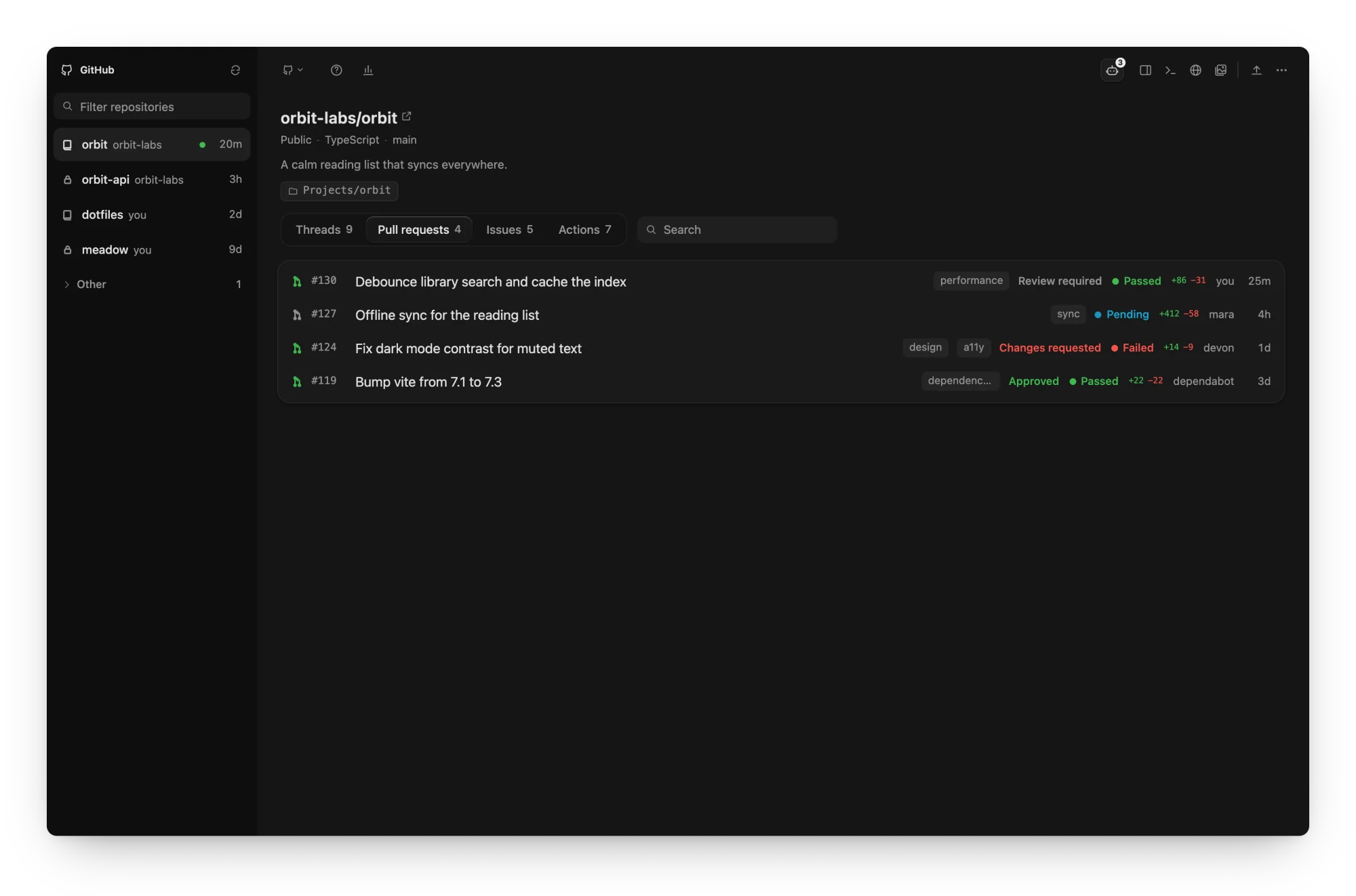
 **GitHub in one view.** Your repositories with their threads, pull requests, issues
and actions, including review and CI status.
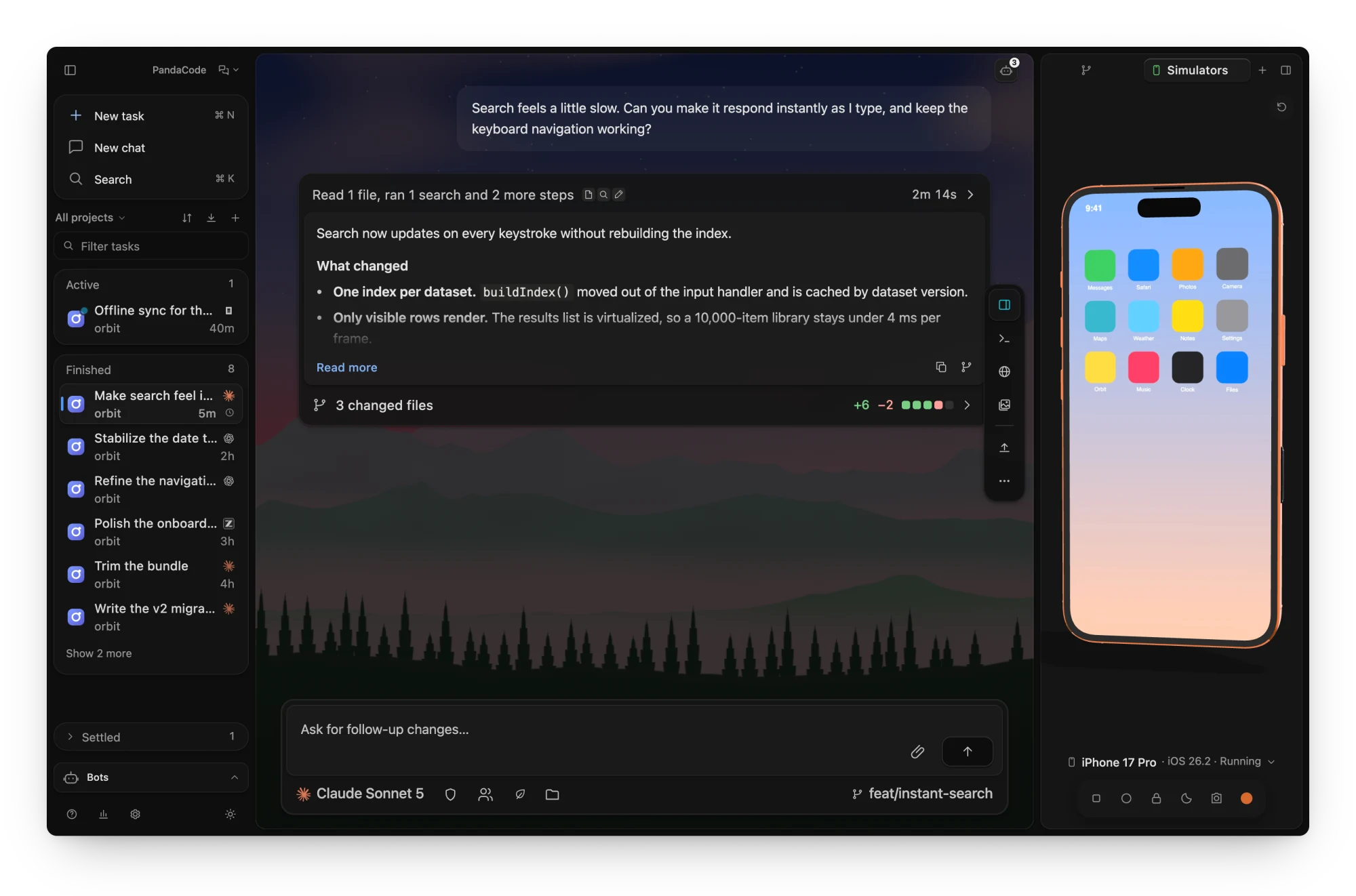
 **Your app beside the chat.** The iOS Simulator and Android emulator run in the
inspector on a lifelike device, so you can tap through what an agent just built.
On Windows and Linux the tab lists Android emulators only.
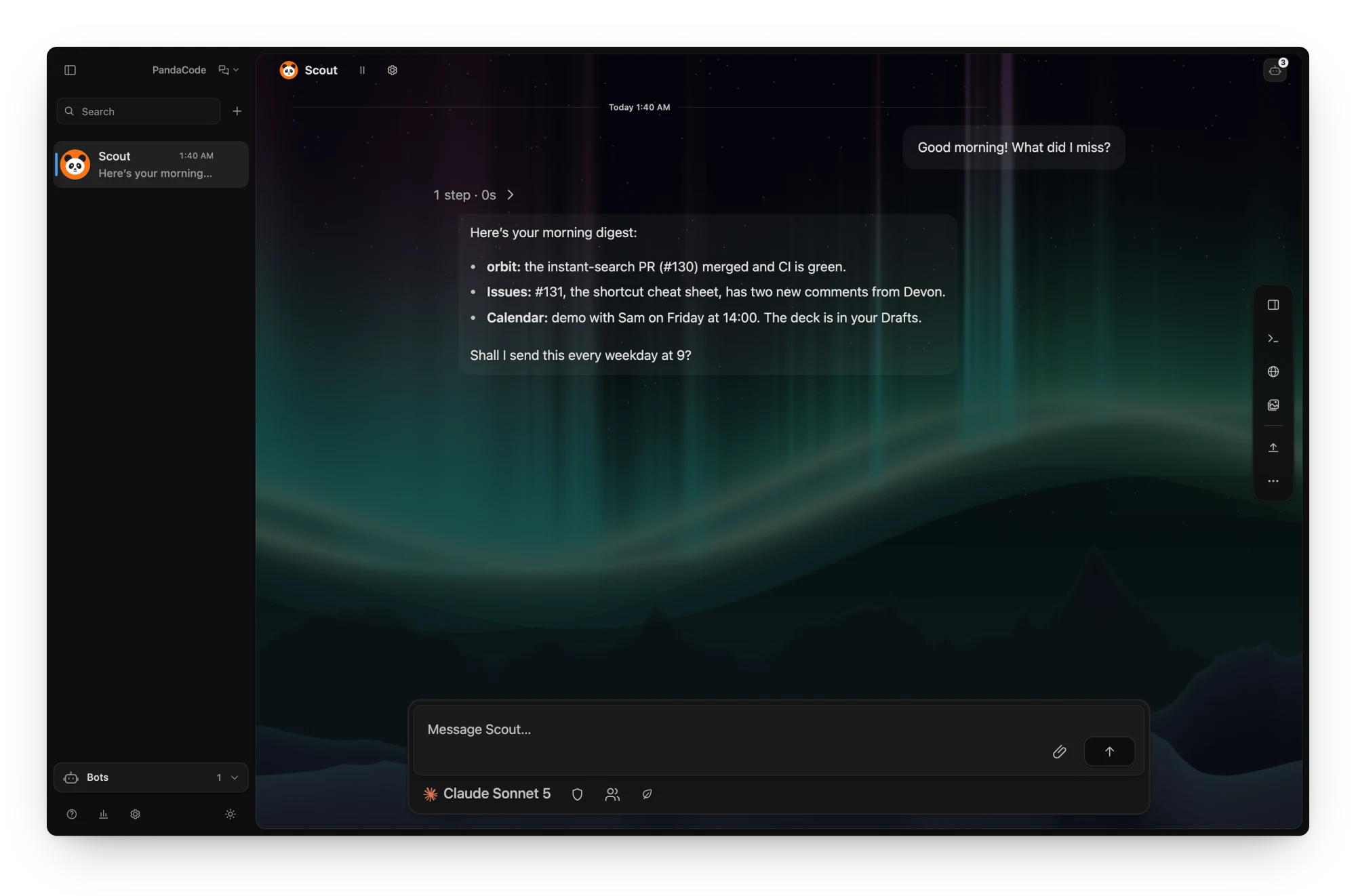
 **Bots that keep working.** A bot's conversation is an ordinary task thread, with
the same streaming, composer and model picker; reach it from Telegram, Slack,
Discord, WhatsApp or a browser too.
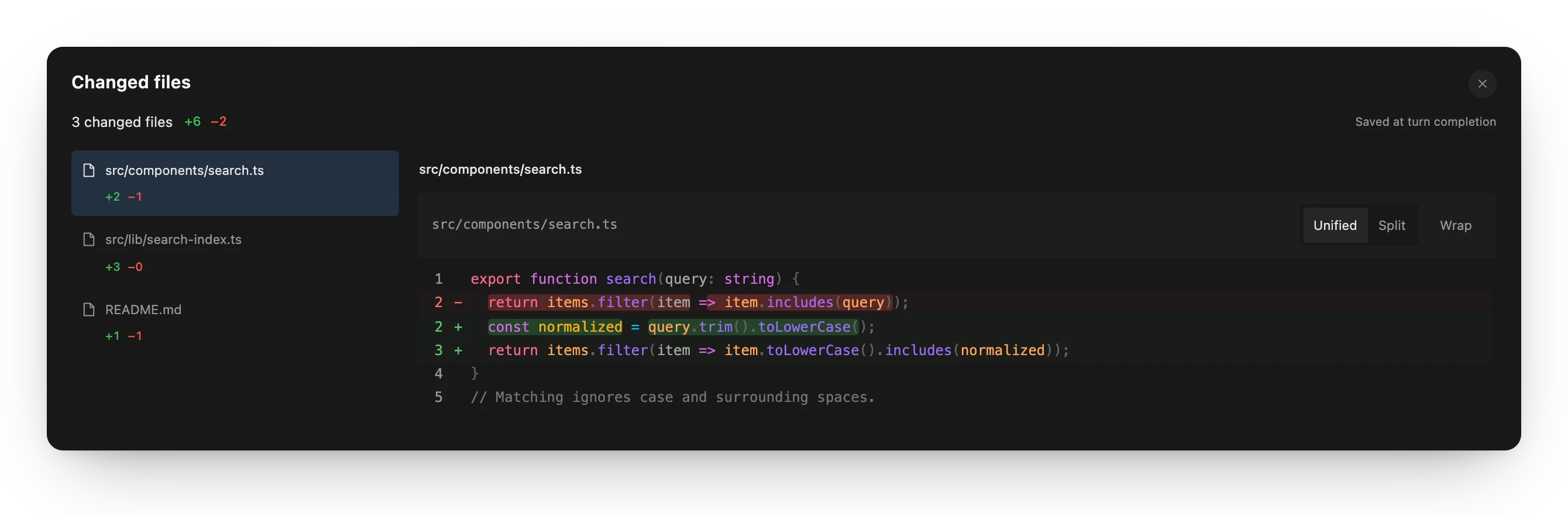 Review every turn. Each turn saves its changes, with unified and split diffs. |
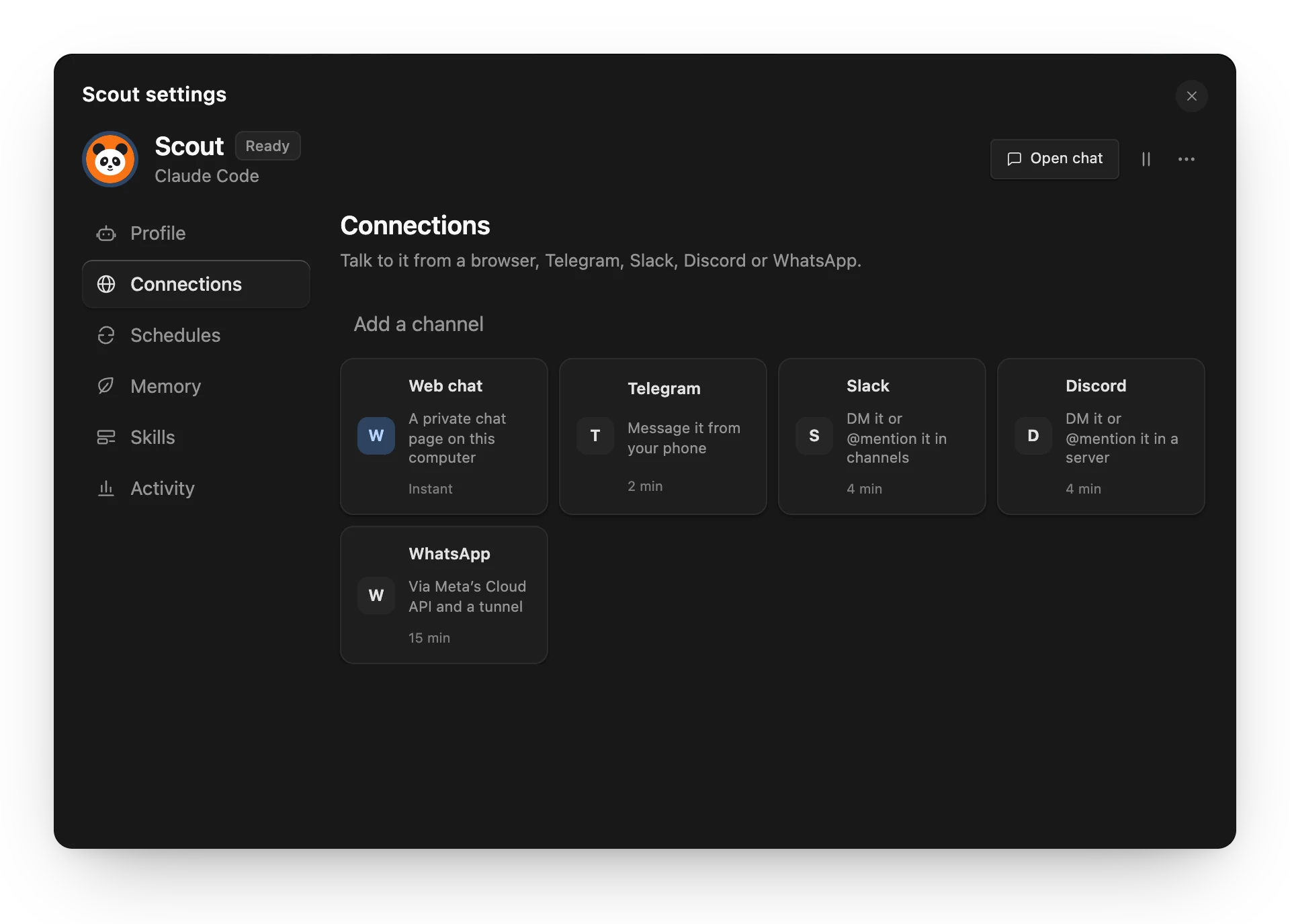 Bot settings. Connections, schedules, memory and skills, in one place. |
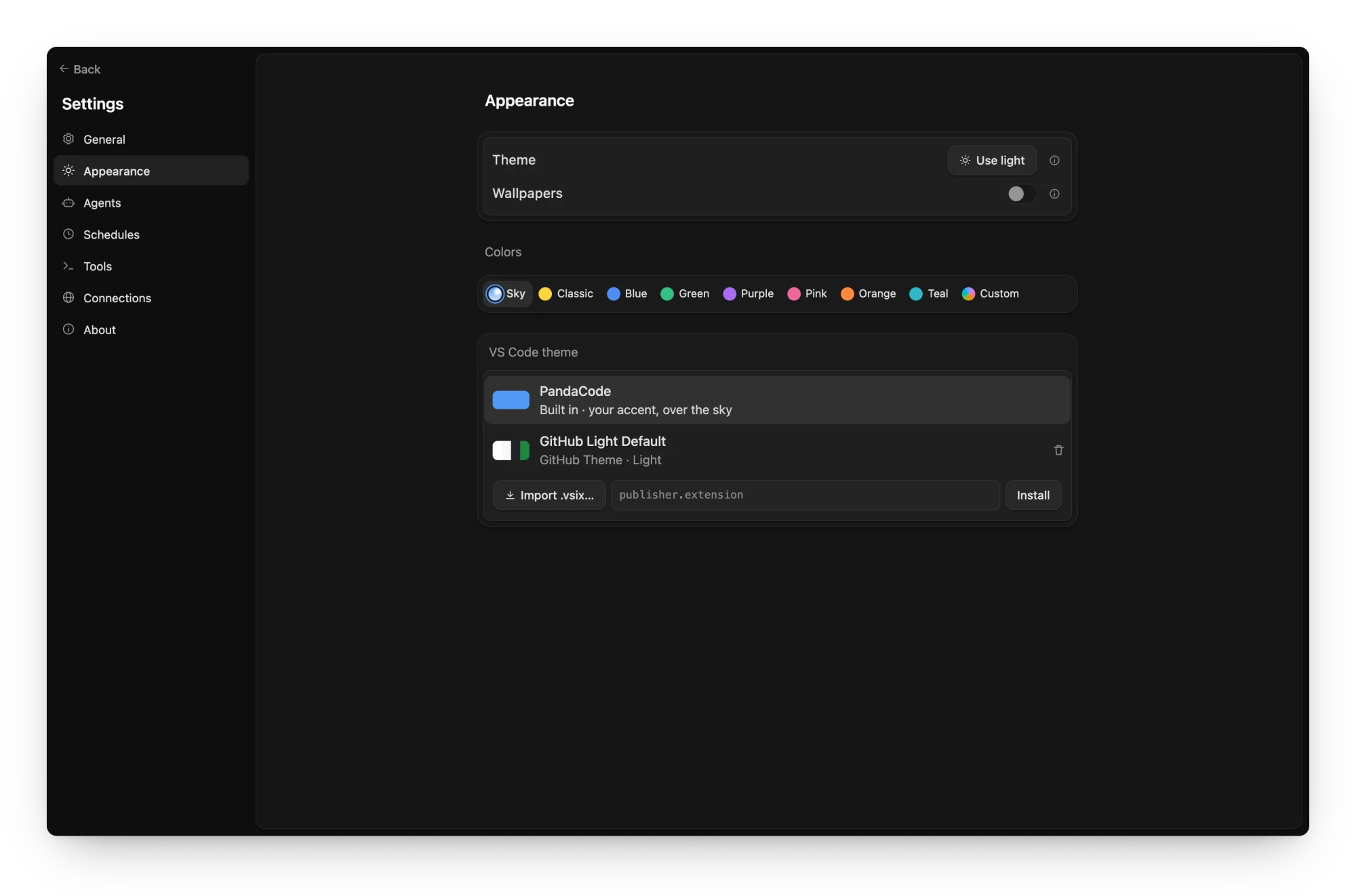 Screenshots come from the browser preview with sample data. Regenerate them with
`npm run screenshots` (see [`scripts/screenshots`](scripts/screenshots/capture.spec.ts)).
## Privacy
- **No telemetry, no analytics, no accounts.** PandaCode does not phone home.
- **Your code stays on your machine.** Projects, conversations and settings are
stored locally in SQLite. Prompts go only to the coding CLI or service you
pick, under that provider's own terms.
- **It only talks to services you choose.** Provider keys (GLM, MiMo, DeepSeek, Command Code, cloud
sandboxes, bot channels, connection secrets) are sent only to that provider.
On macOS they live in `secrets.json` in PandaCode's app data folder, readable
only by your user (0600), never the Keychain, so updates never ask for your
login password; keys saved in the Keychain by older versions move there on
first use. Linux keeps them in the Secret Service and Windows in Credential
Manager; `pandacode serve` uses the 0600 file there too by default.
- **Agent telemetry can be turned off in one place.** Settings → Agents →
Harnesses → Advanced → Privacy → **Turn off agent telemetry** starts every agent with its vendor's
own opt-outs (Claude Code, Codex, Kimi, Grok, DeepSeek, Command Code, Pi,
Muse, and OpenCode sharing) plus `DO_NOT_TRACK=1`. Your agent config files
are not changed. Each agent's row shows what the switch covers. Cline has no
per-launch switch, so turn it off in Cline's own settings. With the switch on,
Claude Code also stops fetching remote feature flags (it uses its defaults)
and can't take sessions started remotely on this computer.
A few automatic checks send no personal data — just plain requests for public
information:
| What | Where | How often |
| --- | --- | --- |
| Latest versions of installed coding CLIs | `formulae.brew.sh`, `downloads.claude.ai`, `api.github.com`, `cdn.kimi.com`, `registry.npmjs.org`, `releases.openai.com`, `storage.googleapis.com`, `pypi.org` | About every 6 hours |
| Plan usage checks for your signed-in agents | That agent's provider | When you open the menu bar item or the Usage dialog, and in Settings → Providers when account pools are shown (once, then at most every 5 minutes on window focus, or when you click Refresh) |
| Public model price list (for cost estimates) | `raw.githubusercontent.com` | Daily |
| PandaCode's own updates (`latest.json` on this repository's latest release) | `github.com` | At launch and about every 6 hours unless Settings → About → Updates is Off |
| Jev decision model list (optional) | `openrouter.ai` | Only when you choose OpenRouter for Jev decisions and open the model menu or press Refresh; no key is sent |
| Jev decisions on OpenRouter (optional) | `openrouter.ai` | Only when you choose OpenRouter in Settings → Tools → Add-ons → Jev and run a decision check; sends the selected evidence with your key |
| Jev decisions on TypeSafe (optional, the default service): sends the selected evidence with your key | TypeSafe | Only when you save a TypeSafe key in Jev's setup and run a decision check |
| Cloud agents (optional): the task's checkout, prompt and harness login go to the machine you chose; PandaCode checks on its active runs | The cloud provider you connected | Only for tasks you start on a cloud provider; while a run is active and at launch to re-attach |
| Model routing profiler (optional): `model.int8.onnx` and `tokenizer.json`, from a pinned commit, verified by SHA-256 | `raw.githubusercontent.com` | Once, the first time you turn on a team (with routing on) or click Download or Route in Settings → Agents → Model routing; never at launch, and never on macOS older than 13.4 or on Intel Mac, x86_64 Linux and x86_64 Windows builds |
| PandaCode Connect (optional): GitHub sign-in, then the relay that forwards your devices' end-to-end encrypted messages | `github.com`, the PandaCode relay | Only after you sign in under Settings → Connections → Remote access; nothing before |
| Push notifications (optional, mobile app): the relay sends a generic alert ("A task finished") with a `pandacode://inbox` link to your phone's device token, never task content | Apple Push Notification service, Firebase Cloud Messaging (sent by the PandaCode relay) | Only after you allow notifications in the mobile app while signed in to Connect |
| Netlify token check (optional): verifies the token and project you enter | `api.netlify.com` | Only when you save a Netlify token in Settings → Connections → Cloud sandboxes |
## Install
Download the latest build from
[GitHub Releases](https://github.com/aicodeking/pandacode/releases/latest):
| Platform | File | Requirements |
| --- | --- | --- |
| macOS (Apple silicon) | [`PandaCode-macOS-arm64.dmg`](https://github.com/aicodeking/pandacode/releases/latest/download/PandaCode-macOS-arm64.dmg) | macOS 12+ |
| macOS (Intel) | [`PandaCode-macOS-x64.dmg`](https://github.com/aicodeking/pandacode/releases/latest/download/PandaCode-macOS-x64.dmg) | macOS 12+ |
| Windows x64 | [`PandaCode-Windows-x64-setup.exe`](https://github.com/aicodeking/pandacode/releases/latest/download/PandaCode-Windows-x64-setup.exe) | Windows 10 1809+ or Windows 11 |
| Windows arm64 | [`PandaCode-Windows-arm64-setup.exe`](https://github.com/aicodeking/pandacode/releases/latest/download/PandaCode-Windows-arm64-setup.exe) | Windows 11 on ARM (Snapdragon X and similar) |
| Linux x64 | [`PandaCode-Linux-x86_64.AppImage`](https://github.com/aicodeking/pandacode/releases/latest/download/PandaCode-Linux-x86_64.AppImage) | Ubuntu 22.04+ or compatible, X11 or XWayland |
| Linux arm64 | [`PandaCode-Linux-aarch64.AppImage`](https://github.com/aicodeking/pandacode/releases/latest/download/PandaCode-Linux-aarch64.AppImage) | Ubuntu 24.04+ aarch64 or compatible, X11 or XWayland |
Or from a terminal: `npx pandacode` downloads the latest build, verifies its
signature and installs it (on macOS it is signed locally for you, so no
Gatekeeper prompt). `npx pandacode --dry-run` only downloads and verifies.
With [Homebrew](https://brew.sh): `brew install --cask aicodeking/pandacode/pandacode`
on macOS, or `brew install aicodeking/pandacode/pandacode` on Linux
([details](docs/homebrew.md)).
Release builds are not code-signed, so your OS will warn the first time:
- **macOS:** the build carries an ad-hoc signature and is not notarized, so macOS
refuses to open it, and **Open Anyway** in **System Settings → Privacy &
Security** does not always clear it. Run `xattr -dr com.apple.quarantine
/Applications/PandaCode.app` once instead; `npx pandacode` signs the app locally
and needs no such step.
- **Windows:** if SmartScreen appears, click **More info → Run anyway**.
- **Linux:** `chmod +x PandaCode-Linux-x86_64.AppImage` (or `-aarch64`), then run it. Some
distributions need FUSE 2 (`libfuse2`), or set `APPIMAGE_EXTRACT_AND_RUN=1`.
The AppImage runs through X11 (XWayland on Wayland) by default; if the window
stays blank there, try GTK's native Wayland backend with
`GDK_BACKEND=wayland ./PandaCode-Linux-x86_64.AppImage`.
Each file has a `.sha256` checksum beside it. Once installed, PandaCode updates
itself: it checks the latest release, downloads a newer version in the background,
verifies its signature, and restarts to install it when no agent is working and
you've stepped away (or when you click **Restart to update**). In Settings → About,
**Notify me** checks but asks first (**Install and restart** / **Later**), and **Off**
stops checking. On Linux only the AppImage updates itself; an unpacked AppImage or a
package just reports new versions. See [platform support](docs/platform-support.md) for details.
Then install Git and at least one coding CLI and sign in with its normal login.
PandaCode does not include provider plans or usage.
[Pi](https://github.com/earendil-works/pi) installs with `npm i -g @earendil-works/pi-coding-agent`; sign in through Pi's own CLI. PandaCode drives it over Pi's RPC mode and gives it PandaCode's app tools through a local loopback bridge extension. Pi has no approval system of its own, so PandaCode's extension enforces the permission modes; the integrated console needs Full access.
[omp (Oh My Pi)](https://github.com/can1357/oh-my-pi), a Pi fork that runs on Bun, installs with `bun install -g @oh-my-pi/pi-coding-agent`; sign in through `omp` itself. PandaCode drives it with the same RPC bridge as Pi and passes `--approval-mode yolo` so the bridge stays the only approval gate.
[DeepSeek](https://platform.deepseek.com/api_keys) installs with `npm i -g @deepseek-ai/dsh`; PandaCode launches `dsh --profile acp`. An API key is optional (Settings → Agents → Providers, or `DEEPSEEK_API_KEY`); dsh can use its own stored credentials. With a saved key (or `DEEPSEEK_API_KEY`), the Usage dialog shows the account balance from `api.deepseek.com`.
[Command Code](https://commandcode.ai/docs/acp) installs with `npm i -g command-code` (Node 22 or newer); PandaCode launches `command-code acp`. Sign in once with `command-code login`, or save an API key in Settings → Agents → Providers (or set `COMMAND_CODE_API_KEY`); either one authenticates the same account. Usage limits are not shown in PandaCode; check Command Code Studio.
[Cline](https://docs.cline.bot/usage/cli-overview) installs with `npm i -g cline`; PandaCode launches `cline --acp`. Sign in once with `cline auth` (or set `CLINE_API_KEY`); the provider and models chosen in Cline apply. See [provider details](docs/providers.md#cline).
[Kilo Code](https://kilo.ai/docs/code-with-ai/platforms/cli) installs with `npm i -g @kilocode/cli`; sign in with `kilo auth login`, then select **Kilo Code** in PandaCode. PandaCode launches `kilo acp` and uses Kilo's configured providers and models. See [provider details](docs/providers.md#kilo-code).
Muse Code installs with Meta's launcher into `~/.local/bin/muse`; run `muse login` once in a terminal. PandaCode launches `muse serve` and speaks MSP, Muse's JSON-RPC session protocol, with its sandbox and approval modes; see [docs/providers.md](docs/providers.md#muse-code) for what each mode does and what Muse cannot express.
Antigravity runs Google's `agy_acp_server`, or `agy acp` through the `agy` CLI when that server isn't installed. See [provider details](docs/providers.md).
[GitHub Copilot CLI](https://docs.github.com/en/copilot/how-tos/set-up/install-copilot-cli) installs with `npm install -g @github/copilot`; run `copilot login` in a terminal, then select **GitHub Copilot CLI** in PandaCode. PandaCode launches the local `copilot` executable over ACP. The CLI manages its own sign-in. See [provider details](docs/providers.md#github-copilot-cli).
[Devin CLI](https://docs.devin.ai/cli) installs with `curl -fsSL https://cli.devin.ai/install.sh | bash` (or `brew install --cask devin-cli`, or the copy bundled with Devin Desktop); run `devin auth login` once in a terminal, then select **Devin CLI** in PandaCode. PandaCode launches `devin acp` with the CLI's own sign-in and lists every Devin model with its own thinking levels. See [provider details](docs/providers.md#devin-cli).
[ZCode](https://github.com/zai-org/ZCode) installs with its install script (`~/.local/bin/zcode`, Node 24); run `zcode` once in a terminal and sign in, then select **ZCode** in PandaCode. PandaCode talks to `zcode app-server` directly — the CLI's own protocol, since it exposes no ACP mode — listing every model the account can reach with its own reasoning levels. See [provider details](docs/providers.md#zcode).
[Hermes Agent](https://hermes-agent.org) installs with `curl -fsSL https://raw.githubusercontent.com/NousResearch/hermes-agent/main/scripts/install.sh | bash`; run `hermes acp --setup` or configure `~/.hermes/config.yaml`, then select **Hermes Agent** in PandaCode. PandaCode launches `hermes acp` and uses Hermes' configured provider and models. See [provider details](docs/providers.md#hermes-agent).
## Build from source
You need Node.js 22, stable Rust, and the
[Tauri prerequisites](https://v2.tauri.app/start/prerequisites/) for your OS.
```sh
git clone https://github.com/aicodeking/pandacode.git
cd pandacode
npm ci
npm run desktop # same as: npm run tauri dev
```
`npm run dev` serves only the frontend. In a regular browser it runs a labeled,
device-local sample workspace for UI work; files, Git and terminals are
simulated there. `npm run tauri build` makes a local installer, and
`npm run release:build` builds the release asset for your OS (see
[releasing](docs/releasing.md)).
The website lives in [website/](website/): `npm run site:dev` and
`npm run site:build`.
## Use
Open a project folder, then click **New task** or press `⌘/Ctrl N`. A centered
"What should we build in …?" page opens in the last active project with the
message box focused. Choose the harness and model from the searchable picker in
the message box; new tasks remember your last choice. The **+** button attaches
images, documents, folders, project files or a mockup. Open **Changes** to
inspect and stage diffs, or the terminal to run shell commands. Conversations
and provider session IDs persist across restarts; agents start only for active
turns.
In **Files**, an HTML file opens in the Browser panel; other files, including images,
PDFs, Word documents and spreadsheets, open in a file tab beside the conversation.
Filenames mentioned in responses become clickable and resolve against the task's
own project or worktree.
The row at the bottom of the prompt box holds the model, permissions, Team, token
saver, checkout and branch. Its branch chip
is the one place for [worktrees](docs/worktrees.md): an unstarted task moves into
a new worktree in place, a started one spawns a sibling task, and settling a
clean worktree task offers to remove its checkout and merged branch.
Pick **Board** from the view menu beside the PandaCode name to manage tasks by
status. Choose **Team** in the composer for an automatic team, or set up an architect
and workers. Each agent turn is one card, with its tool calls behind the header;
approval requests wait in the bar above the prompt.
On macOS and Windows, closing the window hides it and running agents keep going; the
menu bar item, the Dock or launching the app again brings it back. On Linux, closing
the window quits PandaCode.
The branch chip also switches the project checkout to `main` or another local
branch, and in a worktree task offers **Merge into main**: it merges the
worktree's committed work locally, refuses uncommitted changes or conflicts
without touching anything, then offers to remove the worktree.
**Standard** permissions keep each provider's native checks. Claude's **Accept
edits** allows its editing tools; Codex uses its workspace sandbox with
on-request approvals. **Full access** enables the harness's broadest mode. See
[provider details](docs/providers.md).
Type `/` at the start of a message for the harness's commands and skills
([slash commands](docs/slash-commands.md)).
Keyboard shortcuts: `⌘/Ctrl N` new task, `⌘/Ctrl K` command palette,
`⌘/Ctrl J` terminal, `⌘/Ctrl B` sidebar, `⌘/Ctrl ,` settings, `⌘/Ctrl F` find
in thread (`⌘/Ctrl G` next match), `Enter` send (queues while an agent runs),
`⌘/Ctrl Enter` steer, `Shift Enter` newline, `⌘⌥←/→` move between tiled threads,
`⌘/Ctrl +/−/0` interface size (the whole interface scales, not just text).
On macOS, if folder access is denied, use **Browse** to select the folder, or
allow PandaCode under **System Settings → Privacy & Security → Files & Folders**.
The thread shows one of eight live scenes that follows the time of day, and each
thread keeps its own. PandaCode also includes [21 anime scenery wallpapers](docs/wallpapers.md), a different morning,
afternoon and night scene for each weekday: turn them on in **Settings →
Appearance → Wallpapers**. You can also import VS Code color themes.
The [optional Jev add-on](docs/jev.md) adds work review, project-rule checks and
app testing in isolated Chrome profiles. It is off by default and PandaCode works
fully without it.
## Resource limits
No background directory polling or recursive file watchers. Agents exit after
each turn and resume by provider session ID; a run stays open only while background
subagents finish or a Codex goal is active. After a Claude Code turn, the next
turn's process starts in the background so a follow-up skips the CLI's startup;
at most two wait at a time, each for up to 10 minutes. PandaCode's fixed
instructions go to Claude-family harnesses once as a cached system prompt rather
than in every message. Motion is short and subtle, and the system's reduced-motion setting turns it off; a
thread you return to draws from its saved page at once. Terminal and Markdown code load only
when needed. Terminal history, provider frames, files, diffs and streamed text
all have explicit limits; only the current 100-message page of a conversation is
loaded. **Resource usage** reports native core RSS, active agents, terminals and
database size (core RSS excludes the system webview and provider processes).
## Tests
```sh
npx tsc --noEmit # typecheck
npm run build && npm test # unit tests (some read dist/)
npm run test:release # release script tests
npm run test:rust # cargo test
npx playwright test # browser suite (Chrome)
npx playwright test -c playwright.webkit.config.ts # WebKit
```
Ordinary tests make no paid model calls. Opt-in live tests are `#[ignore]`d;
see [providers](docs/providers.md).
## Contributing
Contributions are welcome. Read [CONTRIBUTING.md](CONTRIBUTING.md) for setup and
the pull request process, and [AGENTS.md](AGENTS.md) for code conventions. Please
follow the [Code of Conduct](CODE_OF_CONDUCT.md), and report security issues
privately as described in [SECURITY.md](SECURITY.md). Bugs and ideas go in
[GitHub issues](https://github.com/aicodeking/pandacode/issues).
Architecture notes: [design](docs/design.md), [native IPC](docs/ipc.md),
[research](docs/research.md). Provider protocols live in
`src-tauri/src/providers.rs` behind one normalized event interface; ACP harnesses
share `acp.rs`.
## Data
Data lives in Tauri's per-user application data directory (on macOS,
`~/Library/Application Support/ai.pandacode.desktop/`) in `kingcode.sqlite3`; the
database keeps its legacy internal name. Project source stays in the folders you
open, and removing a project from the app never deletes its files.
## License
[PandaCode License](LICENSE) (MIT with an attribution requirement for forks) ©
2026 PandaCode contributors. Provider names and logos belong to
their owners and do not imply endorsement ([brand assets](docs/brand-assets.md)).