# Extra
### The Open-Source Astra 6 for your Mac & PC
**Your AI can see, click, type, navigate, and get real work done on macOS & Windows.**
[](LICENSE)
[](https://extra.yantraos.com)
[](https://modelcontextprotocol.io)
[](https://yantraos.com)
[](https://github.com/AIYantra/extra)
[Website](https://extra.yantraos.com) • [Quickstart](#-quickstart-1-minute) • [macOS Guide](README_MACOS.md) • [Architecture](ARCHITECTURE.md) • [License](LICENSE)
---
## ✨ Why Extra?
Today's AI assistants can write brilliant essays and code, but they are trapped inside a chat window. When you need them to click a button, open an app, organize your files, or input data into a spreadsheet, they can only give you text instructions.
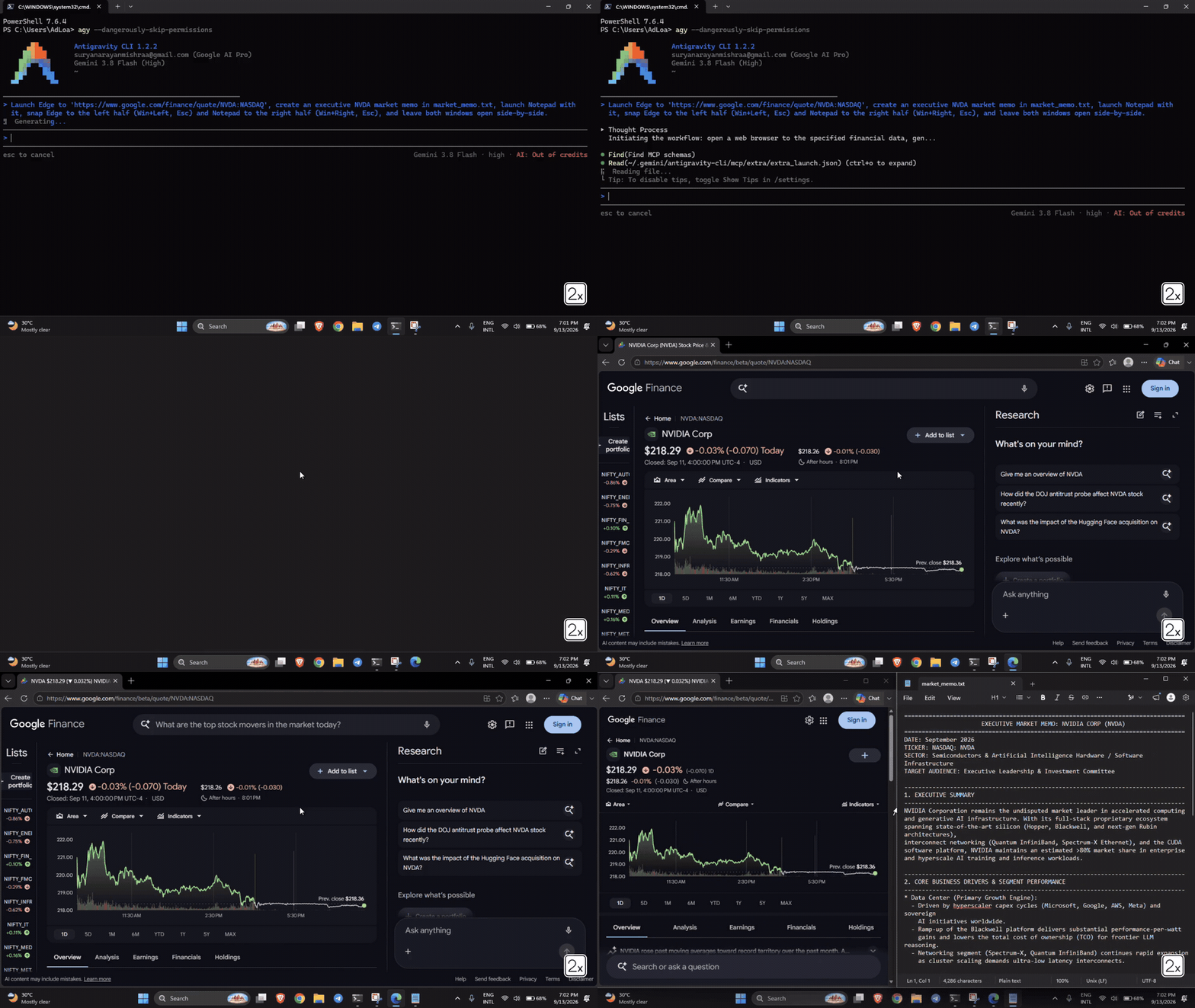
**Extra gives your AI hands and eyes on Windows.**
It connects **Claude, Google Antigravity, Cursor, AGY**, or any autonomous agent directly to your Windows desktop with high-speed screen vision, pixel-perfect clicking, and instant typing.
* **No clunky browser extensions.**
* **No expensive cloud servers watching your screen.**
* **100% open source, local, and private.**
---
## 💡 What You Can Ask Your AI To Do
Once Extra is running, you can talk to your AI like a real human assistant sitting at your desk:
* 📊 **Spreadsheets & Data:** *"Open Excel, calculate total revenue from the invoice CSVs in my Downloads folder, and create a summary chart."*
* 🗂️ **Desktop & File Cleanup:** *"Clean up my messy desktop by moving screenshots into Pictures, PDFs into Documents, and deleting empty folders."*
* 🌐 **Web Research & Data Entry:** *"Open Chrome, find the top 5 flights to Tokyo under $800, and copy their flight numbers and dates into Notepad."*
* ⚙️ **Windows System Tasks:** *"Open Settings, check if any Windows updates are pending, and let me know if a restart is needed."*
* 🎵 **App Control:** *"Launch Spotify, search for low-fi focus beats, and start playing."*
---
## ⚡ Quickstart (1 Minute)
You can set up Extra in seconds on **macOS** or **Windows**:
### Option A: Ask Your AI To Set It Up (Primary Funnel — Easiest)
Copy and paste the single directive for your OS into **Claude Desktop**, **Google Antigravity**, **Cursor**, **Windsurf**, or any MCP agent:
* **🍏 For macOS (Apple Silicon M1-M4 & Intel):**
```text
Setup Extra on my Mac: In Terminal run 'curl -sSL https://extra.yantraos.com/install.sh | bash', then read and configure ~/.extra/app/STARTER_PROMPT_MACOS.md so we are ready to use Extra.
```
* **🪟 For Windows (11 / 10):**
```text
Setup Extra on my PC: In PowerShell run 'iwr -useb https://extra.yantraos.com/install.ps1 -OutFile "$env:TEMP\install_extra.ps1"; & "$env:TEMP\install_extra.ps1"', then read and configure ~/.extra/app/STARTER_PROMPT.md so we are ready to use Extra.
```
Your AI will run the installer, configure MCP and local rules, and reply:
> **"We are ready! Please restart