# goManageDocker
Do Docker commands slip your mind because you don't use Docker often enough? Sick of googling commands for everyday tasks? GoManageDocker is designed to NUKE this annoyance.
Introducing **goManageDocker** (get it?)! This blazing fast TUI, made using Go and BubbleTea, will make managing your Docker objects a breeze.
## Contents
1. [Install Instructions](#install-instructions)
2. [Quick Start](#quick-start)
2. [Features](#features)
3. [Keybinds](#keybinds)
4. [Configuration](#configuration)
5. [Roadmap](#roadmap)
6. [Found an issue?](#found-an-issue-)
7. [Contributing](#contributing)
## Install Instructions
### Unix
You can install the latest release of goManageDocker on UNIX systems with a simple bash script:
```
bash -c "$(curl -sLo- https://raw.githubusercontent.com/ajayd-san/gomanagedocker/main/install.sh)"
```
This is the recommended way to install on Linux(`amd64` only) and MacOS(both `intel` and `arm`) systems.
Start the program with `gmd`.
### Windows
Building from source is currently the only way to install this on Windows. See next section.
### Build from source
Just build like any other Go binary, this is currently the only way to make goManageDocker work on Windows and arm64 chipsets running **Linux**:
```
go install github.com/ajayd-san/gomanagedocker@main
```
Start the program with `gomanagedocker` (Rename it to `gmd` if you'd like, the binary will be installed at your `$GOPATH`).
### Docker
Want to try this without installing a binary? I gotchu!
**Docker:**
```
docker run -it -v /var/run/docker.sock:/var/run/docker.sock kakshipth/gomanagedocker:latest
```
**Podman:**
First start the podman service:
```
systemctl --user start podman.socket
```
And then:
```
docker run -it -v /run/user/1000/podman/podman.sock:/run/user/1000/podman/podman.sock kakshipth/gomanagedocker:latest p
```
Alias it to something quicker (unless you like typing a lot 🙄)
## Quick Start
### docker
To connect to the docker service:
```
gmd
```
### podman
First start the podman service:
```
systemctl --user start podman.socket
```
(replace `start` with `enable` if you'd like to start it during every boot)
To connect to the podman service:
```
gmd p
```
(Issuing the subcommand `p` connects to the podman socket)
> [!NOTE]
> The command to invoke the TUI changes depending on the install method, if you installed from source you would be typing `gomanagedocker` instead of `gmd` (unless you aliased it to `gmd`).
Now, **goManageDocker 😏!!**
> [!NOTE]
> goManageDocker runs best on terminals that support ANSI 256 colors and designed to run while the **terminal is maximized**.
## Features
### **New in v1.5:**
1. goManageDocker now has first class support for Podman!! (who doesn't like more secure containers 😉). You can now manage podman images, containers, volumes and even pods from the TUI!

### **Previous release features:**
1. Easy navigation with vim keybinds and arrow keys.
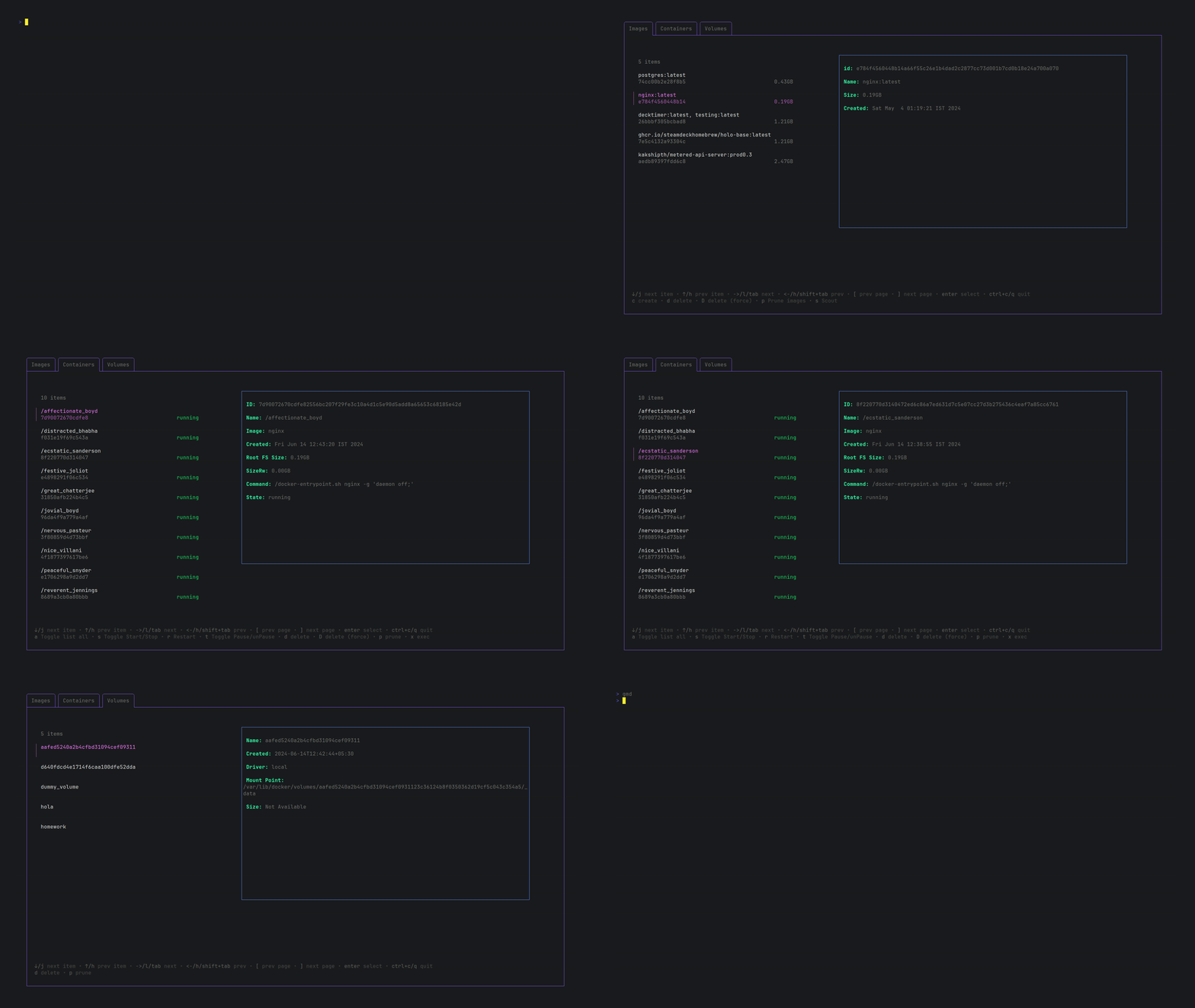
2. Exec into selected container with A SINGLE KEYSTROKE: `x`...How cool is that?

3. Delete objects using `d` (You can force delete with `D`, you won't have to answer a prompt this way)
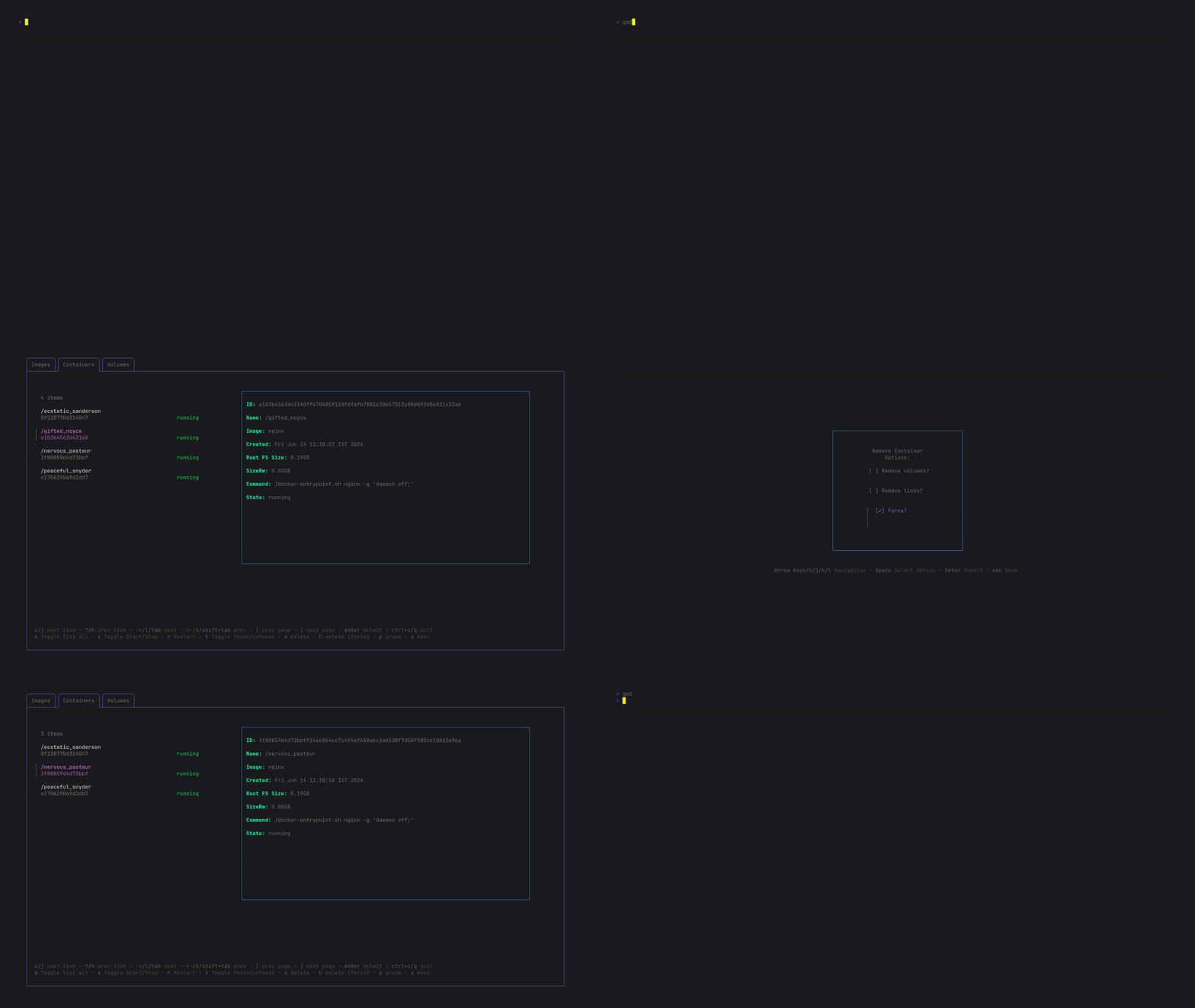
4. Prune objects using `p`

5. start/stop/pause/restart containers with `s`, `t` and `r`

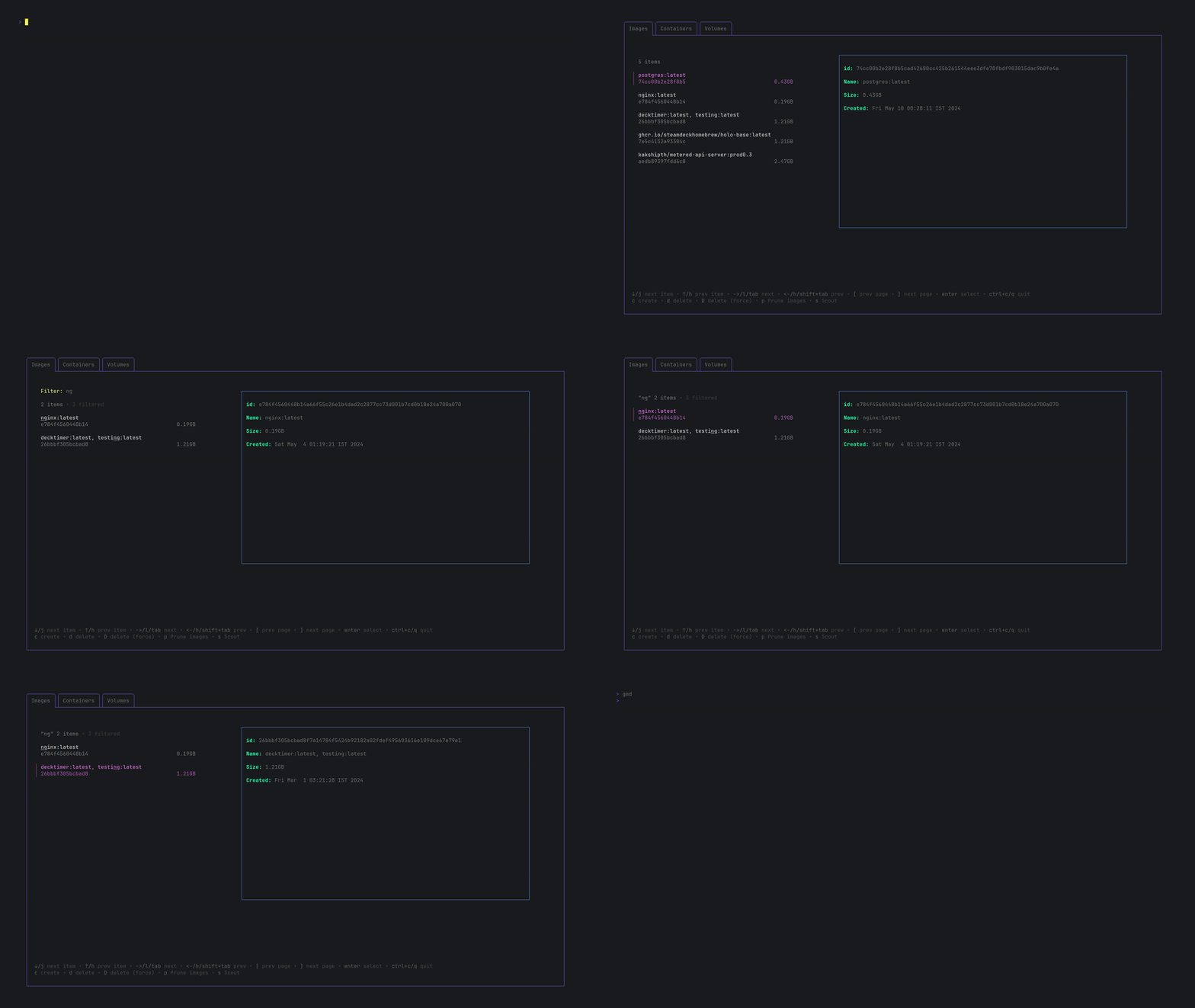
6. Filter objects with `/`
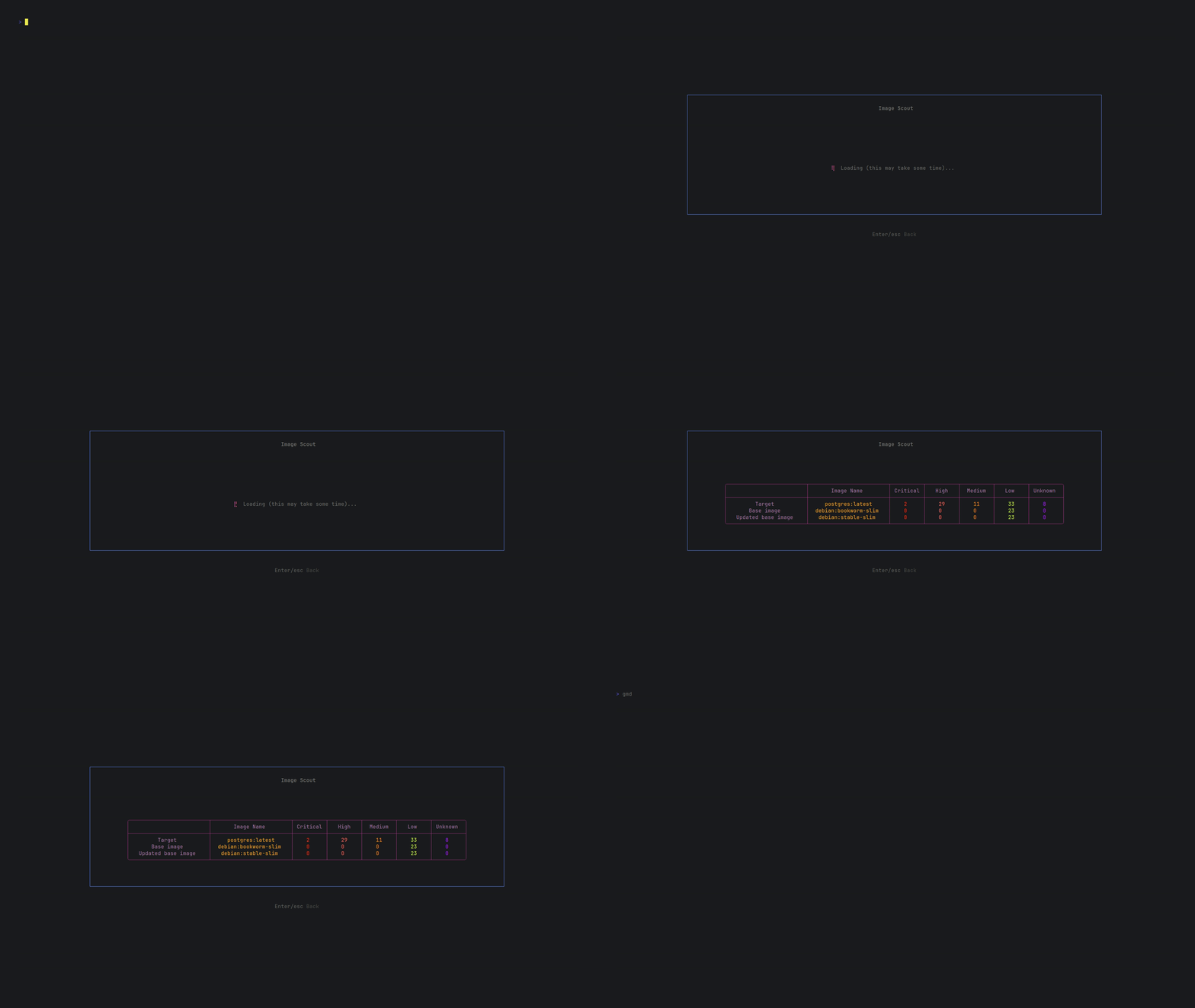
7. Perfrom docker scout with `s`
8. Run an image directly from the image tab by pressing `r`.
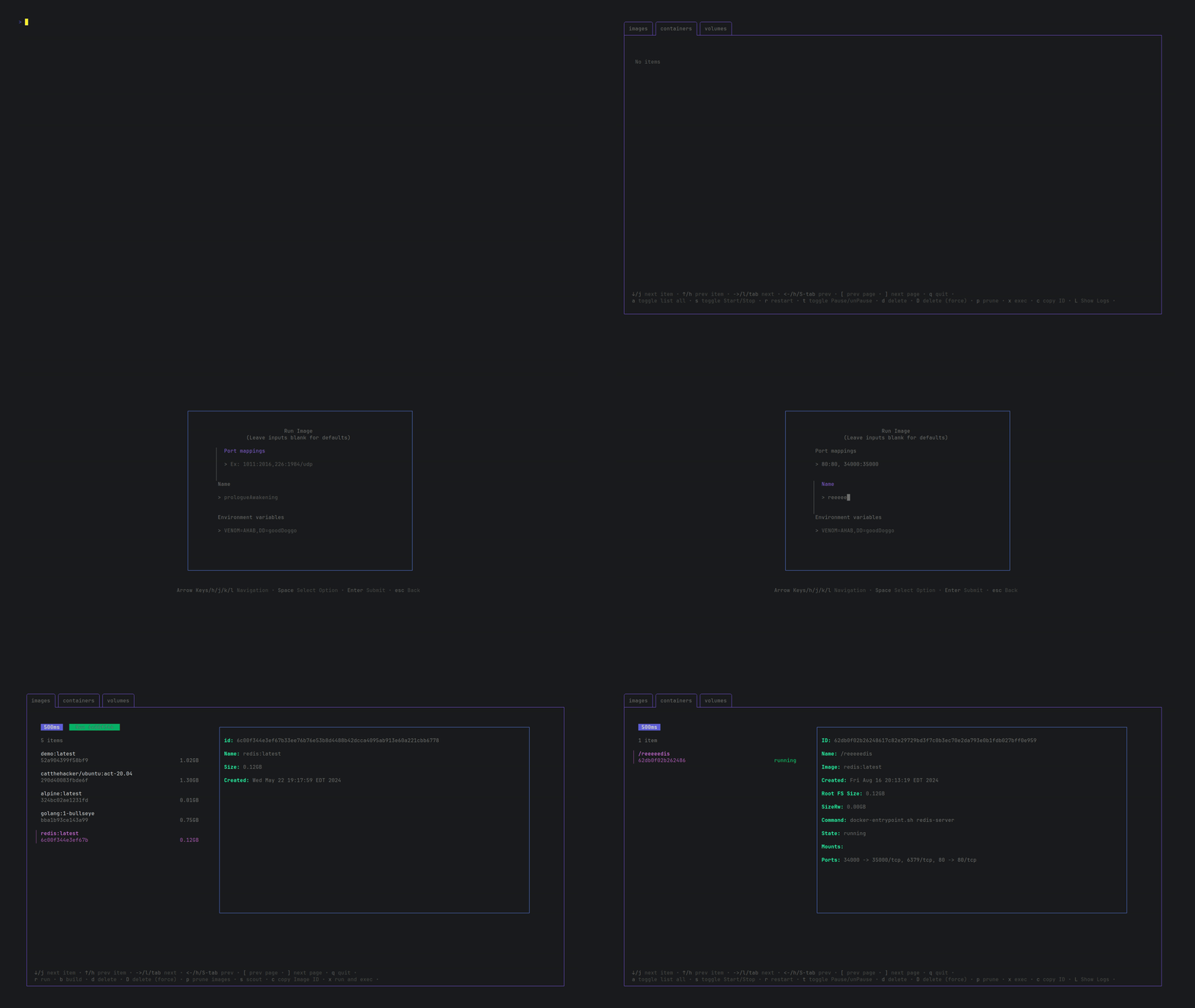
9. You can directly copy the ID to your clipboard of an object by pressing `c`.

10. You can now run and exec into an image directly from the images tab with `x`

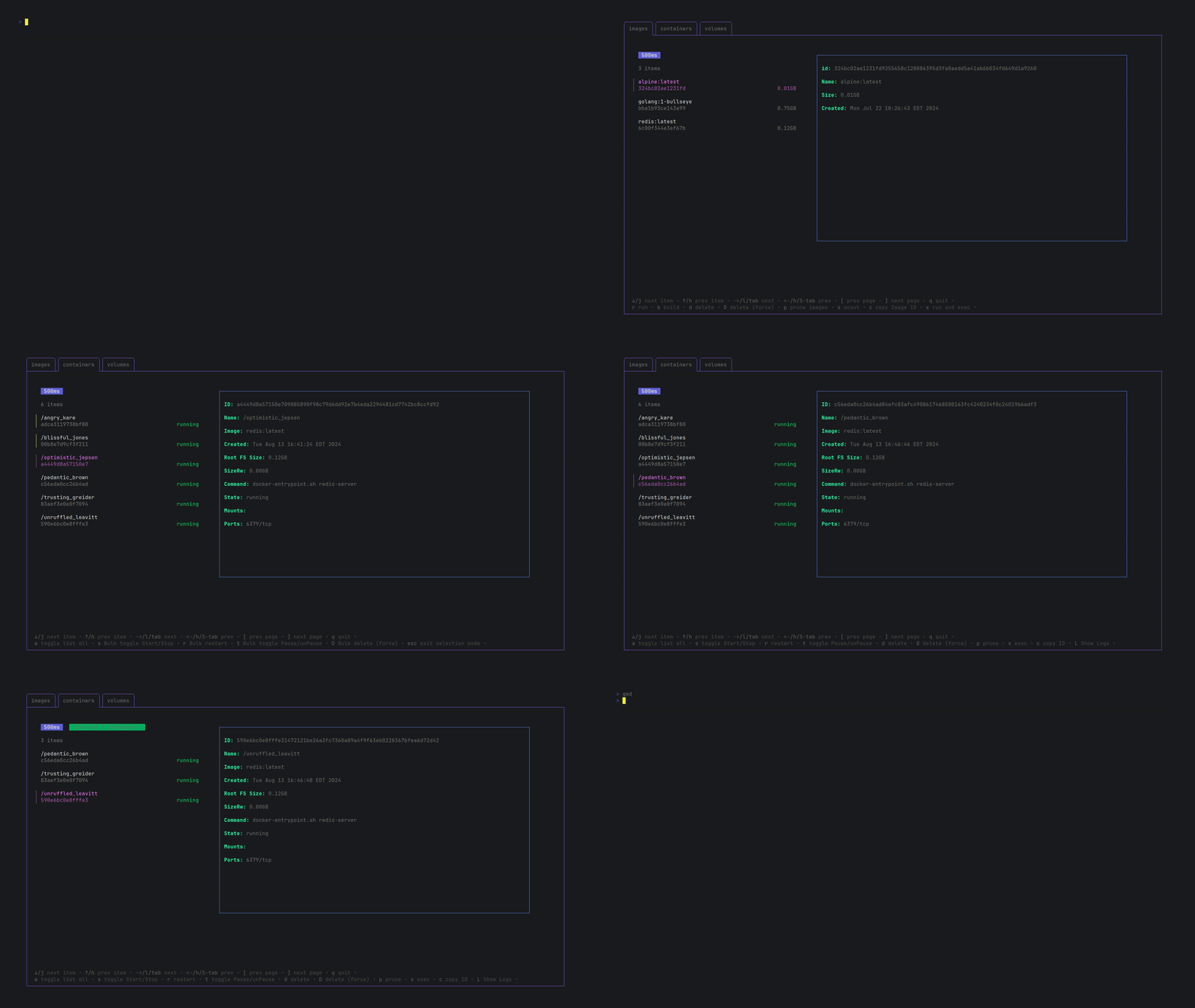
11. Global notification system

12. Bulk operation mode: select multiple objects before performing an operations (saves so much time!!)
13. Build image from Dockerfile using `b`
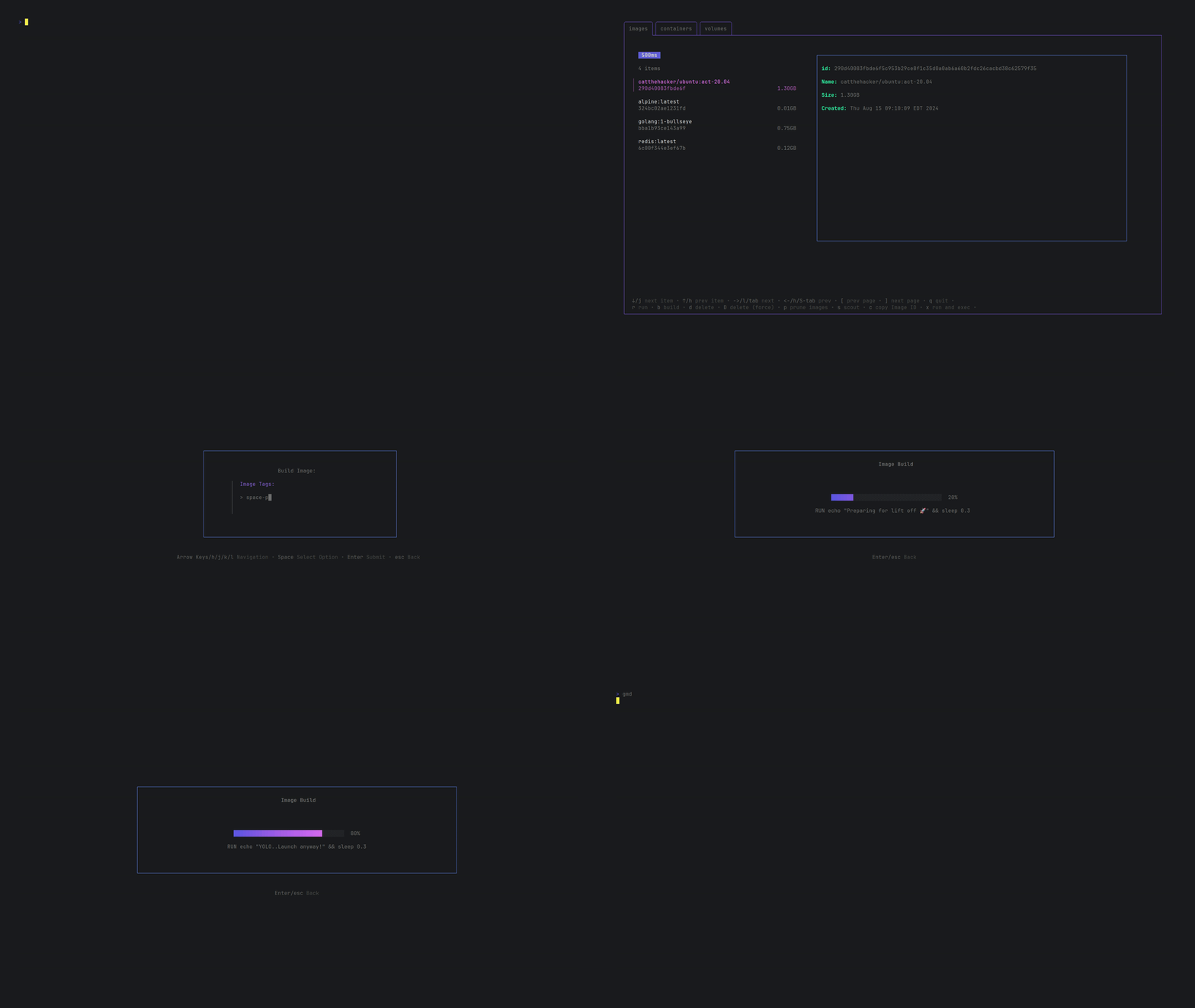
14. View live logs from a container using `L`

15. Run image now takes arguments for port, name and env vars.

## Keybinds
### Navigation
| Operation | Key |
|------------------|---------------------------------------------------------------------|
| Back | Esc |
| Quit | Ctrl + c / q |
| Next Tab | → / l / Tab |
| Prev Tab | ← / h / Shift + Tab |
| Next Item | ↓ / j |
| Prev Item | ↑ / k |
| Next Page | [ |
| Prev Page | ] |
| Enter bulk mode | Space |
### Image
| Operation | Key |
|-------------------|---------------------------------------------------------------|
| Run | r |
| Build Image | b |
| Scout | s |
| Prune | p |
| Delete | d |
| Delete (Force) | D |
| Copy ID | c |
| Run and Exec | x |
### Container
| Operation | Key |
|-------------------|---------------------------------------------------------------|
| Toggle List All | a |
| Toggle Start/Stop | s |
| Toggle Pause | t |
| Restart | r |
| Delete | d |
| Delete (Force) | D |
| Exec | x |
| Prune | p |
| Copy ID | c |
| Show Logs | L |
### Volume
| Operation | Key |
|-------------------|---------------------------------------------------------------|
| Delete | d |
| Prune | p |
| Copy Volume Name | c |
### Pods
| Operation | Key |
|-------------------|---------------------------------------------------------------|
| Create New Pod | n |
| Toggle Start/Stop | s |
| Toggle Pause | t |
| Restart | r |
| Delete | d |
| Delete (Force) | D |
| Prune | p |
| Copy ID | c |
| Show Logs | L |
## Configuration
I've added support for config files from V1.2.
Place `gomanagedocker/gomanagedocker.yaml` in your XDG config folder and configure to your heart's content!
Default Configuration:
```
config:
Polling-Time: 500
Tab-Order:
Docker: [images, containers, volumes]
Podman: [images, containers, volumes, pods]
Notification-Timeout: 2000
```
- Polling-Time: Set how frequently the program calls the docker API (measured in milliseconds, default: 500ms)
- Tab-Order: Define the order of tabs displayed for Docker and Podman. Each key specifies the tab order for its respective environment. Valid tabs include `images`, `containers`, `volumes`, and `pods` (for Podman only). You can omit tabs you don’t wish to display.
- Notification-Timeout: Set how long a status message sticks around for (measured in milliseconds, default: 2000ms)
## Roadmap
- Add a networks tab
- ~~Make compatible with podman 👀~~
## Found an issue ?
Feel free to open a new issue, I will take a look ASAP.
## Contributing
Please refer [CONTRIBUTING.md](./CONTRIBUTING.md) for more info.
## Thanks!!
