[](https://circleci.com/gh/ajermakovics/jvm-mon)


# jvm-mon
Console based JVM monitoring - when you just want to SSH into a server and see what's going on.
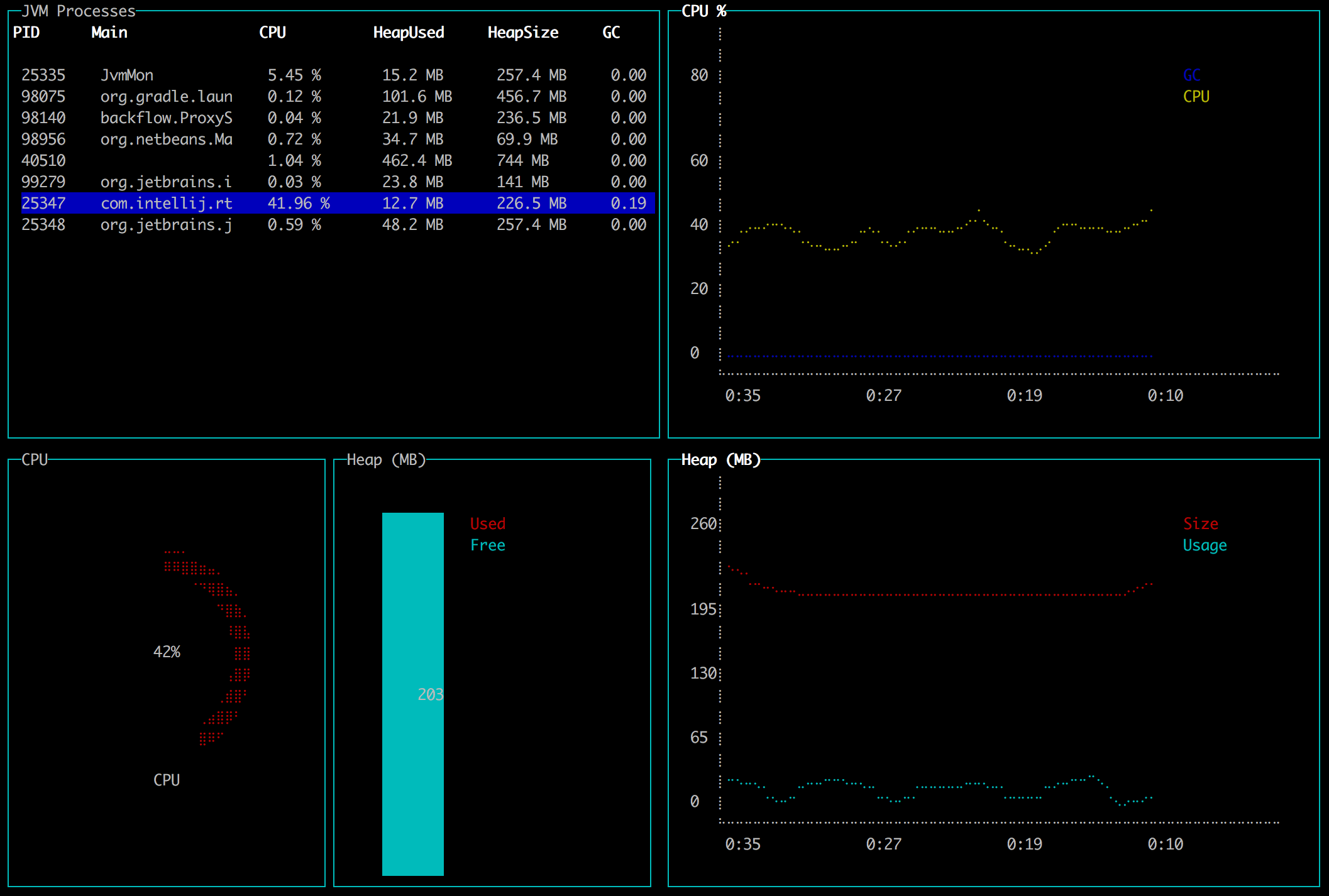
jvm-mon lets you monitor your JVM server applications from the terminal.
# New Version
Release: [1.3](https://github.com/ajermakovics/jvm-mon/releases/tag/1.3)
- Rewritten in Go
- Single executable file
- Can monitor applications on Java 8 and above
- Does not require an existing JDK
How it works:
- jvm-mon executable comes bundled with a Java agent jar
- On startup it extracts the agent to a temp directory
- It attaches to the JVM you want to monitor
- Loads agent into running JVM to collect metrics
- Agent and app establish a socket connection to send metrics
# Install
Download from [latest release](https://github.com/ajermakovics/jvm-mon/releases)
### macOS
```
brew install jvm-mon
```
# Usage
- Select a JVM process and press Enter to monitor it
- Press q or Ctrl+C to exit
- Press Del or Backspace to kill a process
# What is available
Currently it shows:
- List of running JVM processes
- Cpu and GC load
- Heap size and usage
- Top threads with cpu usage
# Building from source
See the [readme](jvm-mon-go/README.md)