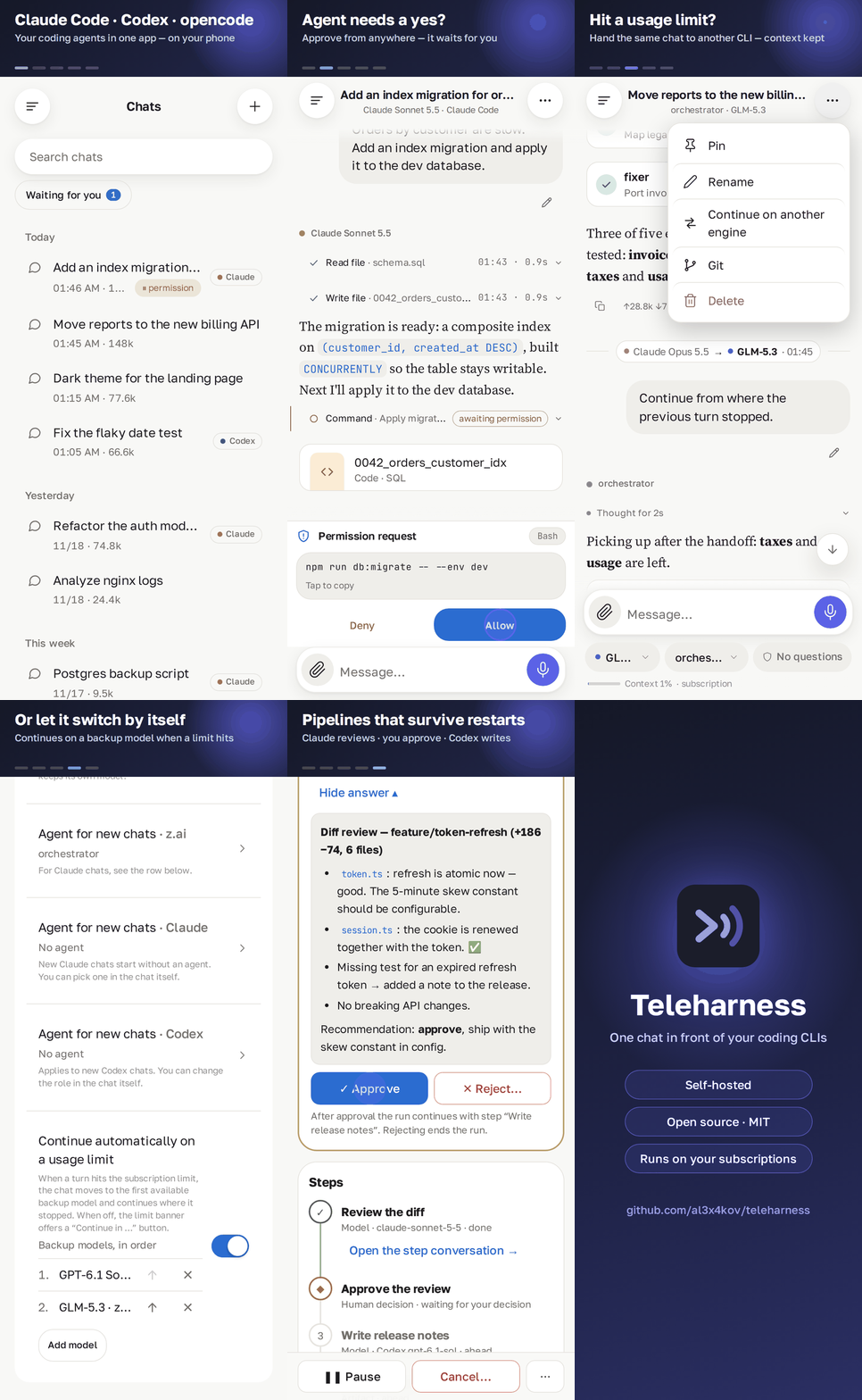
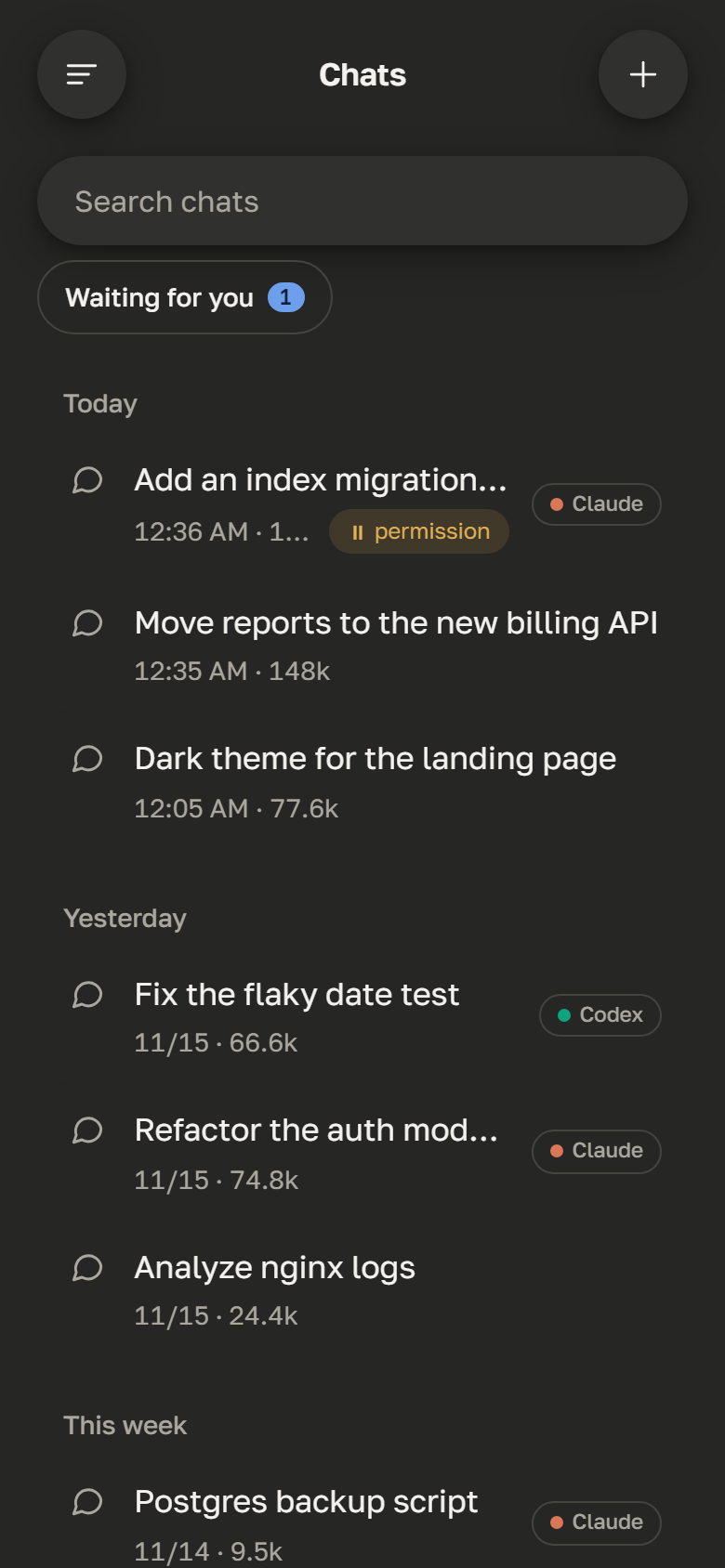
Chats
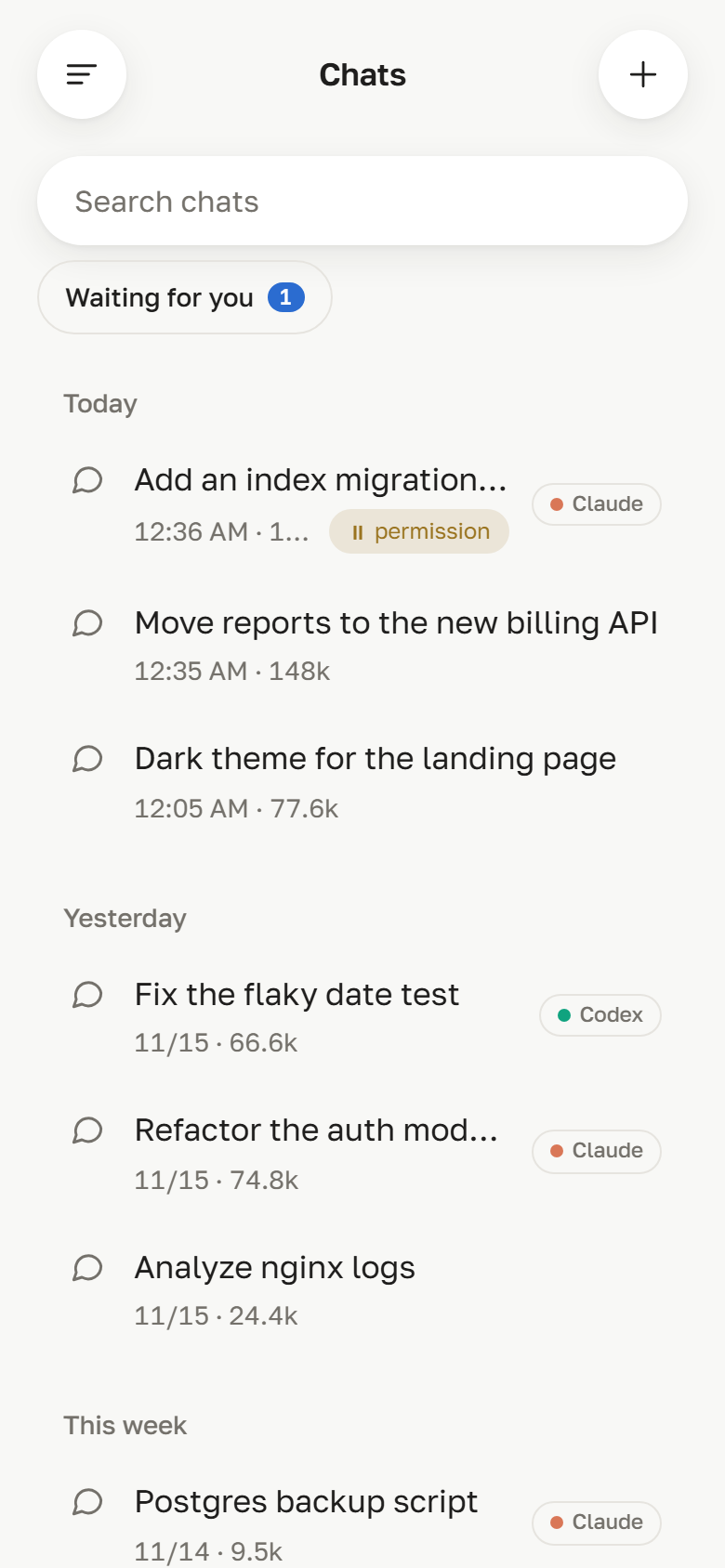
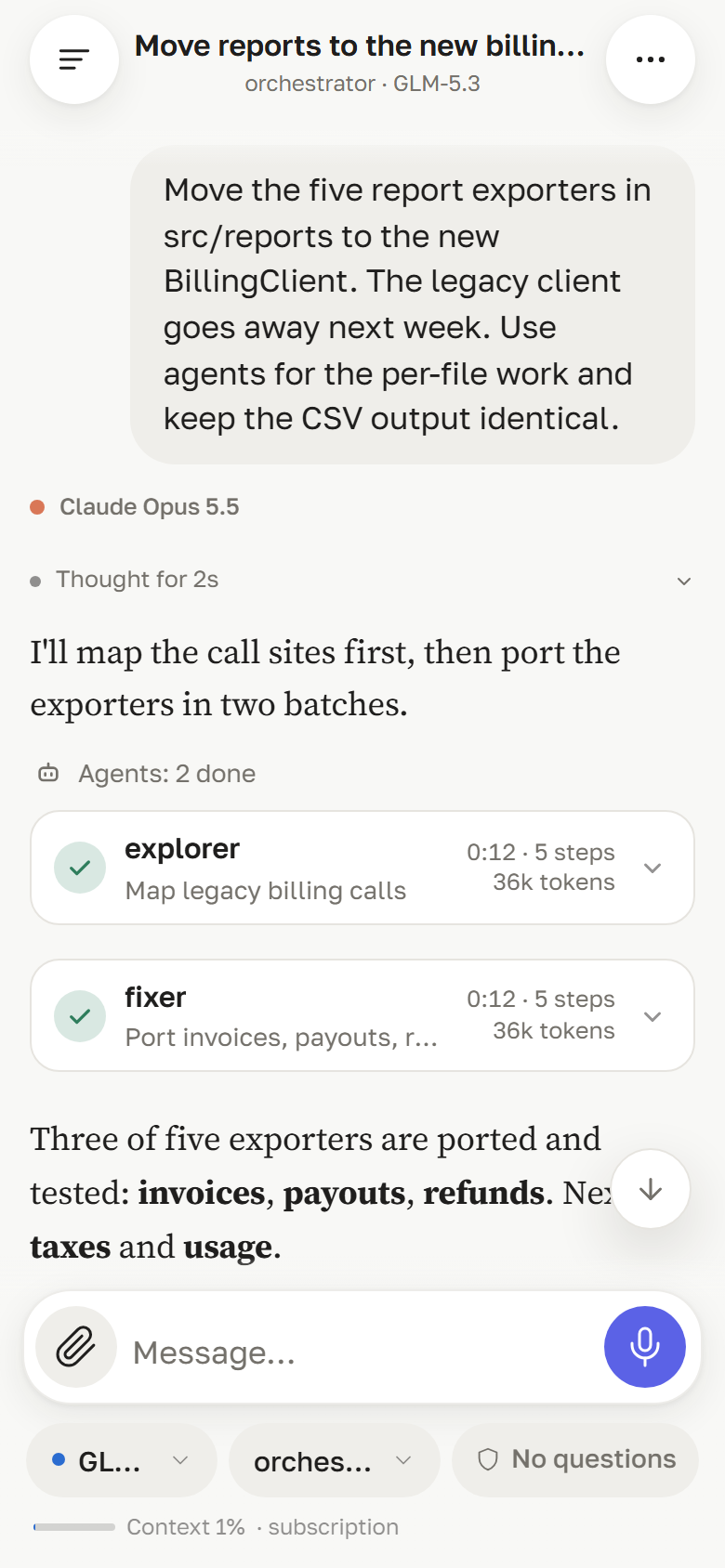
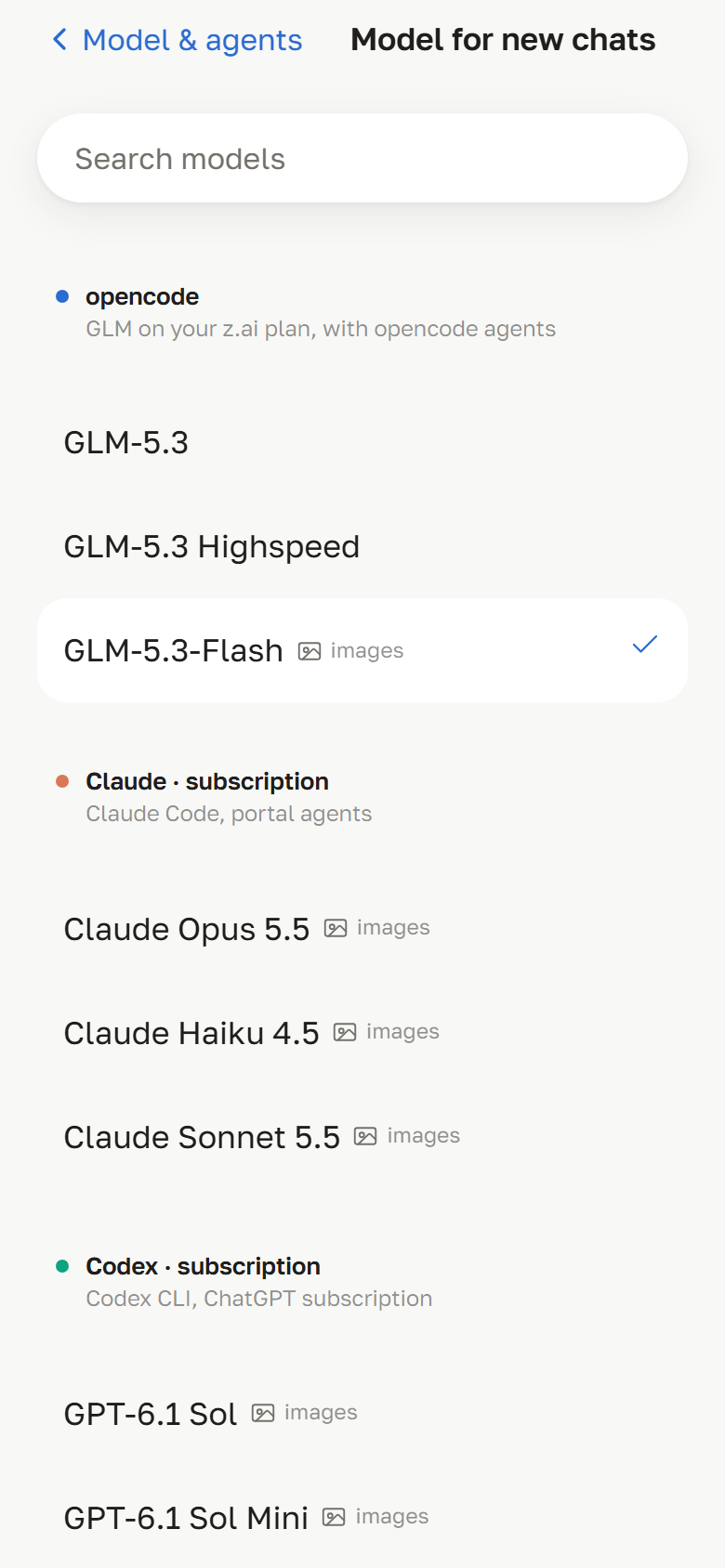
Every chat is bound to an engine, a model and an agent. Claude Code chats are marked. |
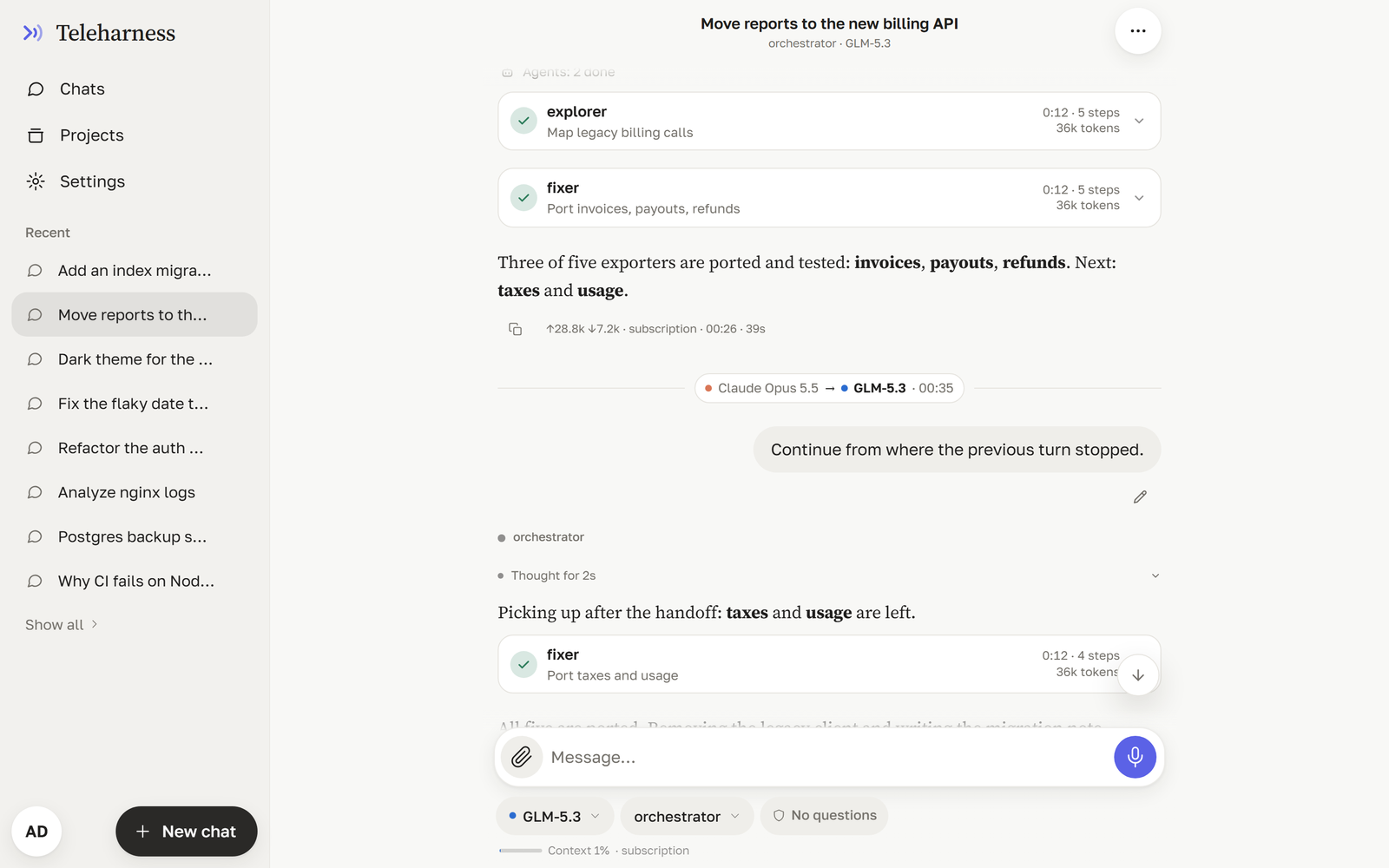
Subagents
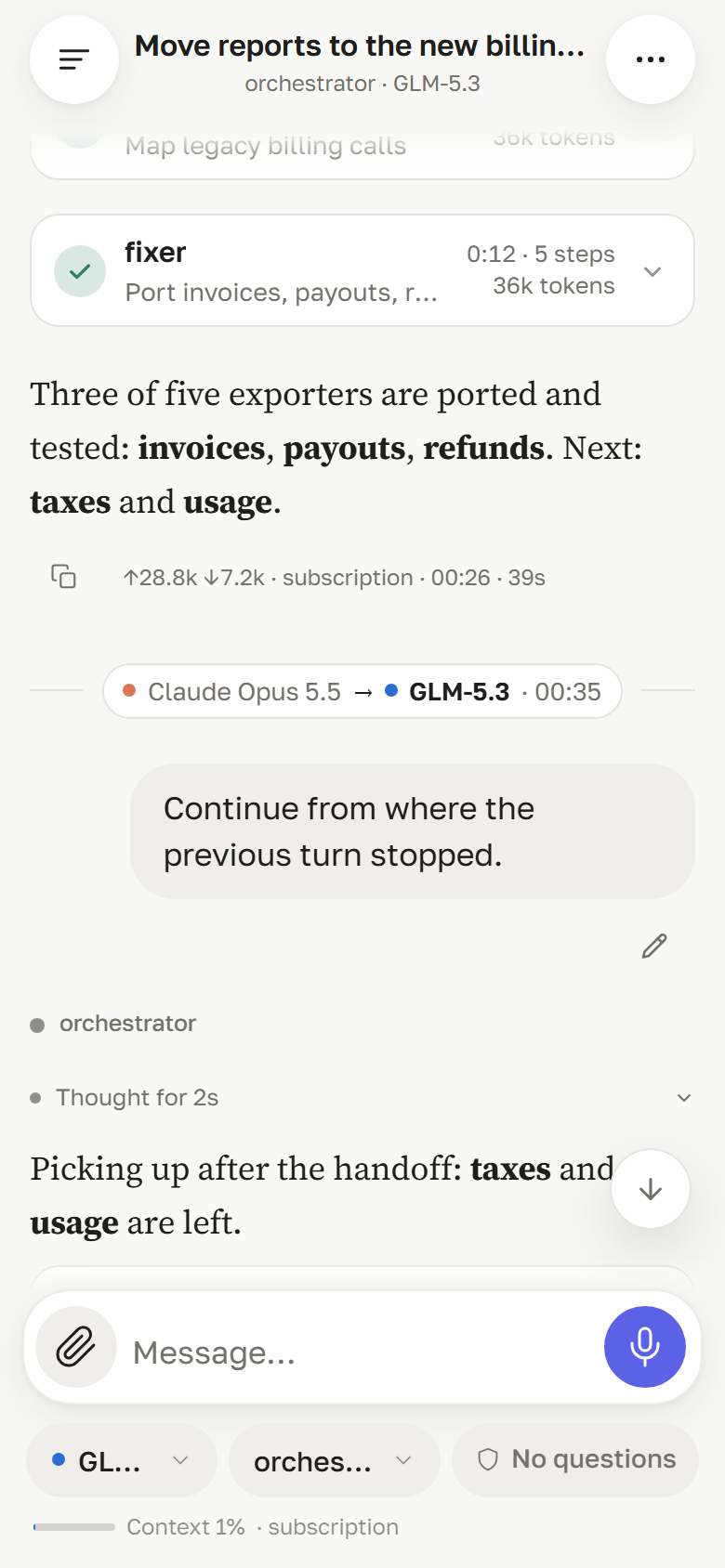
When an agent delegates, each run is a card: who, what for, how long, how many steps and tokens. |
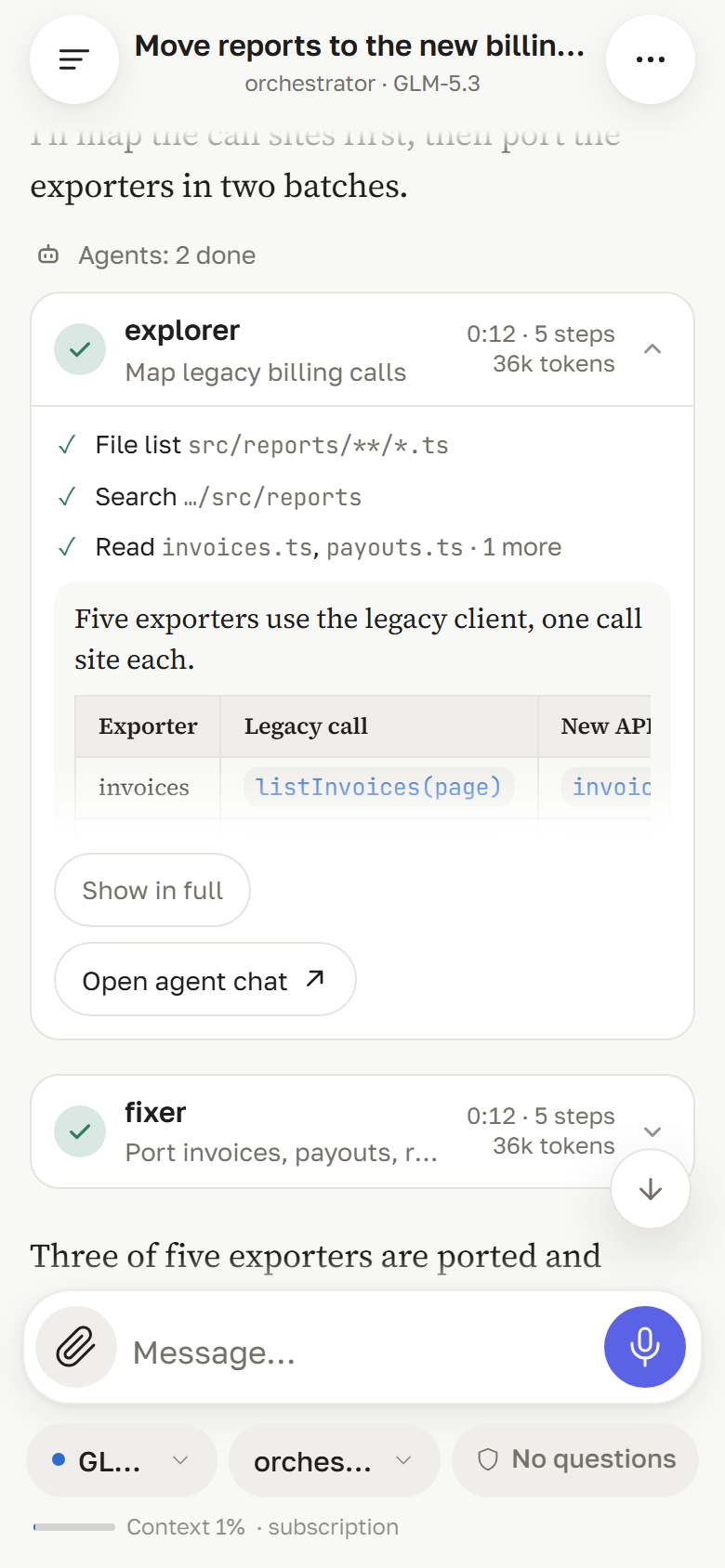
Inside a run
Open a card to see the subagent's steps and its answer, or jump to its own chat. |
Relay
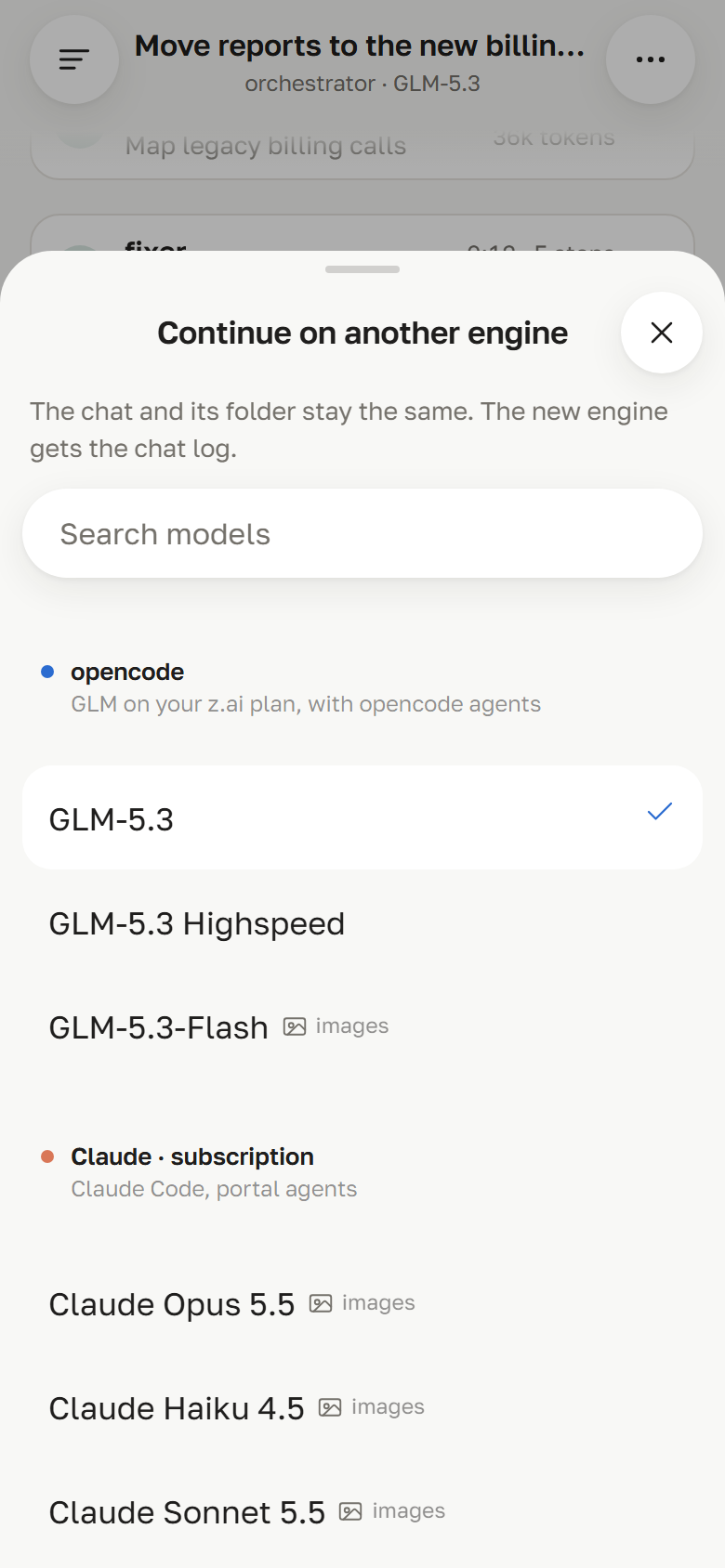
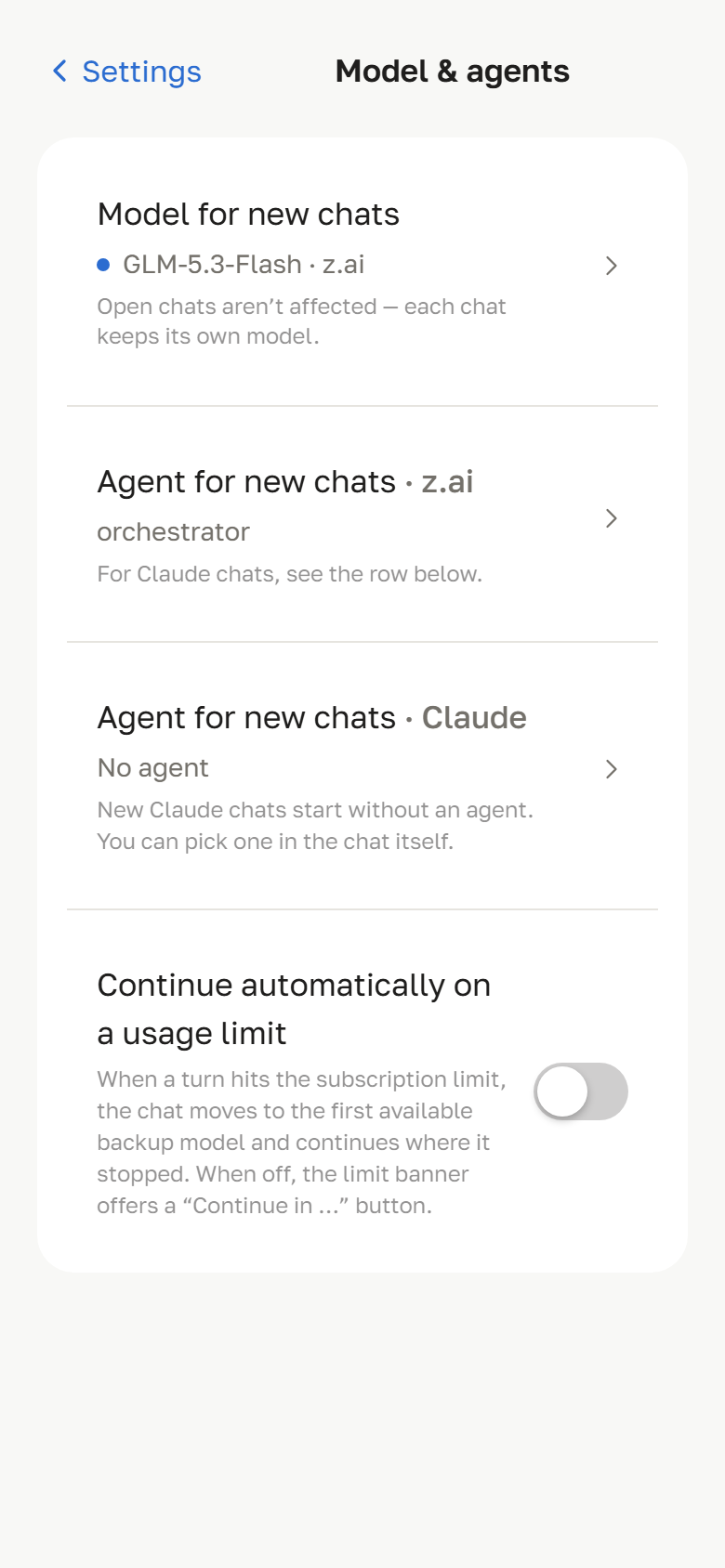
Hit a usage limit? The same chat continues on another engine — one feed, with a handoff mark. |
Pick where to continue
From the chat menu at any time, or straight from the limit notice. The folder stays the same. |
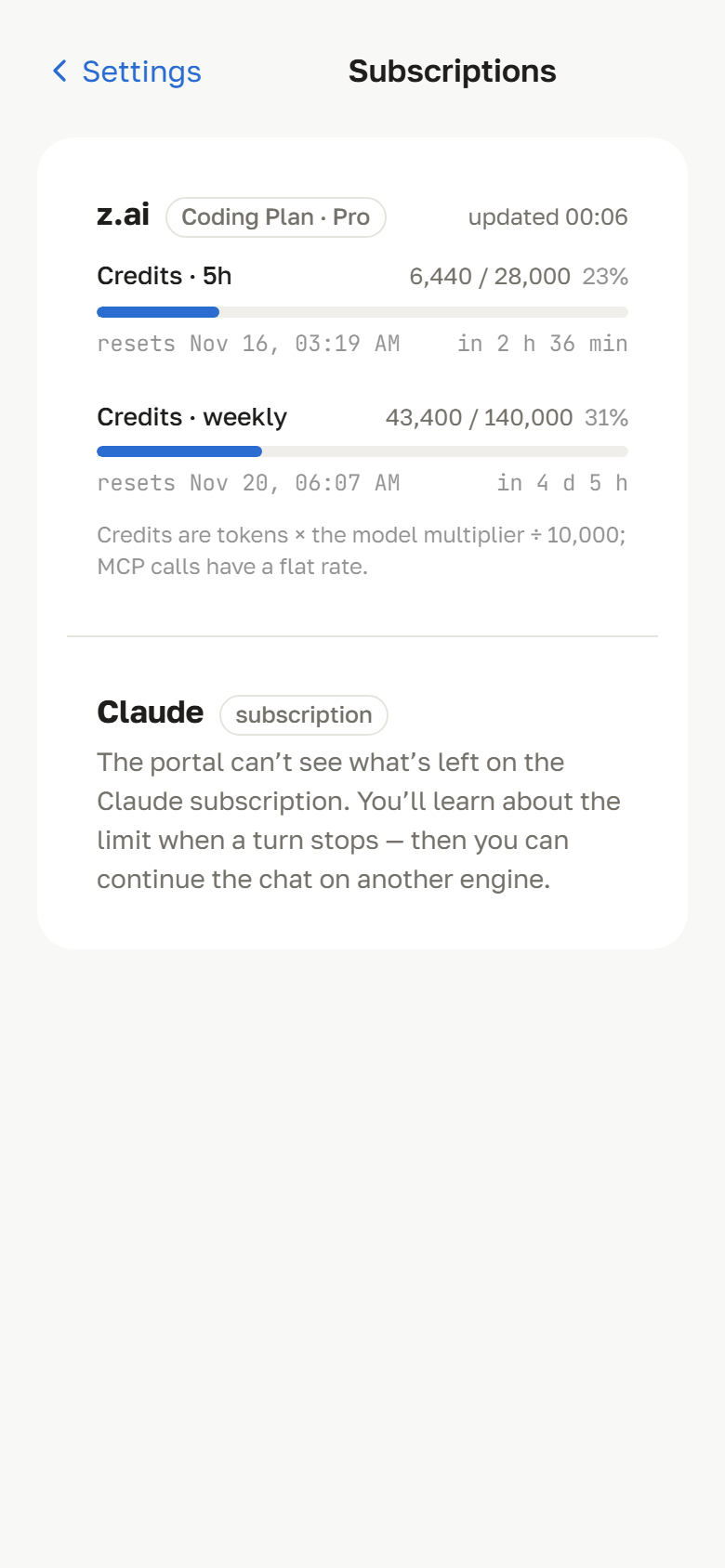
Subscriptions
Usage and remaining quota per connected provider, where it reports them through an official API. |
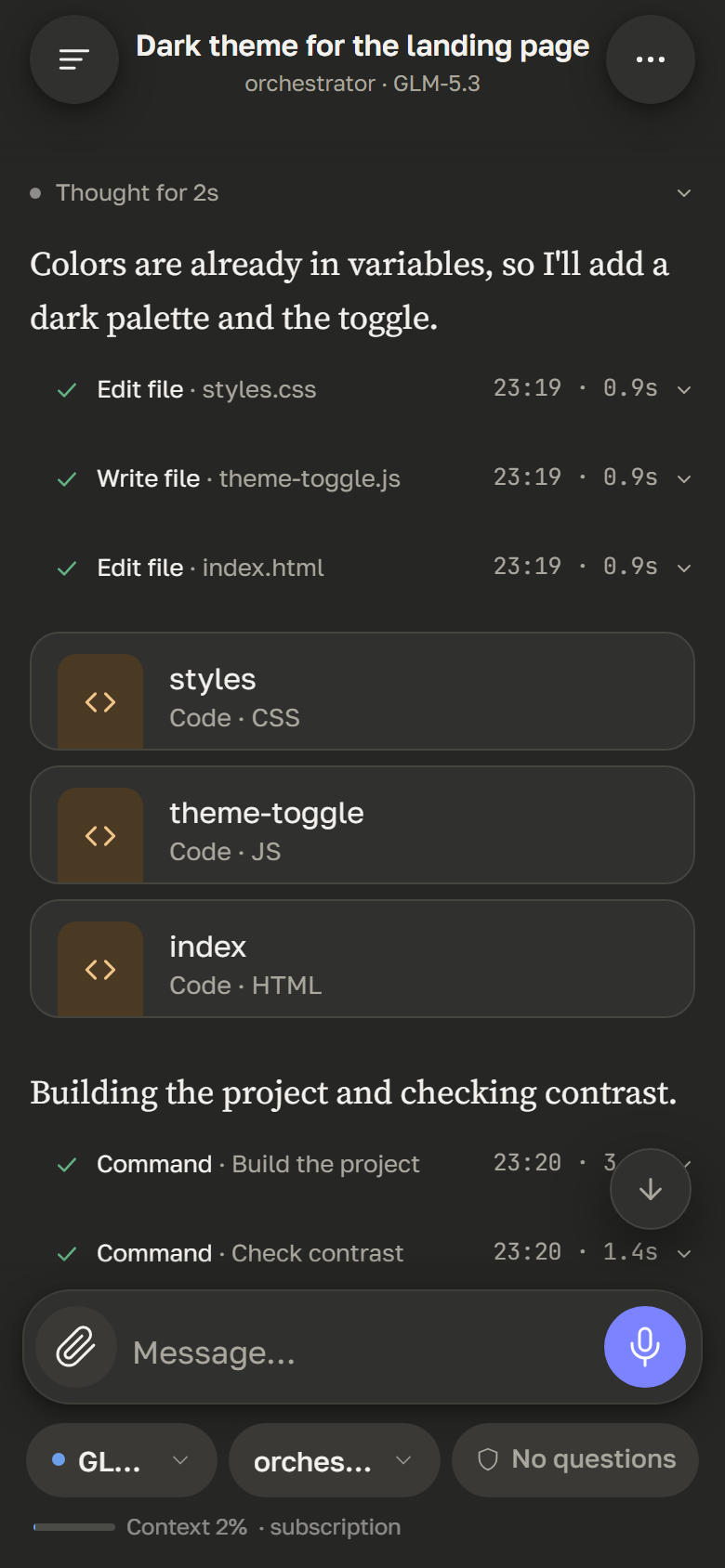
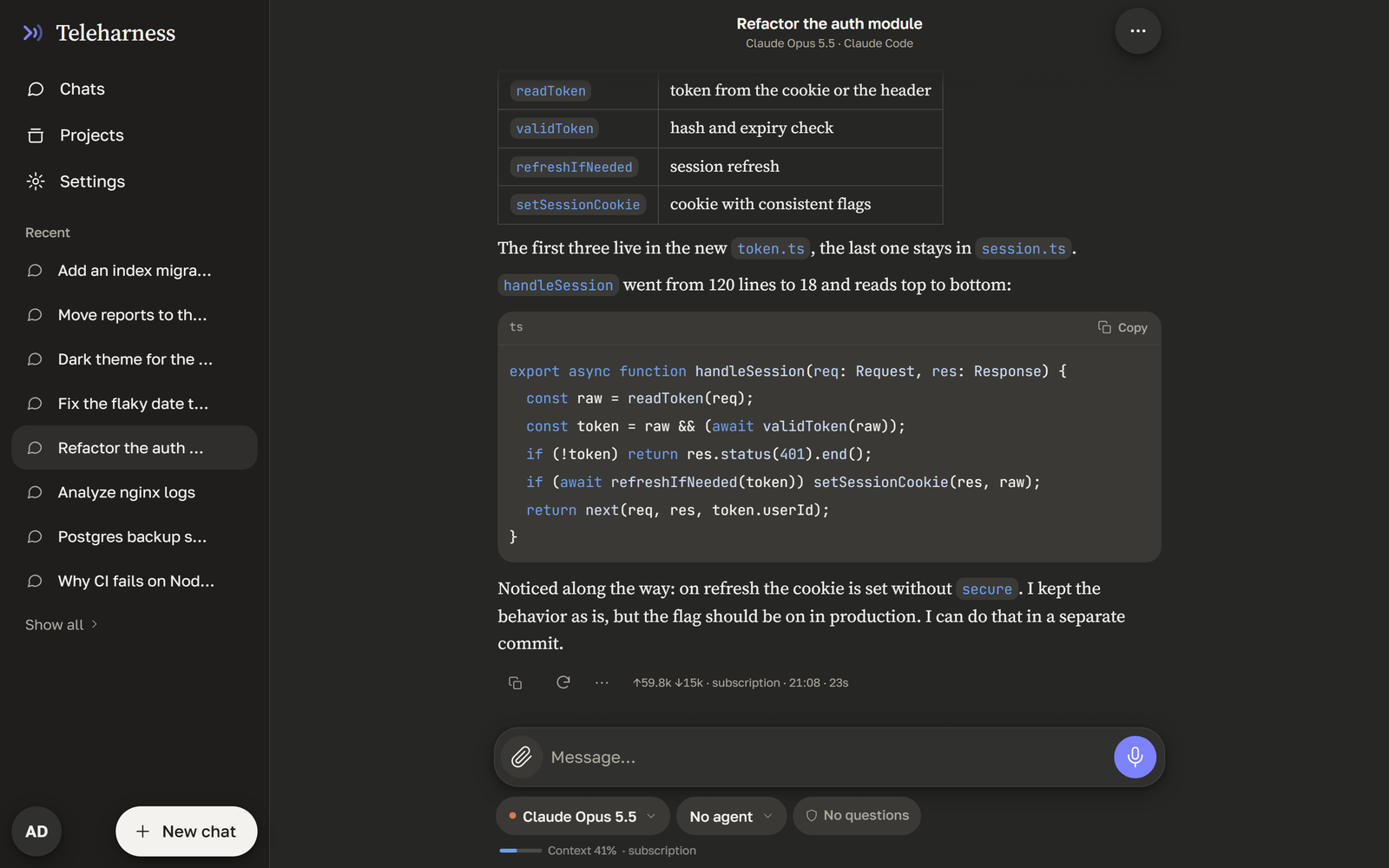
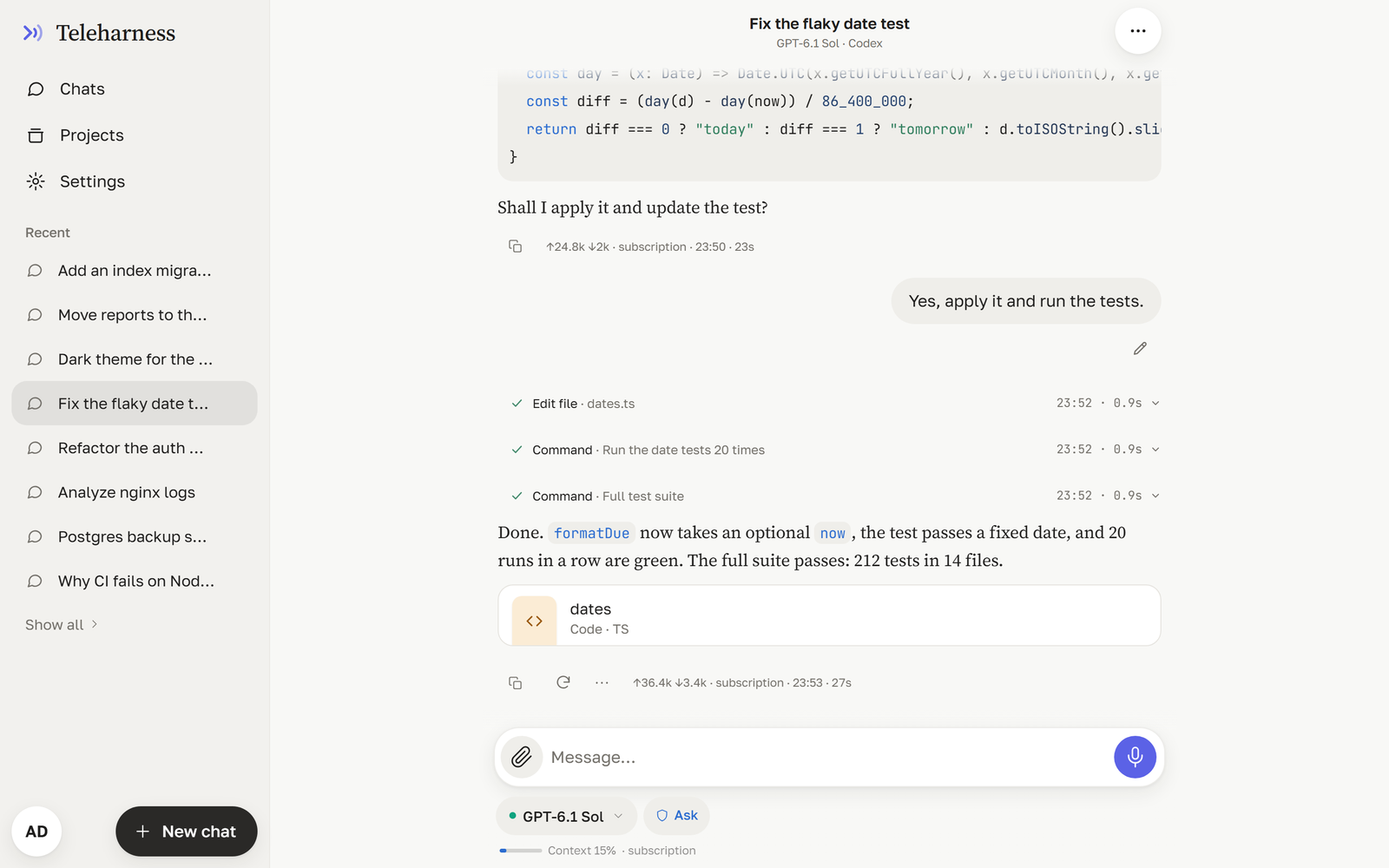
Steps and files
Reasoning, tool calls with output, and result files as cards with preview and download. |
Light and dark
Follows the system theme or your choice; built for one-handed use on a phone. |
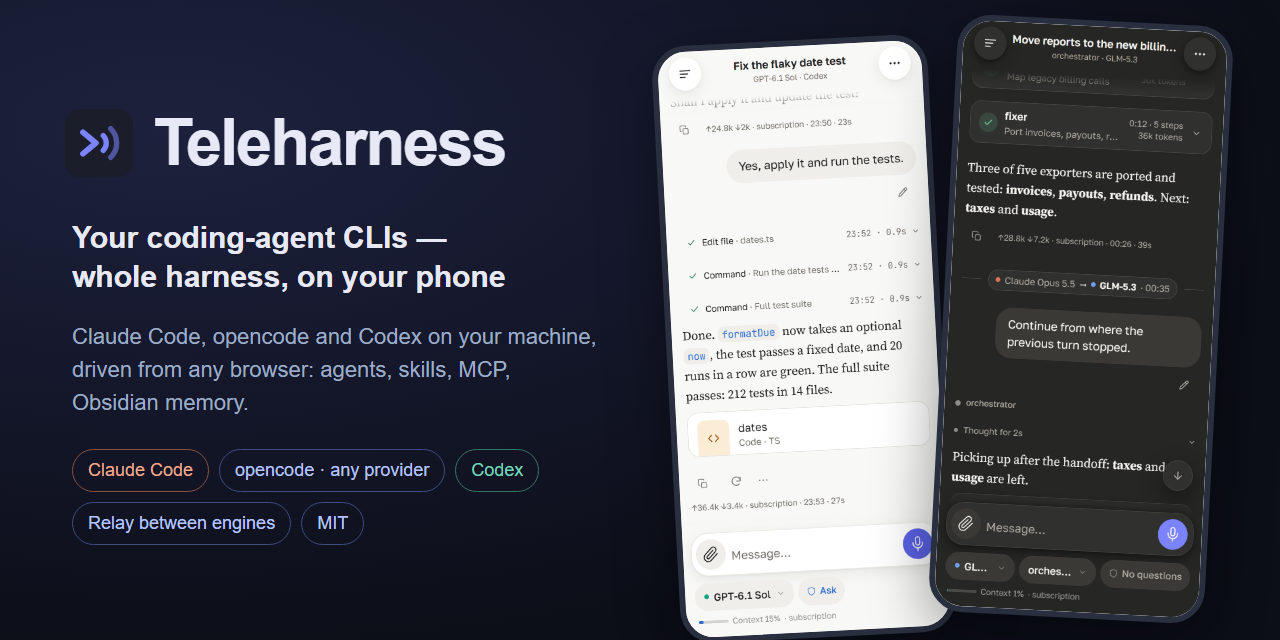 ## One chat for multiple AI coding CLIs
**Switch between Claude Code, opencode and Codex in the same conversation — without starting over.**
Teleharness is an open-source, self-hosted web UI for AI coding agents. It runs the real CLIs on your machine,
with their native agents, skills, MCP servers, hooks and project context, and lets you hand a chat from one CLI
to another when a subscription hits its usage limit.
**Multi-CLI chat** · **cross-CLI context handoff** · **subscription usage** · **mobile-first UI** · **persistent memory** · **self-hosted**
[](https://github.com/al3x4kov/teleharness/releases/latest)
[](https://github.com/al3x4kov/teleharness/actions/workflows/ci.yml)
[](LICENSE)
[](https://nodejs.org)
[](#platform-support)
[Switch CLIs](#switch-cli-mid-conversation) •
[Try the demo](#try-it-in-30-seconds) •
[Tour](#a-quick-tour) •
[Features](#features) •
[Quick start](#quick-start) •
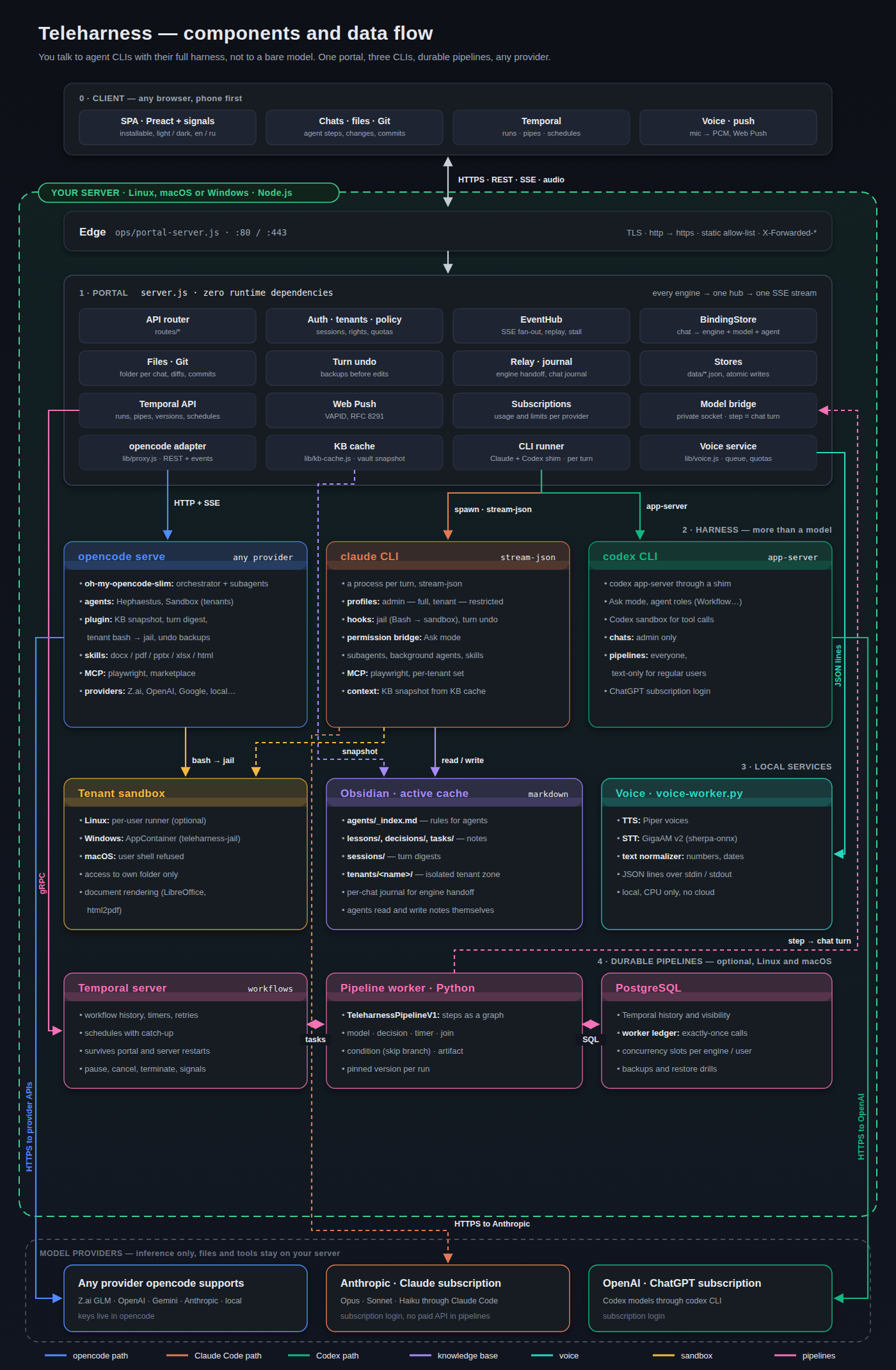
[Architecture](#architecture) •
[Configuration](#configuration) •
[Contributing](CONTRIBUTING.md) •
[Русский](README.ru.md)
 |
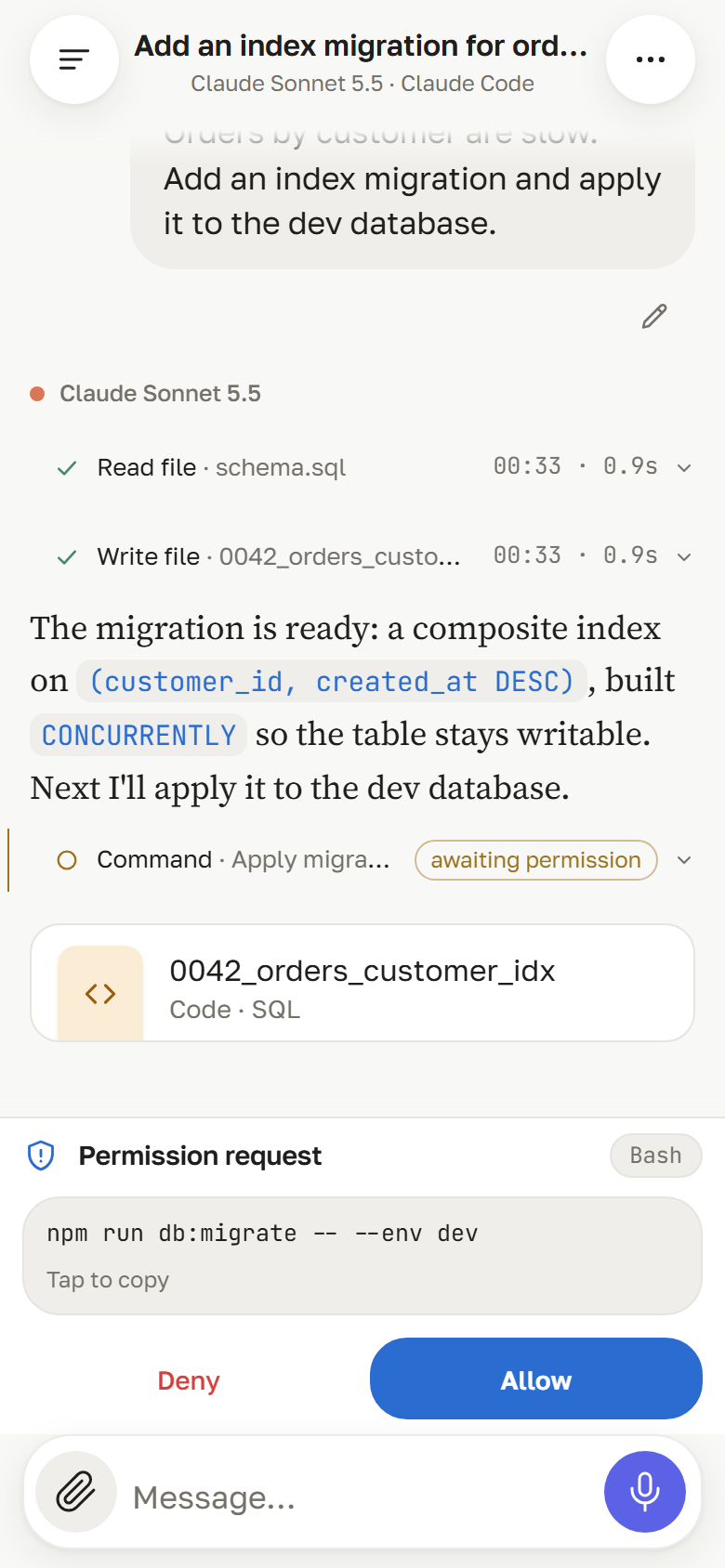
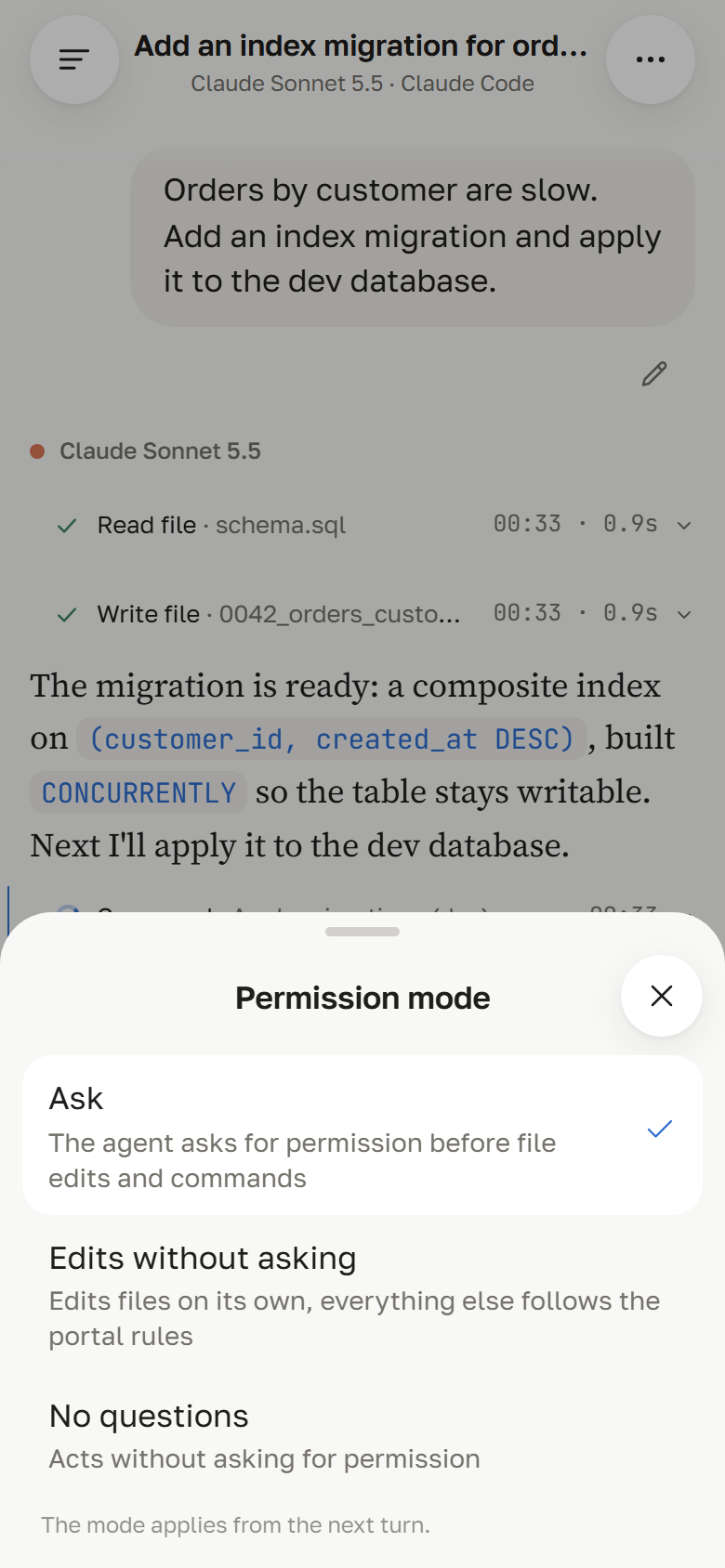
| 🛡️ | **Permission mode per chat** | *Ask* — the agent asks before file edits and commands, you approve or deny in the chat (Claude through a permission bridge, Codex natively); *Edits without asking*; *No questions* (admin only).
 |
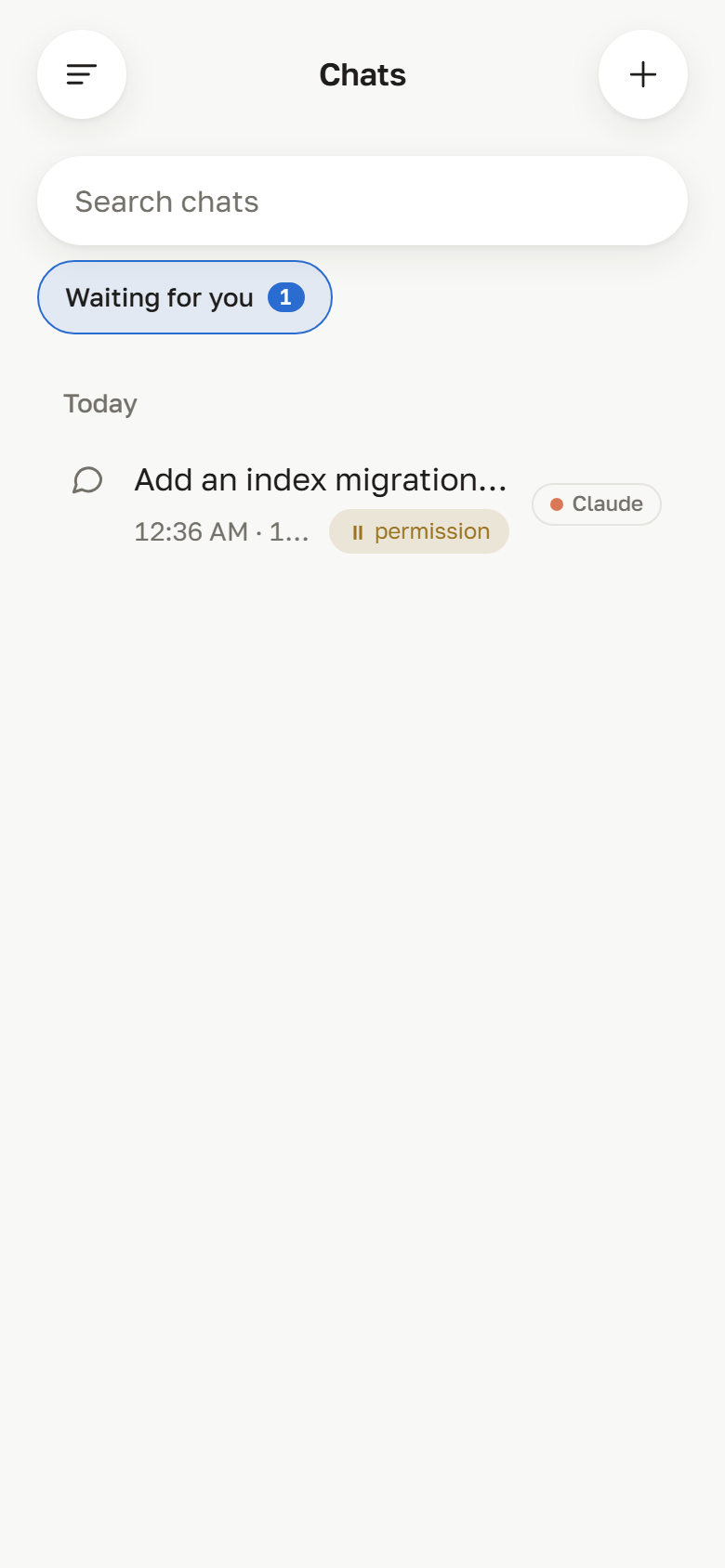
| ⏸️ | **Waiting for you** | A chat list filter with a count of chats where an agent waits for your decision, plus a push notification when it starts waiting.
 |
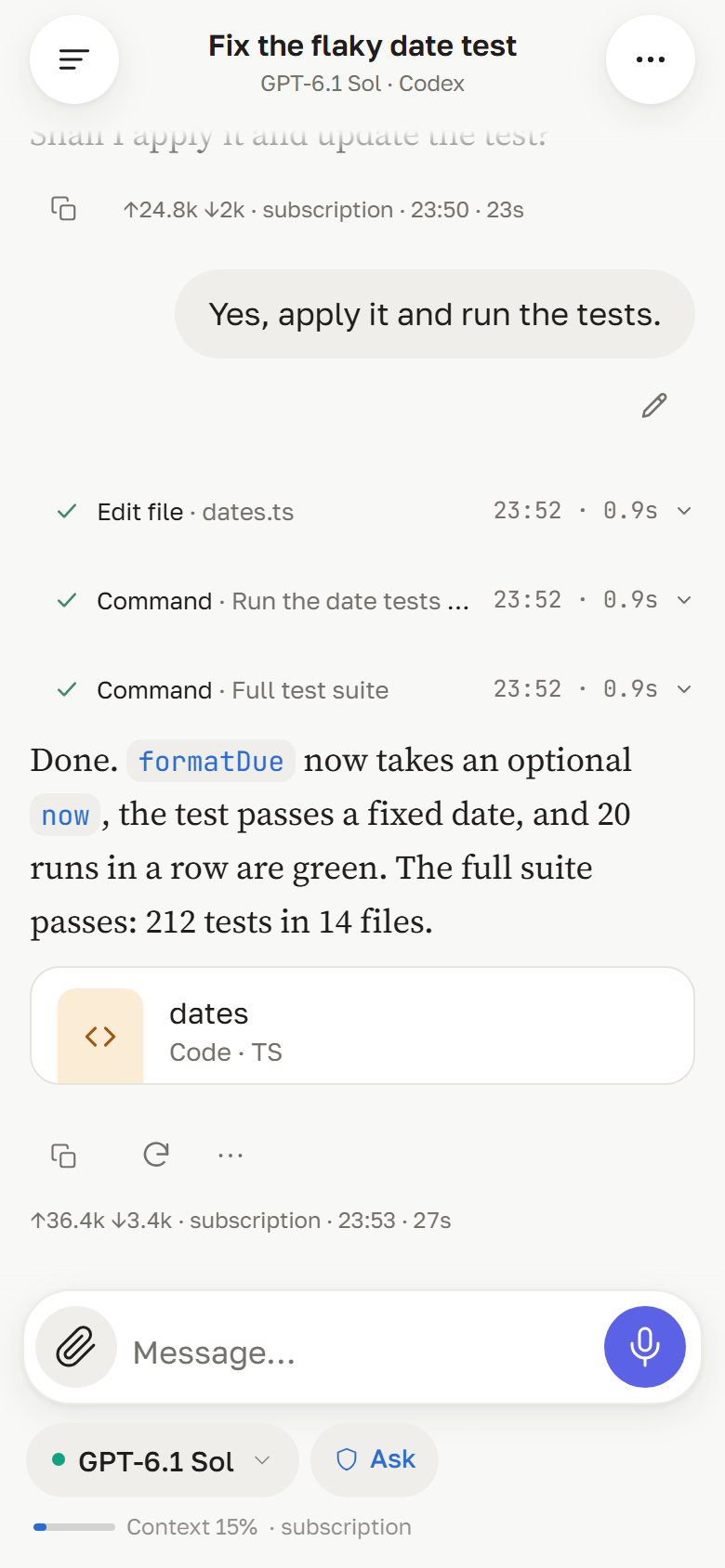
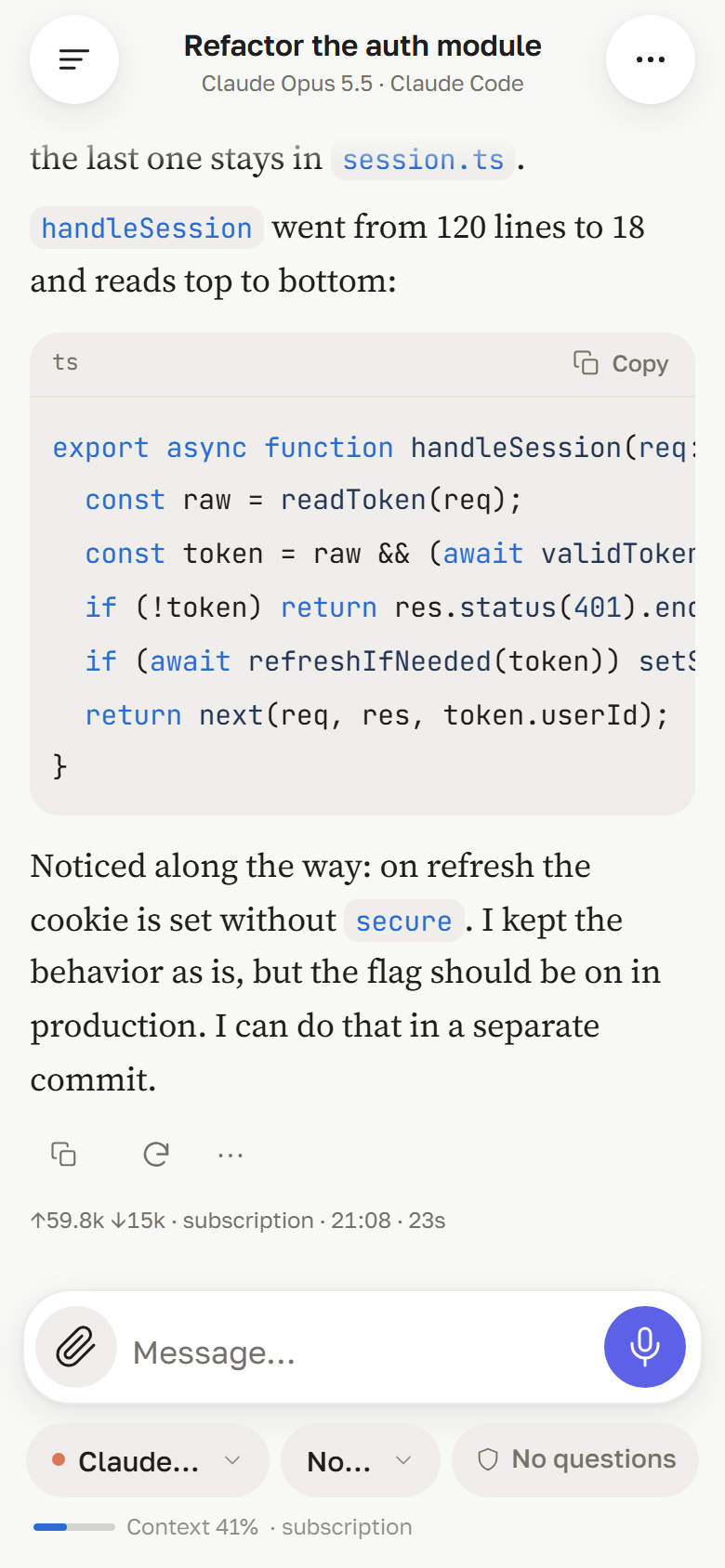
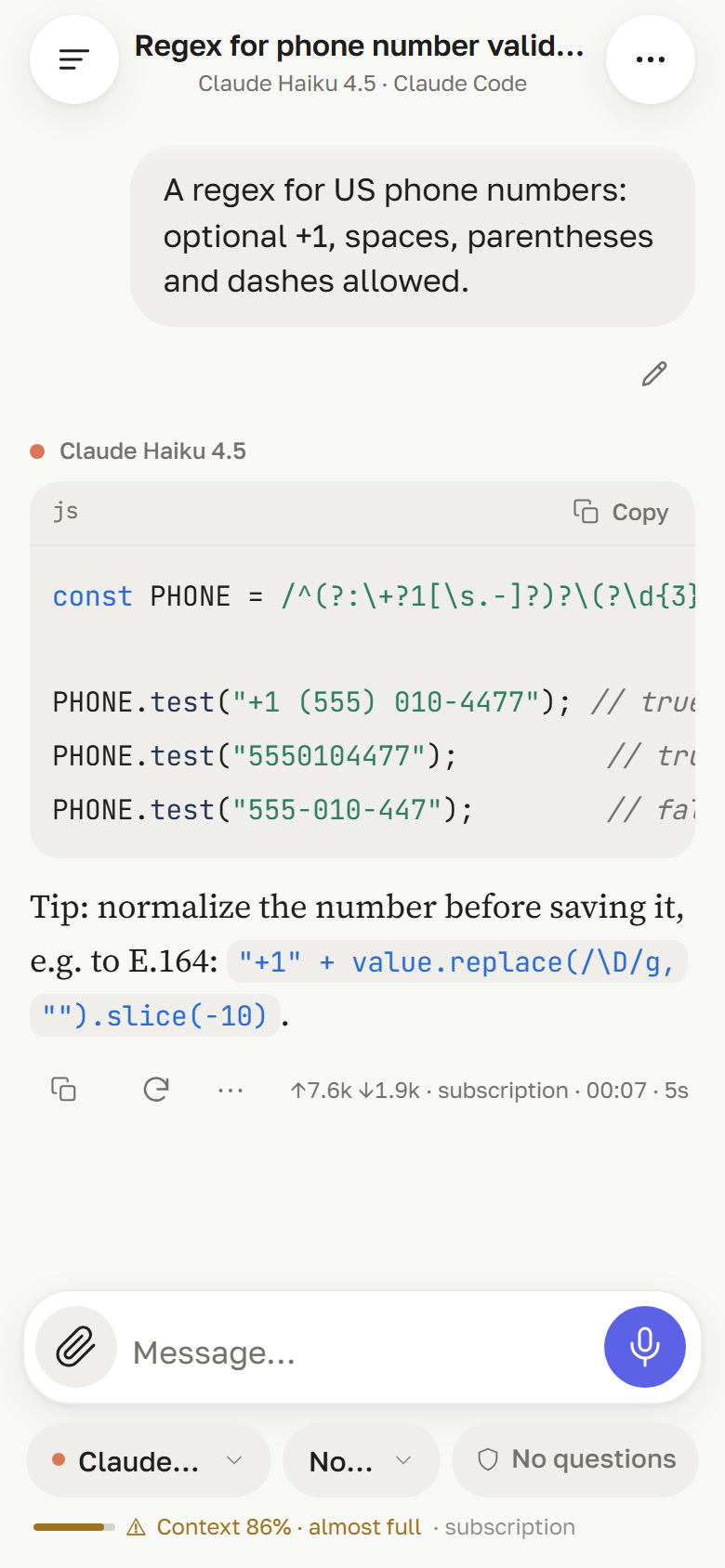
| 📈 | **Context and cost** | A meter above the composer: how full the model's context window is (with a warning past 80 %) and what the chat has cost — or that it runs on a subscription.
 |
| 🧠 | **Agent steps** | Live turn progress: reasoning, tool calls with output, subagent cards with their own steps, background tasks. Undo a turn and its file edits. |
| 🧾 | **Turn changes and Git** | An answer that edited files gets a *Changes · N files* row: open it for a per-file diff — what this turn changed, or the file now against the last commit (one column on a phone, two panes on a desktop). The Git screen of the chat folder shows the branch, ahead/behind and changed files: tick the files to commit, let the chat's own model suggest the message in a separate short request (it never lands in the chat history), commit, and push — push is for the admin only. Other users work with git in their own folders, without push or branch switching. Settings → Git holds the commit author, the message language and the default selection. |
| 🌙 | **Background subagents keep working** | Claude Code answers right away while subagents it started in the background keep running after the answer. A band above the composer shows who is still working; a new message waits in the queue, and Claude picks up their results and answers again when they finish. |
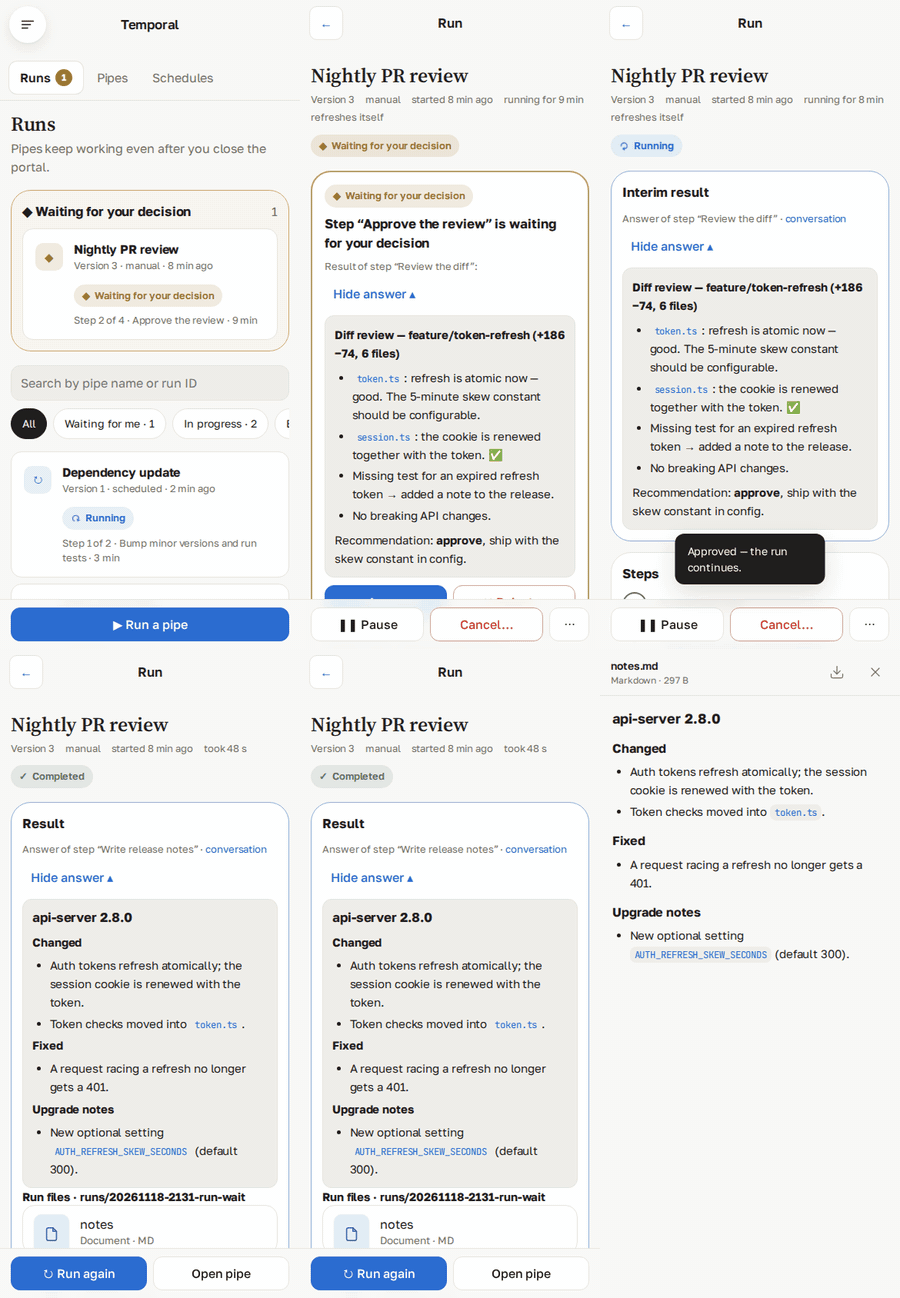
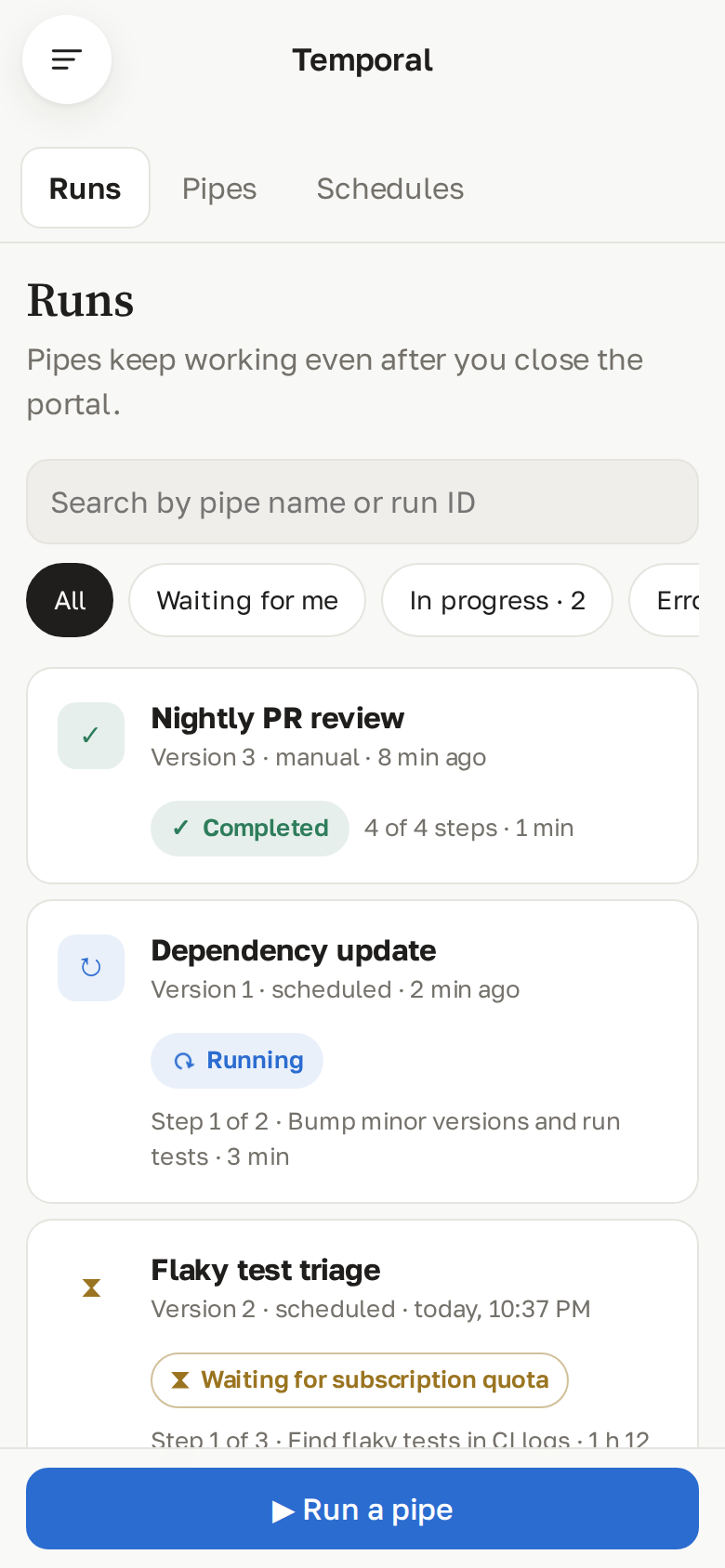
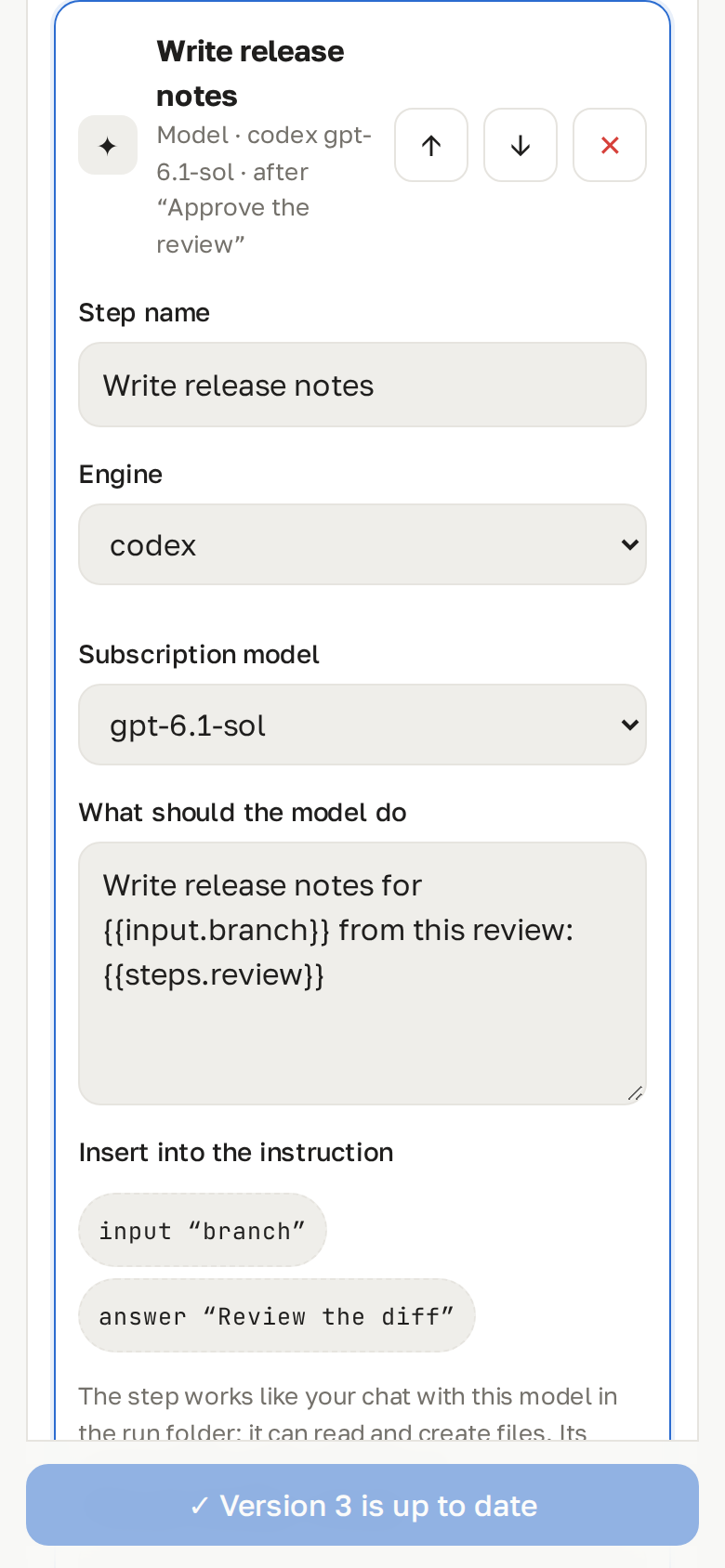
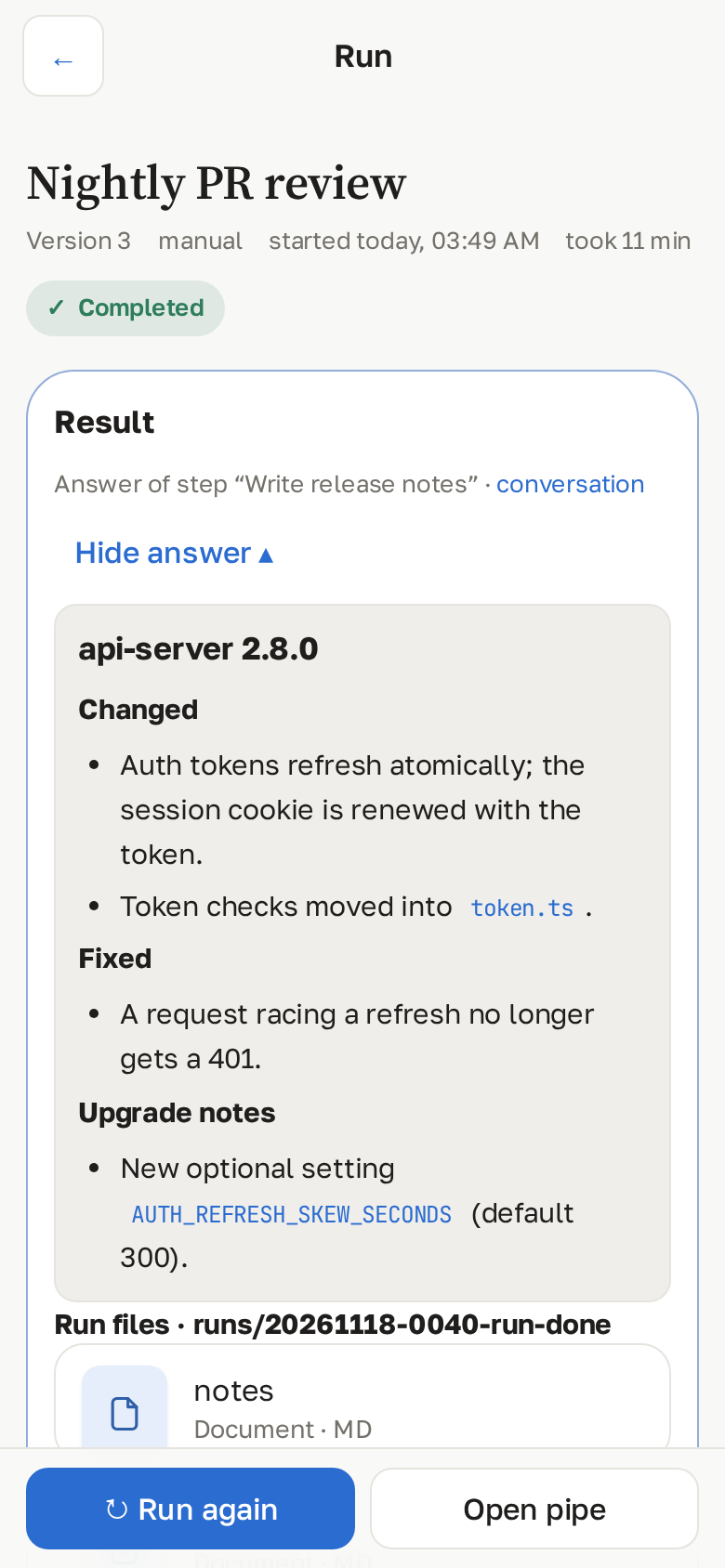
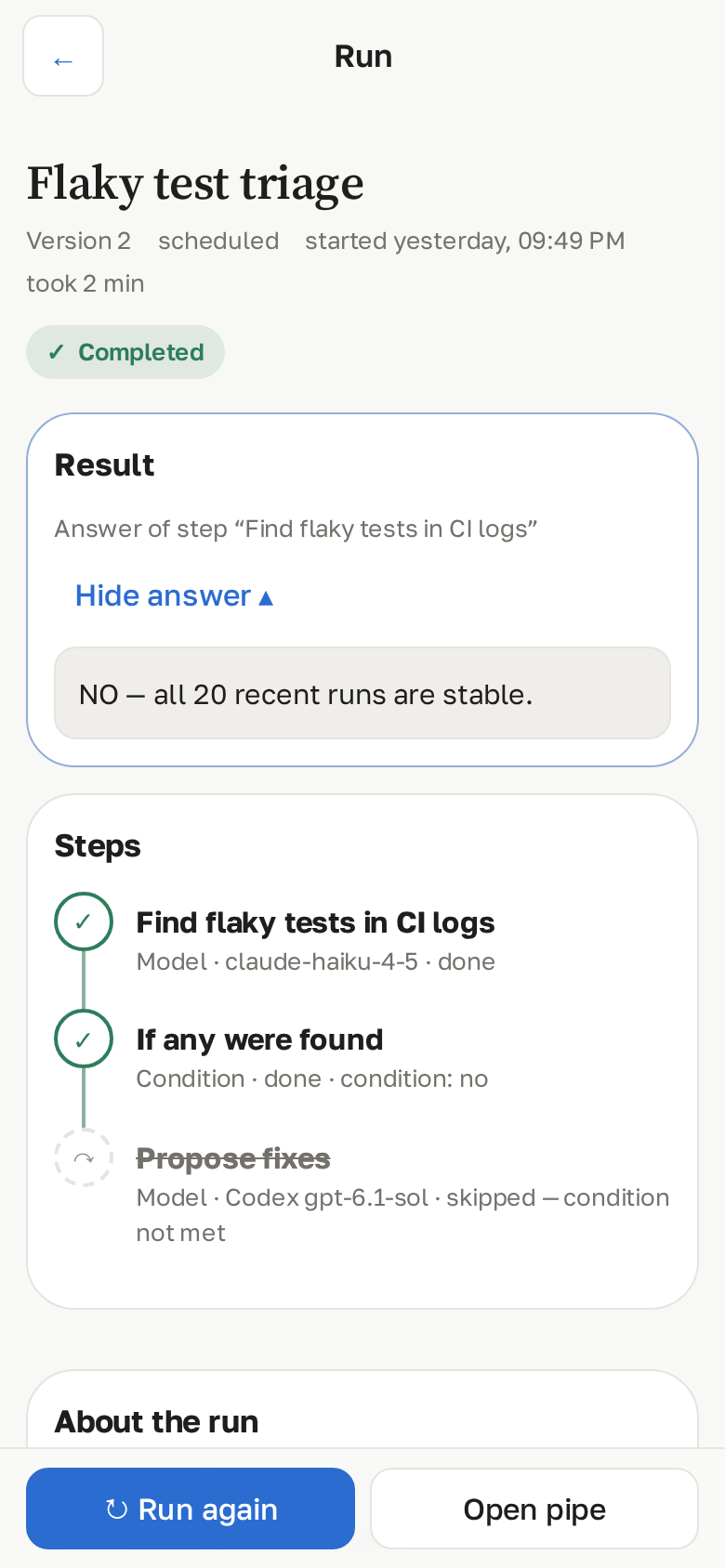
| 🔁 | **Temporal pipelines** *(optional)* | Multi-step scenarios that survive restarts: Claude or Codex steps that work in the pipe's own folder (files included), your decision between steps, timers, conditions, saved artifacts, run inputs passed as `{{input.name}}` and earlier answers as `{{steps.id}}`. Runs show their status without extra taps, a *Waiting for you* block and a badge in the menu, a result block with the final answer, the run's files and each step's conversation; pause, cancel, terminate with a reason; schedules with a preview of the next runs. Runs on your CLI subscriptions, never a paid API. Linux and macOS; off by default — see [docs/temporal.md](docs/temporal.md).
 |
| 👥 | **Multi-user** | Admin and users with own folders, system prompts, MCP sets, upload and voice quotas, rate limits. |
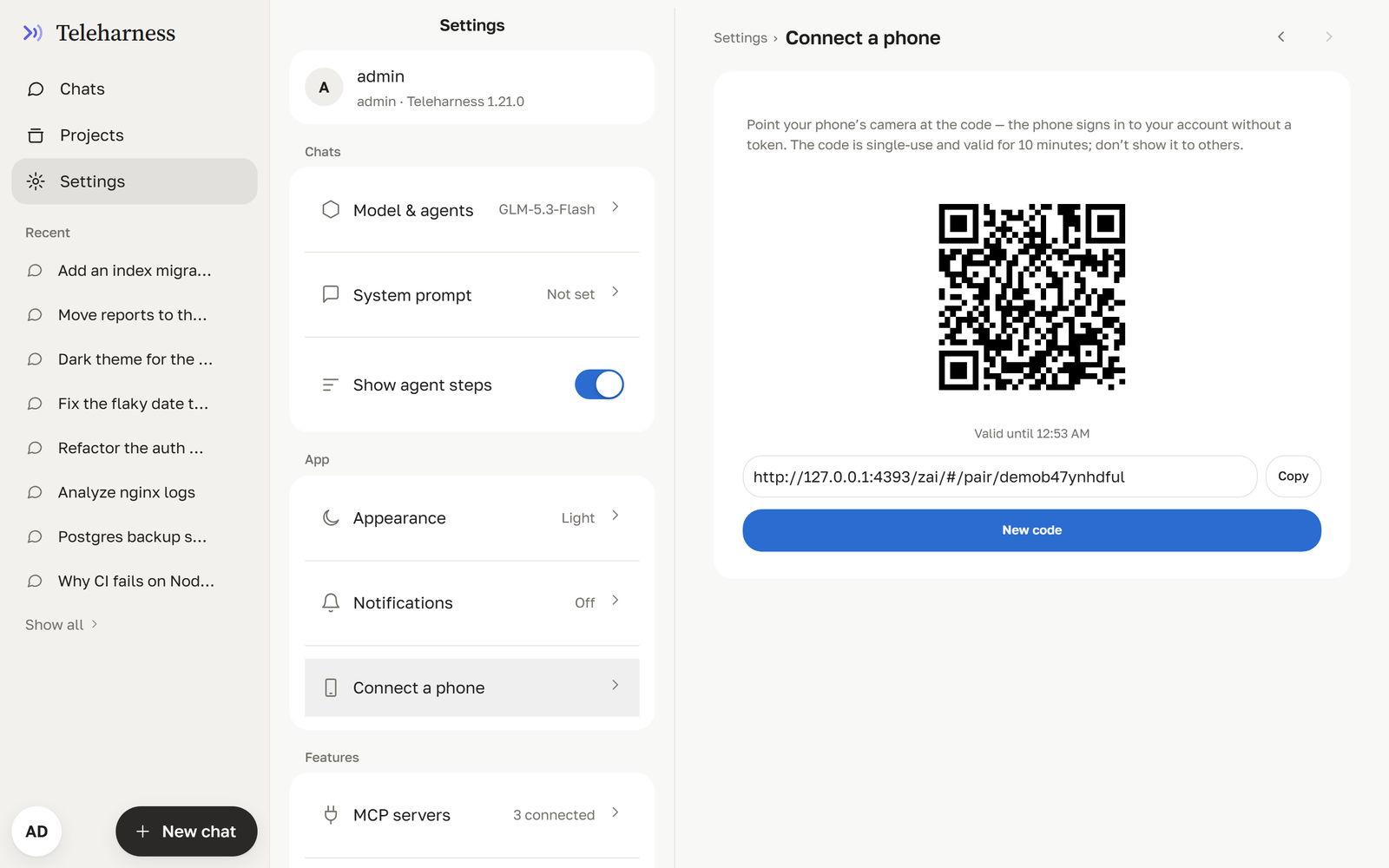
| 📱 | **Mobile-first** | Built for iOS Safari: keyboard-aware layout, safe areas, light and dark themes, English and Russian UI. |
| 🪶 | **Zero runtime dependencies** | The backend is plain Node.js stdlib. |
## Quick start
### Requirements
| | Version | For |
|---|---|---|
| [Node.js](https://nodejs.org) | ≥ 22 | the portal |
| [opencode](https://opencode.ai) | 2.x (tested with 2.2.6) | the opencode engine |
| [Claude Code](https://docs.anthropic.com/en/docs/claude-code) | 2.x | the Claude engine |
| [Codex CLI](https://github.com/openai/codex) | 0.169+ | optional, the Codex engine (admin only) |
| Python | 3.11+ | optional, voice |
You need at least one engine.
### One command
```bash
npx github:al3x4kov/teleharness # → http://127.0.0.1:4180/teleharness/
```
It checks Node, keeps its data in `~/.teleharness`, builds the UI on the first run, tells you which engines it
found (and how to install the missing ones) and prints the admin token. Options: `--port N`, `--host 0.0.0.0`
(reachable from your LAN), `--rebuild`. opencode serve is not started for you — the installer prints the command.
### Install and run