
OpenClawdex
The open source AI coding agent orchestrator.
Lightweight desktop UI for orchestrating Claude Code and OpenAI Codex coding agents through their CLIs, with a native Mac feel. No separate login – it uses your existing CLI auth.
## Features
- **No separate login** — Uses your existing `claude` and `codex` CLI auth; no API keys to paste, no OAuth flow, your Max / ChatGPT plan just works
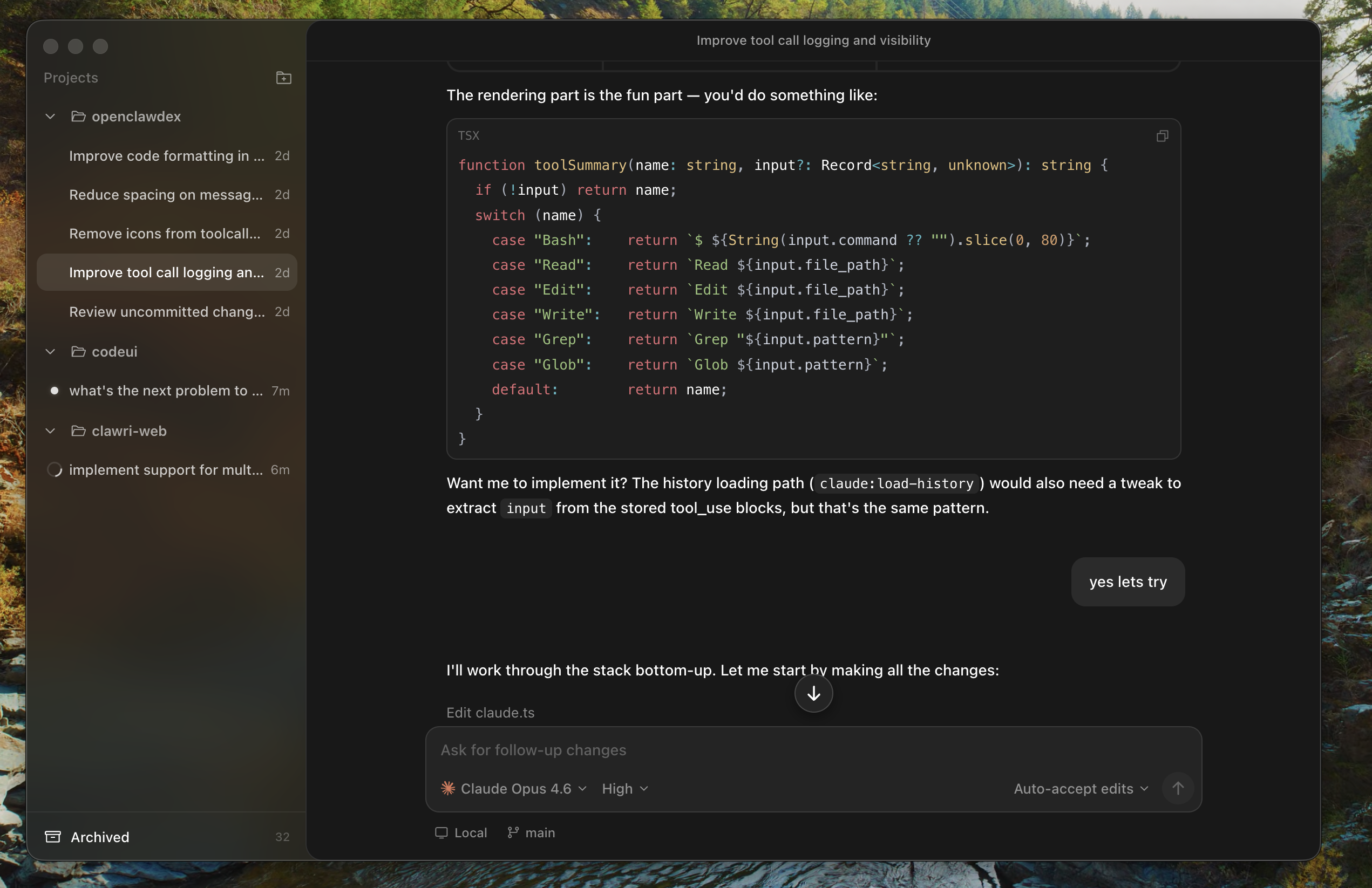
- **Two agents, one UI** — Run Claude Code and OpenAI Codex side by side, switch the model and reasoning effort
- **Parallel threads** — Spawn as many concurrent agent sessions as you want; each runs in its own subprocess
- **Project organization** — Group threads by project with multiple folders per project; drag-and-drop threads between projects
- **Pinned & archived threads** — Keep important threads pinned at the top, archive ones you're done with
- **Persistent history** — Threads survive restarts; Codex history is rebuilt from `~/.codex/sessions` rollouts, Claude history via the Agent SDK
- **Interactive prompts** — Inline cards for tool approvals, plan approvals, and the agent's `AskUserQuestion` requests
- **Open in your editor** — Click any file path or diff to jump straight into VS Code, Cursor or other editor; no built-in diff sidebar to fight with
- **Permission modes** — Switch between ask, plan, accept-edits, or bypass-permissions per thread
- **Native macOS feel** — Vibrancy sidebar, hidden-inset title bar, traffic lights, dark theme with blue accent
## Install
1. Download the latest `.dmg` from the [Releases](https://github.com/alekseyrozh/openclawdex/releases) page
2. Double-click the downloaded `.dmg` and drag the OpenClawdex app into the Applications folder
3. Launch OpenClawdex from the Applications folder or Launchpad
### Prerequisites
OpenClawdex spawns CLI agents as subprocesses, so you need at least one installed and authenticated:
- **Claude Code** — `npm install -g @anthropic-ai/claude-code` then `claude auth login`
- **OpenAI Codex** — `npm install -g @openai/codex` then `codex login`
You can install either or both; the model picker greys out whichever provider isn't available. No API keys needed — the app uses your existing CLI logins.
## Build from source
### Requirements
- Node.js 20+
- [pnpm](https://pnpm.io/) 9+
### Development
```bash
# Install dependencies
pnpm install
# Start the Vite dev server + Electron
pnpm dev:desktop
```
The Electron window loads from `http://localhost:4123`. Hot reload works for the web app.
### Production build
```bash
# Build everything and package the macOS .dmg
pnpm dist
```
Output goes to `apps/desktop/release/`.
## Architecture
pnpm monorepo with three packages:
```
apps/
web/ React + Vite + Tailwind v4 frontend
desktop/ Electron shell + CLI agent integration
packages/
shared/ Zod schemas for IPC messages
```
The Electron main process spawns `claude` (via Agent SDK with `--output-format stream-json`) and `codex` (via `app-server` JSON-RPC) as subprocesses, bridging their output to the React UI over IPC.
## Contributing
1. Fork the repo
2. Create a feature branch (`git checkout -b my-feature`)
3. Make your changes
4. Run `pnpm dev:desktop` and verify everything works
5. Commit and push
6. Open a pull request
## License
[MIT](LICENSE)