# Globestudio
**Open-source dotted maps and animated 3D globes for designers, animators, and creative developers.**
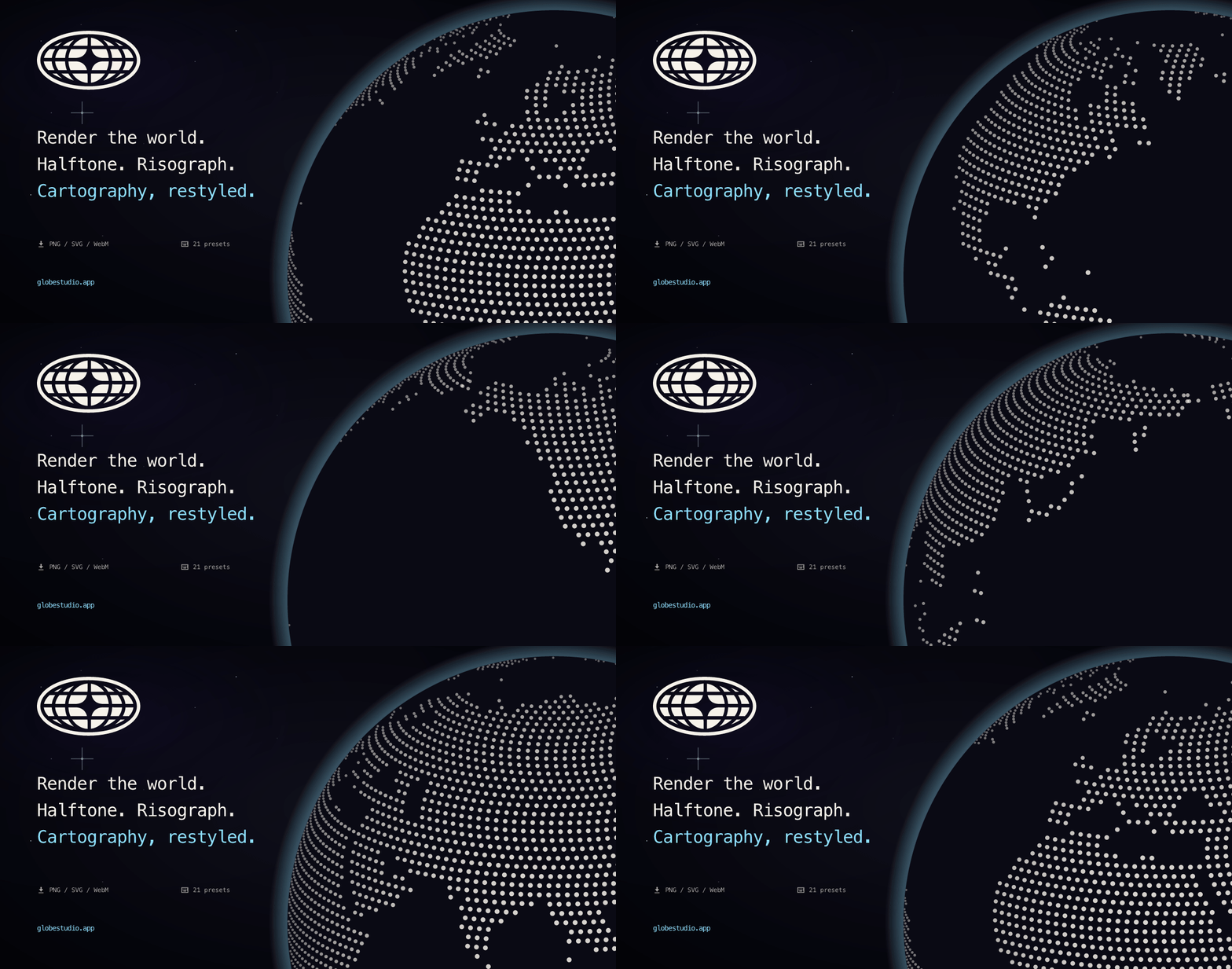
Pick a country or the whole world, choose a look, change the dots and colors, and export PNG, SVG, GLB, WebM, MP4, or GIF. Built with React and Three.js.
[**globestudio.app**](https://globestudio.app/) · [All 21 looks](https://globestudio.app/gallery) · [Roadmap](ROADMAP.md) · [Discussions](https://github.com/alevizio/globestudio/discussions)
[](https://github.com/alevizio/globestudio/actions/workflows/ci.yml)
[](LICENSE)
[](CONTRIBUTING.md)
[](https://skills.sh/alevizio/globestudio/globestudio)
[](https://www.npmjs.com/package/@globestudio/react)

[](https://www.npmjs.com/package/@globestudio/element)

[](https://www.npmjs.com/package/@globestudio/mcp)

---
## Why Globestudio?
Most open-source map tools are built for engineers: tile servers, geocoding,
GIS pipelines. Globestudio is for when the map is the picture, like a landing
page hero, a launch teaser, a scrollytelling explainer, or a deck slide that
needs a globe but not a database.
You work by eye with the studio's controls and export when it looks right.
The studio runs in your browser, and the code is MIT licensed.
## Features
- Maps of the world, a continent, a subregion, a country, or a US state.
- Flat map or 3D globe, with a morph between the two. The flat map sets its
dots on a Mercator grid. The globe spaces its own evenly over the sphere,
so the gaps between dots stay the same from the equator to the poles;
designs in Square dots, such as Pixel, keep the flat map's grid there.
- 12 dot shapes (Circle, Hexagon, Triangle, Pentagon, Square, Diamond, Star,
Plus, Ring, Voxel, Particle Grid, ASCII glyphs), or upload your own SVG,
PNG, JPEG or WebP.
- 21 looks: Default plus 20 shader looks (Halftone, Risograph, Newsprint,
Aurora, Pixel, Bayer, Atkinson, Wireframe, CRT, Glitch, Bad TV, Bloom,
Metal, Iridescent, Pencil, Corrupt, Toon, Threshold, Vapor, Sonar).
Each look is a one-click preset that sets the background, density, dot
size and globe chrome, applies at most one shader pass, and has its own
URL at `/looks/:id`. You can change the shape, colors and region after
picking one.
- Gradients and alpha on the dot color, land fill, and country stroke.
- Your own data: paste `lat,lng,value` or `country,value` lines to plot
markers sized by value, optionally joined by arcs. Try an example fills in
eight cities to start from.
- Solid maps: filled land and stroked borders, river and city overlays,
pasted GeoJSON lines and points, and 5 flat projections (Mercator, Equal
Earth, Natural Earth, Winkel Tripel, Robinson). Dotted maps use Mercator on
the flat map, and the globe spaces its dots evenly.
- Animations: rotation, twinkle, size jitter, and network arcs. They stop
under `prefers-reduced-motion`.
- Exports: PNG at 1x to 4x (the WebGL scene is re-rendered at that size); SVG
with clean vector dots (6 effects are approximated with SVG filters, and
the full shader look needs PNG or video; when a design has something the
vectors leave out, such as a look's effect, solid land or a Space
background, the SVG and Figma tabs name it); a GLB 3D model for three.js,
Blender and other 3D tools, with the dots, the globe and the arcs in flat
colors and no shader effect or animation; WebM, MP4 (where the browser
can encode it), and GIF video; and a JSON config. Copy image puts the same
PNG on the clipboard, ready to paste into Figma, Slides, Slack or Notion.
- Keyboard shortcuts: `S` shuffle, `[`/`]` cycle looks, `D` export, `R`
reset, `G` toggle view, `H` toggle panel, `?` help.
- Accessibility: targets WCAG 2.2 AA and was self-audited. It works from the
keyboard, a hidden DOM mirror describes the canvas state to screen readers,
and reduced motion is respected. Known gaps are listed in
[`ACCESSIBILITY.md`](ACCESSIBILITY.md).
## Quickstart
### Use it
The live tool runs entirely in your browser at
**[globestudio.app](https://globestudio.app/)**, and you don't need an
account.
### Run it locally
Requires Node 20.19+ (or 22.12+) and npm.
```bash
git clone https://github.com/alevizio/globestudio
cd globestudio
npm install
npm run dev
```
Open `http://127.0.0.1:5173/` and the studio loads. `VITE_TEASER=1 npm run dev`
shows the pre-launch waitlist teaser instead. Deploys set `VITE_TEASER=0`.
### Build it
```bash
npm run build # → dist/
npm run preview # serve dist/ locally
npm test -- --run # the full Vitest suite
npm run test:e2e # browser smoke + accessibility checks
```
## Embed it anywhere
### One-line script tag (recommended)
```html