Claude Panel
Claude Code gets its own screen — it decides what you need to see


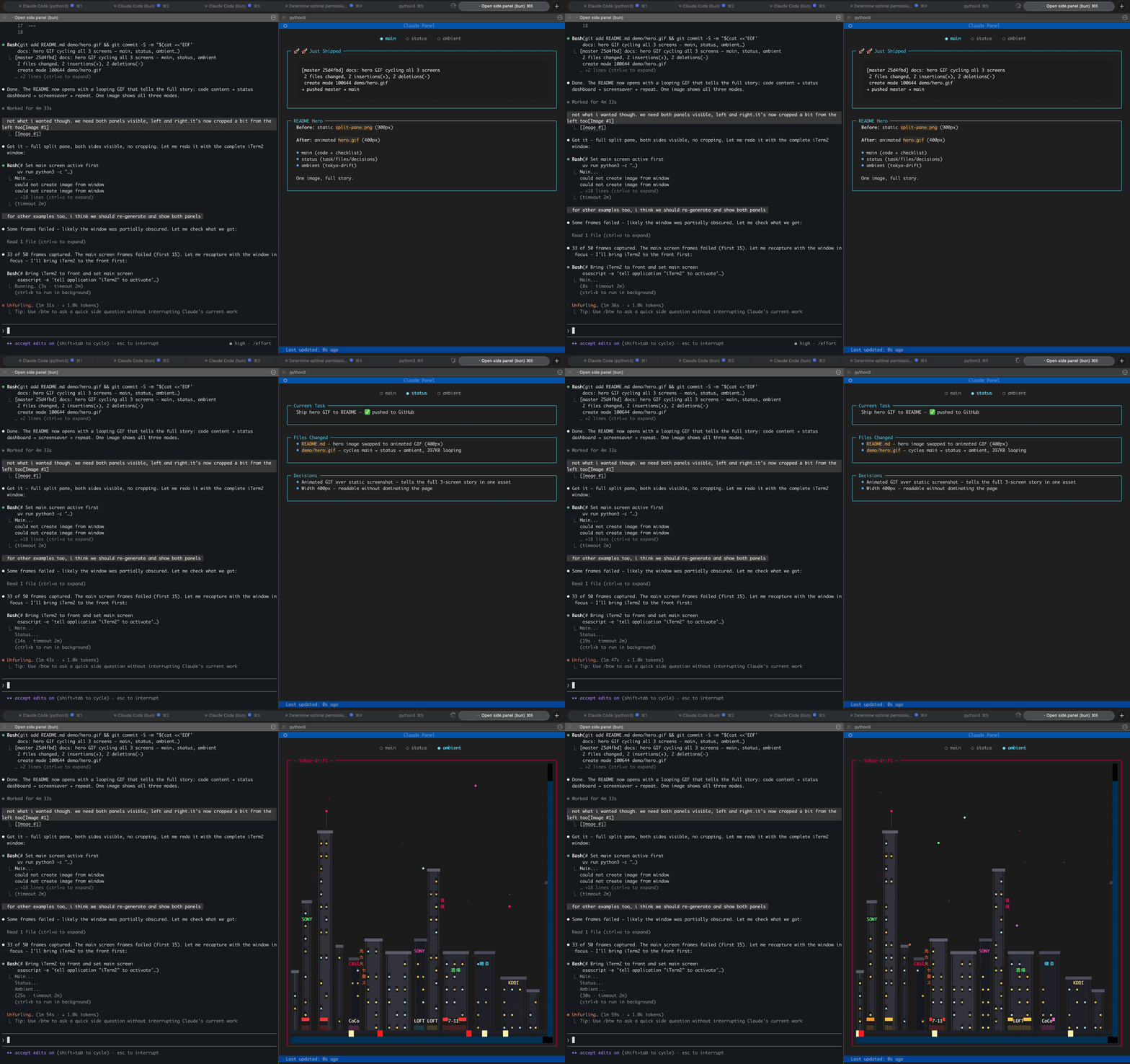
Main screen (Claude's content) → Status dashboard → Ambient screensaver
---
Claude Panel is a persistent TUI that sits next to your Claude Code terminal. Claude autonomously updates the panel with whatever it thinks matters — code it just wrote, a diagram, next steps, or a mood emoji. A structured dashboard tracks the current task, files changed, and key decisions, refreshing after every response. And when you're between tasks, ambient terminal screensavers keep the vibe going.
## Three Screens
| Screen | Managed by | What it shows |
|--------|-----------|---------------|
| **Main** | **Claude** | Whatever Claude thinks is useful right now — code snippets, explanations, diagrams, progress checklists, mood emoji. Full creative control. |
| **Status** | **Claude** (AI curator) | Structured dashboard: current task, files changed, decisions made. Auto-updates after every response. |
| **Ambient** | **You** | Terminal screensaver of your choice. Plays when nothing else needs your attention. |
**Claude manages the content, you manage the screensaver.** The main and status screens update automatically — Claude reads the conversation, decides what's worth pinning on screen, and writes it. No manual commands needed.
## Ambient Screensavers
Twelve built-in terminal animations ship with the package. Navigate with arrow keys or `panel(show="ambient")`.
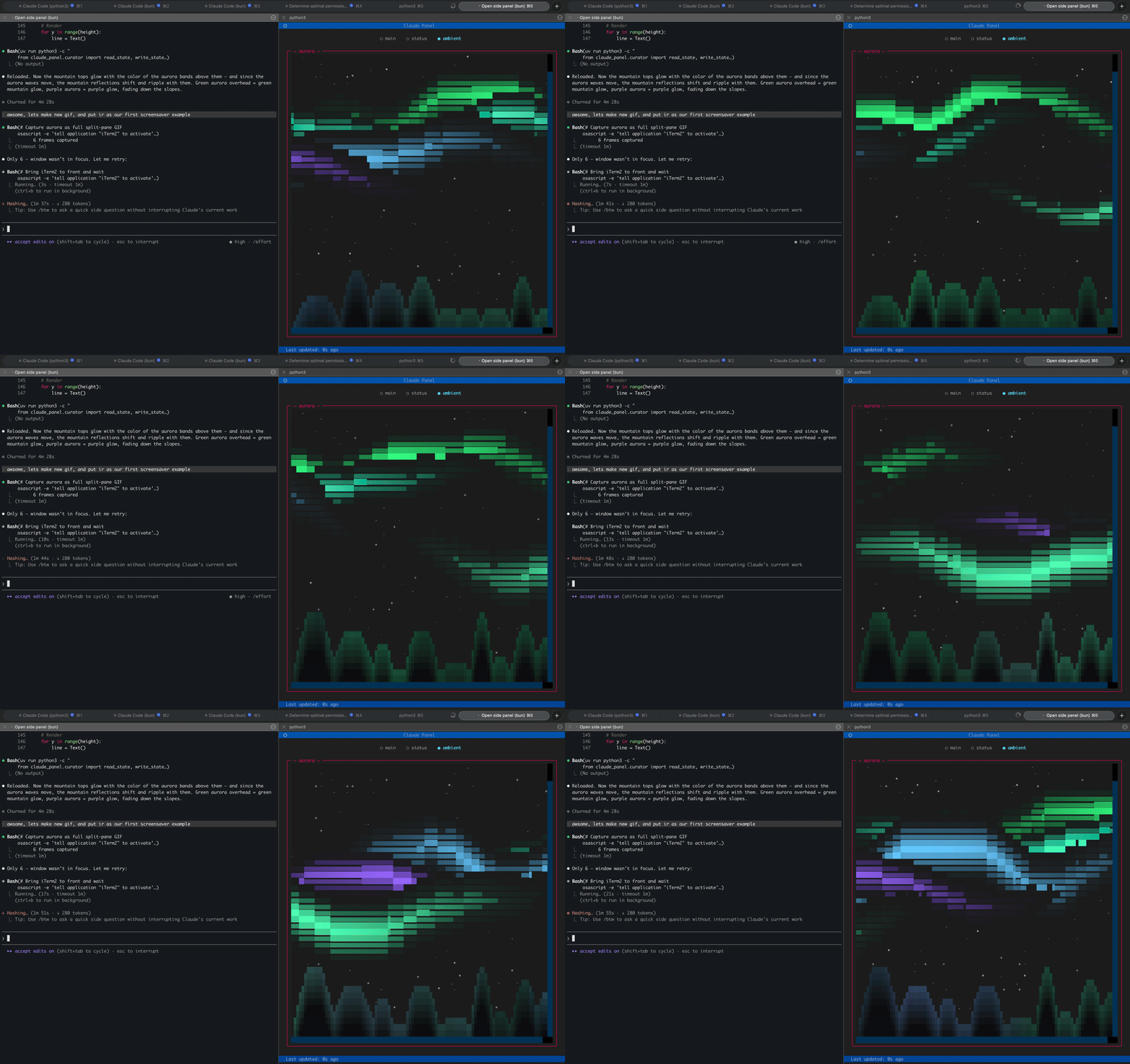
aurora
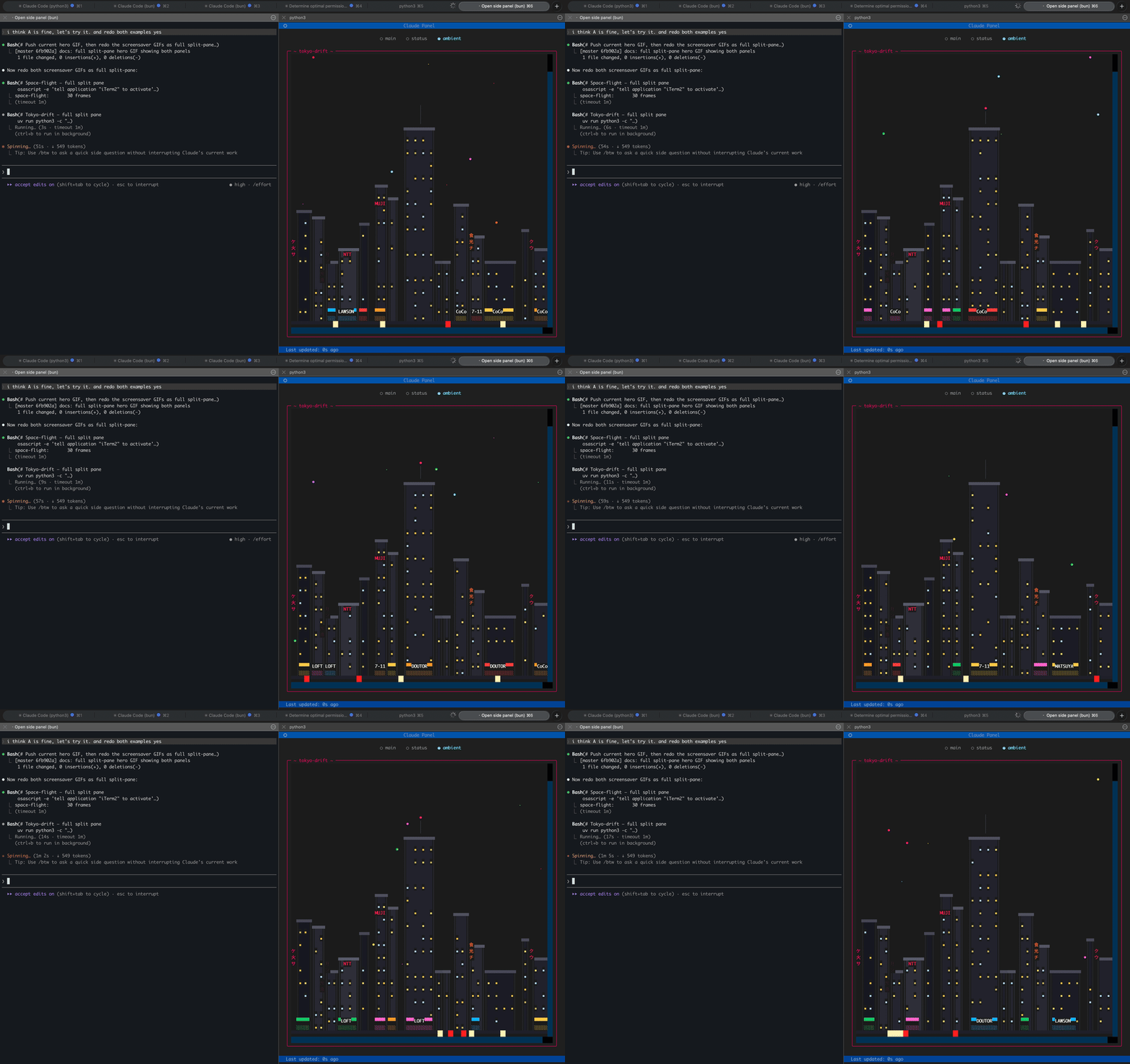
tokyo-drift
Also available: `neon-dreams` | `neon-street` | `space-flight` | `rain-city` | `city-lights` | `matrix` | `noir` | `banquet` | `dvd-bounce` | `synthwave`
All screensavers are bundled with the package — they work out of the box on a fresh install.
### Custom screensavers
Drop a `.py` file in `~/.claude-panel/screensavers/` and it becomes available immediately. User screensavers override bundled ones of the same name, so you can customize any built-in screensaver without touching the package.
```bash
# List available screensavers
panel(screensaver="rain-city")
# Or ask Claude to create one
# "make me a screensaver with falling snow"
```
Screensavers are plain Python scripts that draw to a Rich canvas. [Creating your own takes ~10 lines.](CONTRIBUTING.md#creating-a-screensaver)
## Install
```bash
# As a Claude Code plugin (recommended)
claude plugin marketplace add alex-radaev/claude-panel
claude plugin install claude-panel@claude-panel
```
Manual installation
```bash
git clone https://github.com/alex-radaev/claude-panel
cd claude-panel
uv sync
```
Then add to your MCP config (`~/.claude/settings.json` or `.mcp.json`).
## Usage
The panel **opens automatically** when you start a Claude Code session — an iTerm2 (macOS) or Windows Terminal (WSL) split pane launches with the viewer. No manual commands needed.
To disable auto-open, set `"auto_open": false` in `~/.claude-panel/config.json`.
You can also open it manually:
```bash
# From Claude Code
panel_open()
# Manual
uv run claude-panel
```
Once running, Claude takes over. The main and status screens update on their own. You can switch views:
```python
panel(show="ambient") # switch to screensaver
panel(show="main") # switch to main canvas
panel(show="status") # switch to status dashboard
panel(screensaver="tokyo-drift") # change screensaver
```
| Key | Action |
|-----|--------|
| `q` | Quit viewer |
| `<-` `->` | Cycle screens |
| `c` | Clear panel |
> **iTerm2 tip:** The panel pane may look washed out because iTerm2 dims inactive split panes by default. To fix: **Settings > Appearance > Dimming** and uncheck **Dim inactive split panes**.
## How It Works
```
Claude Code session iTerm2 Split Pane
┌──────────────────────┐ ┌──────────────────┐
│ │ │ │
│ Main Claude │ │ Textual TUI │
│ + Background agents │ │ Viewer │
│ + Stop hook curator │ │ │
│ │ │ │
└──────────┬───────────┘ └────────┬─────────┘
│ WRITES │ POLLS
└──────► per-session ◄──────┘
state.json
~/.claude-panel/sessions//
```
1. **Claude responds** — a Stop hook runs the AI curator (Haiku). It reads the conversation, decides what changed, and updates the **status screen**.
2. **Claude spawns a background agent** — updates the **main screen** with whatever content is worth showing. Zero conversation noise.
3. **The viewer polls** the state file every 300ms and re-renders instantly.
**Session isolation:** Each Claude Code session gets its own state. Run multiple sessions — they don't interfere. The viewer tracks whichever session is active.
## Review Notifications
The panel can show GitHub PRs waiting for your review directly on the main screen. A shared background poller checks `gh search prs --review-requested=@me` every 2 minutes and surfaces results as a clickable list with links that open in your browser.
- **Auto-appears** when you have pending reviews
- **Auto-dismisses** when you approve, comment, or request changes
- **One poller** shared across all concurrent sessions (no duplicate API calls)
- **Clickable links** — click a PR title to open it in the browser
- Filter by GitHub org via `review_notifications.org` in config
- Disable entirely with `"review_notifications": false`
## Configuration
`~/.claude-panel/config.json`:
```json
{
"auto_open": true,
"model": "claude-haiku-4-5-20251001",
"favorite_screensaver": "tokyo-drift",
"update_every_n": 1,
"curator_personality": "playful",
"review_notifications": {
"enabled": true,
"poll_interval_seconds": 120,
"org": "my-org"
}
}
```
| Option | Values | Description |
|--------|--------|-------------|
| `auto_open` | `true`, `false` | Automatically open the panel on session start (default: `true`) |
| `model` | Any Claude model ID | Model for the status curator (default: Haiku) |
| `favorite_screensaver` | Screensaver name | Default ambient screensaver |
| `update_every_n` | Number | Update status every N responses (1 = every time) |
| `curator_personality` | `"playful"`, `"professional"` | Curator tone — playful adds humor and emoji combos, professional is concise and factual |
| `review_notifications` | Object or `false` | GitHub review request notifications (default: enabled) |
| `review_notifications.enabled` | `true`, `false` | Toggle review notifications on/off |
| `review_notifications.poll_interval_seconds` | Number | How often to check GitHub for new reviews (default: `120`) |
| `review_notifications.org` | GitHub org name | Only show reviews from this org (omit for all orgs) |
## Contributing
Contributions welcome — especially new screensavers. See [CONTRIBUTING.md](CONTRIBUTING.md) for the full guide, including a screensaver template that gets you started in ~10 lines of Python.
## License
MIT