# Malwoverview
[ ](https://github.com/alexandreborges/malwoverview/releases/tag/v8.1.0) [
 ](https://github.com/alexandreborges/malwoverview/releases) [
 ](https://github.com/alexandreborges/malwoverview/releases) [
 ](https://github.com/alexandreborges/malwoverview/blob/master/LICENSE)
[
](https://github.com/alexandreborges/malwoverview/blob/master/LICENSE)
[ ](https://github.com/alexandreborges/malwoverview/stargazers)
[
](https://github.com/alexandreborges/malwoverview/stargazers)
[ ](https://twitter.com/ale_sp_brazil)
[](https://pepy.tech/project/malwoverview)
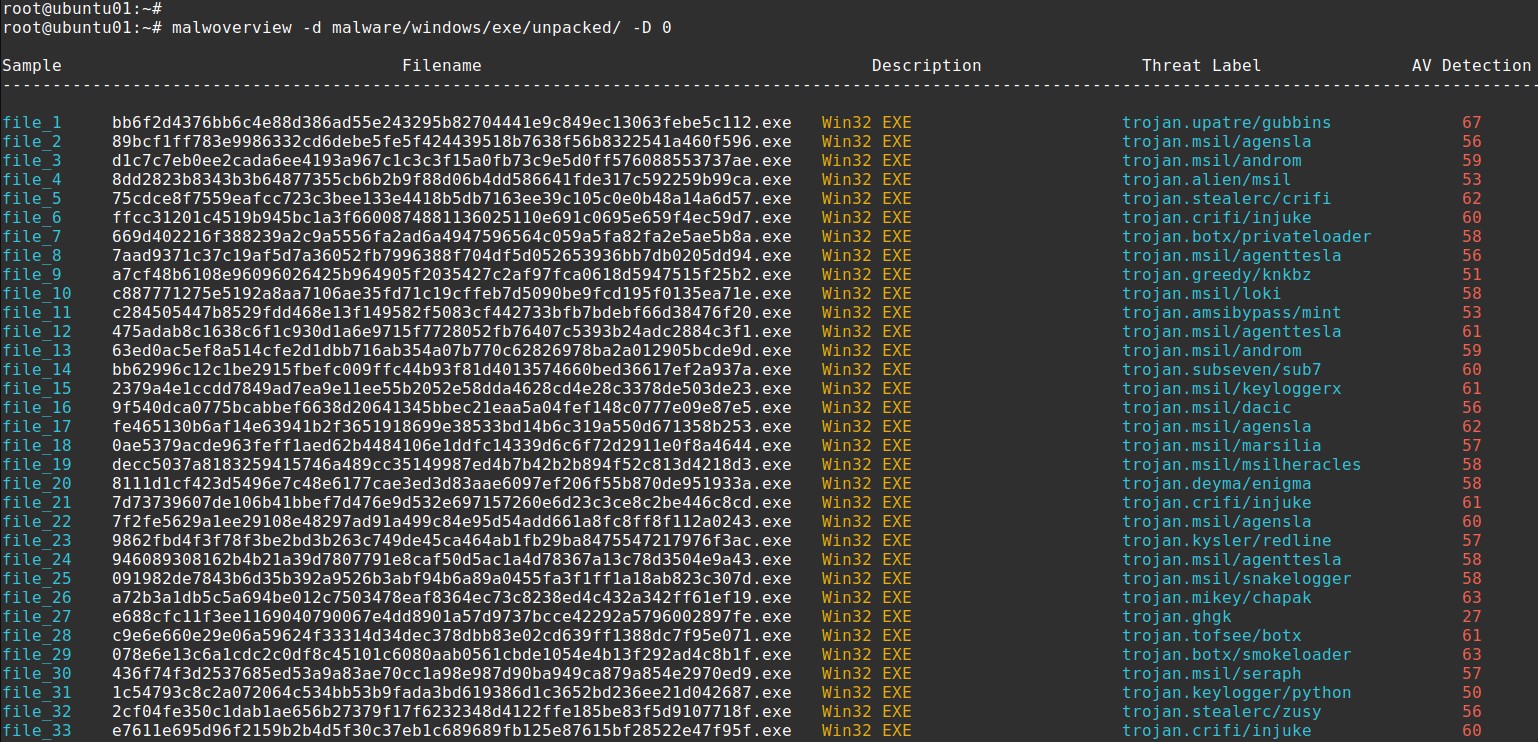
[
](https://twitter.com/ale_sp_brazil)
[](https://pepy.tech/project/malwoverview)
[ ](https://pepy.tech/project/malwoverview)
[](https://github.com/alexandreborges/malwoverview/actions/workflows/github-code-scanning/codeql)
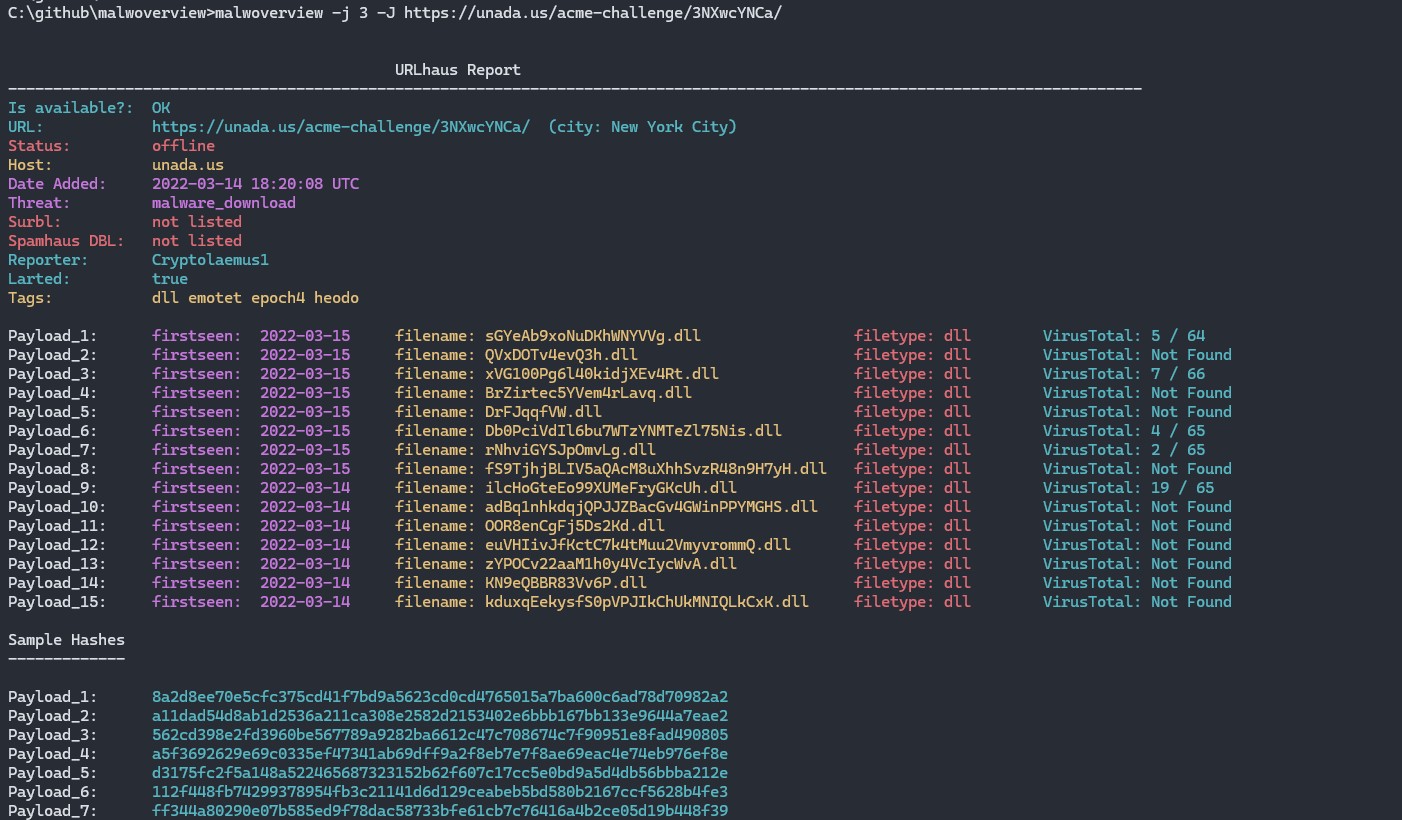
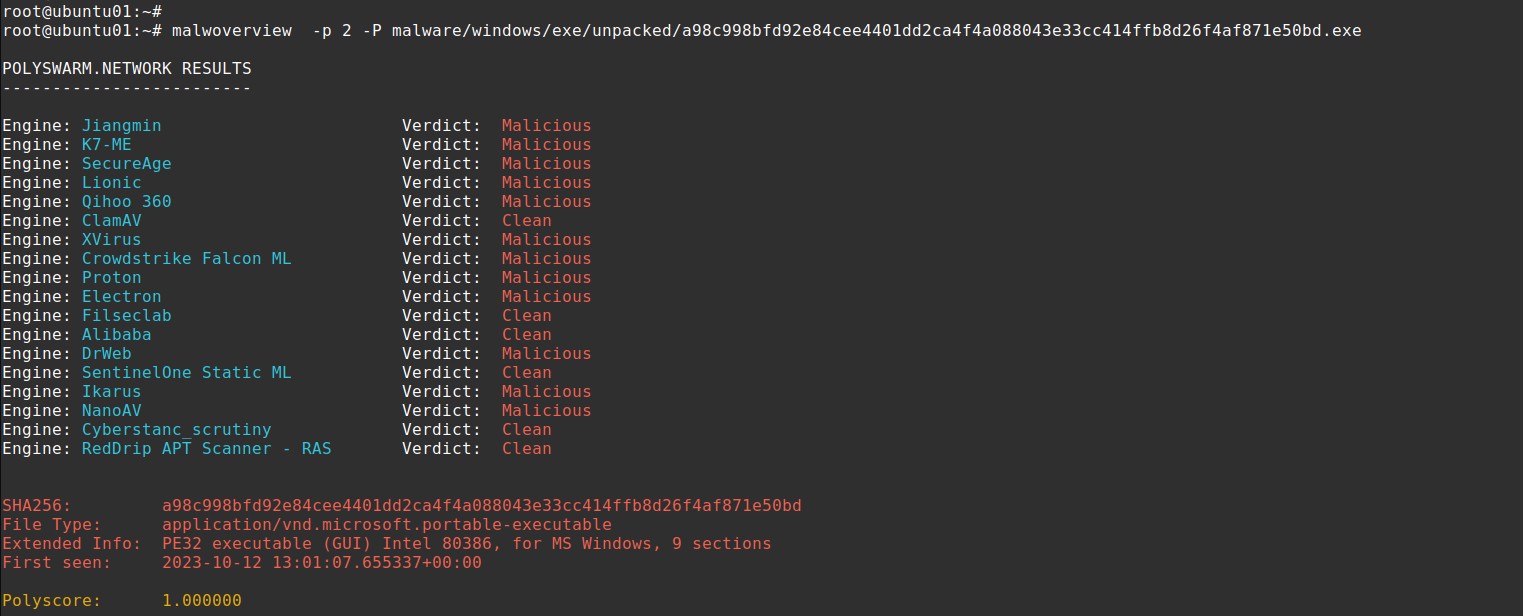
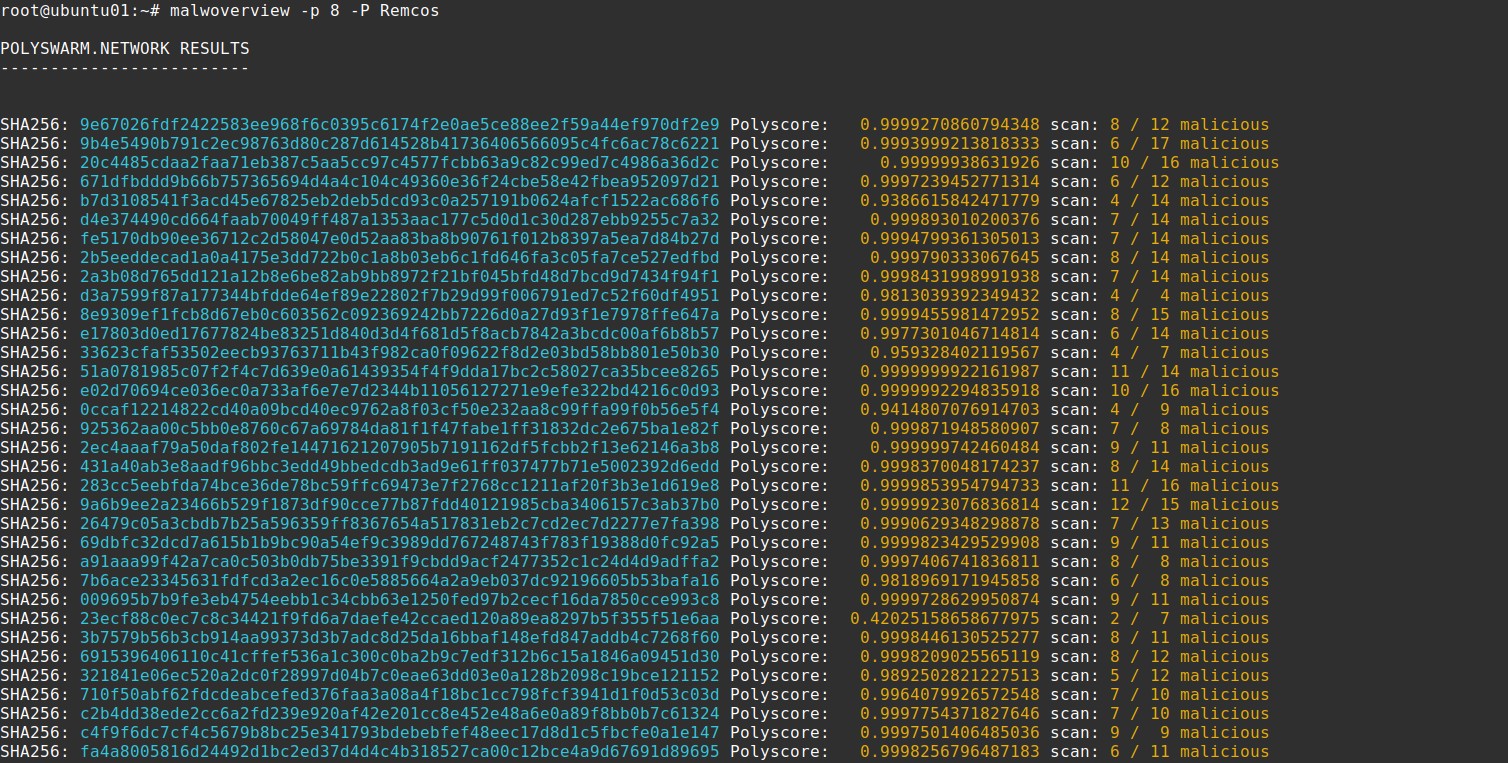
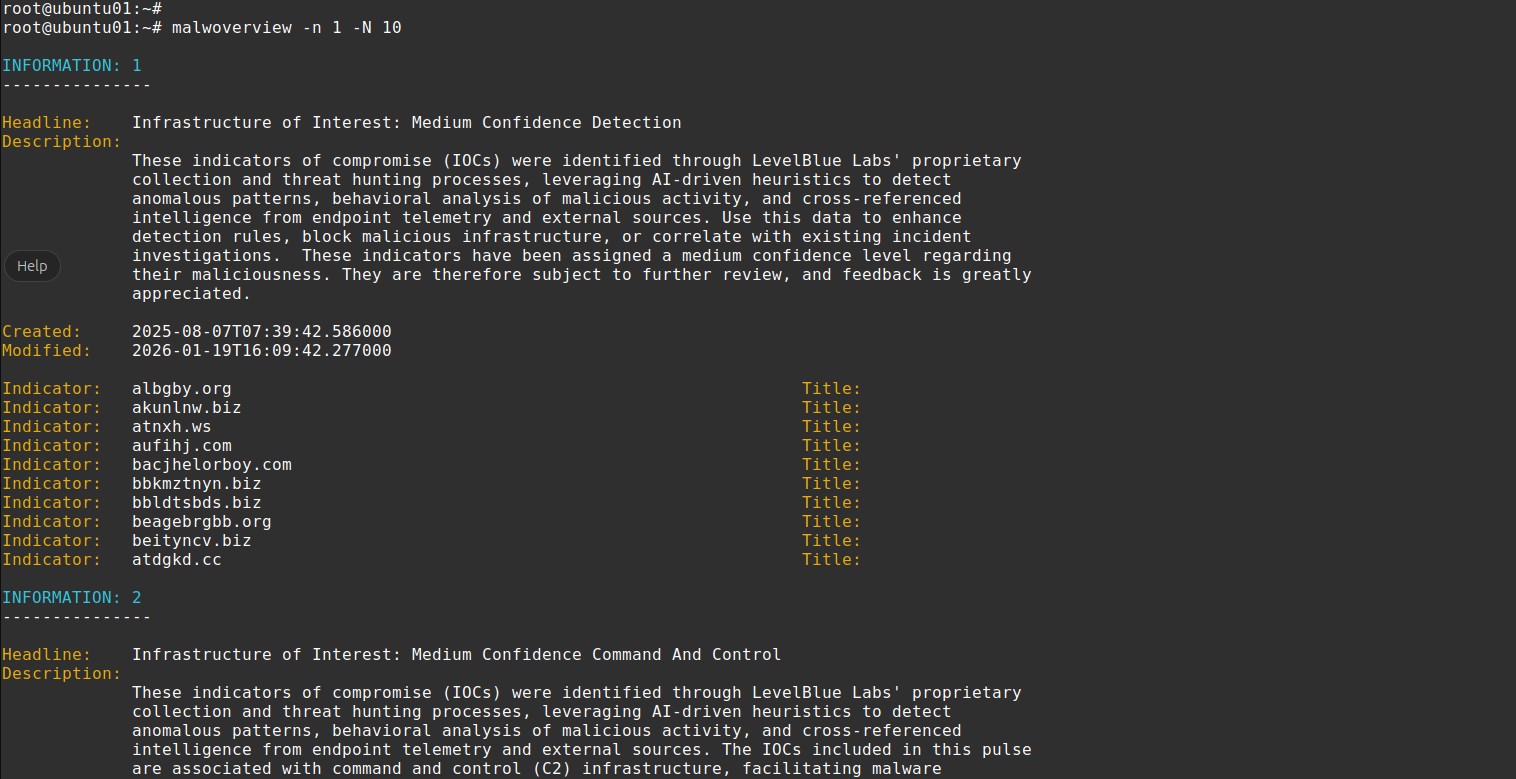
Copyright (C) 2018-2026 Alexandre Borges (https://exploitreversing.com)
This program is free software: you can redistribute it and/or modify
it under the terms of the GNU General Public License as published by
the Free Software Foundation, either version 3 of the License, or
(at your option) any later version.
This program is distributed in the hope that it will be useful,
but WITHOUT ANY WARRANTY; without even the implied warranty of
MERCHANTABILITY or FITNESS FOR A PARTICULAR PURPOSE. See the
GNU General Public License for more details.
See GNU Public License on .
## Current Version: 8.1.0 (Codename: Revolutions)
Important note: Malwoverview does NOT submit samples to any endpoint by default,
so it respects possible Non-Disclosure Agreements (NDAs). There're specific options
that explicitly submit samples, but these options are explained in the help.
## ABOUT
Malwoverview.py is a first response tool for threat hunting, which performs an initial and quick
triage of malware samples, URLs, IP addresses, domains, malware families, IOCs and hashes. Additionally,
Malwoverview is able to get dynamic and static behavior reports, submit and download samples
from several endpoints. In few words, it works as a client to main existing sandboxes.
This tool aims to :
01. Determine similar executable malware samples (PE/PE+) according to the import table (imphash) and group
them by different colors (pay attention to the second column from output). Thus, colors matter!
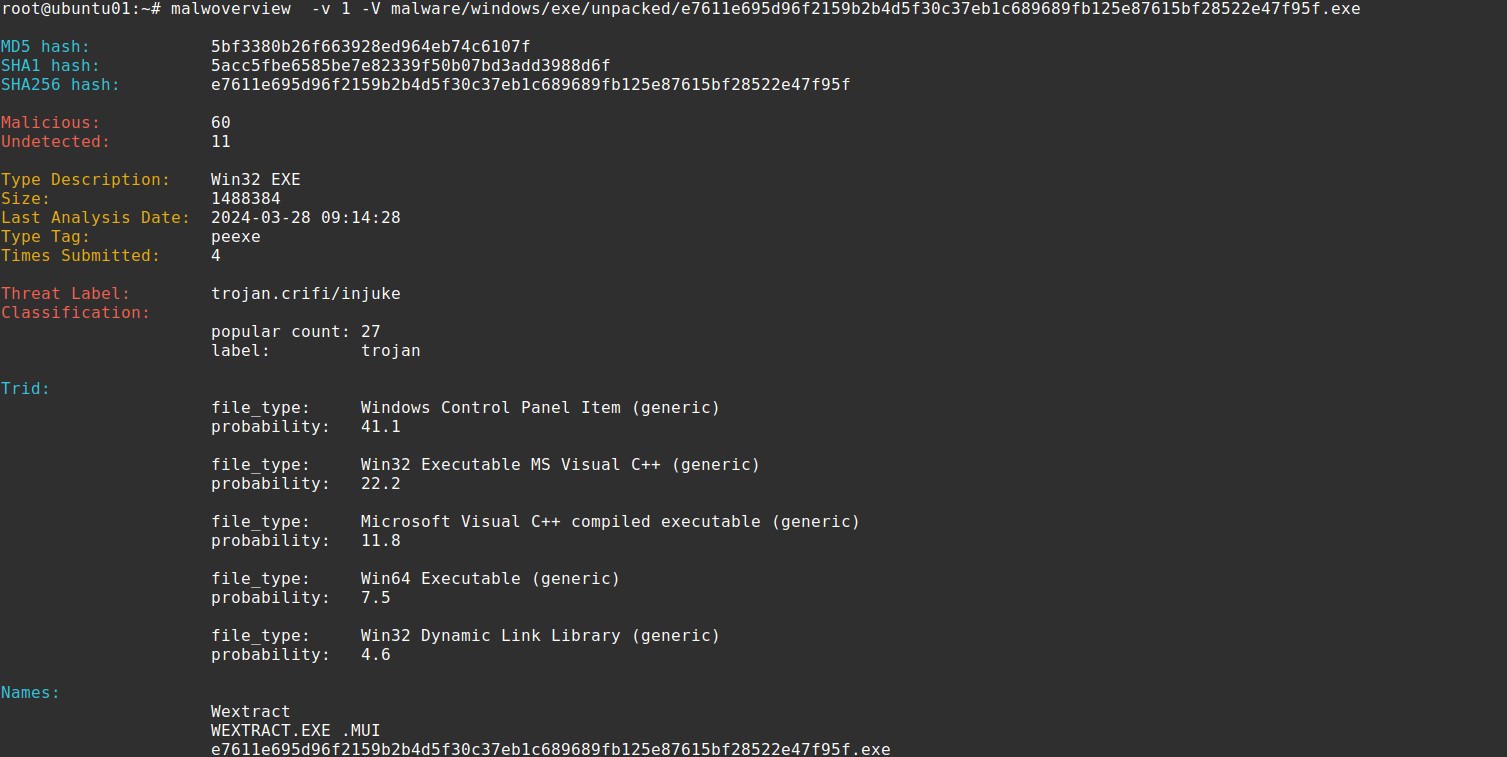
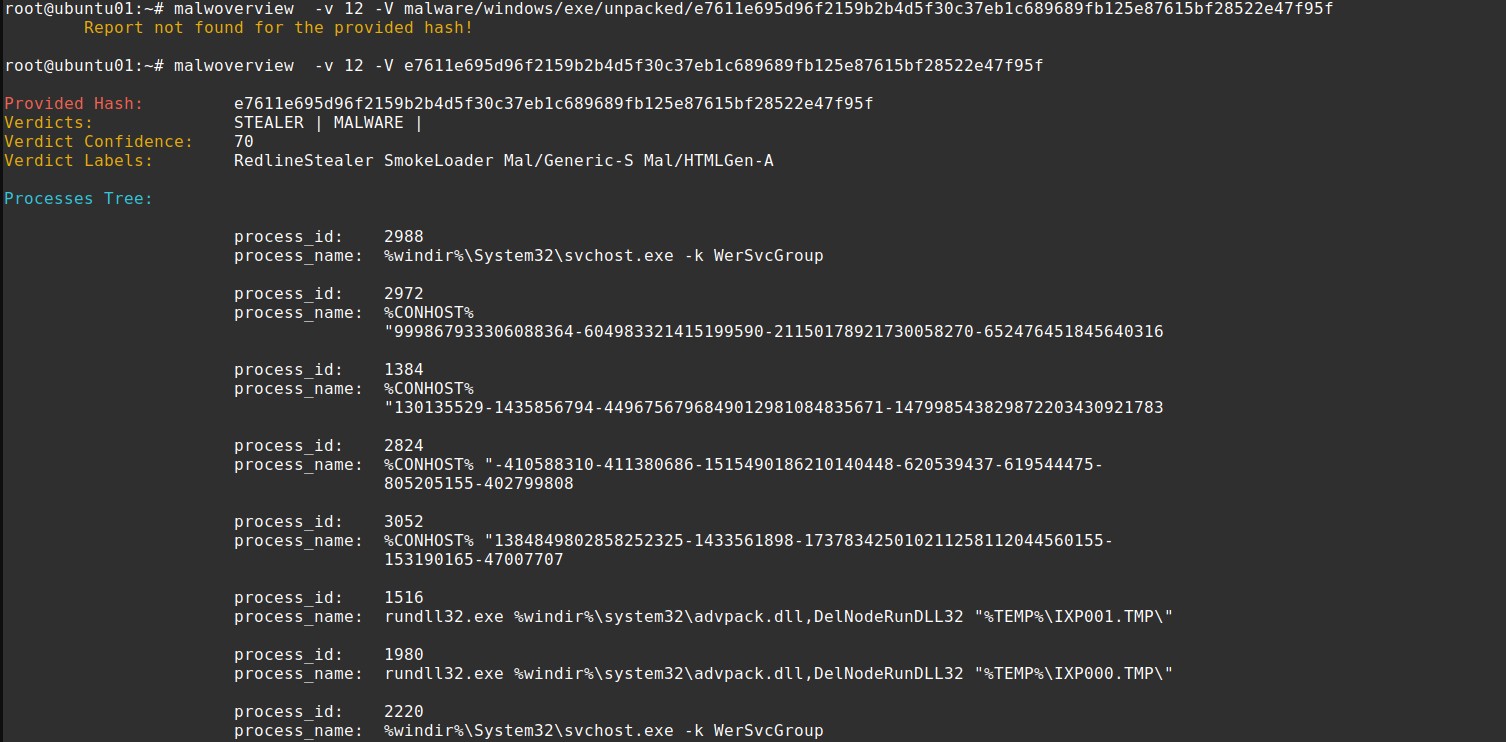
02. Show hash information on Virus Total, Hybrid Analysis, Malshare, Polyswarm, URLhaus, Alien Vault,
Malpedia and ThreatCrowd engines.
03. Determining whether the malware samples contain overlay and, if you want, extract it.
04. Check suspect files on Virus Total, Hybrid Analysis and Polyswarm.
05. Check URLs on Virus Total, Malshare, Polyswarm, URLhaus engines and Alien Vault.
06. Download malware samples from Hybrid Analysis, Malshare, URLHaus, Polyswarm and Malpedia engines.
07. Submit malware samples to VirusTotal, Hybrid Analysis and Polyswarm.
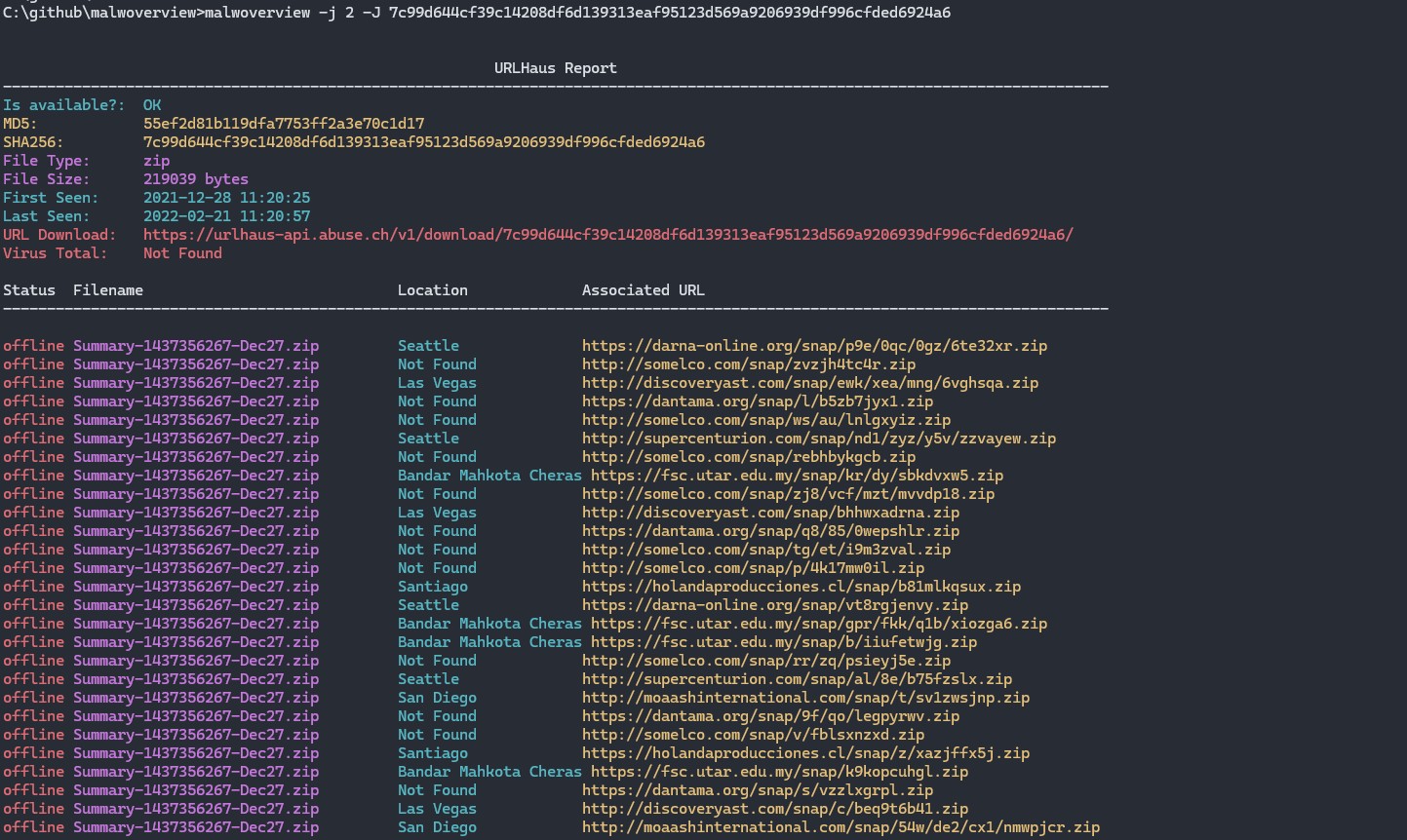
08. List last suspected URLs from URLHaus.
09. List last payloads from URLHaus.
10. Search for specific payloads on the Malshare.
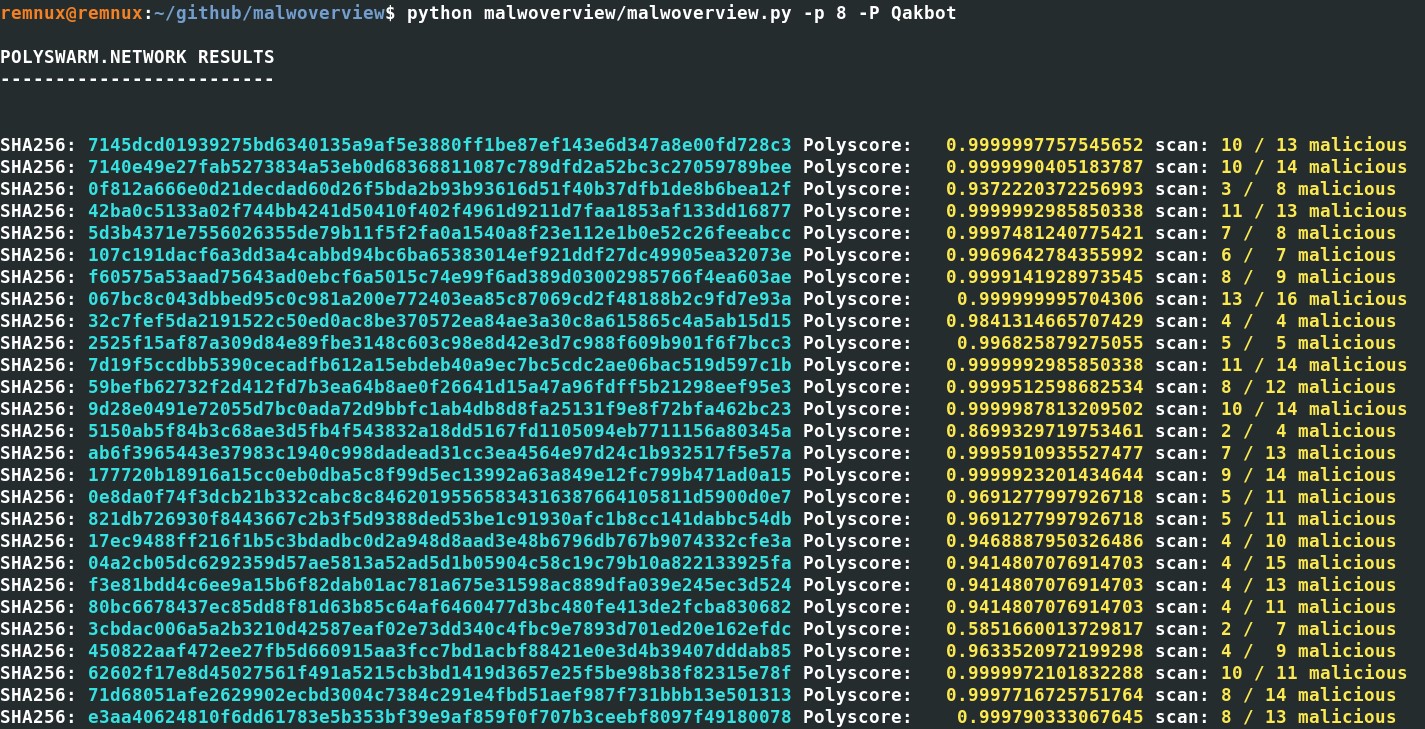
11. Search for similar payloads (PE32/PE32+) on Polyswarm engine.
12. Classify all files in a directory searching information on Virus Total and Hybrid Analysis.
13. Make reports about a suspect domain using different engines such as VirusTotal, Malpedia and
ThreatCrowd.
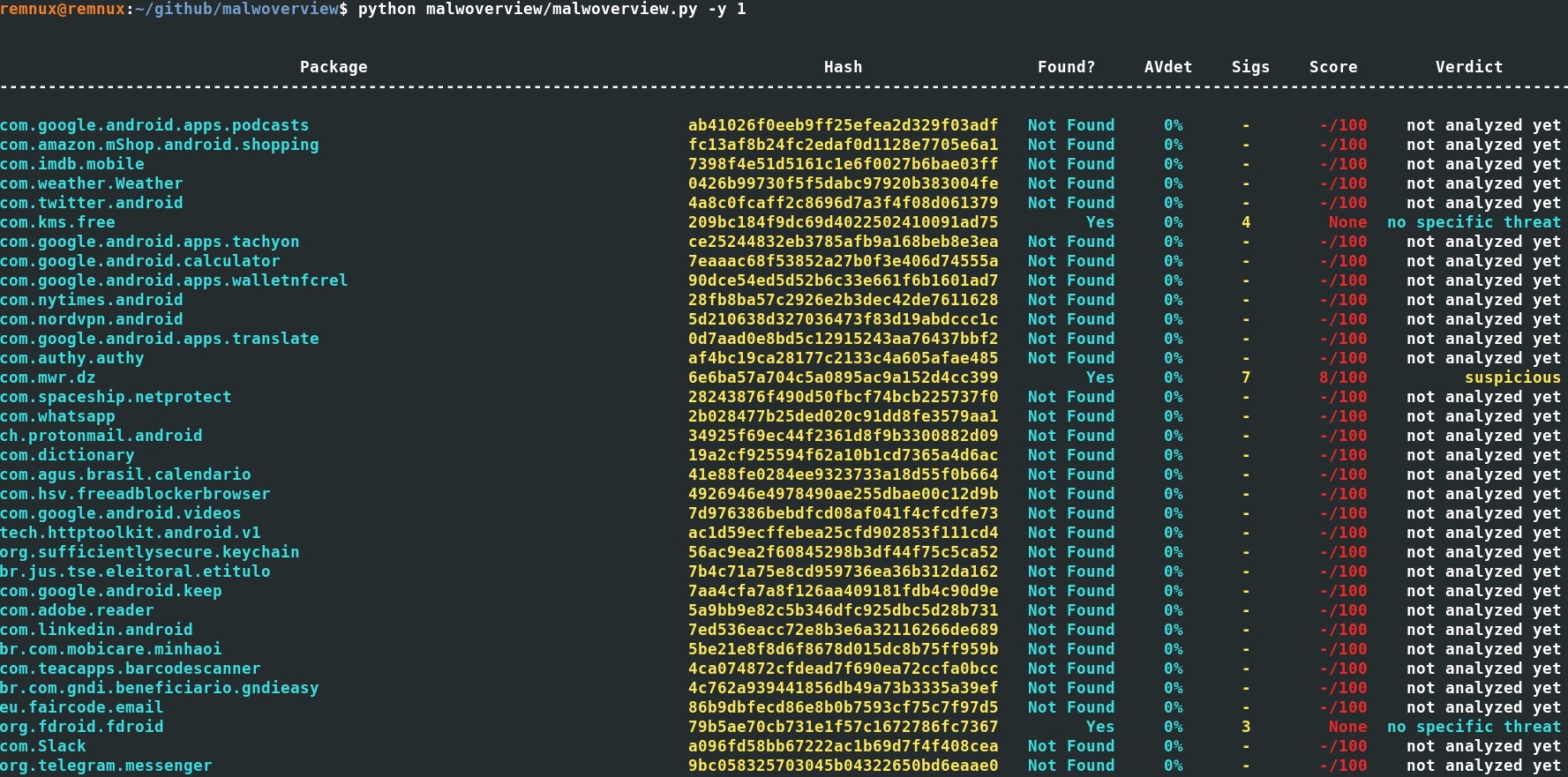
14. Check APK packages directly from Android devices against Hybrid Analysis and Virus Total.
15. Submit APK packages directly from Android devices to Hybrid Analysis and Virus Total.
16. Show URLs related to an user provided tag from URLHaus.
17. Show payloads related to a tag (signature) from URLHaus.
18. Show information about an IP address from Virus Total, Alien Vault, Malpedia and ThreatCrowd.
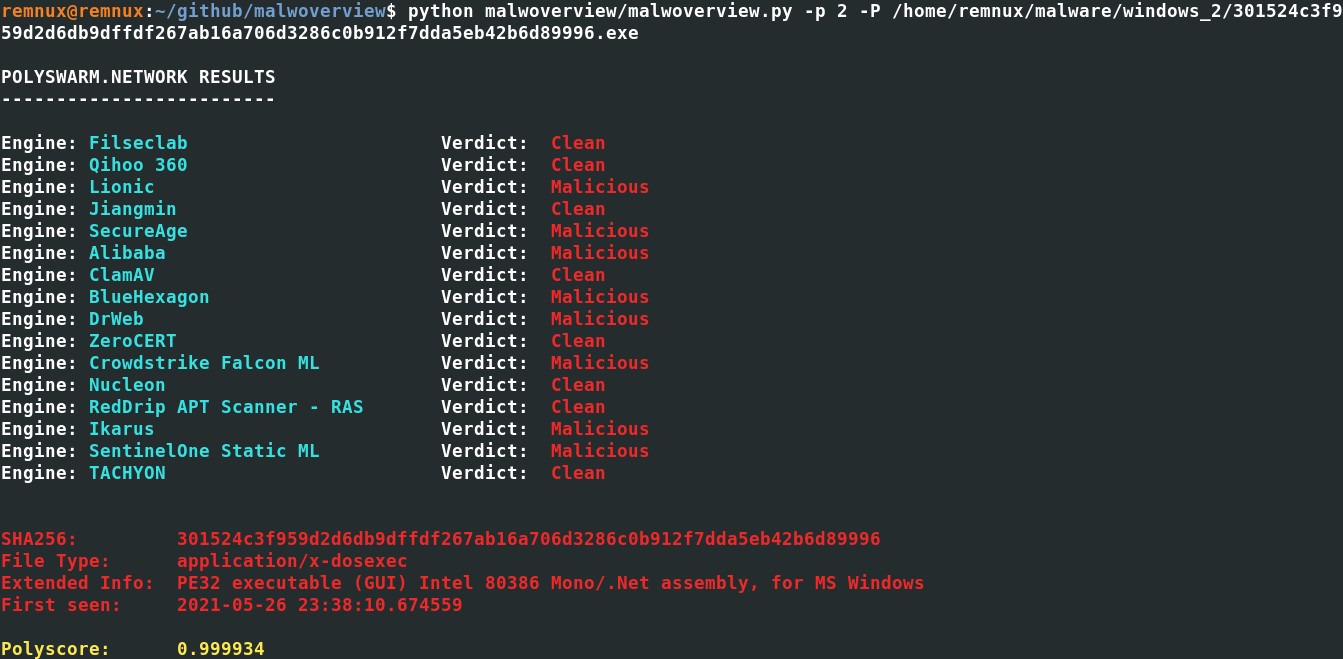
19. Show IP address, domain and URL information from Polyswarm.
21. Perform meta-search on Polyswarm Network using several criteria: imphash, IPv4, domain, URL and
malware family.
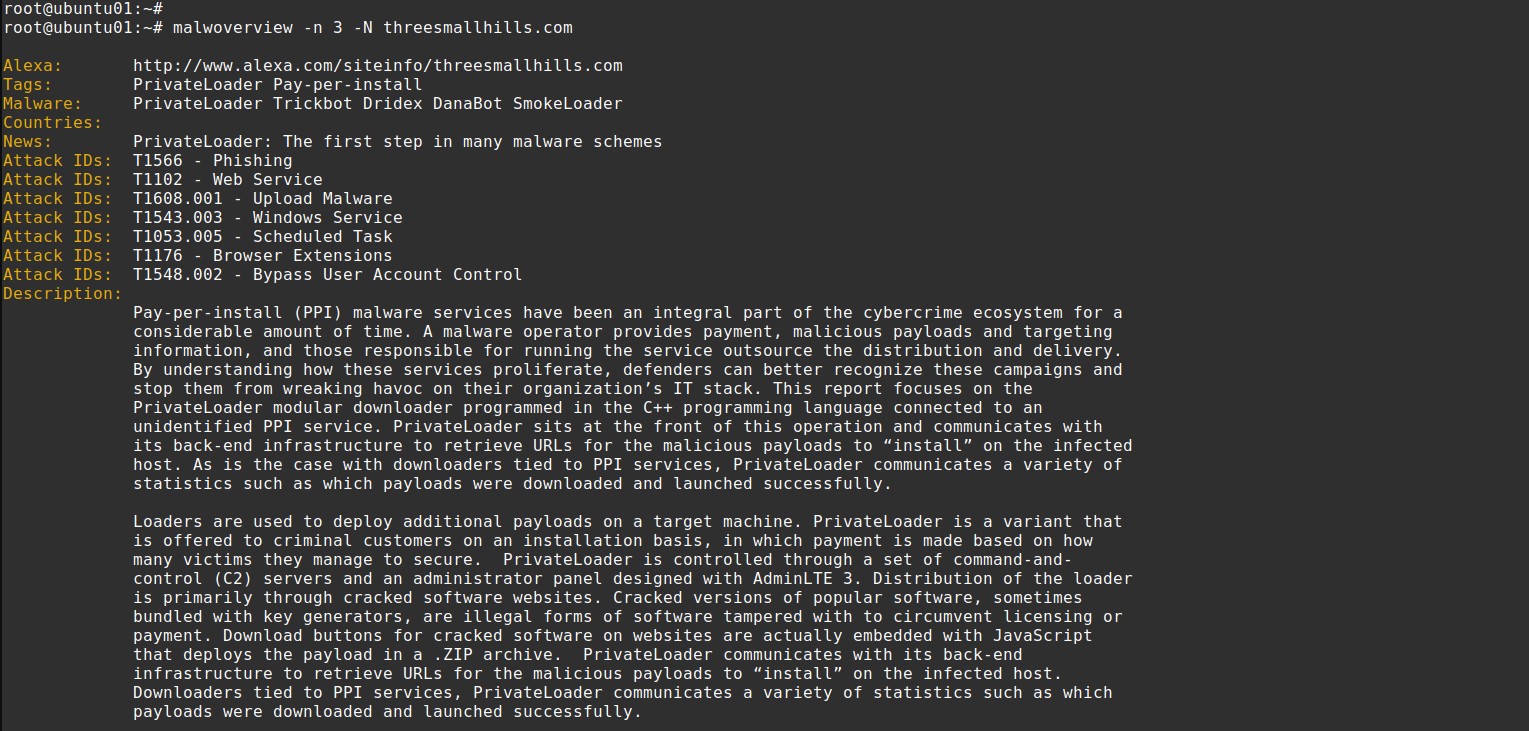
22. Gather threat hunting information from AlienVault using different criteria.
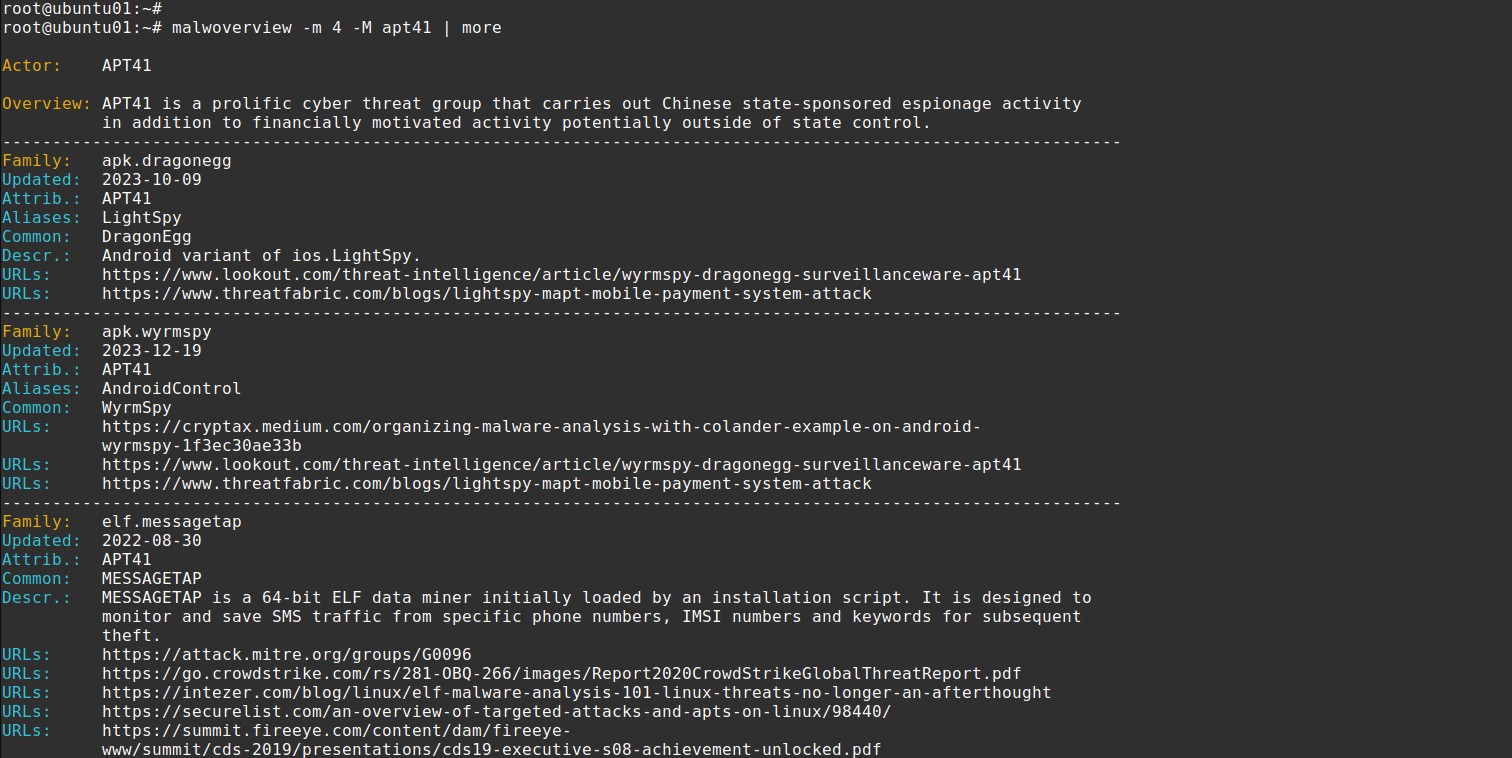
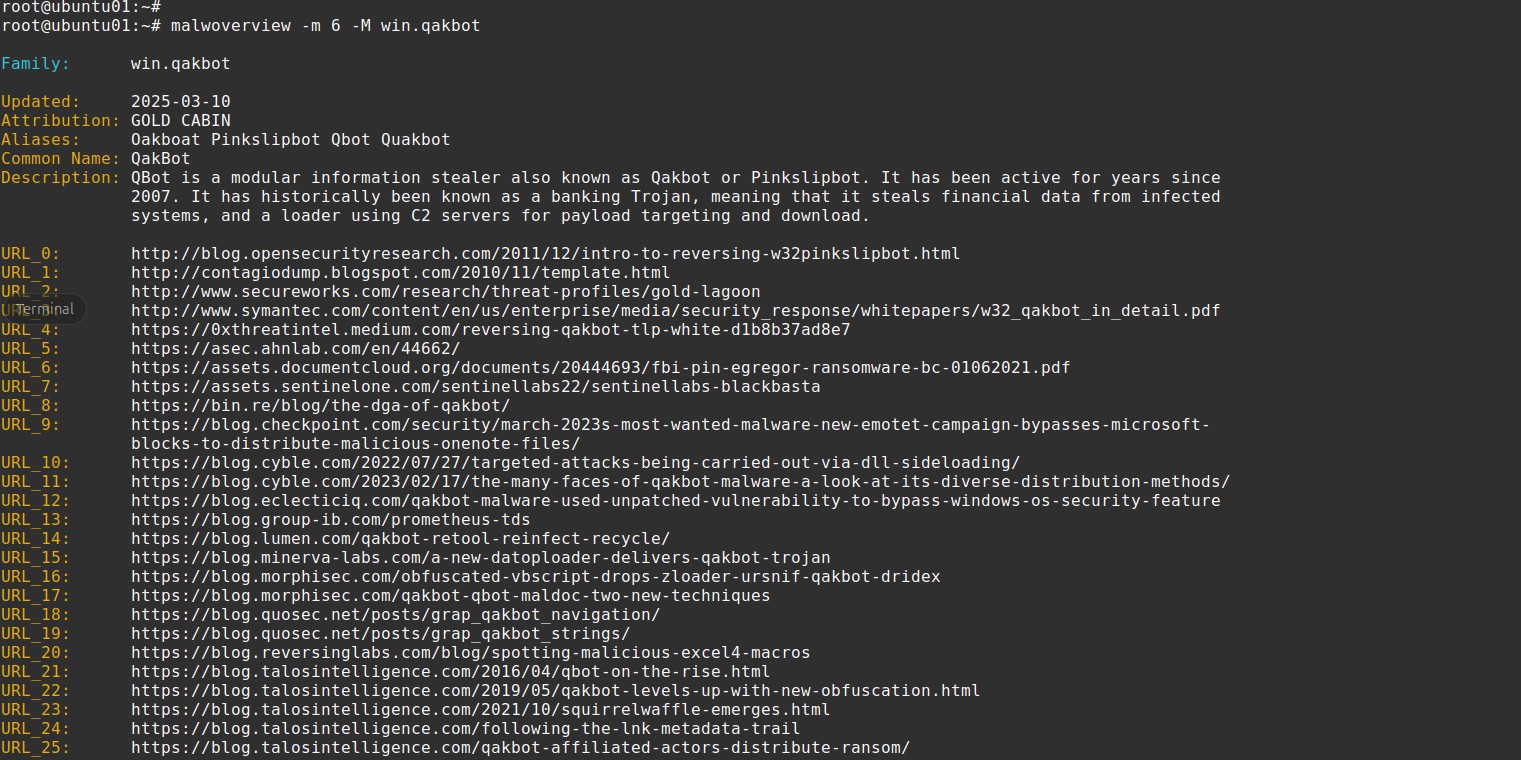
23. Gather threat hunting information from Malpedia using different criteria.
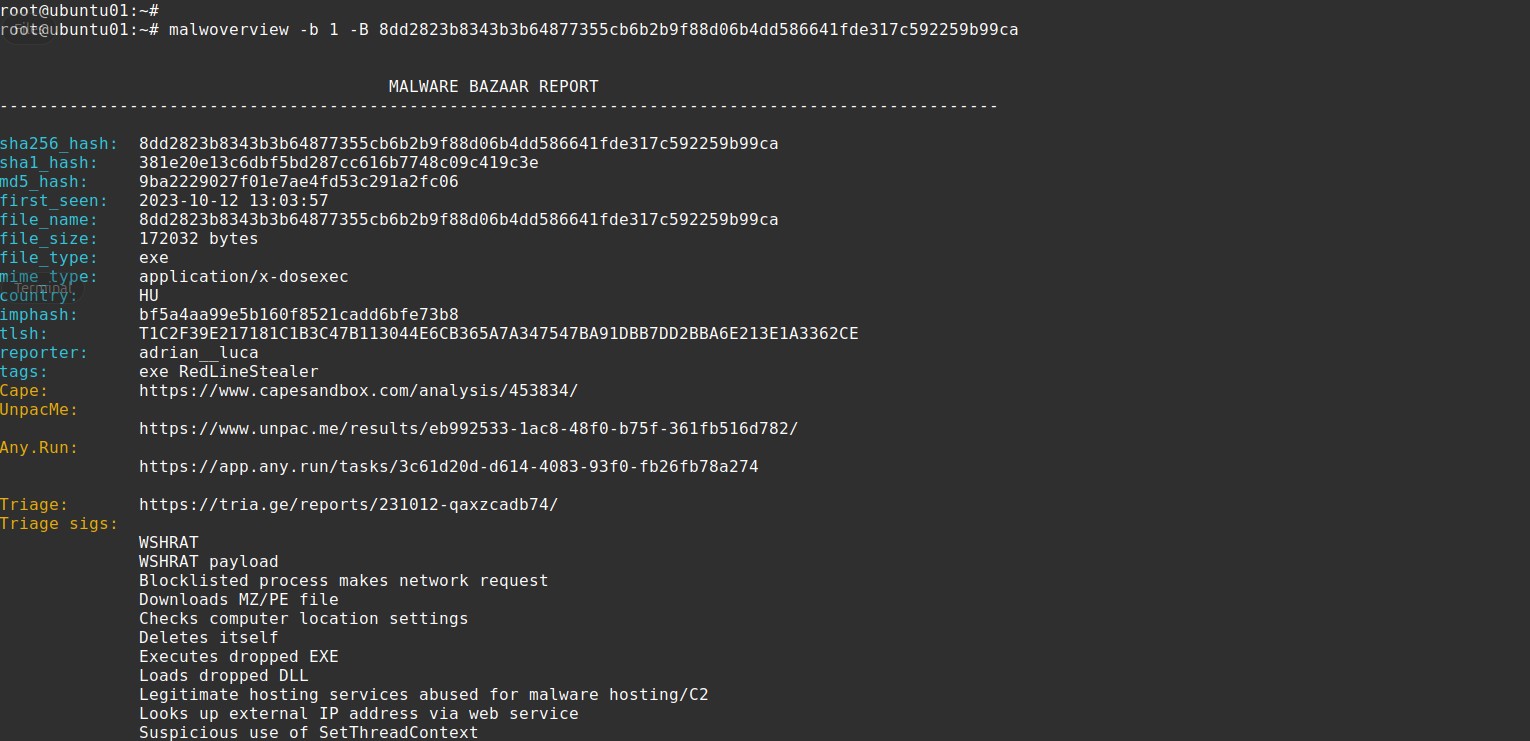
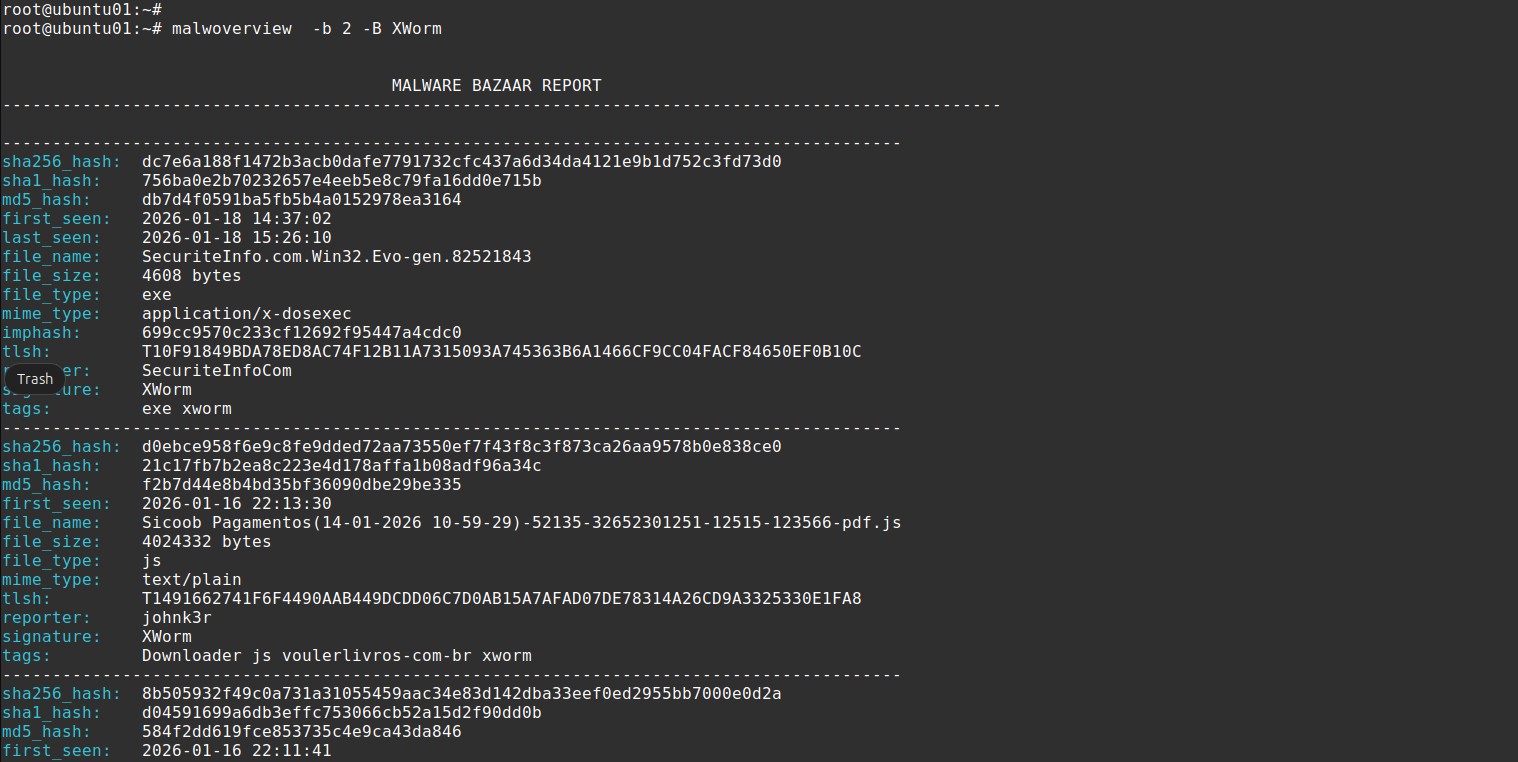
24. Gather threat hunting information from Malware Bazaar using different criteria.
25. Gather IOC information from ThreatFox using different criteria.
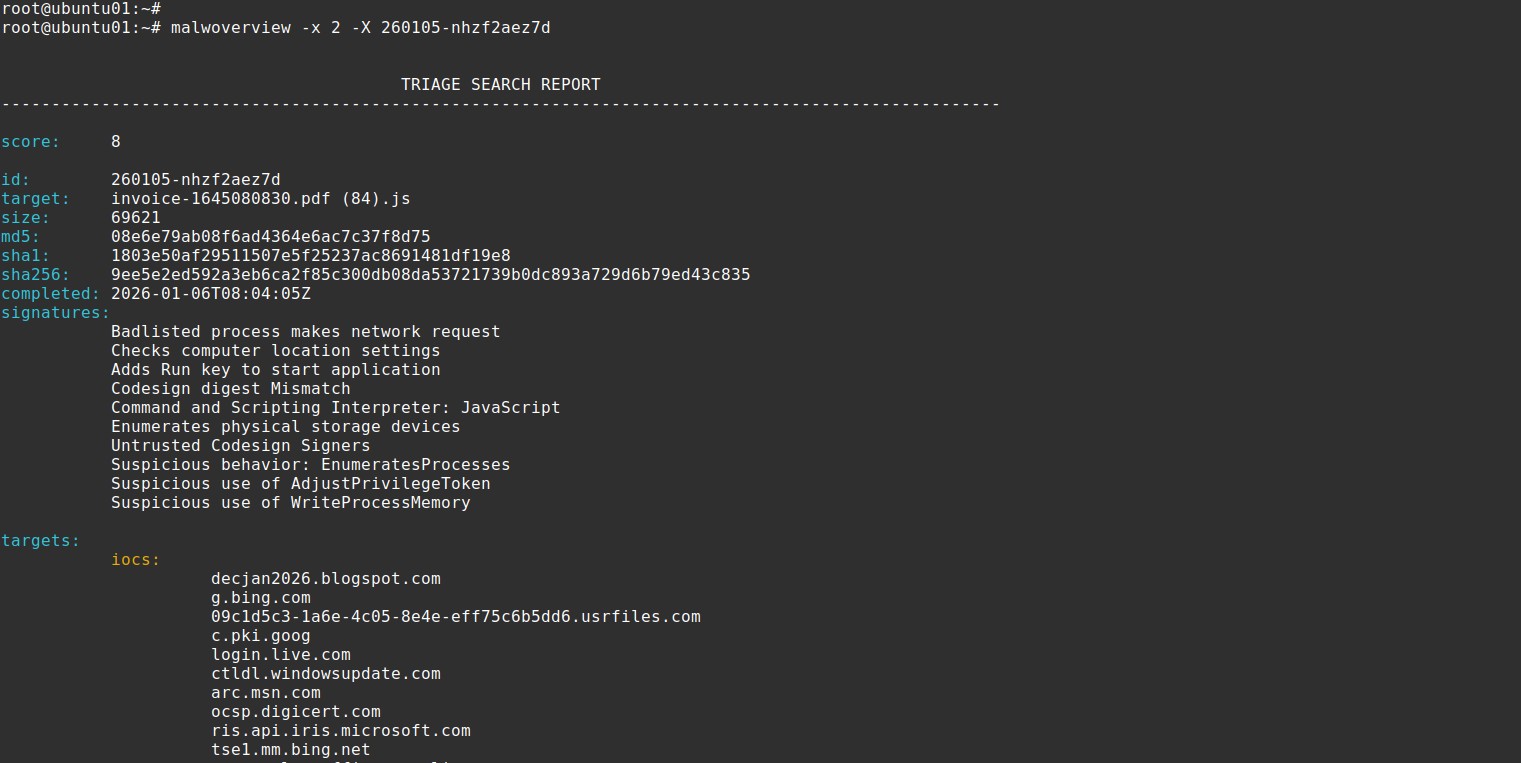
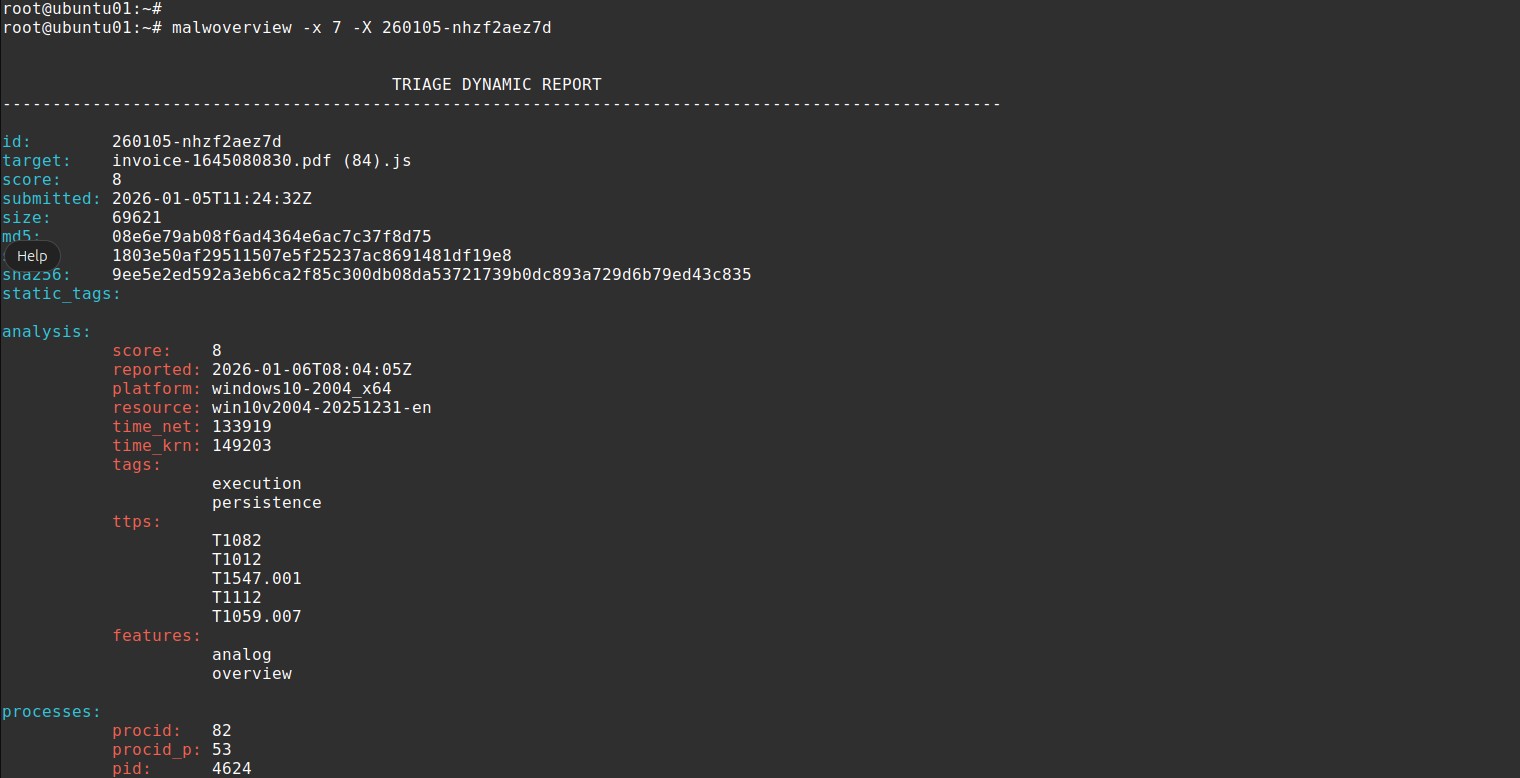
26. Gather threat hunting information from Triage using different criteria.
27. Get evaluation to hashes from a given file against Virus Total.
28. Submit large files (>= 32 MB) to Virus Total.
29. Malwoverview uses Virus Total API v.3, so there isn't longer any option using v.2.
30. Retrieve information about a given IP address from IPInfo service.
31. Retrieve combined information about a given IP address from multiple services.
32. Offer extra option to save any downloaded file to a central location.
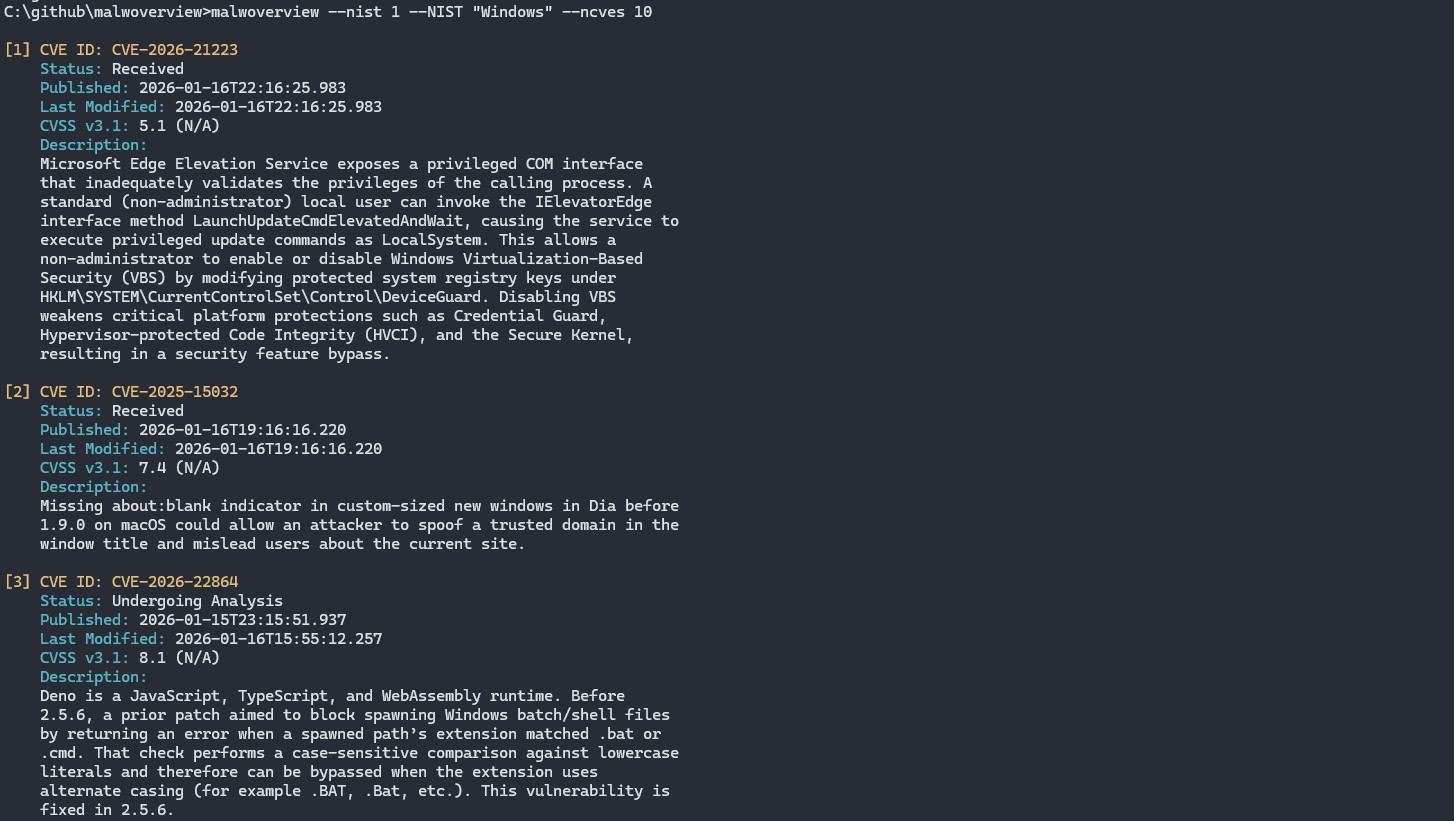
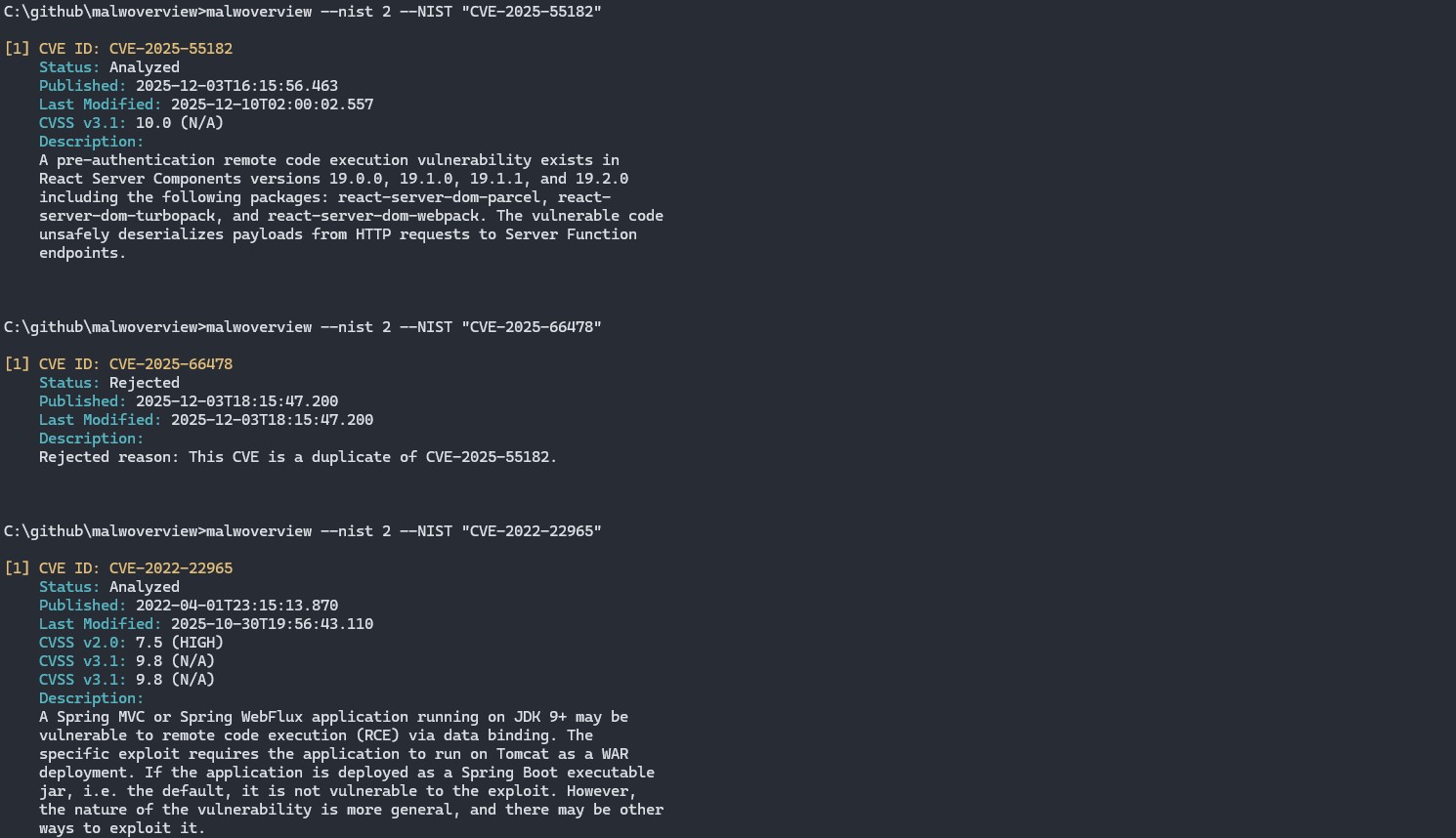
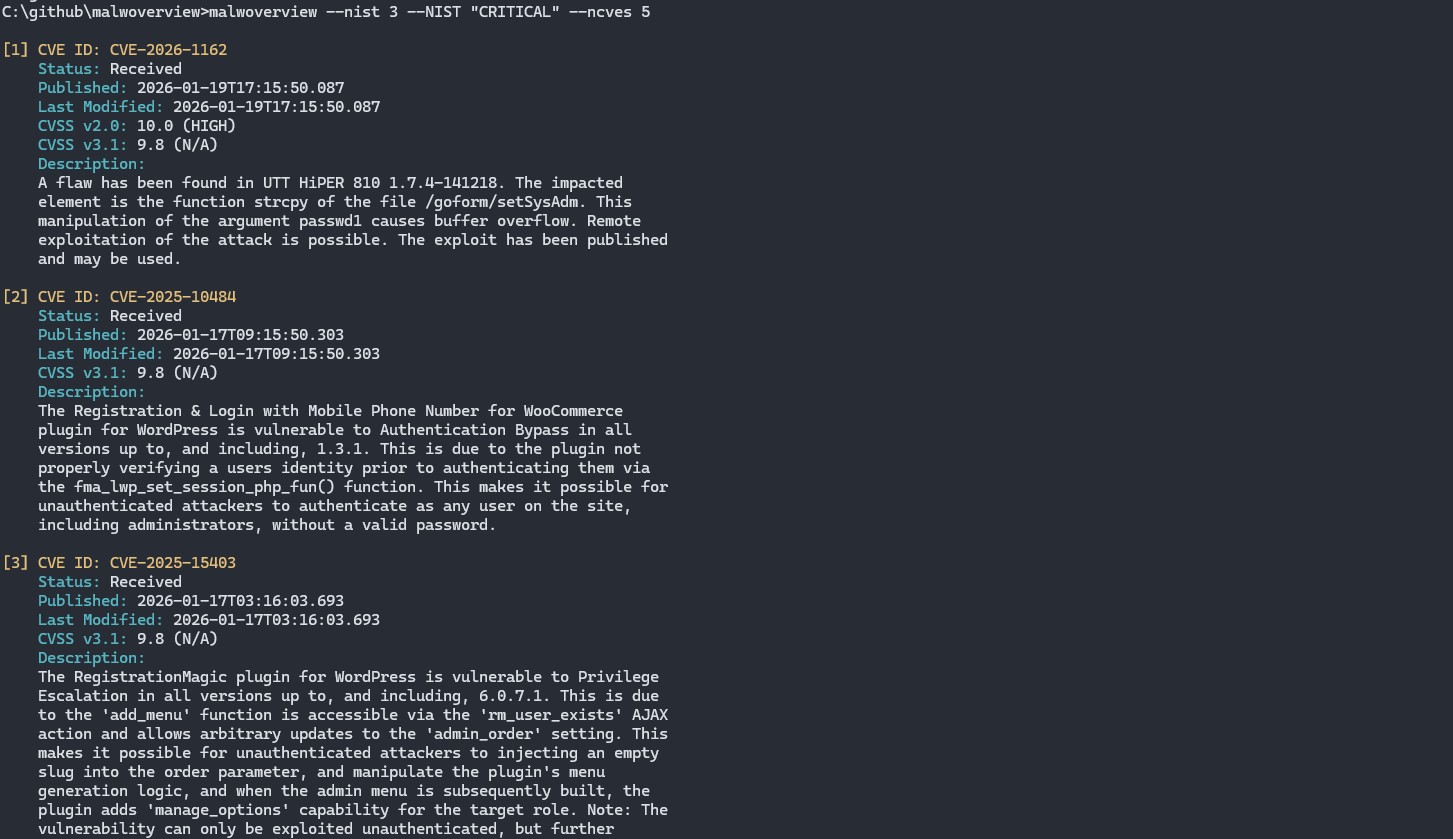
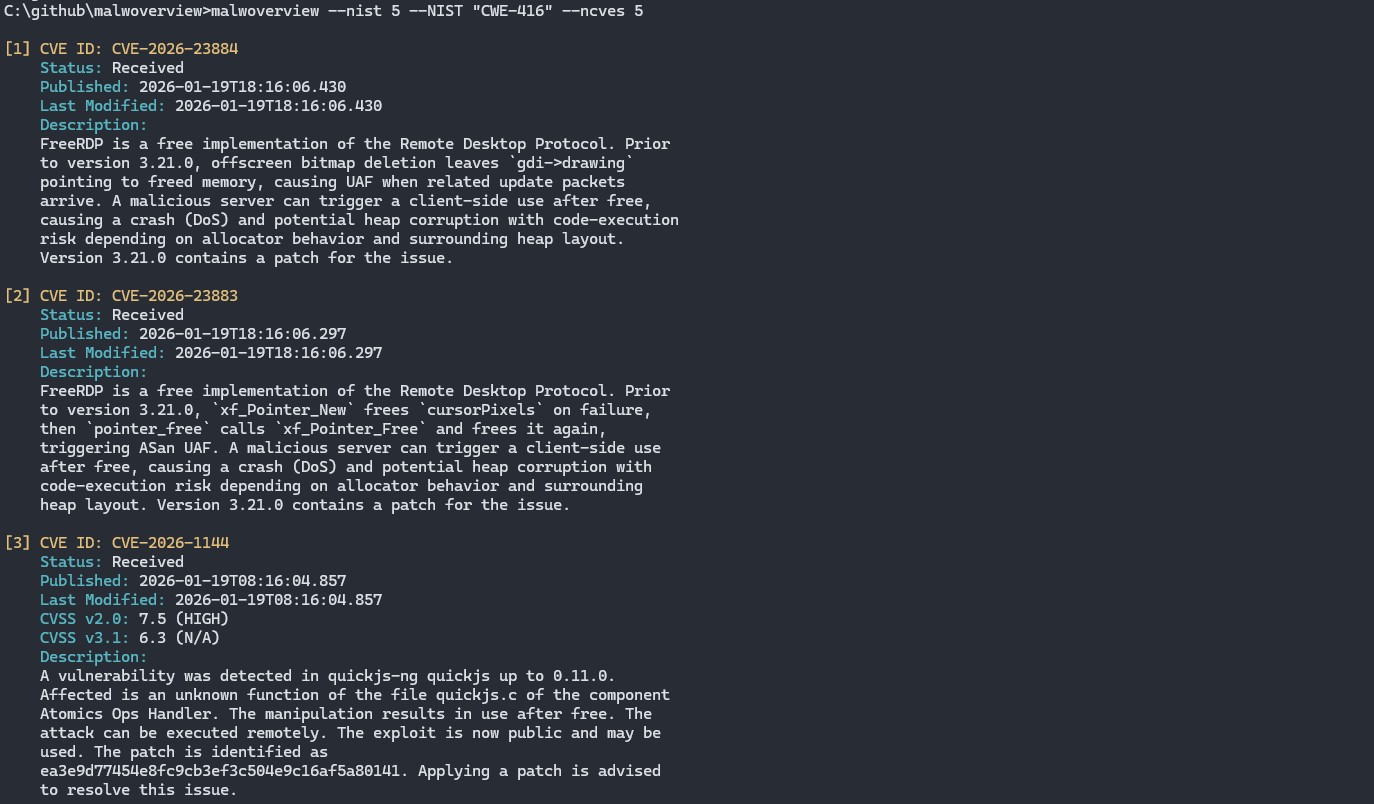
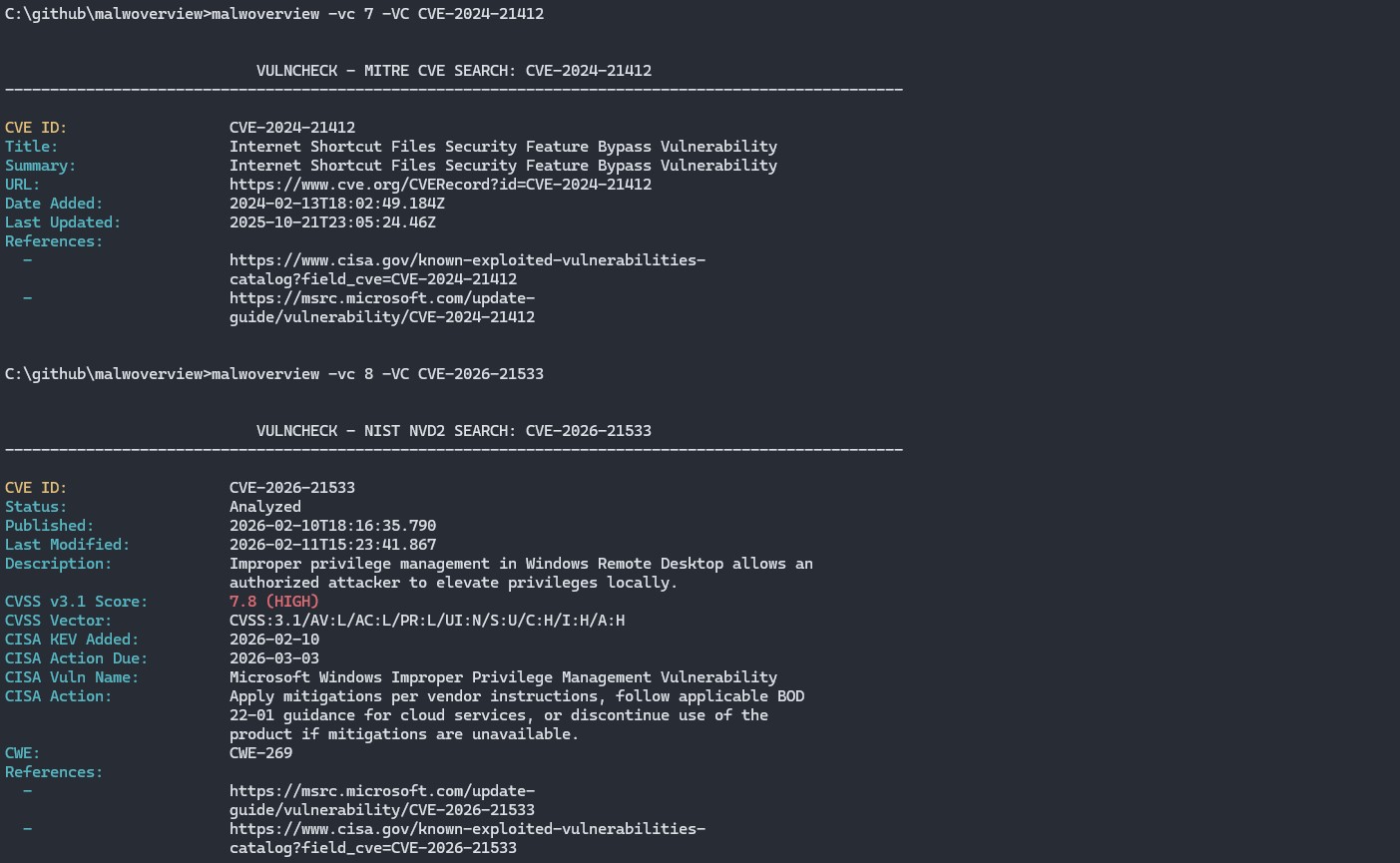
33. List and search vulnerabilities from NIST through different criterias.
34. Query VulnCheck database - Community/Free tier.
35. Gather threat hunting information from Shodan using different criteria.
36. Check IP reputation from AbuseIPDB.
37. Check IP classification from GreyNoise (community API).
38. Perform domain and IP Whois/RDAP lookups.
39. Cross-service hash correlation across VirusTotal, Hybrid Analysis, Triage, and AlienVault.
40. Batch hash check against Malware Bazaar from a file containing hashes.
41. Batch hash check against Hybrid Analysis from a file containing hashes.
42. Batch hash check against Triage from a file containing hashes.
43. Directory scan against Malware Bazaar, Hybrid Analysis, and Triage.
44. Extract IOCs (hashes, IPs, URLs, domains, CVEs) from text files.
45. Scan files or directories with YARA rules.
46. Interactive REPL mode for continuous threat hunting sessions.
47. JSON and CSV structured output formats.
48. Result caching with configurable TTL (SQLite-based).
49. HTTP/HTTPS/SOCKS5 proxy support for all API requests.
50. MITRE ATT&CK technique mapping for behavior reports.
51. TUI (Text User Interface) dashboard mode with panel-based navigation.
52. Gather threat hunting information from URLScan.io — submit URLs, retrieve scan results, and search scans.
53. LLM-powered threat enrichment — AI-generated risk assessment, MITRE ATT&CK mapping, and analyst recommendations appended to any query result. Supports Claude, Gemini, OpenAI, and Ollama (local).
54. Batch IP check against VirusTotal from a file containing IP addresses, showing a summary table (IP Address, Country, AS Owner, Detection).
55. Hunt on VirusTotal with YARA rules: submit and follow Retrohunt jobs, list the matched files, and create and list Livehunt rulesets and notifications.
56. Scan with a whole directory of YARA rules, each file compiled in its own namespace.
57. Search Malware Bazaar samples by YARA rule name, and download and extract the YARAify rule set from abuse.ch.
58. Download the complete Malpedia YARA ruleset for a given TLP level.
59. List the MalShare file types seen in the last 24 hours, and list the hashes of any of those types.
60. Batch hash check against URLHaus from a file containing hashes.
61. Certificate Transparency pivots through crt.sh, with no API key: enumerate the subdomains seen in issued certificates and list the certificates themselves.
62. Inspect, prune and empty the local result cache.
63. Interactive mode and TUI reach every service the command line reaches, and the TUI exports its results to json and csv.
64. Local PE triage of a file or directory with no API key, listing file type, size, overlay, overlay size and entropy, and highlighting the files above an entropy threshold.
65. Android scans hash every APK of a package, including the split APKs, instead of the base APK alone.
66. Authenticode signature checking with no API key, reporting whether a binary is signed and whether the signature is still valid, and naming the signer of a tampered file.
67. Every embedded signature of a multi-signed binary is reported, each with its own digest algorithm, certificate, thumbprint and serial number, so a second signer is never hidden behind the first.
68. The VirusTotal file check (-v 1) and hash report (-v 8) show the signature block: whether the certificate verified, the signer and counter signer chains, the signing date and every certificate with its status, algorithm, validity dates, serial number and thumbprint.
## CONTRIBUTORS
Alexandre Borges (https://github.com/alexandreborges) | project owner and main developer
Artur Marzano (https://github.com/Macmod) | co-main developer
Corey Forman (https://github.com/digitalsleuth) | responsible for REMnux integration
Christian Clauss (https://github.com/cclauss)
## HOW TO CONTRIBUTE TO THIS PROJECT
Since version 6.0.0, there is a new branch named "dev". All contributions and proposals
must be done into this "dev" branch.
Professionals who want to contribute must open an issue explaining your proposed improvement
and how it would make the project better. Once it has been accepted, so she/he is
authorized to submit the PR, which will be tested.
Once all changes are tested, this new version of Malwoverview is replicated to the master
branch and a new Python package is generated.
## INSTALLATION
This tool has been tested on REMnux, Ubuntu, Kali Linux, macOS and Windows. Malwoverview
can be installed by executing the following command:
* pip3.11 install git+https://github.com/alexandreborges/malwoverview
or...
* python -m pip install -U malwoverview
If you want to install the Malwoverview on macOS, you have to execute the following commands:
* /bin/bash -c "$(curl -fsSL https://raw.githubusercontent.com/Homebrew/install/HEAD/install.sh)"
* brew install libmagic
* pip3 install urllib3==1.26.6
* pip3 install -U malwoverview
* Add Python binary directory to the PATH variable by editing .bash_profile file in your home
directory. Example:
export PATH=$PATH:/Users/alexandreborges/Library/Python/3.9/bin
* Execute: . ./.bash_profile
If you are installing Malwoverview on Windows, make sure that the following conditions are true
AFTER having installed Malwoverview:
* python-magic is NOT installed. (pip show python-magic)
* python-magic-bin IS installed. (pip show python-magic-bin)
#### Note: It is recommended to save the .malwapi.conf before any update!
#### Optional Features
Some features require optional dependencies. Install them as needed:
* YARA scanning: pip install malwoverview[yara]
* Signature checking: pip install malwoverview[signature]
* PDF report export: pip install malwoverview[pdf]
* TUI dashboard: pip install malwoverview[tui]
* All optional: pip install malwoverview[all]
## REQUIRED APIs
It is possible to start using Malwoverview does without inserting all APIs. However,
to use all options of Malwoverview, you must insert the respective API of the following services:
VirusTotal, Hybrid Analysis, URLHaus, Malshare, Polyswarm, Alien Vault, Malpedia, Triage,
IPInfo, Malware Bazaar, ThreatFox, VulnCheck, Shodan, AbuseIPDB, GreyNoise and URLScan.io into the .malwapi.conf configuration file, which
must be present (or created) in the home directory (/home/[username]
or /root on Linux, and C:\Users\[username] on Windows. Alternatively, users can create
a custom configuration file and indicate it by using the -c option.
To highlight: if the .malwapi.conf file does not exist in your home directory, so you must
create it!
* A special note about the Alien Vault: it is necessary to subscribe to pulses on Alien Vault
website before using -n 1 option.
* A special note about Malshare and Shodan: both services require their API key to be sent in the
URL itself, and neither documents a header or a request body alternative (the Malshare hashlookup
endpoint is a POST, but the key still travels in the query string). Malwoverview replaces these two
keys with [REDACTED] in every error message it prints, so they do not end up in the output you paste
into a bug report, but the key is still recorded in the access logs of those services and in any
proxy that terminates TLS between you and them. Treat both keys as exposed to the service operator
and rotate them as you would any other credential.
The .malwapi.conf configuration file has the following format:
[VIRUSTOTAL]
VTAPI =
[HYBRID-ANALYSIS]
HAAPI =
[MALSHARE]
MALSHAREAPI =
[HAUSSUBMIT]
HAUSSUBMITAPI =
[POLYSWARM]
POLYAPI =
[ALIENVAULT]
ALIENAPI =
[MALPEDIA]
MALPEDIAAPI =
[TRIAGE]
TRIAGEAPI =
[IPINFO]
IPINFOAPI =
[BAZAAR]
BAZAARAPI =
[THREATFOX]
THREATFOXAPI =
[VULNCHECK]
VULNCHECKAPI =
[URLHAUS]
URLHAUSAPI =
[SHODAN]
SHODANAPI =
[ABUSEIPDB]
ABUSEIPDBAPI =
[GREYNOISE]
GREYNOISEAPI =
[URLSCANIO]
URLSCANIOAPI =
[LLM]
PROVIDER = claude
CLAUDE_API_KEY =
CLAUDE_MODEL = claude-opus-4-8
GEMINI_API_KEY =
OPENAI_API_KEY =
OPENAI_MODEL = gpt-4o-mini
OLLAMA_URL = http://localhost:11434
OLLAMA_MODEL = llama3.1
The APIs can be requested on the respective service websites:
01. Virus Total (community and paid API): https://www.virustotal.com/gui/join-us
02. Hybrid Analysis: https://www.hybrid-analysis.com/signup
03. Malshare: https://malshare.com/doc.php
04. URLHaus: https://urlhaus.abuse.ch/api/#account
05. Polyswarm: https://docs.polyswarm.io/consumers
06. Alien Vault: https://otx.alienvault.com/api
07. Malpedia: It doesn't offer open registration, but you can request an user account
directly through Twitter (DM) or feedback e-email. The Malpedia Twitter
handle is @malpedia.
08. Malware Bazaar: https://bazaar.abuse.ch/api/#auth\_key
09. ThreatFox: https://threatfox.abuse.ch/api/#auth\_key
10. Triage: https://tria.ge/signup.
11. IPInfo: https://ipinfo.io/
12. VulnCheck: https://vulncheck.com/signin (Community/Free tier available)
13. Shodan: https://account.shodan.io/register
14. AbuseIPDB: https://www.abuseipdb.com/register
15. GreyNoise: https://viz.greynoise.io/signup
16. URLScan.io: https://urlscan.io/user/signup
#### LLM Enrichment Providers (optional)
Malwoverview supports LLM-powered threat enrichment via the --enrich flag.
After any query, an AI-generated threat assessment is appended with risk level,
malware family identification, MITRE ATT&CK mapping, and analyst recommendations.
Three providers are supported. Configure one in the [LLM] section of .malwapi.conf:
**18. Anthropic Claude (paid, best quality)**
Best results for threat intelligence analysis. Accurately identifies malware
families, maps precise MITRE ATT&CK techniques, and provides actionable
recommendations based on real threat knowledge.
Setup:
a) Create an API account at https://console.anthropic.com/ (separate from
claude.ai subscription)
b) Go to Settings → Billing → Add credit ($5 minimum, pay-per-use)
c) Go to Settings → API Keys → Create Key
d) Copy the key (starts with sk-ant-api03-...)
e) Configure .malwapi.conf:
[LLM]
PROVIDER = claude
CLAUDE_API_KEY = sk-ant-api03-your-key-here
CLAUDE_MODEL = claude-opus-4-8
CLAUDE_MODEL is optional and defaults to claude-opus-4-8. Common choices:
- claude-opus-4-8 — Best quality (default)
- claude-sonnet-4-6 — Strong balance of quality and cost
- claude-haiku-4-5 — Fastest and cheapest
Cost: ~$0.02-0.04 per enrichment call using the default Opus model (less with
Sonnet or Haiku). $5 credit provides roughly 125-250 Opus enrichment calls.
**19. Google Gemini (requires billing)**
Good quality results. Requires a Google Cloud billing account.
Setup:
a) Go to https://aistudio.google.com/apikeys
b) Sign in with Google account
c) Click Create API Key → copy the key
d) Enable billing: click the project link next to your key → Google Cloud
Console → Billing → Link a billing account
e) Configure .malwapi.conf:
[LLM]
PROVIDER = gemini
GEMINI_API_KEY = your-gemini-key-here
GEMINI_MODEL = gemini-2.0-flash
Note: The free tier has a low rate limit (2-5 requests per minute). For
higher limits, enable pay-per-use billing.
**20. OpenAI (paid)**
Good quality results using GPT models. Requires an OpenAI account with
API credits.
Setup:
a) Create an account at https://platform.openai.com/signup
b) Go to https://platform.openai.com/api-keys → Create new secret key
c) Add billing at https://platform.openai.com/settings/organization/billing
d) Configure .malwapi.conf:
[LLM]
PROVIDER = openai
OPENAI_API_KEY = sk-your-key-here
OPENAI_MODEL = gpt-4o-mini
Available models:
- gpt-4o-mini — Cheapest (~$0.002 per enrichment), good quality (default)
- gpt-4o — Better quality (~$0.01 per enrichment)
**21. Ollama (free, local, private)**
Runs entirely on your machine. No API key needed, no data leaves your
system. Good for environments where sending threat data to cloud APIs
is not permitted. Quality depends on the model chosen.
Setup:
a) Download and install Ollama from https://ollama.com/download
(available for Windows, Linux, and macOS)
b) Open a terminal and pull a model:
ollama pull qwen2.5:14b
Recommended models:
- qwen2.5:14b — Best quality at reasonable size (9 GB, needs 16 GB RAM)
- llama3.1:8b — Good quality, smaller (5 GB, needs 8 GB RAM)
- llama3.1:70b — Excellent quality, large (40 GB, needs 48 GB RAM)
c) Ollama starts automatically and serves on http://localhost:11434
d) Configure .malwapi.conf:
[LLM]
PROVIDER = ollama
OLLAMA_URL = http://localhost:11434
OLLAMA_MODEL = qwen2.5:14b
Performance: GPU with 12+ GB VRAM provides fast responses (5-10s).
CPU-only is slower (30-60s) but functional. Larger models (14b, 70b)
require more VRAM and may timeout on CPU if insufficient memory is
available. The llama3.1:8b model is recommended for machines with
limited GPU memory (6 GB or less).
Expected response times:
- Claude API: 3-8 seconds
- Gemini API: 3-8 seconds
- Ollama (GPU with sufficient VRAM): 5-15 seconds
- Ollama (CPU-only, 8b model): 30-60 seconds
- Ollama (CPU-only, 14b+ model): 60-300 seconds
Usage examples:
# CLI: append --enrich to any query
malwoverview -v 8 -V --enrich
malwoverview -ip 1 -IP 8.8.8.8 --enrich
malwoverview --correlate-hash --enrich
# Interactive REPL: toggle enrichment on/off or switch provider
malwoverview --interactive
malwoverview> set enrich on # use provider from config
malwoverview> set enrich claude # switch to Claude
malwoverview> set enrich ollama # switch to Ollama
malwoverview> set enrich openai # switch to OpenAI
malwoverview> set enrich off # disable enrichment
malwoverview> vt hash # malware analysis + enrichment
malwoverview> nist cve CVE-2024-3400 # CVE lookup + enrichment
malwoverview> vulncheck cve CVE-2024-3400 # VulnCheck + enrichment
# TUI: click the Enrich button to cycle through providers
# Enrich (OFF) → claude → gemini → openai → ollama → OFF
# Green button = provider active and configured
# Yellow button = provider selected but API key missing
# Default button = enrichment disabled
malwoverview --tui
----------------------------------------------------
Note about API requests to the MALPEDIA:
----------------------------------------------------
The service and acceptance are based on the community vetting. Thus, it's
recommended that you submit an API request from your business e-mail address
and NOT from a public/free one (Gmail, Outlook and so on). Additionally, it
would be great if you provided more information about yourself (LinkedIn
account, X/Twitter, Mastodon, BlueSky, etc.) as this would facilitate
verification of your identity, professional profile, and legitimacy,
speeding up the approval of your request.
----------------------------------------------------
Note about Triage:
----------------------------------------------------
Every Triage operation is based on the Triage ID of each artifact, so you
need touse the "-x 1 -X \:\" to search for the
correct ID of the artifact then use this ID information with the
remaining Triage options (-x [2-7]) to get more threat hunting information
from Triage endpoint.
----------------------------------------------------
Note about URLHaus, Malware Bazaar and Threat Fox:
----------------------------------------------------
Starting in the second half of 2025, an Auth-Key (API) will be required to
use the URLHaus,Malware Bazaar and Threat Fox services.
----------------------------------------------------
Note about background color of the terminal:
----------------------------------------------------
Malwoverview was written to produce output for a dark
terminal background. However, there is the -o 0 option
that changes and adapts the output colors for a light background.
-----------------------------------------------------
To check the installation, execute:
malwoverview --help
Further information is available on:
(PYPI.org repository) https://pypi.org/project/malwoverview/
(Github) https://github.com/alexandreborges/malwoverview
If you want to perform the manual installation (it is not usually necessary),
so few steps should be executed, as shown in the next sub-section.
## MANUAL INSTALLATION (REMnux and Ubuntu)
1. Python version 3.11 or later (Only Python 3.x !!! It does NOT work using
Python 2.7)
$ apt-get install python3.11 (for example)
2. Python-magic.
To install python-magic package you can execute the following command:
$ pip3.11 install python-magic
Or you can compile it from the github repository:
$ git clone https://github.com/ahupp/python-magic
$ cd python-magic/
$ python3.11 setup.py build
$ python3.11 setup.py install
As there are serious issues related to existing two versions of
python-magic package, the recommendation is to install it from
Github (second procedure above) and copy the magic.py file to the
SAME directory of malwoverview tool.
3. Install all needed Python packages:
$ pip3.11 install -r requirements.txt
OR
$ pip3.11 install -U pefile
$ pip3.11 install -U colorama
$ pip3.11 install -U simplejson
$ pip3.11 install -U python-magic
$ pip3.11 install -U requests
$ pip3.11 install -U validators
$ pip3.11 install -U geocoder
$ pip3.11 install -U polyswarm-api
$ pip3.11 install -U pathlib
$ pip3.11 install -U configparser
4. To check an Android mobile you need to install the "adb" tool:
$ sudo apt get install adb
PS: before trying Android's options, check:
* If the adb tool is listed in the PATH environment variable.
* If the system has authorized access to the device by using "adb devices -l"
## HELP
usage: python malwoverview.py -c -d -o <0|1> -v <1-20>
-V -a <1-13> -A -l <1-8> -L -j <1-8>
-J -p <1-8> -P -y <1-5> -Y -n <1-5>
-N -m <1-9> -M -b <1-15> -B -x <1-9> -X
-ip <1-8> -IP -O
](https://pepy.tech/project/malwoverview)
[](https://github.com/alexandreborges/malwoverview/actions/workflows/github-code-scanning/codeql)























Copyright (C) 2018-2026 Alexandre Borges (https://exploitreversing.com)
This program is free software: you can redistribute it and/or modify
it under the terms of the GNU General Public License as published by
the Free Software Foundation, either version 3 of the License, or
(at your option) any later version.
This program is distributed in the hope that it will be useful,
but WITHOUT ANY WARRANTY; without even the implied warranty of
MERCHANTABILITY or FITNESS FOR A PARTICULAR PURPOSE. See the
GNU General Public License for more details.
See GNU Public License on .
## Current Version: 8.1.0 (Codename: Revolutions)
Important note: Malwoverview does NOT submit samples to any endpoint by default,
so it respects possible Non-Disclosure Agreements (NDAs). There're specific options
that explicitly submit samples, but these options are explained in the help.
## ABOUT
Malwoverview.py is a first response tool for threat hunting, which performs an initial and quick
triage of malware samples, URLs, IP addresses, domains, malware families, IOCs and hashes. Additionally,
Malwoverview is able to get dynamic and static behavior reports, submit and download samples
from several endpoints. In few words, it works as a client to main existing sandboxes.
This tool aims to :
01. Determine similar executable malware samples (PE/PE+) according to the import table (imphash) and group
them by different colors (pay attention to the second column from output). Thus, colors matter!
02. Show hash information on Virus Total, Hybrid Analysis, Malshare, Polyswarm, URLhaus, Alien Vault,
Malpedia and ThreatCrowd engines.
03. Determining whether the malware samples contain overlay and, if you want, extract it.
04. Check suspect files on Virus Total, Hybrid Analysis and Polyswarm.
05. Check URLs on Virus Total, Malshare, Polyswarm, URLhaus engines and Alien Vault.
06. Download malware samples from Hybrid Analysis, Malshare, URLHaus, Polyswarm and Malpedia engines.
07. Submit malware samples to VirusTotal, Hybrid Analysis and Polyswarm.
08. List last suspected URLs from URLHaus.
09. List last payloads from URLHaus.
10. Search for specific payloads on the Malshare.
11. Search for similar payloads (PE32/PE32+) on Polyswarm engine.
12. Classify all files in a directory searching information on Virus Total and Hybrid Analysis.
13. Make reports about a suspect domain using different engines such as VirusTotal, Malpedia and
ThreatCrowd.
14. Check APK packages directly from Android devices against Hybrid Analysis and Virus Total.
15. Submit APK packages directly from Android devices to Hybrid Analysis and Virus Total.
16. Show URLs related to an user provided tag from URLHaus.
17. Show payloads related to a tag (signature) from URLHaus.
18. Show information about an IP address from Virus Total, Alien Vault, Malpedia and ThreatCrowd.
19. Show IP address, domain and URL information from Polyswarm.
21. Perform meta-search on Polyswarm Network using several criteria: imphash, IPv4, domain, URL and
malware family.
22. Gather threat hunting information from AlienVault using different criteria.
23. Gather threat hunting information from Malpedia using different criteria.
24. Gather threat hunting information from Malware Bazaar using different criteria.
25. Gather IOC information from ThreatFox using different criteria.
26. Gather threat hunting information from Triage using different criteria.
27. Get evaluation to hashes from a given file against Virus Total.
28. Submit large files (>= 32 MB) to Virus Total.
29. Malwoverview uses Virus Total API v.3, so there isn't longer any option using v.2.
30. Retrieve information about a given IP address from IPInfo service.
31. Retrieve combined information about a given IP address from multiple services.
32. Offer extra option to save any downloaded file to a central location.
33. List and search vulnerabilities from NIST through different criterias.
34. Query VulnCheck database - Community/Free tier.
35. Gather threat hunting information from Shodan using different criteria.
36. Check IP reputation from AbuseIPDB.
37. Check IP classification from GreyNoise (community API).
38. Perform domain and IP Whois/RDAP lookups.
39. Cross-service hash correlation across VirusTotal, Hybrid Analysis, Triage, and AlienVault.
40. Batch hash check against Malware Bazaar from a file containing hashes.
41. Batch hash check against Hybrid Analysis from a file containing hashes.
42. Batch hash check against Triage from a file containing hashes.
43. Directory scan against Malware Bazaar, Hybrid Analysis, and Triage.
44. Extract IOCs (hashes, IPs, URLs, domains, CVEs) from text files.
45. Scan files or directories with YARA rules.
46. Interactive REPL mode for continuous threat hunting sessions.
47. JSON and CSV structured output formats.
48. Result caching with configurable TTL (SQLite-based).
49. HTTP/HTTPS/SOCKS5 proxy support for all API requests.
50. MITRE ATT&CK technique mapping for behavior reports.
51. TUI (Text User Interface) dashboard mode with panel-based navigation.
52. Gather threat hunting information from URLScan.io — submit URLs, retrieve scan results, and search scans.
53. LLM-powered threat enrichment — AI-generated risk assessment, MITRE ATT&CK mapping, and analyst recommendations appended to any query result. Supports Claude, Gemini, OpenAI, and Ollama (local).
54. Batch IP check against VirusTotal from a file containing IP addresses, showing a summary table (IP Address, Country, AS Owner, Detection).
55. Hunt on VirusTotal with YARA rules: submit and follow Retrohunt jobs, list the matched files, and create and list Livehunt rulesets and notifications.
56. Scan with a whole directory of YARA rules, each file compiled in its own namespace.
57. Search Malware Bazaar samples by YARA rule name, and download and extract the YARAify rule set from abuse.ch.
58. Download the complete Malpedia YARA ruleset for a given TLP level.
59. List the MalShare file types seen in the last 24 hours, and list the hashes of any of those types.
60. Batch hash check against URLHaus from a file containing hashes.
61. Certificate Transparency pivots through crt.sh, with no API key: enumerate the subdomains seen in issued certificates and list the certificates themselves.
62. Inspect, prune and empty the local result cache.
63. Interactive mode and TUI reach every service the command line reaches, and the TUI exports its results to json and csv.
64. Local PE triage of a file or directory with no API key, listing file type, size, overlay, overlay size and entropy, and highlighting the files above an entropy threshold.
65. Android scans hash every APK of a package, including the split APKs, instead of the base APK alone.
66. Authenticode signature checking with no API key, reporting whether a binary is signed and whether the signature is still valid, and naming the signer of a tampered file.
67. Every embedded signature of a multi-signed binary is reported, each with its own digest algorithm, certificate, thumbprint and serial number, so a second signer is never hidden behind the first.
68. The VirusTotal file check (-v 1) and hash report (-v 8) show the signature block: whether the certificate verified, the signer and counter signer chains, the signing date and every certificate with its status, algorithm, validity dates, serial number and thumbprint.
## CONTRIBUTORS
Alexandre Borges (https://github.com/alexandreborges) | project owner and main developer
Artur Marzano (https://github.com/Macmod) | co-main developer
Corey Forman (https://github.com/digitalsleuth) | responsible for REMnux integration
Christian Clauss (https://github.com/cclauss)
## HOW TO CONTRIBUTE TO THIS PROJECT
Since version 6.0.0, there is a new branch named "dev". All contributions and proposals
must be done into this "dev" branch.
Professionals who want to contribute must open an issue explaining your proposed improvement
and how it would make the project better. Once it has been accepted, so she/he is
authorized to submit the PR, which will be tested.
Once all changes are tested, this new version of Malwoverview is replicated to the master
branch and a new Python package is generated.
## INSTALLATION
This tool has been tested on REMnux, Ubuntu, Kali Linux, macOS and Windows. Malwoverview
can be installed by executing the following command:
* pip3.11 install git+https://github.com/alexandreborges/malwoverview
or...
* python -m pip install -U malwoverview
If you want to install the Malwoverview on macOS, you have to execute the following commands:
* /bin/bash -c "$(curl -fsSL https://raw.githubusercontent.com/Homebrew/install/HEAD/install.sh)"
* brew install libmagic
* pip3 install urllib3==1.26.6
* pip3 install -U malwoverview
* Add Python binary directory to the PATH variable by editing .bash_profile file in your home
directory. Example:
export PATH=$PATH:/Users/alexandreborges/Library/Python/3.9/bin
* Execute: . ./.bash_profile
If you are installing Malwoverview on Windows, make sure that the following conditions are true
AFTER having installed Malwoverview:
* python-magic is NOT installed. (pip show python-magic)
* python-magic-bin IS installed. (pip show python-magic-bin)
#### Note: It is recommended to save the .malwapi.conf before any update!
#### Optional Features
Some features require optional dependencies. Install them as needed:
* YARA scanning: pip install malwoverview[yara]
* Signature checking: pip install malwoverview[signature]
* PDF report export: pip install malwoverview[pdf]
* TUI dashboard: pip install malwoverview[tui]
* All optional: pip install malwoverview[all]
## REQUIRED APIs
It is possible to start using Malwoverview does without inserting all APIs. However,
to use all options of Malwoverview, you must insert the respective API of the following services:
VirusTotal, Hybrid Analysis, URLHaus, Malshare, Polyswarm, Alien Vault, Malpedia, Triage,
IPInfo, Malware Bazaar, ThreatFox, VulnCheck, Shodan, AbuseIPDB, GreyNoise and URLScan.io into the .malwapi.conf configuration file, which
must be present (or created) in the home directory (/home/[username]
or /root on Linux, and C:\Users\[username] on Windows. Alternatively, users can create
a custom configuration file and indicate it by using the -c option.
To highlight: if the .malwapi.conf file does not exist in your home directory, so you must
create it!
* A special note about the Alien Vault: it is necessary to subscribe to pulses on Alien Vault
website before using -n 1 option.
* A special note about Malshare and Shodan: both services require their API key to be sent in the
URL itself, and neither documents a header or a request body alternative (the Malshare hashlookup
endpoint is a POST, but the key still travels in the query string). Malwoverview replaces these two
keys with [REDACTED] in every error message it prints, so they do not end up in the output you paste
into a bug report, but the key is still recorded in the access logs of those services and in any
proxy that terminates TLS between you and them. Treat both keys as exposed to the service operator
and rotate them as you would any other credential.
The .malwapi.conf configuration file has the following format:
[VIRUSTOTAL]
VTAPI =
[HYBRID-ANALYSIS]
HAAPI =
[MALSHARE]
MALSHAREAPI =
[HAUSSUBMIT]
HAUSSUBMITAPI =
[POLYSWARM]
POLYAPI =
[ALIENVAULT]
ALIENAPI =
[MALPEDIA]
MALPEDIAAPI =
[TRIAGE]
TRIAGEAPI =
[IPINFO]
IPINFOAPI =
[BAZAAR]
BAZAARAPI =
[THREATFOX]
THREATFOXAPI =
[VULNCHECK]
VULNCHECKAPI =
[URLHAUS]
URLHAUSAPI =
[SHODAN]
SHODANAPI =
[ABUSEIPDB]
ABUSEIPDBAPI =
[GREYNOISE]
GREYNOISEAPI =
[URLSCANIO]
URLSCANIOAPI =
[LLM]
PROVIDER = claude
CLAUDE_API_KEY =
CLAUDE_MODEL = claude-opus-4-8
GEMINI_API_KEY =
OPENAI_API_KEY =
OPENAI_MODEL = gpt-4o-mini
OLLAMA_URL = http://localhost:11434
OLLAMA_MODEL = llama3.1
The APIs can be requested on the respective service websites:
01. Virus Total (community and paid API): https://www.virustotal.com/gui/join-us
02. Hybrid Analysis: https://www.hybrid-analysis.com/signup
03. Malshare: https://malshare.com/doc.php
04. URLHaus: https://urlhaus.abuse.ch/api/#account
05. Polyswarm: https://docs.polyswarm.io/consumers
06. Alien Vault: https://otx.alienvault.com/api
07. Malpedia: It doesn't offer open registration, but you can request an user account
directly through Twitter (DM) or feedback e-email. The Malpedia Twitter
handle is @malpedia.
08. Malware Bazaar: https://bazaar.abuse.ch/api/#auth\_key
09. ThreatFox: https://threatfox.abuse.ch/api/#auth\_key
10. Triage: https://tria.ge/signup.
11. IPInfo: https://ipinfo.io/
12. VulnCheck: https://vulncheck.com/signin (Community/Free tier available)
13. Shodan: https://account.shodan.io/register
14. AbuseIPDB: https://www.abuseipdb.com/register
15. GreyNoise: https://viz.greynoise.io/signup
16. URLScan.io: https://urlscan.io/user/signup
#### LLM Enrichment Providers (optional)
Malwoverview supports LLM-powered threat enrichment via the --enrich flag.
After any query, an AI-generated threat assessment is appended with risk level,
malware family identification, MITRE ATT&CK mapping, and analyst recommendations.
Three providers are supported. Configure one in the [LLM] section of .malwapi.conf:
**18. Anthropic Claude (paid, best quality)**
Best results for threat intelligence analysis. Accurately identifies malware
families, maps precise MITRE ATT&CK techniques, and provides actionable
recommendations based on real threat knowledge.
Setup:
a) Create an API account at https://console.anthropic.com/ (separate from
claude.ai subscription)
b) Go to Settings → Billing → Add credit ($5 minimum, pay-per-use)
c) Go to Settings → API Keys → Create Key
d) Copy the key (starts with sk-ant-api03-...)
e) Configure .malwapi.conf:
[LLM]
PROVIDER = claude
CLAUDE_API_KEY = sk-ant-api03-your-key-here
CLAUDE_MODEL = claude-opus-4-8
CLAUDE_MODEL is optional and defaults to claude-opus-4-8. Common choices:
- claude-opus-4-8 — Best quality (default)
- claude-sonnet-4-6 — Strong balance of quality and cost
- claude-haiku-4-5 — Fastest and cheapest
Cost: ~$0.02-0.04 per enrichment call using the default Opus model (less with
Sonnet or Haiku). $5 credit provides roughly 125-250 Opus enrichment calls.
**19. Google Gemini (requires billing)**
Good quality results. Requires a Google Cloud billing account.
Setup:
a) Go to https://aistudio.google.com/apikeys
b) Sign in with Google account
c) Click Create API Key → copy the key
d) Enable billing: click the project link next to your key → Google Cloud
Console → Billing → Link a billing account
e) Configure .malwapi.conf:
[LLM]
PROVIDER = gemini
GEMINI_API_KEY = your-gemini-key-here
GEMINI_MODEL = gemini-2.0-flash
Note: The free tier has a low rate limit (2-5 requests per minute). For
higher limits, enable pay-per-use billing.
**20. OpenAI (paid)**
Good quality results using GPT models. Requires an OpenAI account with
API credits.
Setup:
a) Create an account at https://platform.openai.com/signup
b) Go to https://platform.openai.com/api-keys → Create new secret key
c) Add billing at https://platform.openai.com/settings/organization/billing
d) Configure .malwapi.conf:
[LLM]
PROVIDER = openai
OPENAI_API_KEY = sk-your-key-here
OPENAI_MODEL = gpt-4o-mini
Available models:
- gpt-4o-mini — Cheapest (~$0.002 per enrichment), good quality (default)
- gpt-4o — Better quality (~$0.01 per enrichment)
**21. Ollama (free, local, private)**
Runs entirely on your machine. No API key needed, no data leaves your
system. Good for environments where sending threat data to cloud APIs
is not permitted. Quality depends on the model chosen.
Setup:
a) Download and install Ollama from https://ollama.com/download
(available for Windows, Linux, and macOS)
b) Open a terminal and pull a model:
ollama pull qwen2.5:14b
Recommended models:
- qwen2.5:14b — Best quality at reasonable size (9 GB, needs 16 GB RAM)
- llama3.1:8b — Good quality, smaller (5 GB, needs 8 GB RAM)
- llama3.1:70b — Excellent quality, large (40 GB, needs 48 GB RAM)
c) Ollama starts automatically and serves on http://localhost:11434
d) Configure .malwapi.conf:
[LLM]
PROVIDER = ollama
OLLAMA_URL = http://localhost:11434
OLLAMA_MODEL = qwen2.5:14b
Performance: GPU with 12+ GB VRAM provides fast responses (5-10s).
CPU-only is slower (30-60s) but functional. Larger models (14b, 70b)
require more VRAM and may timeout on CPU if insufficient memory is
available. The llama3.1:8b model is recommended for machines with
limited GPU memory (6 GB or less).
Expected response times:
- Claude API: 3-8 seconds
- Gemini API: 3-8 seconds
- Ollama (GPU with sufficient VRAM): 5-15 seconds
- Ollama (CPU-only, 8b model): 30-60 seconds
- Ollama (CPU-only, 14b+ model): 60-300 seconds
Usage examples:
# CLI: append --enrich to any query
malwoverview -v 8 -V --enrich
malwoverview -ip 1 -IP 8.8.8.8 --enrich
malwoverview --correlate-hash --enrich
# Interactive REPL: toggle enrichment on/off or switch provider
malwoverview --interactive
malwoverview> set enrich on # use provider from config
malwoverview> set enrich claude # switch to Claude
malwoverview> set enrich ollama # switch to Ollama
malwoverview> set enrich openai # switch to OpenAI
malwoverview> set enrich off # disable enrichment
malwoverview> vt hash # malware analysis + enrichment
malwoverview> nist cve CVE-2024-3400 # CVE lookup + enrichment
malwoverview> vulncheck cve CVE-2024-3400 # VulnCheck + enrichment
# TUI: click the Enrich button to cycle through providers
# Enrich (OFF) → claude → gemini → openai → ollama → OFF
# Green button = provider active and configured
# Yellow button = provider selected but API key missing
# Default button = enrichment disabled
malwoverview --tui
----------------------------------------------------
Note about API requests to the MALPEDIA:
----------------------------------------------------
The service and acceptance are based on the community vetting. Thus, it's
recommended that you submit an API request from your business e-mail address
and NOT from a public/free one (Gmail, Outlook and so on). Additionally, it
would be great if you provided more information about yourself (LinkedIn
account, X/Twitter, Mastodon, BlueSky, etc.) as this would facilitate
verification of your identity, professional profile, and legitimacy,
speeding up the approval of your request.
----------------------------------------------------
Note about Triage:
----------------------------------------------------
Every Triage operation is based on the Triage ID of each artifact, so you
need touse the "-x 1 -X \:\" to search for the
correct ID of the artifact then use this ID information with the
remaining Triage options (-x [2-7]) to get more threat hunting information
from Triage endpoint.
----------------------------------------------------
Note about URLHaus, Malware Bazaar and Threat Fox:
----------------------------------------------------
Starting in the second half of 2025, an Auth-Key (API) will be required to
use the URLHaus,Malware Bazaar and Threat Fox services.
----------------------------------------------------
Note about background color of the terminal:
----------------------------------------------------
Malwoverview was written to produce output for a dark
terminal background. However, there is the -o 0 option
that changes and adapts the output colors for a light background.
-----------------------------------------------------
To check the installation, execute:
malwoverview --help
Further information is available on:
(PYPI.org repository) https://pypi.org/project/malwoverview/
(Github) https://github.com/alexandreborges/malwoverview
If you want to perform the manual installation (it is not usually necessary),
so few steps should be executed, as shown in the next sub-section.
## MANUAL INSTALLATION (REMnux and Ubuntu)
1. Python version 3.11 or later (Only Python 3.x !!! It does NOT work using
Python 2.7)
$ apt-get install python3.11 (for example)
2. Python-magic.
To install python-magic package you can execute the following command:
$ pip3.11 install python-magic
Or you can compile it from the github repository:
$ git clone https://github.com/ahupp/python-magic
$ cd python-magic/
$ python3.11 setup.py build
$ python3.11 setup.py install
As there are serious issues related to existing two versions of
python-magic package, the recommendation is to install it from
Github (second procedure above) and copy the magic.py file to the
SAME directory of malwoverview tool.
3. Install all needed Python packages:
$ pip3.11 install -r requirements.txt
OR
$ pip3.11 install -U pefile
$ pip3.11 install -U colorama
$ pip3.11 install -U simplejson
$ pip3.11 install -U python-magic
$ pip3.11 install -U requests
$ pip3.11 install -U validators
$ pip3.11 install -U geocoder
$ pip3.11 install -U polyswarm-api
$ pip3.11 install -U pathlib
$ pip3.11 install -U configparser
4. To check an Android mobile you need to install the "adb" tool:
$ sudo apt get install adb
PS: before trying Android's options, check:
* If the adb tool is listed in the PATH environment variable.
* If the system has authorized access to the device by using "adb devices -l"
## HELP
usage: python malwoverview.py -c -d -o <0|1> -v <1-20>
-V -a <1-13> -A -l <1-8> -L -j <1-8>
-J -p <1-8> -P -y <1-5> -Y -n <1-5>
-N -m <1-9> -M -b <1-15> -B -x <1-9> -X
-ip <1-8> -IP -O