[](https://github.com/alexballas/Go2TV/releases/latest)
[](https://github.com/alexballas/go2tv/actions/workflows/go.yml)
Cast media files to Smart TVs and Chromecast devices.
---
## What is Go2TV?
Go2TV lets you play video, audio, and image files on your Smart TV or Chromecast device directly from your computer or phone. It works with:
- **Smart TVs** - Samsung, LG, Sony, and others that support DLNA/UPnP
- **Chromecast** - Google Chromecast, Chromecast with Google TV, and compatible devices
- **Apps** - BubbleUPnP, GMediaRender, and other media receiver apps
No need to copy files to a USB drive or set up a media server. Just select your file, pick your device, and play.
## Features
- **Internet radio** - Browse Radio Browser stations by name, genre, or country; save favorites and cast to DLNA or Chromecast
- **Auto-discovery** - Automatically finds Smart TVs and Chromecast devices on your network
- **Transcoding** - Converts incompatible video formats on-the-fly (requires FFmpeg)
- **Subtitles** - Supports external SRT/VTT/ASS/SSA files and embedded MKV subtitles
- **Seek support** - Jump to any position in the video
- **Torrent playback** - Paste a magnet link or open a .torrent, choose a media file, and cast while downloading. Missing ranges download on demand, including FFmpeg input seeks.
- **Playlist playback** - Single-file and multi-file playlists with add/remove/reorder/select support
- **Loop and auto-play** - Loop the current file or auto-play through the playlist
- **DLNA Gapless Playback** - Supported for DLNA devices
- **RTMP Server** - Cast live streams from OBS directly to Chromecast (requires FFmpeg)
- **Cast Desktop (experimental)** - Cast desktop as a live stream to DLNA or Chromecast devices (requires FFmpeg)
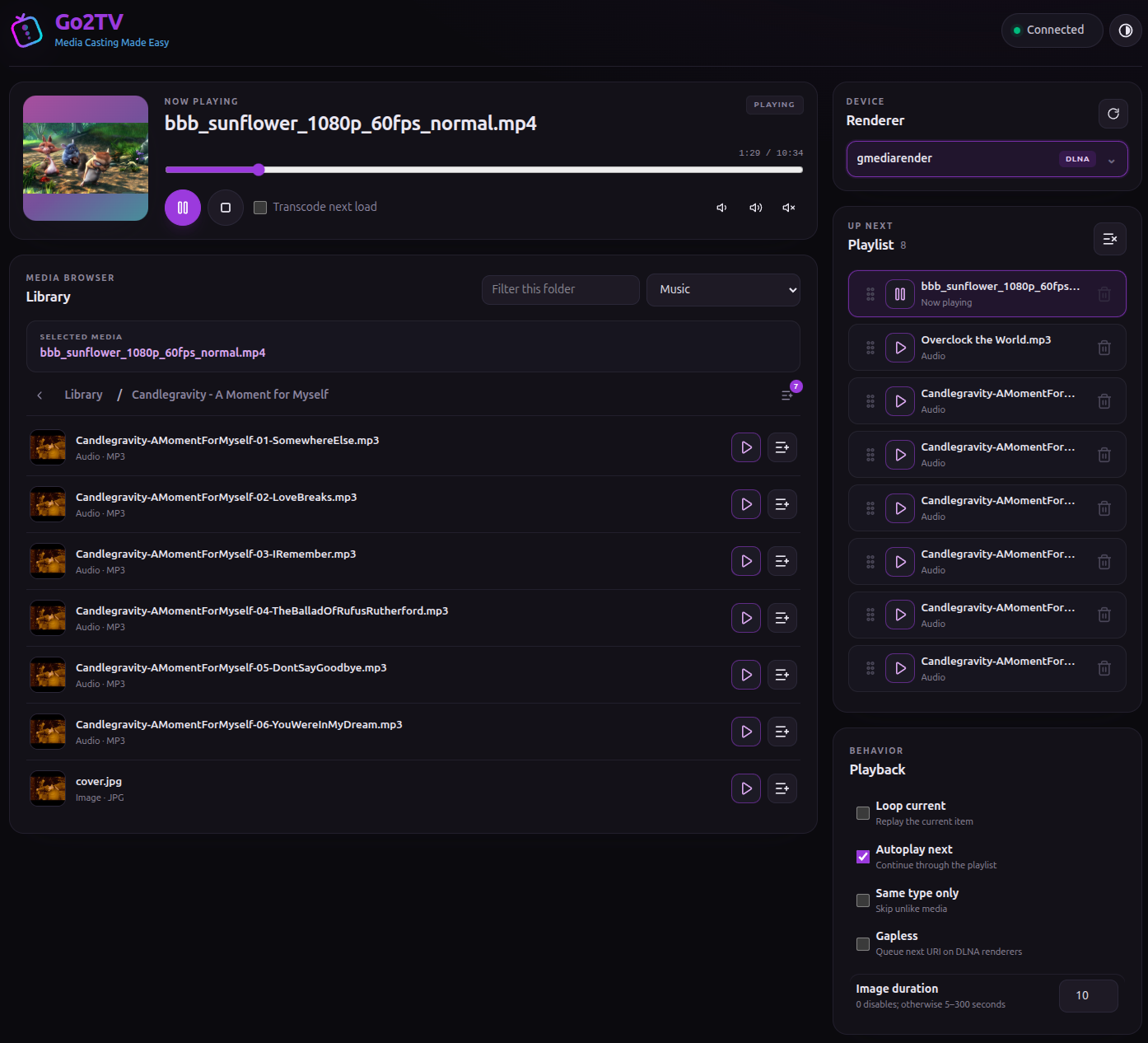
- **Web UI (server mode)** - Browse media roots, tune in to internet radio and control casting from any browser on your network
- **GUI and CLI** - Use the graphical interface or command line
---
## Screenshots
**GUI Mode**


**CLI Mode**

**Web UI (Server Mode)**