# 🌟 SuperConsole
[](https://badge.fury.io/gh/alexchmykhalo%2Fsuperconsole)
**SuperConsole** is a software collection based on [ConEmu](https://github.com/Maximus5/ConEmu), [MSYS2](https://github.com/msys2), [Mintty](https://mintty.github.io/), [Zsh](https://github.com/zsh-users/zsh), [Git for Windows](https://github.com/git-for-windows/git), [grml-zsh-config](https://grml.org/zsh/), [Antigen](https://github.com/zsh-users/antigen) and [agkozak-zsh-theme](https://github.com/agkozak/agkozak-zsh-prompt) projects, customized and configured for everyday use.
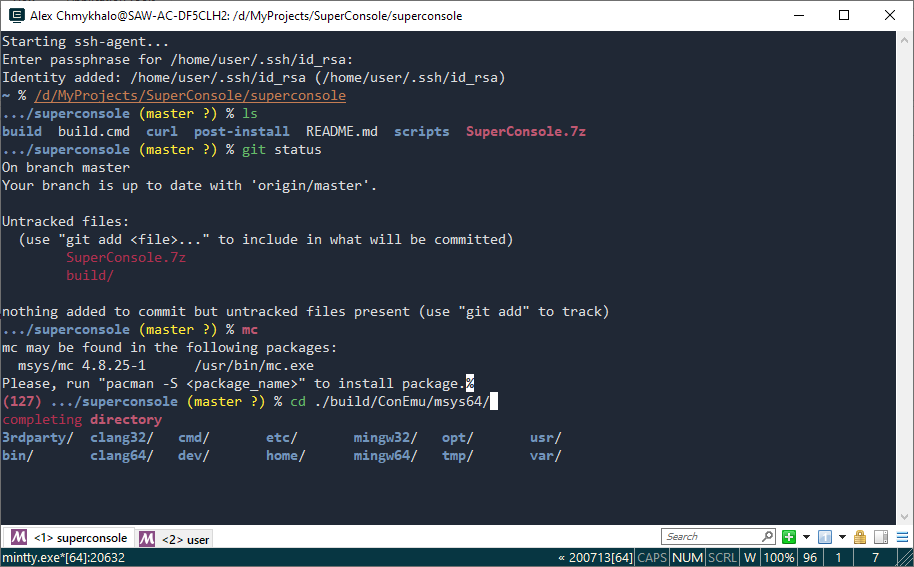
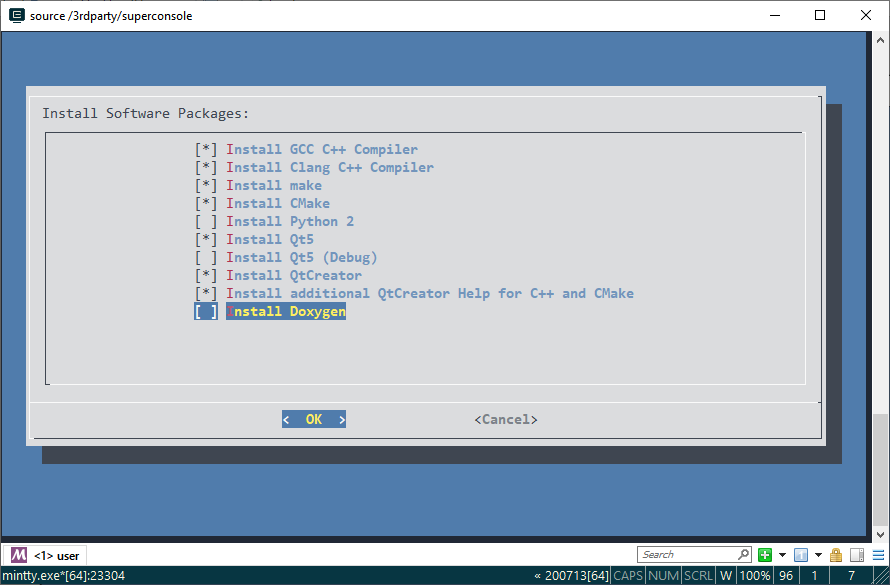
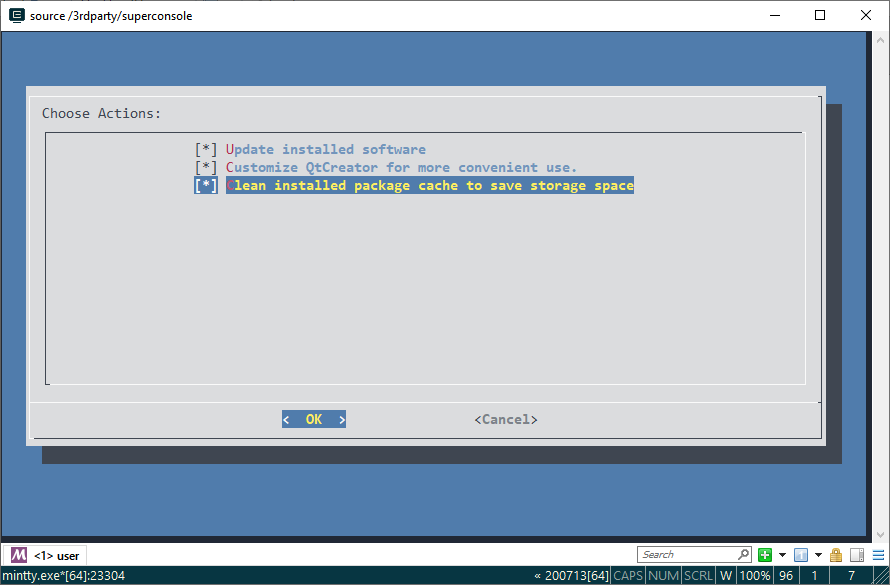 ## List of customizations (so far):
* Pre-configured ConEmu with my favourite settings (see post-install/ConEmu.xml)
* ConEmu/zsh out-of-the-box configured to restore previously opened tabs and shell working directories after ConEmu restart
* Used mintty as a ConEmu child GUI to run MSYS2 zsh.
* Choose between clean and inherited environment when start new SuperConsole session
* Custom colorful scheme, colorful output for various commands
* MSYS2 included, zsh and necessary software preinstalled, used zsh-grml-config
* Used Antigen for zsh theme and config management
* Enabled number of zsh plugins to activate completion, highlighting and history for most comfortable use.
* Git-for-Windows repo with proper git and git lfs support for MSYS2 environment is configured, git client already installed.
* ssh-agent for git works out-of-box, add your keys to ConEmu/msys64/home/user/.ssh dir
* Non-blocking zsh prompt status updates thanks to agkozak-zsh-prompt
* Customized for MSYS2 command-not-found handler suggests what package to install
* Set up nano as main editor, enabled nano syntax highlighting
* Custom helper scripts added to ConEmu/msys64/3rdparty
## How to use
1. Download and unpack SuperConsole.7z (see [Releases](https://github.com/alexchmykhalo/superconsole/releases))
2. Run ConEmu\ConEmu64.exe
## Build
1. Download sources.
2. (Optional) Customize everything you need. Most settings recides in `post-install` dir.
3. Run build.cmd. Usually you do not need to install any additonal software to build SuperConsole.
## List of customizations (so far):
* Pre-configured ConEmu with my favourite settings (see post-install/ConEmu.xml)
* ConEmu/zsh out-of-the-box configured to restore previously opened tabs and shell working directories after ConEmu restart
* Used mintty as a ConEmu child GUI to run MSYS2 zsh.
* Choose between clean and inherited environment when start new SuperConsole session
* Custom colorful scheme, colorful output for various commands
* MSYS2 included, zsh and necessary software preinstalled, used zsh-grml-config
* Used Antigen for zsh theme and config management
* Enabled number of zsh plugins to activate completion, highlighting and history for most comfortable use.
* Git-for-Windows repo with proper git and git lfs support for MSYS2 environment is configured, git client already installed.
* ssh-agent for git works out-of-box, add your keys to ConEmu/msys64/home/user/.ssh dir
* Non-blocking zsh prompt status updates thanks to agkozak-zsh-prompt
* Customized for MSYS2 command-not-found handler suggests what package to install
* Set up nano as main editor, enabled nano syntax highlighting
* Custom helper scripts added to ConEmu/msys64/3rdparty
## How to use
1. Download and unpack SuperConsole.7z (see [Releases](https://github.com/alexchmykhalo/superconsole/releases))
2. Run ConEmu\ConEmu64.exe
## Build
1. Download sources.
2. (Optional) Customize everything you need. Most settings recides in `post-install` dir.
3. Run build.cmd. Usually you do not need to install any additonal software to build SuperConsole.