[](https://github.com/alexey-pelykh/qontoctl/actions/workflows/ci.yml)
[](https://codecov.io/gh/alexey-pelykh/qontoctl)
[](https://www.npmjs.com/package/qontoctl)
[](https://www.npmjs.com/package/qontoctl)
[](https://github.com/alexey-pelykh/qontoctl)
[](LICENSE)
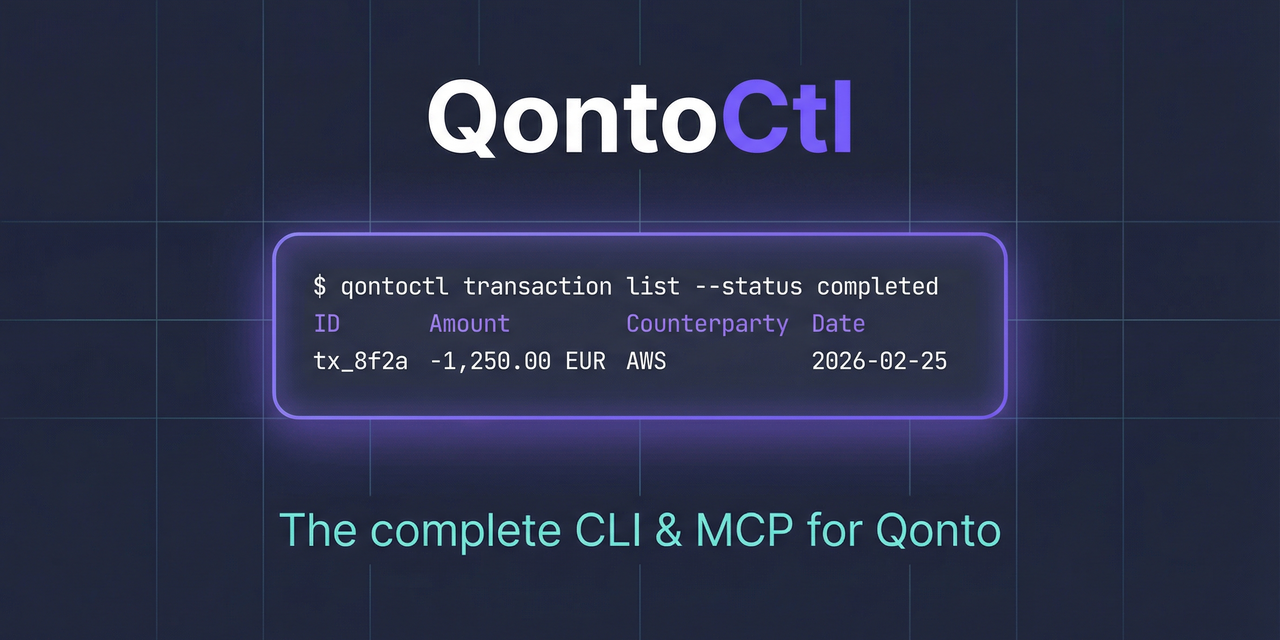
CLI and MCP server for the [Qonto](https://qonto.com) banking API.
This project is brought to you by [Alexey Pelykh](https://github.com/alexey-pelykh).
## What It Does
QontoCtl lets AI assistants (Claude, etc.) interact with Qonto through the [Model Context Protocol](https://modelcontextprotocol.io). It can:
- **Organizations** — retrieve organization details and settings
- **Accounts** — list, create, update, close bank accounts; download IBAN certificates
- **Transactions** — list, search, filter bank transactions; manage transaction attachments
- **Bank Statements** — list, view, and download bank statements
- **Labels** — manage transaction labels and categories
- **Memberships** — view team members, show current membership, invite new members
- **SEPA Beneficiaries** — list, add, update, trust/untrust SEPA beneficiaries
- **SEPA Transfers** — list, create, cancel transfers; download proofs; verify payees
- **Internal Transfers** — create transfers between accounts in the same organization
- **Bulk Transfers** — list and view bulk transfer batches
- **Recurring Transfers** — list and view recurring transfers
- **Clients** — list, create, update, delete clients
- **Client Invoices** — full lifecycle: create, update, finalize, send, mark paid, cancel, upload files
- **Quotes** — create, update, delete, send quotes
- **Credit Notes** — list and view credit notes
- **Supplier Invoices** — list, view, and bulk-create supplier invoices
- **Requests** — list organization requests
- **Attachments** — upload and view attachments
- **E-Invoicing** — retrieve e-invoicing settings
## Prerequisites
- **Node.js** >= 24
- A **Qonto** business account with API access
## Installation
```sh
npm install -g qontoctl
```
Or run directly with npx:
```sh
npx qontoctl --help
```
Or install via [Homebrew](https://brew.sh):
```sh
brew install qontoctl/tap/qontoctl
```
## Quick Start
```sh
# 1. Install
npm install -g qontoctl
# 2. Create a profile with your Qonto API credentials
qontoctl profile add mycompany
# 3. Test the connection
qontoctl profile test --profile mycompany
# 4. List your accounts
qontoctl account list --profile mycompany
```
## MCP Integration
QontoCtl implements the [Model Context Protocol](https://modelcontextprotocol.io) (MCP), letting AI assistants interact with your Qonto account through natural language.
### MCP Client Configuration
Claude Desktop
Add to your Claude Desktop configuration (`claude_desktop_config.json`):
```json
{
"mcpServers": {
"qontoctl": {
"command": "npx",
"args": ["qontoctl", "mcp"]
}
}
}
```
Claude Code
```sh
claude mcp add qontoctl -- npx qontoctl mcp
```
Cursor
Add to `.cursor/mcp.json` in your project root:
```json
{
"mcpServers": {
"qontoctl": {
"command": "npx",
"args": ["qontoctl", "mcp"]
}
}
}
```
Windsurf
Add to `~/.codeium/windsurf/mcp_config.json`:
```json
{
"mcpServers": {
"qontoctl": {
"command": "npx",
"args": ["qontoctl", "mcp"]
}
}
}
```
### Available MCP Tools
| Tool | Description |
| ------------------------------- | ----------------------------------------------------------------- |
| **Organization** | |
| `org_show` | Show organization details including name, slug, and bank accounts |
| **Accounts** | |
| `account_list` | List all bank accounts for the organization |
| `account_show` | Show details of a specific bank account |
| `account_iban_certificate` | Download IBAN certificate PDF for a bank account |
| `account_create` | Create a new bank account |
| `account_update` | Update an existing bank account |
| `account_close` | Close a bank account |
| **Transactions** | |
| `transaction_list` | List transactions for a bank account with optional filters |
| `transaction_show` | Show details of a specific transaction |
| `transaction_attachment_list` | List attachments for a transaction |
| `transaction_attachment_add` | Attach a file to a transaction |
| `transaction_attachment_remove` | Remove attachment(s) from a transaction |
| **Statements** | |
| `statement_list` | List bank statements with optional filters |
| `statement_show` | Show details of a specific bank statement |
| **Labels** | |
| `label_list` | List all labels in the organization |
| `label_show` | Show details of a specific label |
| **Memberships** | |
| `membership_list` | List all memberships in the organization |
| `membership_show` | Show the current authenticated user's membership |
| `membership_invite` | Invite a new member to the organization |
| **SEPA Beneficiaries** | |
| `beneficiary_list` | List SEPA beneficiaries in the organization |
| `beneficiary_show` | Show details of a specific SEPA beneficiary |
| `beneficiary_add` | Create a new SEPA beneficiary |
| `beneficiary_update` | Update an existing SEPA beneficiary |
| `beneficiary_trust` | Trust one or more SEPA beneficiaries |
| `beneficiary_untrust` | Untrust one or more SEPA beneficiaries |
| **SEPA Transfers** | |
| `transfer_list` | List SEPA transfers with optional filters |
| `transfer_show` | Show details of a specific SEPA transfer |
| `transfer_create` | Create a SEPA transfer |
| `transfer_cancel` | Cancel a pending SEPA transfer |
| `transfer_proof` | Download SEPA transfer proof PDF |
| `transfer_verify_payee` | Verify a payee (Verification of Payee / VoP) |
| `transfer_bulk_verify_payee` | Bulk verify payees (VoP) |
| **Internal Transfers** | |
| `internal_transfer_create` | Create an internal transfer between two bank accounts |
| **Bulk Transfers** | |
| `bulk_transfer_list` | List bulk transfers |
| `bulk_transfer_show` | Show details of a specific bulk transfer |
| **Recurring Transfers** | |
| `recurring_transfer_list` | List recurring transfers |
| `recurring_transfer_show` | Show details of a specific recurring transfer |
| **Clients** | |
| `client_list` | List clients with optional pagination |
| `client_show` | Show details of a specific client |
| `client_create` | Create a new client |
| `client_update` | Update an existing client |
| `client_delete` | Delete a client |
| **Client Invoices** | |
| `client_invoice_list` | List client invoices with optional filters |
| `client_invoice_show` | Show details of a specific client invoice |
| `client_invoice_create` | Create a draft client invoice with client and line items |
| `client_invoice_update` | Update a draft client invoice |
| `client_invoice_delete` | Delete a draft client invoice |
| `client_invoice_finalize` | Finalize a client invoice (assign number) |
| `client_invoice_send` | Send a client invoice to the client via email |
| `client_invoice_mark_paid` | Mark a client invoice as paid |
| `client_invoice_unmark_paid` | Unmark a client invoice paid status |
| `client_invoice_cancel` | Cancel a finalized client invoice |
| `client_invoice_upload` | Upload a file to a client invoice |
| `client_invoice_upload_show` | Show upload details for a client invoice |
| **Quotes** | |
| `quote_list` | List quotes with optional filters |
| `quote_show` | Show details of a specific quote |
| `quote_create` | Create a new quote with client and line items |
| `quote_update` | Update an existing quote |
| `quote_delete` | Delete a quote |
| `quote_send` | Send a quote to the client via email |
| **Credit Notes** | |
| `credit_note_list` | List credit notes in the organization |
| `credit_note_show` | Show details of a specific credit note |
| **Supplier Invoices** | |
| `supplier_invoice_list` | List supplier invoices with optional filters |
| `supplier_invoice_show` | Show details of a specific supplier invoice |
| `supplier_invoice_bulk_create` | Create supplier invoices by uploading files |
| **Requests** | |
| `request_list` | List all requests in the organization |
| **Attachments** | |
| `attachment_upload` | Upload an attachment file (PDF, JPEG, PNG) |
| `attachment_show` | Show details of a specific attachment |
| **E-Invoicing** | |
| `einvoicing_settings` | Retrieve e-invoicing settings for the organization |
### Example Prompts
Once configured, you can ask your AI assistant things like:
- "Show my Qonto account balances"
- "List recent transactions over 1000 EUR"
- "What were last month's card payments?"
- "Show all team members in my organization"
- "List bank statements for January 2026"
- "Create a summary of this week's debits"
## CLI Usage
### Commands
| Command | Description |
| --------------------------------------------- | ----------------------------------------- |
| `org show` | Show organization details |
| `account list` | List bank accounts |
| `account show ` | Show bank account details |
| `account iban-certificate ` | Download IBAN certificate PDF |
| `account create` | Create a new bank account |
| `account update ` | Update a bank account |
| `account close ` | Close a bank account |
| `transaction list` | List transactions with filters |
| `transaction show ` | Show transaction details |
| `transaction attachment list ` | List attachments for a transaction |
| `transaction attachment add ` | Attach a file to a transaction |
| `transaction attachment remove [att-id]` | Remove attachment(s) from a transaction |
| `statement list` | List bank statements |
| `statement show ` | Show statement details |
| `statement download ` | Download statement PDF |
| `label list` | List all labels |
| `label show ` | Show label details |
| `membership list` | List organization memberships |
| `membership show` | Show current user's membership |
| `membership invite` | Invite a new member |
| `beneficiary list` | List SEPA beneficiaries |
| `beneficiary show ` | Show beneficiary details |
| `beneficiary add` | Create a new beneficiary |
| `beneficiary update ` | Update a beneficiary |
| `beneficiary trust ` | Trust one or more beneficiaries |
| `beneficiary untrust ` | Untrust one or more beneficiaries |
| `transfer list` | List SEPA transfers |
| `transfer show ` | Show SEPA transfer details |
| `transfer create` | Create a SEPA transfer |
| `transfer cancel ` | Cancel a pending SEPA transfer |
| `transfer proof ` | Download SEPA transfer proof PDF |
| `transfer verify-payee` | Verify a payee (VoP) |
| `transfer bulk-verify-payee` | Bulk verify payees from CSV |
| `internal-transfer create` | Create an internal transfer |
| `bulk-transfer list` | List bulk transfers |
| `bulk-transfer show ` | Show bulk transfer details |
| `recurring-transfer list` | List recurring transfers |
| `recurring-transfer show ` | Show recurring transfer details |
| `client list` | List clients |
| `client show ` | Show client details |
| `client create` | Create a new client |
| `client update ` | Update a client |
| `client delete ` | Delete a client |
| `client-invoice list` | List client invoices |
| `client-invoice show ` | Show client invoice details |
| `client-invoice create` | Create a draft client invoice |
| `client-invoice update ` | Update a draft client invoice |
| `client-invoice delete ` | Delete a draft client invoice |
| `client-invoice finalize ` | Finalize client invoice and assign number |
| `client-invoice send ` | Send client invoice to client via email |
| `client-invoice mark-paid ` | Mark client invoice as paid |
| `client-invoice unmark-paid ` | Unmark client invoice paid status |
| `client-invoice cancel ` | Cancel a finalized client invoice |
| `client-invoice upload ` | Upload a file to a client invoice |
| `client-invoice upload-show ` | Show upload details for a client invoice |
| `quote list` | List quotes |
| `quote show ` | Show quote details |
| `quote create` | Create a new quote |
| `quote update ` | Update a quote |
| `quote delete ` | Delete a quote |
| `quote send ` | Send quote to client via email |
| `credit-note list` | List credit notes |
| `credit-note show ` | Show credit note details |
| `supplier-invoice list` | List supplier invoices |
| `supplier-invoice show ` | Show supplier invoice details |
| `supplier-invoice bulk-create` | Create supplier invoices from files |
| `einvoicing settings` | Show e-invoicing settings |
| `request list` | List all requests |
| `attachment upload ` | Upload an attachment file |
| `attachment show ` | Show attachment details |
| `auth setup` | Configure OAuth client credentials |
| `auth login` | Start OAuth login flow |
| `auth status` | Display OAuth token status |
| `auth refresh` | Refresh the OAuth access token |
| `auth revoke` | Revoke OAuth consent and clear tokens |
| `profile add ` | Create a named profile |
| `profile list` | List all profiles |
| `profile show ` | Show profile details (secrets redacted) |
| `profile remove ` | Remove a named profile |
| `profile test` | Test credentials |
| `completion bash` | Generate bash completions |
| `completion zsh` | Generate zsh completions |
| `completion fish` | Generate fish completions |
| `mcp` | Start MCP server on stdio |
### Global Options
| Option | Description |
| ----------------------- | ------------------------------------------------------- |
| `-p, --profile ` | Configuration profile to use |
| `-o, --output ` | Output format: `table` (default), `json`, `yaml`, `csv` |
| `--page ` | Fetch a specific page of results |
| `--per-page ` | Results per page |
| `--no-paginate` | Disable auto-pagination |
| `--verbose` | Enable verbose output |
| `--debug` | Enable debug output (implies `--verbose`) |
## Configuration
QontoCtl supports two authentication methods:
- **API Key** — read-only access using your organization slug and secret key
- **OAuth 2.0** — full access including write operations and SCA; see the [OAuth App Setup Guide](docs/oauth-setup.md)
### Profile Format
All configuration files use the same YAML format:
```yaml
# API Key authentication
api-key:
organization-slug: acme-corp-4821
secret-key: your-secret-key
# OAuth 2.0 authentication (see docs/oauth-setup.md)
oauth:
client-id: your-client-id
client-secret: your-client-secret
```
### Resolution Order
**Without `--profile`:**
1. `QONTOCTL_*` environment variables (highest priority)
2. `.qontoctl.yaml` in current directory
3. `~/.qontoctl.yaml` (home default)
**With `--profile acme`:**
1. `QONTOCTL_ACME_*` environment variables (highest priority)
2. `~/.qontoctl/acme.yaml`
### Environment Variables
Environment variables override file values. Without `--profile`:
| Variable | Description |
| ---------------------------- | --------------------------------------- |
| `QONTOCTL_ORGANIZATION_SLUG` | Organization slug |
| `QONTOCTL_SECRET_KEY` | API secret key |
| `QONTOCTL_CLIENT_ID` | OAuth client ID |
| `QONTOCTL_CLIENT_SECRET` | OAuth client secret |
| `QONTOCTL_ENDPOINT` | Custom API endpoint |
| `QONTOCTL_SANDBOX` | Use sandbox (`1`/`true` or `0`/`false`) |
With `--profile `, prefix becomes `QONTOCTL_{NAME}_` (uppercased, hyphens replaced with underscores). For example, `--profile acme` reads `QONTOCTL_ACME_ORGANIZATION_SLUG`.
## Debug Mode
The `--verbose` and `--debug` flags enable wire-level logging to stderr:
```sh
qontoctl --verbose transaction list # request/response summaries
qontoctl --debug transaction list # full headers and response bodies
```
> **Security note:** `--debug` logs full API response bodies. Known sensitive fields
> (IBAN, BIC, balance) are automatically redacted, but responses may still contain
> other financial data. Do not use `--debug` in shared environments or pipe debug
> output to files accessible by others.
## Disclaimer
`qontoctl` is an **independent project** not affiliated with, endorsed by, or officially connected to **Qonto** or Qonto SAS.
Qonto is a trademark of Qonto SAS.
## License
[AGPL-3.0-only](LICENSE)
### What AGPL means for you
- **Using qontoctl as a CLI tool or MCP server** does not make your code AGPL-licensed.
Running the tool, scripting around it, or connecting it to your applications is normal
use — no license obligations arise.
- **Using `@qontoctl/core` as a library** (importing it into your code) means your combined
work is covered by AGPL-3.0. If you distribute that combined work, you must make its
source available under AGPL-compatible terms.
- **Modifying and distributing qontoctl itself** requires you to share your changes under
AGPL-3.0.
- **Commercial licensing** is available if AGPL does not fit your use case — contact the
maintainer.