# FRIEND
**F**lexible **R**egister/**I**nstruction **E**xtender a**N**d **D**ocumentation
## Features
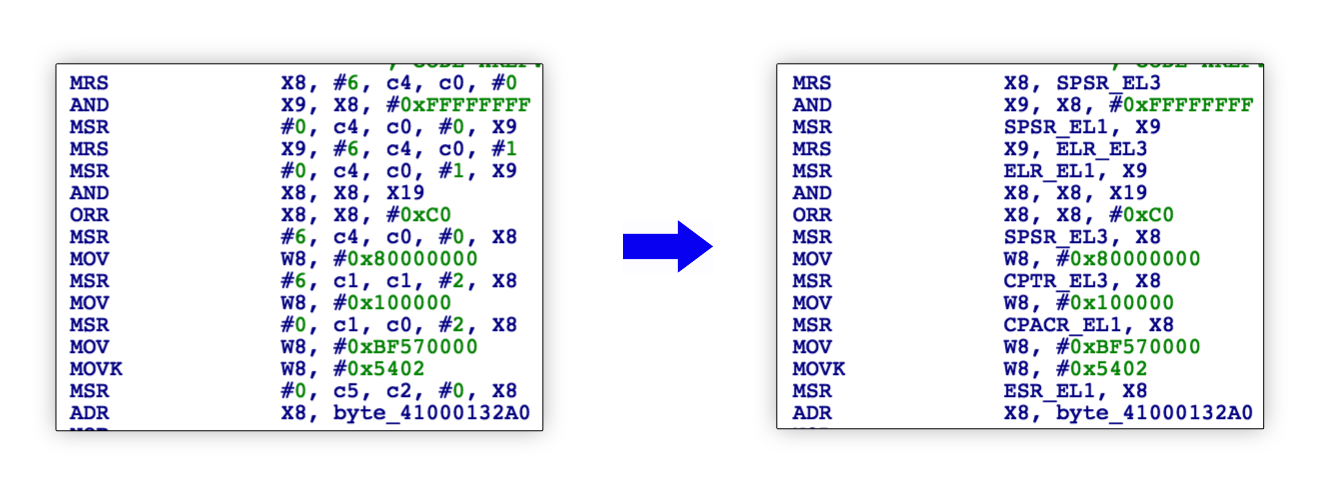
FRIEND is an IDA plugin created to improve disassembly and bring register/instruction documentation right into IDA View.
### 1. Improved processor modules using third party libraries (like Capstone)
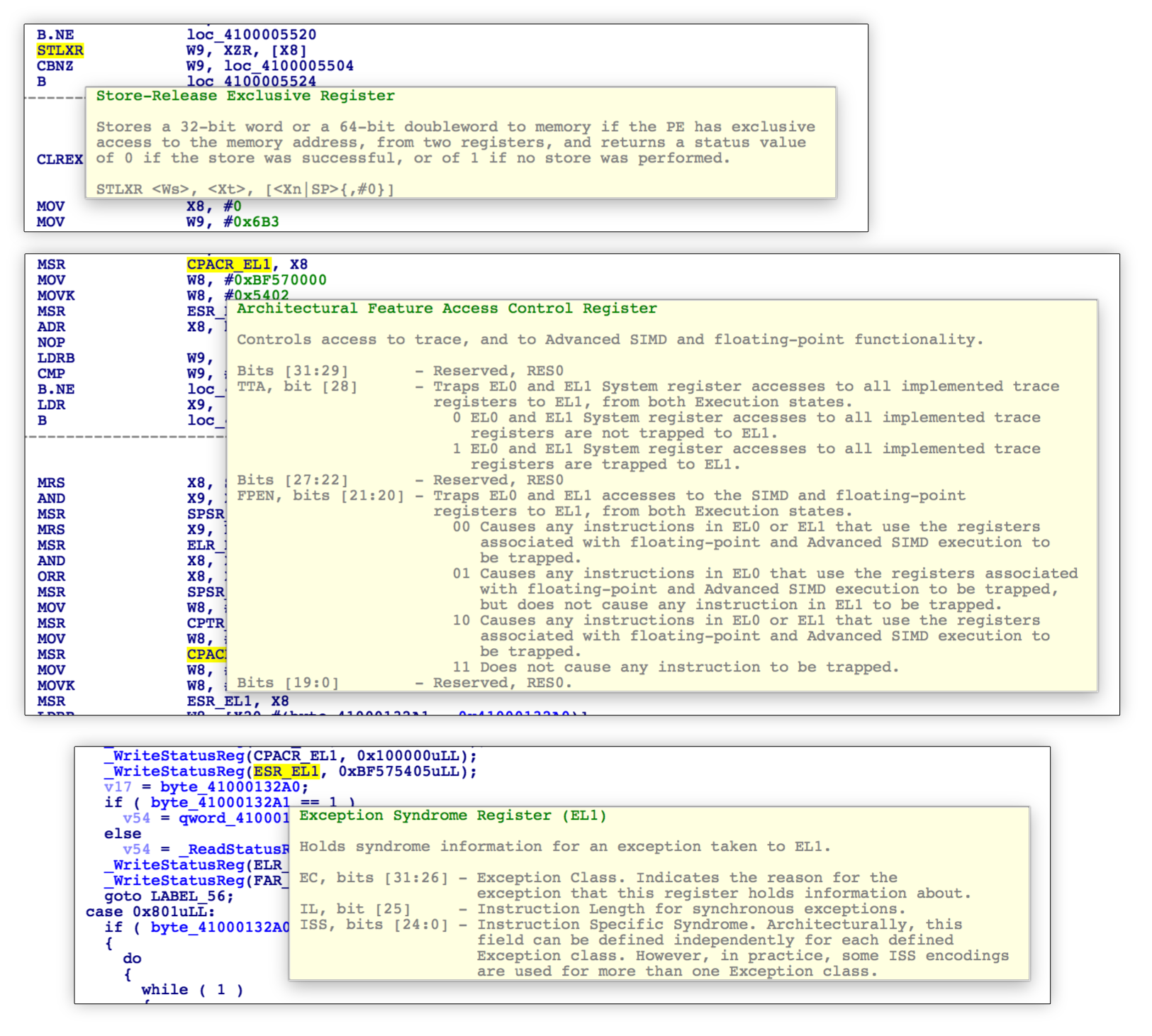
### 2. Hints for instructions and registers in IDA View and Decompiler View
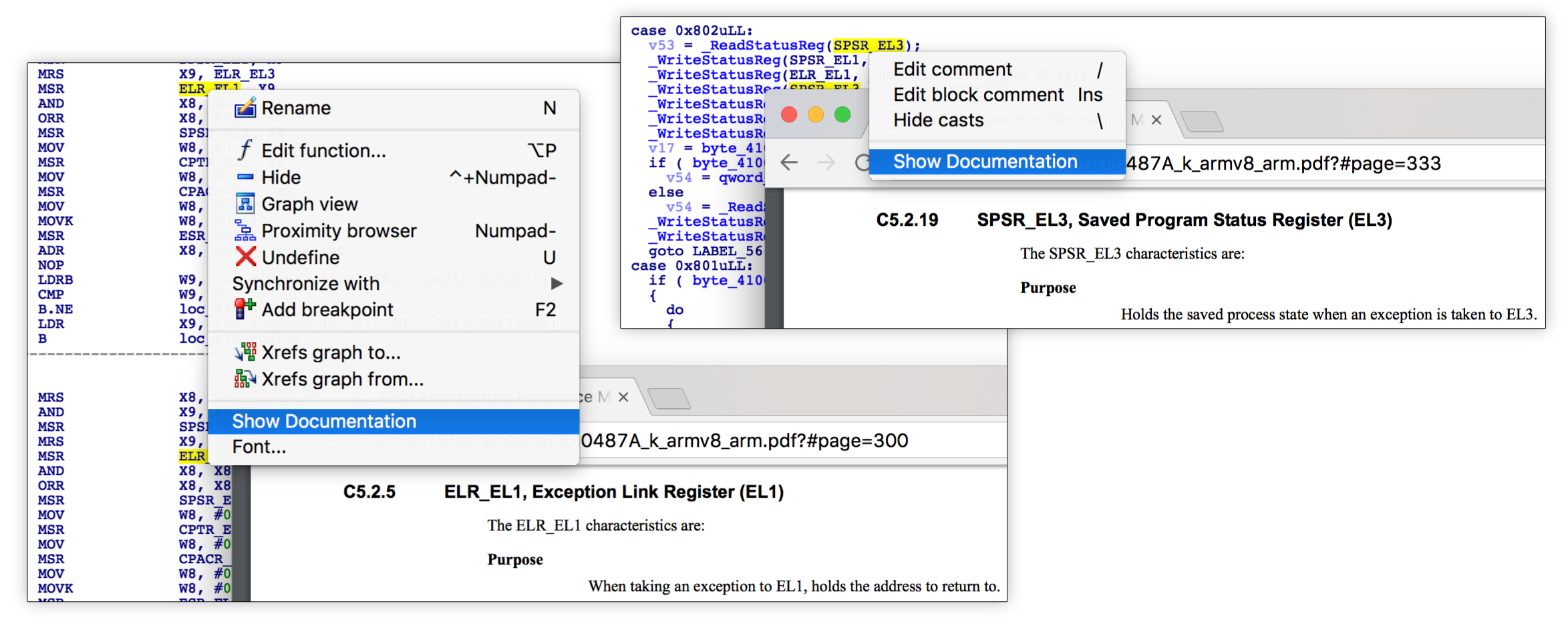
### 3. Ability to show external reference for highlighted item in a browser
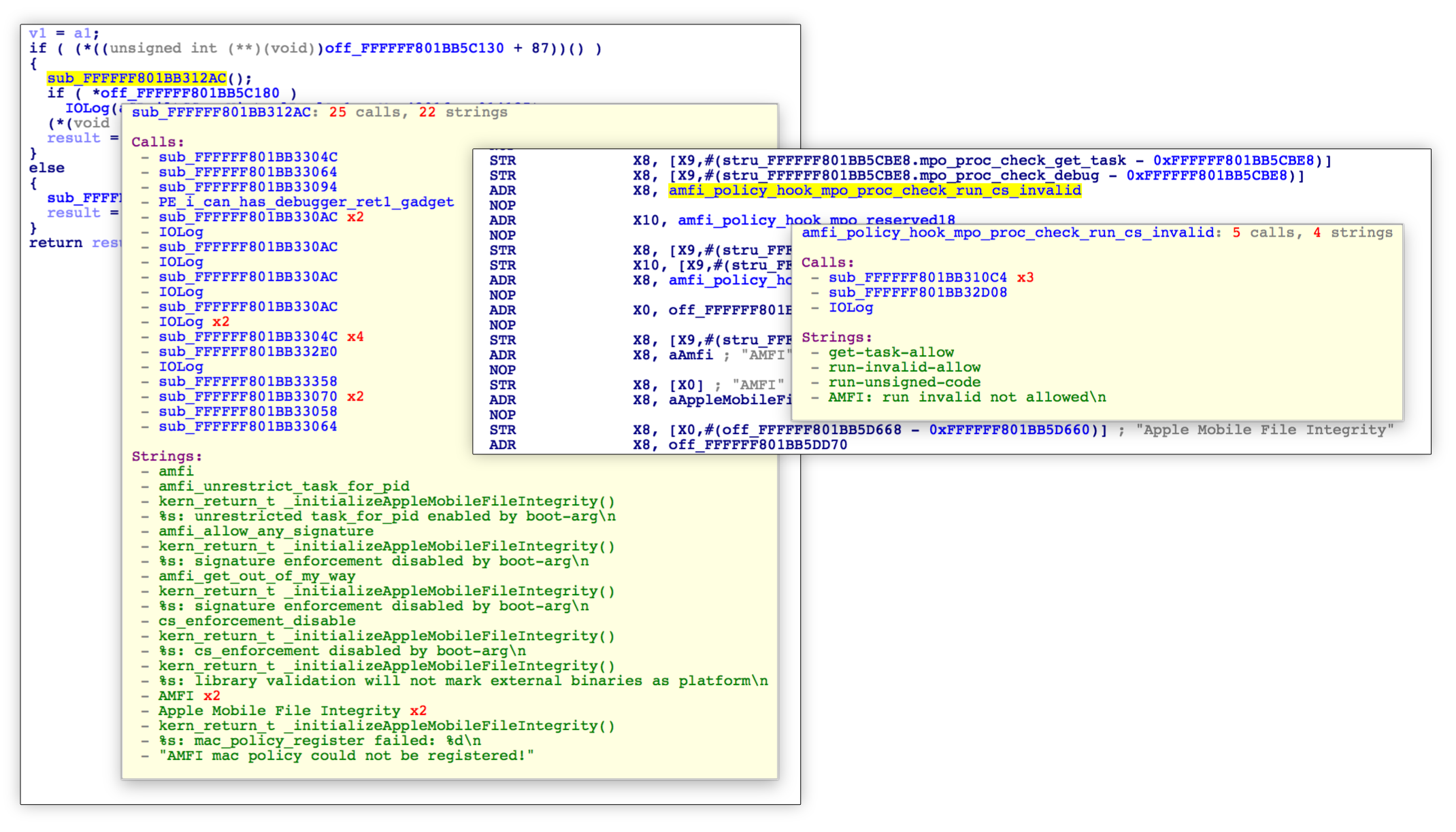
### 4. Function Summary in IDA View and Decompiler View
### 5. Ability to pick only features you are interested in and save setting in IDB
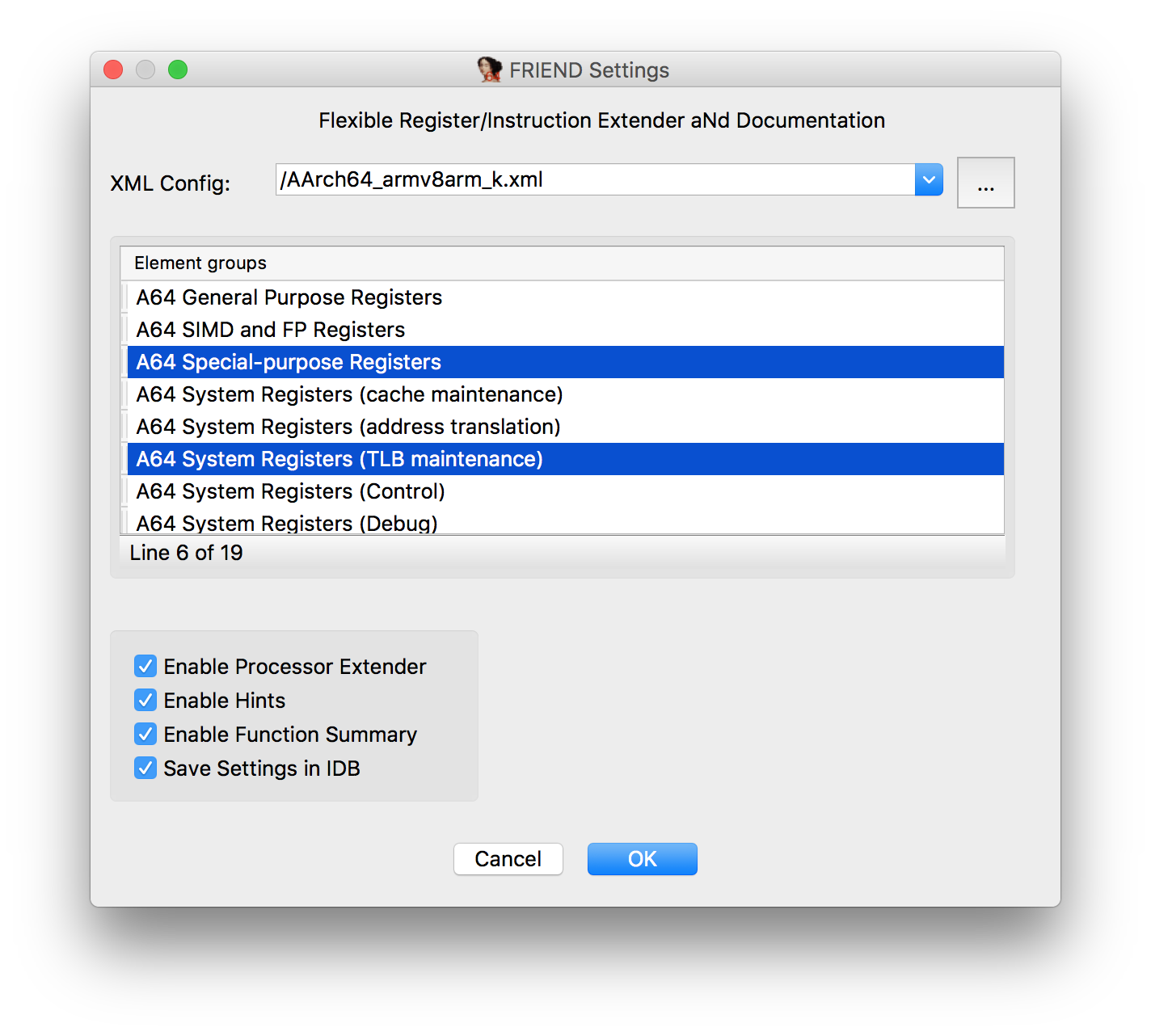
Note: it may be confusing if there's only one element group, you still need to
click on it to enable the features.
## How to build
### Preparing the build environment
To build the IDA plugin, there are few dependencies to satisfy:
* [CMake](https://cmake.org/download/) 3.3 or higher
* GCC or Clang on Linux/macOS. On Windows, use the
Visual Studio 2015.
* Git
* IDA SDK (unpack into ``idasdk``)
* Hex-Rays SDK (optional, copy to ``hexrays_sdk``)
Unzip the contents of the IDA SDK into `idasdk`, and copy the Hex-Rays SDK to hexrays_sdk (use `-DUSE_HEXRAYS=OFF` with cmake to build without HexRays support). On Linux or MacOS, one can use the following commands:
```sh
$ unzip /path/to/idasdkXX.zip -d idasdk
$ mv idasdk/idasdkXX/* idasdk
$ rm -r idasdk/idasdkXX
$ cp -r /path/to/ida/plugins/hexrays_sdk hexrays_sdk
```
### CMake options
`USE_HEXRAYS=OFF` - to build without HexRays decompiler SDK (`ON` by default)
`USE_IDA6_SDK=ON` - to build against IDA 6.x SDK (`OFF` by default)
### Linux
Use ``cmake`` to prepare the build environment and run ``make`` to build the plugins:
```sh
$ mkdir _build
$ cd _build
$ cmake [-DUSE_HEXRAYS=OFF] [-DUSE_IDA6_SDK=ON] ..
$ make
```
### MacOS
Use ``cmake`` to prepare the build environment and run ``make`` to build the plugins:
```sh
$ mkdir _build
$ cd _build
$ cmake [-DUSE_HEXRAYS=OFF] [-DUSE_IDA6_SDK=ON] ..
$ make
```
If you prefer to have an Xcode project and build everything from there, run the following commands instead:
```sh
$ mkdir _build
$ cd _build
$ cmake -G Xcode [-DUSE_HEXRAYS=OFF] [-DUSE_IDA6_SDK=ON] ..
$ open FRIEND.xcodeproj # or simply run xcodebuild
```
### Windows
Use ``cmake`` to prepare the build environment and run ``make`` to build the plugins:
```sh
$ mkdir _build
$ cd _build
$ "%VS140COMNTOOLS%\..\..\VC\vcvarsall.bat" x86
$ cmake -G "Visual Studio 14 2015" [-DUSE_HEXRAYS=OFF] [-DUSE_IDA6_SDK=ON] ..
$ msbuild FRIEND.sln /p:Configuration=Release
```
x64 build instructions (tested for IDA Pro 7.0 on Windows 10 x64):
```sh
mkdir _build64
cd _build64
"%VS140COMNTOOLS%\..\..\VC\vcvarsall.bat" x64
cmake -G "Visual Studio 14 2015 Win64" [-DUSE_HEXRAYS=OFF] [-DUSE_IDA6_SDK=ON] ..
msbuild FRIEND.sln /p:Configuration=Release /p:Platform=X64 /m
```
## Installation
Copy the built binaries into the IDA Pro plugins directory. These are the default paths:
OS | Plugin path
--------|-------------------------------------------
Linux | `/opt/ida-X.X/plugins`
macOS | `/Applications/IDA Pro X.X/idabin/plugins`
Windows | `%ProgramFiles(x86)%\IDA 6.X\plugins` or `%ProgramFiles%\IDA 7.X\plugins`
## Configuration files
The content of hints is discussed [here](https://github.com/alexhude/FRIEND/issues/1)
FRIEND configuration file has following structure:
```
/path/to/your/pdf/or/link
info
...
info
...
...
```
Please note that you have to put your own \ to pdf file to be able to use external documentation in a browser.
You can use a local file too. Assuming your pdf is in `/Users/foo/doc/doc.pdf`, just
put that after ``. Do not add `file://` as it will be prepended later.
## Hint Editor
To make contribution to this project easier, there is a simple config editor.
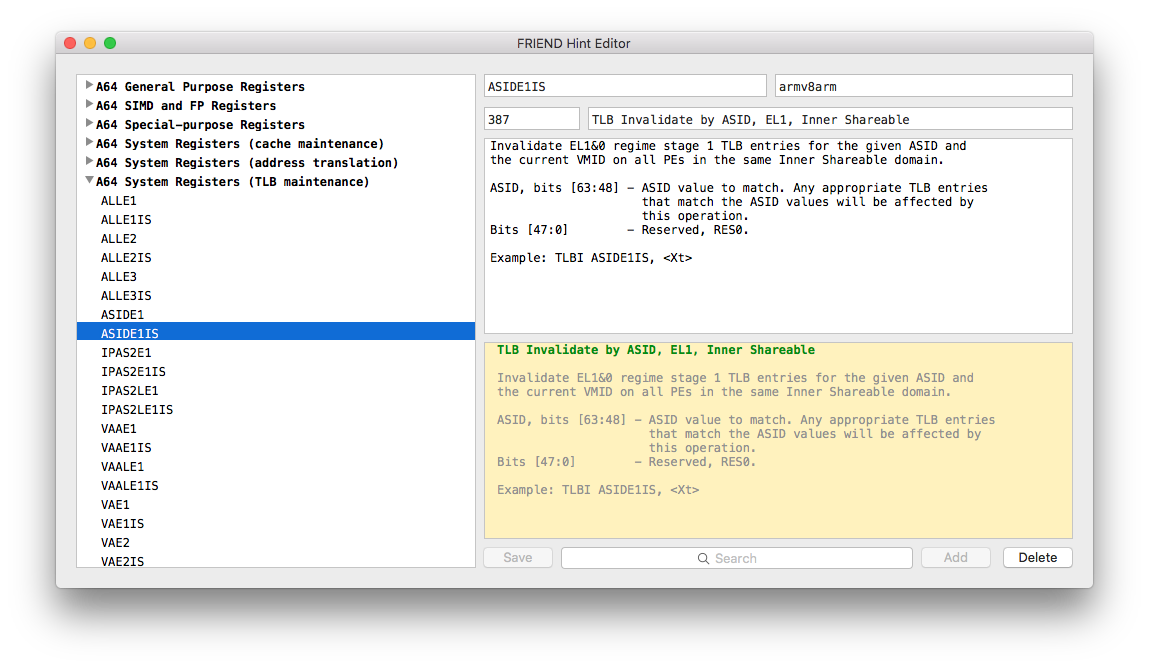
__NOTE:__ It can only be built on MacOS with Xcode 8 or higher. Other systems are not supported.
Use ``cmake`` to generate Xcode project.
```sh
$ cd HintEditor/HintEditor/
$ mkdir _build
$ cd _build
$ cmake -G Xcode ..
$ xcodebuild
```
Launch the application bundle with ``open``:
```
$ open Debug/HintEditor.app
```
## Dependencies
FRIEND requires:
- [IDA SDK](https://www.hex-rays.com/products/ida/support/download.shtml)
- [Capstone](https://github.com/aquynh/capstone) (built with Patches/capstone.diff)
- [pugixml](https://github.com/zeux/pugixml)
Hint Editor requires:
- [AEXML](https://github.com/tadija/AEXML) (built with Patches/aexml.diff)
## Credits
@ **in7egral, mbazaliy** for bug reports and all kind of support
@ __qwertyoruiopz, iH8sn0w, Morpheus\_\_\_\_\_\_, xerub, msolnik, marcograss, pr0x13, \_argp, oleavr, brinlyau__ and other gang for inspiration
@ __\_kamino\___ for porting project to Windows and Linux
@ __williballenthin__ for the idea of function summary