Looking for advanced capabilities?
Explore premium features and professional services at
easyappointments.org/premium.
---
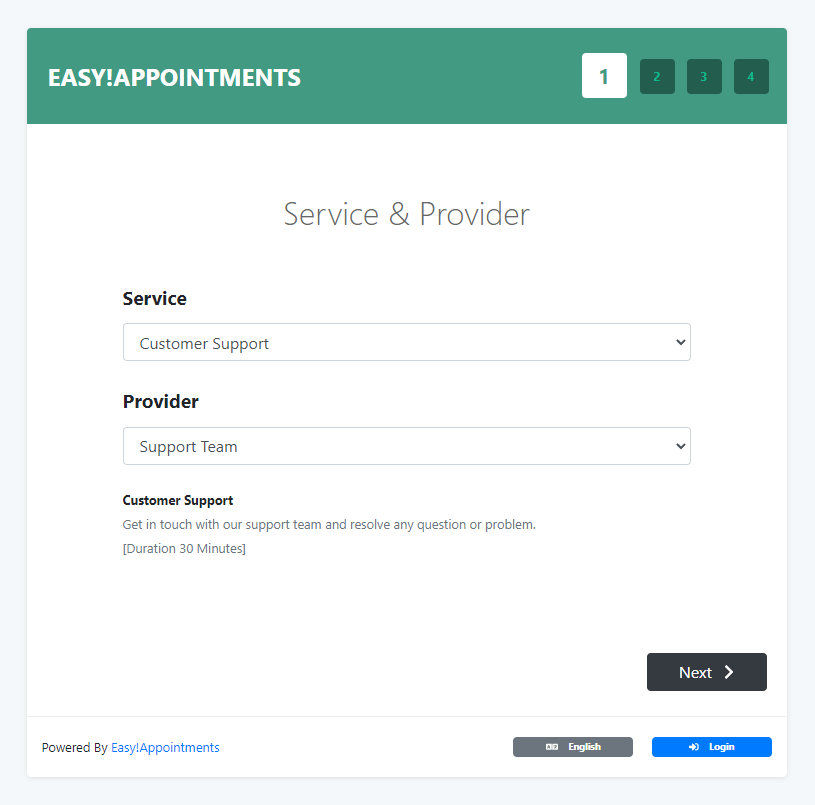
## 🚀 Why Easy!Appointments
**Easy!Appointments** is an open-source scheduling system that gives you full control over your booking workflow.
It is designed to adapt to your business — whether you need simple appointment booking or more advanced scheduling logic.
**Key advantages:**
- Fully self-hosted — your data stays under your control
- Highly customizable and flexible
- Integrates with your existing website and database
- Free for both personal and commercial use
---
## ✨ Features
Built to support a wide range of scheduling needs:
- Appointment and customer management
- Service and provider organization
- Working plans and booking rules
- Google Calendar synchronization
- Email notification system
- Multi-language interface
- Self-hosted deployment
- Active open-source community
---
## ⚡ Quick Start (Development)
Clone and run the project locally using the provided Docker Compose environment:
```bash
# Clone the repository
git clone https://github.com/alextselegidis/easyappointments.git
# Navigate into the project
cd easyappointments
# Start the Docker environment
docker compose up
````
Then open a second terminal and enter the application container:
```bash id="app-shell"
docker compose exec app bash
```
Inside the container, install dependencies:
```bash id="deps"
npm install && composer install
```
Start the development watcher:
```bash id="dev"
npm start
```
Build production assets:
```bash id="build"
npm run build
```
> Note: Works on Windows (WSL recommended), macOS, and Linux using Docker Compose.
---
## 🏗️ Installation (Production)
### Requirements
* Apache or Nginx
* PHP 8.2+
* MySQL database
### Steps
1. Create a database (or use an existing one)
2. Upload the `easyappointments` folder to your server
3. Ensure the `storage` directory is writable
4. Rename `config-sample.php` to `config.php`
5. Update configuration values
6. Open the application in your browser and follow the setup wizard
Once completed, the system is ready to use.
---
## 📚 Resources
* Website: [https://easyappointments.org](https://easyappointments.org)
* Issues: [https://github.com/alextselegidis/easyappointments/issues](https://github.com/alextselegidis/easyappointments/issues)
* Support Group: [https://groups.google.com/forum/#!forum/easy-appointments](https://groups.google.com/forum/#!forum/easy-appointments)
* Discord: [https://discord.com/invite/UeeSkaw](https://discord.com/invite/UeeSkaw)
---
## 📜 License
* Code: GPL v3.0
* Content: CC BY 3.0
---
## 👤 Author
* Website: [https://alextselegidis.com](https://alextselegidis.com)
* GitHub: [https://github.com/alextselegidis](https://github.com/alextselegidis)
* Twitter: [https://twitter.com/AlexTselegidis](https://twitter.com/AlexTselegidis)
---
## 🔥 More Projects
* [Plainpad · Self-Hosted Note Taking](https://github.com/alextselegidis/plainpad)
* [Clientverse · CRM Application](https://github.com/alextselegidis/clientverse)
* [Timecrack · Time Tracking](https://github.com/alextselegidis/timecrack)