# Ackermann Steering Vehicle Simulation in ROS2 with Gazebo Sim Harmonic
This project features the simulation of a custom vehicle with **Ackermann steering capabilities**, developed using **ROS2** and the **Gazebo Sim Harmonic environment**. The model integrates a variety of sensors and navigation tools for autonomous operation, making it one of the first implementations of an Ackermann steering vehicle in this simulation framework.
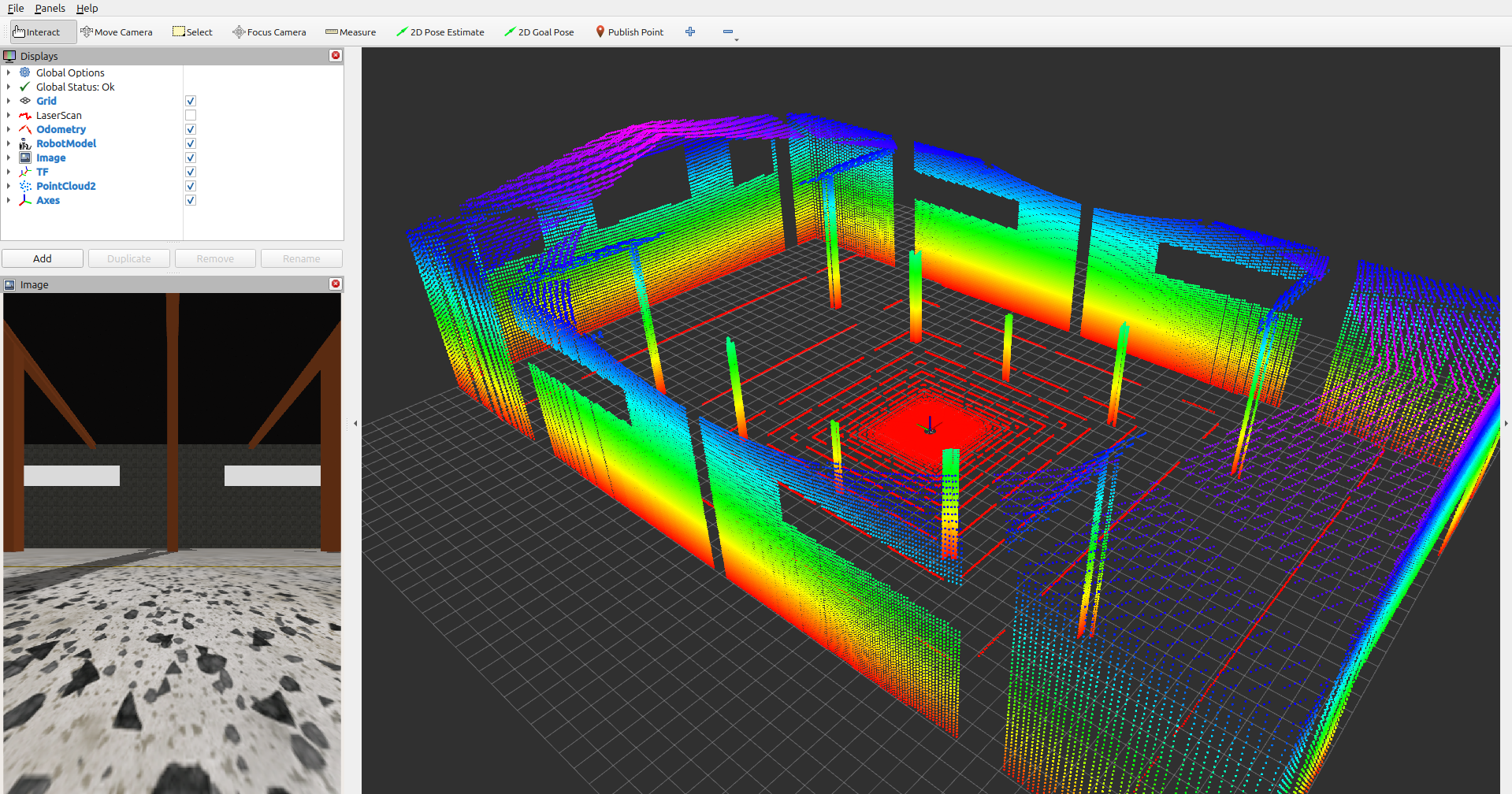
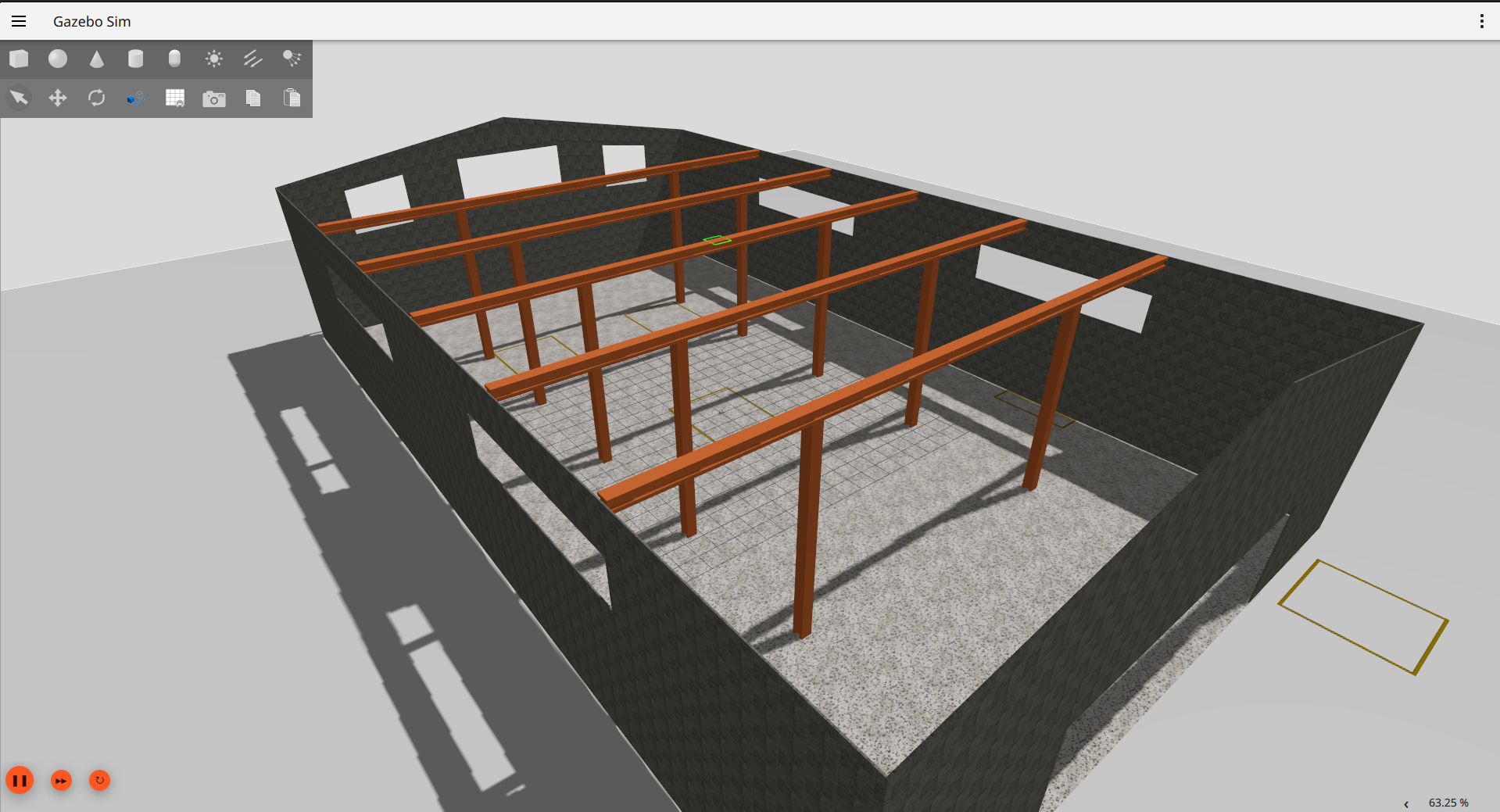
| **3D LiDAR Point Cloud Visualization** | **Warehouse Environment Model** |
| ----- | ----- |
|  |  |
### If you like this project, consider giving it a ⭐ to show your support!
## Table of Contents
- [Ackermann Steering Vehicle Simulation in ROS2 with Gazebo Sim Harmonic](#ackermann-steering-vehicle-simulation-in-ros2-with-gazebo-sim-harmonic)
- [Features](#features)
- [1 Ackermann Steering](#1-ackermann-steering)
- [2 ROS2 Communication](#2-ros2-communication)
- [3 Sensors](#3-sensors)
- [4 Navigation](#4-navigation)
- [5 Manual Control with external joystick](#5-manual-control-with-external-joystick)
- [6 Visualization](#6-visualization)
- [Requirements](#requirements)
- [Local Installation](#local-installation)
- [Docker Installation](#docker-installation)
- [Usage](#usage)
- [1 Basic Simulation and Manual Control](#1-basic-simulation-and-manual-control)
- [2 SLAM Simultaneous Localization and Mapping](#2-slam-simultaneous-localization-and-mapping)
- [3 Navigation with Nav2](#3-navigation-with-nav2)
- [Future Work](#future-work)
- [Gallery](#gallery)
- [TF Tree](#tf-tree)
- [Star History](#star-history)
## Features
### 1. **Ackermann Steering**
- A custom vehicle model built with realistic Ackermann steering dynamics for accurate maneuverability.
### 2. **ROS2 Communication**
- All sensor data and control signals are fully integrated into the ROS2 ecosystem for seamless interoperability.
### 3. **Sensors**
- **IMU**: Provides orientation and angular velocity.
- **Odometry**: Ensures accurate vehicle state feedback.
- **LiDAR**: Mounted for obstacle detection and environmental scanning. Supports 3D point cloud generation for advanced perception tasks.
- **Cameras**:
- Front-facing
- Rear-facing
- Left-side
- Right-side
> **Note:** By default, only the front camera is bridged to ROS 2.If you want to use all cameras (left, right, rear) in ROS 2,remove the `#` at the beginning of the relevant camera sections in `saye_bringup/config/ros_gz_bridge.yaml` to activate them (e.g., `/camera/left_raw`, `/camera/right_raw`, `/camera/rear_raw`).
### 4. **Navigation**
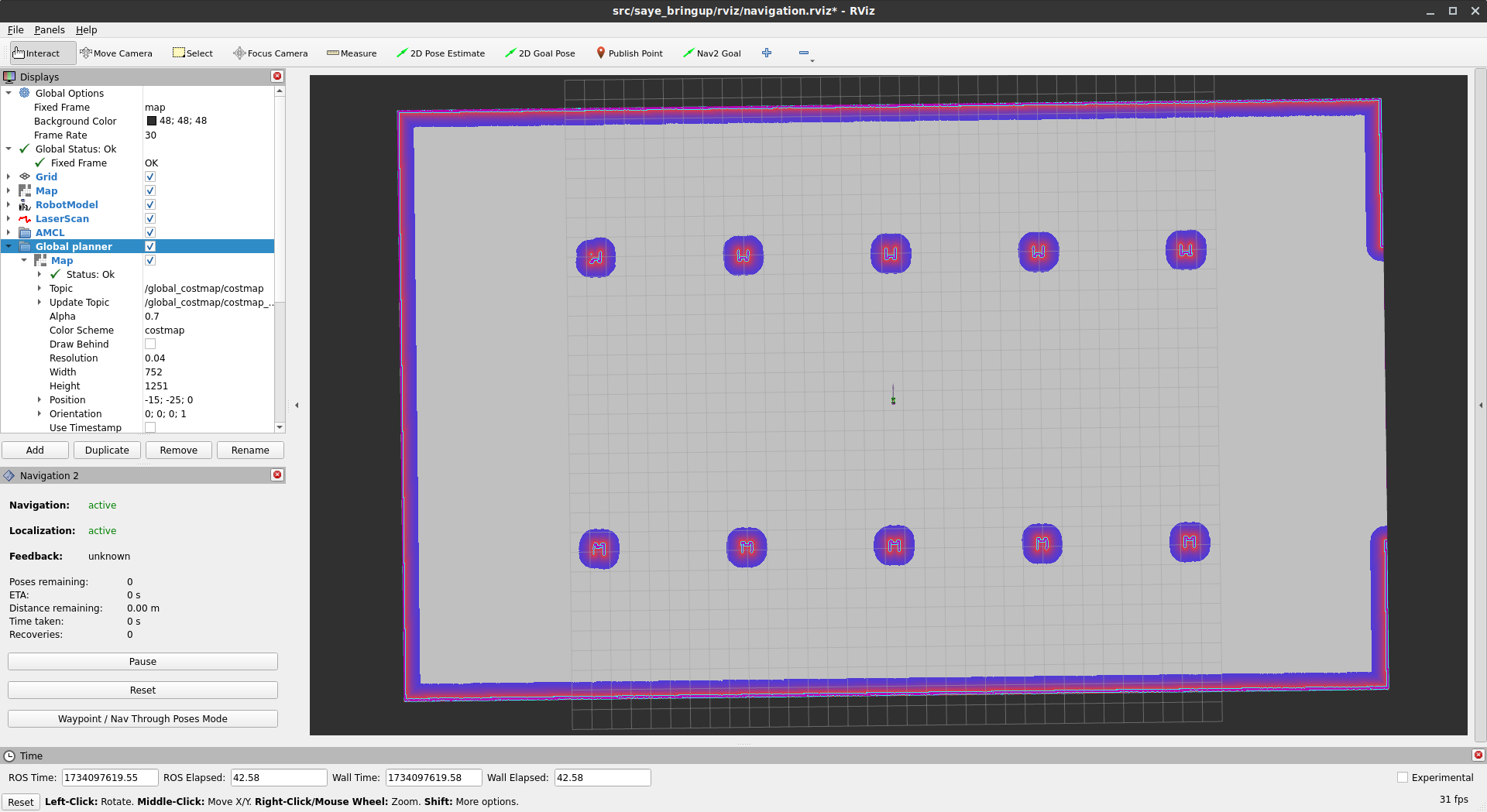
- Integrated with the **Nav2 stack** for autonomous navigation.
- **AMCL (Adaptive Monte Carlo Localization)** for improved positional accuracy.
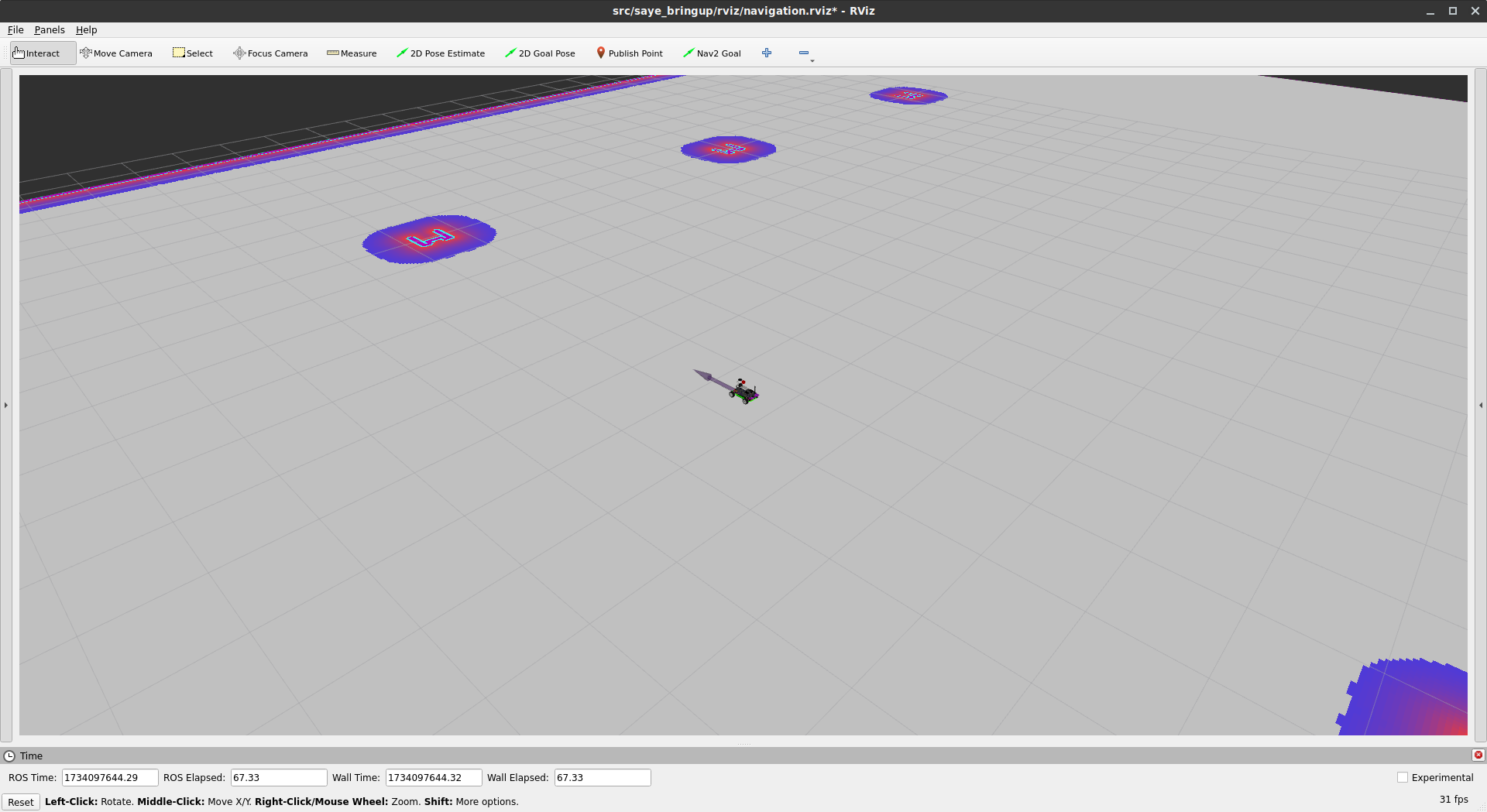
- **SLAM** techniques implemented for real-time mapping and understanding of the environment.
- Fine-tuned parameters for optimized navigation performance.
### 5. **Manual Control (with external joystick)**
- Added support for joystick-based manual control in the simulation environment, enabling users to test vehicle movement interactively.
### 6. **Visualization**
- Full model and sensor data visualization in **RViz2**, providing insights into robot states and environmental feedback.
## Requirements
- **ROS2 (Humble)**
- **Gazebo Sim Harmonic**
- **RViz2**
- **Nav2**
## Local Installation
0. Your need to sure that installation of Gazebo Harmonic and ROS (ros_gz):
`sudo apt-get install ros-${ROS_DISTRO}-ros-gz`
`sudo apt-get install ros-humble-ros-gzharmonic` (Only Humble version)
More details about installation Gazebo and ROS: Link
1. Clone the repository:
`mkdir -p ackermann_sim/src && cd ackermann_sim/src`
`git clone https://github.com/alitekes1/ackermann-vehicle-gzsim-ros2` `cd ..`
2. Build the project:
`colcon build && source install/setup.bash`
3. Set environment variables:
```bash
# Set environment variables for current session
export GZ_SIM_RESOURCE_PATH=$GZ_SIM_RESOURCE_PATH:/your/path/ackermann_sim/src/ackermann-vehicle-gzsim-ros2/
export ROS_PACKAGE_PATH=$ROS_PACKAGE_PATH:/your/path/ackermann_sim/src/ackermann-vehicle-gzsim-ros2/
```
**For Permanent Setup:**
To make these environment variables permanent, add them to your `.bashrc` file:
```bash
# Add environment variables to .bashrc
echo 'export GZ_SIM_RESOURCE_PATH=$GZ_SIM_RESOURCE_PATH:/your/path/ackermann_sim/src/ackermann-vehicle-gzsim-ros2/' >> ~/.bashrc
echo 'export ROS_PACKAGE_PATH=$ROS_PACKAGE_PATH:/your/path/ackermann_sim/src/ackermann-vehicle-gzsim-ros2/' >> ~/.bashrc
# Apply changes
source ~/.bashrc
```
> **Note:** Replace `/your/path/` with your actual installation path.
## Docker Installation
You can also run the simulation using Docker, which ensures a consistent environment across different systems.
### Prerequisites
- Docker
- NVIDIA Container Toolkit (for GPU support)
### Steps to Run with Docker
1. Clone the repository:
```bash
mkdir -p ackermann_sim/src && cd ackermann_sim/src
git clone https://github.com/alitekes1/ackermann-vehicle-gzsim-ros2
cd ackermann-vehicle-gzsim-ros2
```
2. Build and run the Docker container:
```bash
docker run -it \
--name ackermann_sim \
--hostname ackermann_sim \
--env="DISPLAY=$DISPLAY" \
--env="QT_X11_NO_MITSHM=1" \
--volume="/tmp/.X11-unix:/tmp/.X11-unix:rw" \
--privileged alitekes1/ackermann_sim:latest
```
3. If you want to additional terminal for same container
```bash
docker exec -it ackermann_sim bash
```
> **Note:** Inside the container, you can run the simulation commands as normal.
## Usage
### 1. Basic Simulation and Manual Control
1. Launch the simulation:
```bash
ros2 launch saye_bringup saye_spawn.launch.py
```
2. Control car:
```bash
ros2 run teleop_twist_keyboard teleop_twist_keyboard
```
### 2. SLAM (Simultaneous Localization and Mapping)
- To run SLAM Toolbox for mapping, launch the following after starting the simulation:
```bash
ros2 launch saye_bringup slam.launch.py
```
[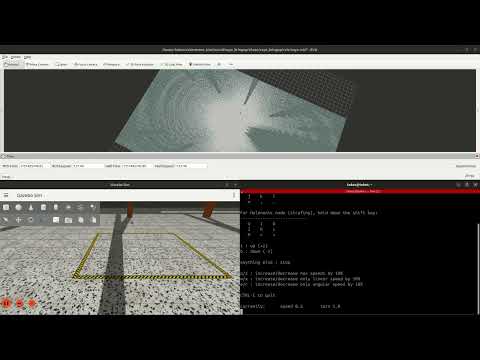](https://www.youtube.com/watch?v=QWcJ9TlqFOU "Proje Tanıtımı")
### 3. Navigation with Nav2
- To run the simulation with the Nav2 stack for autonomous navigation, launch the following after starting the simulation:
```bash
ros2 launch saye_bringup navigation_bringup.launch.py
```
[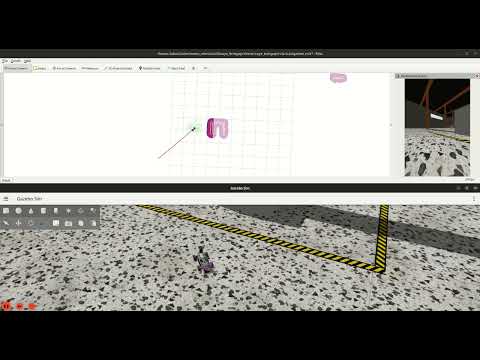](https://www.youtube.com/watch?v=SJ4NrbdlNZo "NAV2")
> **Note:** The YouTube videos above are played at 4x speed. You can reach the videos by click on the images.
## Future Work
1. **3D SLAM Support:**
- Train the vehicle to handle complex scenarios autonomously using advanced DRL algorithms.
2. **Enhanced Features:**
- Explore additional sensor configurations and navigation strategies.
3. **Nav2 entegration with 3D Localization**
- Instead of AMCL(2D), more accurate and robust algorithms implementation.
## Gallery

### 3D LiDAR Point Cloud & Environment
| **3D LiDAR Point Cloud Visualization** | **Warehouse Environment Model** |
| ----------------------------------------------------------------- | ----------------------------------------------------------------- |
|  |  |
### Vehicle & Navigation
| **Gazebo Sim Harmonic** | **RViz2** |
| --------------------------------------------------------------------------------------------------------------------------- | --------------------------------------------------------------------------------------------------------------------------- |
|  |  |
|  |  |
|  |  |
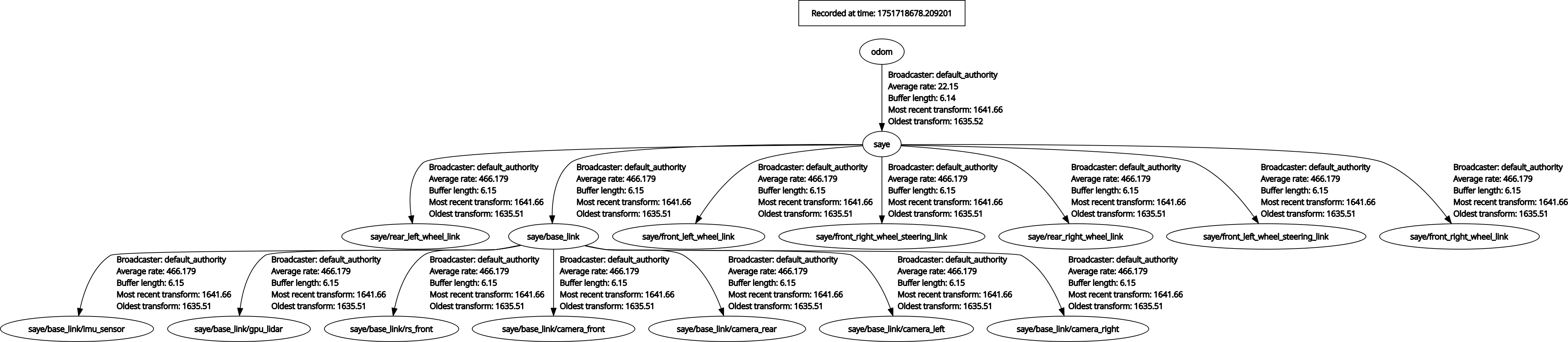
## TF Tree
---
## Star History