
⚛️📆 Flexible React date range picker calendar with no dependencies
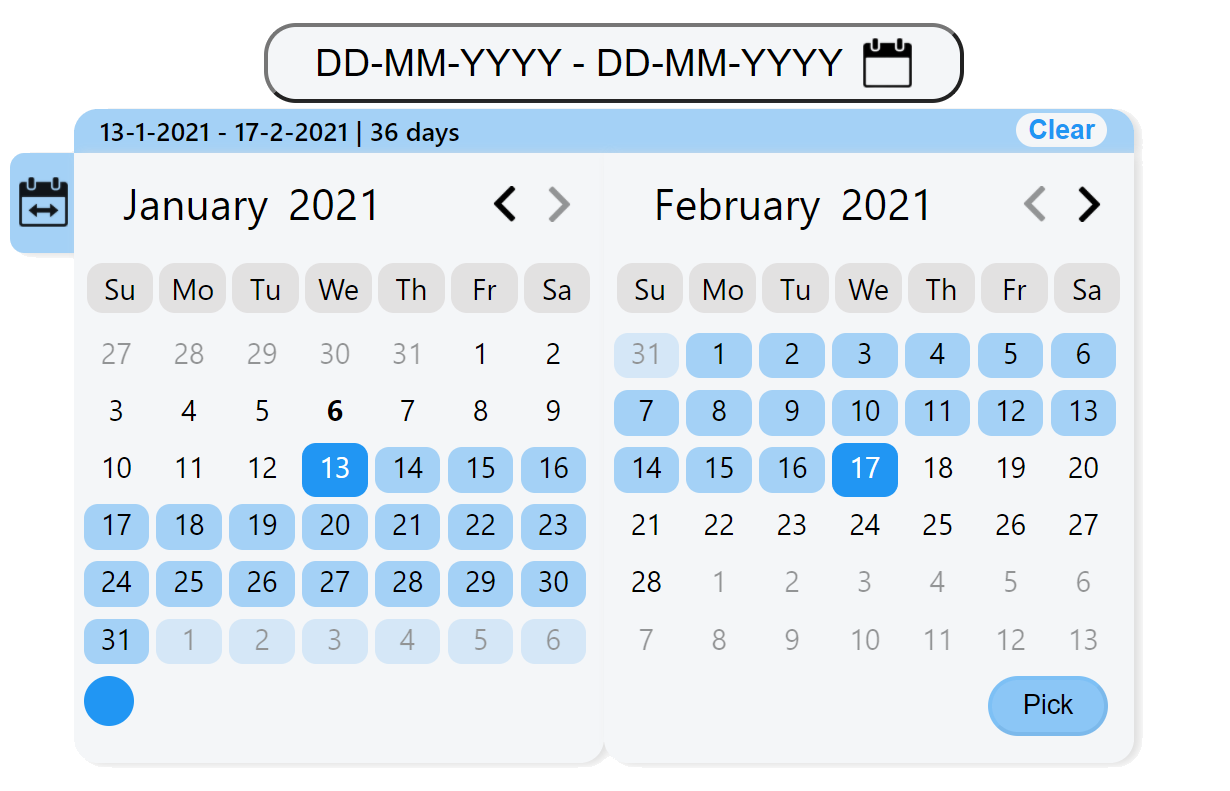
## Demo
Demo page at
Read More
## Main Features
* Pick method - an option of configuring the component to be date picker, range picker, or ranges picker.
* Days amount tab - an option of selecting a number of days backward from the current date immediately by choosing a number.
* Colors palette - an option of determining the component's color (can be disabled removed).
* Language - English and Hebrew support.
* Select all button - an option of selecting all of the current board's dates. Whether viewing dates, months, or years.
* Boards number - an option of configuring components to be in one board or two boards.
## Installation
```sh
$ npm i dates-picker
```
## Usage
```javascript
function callbackFunction(dates) {
console.log(`The range of dates that got picked is: ${dates.text}`);
console.log(`The min date that got picked is: ${dates.minDate}`);
console.log(`The max date that got picked is: ${dates.maxDate}`);
console.log(`The number of days that got picked is: ${dates.numberOfDaysPicked}`);
console.log(`All dates: ${dates.allDates}`);
}
function MyComponent() {
return (
)
}
}
```
## Options
Property | Type | Allowed Values | Default Value | Description
-------------------------------------|-----------|------------------|----------------------|-----------------------------------------------
language | String | `English`, `Hebrew` | `English` | component's language. currently support English and Hebrew. Notice Languages such Hebrew changes the whole component from left to right to right to left.
colorsPalette | String | `enabled`, `disabled` | `enabled` | by enabling colors palette you can choose the component's color.
format | String | any combination of 2 Ds, 2 Ms and 2\4 Ys with other | `DD-MM-YYYY` | the format of the dates.
selectAllButton | String | `enabled`, `disabled` | `enabled`| depends on current board's view (dates, months, or years), select all enabled items.
startDate | date | date object | `new Date(1900, 0, 0)` | calendar's start date.
endDate | date | date object | `new Date(2025, 0, 0)` | calendar's end date.
firstDayOfWeekIndex | int | 0 - 6 | 0 (sunday) | first day of the week (etc monday, sunday).
pickMethod | String | `date`, `range`, `ranges` | `range` | date means picking one day (on one board). range is to peak dates two dates. ranges is to pick an array of ranges (with view option on hover).
defaultColor | String | any color format item | `#2196f3` | default component's color. becomes the first option on colors palette.
daysAmountTab | String | `enabled`, `disabled` | `disabled` | by enabling, there will be a button on the left that you can open and choose prepared range, or days amount up to today.
boardsNum | int | 1, 2 | 2 | by specifing you can choose the component's boards number.
## Future Plans
* Add simple and intuitive time picker option (by list\ or visual clock\ both).
* Tooltips for buttons explanation (for example on select all button).
* On non-component-screen click, close component.
* Go back button on non-dates mode (or on all modes for previous). When the user is in month's or year's mode, add an option to return to dates mode without choosing any value.
* Component & button sizes parameters
* Border radius parameter
* An option to cancel picked range from the input label
