
# Tusk
**The gentle giant for your databases.**
A fast, native, keyboard-driven database client for macOS, Windows and Linux. It's written in Rust
on [GPUI](https://github.com/zed-industries/zed), the GPU-accelerated UI framework behind the Zed editor.
[](LICENSE)




## Why Tusk
- **Native and fast.** No Electron and no web view. Tables with millions of rows scroll smoothly because the grid is virtualized and GPU-rendered.
- **One app for 20 databases.** PostgreSQL, MySQL, SQLite, SQL Server, Oracle, ClickHouse, Snowflake, BigQuery, Redis, MongoDB and more.
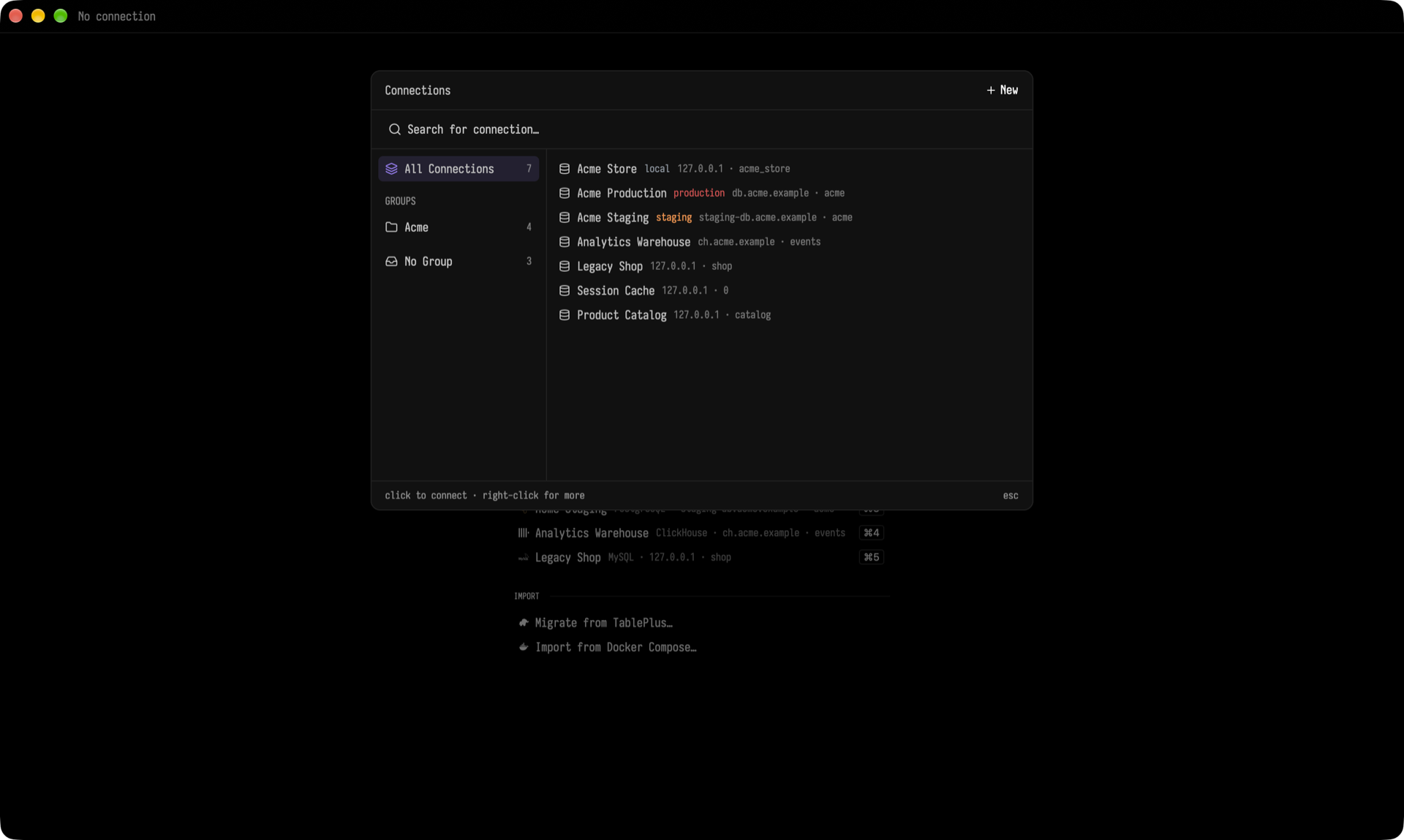
- **Keyboard first.** Everything is in the command palette (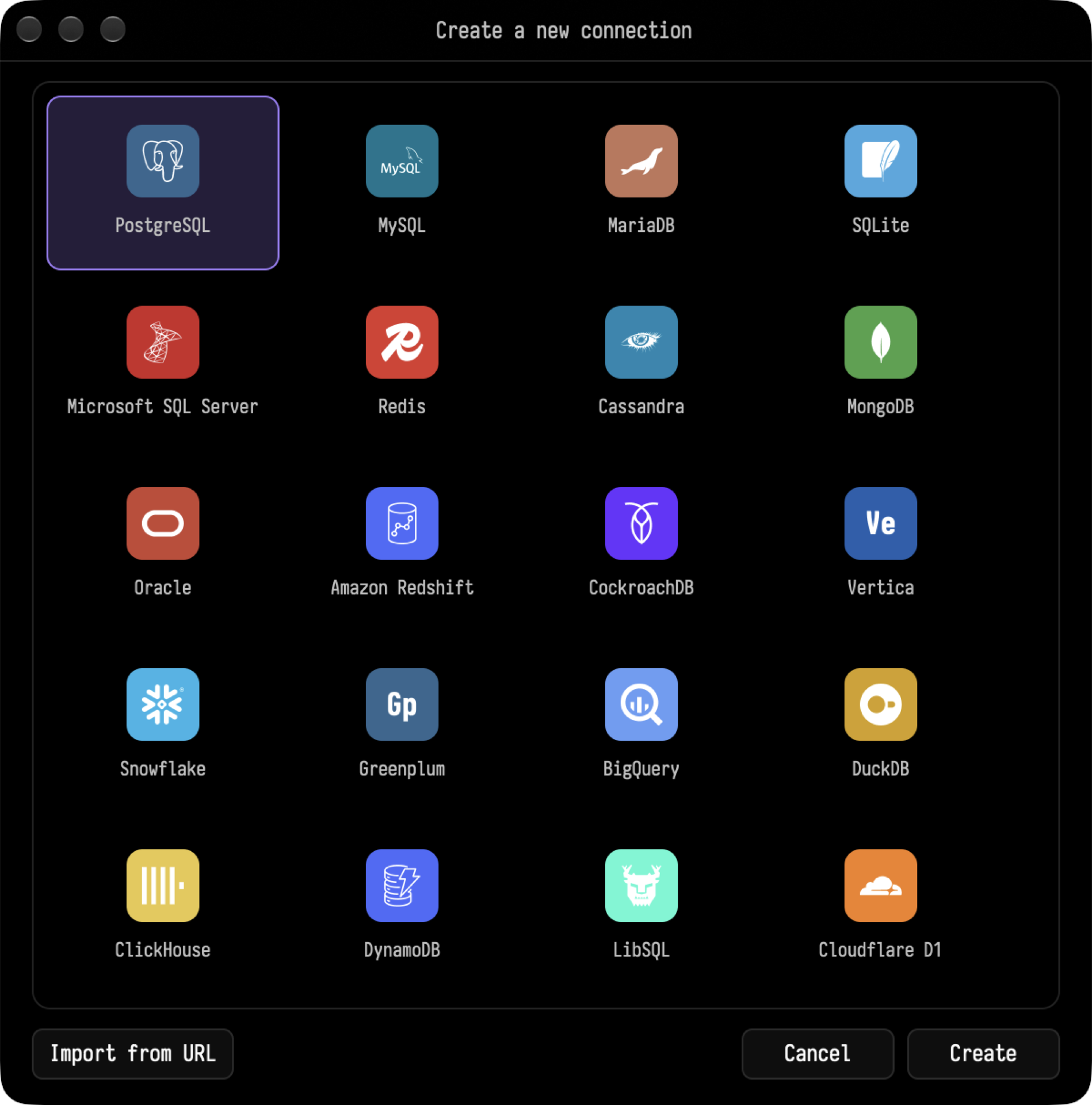
 Supported engines: PostgreSQL, Amazon Redshift, CockroachDB, Greenplum, Vertica, MySQL, MariaDB, SQLite, DuckDB, LibSQL, Cloudflare D1, Microsoft SQL Server, Oracle, ClickHouse, Snowflake, BigQuery, Redis, MongoDB, Cassandra and DynamoDB.
- Organize connections with groups, tags and status colors (for example, red for production).
- Connect through an **SSH tunnel** with a password or a key, and choose any SSL mode.
- Import existing connections from **TablePlus**, a **Docker Compose** file, or a connection URL.
### A data grid you can actually edit
Supported engines: PostgreSQL, Amazon Redshift, CockroachDB, Greenplum, Vertica, MySQL, MariaDB, SQLite, DuckDB, LibSQL, Cloudflare D1, Microsoft SQL Server, Oracle, ClickHouse, Snowflake, BigQuery, Redis, MongoDB, Cassandra and DynamoDB.
- Organize connections with groups, tags and status colors (for example, red for production).
- Connect through an **SSH tunnel** with a password or a key, and choose any SSL mode.
- Import existing connections from **TablePlus**, a **Docker Compose** file, or a connection URL.
### A data grid you can actually edit
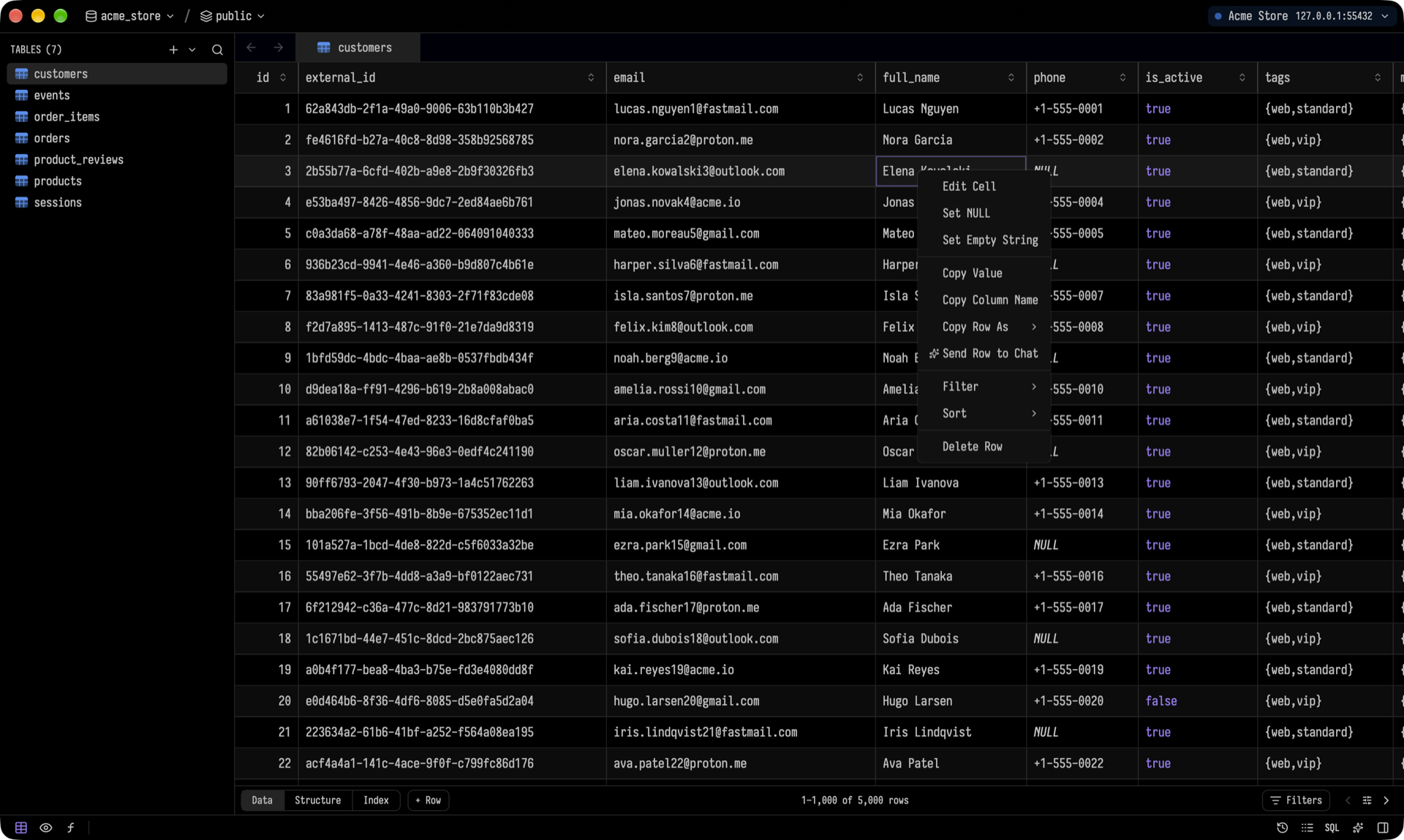
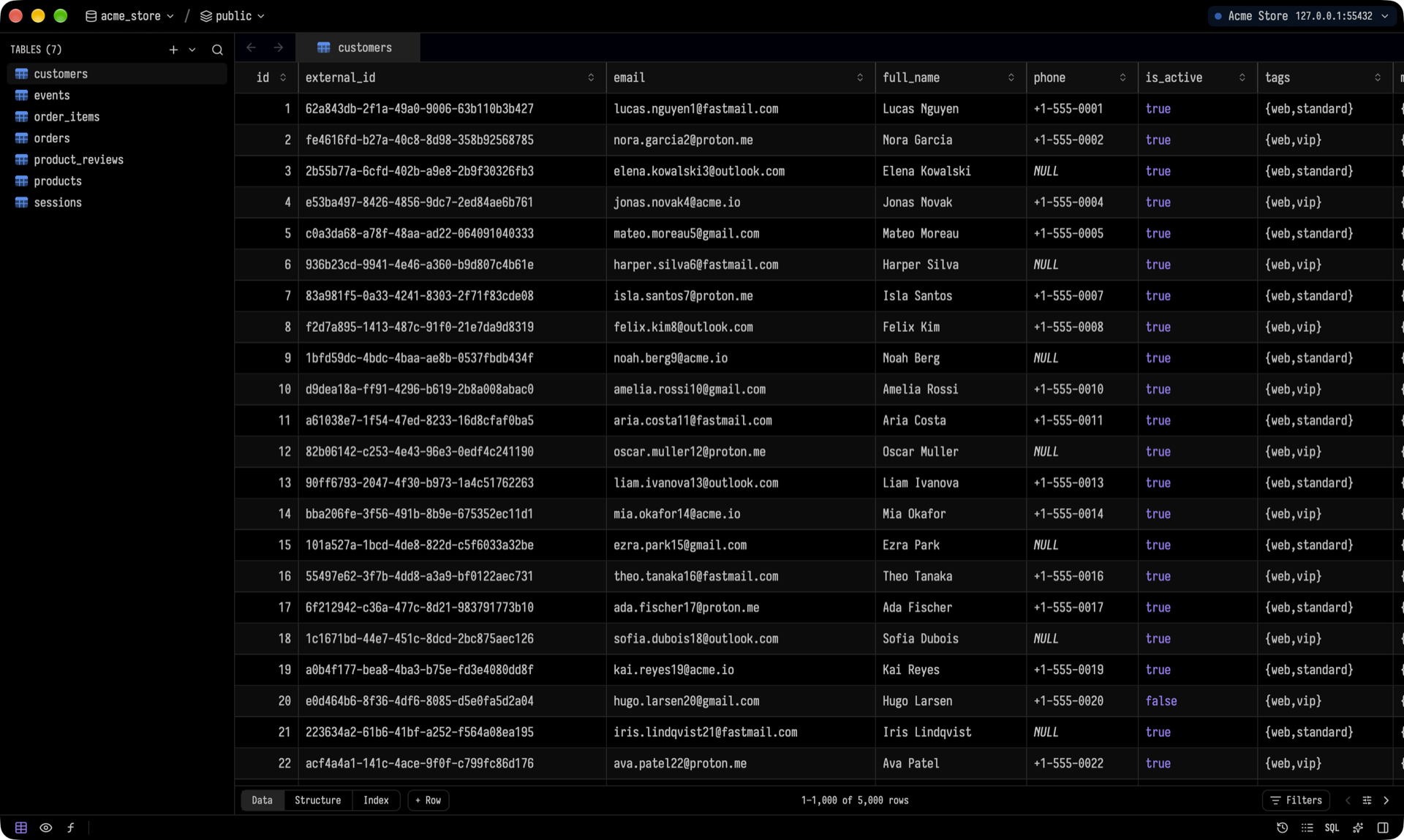 - Virtualized scrolling. Column widths fit the content, and your resized widths are remembered per table.
- Double-click a cell to edit it with a typed editor (dates, enums, numbers). Pending edits and deletes are highlighted and saved together in **one transaction** with ⌘S.
- Full undo and redo.
- Right-click a row to copy it as TSV, CSV, JSON, `INSERT`, `UPDATE` or Markdown, filter by its value, sort, or set a cell to `NULL` or empty.
- Virtualized scrolling. Column widths fit the content, and your resized widths are remembered per table.
- Double-click a cell to edit it with a typed editor (dates, enums, numbers). Pending edits and deletes are highlighted and saved together in **one transaction** with ⌘S.
- Full undo and redo.
- Right-click a row to copy it as TSV, CSV, JSON, `INSERT`, `UPDATE` or Markdown, filter by its value, sort, or set a cell to `NULL` or empty.
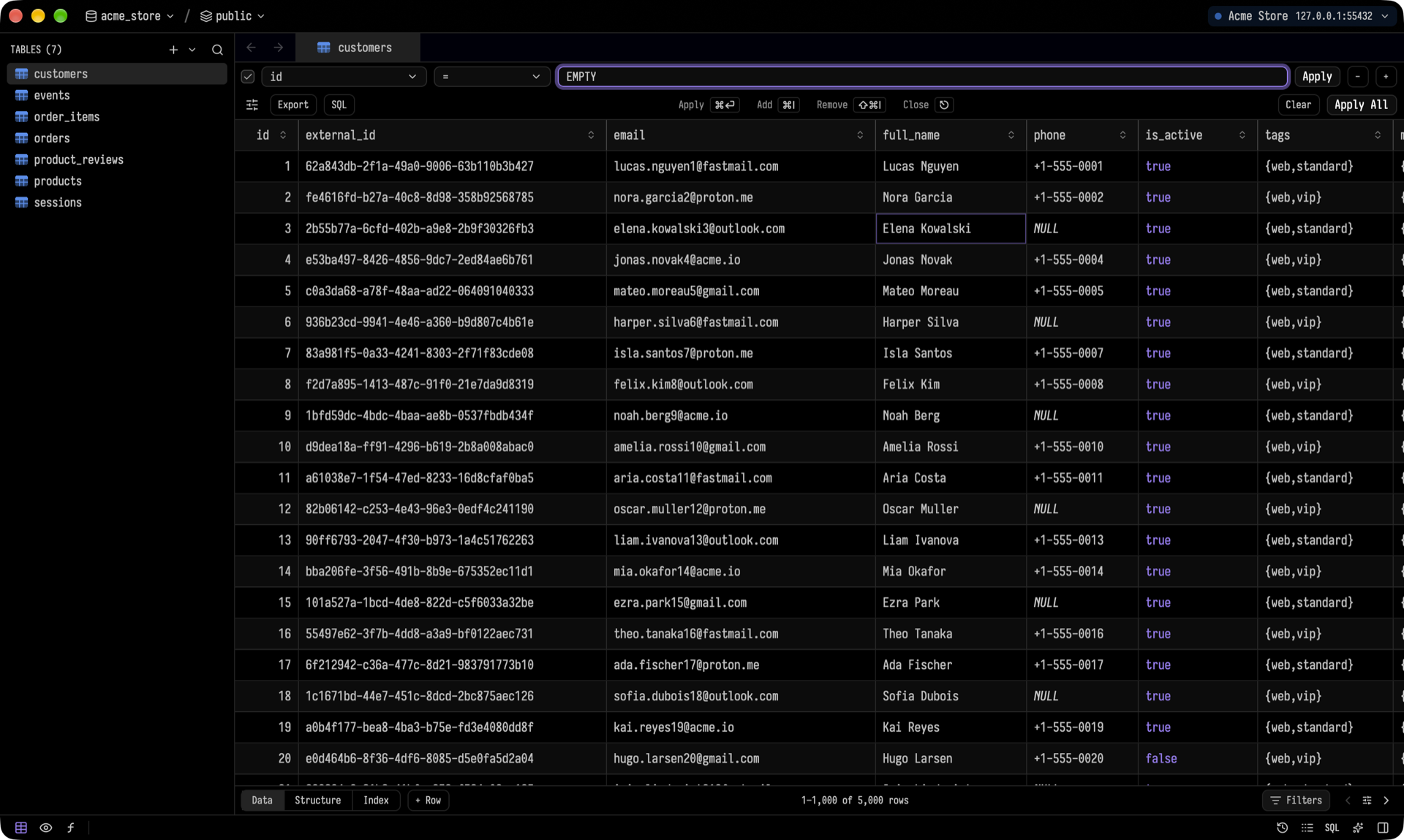 Filters support a per-column operator, raw SQL conditions, and one-click export of the filtered rows.
### Structure, indexes and DDL
Filters support a per-column operator, raw SQL conditions, and one-click export of the filtered rows.
### Structure, indexes and DDL
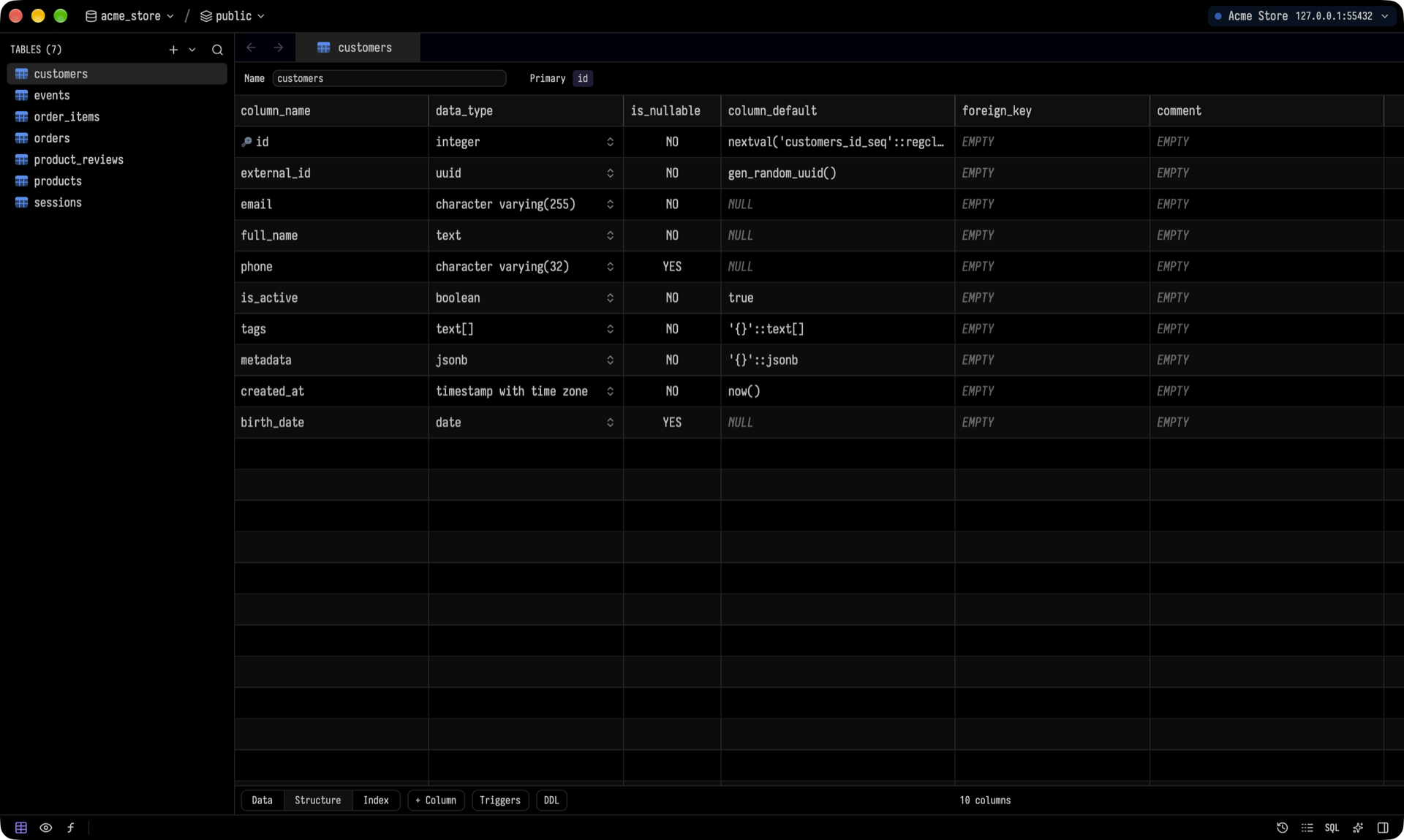
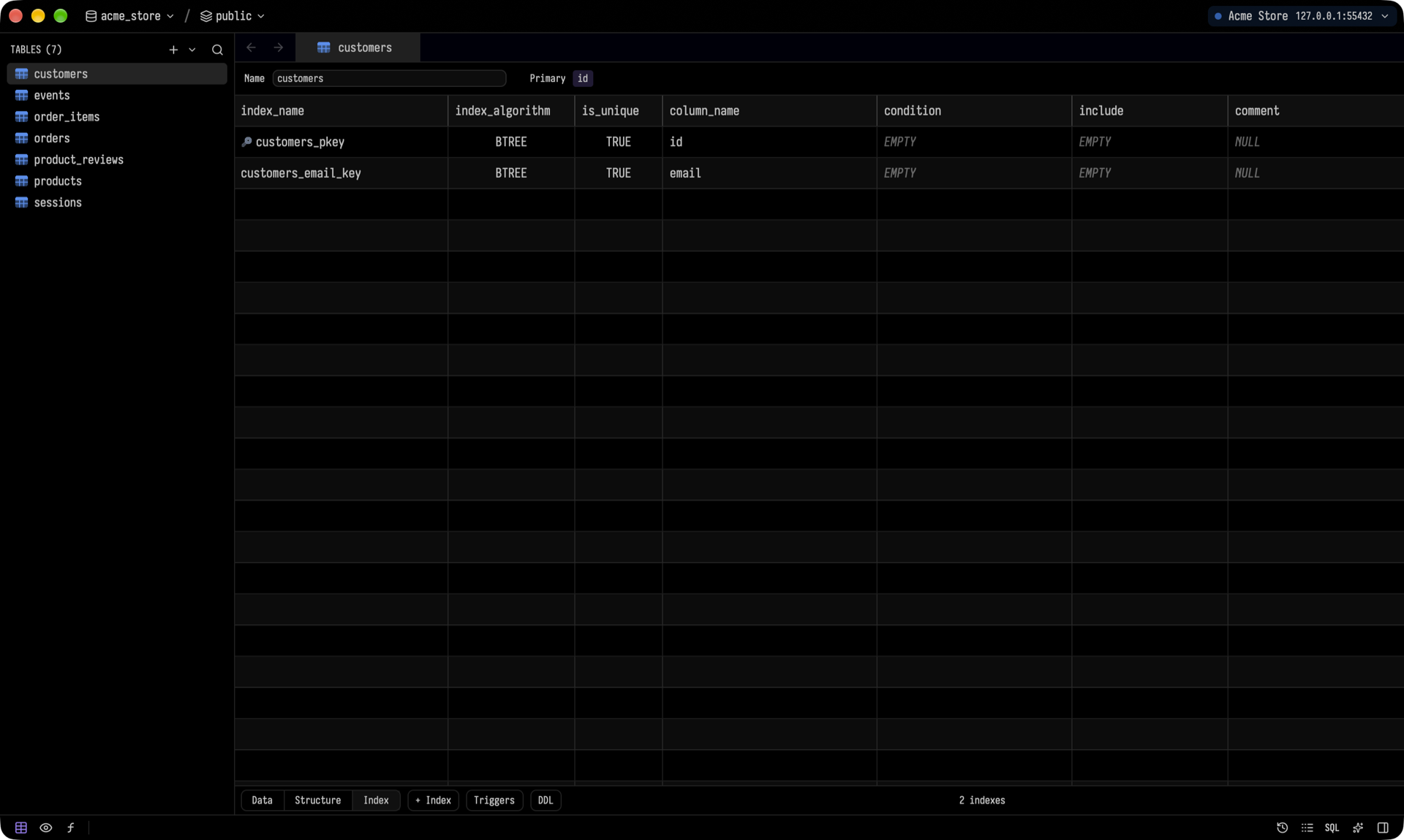 Edit columns, types, defaults, nullability, comments and indexes right in the grid. Tusk generates each engine's own DDL. If an engine can't make a change in place (for example, changing a column type in SQLite), Tusk tells you before you save, not after. You can also design new tables and views from the sidebar's `+` menu.
### SQL editor
Edit columns, types, defaults, nullability, comments and indexes right in the grid. Tusk generates each engine's own DDL. If an engine can't make a change in place (for example, changing a column type in SQLite), Tusk tells you before you save, not after. You can also design new tables and views from the sidebar's `+` menu.
### SQL editor
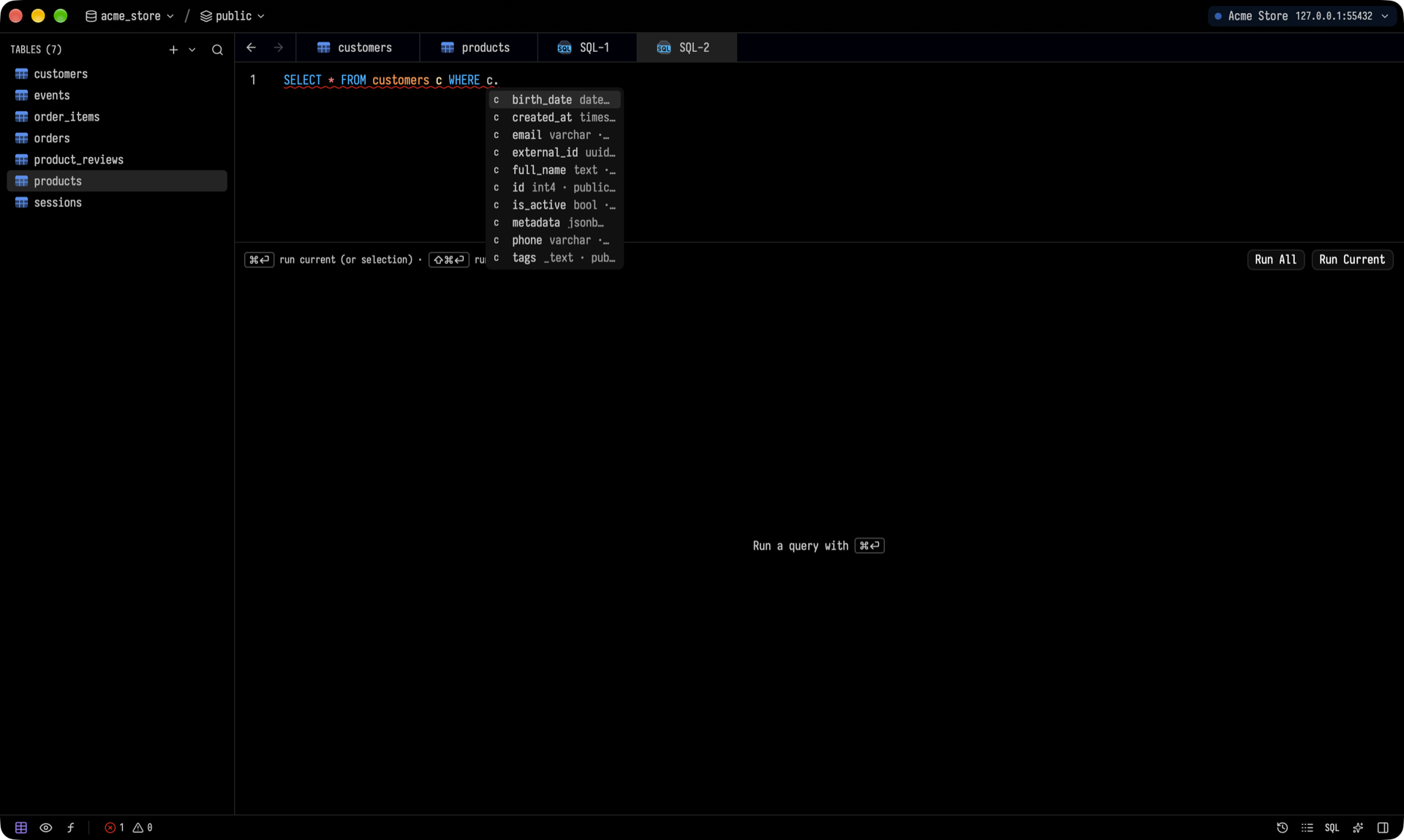
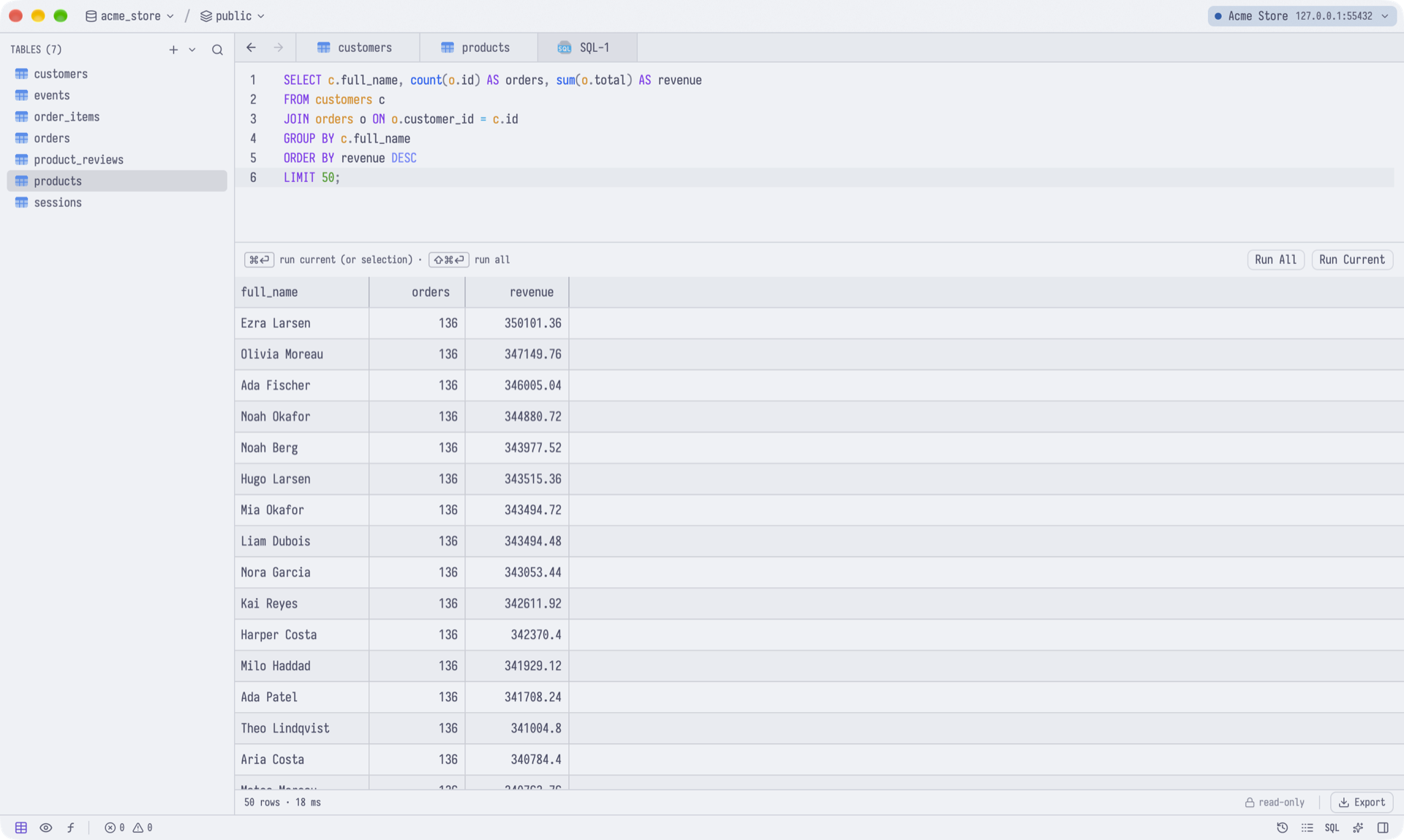
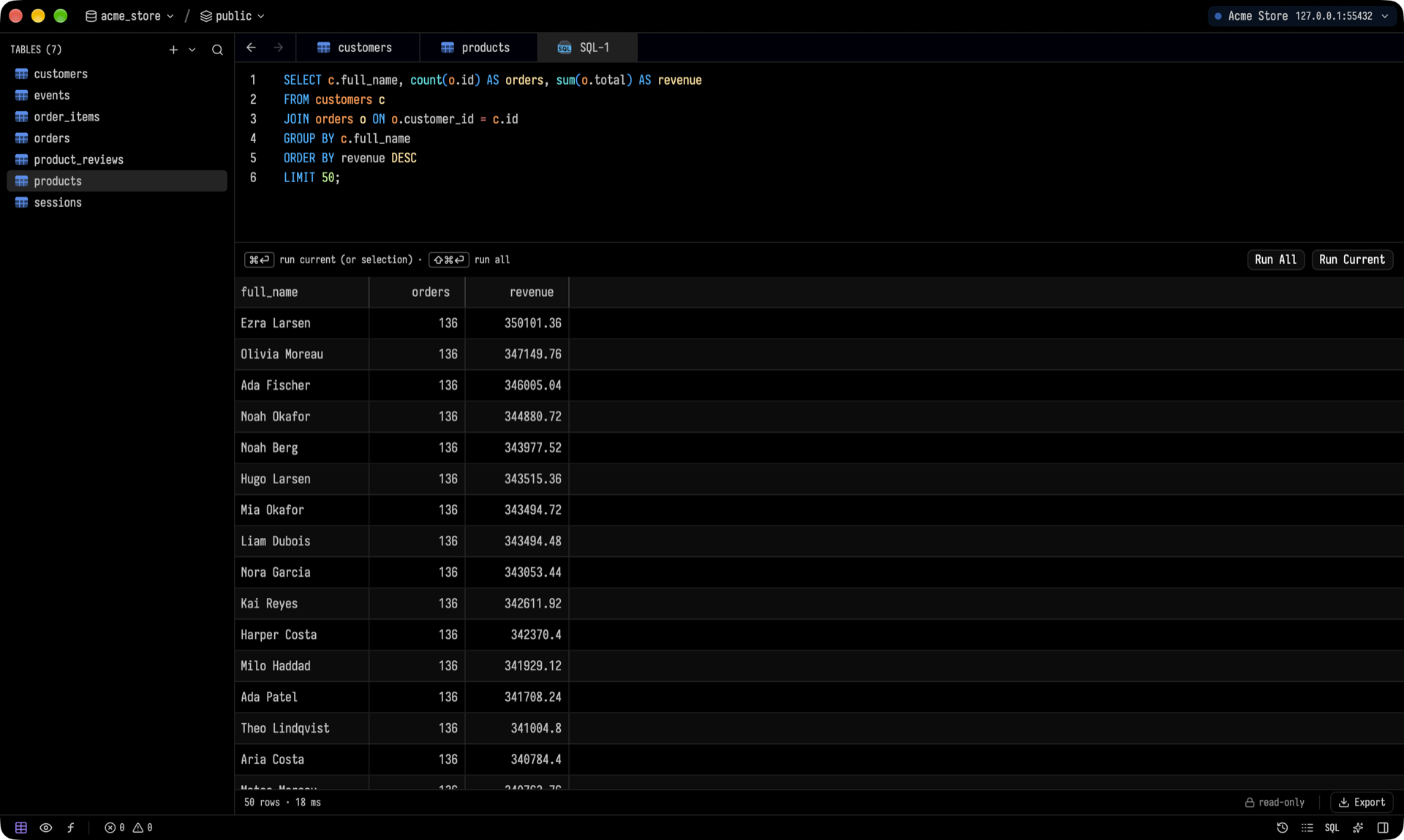 - Completions and diagnostics come from a bundled language server: [postgres-language-server](https://github.com/supabase-community/postgres-language-server) for Postgres, and [sqls](https://github.com/sqls-server/sqls) for most other SQL engines. For the rest, completions come from the live catalog.
- **Run Current** (⌘↵) runs the statement under the cursor. **Run All** (⌘⇧↵) runs everything, and each `SELECT` gets its own result tab.
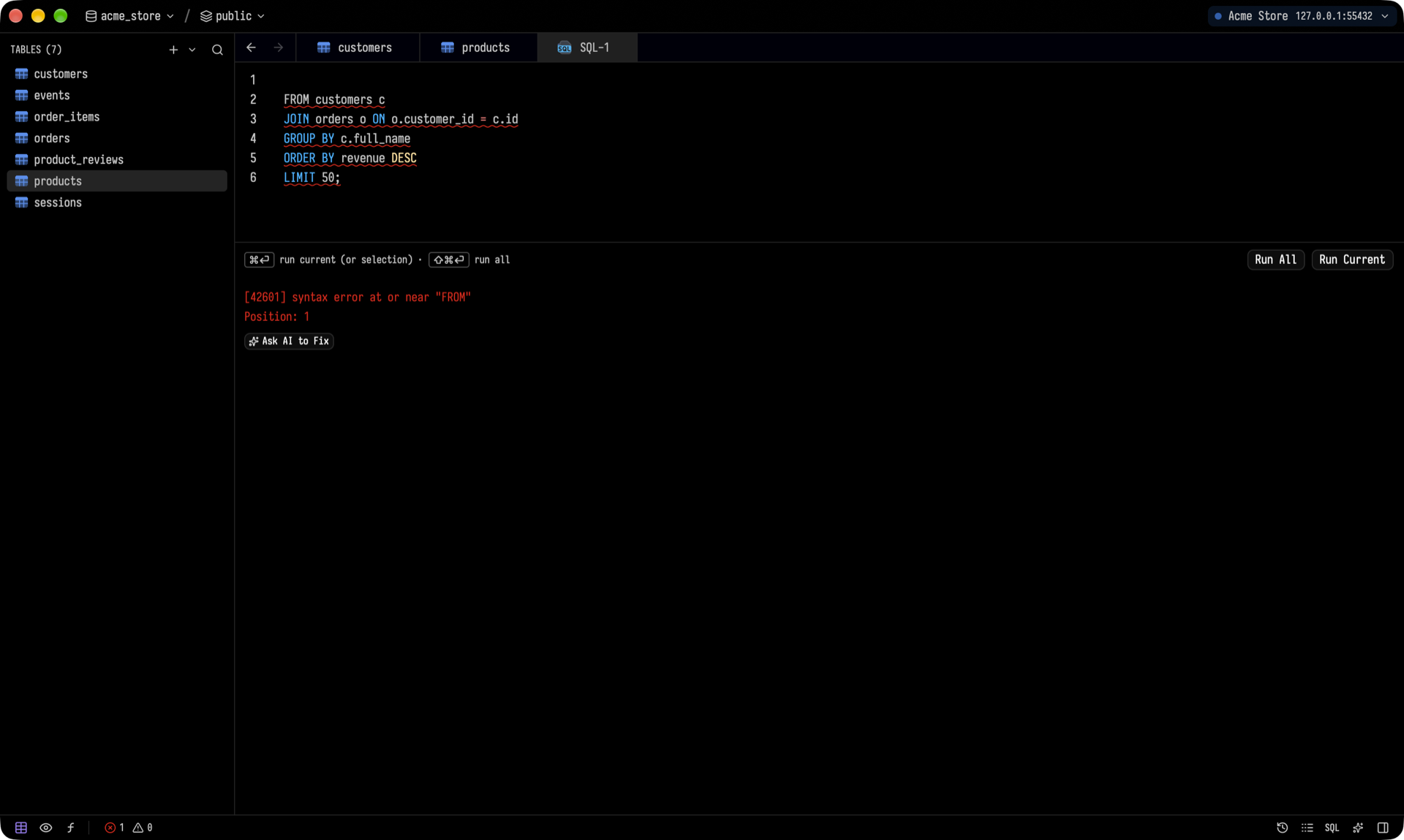
- When a query fails, **Ask AI to Fix** sends the error and your query to the agent.
- Completions and diagnostics come from a bundled language server: [postgres-language-server](https://github.com/supabase-community/postgres-language-server) for Postgres, and [sqls](https://github.com/sqls-server/sqls) for most other SQL engines. For the rest, completions come from the live catalog.
- **Run Current** (⌘↵) runs the statement under the cursor. **Run All** (⌘⇧↵) runs everything, and each `SELECT` gets its own result tab.
- When a query fails, **Ask AI to Fix** sends the error and your query to the agent.
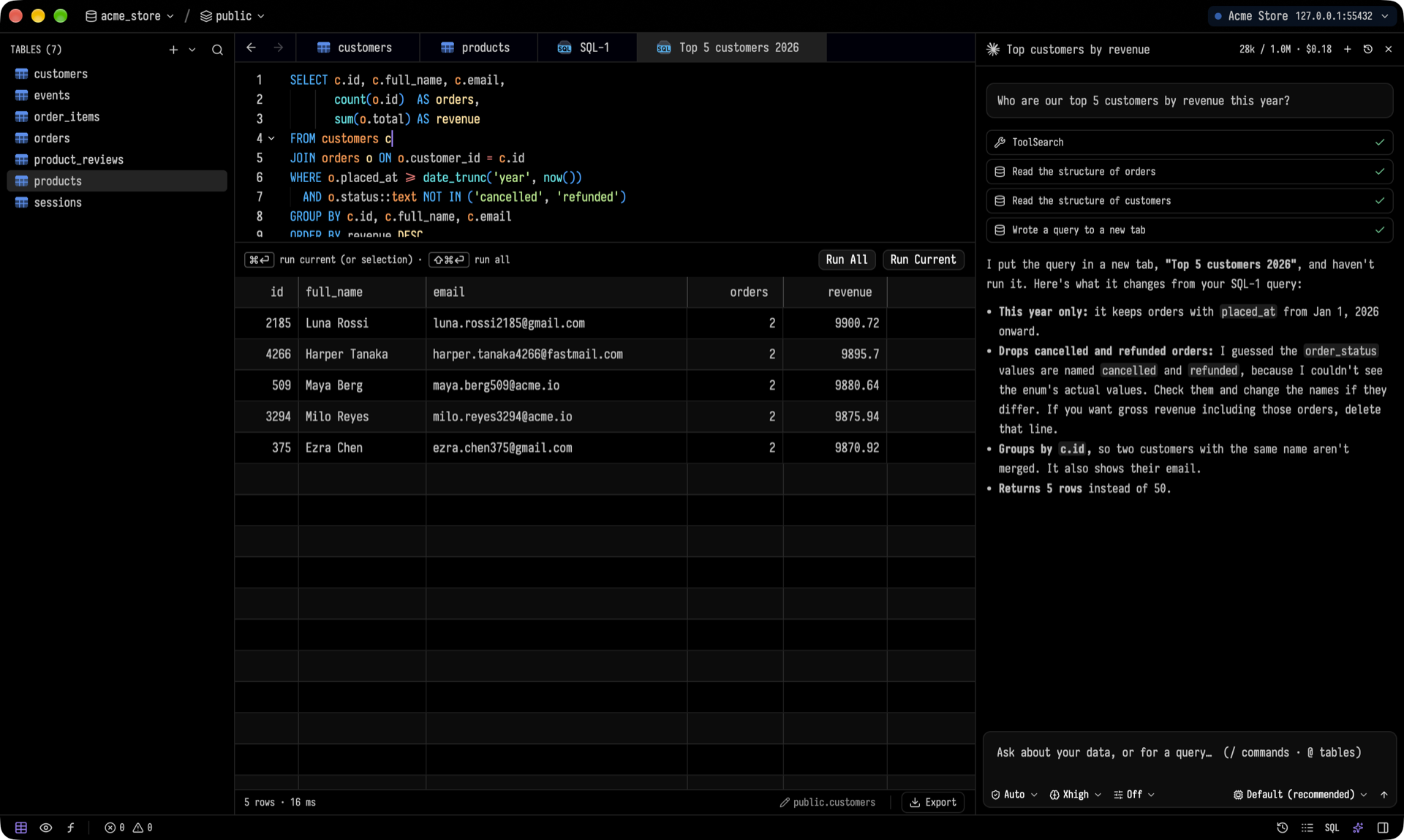
 ### An AI assistant that shows its work
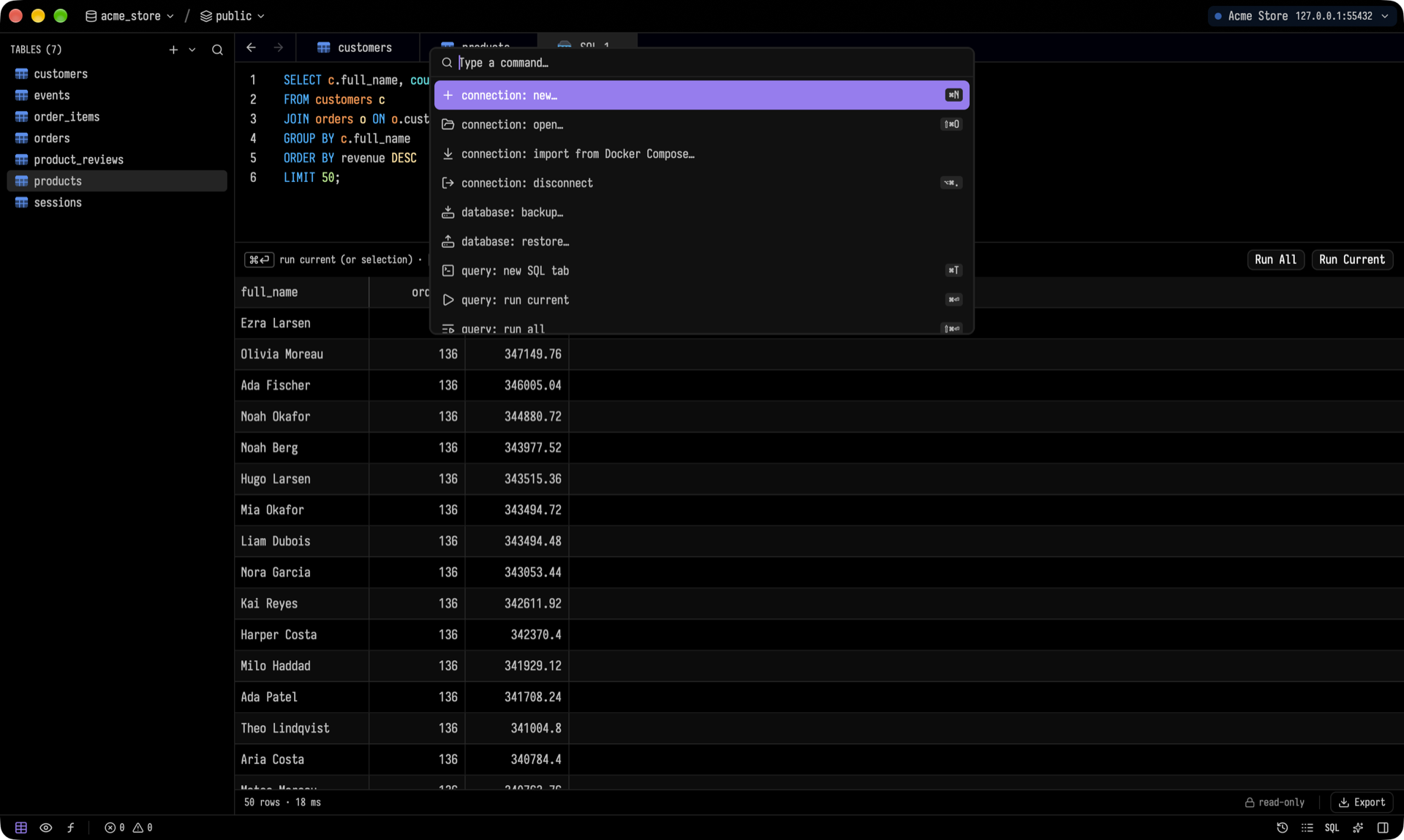
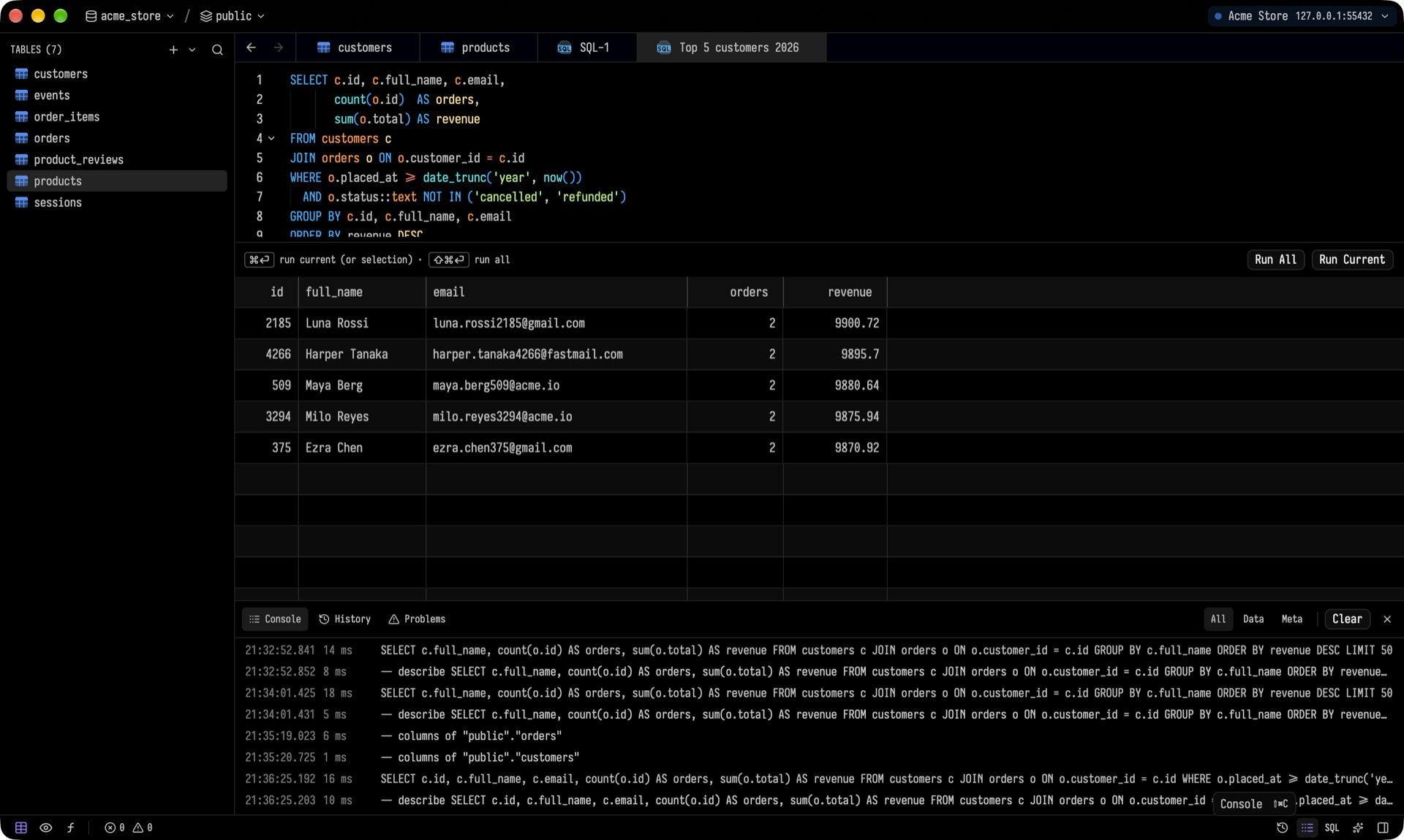
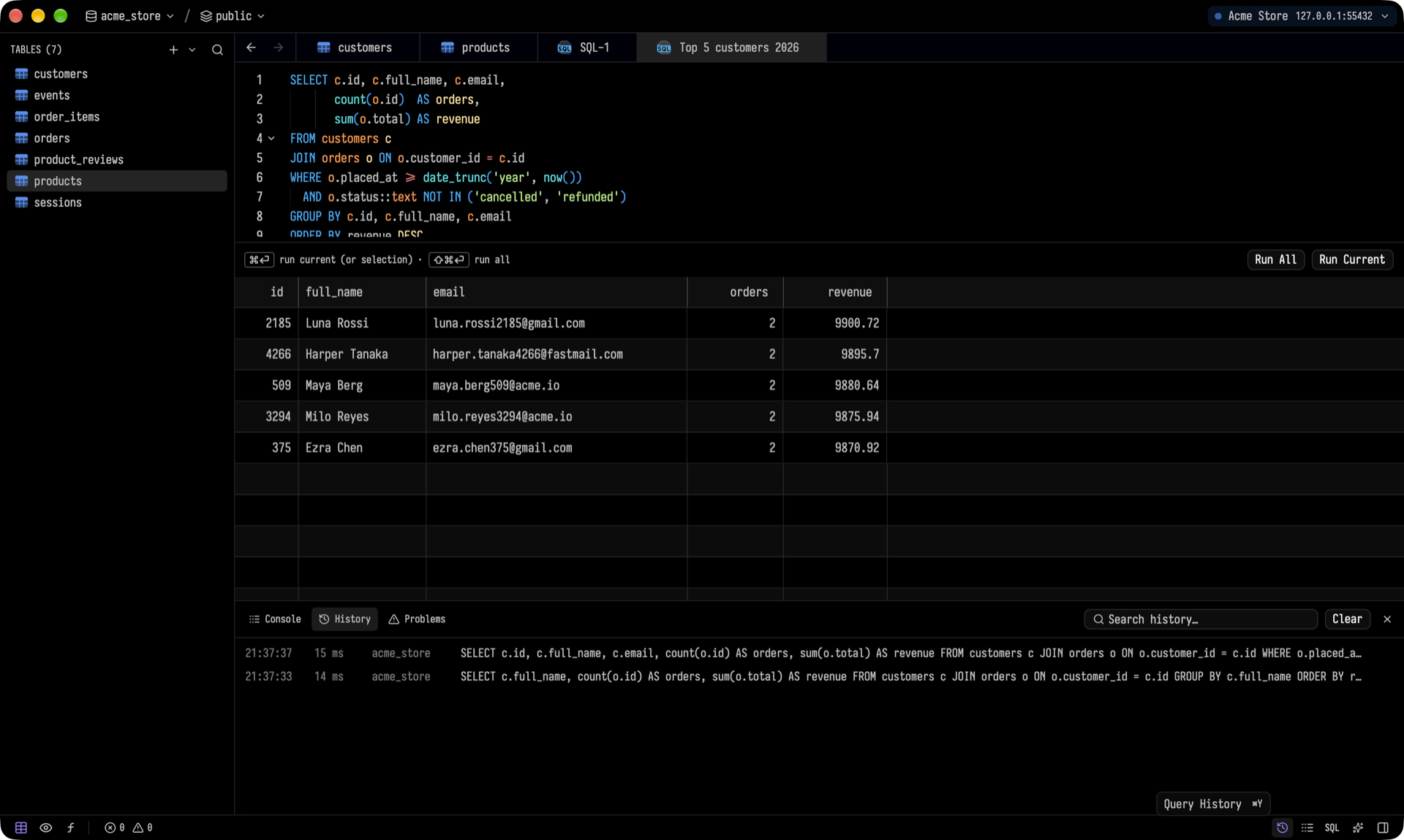
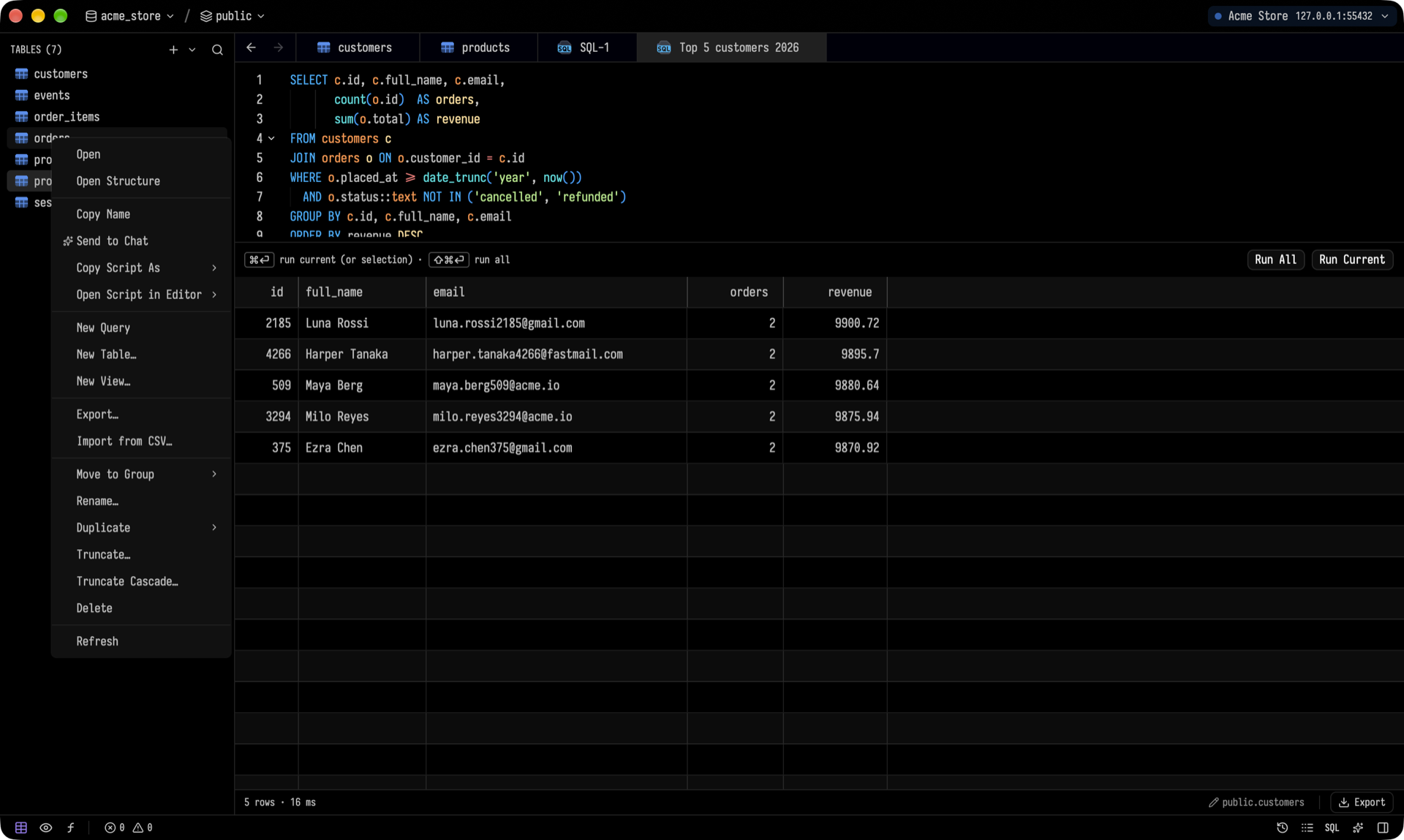 The command palette (⌘⇧P) lists every action along with its shortcut. It also switches connections, databases, schemas and themes. The console shows every statement Tusk sends. History keeps the queries you've run, and you can search it.
 ### Make it yours
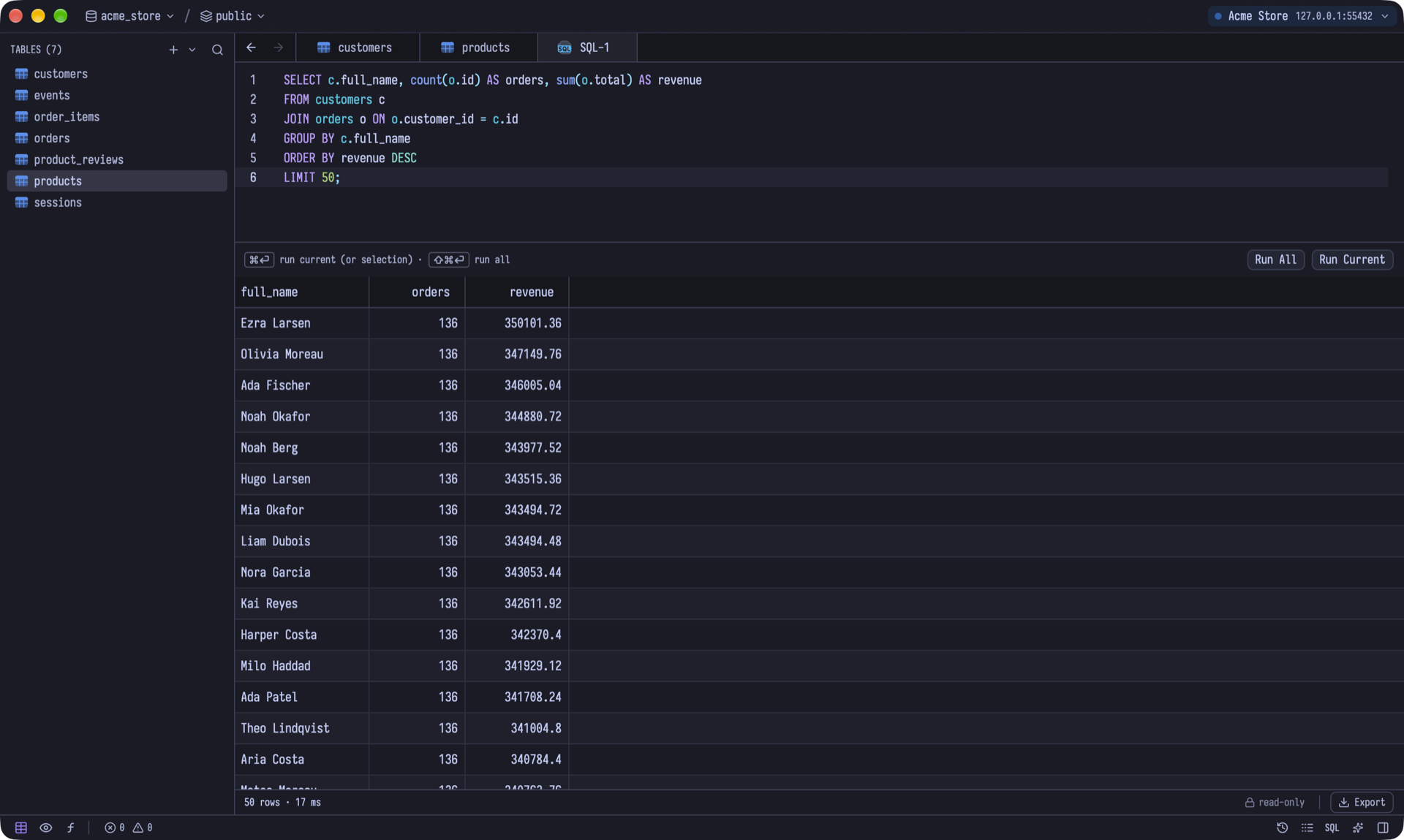
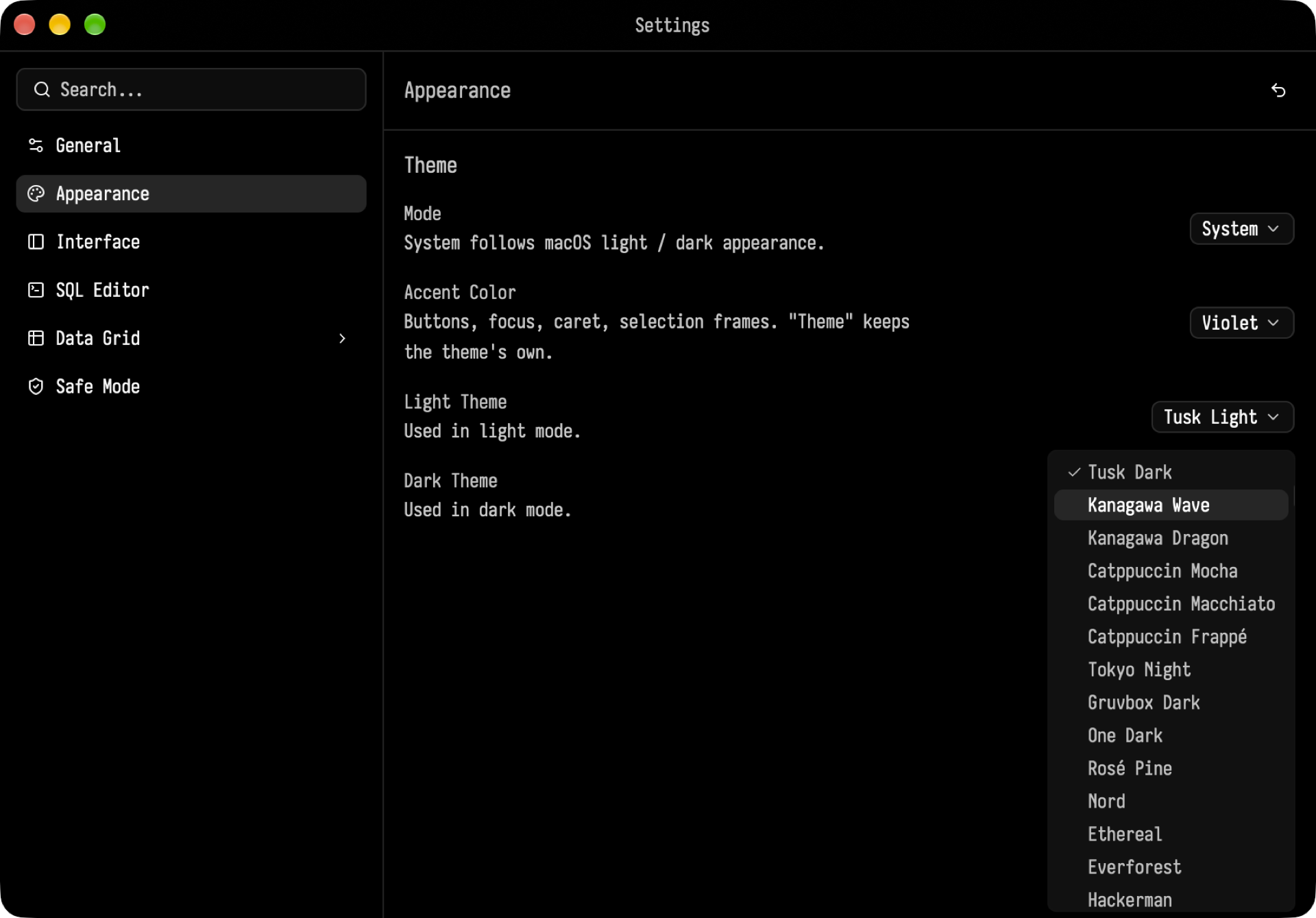
 Tusk ships with more than 30 light and dark themes: Tusk, Kanagawa, Catppuccin, Tokyo Night, Gruvbox, One, Rosé Pine, Nord, Solarized and more. You can change the accent color, the UI and table fonts, the editor settings, the grid settings, and the **Safe Mode** confirmations for destructive statements.
 ### Also included
- **Backup and restore** for PostgreSQL. The client tools are bundled on macOS; on Windows and Linux, Tusk uses the PostgreSQL client tools you install.
- **Export** tables and results as CSV, JSON or SQL, and **import** from CSV.
- **Process list** with cancel and kill, for every engine.
## Keyboard shortcuts
On Windows and Linux, use Ctrl wherever the table shows ⌘.
| Action | Shortcut |
| --- | --- |
| Command palette | ⌘⇧P |
| Quick open table | ⌘P |
| New connection / Open connection | ⌘N / ⌘⇧O |
| New SQL tab | ⌘T |
| Run current / Run all | ⌘↵ / ⌘⇧↵ |
| Save pending changes | ⌘S |
| Undo / Redo | ⌘Z / ⌘⇧Z |
| AI panel | ⌘L |
| Settings | ⌘, |
## Getting started
> [!IMPORTANT]
> - **macOS:** macOS 14 (Sonoma) or later, Apple Silicon.
> - **Windows:** Windows 10 or 11, x64 or ARM64.
> - **Linux:** x86_64, on a Wayland desktop (Xwayland works as a fallback).
### Download
Get the latest release from the [Releases page](https://github.com/alpcanaydin/tusk/releases/latest).
**macOS:** download `Tusk-
### Also included
- **Backup and restore** for PostgreSQL. The client tools are bundled on macOS; on Windows and Linux, Tusk uses the PostgreSQL client tools you install.
- **Export** tables and results as CSV, JSON or SQL, and **import** from CSV.
- **Process list** with cancel and kill, for every engine.
## Keyboard shortcuts
On Windows and Linux, use Ctrl wherever the table shows ⌘.
| Action | Shortcut |
| --- | --- |
| Command palette | ⌘⇧P |
| Quick open table | ⌘P |
| New connection / Open connection | ⌘N / ⌘⇧O |
| New SQL tab | ⌘T |
| Run current / Run all | ⌘↵ / ⌘⇧↵ |
| Save pending changes | ⌘S |
| Undo / Redo | ⌘Z / ⌘⇧Z |
| AI panel | ⌘L |
| Settings | ⌘, |
## Getting started
> [!IMPORTANT]
> - **macOS:** macOS 14 (Sonoma) or later, Apple Silicon.
> - **Windows:** Windows 10 or 11, x64 or ARM64.
> - **Linux:** x86_64, on a Wayland desktop (Xwayland works as a fallback).
### Download
Get the latest release from the [Releases page](https://github.com/alpcanaydin/tusk/releases/latest).
**macOS:** download `Tusk-