# CrossMacro Features
CrossMacro brings a visual recorder and editor, screen-aware actions, hotkeys,
schedules, triggers, text expansion, a structured CLI, and a local MCP server
into one desktop automation app for Linux, Windows, and macOS.
Start with [your first macro](../README.md#quick-start), browse the
[screenshots](#screenshots), or see the [installation guide](install.md).
For command syntax and scripting, use the canonical [CLI reference](cli.md);
for trusted local agent access, use the [MCP reference](mcp.md).
## One connected workflow
Record a real workflow and refine it visually rather than stitching together
separate recorders, input tools, image matchers, hotkey managers, schedulers, text
expanders, and platform-specific scripts. The GUI, CLI, and MCP tools share the
same automation engine. Files, editor actions, shortcuts, schedules, triggers,
and text expansion use the same persisted profiles, settings, macro format, and
task data.
**Desktop support is capability-dependent.** Available input, cursor, screen,
tray, and window-management features depend on the operating system and active
desktop session. See the [Linux](linux.md), [Windows](windows.md), and
[macOS](macos.md) references for platform-specific support and permissions.
The GUI-less desktop runtime keeps automation active without the GUI, but still
requires a desktop session: it is not a display-less server mode.
## What people build with it
| Use case | What CrossMacro adds |
| --- | --- |
| **Office and data entry** | Form filling, clipboard transforms, reusable text, and repeatable input sequences |
| **UI testing** | Recorded actions, controlled timing, screen-state checks, screenshots, and repeatable regression flows |
| **Screen-aware automation** | Wait for colors, images, or windows; use focused-window and active-workspace trigger rules |
| **Scheduled desktop work** | Reports, downloads, backups, kiosk routines, and unattended sequences in an active session |
| **Creative and accessibility workflows** | Precise input timing, reusable profiles, shortcuts, and text expansion |
| **Permitted game workflows** | Reusable input profiles where the target application's rules and anti-cheat policy allow automation |
| **AI-assisted local workflows** | Trusted agents can use MCP without CrossMacro opening a network listener |
## Macro recorder and player
- Record mouse movement, clicks, button presses/releases, vertical and horizontal
scrolling, and raw keyboard events; capture mouse and keyboard independently
when a workflow needs only one input source.
- Replay from `0.1x` to `10.0x` with pause/resume, countdown, repeat counts,
fixed or randomized repeat delays, and cancellation.
- Choose automatic, absolute, raw-relative, or logical-relative coordinates when
supported by the active desktop session.
- Use precision motion or strict-speed playback with configurable report rates
and motion-error limits.
- Customize the default global controls: `F8` record, `F9` play, and `F10`
pause/resume.
## Macro editor and workflow building
- Load, save, rename, select, and replay reusable `.macro` files with Selected
Only, Advance Selection, and Sequential Cycle modes, per-macro repeat counts,
and fixed or randomized cycle delays.
- Edit mouse, keyboard, text, delay, clipboard, shell, screenshot, window,
pixel/color, image, variable, loop, and condition actions visually.
- Hide noisy mouse moves and short waits, simplify movement, multi-select actions,
and reorder, duplicate, or delete them with undo/redo, validation, coordinate
capture, and image asset import.
- Build logic with variables, integer arithmetic, `repeat`, `for`, `while`, `if`,
`else`, `break`, and `continue`.
- Read pixels, wait for colors, search or wait for PNG images, click matches, and
capture full-screen or regional screenshots.
- Validate and test-run an edited workflow directly, then stop it from the editor
without saving an intermediate file.
CLI image commands use filesystem paths; visual-editor macro actions use imported
image asset names. Templates must be native 8-bit PNG files; multi-monitor gaps
are not searchable pixels. See the [CLI reference](cli.md) for matching options
and screen commands.
## Hotkeys, schedules, triggers, and background automation
- Bind macros to global keyboard or mouse shortcuts with toggle, repeat,
run-while-held, per-task playback speed, randomized delay, and focused-window
class/title/process rules using equals, contains, or regex matching.
- Schedule one-time, fixed/random interval, daily, weekday, weekend, or weekly
execution with per-task playback speed plus last-run, next-run, and status
tracking.
- Match the focused window's class, title, or process name, or the active
workspace; run a macro or switch profiles with debounce, cooldown, and
enter/exit fire modes.
- Keep global hotkeys, schedules, shortcuts, text expansion, and record/play
controls active in the GUI-less desktop runtime.
- Record, inspect, validate, and play macros; manage settings, profiles, text
expansions, schedules, shortcuts, and triggers; and automate input, windows,
clipboard, screenshots, and screen searches from the structured CLI/JSON API.
See the [GUI-less desktop runtime](cli.md#gui-less-desktop-runtime) and the
[CLI reference](cli.md) for supported commands, JSON results, exit codes, and the
scripting language. `--dry-run` validates supported play/run workflows without
input injection or shell execution.
## Screen, desktop, and text integration
- Read and write clipboard text, capture selected text, and use clipboard images
where the platform adapter supports them.
- Query, wait for, focus, close, move, resize, center, maximize, fullscreen, or
float windows; inspect and change workspaces on supported backends.
- Create text expansions with per-entry enable/disable, paste or direct typing,
and compatibility controls.
- Separate work, games, testing, and personal automation into named profiles.
- Switch isolated automation environments that reload profile-specific settings,
hotkeys, shortcuts, schedules, triggers, text expansions, and loaded macro
libraries together.
- Run trusted shell steps with retries, backoff, timeout, stdin, and bounded
stdout/stderr capture; Flatpak applies a network-disabled nested sandbox.
## Cross-platform application and integrations
- Native Windows and macOS integrations plus native X11, daemon-backed/direct
`uinput`, Wayland portal screen capture, and compositor-provider paths on Linux.
- Dedicated GUI pages for Recording, Playback, Files, Text Expansion, Shortcuts,
Schedule, Triggers, Editor, and Settings.
- Tray/start-minimized support where available, with quick show/hide,
record/play/stop controls; startup update checks, release notifications,
runtime log-level control, built-in/user JSON themes, and nine languages.
- A policy-controlled local MCP server with optional restricted mode, capability
settings, path roots, limits, timeouts, and tools for desktop automation and
CrossMacro data.
- `crossmacro doctor --json --verbose` reports input, cursor, permission, daemon,
session, and available platform-provider diagnostics.
MCP can request effectful desktop actions. Connect only trusted hosts and begin
with `crossmacro mcp --restricted`; normal `crossmacro mcp` is not restricted by
default. Review capability settings and configure path roots before granting
full access. The [MCP reference](mcp.md) is the canonical setup and policy guide.
For diagnostic limitations and platform commands, see
[troubleshooting](README.md#troubleshooting).
## Screenshots
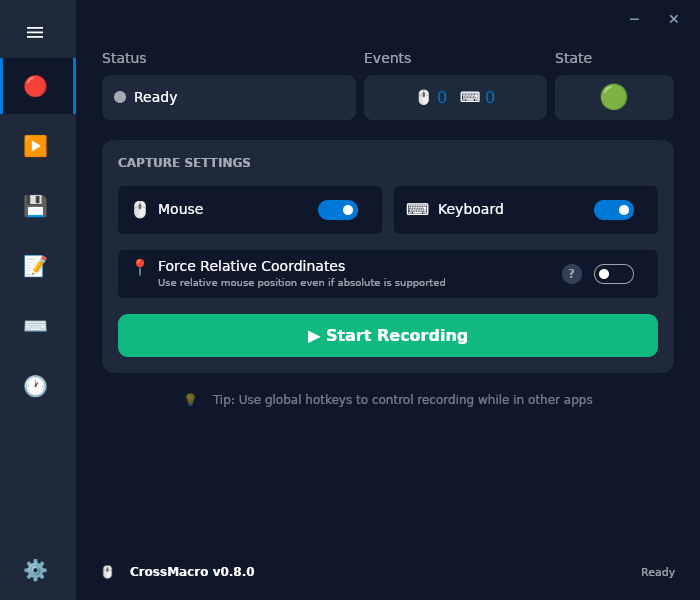
### Record mouse and keyboard actions
Capture a real workflow before refining it in the editor.
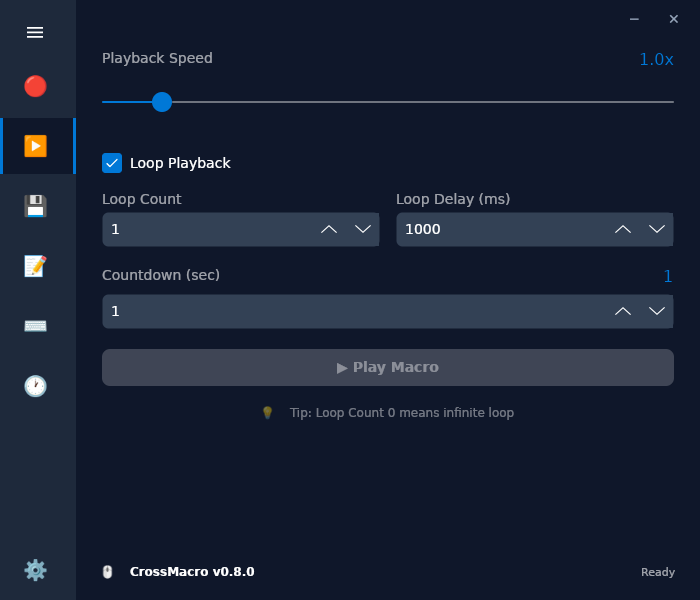
 ### Record and play
Control speed, loops, countdowns, and repeat delays.
### Record and play
Control speed, loops, countdowns, and repeat delays.
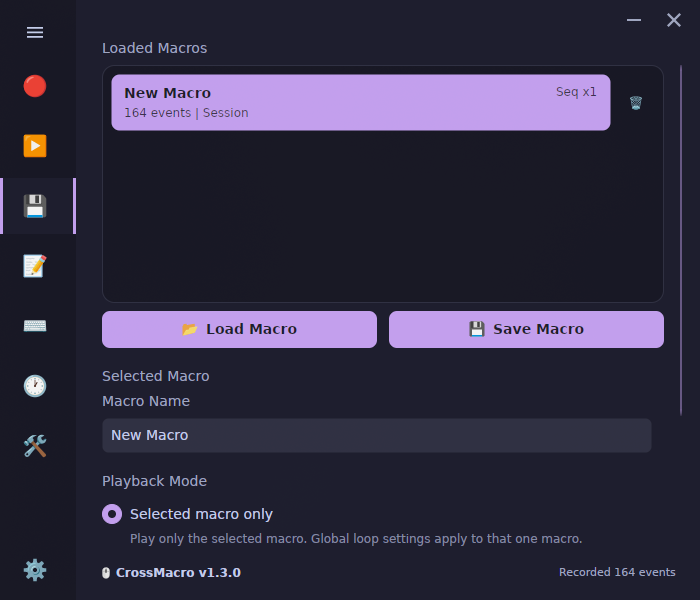
 ### Keep a macro library
Load, save, select, sequence, and replay macro files.
### Keep a macro library
Load, save, select, sequence, and replay macro files.
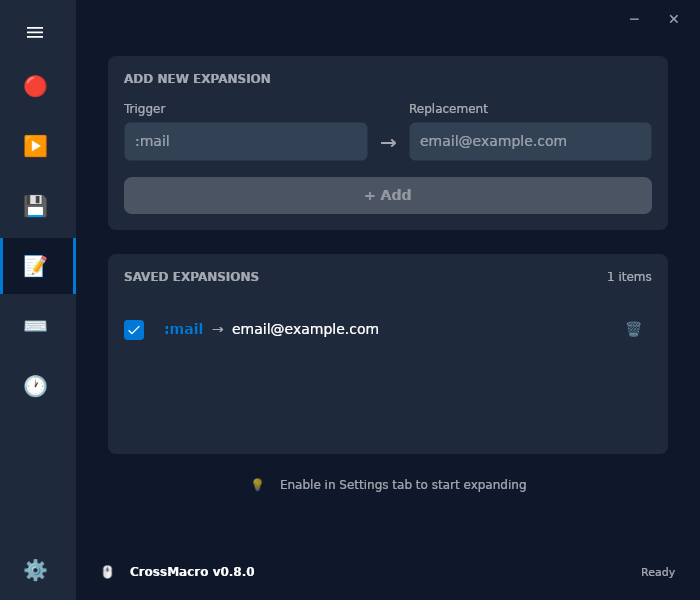
 ### Expand text anywhere
Create reusable abbreviations with paste or direct typing.
### Expand text anywhere
Create reusable abbreviations with paste or direct typing.
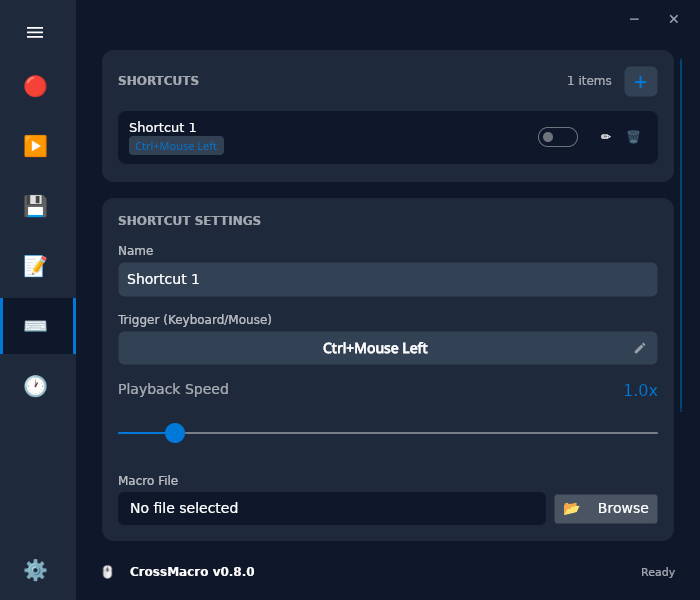
 ### Launch from shortcuts
Bind macros to global keyboard and mouse combinations.
### Launch from shortcuts
Bind macros to global keyboard and mouse combinations.
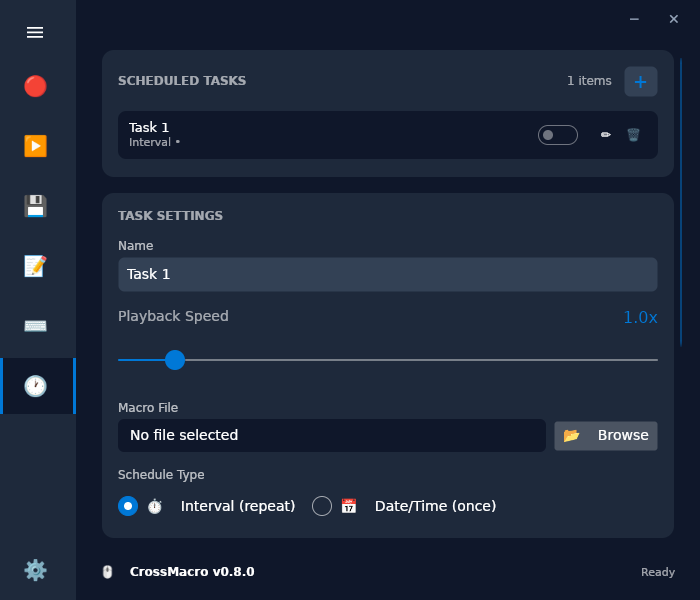
 ### Run on a schedule
Choose one-time, interval, daily, or weekly execution.
### Run on a schedule
Choose one-time, interval, daily, or weekly execution.
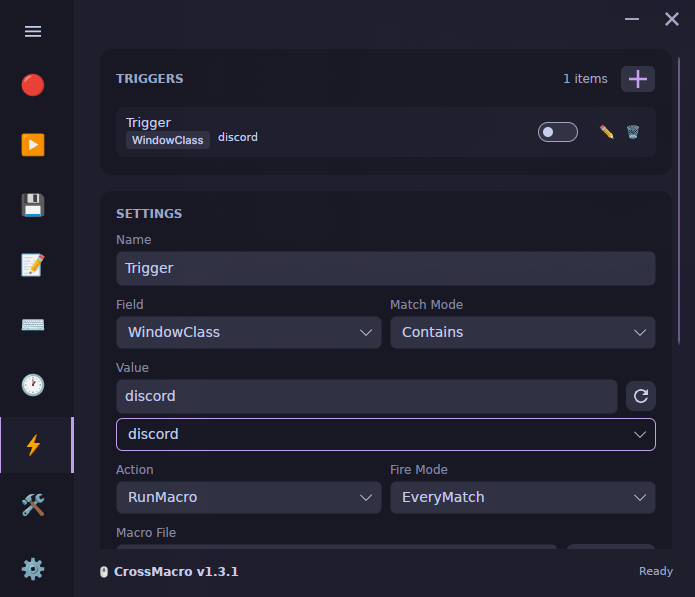
 ### React to desktop changes
Match the focused window's class, title, or process name, or the active workspace;
run a macro or switch profiles.
### React to desktop changes
Match the focused window's class, title, or process name, or the active workspace;
run a macro or switch profiles.
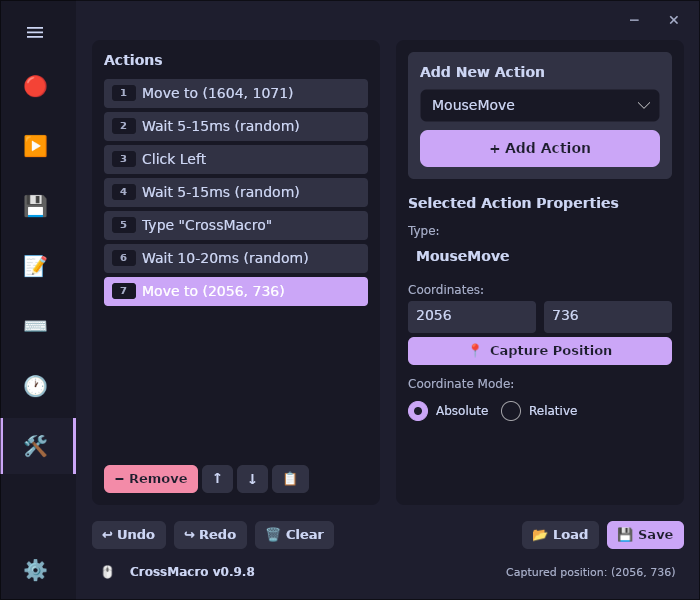
 ### Build smarter workflows
Edit actions, logic, coordinates, images, and timing.
### Build smarter workflows
Edit actions, logic, coordinates, images, and timing.
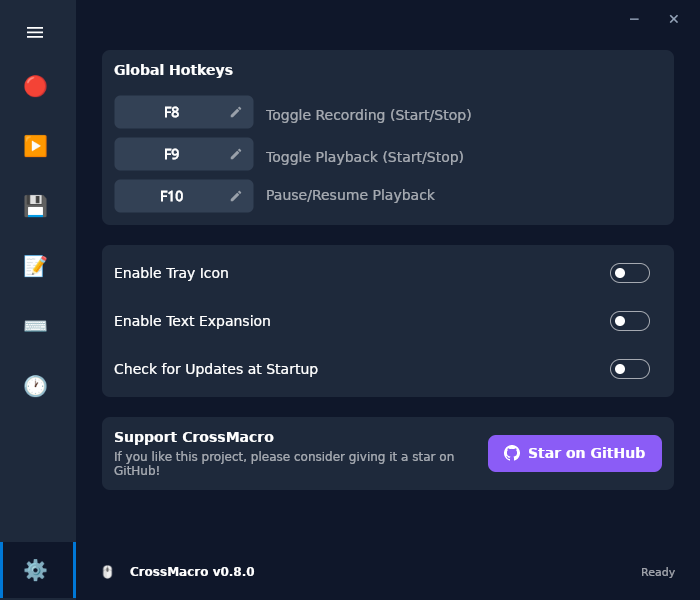
 ### Make it yours
Choose themes, languages, hotkeys, tray, logs, and updates.
### Make it yours
Choose themes, languages, hotkeys, tray, logs, and updates.
 [Back to documentation](README.md) · [Compare tools](comparison.md)