# Flutter Social Chat



A modern, feature-rich social chat application built with Flutter following the MVVM architecture. This app combines social networking features with robust real-time messaging capabilities.
## 🤝 Sponsored by Stream

Flutter Social Chat is proudly sponsored by [Stream](https://getstream.io/chat/flutter/tutorial/?utm_source=GitHub&utm_medium=referral&utm_content=&utm_campaign=flutter_social_chat), the leading provider for chat and activity feed APIs.
This marks **another** exciting collaboration with Stream after our initial release. The powerful Stream Chat SDK enables us to implement robust, scalable, and feature-rich chat functionality with minimal effort.
📖 **Official Blog Coverage**
- [Building a Flutter Social Chat App: MVVM Architecture & Stream Chat (2025)](https://getstream.io/blog/flutter-social-chat/)
- [Building a Social Chat App with Flutter and Stream (2023)](https://gstrm.io/sahinefe)
The latest blog post dives into our architectural decisions, feature set, and how the Stream Chat SDK powers real-time communication in this modern Flutter app.
## 🚀 Technical Highlights
- ⚡ **MVVM Architecture**: Clean separation of UI, business logic, and data
- 🔄 **BLoC Pattern**: Efficient reactive state management with Flutter BLoC
- 🔌 **Stream Chat SDK**: Powerful real-time messaging capabilities
- 🔐 **Firebase Integration**: Authentication and data storage with Firebase
- 📱 **Responsive Design**: Adaptive UI for different device sizes
- 🧩 **Modular Structure**: Well-organized codebase with clear separation of concerns
- 🌐 **Environment Configuration**: Secure management of API keys and secrets
- 🔌 **Dependency Injection**: Flexible service location with GetIt
- 🧪 **Functional Programming**: Elegant flow with FPDart
## 💬 Core Features
- 🔑 **Phone Authentication**: Secure sign-in with SMS verification
- 💬 **Real-time Chat**: Instant messaging powered by Stream Chat
- 🔍 **User Discovery**: Find and connect with other users
- 📊 **Chat Management**: Create, list, and manage conversations
- 🔔 **Connectivity Handling**: Graceful online/offline state management
## 📱 App Showcase
### App Flow Demo
 ### Demo Video
[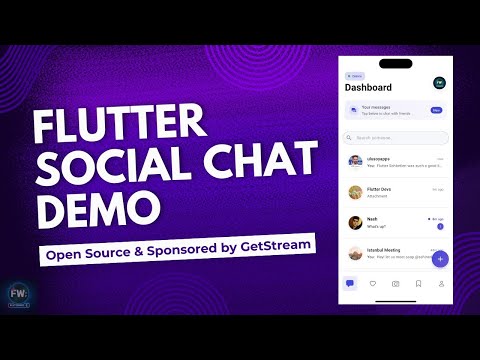](https://www.youtube.com/watch?v=3X-tVb1xim4)
*Click the image above to watch the full app demo*
### Screenshots
#### Authentication Flow
### Demo Video
[](https://www.youtube.com/watch?v=3X-tVb1xim4)
*Click the image above to watch the full app demo*
### Screenshots
#### Authentication Flow
Landing Page
 |
Sign In
 |
SMS Verification
 |
Onboarding
 |
#### Main App Features
Dashboard
 |
Search Users
 |
Chat Options
 |
#### Chat Creation
Create Private Chat
 |
Create Group Chat
 |
#### Chat Experience
Chat View
 |
Message Details
 |
Message Reactions
 |
Profile View
 |
## 🏗️ Architecture
Flutter Social Chat follows the MVVM (Model-View-ViewModel) architecture, with a clean separation of concerns:
```
lib/
├── core/ # Core functionality, utils, and app-wide services
├── data/ # Data layer with repositories and data sources
├── domain/ # Domain layer with models
├── presentation/ # UI layer with views, blocs, and design system
└── main.dart # Application entry point
```
### State Management
The app uses BLoC (Business Logic Component) pattern for state management:
- **Separation of UI and Business Logic**: Clear distinction between presentation and business logic
- **Testability**: Easy unit testing of business logic
- **Reactive Programming**: Stream-based approach for handling state changes
- **Equatable**: All state classes use Equatable for efficient state comparison
## 🔧 How to Run
### Setup Steps
1. **Clone the repository**
```bash
git clone https://github.com/yourusername/flutter_social_chat.git
cd flutter_social_chat
```
2. **Install dependencies**
```bash
flutter pub get
```
3. **Firebase Setup**
- Create a new Firebase project at [Firebase Console](https://console.firebase.google.com/)
- Add Android and iOS apps to your Firebase project
- Download and add the `google-services.json` to the Android app directory
- Download and add the `GoogleService-Info.plist` to the iOS app directory
- Enable Phone Authentication in the Firebase Authentication section
- Set up Firestore Database with appropriate security rules
4. **Stream Chat Setup**
- Create an account on [Stream](https://getstream.io/)
- Create a new app in the Stream dashboard
- Get your API Key and Secret from the app dashboard
- Create a `.env` file in the project root with your Stream credentials:
```
STREAM_CHAT_API_KEY=your_stream_chat_api_key
STREAM_CHAT_API_SECRET=your_stream_chat_api_secret
```
- For detailed environment setup instructions, see [ENV_SETUP.md](ENV_SETUP.md)
5. **Run the app**
```bash
flutter run
```
## 📄 License
This project is licensed under the MIT License - see the LICENSE file for details.