[](https://github.com/hacs/integration)
[![release][release-badge]][release-url]
[](https://hosted.weblate.org/engage/smart-irrigation/)
[release-url]: https://github.com/altmenorg/HAsmartirrigation/releases
[release-badge]: https://img.shields.io/github/v/release/altmenorg/HAsmartirrigation?style=flat-square
# Smart Irrigation

This integration calculates the time to run your irrigation system to compensate for moisture loss by [evapotranspiration](https://en.wikipedia.org/wiki/Evapotranspiration). Using this integration you water your garden, lawn or crops precisely enough to compensate what has evaporated. It takes into account precipitation (rain, snow) and moisture loss caused by evapotranspiration and adjusts accordingly.
If it rains or snows less than the amount of moisture lost, then irrigation is required. Otherwise, no irrigation is required.
The integration can take into account weather forecasts for the coming days and also keeps track of the total moisture lost or added ('bucket').
Multiple zones are supported, each zone having its own configuration and set up. It can also open and close your valves itself, or leave that to your own automations and the blueprints it ships.
## ✨ Highlights
- 🎛️ **A panel in four tabs, with a standard and an advanced mode.** Home, Zones, Data and Settings, built with native Home Assistant components and saving as you type. A new installation starts in the standard mode, with a setup assistant that asks one question at a time and creates the first zone. The advanced mode opens every setting. The soil and the crop are chosen by name.
- 🃏 **A dashboard card**, served by the integration: what each zone is short of, how long it would run, when, and why not, with a button to water on the spot.
- 🚰 **Direct valve control.** Smart Irrigation can open the valves itself, with cycle and soak (the same water in several passes so clay takes it in), a pause between zones, and a watchdog that closes a valve left open.
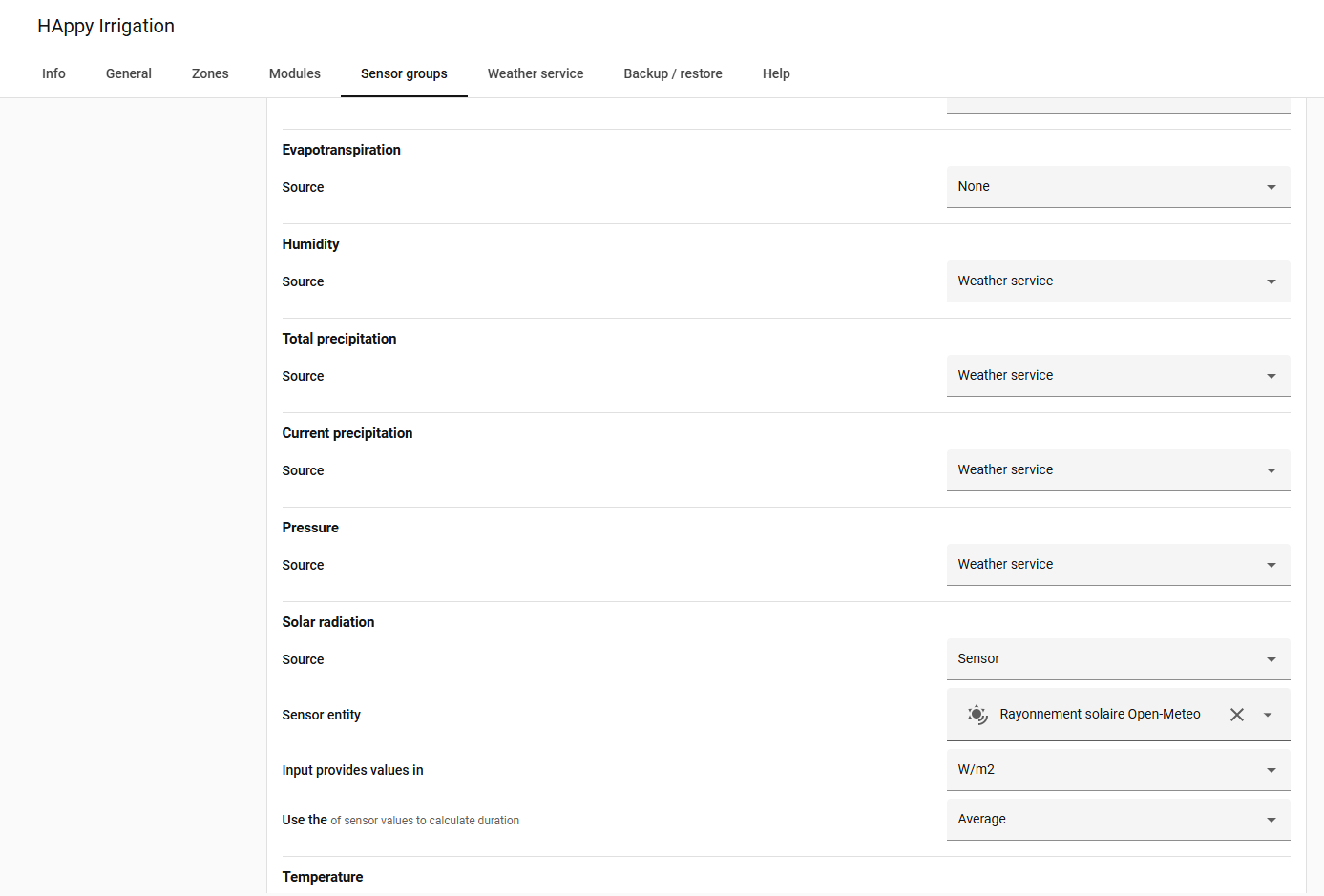
- ☀️ **An hourly FAO-56 calculation.** Evapotranspiration computed hour by hour from the Penman-Monteith equation, with or without a radiation sensor and with forecast days, checked against the paper's own worked example.
- 🌱 **Greenhouse mode.** Under glass the sky is not what reaches the plant: a lux sensor inside answers it, and without one the glass dims the sun.
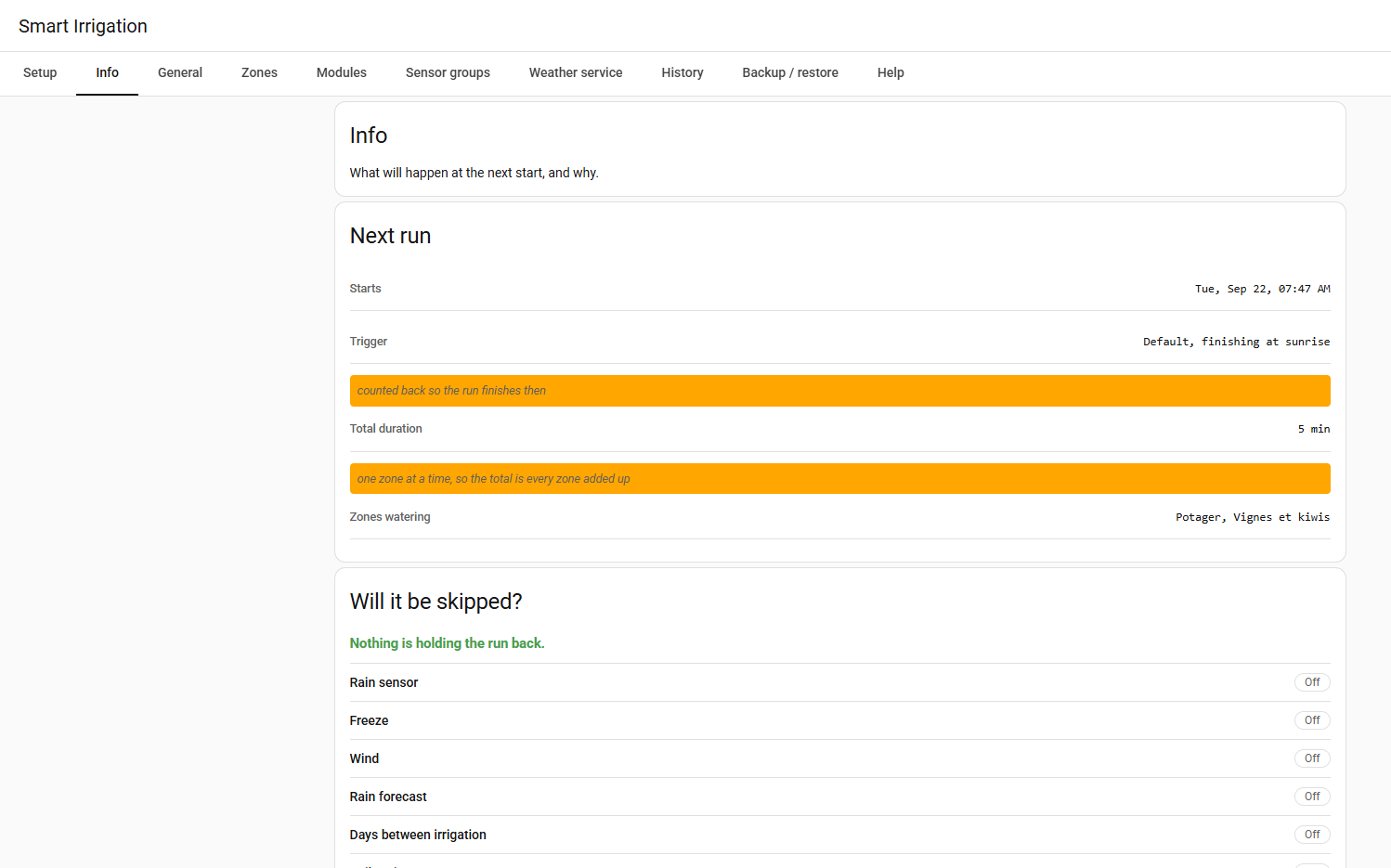
- 🛑 **Skip conditions.** A rain sensor, frost, wind, a soil moisture sensor per zone and the rain forecast can each hold a run back, and the Info page says which one and on what numbers.
- 📐 **Controller blueprints** for Rain Bird, Hydrawise, Rachio, OpenSprinkler and B-hyve, besides plain valves, ESPHome and Irrigation Unlimited.
- 🌍 **20 languages, out of the box.** The panel *and* the config flow are fully translated: English, French, German, Spanish, Italian, Dutch, Norwegian, Slovak, Slovenian, Polish, Portuguese, Brazilian Portuguese, Czech, Russian, Ukrainian, Simplified Chinese, Swedish, Danish, Finnish and Hungarian. Everything except English and French was machine-translated, so if yours reads oddly, [correct it on Weblate](https://hosted.weblate.org/engage/smart-irrigation/), in the browser and with no account on GitHub, or [in the JSON file directly](CONTRIBUTING.md#translations).
- 🌦️ **Switch weather service on the fly** between Open-Meteo, OpenWeatherMap and Pirate Weather, and update the API key, without removing and re-adding the integration.
- 💾 **One-click Backup / Restore** of your entire configuration as a JSON file.
- ⏰ **Flexible start triggers** around sunrise, sunset, solar azimuth or a fixed time, with one active at a time, firing an identifiable event for your automations.
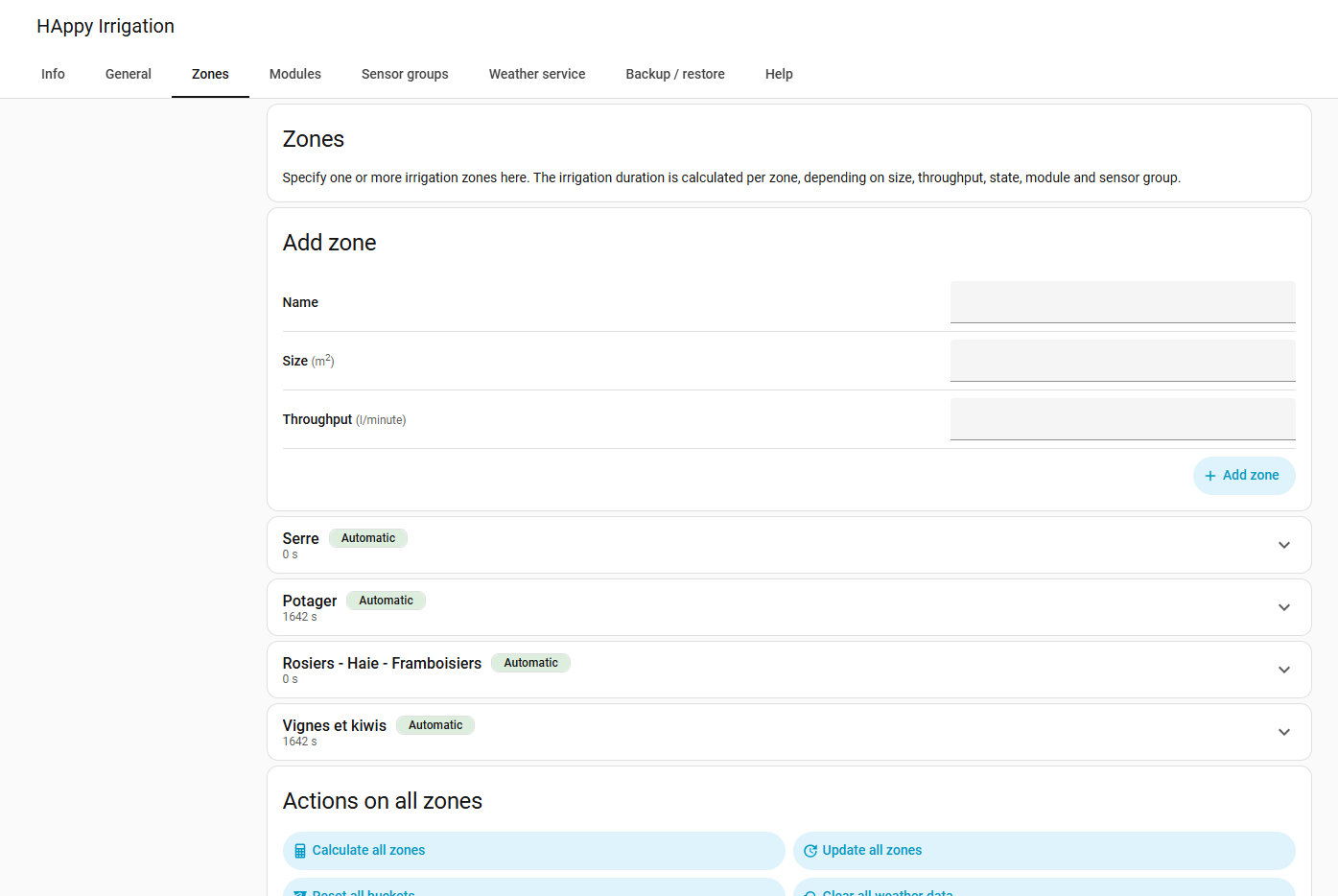
The HA-native configuration panel — instant-save editing, native controls, everything in one place.
## Installation
**Via HACS (recommended).** Smart Irrigation is in the HACS default store, so there is no repository to add:
1. In [HACS](https://hacs.xyz), search for **Smart Irrigation** and click **Download**.
2. **Restart Home Assistant**, then add it from *Settings → Devices & Services → Add Integration → Smart Irrigation*.
**Manually.** Download the [latest release](https://github.com/altmenorg/HAsmartirrigation/releases) and extract it into `custom_components/smart_irrigation/`, then restart Home Assistant.
Full documentation: **[altmenorg.github.io/HAsmartirrigation](https://altmenorg.github.io/HAsmartirrigation/)**.
## Recent improvements
Since the project moved here in June 2026, the stable v2026.10.2 gathered seven betas and three release candidates:
- A **four-tab panel** (Home, Zones, Data, Settings) with a **standard and an advanced mode**, a setup assistant, and a **dashboard card** that can water a zone on demand.
- **Direct valve control** with cycle and soak, a pause between zones and a valve watchdog, and **controller blueprints** for Rain Bird, Hydrawise, Rachio, OpenSprinkler and B-hyve.
- **Hour-by-hour FAO-56 evapotranspiration**, a **greenhouse mode**, and **skip conditions** (rain sensor, frost, wind, soil moisture, forecast rain).
- **Per-zone settings**: days between irrigation, crop factor by month, soil and crop chosen by name, and seasonal adjustments edited in the panel.
- Several corrections to the water balance, among them the saturation vapour pressure (the evapotranspiration was too low for everybody), rain counters, and recurring schedules that never ran. The [v2026.10.1 release notes](https://github.com/altmenorg/HAsmartirrigation/releases/tag/v2026.10.1) list them with the changes in amounts.
- **20 languages**, with corrections welcome on [Hosted Weblate](https://hosted.weblate.org/engage/smart-irrigation/).
## Irrigation start triggers
Smart Irrigation computes irrigation **durations**, and either opens the valves itself (direct valve control) or leaves the watering to your own automation. A **start trigger** schedules a start relative to a solar event (sunrise, sunset or solar azimuth, ± an offset) or at a fixed clock time, and fires the Home Assistant event `smart_irrigation_start_irrigation_all_zones` so an automation can react.
You can define several triggers, but only the one selected as active starts the watering, once per day. Besides your own triggers, the choice offers **Default** (finish at sunrise: sunrise minus the planned length of the run) and **None** (Smart Irrigation starts no watering). The event data identifies which trigger fired:
| field | meaning |
|-------|---------|
| `trigger_name` | the name you gave the trigger |
| `trigger_type` | `sunrise`, `sunset`, `solar_azimuth` or `time` |
| `at` | for a `time` trigger, the clock time it is set to |
| `offset_minutes` | the configured offset |
| `account_for_duration` | whether timing is shifted so watering finishes at the target moment |
Example automation:
```yaml
trigger:
- platform: event
event_type: smart_irrigation_start_irrigation_all_zones
event_data:
trigger_name: "Morning"
action:
- # open your valves for the durations Smart Irrigation calculated
```
The precipitation-skip and "days between irrigation" settings still apply: on a skip day no event is fired.
## 🧩 Enhanced features
These features are driven by **services and blueprints**:
- 🔁 **Recurring schedules** — daily / weekly / monthly / interval-based schedules via the `smart_irrigation.create_recurring_schedule` service.
- 🍂 **Seasonal adjustments** — adjust the crop factor and the threshold by month, in the panel (advanced mode) or with services.
- 🔗 **Irrigation Unlimited**: Smart Irrigation hands its calculated durations to the [Irrigation Unlimited](https://github.com/rgc99/irrigation_unlimited) component through blueprints and automations (`adjust_time`).
- 📐 **Automation blueprints** — ready-to-use blueprints, installed with the integration, for plain valves, ESPHome, Irrigation Unlimited and off-the-shelf controllers (Rain Bird, Hydrawise, Rachio, OpenSprinkler, B-hyve): see the [automations](docs/usage-automations.md) and [controllers](docs/usage-controllers.md) pages.
See the [enhanced scheduling documentation](docs/usage-enhanced-scheduling-integration.md) for details and examples.
## Documentation
The full documentation is published at **[altmenorg.github.io/HAsmartirrigation](https://altmenorg.github.io/HAsmartirrigation/)** (source in [`docs/`](docs/)) — installation, configuration (zones, sensor groups, modules), usage, events, services and troubleshooting.
## Contributing
You do not need to write code to help, and the most useful contributions right now are not code.
- **Translate.** The interface comes in 20 languages, and apart from English and French they were machine-translated: nobody who speaks them has read them yet. If yours reads oddly, correct it on **[Hosted Weblate](https://hosted.weblate.org/engage/smart-irrigation/)**, in the browser, with no Git and no build tools. One word in one string is welcome. A language that is missing can be requested there too.
[](https://hosted.weblate.org/engage/smart-irrigation/)
- **Report what looks wrong.** A zone that waters too much, too little or not at all: [open an issue](https://github.com/altmenorg/HAsmartirrigation/issues) and attach the **diagnostics file** (Settings, Devices & services, Smart Irrigation, Download diagnostics). Most of the fixes in the last releases were found from one.
- **Ask and share.** Questions, setups and ideas go to the [Discussions](https://github.com/altmenorg/HAsmartirrigation/discussions).
- **Change the code.** Pull requests go against the `dev` branch. [CONTRIBUTING.md](CONTRIBUTING.md) explains the setup, the tests and what makes a change easy to merge.
## Development
```bash
git clone https://github.com/altmenorg/HAsmartirrigation.git
cd HAsmartirrigation
make setup # create the venv and install dev dependencies
```
### Available commands
```bash
make help # list all commands
make test # run all tests
make format # format code (black)
make lint # run linting (ruff)
make check # run all CI quality checks
```
The frontend panel is a separate TypeScript/Lit project under
[`custom_components/smart_irrigation/frontend/`](custom_components/smart_irrigation/frontend/)
(`npm install` then `npm run build`).
### Testing
Install the test requirements, then run the suite:
```bash
pip install -r requirements.test.txt
pytest # everything
pytest tests/ # integration / behavior tests
pytest custom_components/smart_irrigation/tests/ # component unit tests
pytest tests/test_services.py # a single file
```
The project has two test directories:
- `tests/` — integration tests and component behavior tests
- `custom_components/smart_irrigation/tests/` — unit tests for the custom component
Tests use `pytest-asyncio`, so async test functions must be marked accordingly. A few test files that reference not-yet-implemented modules are parked with a `.disabled` extension until they are updated.
See [CONTRIBUTING.md](CONTRIBUTING.md) for the full development and testing guide.
## Acknowledgements
Smart Irrigation exists thanks to [Jeroen ter Heerdt](https://github.com/jeroenterheerdt), who created it, designed its evapotranspiration model and maintained it for years. He passed the torch in June 2026, and the project carries on in the same spirit. Thank you, Jeroen, for building something so many gardens rely on, and for entrusting it to good hands. 🌱
Thanks also to [JustChr](https://github.com/JustChr), whose [Smart Irrigation fork](https://github.com/JustChr/HAsmartirrigation) explored the closed-loop direction. The observed-watering bucket crediting, and parts of the direct valve control, are adapted from that work (MIT), and calculating the evapotranspiration hour by hour is an idea that fork tried first, though the equations here are written from FAO-56 and checked against the paper's own worked example.
## License
[MIT](LICENSE) — © 2020 Jeroen ter Heerdt (original Smart Irrigation), © 2026 Anthony Mercatante.