numeric-stepper
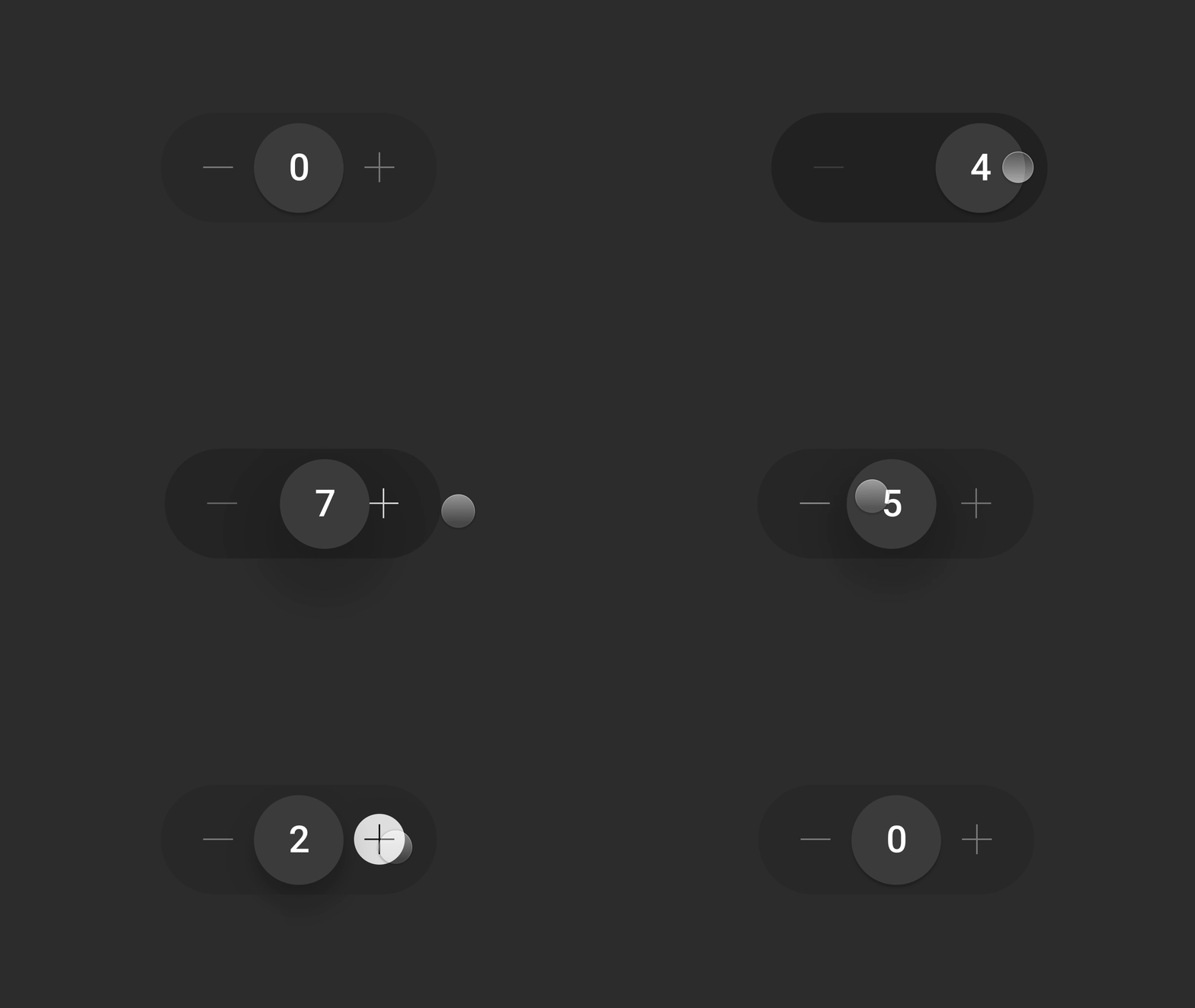
A numeric stepper component for React. Inspired by Ehsan Rahimi's Tally Counter Micro-Interaction Dribbble shot.



## 📖 Table of Contents
- [🚀 Getting Started](#-getting-started)
- [🐇 Jump Start](#-jump-start)
- [💻 Live Demo](#-live-demo)
- [⚙️ Configuration](#%EF%B8%8F-configuration)
- [♿️ Accessibility](#%EF%B8%8F-accessibility)
- [👨🏼⚖️ License](#%EF%B8%8F-license)
## 🚀 Getting Started
### 🐇 Jump Start
```shell
npm install @anatoliygatt/numeric-stepper @emotion/react @emotion/styled framer-motion
```
```jsx
import { useState } from 'react';
import { NumericStepper } from '@anatoliygatt/numeric-stepper';
function Example() {
const INITIAL_VALUE = 20;
const [value, setValue] = useState(INITIAL_VALUE);
return (
{
setValue(value);
}}
/>
);
}
```
### 💻 Live Demo
[](https://codesandbox.io/s/demo-for-anatoliygatt-numeric-stepper-mllfyl)
## ⚙️ Configuration
`NumericStepper` supports the following props:
| Prop | Type | Default value | Description |
| ------------------------------------------- | -------- | ------------------------- | -------------------------------------------------------------------------------------------------------------------------------------------------- |
| minimumValue | number | `0` | The minimum value. |
| maximumValue | number | `Number.MAX_SAFE_INTEGER` | The maximum value. |
| stepValue | number | `1` | The step increment value. |
| initialValue | number | `minimumValue` | The initial value. |
| onChange | Function | `undefined` | The callback invoked when the value changes. |
| size | string | `sm` | The size of the numeric stepper. There are 3 available sizes:- `sm` — 185x74px
- `md` — 277.5x111px
- `lg` — 370x148px
|
| inactiveTrackColor | string | `#2b2b2b` | The color of the track while the thumb is not being horizontally dragged. |
| activeTrackColor | string | `#1f1f1f` | The color of the track while the thumb is being horizontally dragged and is at the maximum trackable distance from the track's center. |
| hoverButtonColor | string | `transparent` | The color of the decrement/increment button in a hover state. |
| activeButtonColor | string | `#ececec` | The color of the decrement/increment button in an active state. |
| inactiveIconColor | string | `#858585` | The color of the decrement/increment button icon in an inactive state. |
| hoverIconColor | string | `#ffffff` | The color of the decrement/increment button icon in a hover state. |
| activeIconColor | string | `#000000` | The color of the decrement/increment button icon in an active state. |
| disabledIconColor | string | `#383838` | The color of the decrement/increment button icon in a disabled state. |
| thumbColor | string | `#444444` | The color of the thumb. |
| thumbLabelColor | string | `#ffffff` | The color of the thumb's label. |
| thumbShadowAnimation
OnTrackHoverEnabled | boolean | `true` | If `true`, the thumb's shadow will animate when hovering over the track. |
| focusRingColor | string | `#ececec` | The color of the focus ring of the interactive elements. |
In order to customise the thumb's font settings, we can use CSS, like so:
```css
[data-testid='numeric-stepper-thumb'] {
font-family: 'Times New Roman', Times, serif;
font-style: italic;
font-weight: 800;
}
```
## ♿️ Accessibility
In order to comply with the web accessibility standards, we must make use of the `decrementButtonAriaLabel` and `incrementButtonAriaLabel` props, like so:
```jsx
function AccessibleExample() {
return (
);
}
```
Also, we can use a `thumbAriaLabel` prop to provide a description for the value rendered inside a thumb, like so:
```jsx
function EnhancedThumbAccessibilityExample() {
const [value, setValue] = useState(0);
return (
{
setValue(value);
}}
/>
);
}
```
## 👨🏼⚖️ License
[MIT](https://github.com/anatoliygatt/numeric-stepper/blob/master/LICENSE)