[](http://www.apache.org/licenses/LICENSE-2.0)


[](https://circleci.com/gh/andremion/CounterFab)
[](https://search.maven.org/#artifactdetails%7Ccom.github.andremion%7Ccounterfab%7C1.2.2%7Caar)
[](https://android-arsenal.com/details/1/5052)
[](https://material.uplabs.com/posts/counterfab-library)

# CounterFab
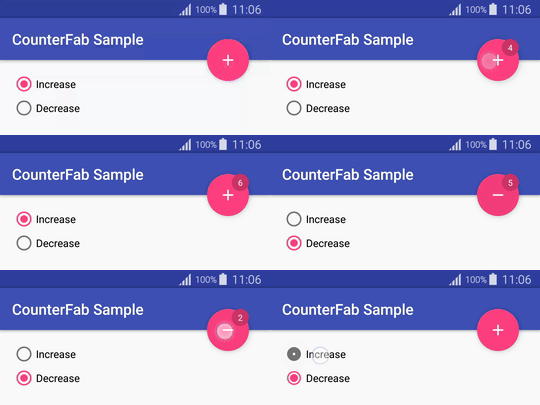
A FloatingActionButton subclass that shows a counter badge on right top corner
[](https://play.google.com/store/apps/details?id=com.andremion.counterfab.sample)
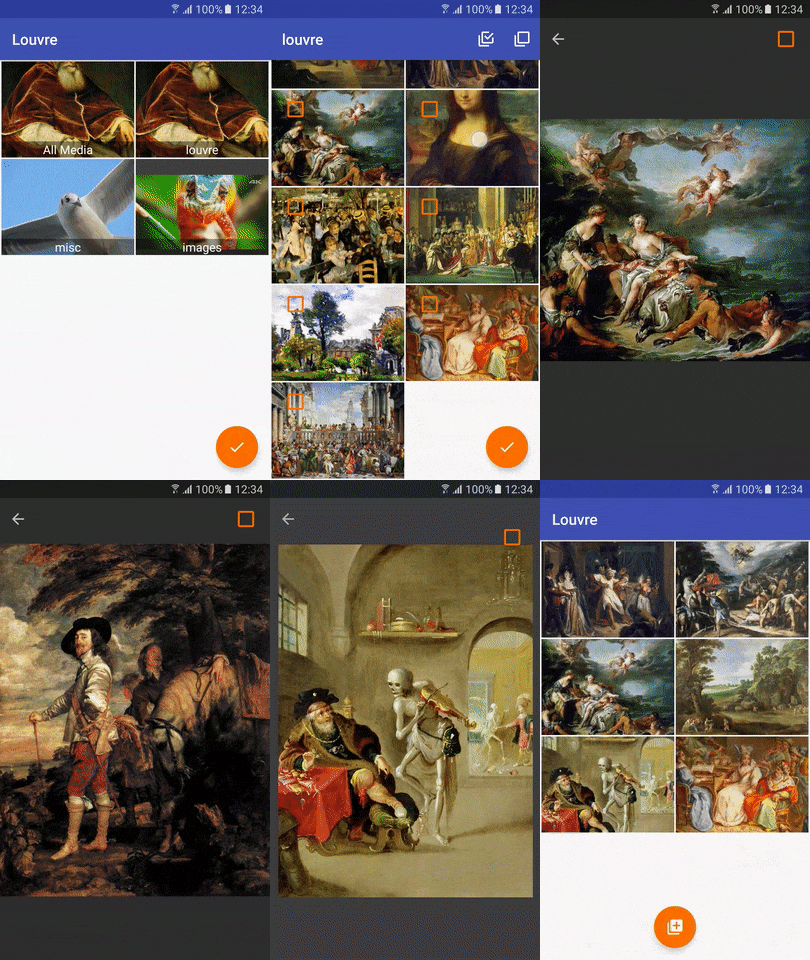
It's also used by [Louvre](https://github.com/andremion/Louvre) library.
## Installation
Include the library in your `build.gradle` _(check badge at top for latest version)_
```groovy
dependencies{
compile 'com.github.andremion:counterfab:x.y.z'
}
```
or in your `pom.xml` if you are using Maven
```xml
com.github.andremion
counterfab
x.y.z
pom
```
## Usage
Add it as a regular FloatingActionButton on layout…
```xml
```
and programmatically you can use one of these methods:
```java
CounterFab counterFab = (CounterFab) findViewById(R.id.counter_fab);
counterFab.setCount(10); // Set the count value to show on badge
counterFab.increase(); // Increase the current count value by 1
counterFab.decrease(); // Decrease the current count value by 1
```
## Customization
The recommended way to customize the background color is by using the `app:backgroundTint` attribute
```xml
```
To change the badge style you can use these attributes:
- `app:badgeBackgroundColor`
- `app:badgeTextColor`
- `app:badgePosition` as `RightTop`, `LeftBottom`, `LeftTop` or `RightBottom`
For example:
```xml
```
See more at the [sample](https://github.com/andremion/CounterFab/tree/master/sample)
## Libraries and tools used in the project
* [Design Support Library](http://developer.android.com/intl/pt-br/tools/support-library/features.html#design)
The Design package provides APIs to support adding material design components and patterns to your apps.
## License
Copyright 2016 André Mion
Licensed under the Apache License, Version 2.0 (the "License");
you may not use this file except in compliance with the License.
You may obtain a copy of the License at
http://www.apache.org/licenses/LICENSE-2.0
Unless required by applicable law or agreed to in writing, software
distributed under the License is distributed on an "AS IS" BASIS,
WITHOUT WARRANTIES OR CONDITIONS OF ANY KIND, either express or implied.
See the License for the specific language governing permissions and
limitations under the License.