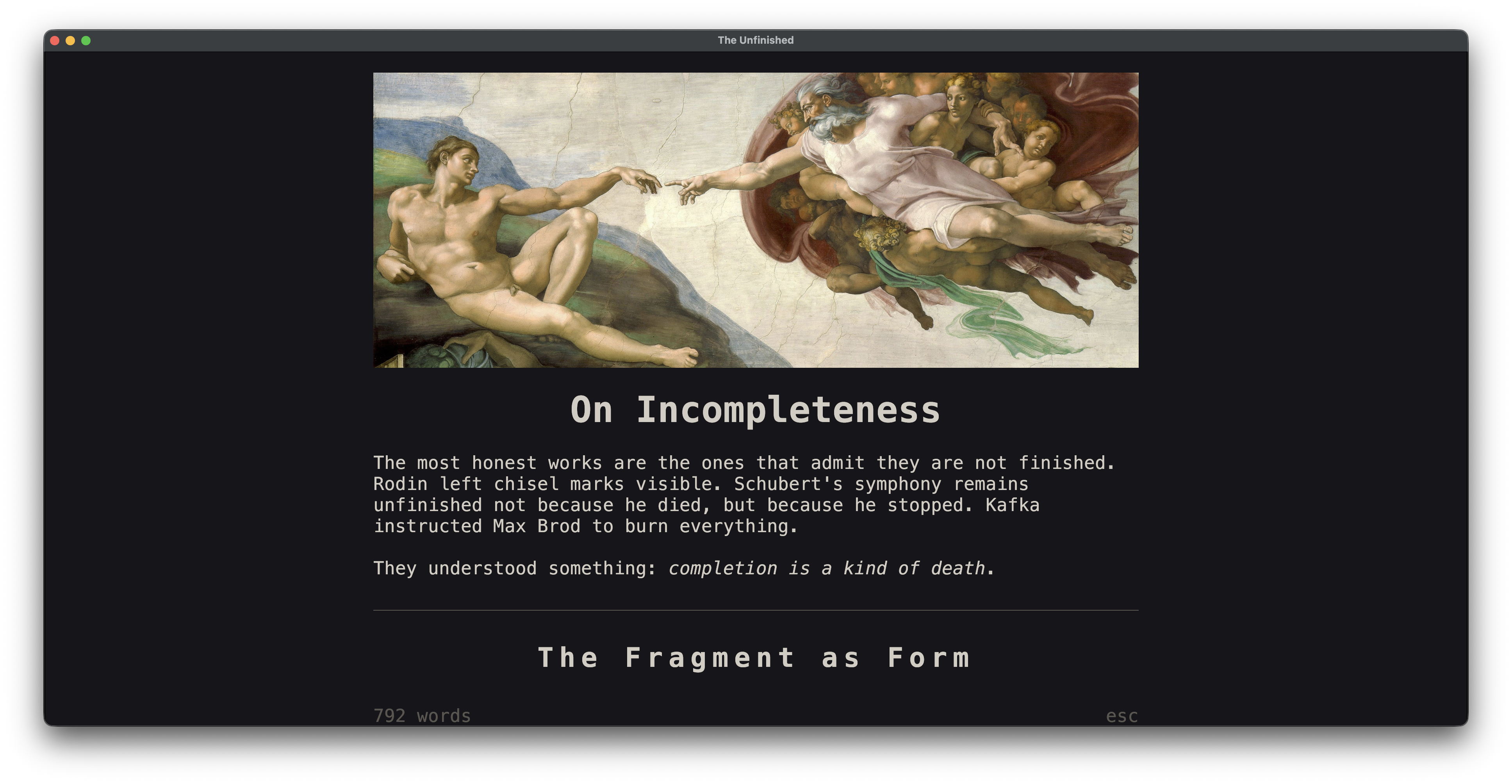
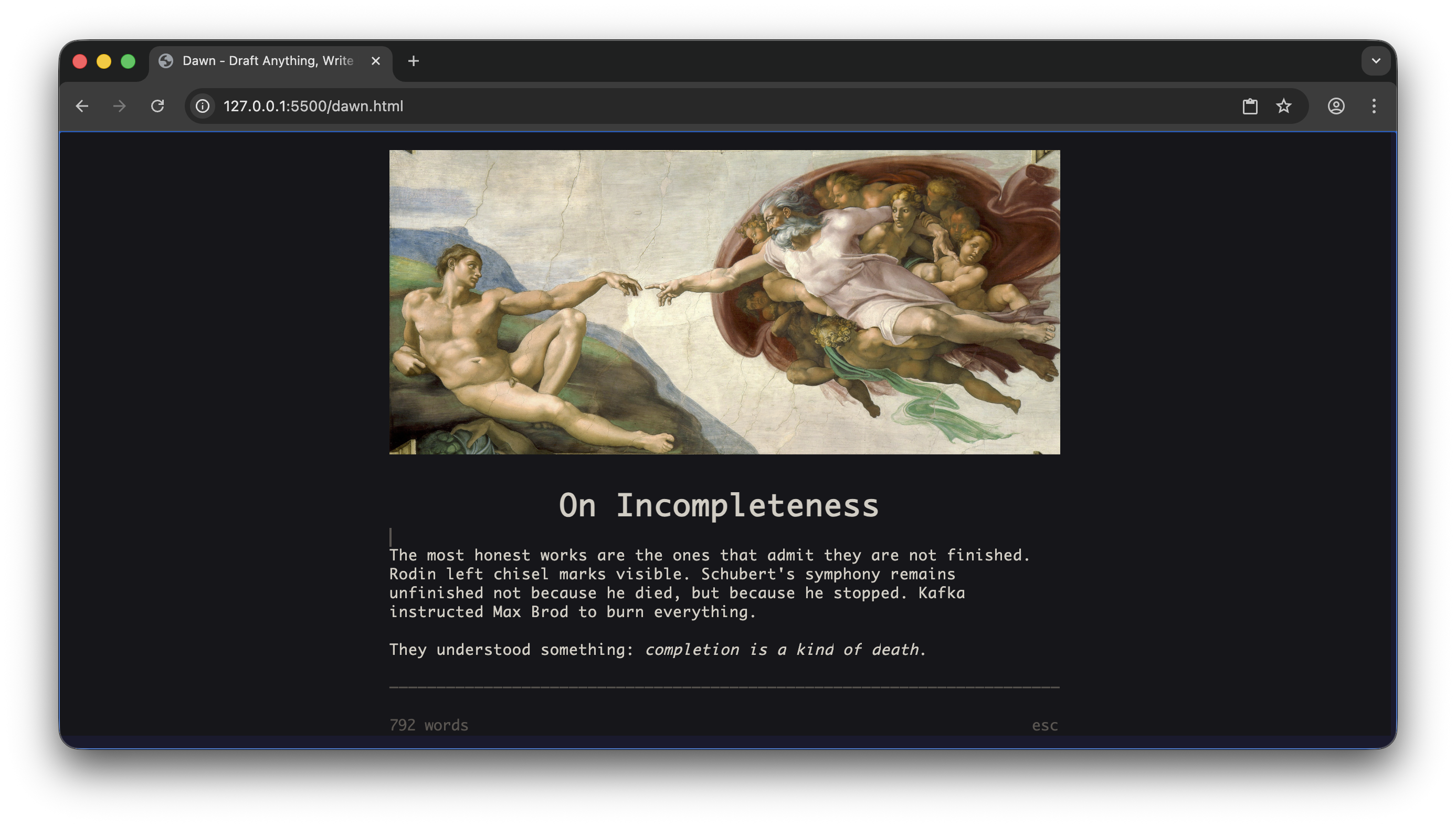
A distraction-free writing environment with live markdown rendering.
---
## What is this?
Dawn is a lightweight document drafter that runs in your terminal. It renders markdown as you type: headers scale up, math becomes Unicode art, images appear inline. No electron, no browser, no network required.
Dawn is designed for low-latency, distraction free writing.
---
## Portability
Dawn separates the engine from the platform layer. The core handles text editing, markdown parsing, and rendering. The platform layer (`platform.h`) provides I/O, making it straightforward to port to different environments.
Current targets:
- **Terminal** (primary) - POSIX terminals with optional Kitty graphics/text sizing
- **Web** (experimental) - Canvas-based rendering via Emscripten
The architecture makes adding new frontends relatively simple. Implement the platform API, and the engine handles everything else.
```
+---------------------------------------------+
| Frontend |
+---------------------------------------------+
| platform.h API |
+---------------------------------------------+
| dawn.c | dawn_md | dawn_tex | ... |
| +-----------+------------+ |
| Gap Buffer (text) |
+---------------------------------------------+
```
---
## Features
### Live Markdown Rendering
Markdown renders as you write. Headers grow large. Bold becomes **bold**. Code gets highlighted. The syntax characters hide when you're not editing them.
**Supported syntax:**
- Headers (H1-H6) with proportional scaling on compatible terminals
- **Bold**, *italic*, ~~strikethrough~~, ==highlight==, `inline code`
- Blockquotes with nesting
- Ordered and unordered lists with task items (`- [ ]` / `- [x]`)
- Horizontal rules
- Links and autolinks
- Footnotes with jump-to-definition (`Ctrl+N`)
- Emoji shortcodes (`:wave:`)
- Smart typography (curly quotes, em-dashes, ellipses)
---
### Tables
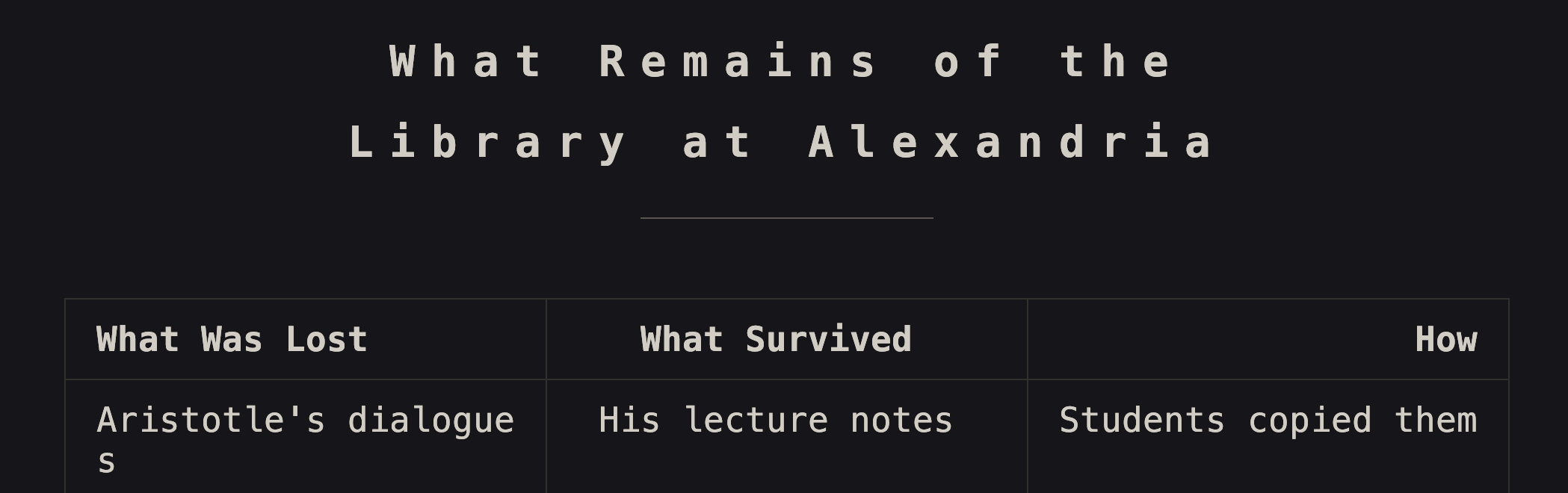
Pipe-delimited tables with column alignment, rendered with Unicode box-drawing:
---
### Mathematics
LaTeX math expressions render as Unicode art directly in your terminal. Both inline `$x^2$` and display-mode `$$` blocks are supported.
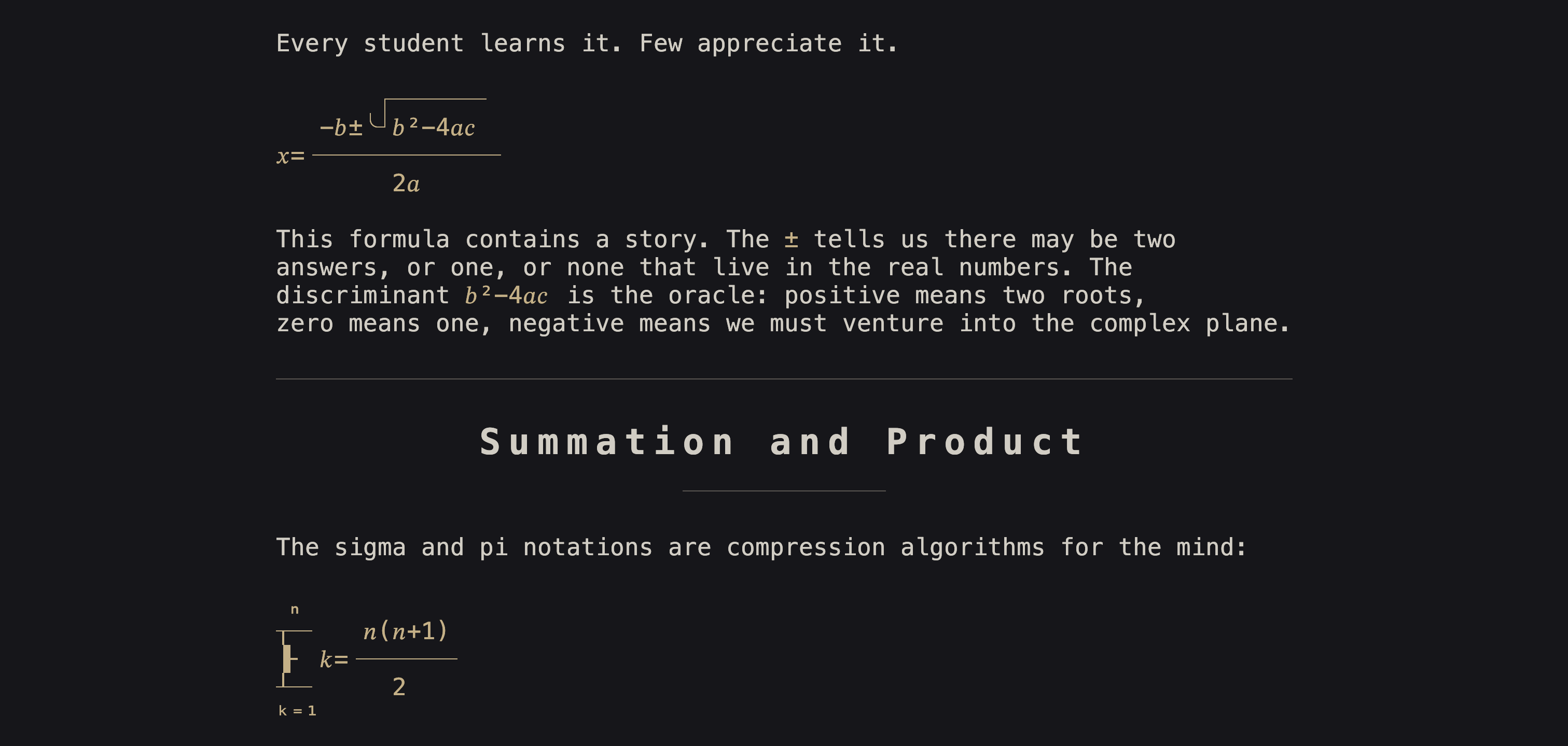
Supported: fractions, square roots, subscripts, superscripts, summations, products, limits, matrices, Greek letters, accents, and font styles (`\mathbf`, `\mathcal`, `\mathbb`, etc.).
---
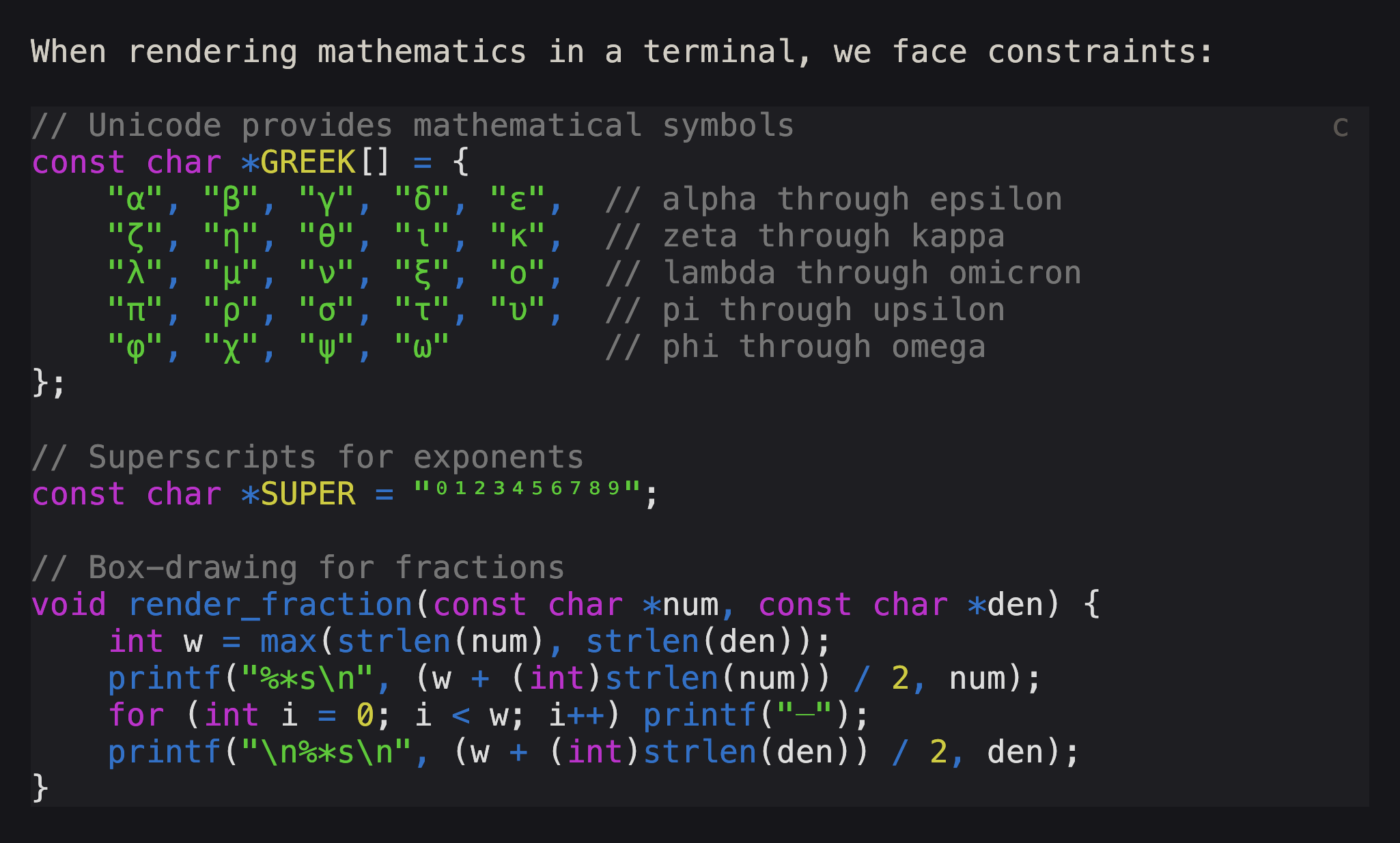
### Syntax Highlighting
Fenced code blocks display with language-aware syntax highlighting for 35+ languages.
---
### Writing Timer
Optional timed writing sessions to encourage flow. Select 5-30 minutes (or unlimited), then write until the timer completes. Auto-saves every 5 seconds.
- `Ctrl+P` - pause/resume timer
- `Ctrl+T` - add 5 minutes
---
### Focus Mode
Press `Ctrl+F` to hide all UI (status bar, word count, timer) leaving only your text (and disabling deletions)
---
### Navigation
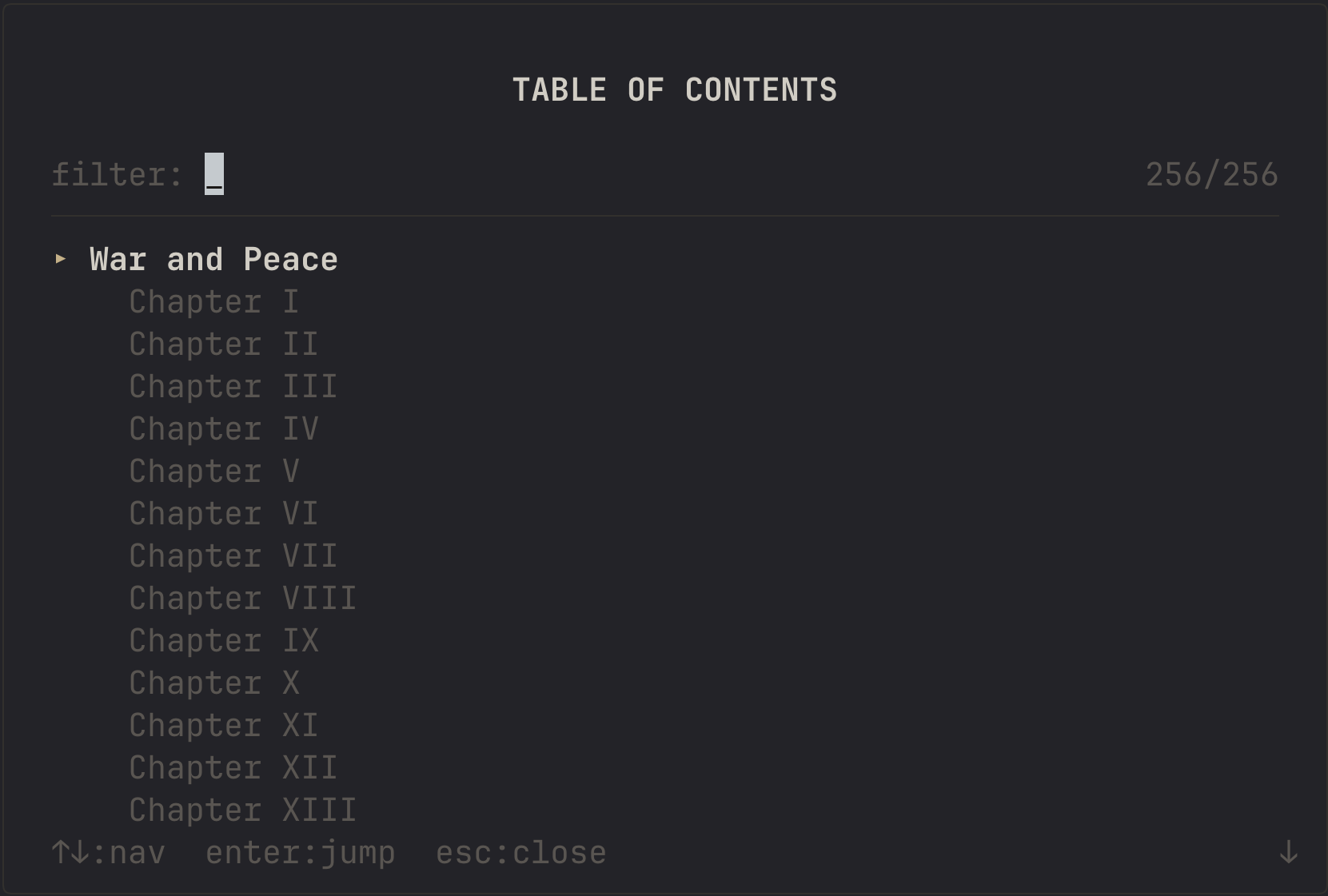
- **Table of Contents** (`Ctrl+L`) - Jump to any heading
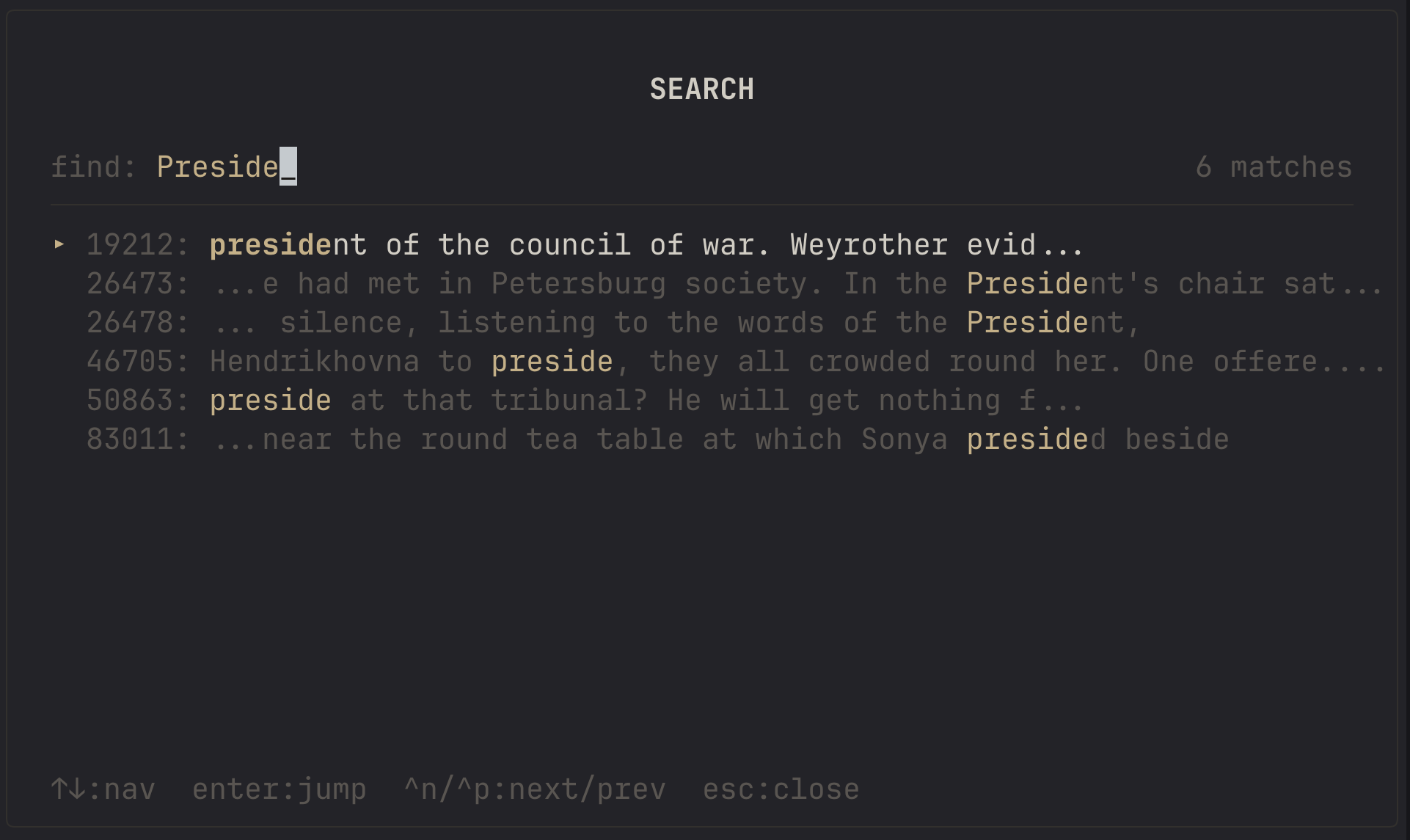
- **Search** (`Ctrl+S`) - Find text with context preview
- **Footnotes** (`Ctrl+N`) - Jump between reference and definition
---
### Themes
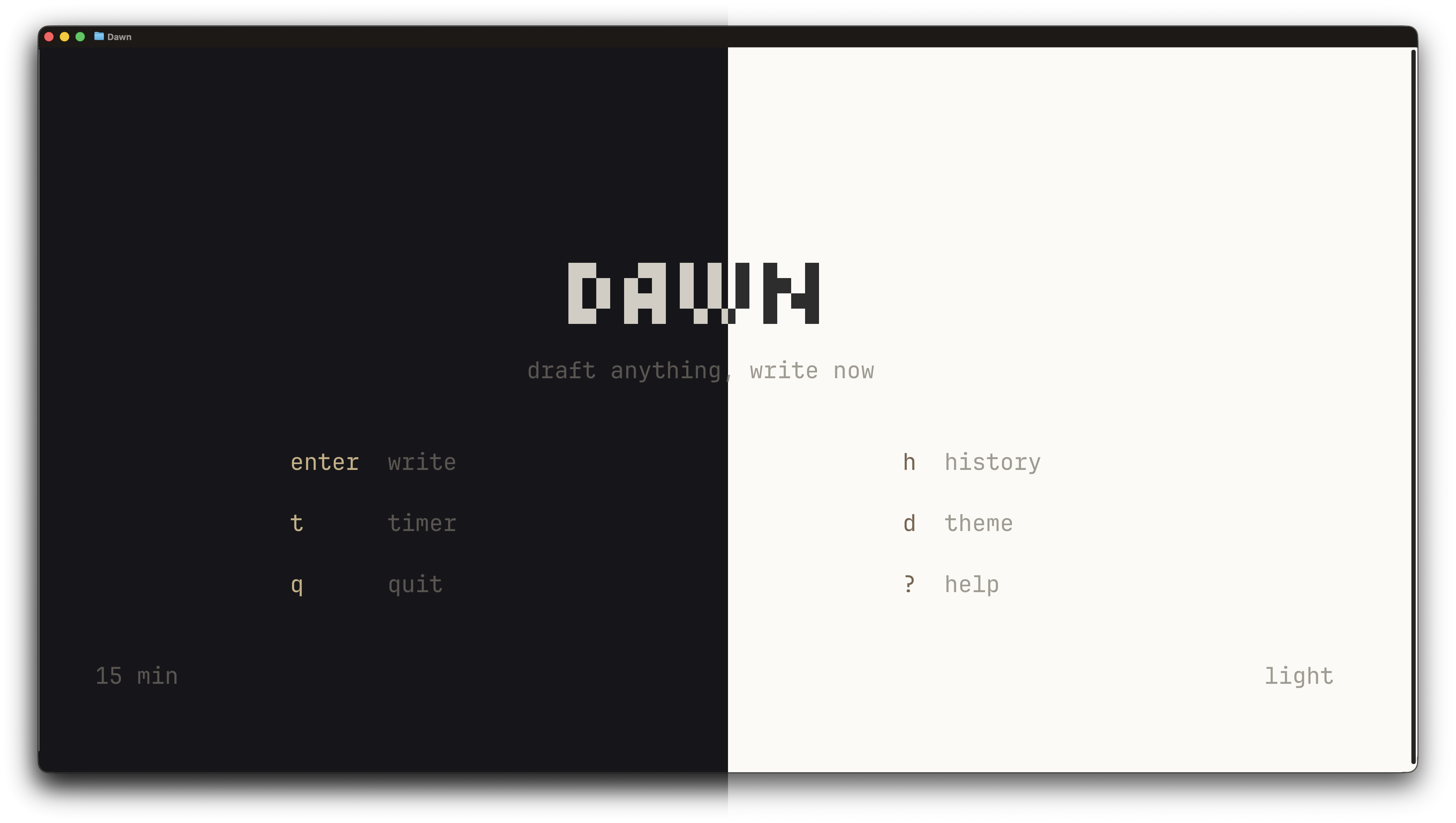
Light and dark color schemes that adapt to your terminal's capabilities.
---
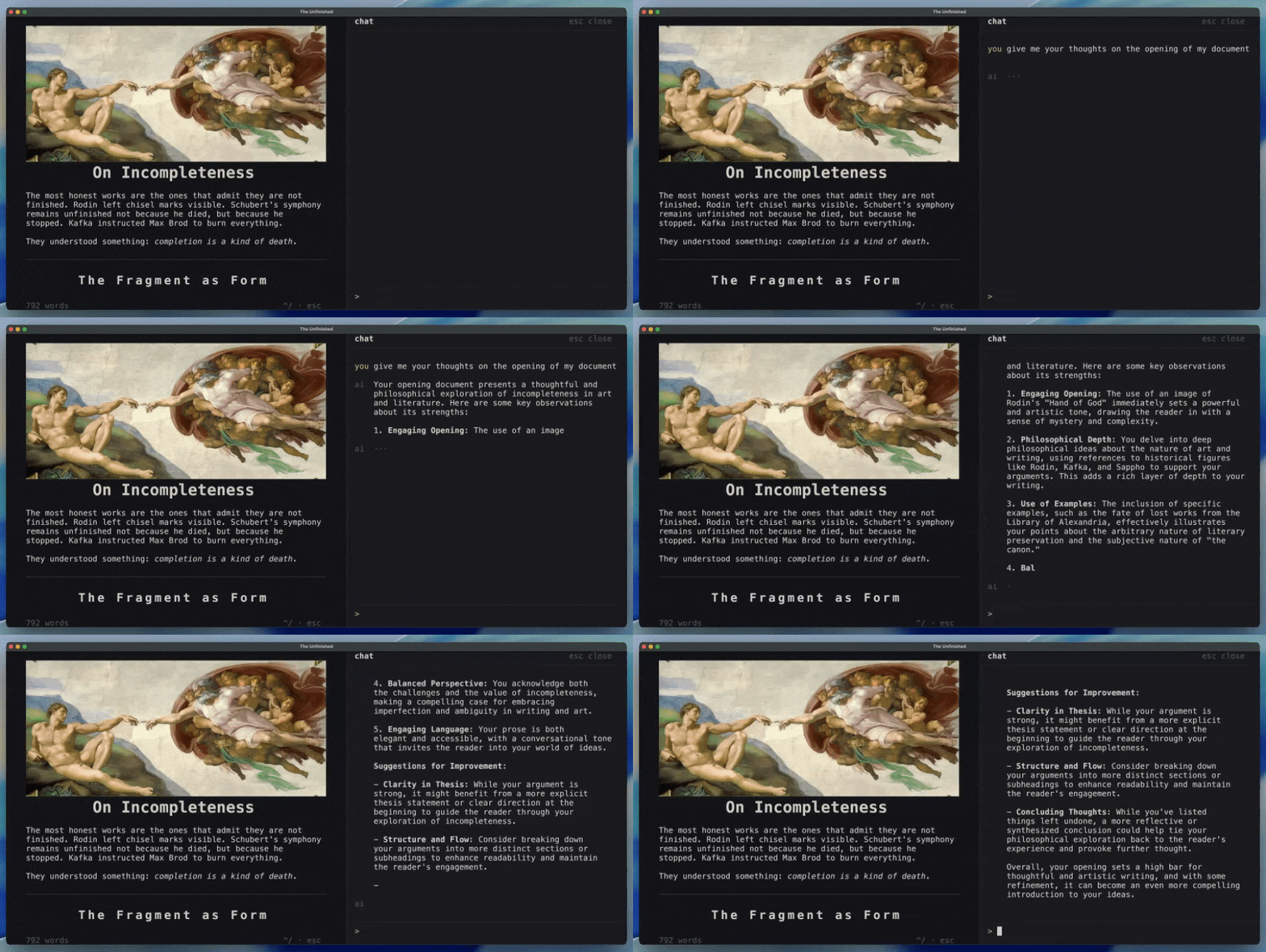
### AI Chat (Experimental)
An optional AI assistant panel is available (`Ctrl+/`). Useful for asking questions or searching. Uses Apple foundational models.
---
## Installation
### Homebrew (macOS/Linux)
```bash
brew tap andrewmd5/tap
brew install dawn
```
### PowerShell (Windows)
```powershell
irm https://raw.githubusercontent.com/andrewmd5/dawn/main/install.ps1 | iex
```
### From Releases
Download a prebuilt binary from [Releases](https://github.com/andrewmd5/dawn/releases).
### From Source (macOS/Linux)
```bash
git clone --recursive https://github.com/andrewmd5/dawn.git
cd dawn
make
make install # optional, installs to /usr/local/bin
```
**Requirements:**
- CMake 3.16+
- C compiler with C23 support (Clang 16+, GCC 13+)
- libcurl
**Build targets:**
- `make` - Build with debug info
- `make release` - Optimized build
- `make debug` - Debug build with sanitizers
- `make web` - WebAssembly build (requires Emscripten)
- `make with-ai` - Build with Apple Intelligence (macOS 26+)
### From Source (Windows)
```powershell
git clone --recursive https://github.com/andrewmd5/dawn.git
cd dawn
cmake -S . -B build -G "Visual Studio 18 2026" -A ARM64 # or -A x64 for Intel/AMD
cmake --build build --config Release
```
The executable will be at `build/Release/dawn.exe`.
**Requirements:**
- CMake 3.16+
- Visual Studio 2026 (or newer) with C++ workload
---
## Usage
```bash
# Start a new writing session
dawn
# Open an existing file for editing
dawn document.md
# Preview (read-only)
dawn -p document.md
# Print rendered output to stdout
dawn -P document.md
cat document.md | dawn -P
```
---
## Keyboard Reference
| Key | Action |
|:----|:-------|
| `Ctrl+F` | Toggle focus mode |
| `Ctrl+R` | Toggle plain text (raw markdown) |
| `Ctrl+L` | Table of contents |
| `Ctrl+S` | Search |
| `Ctrl+N` | Jump to/create footnote |
| `Ctrl+G` | Edit image dimensions |
| `Ctrl+E` | Edit document title |
| `Ctrl+Z` | Undo |
| `Ctrl+Y` | Redo |
| `Ctrl+H` | Show all shortcuts |
| `Esc` | Close panel/modal |
---
## File Format
Documents are saved as standard markdown with optional YAML frontmatter:
```yaml
---
title: My Document
date: 2025-01-15
---
Your markdown content here.
```
---
## License
MIT