
# Tenable MSSP Portal MCP Server
[](https://opensource.org/licenses/MIT)

An MCP server for orchestrating Tenable MSSP child container workflows. Make bulk queries. Take bulk actions.
## Features
- Provides an MSSP aware wrapper around the [Tenable Hexa AI MCP Server](https://docs.tenable.com/vulnerability-management/Content/getting-started/hexa-AI-MCP.htm).
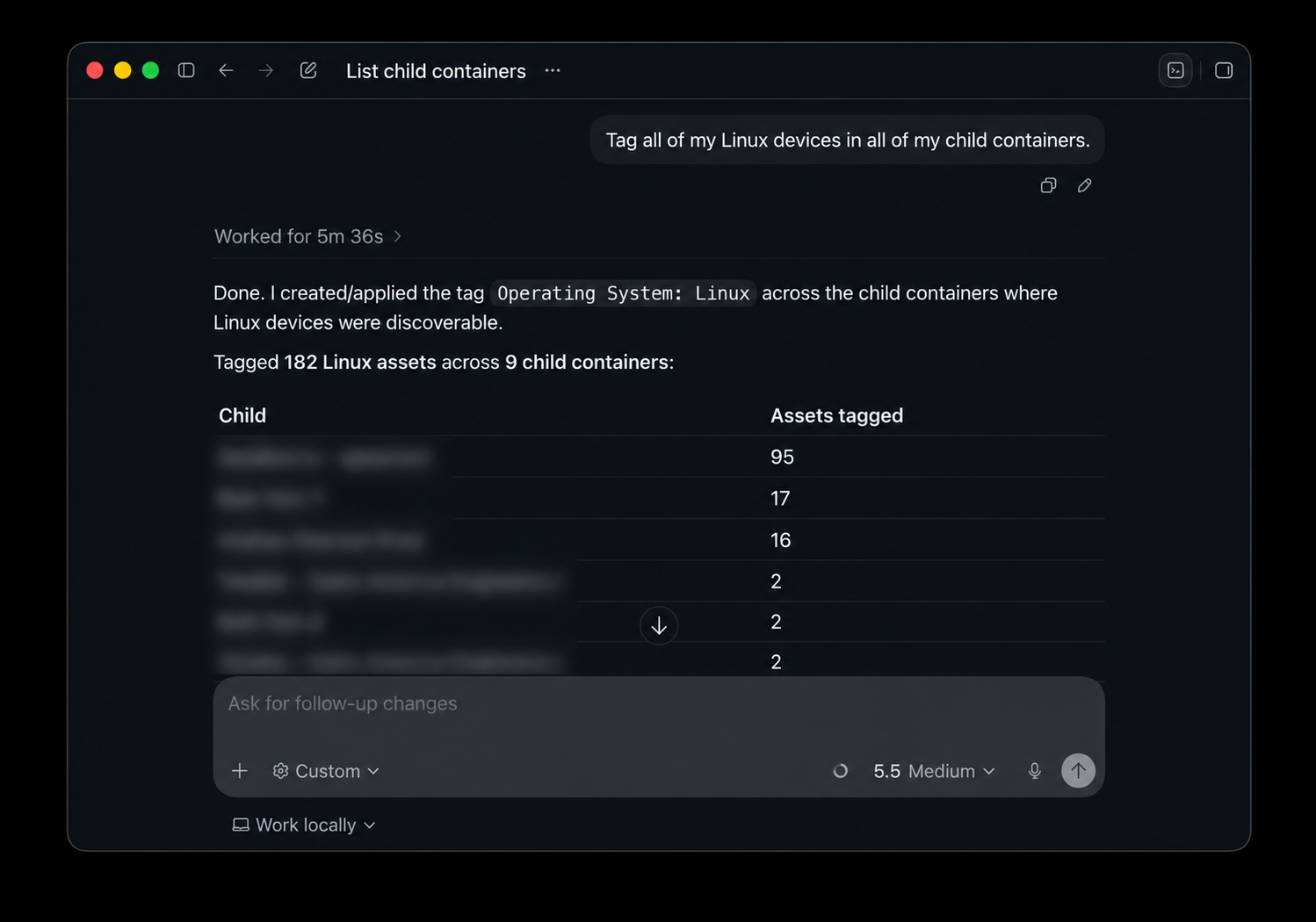
- Lets you use Tenable Hexa AI MCP Server tools across MSSP child containers through a scoped orchestration layer.
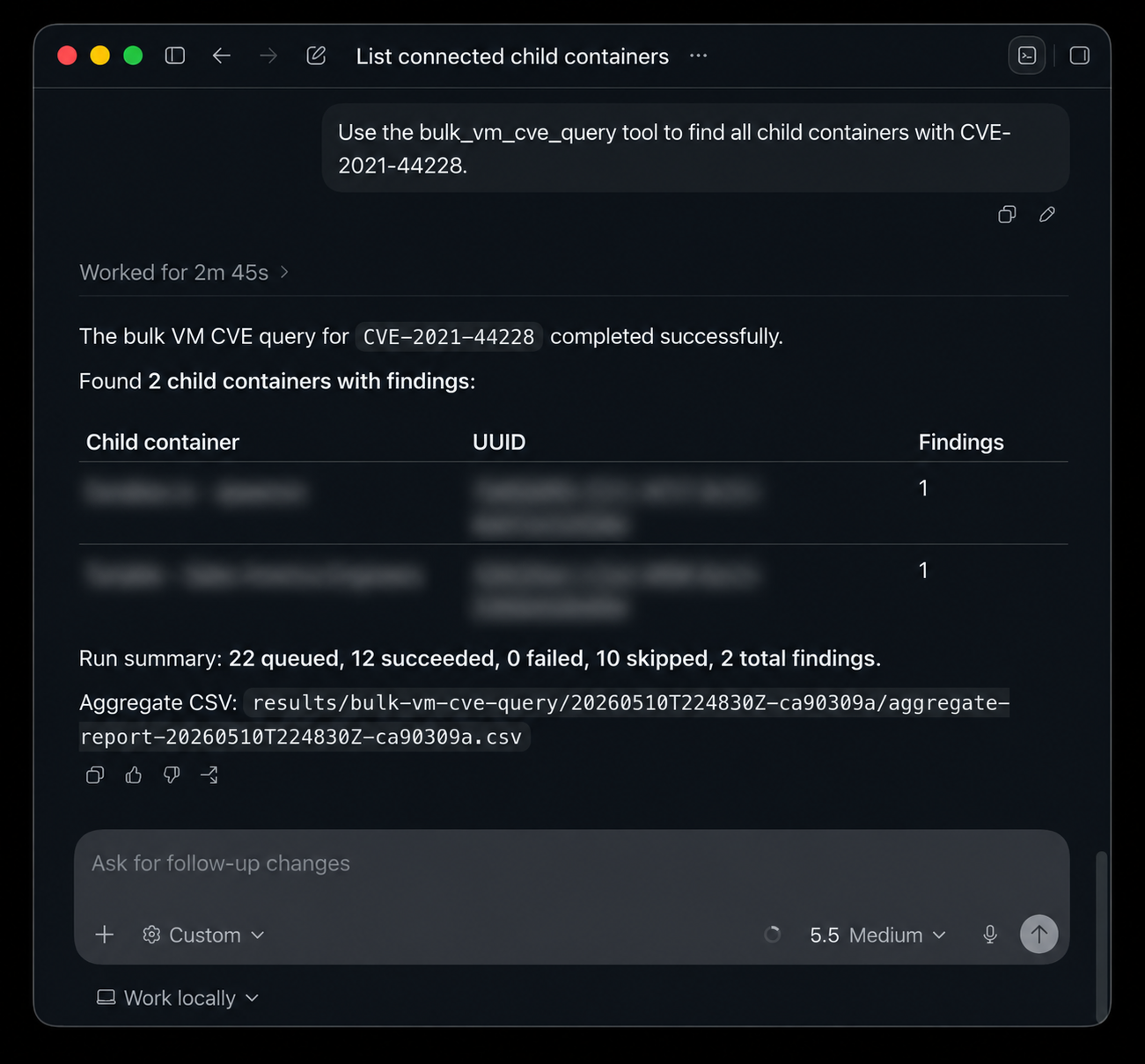
- Provides a tool, named `bulk_vm_cve_query`, to query a CVE or list of CVEs across eligible in-scope child containers. This tool provides a CSV report of findings in those child containers.
- Queries and actions taken against child containers run concurrently and operate on up to 10 child containers at a time.
- Provides the ability to limit which child containers you perform an action on.
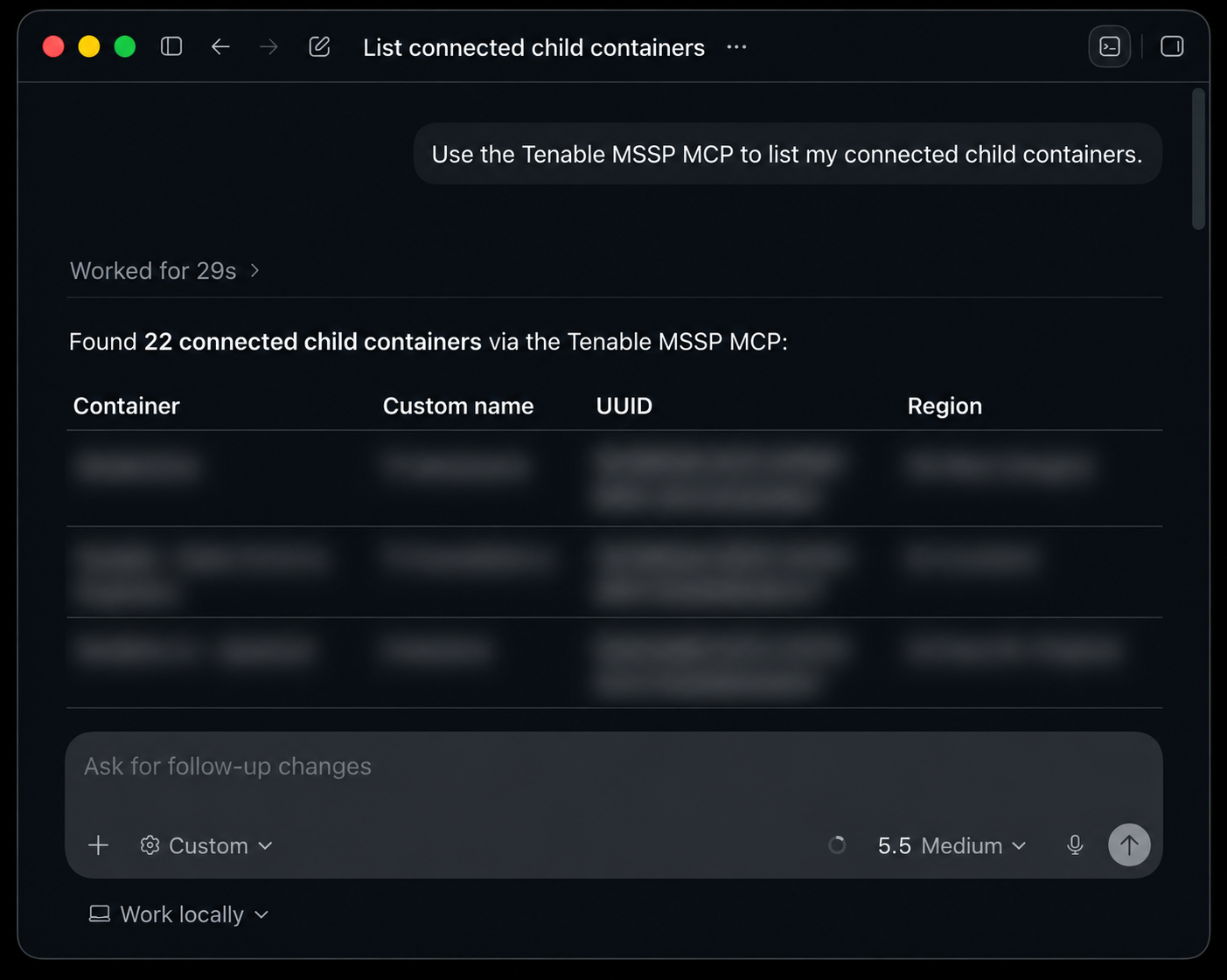
- Lists all child containers and license information.
 ## Prerequisites
- Tenable MSSP Portal API keys with Administrator privileges.
- Tenable child containers licensed with `hexa` to use Tenable Hexa AI MCP Server tools.
- Tenable child containers licensed with `vm` to use the `bulk_vm_cve_query` tool.
- Python 3.14 or newer.
- `uv` or `pip` for local installation.
- An MCP client capable of launching STDIO MCP servers (Codex, Claude, Gemini CLI, etc.).
## Install
1. **Download with `git`:**
```bash
git clone https://github.com/andrewspearson/tenable-mcp-mssp.git
```
```bash
cd tenable-mcp-mssp
```
2. **Install dependencies with `uv` or `pip`:**
Using `uv`:
```bash
uv venv
```
```bash
uv pip install .
```
Using `pip`:
```bash
python3 -m venv .venv
```
```bash
source .venv/bin/activate
```
```bash
pip install .
```
3. **Copy and edit environment variables:**
```bash
cp .env.example .env
```
```bash
chmod 600 .env
```
```bash
vim .env
```
.env example:
```text
TENABLE_MSSP_PORTAL_ACCESS_KEY=replace-with-your-access-key
TENABLE_MSSP_PORTAL_SECRET_KEY=replace-with-your-secret-key
# Optional: path to a plain-text child container UUID allowlist.
# TENABLE_MCP_MSSP_CHILD_CONTAINER_SCOPE_FILE=scopes/allowed-child-containers.txt
# Optional: DEBUG, INFO, WARNING, ERROR, or CRITICAL
# TENABLE_MCP_MSSP_LOG_LEVEL=WARNING
```
4. **Attach Codex / Claude / Gemini CLI / etc. to tenable-mcp-mssp as a STDIO server:**
[Codex](https://developers.openai.com/codex/mcp#add-an-mcp-server):
```bash
codex mcp add tenable-mcp-mssp -- /path/to/tenable-mcp-mssp/.venv/bin/python -m tenable_mcp_mssp.server
```
[Claude](https://code.claude.com/docs/en/mcp#option-3-add-a-local-stdio-server):
```bash
claude mcp add tenable-mcp-mssp -- /path/to/tenable-mcp-mssp/.venv/bin/python -m tenable_mcp_mssp.server
```
[Gemini CLI](https://geminicli.com/docs/tools/mcp-server/#adding-a-server-gemini-mcp-add):
```bash
gemini mcp add tenable-mcp-mssp /path/to/tenable-mcp-mssp/.venv/bin/python -m tenable_mcp_mssp.server
```
## Bulk CVE Query Tool
The `bulk_vm_cve_query` tool is separate from the tools provided by the Tenable Hexa AI MCP. It starts a server-managed background run that executes a [pyTenable vulnerability export](https://pytenable.readthedocs.io/en/stable/api/io/exports.html#tenable.io.exports.api.ExportsAPI.vulns) API call against eligible in-scope child containers licensed for `vm` concurrently. This is a fast and efficient way to query CVEs across child containers connected to your MSSP Portal. The tool returns a run ID quickly, and the `get_bulk_vm_cve_query_status` and `get_bulk_vm_cve_query_result` tools can be used to observe the run. Once results are received, the server compiles them into a CSV report in the `results/bulk-vm-cve-query/
## Prerequisites
- Tenable MSSP Portal API keys with Administrator privileges.
- Tenable child containers licensed with `hexa` to use Tenable Hexa AI MCP Server tools.
- Tenable child containers licensed with `vm` to use the `bulk_vm_cve_query` tool.
- Python 3.14 or newer.
- `uv` or `pip` for local installation.
- An MCP client capable of launching STDIO MCP servers (Codex, Claude, Gemini CLI, etc.).
## Install
1. **Download with `git`:**
```bash
git clone https://github.com/andrewspearson/tenable-mcp-mssp.git
```
```bash
cd tenable-mcp-mssp
```
2. **Install dependencies with `uv` or `pip`:**
Using `uv`:
```bash
uv venv
```
```bash
uv pip install .
```
Using `pip`:
```bash
python3 -m venv .venv
```
```bash
source .venv/bin/activate
```
```bash
pip install .
```
3. **Copy and edit environment variables:**
```bash
cp .env.example .env
```
```bash
chmod 600 .env
```
```bash
vim .env
```
.env example:
```text
TENABLE_MSSP_PORTAL_ACCESS_KEY=replace-with-your-access-key
TENABLE_MSSP_PORTAL_SECRET_KEY=replace-with-your-secret-key
# Optional: path to a plain-text child container UUID allowlist.
# TENABLE_MCP_MSSP_CHILD_CONTAINER_SCOPE_FILE=scopes/allowed-child-containers.txt
# Optional: DEBUG, INFO, WARNING, ERROR, or CRITICAL
# TENABLE_MCP_MSSP_LOG_LEVEL=WARNING
```
4. **Attach Codex / Claude / Gemini CLI / etc. to tenable-mcp-mssp as a STDIO server:**
[Codex](https://developers.openai.com/codex/mcp#add-an-mcp-server):
```bash
codex mcp add tenable-mcp-mssp -- /path/to/tenable-mcp-mssp/.venv/bin/python -m tenable_mcp_mssp.server
```
[Claude](https://code.claude.com/docs/en/mcp#option-3-add-a-local-stdio-server):
```bash
claude mcp add tenable-mcp-mssp -- /path/to/tenable-mcp-mssp/.venv/bin/python -m tenable_mcp_mssp.server
```
[Gemini CLI](https://geminicli.com/docs/tools/mcp-server/#adding-a-server-gemini-mcp-add):
```bash
gemini mcp add tenable-mcp-mssp /path/to/tenable-mcp-mssp/.venv/bin/python -m tenable_mcp_mssp.server
```
## Bulk CVE Query Tool
The `bulk_vm_cve_query` tool is separate from the tools provided by the Tenable Hexa AI MCP. It starts a server-managed background run that executes a [pyTenable vulnerability export](https://pytenable.readthedocs.io/en/stable/api/io/exports.html#tenable.io.exports.api.ExportsAPI.vulns) API call against eligible in-scope child containers licensed for `vm` concurrently. This is a fast and efficient way to query CVEs across child containers connected to your MSSP Portal. The tool returns a run ID quickly, and the `get_bulk_vm_cve_query_status` and `get_bulk_vm_cve_query_result` tools can be used to observe the run. Once results are received, the server compiles them into a CSV report in the `results/bulk-vm-cve-query/