# Get a free Groq API key and use Qwen3.6-27B for vision
**English** | [中文](groq-qwen3.6-vision.zh.md)
This guide covers two tasks:
1. Sign up for the GroqCloud Free Plan and create a Groq API key.
2. Use `qwen/qwen3.6-27b` to analyze images through DSH Vision Toolkit or ordinary code.
> As of August 17, 2026, Groq lists Qwen3.6-27B as a Preview model with text and image input. Free Plan traffic is rate-limited and the limits can change; use the current [Groq Rate Limits](https://console.groq.com/docs/rate-limits) and [Qwen3.6-27B model page](https://console.groq.com/docs/model/qwen/qwen3.6-27b) as the source of truth.
## 1. Create a free GroqCloud account
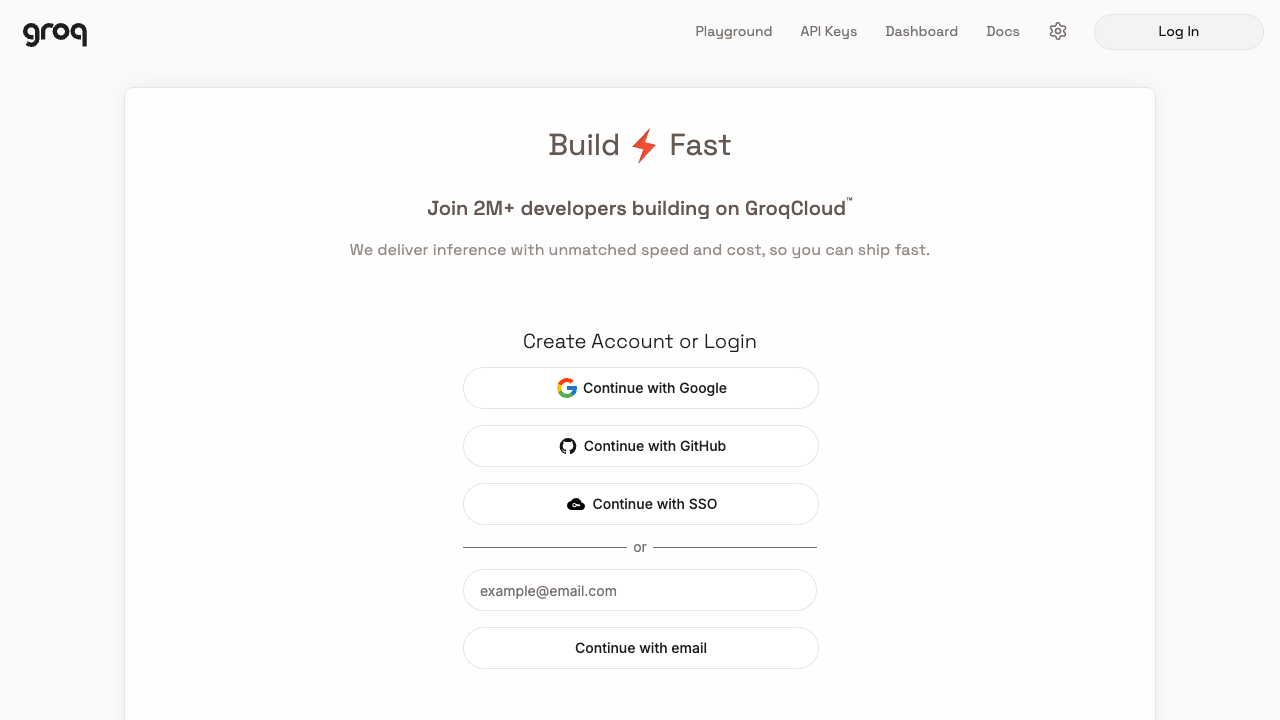
Open the [GroqCloud Console](https://console.groq.com/). You can sign up or log in with Google, GitHub, SSO, or email.
The Free Plan is enough to complete this tutorial without purchasing paid capacity. It is not unlimited; the API returns `429 Too Many Requests` when the current quota is exhausted.
As of August 17, 2026, the official Free Plan table lists Qwen3.6-27B at `30 RPM` (requests per minute), `1K RPD` (requests per day), `8K TPM` (tokens per minute), and `200K TPD` (tokens per day). Your organization's effective limits are shown on the Limits page in Groq Console.
## 2. Create and save an API key
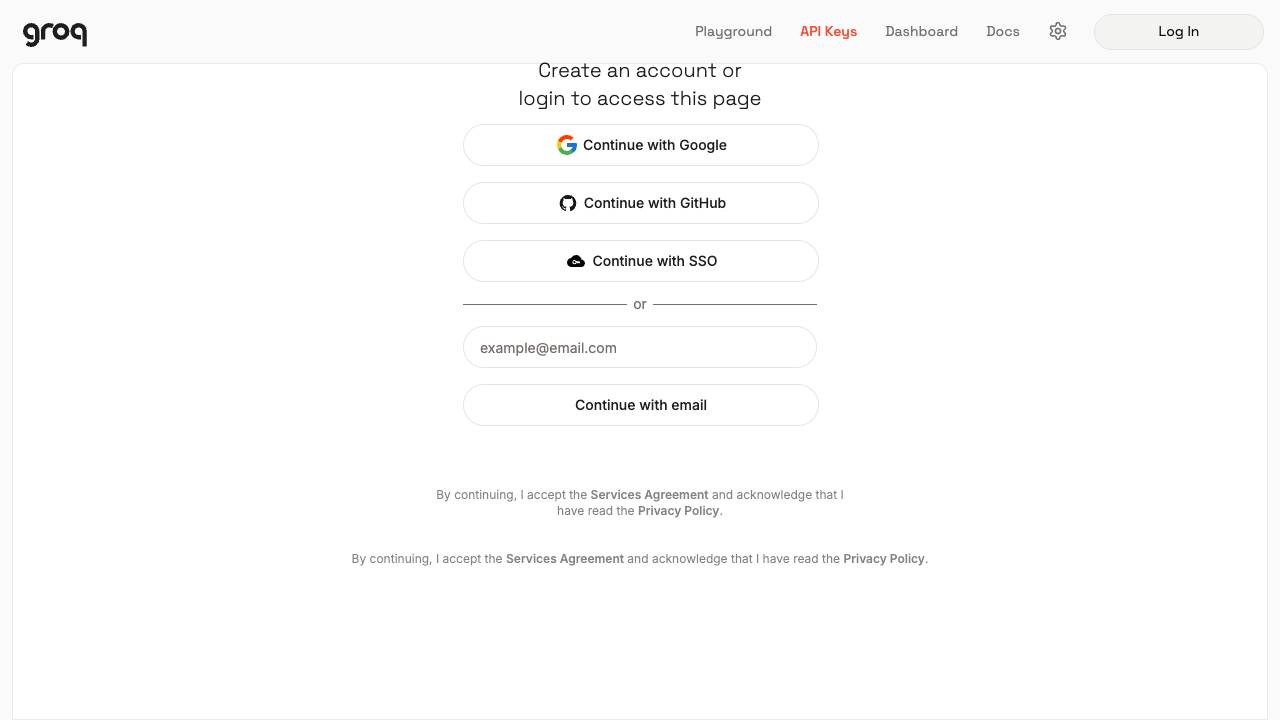
After logging in, open **API Keys** in the top navigation or go directly to [Groq API Keys](https://console.groq.com/keys). When logged out, the page first shows this login prompt:
On the API Keys page:
1. Click **Create API Key**.
2. Enter a recognizable name such as `dsh-vision-toolkit`.
3. Confirm the creation.
4. Copy the key beginning with `gsk_` immediately, then save it in a password manager or a DSH Credential.
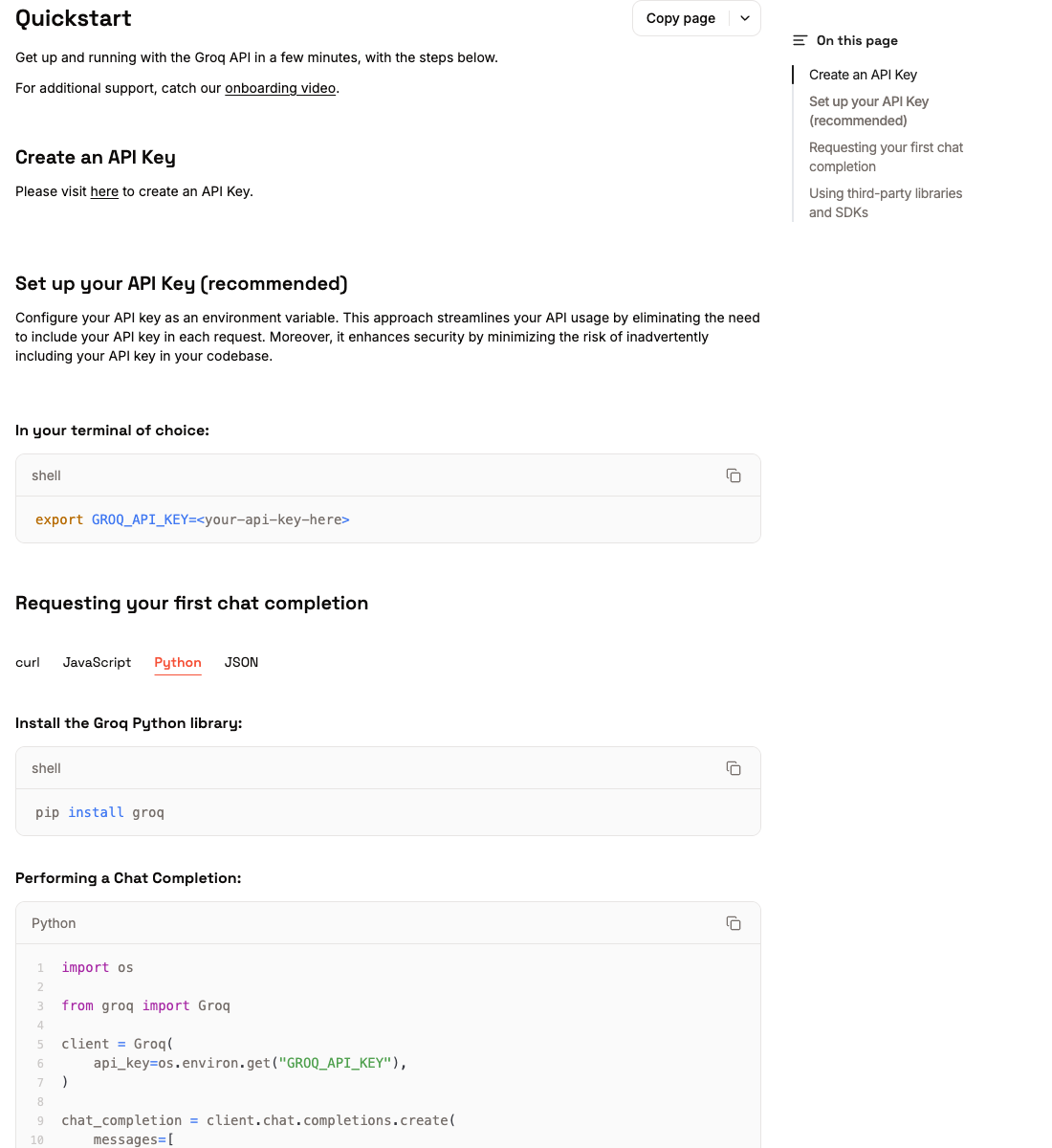
Groq's official Quickstart likewise starts with creating an API key and placing it in an environment variable:
The complete API key is normally shown only once. Do not put it in a README, chat transcript, screenshot, Git commit, or frontend code.
### Set the key in a terminal
macOS / Linux:
```sh
export GROQ_API_KEY="gsk_your_key_here"
```
Windows PowerShell, for the current window:
```powershell
$env:GROQ_API_KEY = "gsk_your_key_here"
```
Confirm that the variable exists without printing the secret:
```sh
test -n "$GROQ_API_KEY" && echo "GROQ_API_KEY is set"
```
## 3. Confirm the model ID and vision support
Use this exact model ID in Groq API requests:
```text
qwen/qwen3.6-27b
```
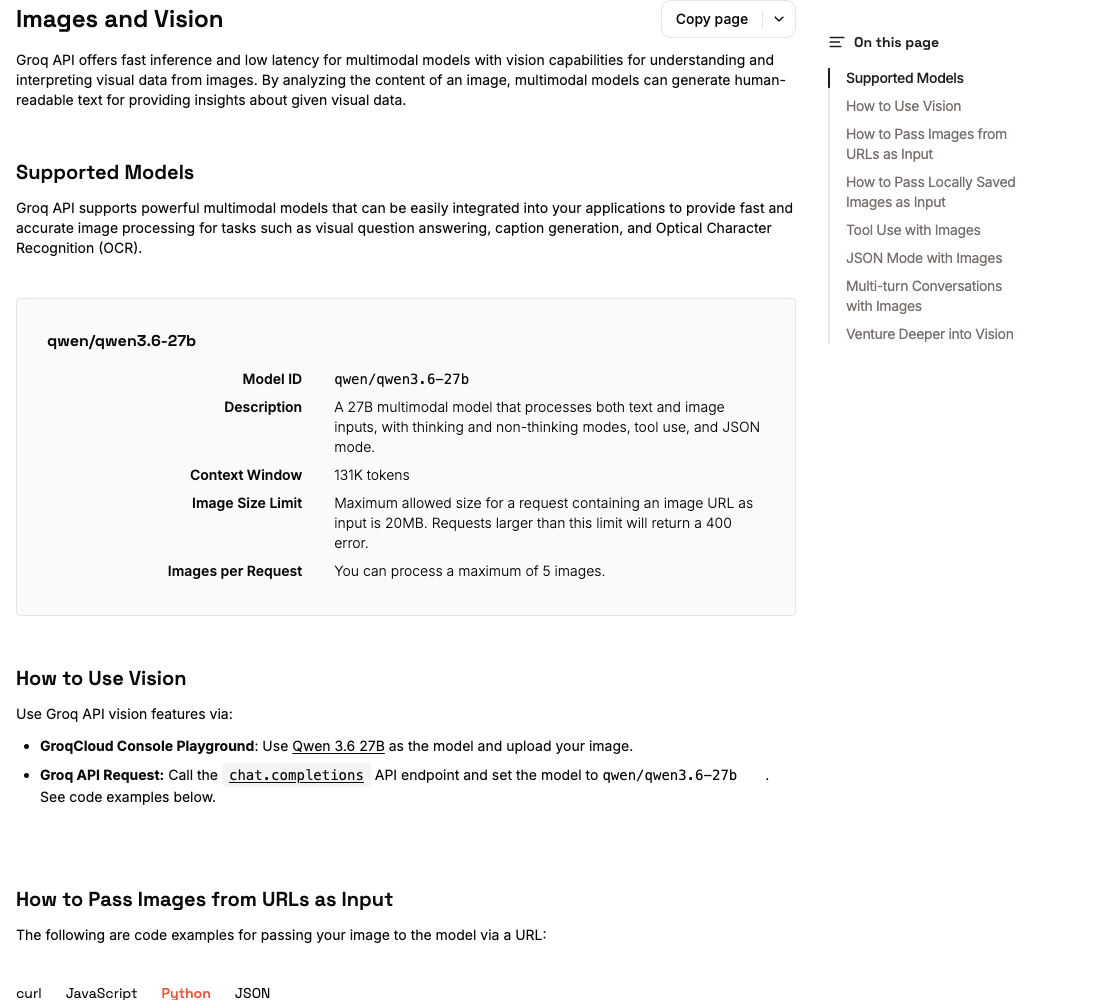
Do not shorten it to `qwen3.6-27b`, `Qwen3.6-27B`, or `27b`. The model page shows both image input and the Vision capability:
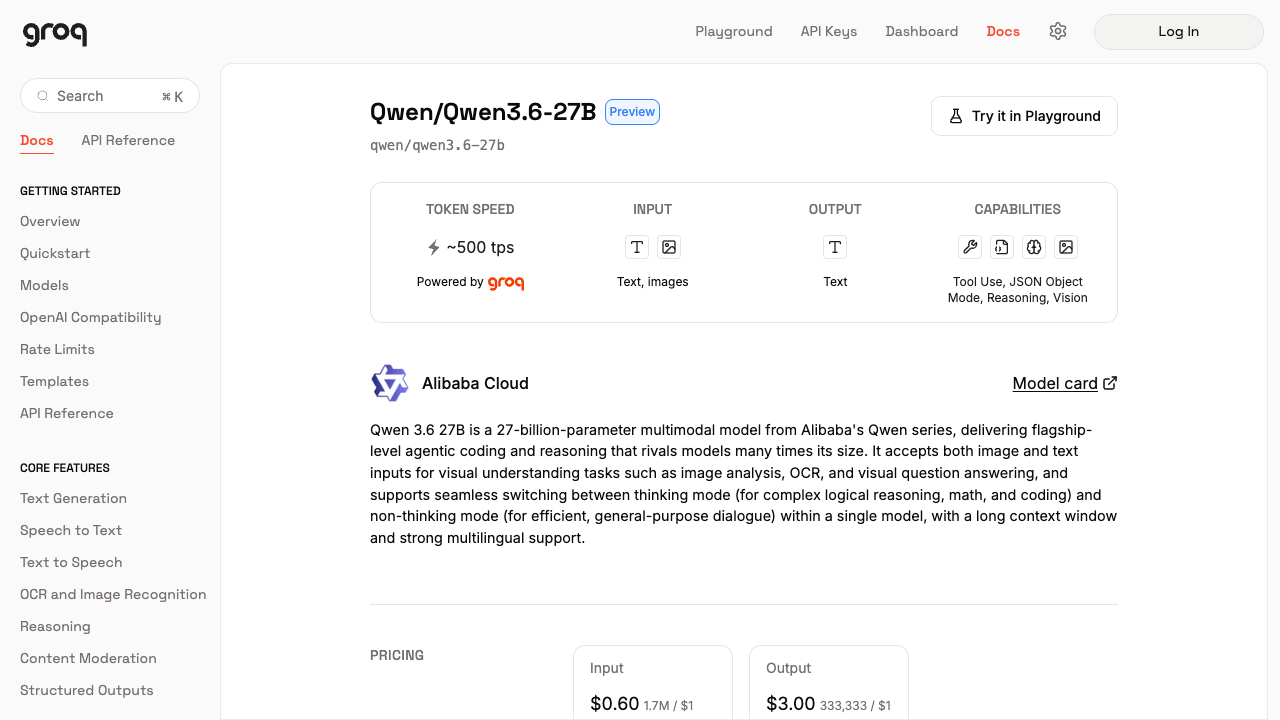
The Groq model page lists these main image limits:
| Item | Limit |
|---|---:|
| Individual image file | 20 MB |
| Images in one request | Up to 3 |
Groq's general vision guide currently says that up to five images can be processed, while the Qwen3.6-27B model page says three. This guide follows the stricter model-specific limit to avoid rejected requests.
## 4. Use it in DSH Vision Toolkit
If this plugin is already installed, this is the shortest path.
1. Open **Settings → Vision Toolkit** in DSH Web.
2. Enter these values under Vision service:
| Field | Value |
|---|---|
| API protocol | `OpenAI Chat Completions` |
| Base URL | `https://api.groq.com/openai/v1` |
| Model | `qwen/qwen3.6-27b` |
| API key | Paste the newly created `gsk_...` key |
3. Click **Save and apply**. The key is stored in DSH Credentials and its full value is not displayed again in Settings.
4. Click **Test vision model**. This sends the plugin's bundled diagnostic image and verifies a real multimodal request rather than only checking `/models` connectivity.
5. After the test succeeds, paste an image into a new or existing session and ask a focused question, for example:
```text
Inspect this screenshot. Transcribe the complete error first, then explain the most likely cause.
```
The same provider can be configured in a Profile patch. Keep the key in a DSH Credential or environment variable rather than writing it into YAML:
```yaml
- id: vision-toolkit
config:
provider:
protocol: openai
baseUrl: https://api.groq.com/openai/v1
model: qwen/qwen3.6-27b
credential: GROQ_API_KEY
```
## 5. Analyze a remote image with cURL
The following request uses Groq's OpenAI Chat Completions-compatible endpoint. Replace the example URL with your own publicly accessible image URL:
```sh
curl https://api.groq.com/openai/v1/chat/completions \
-H "Authorization: Bearer $GROQ_API_KEY" \
-H "Content-Type: application/json" \
-d '{
"model": "qwen/qwen3.6-27b",
"messages": [{
"role": "user",
"content": [
{"type": "text", "text": "Describe the main content of this image and transcribe all visible text."},
{"type": "image_url", "image_url": {
"url": "https://upload.wikimedia.org/wikipedia/commons/f/f2/LPU-v1-die.jpg"
}}
]
}],
"temperature": 0.2,
"max_completion_tokens": 1024
}'
```
The model's answer is returned at `choices[0].message.content`.
## 6. Analyze a local image with Python
This example reads a local image and converts it to a Base64 Data URL. Use `uv` to install the Groq SDK temporarily without modifying system Python:
```python
# recognize.py
import base64
import mimetypes
from pathlib import Path
from groq import Groq
image_path = Path("screenshot.png")
mime_type = mimetypes.guess_type(image_path.name)[0] or "image/png"
image_base64 = base64.b64encode(image_path.read_bytes()).decode("ascii")
data_url = f"data:{mime_type};base64,{image_base64}"
client = Groq() # Reads GROQ_API_KEY automatically.
response = client.chat.completions.create(
model="qwen/qwen3.6-27b",
messages=[{
"role": "user",
"content": [
{"type": "text", "text": "Analyze this screenshot: run OCR first, then identify the most important anomaly."},
{"type": "image_url", "image_url": {"url": data_url}},
],
}],
temperature=0.2,
max_completion_tokens=1024,
)
print(response.choices[0].message.content)
```
Run it with:
```sh
uv run --with groq python recognize.py
```
Base64 makes the request larger than the original file. If the request approaches the 20 MB limit, resize or compress the image first, or use an HTTPS image URL that the model can access.
## 7. Troubleshooting
### `401 Invalid API Key`
- Confirm that the entire `gsk_...` key was copied.
- Do not include extra spaces, literal quote characters, or line breaks in the environment variable.
- If the key was exposed publicly, delete it and create a replacement.
### `404` or `model not found`
- The model ID must be `qwen/qwen3.6-27b`.
- The model is currently in Preview. If Groq changes its availability, check the official model page and the models currently shown in Groq Console.
### `413` or an oversized image error
- Base64 input has a lower size limit than URL input; resize or compress the image.
- Do not place too many images in one request; the Qwen3.6-27B model page currently limits a request to three images.
### `429 Too Many Requests`
- The Free Plan has reached a per-minute, token, or daily limit.
- Inspect the rate-limit response headers and retry after capacity resets.
### The model describes the image but misses the task
Make the request specific, for example:
```text
Do not give a generic description. Complete only these three tasks:
1. Transcribe the text inside the red error box exactly;
2. Report the error box's approximate location in the original image;
3. Infer the most likely cause from the surrounding interface.
```
## Official references
- [Groq Quickstart](https://console.groq.com/docs/quickstart)
- [Groq API Keys](https://console.groq.com/keys)
- [Qwen3.6-27B model page](https://console.groq.com/docs/model/qwen/qwen3.6-27b)
- [Groq Images and Vision](https://console.groq.com/docs/vision)
- [Groq Rate Limits](https://console.groq.com/docs/rate-limits)