# Hex
Hex is local voice dictation for Mac, Windows and Linux. Hold a key, speak, and
it pastes.
## How it works
- hold the shortcut, speak, then let go
- Hex transcribes on your device and pastes into whatever app you're in
- the first run downloads a speech model; after that nothing leaves your machine
- experimental features live in Labs, at the bottom of the sidebar
## What it does
- hold the shortcut to dictate, or set Shortcut mode to Tap to start and stop
with a press
- the text lands at the cursor in whatever app you're in
- Option-Shift-V pastes the last dictation again (Ctrl-Alt-V on Windows and Linux)
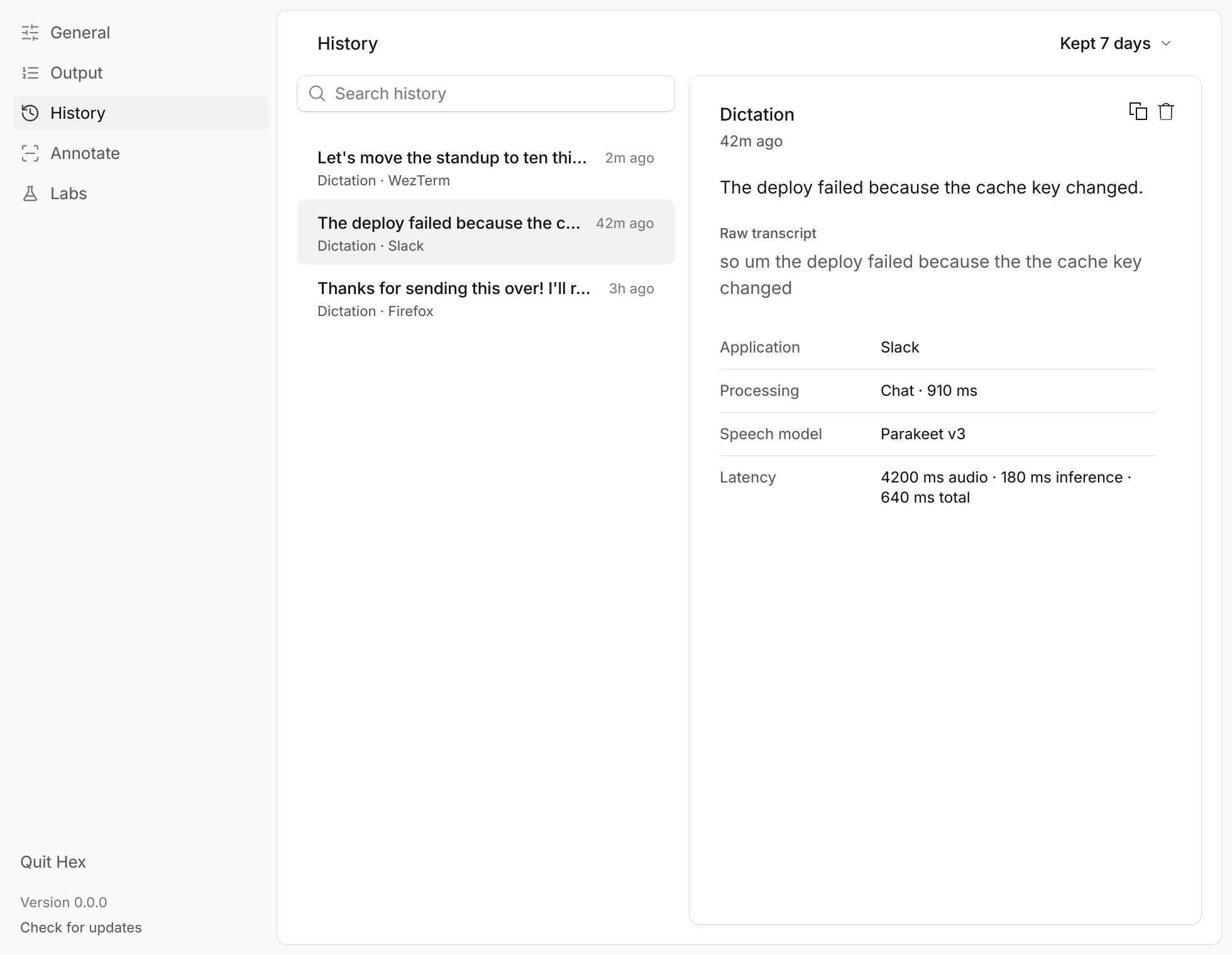
- History keeps your dictations, searchable, for 7 days by default
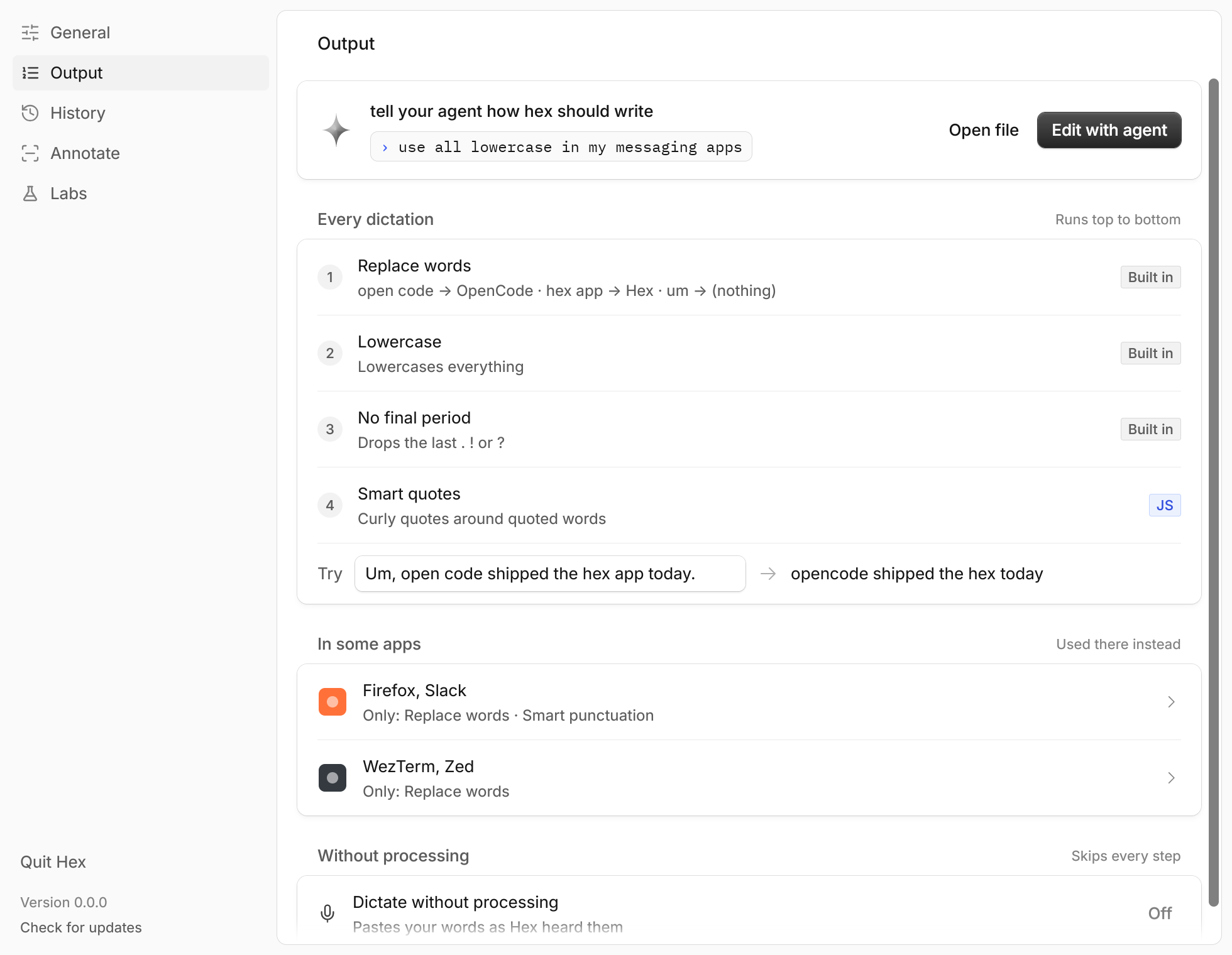
- Output runs every dictation through steps you choose (word replacements,
built-in cleanups, your own scripts, an optional OpenCode rewrite), with
different steps per app or website
- Vocabulary is one list of names Hex should know; Whisper and Qwen3-ASR read
it while transcribing, Parakeet models read it with Labs › Vocabulary biasing
on, and the OpenCode rewrite uses it
- Annotate records the screen while you draw and talk, on macOS, Linux and
Windows (GNOME Wayland needs Labs › Annotate on GNOME)
- an authenticated local API and the [TypeScript SDK](sdk/typescript/README.md)
transcribe with the same model, for your own tools
- Meetings is a macOS lab that records a call and writes the transcript
Output and History:
 ## Speech models
Hex downloads one model the first time it runs and transcribes with it on your
machine from then on. On an English system that's Parakeet Unified English: it
writes while you talk, so the text is ready when you let go. Other languages
start with the model recommended for them. That model also serves meetings and
`hex transcribe`.
Settings' picker offers more, among others:
- Parakeet v3: 25 European languages, and it hears which one you speak
- Cohere Transcribe: the fewest wrong words, in 14 languages; a big download
- Whisper large-v3-turbo: almost any language, and it reads your vocabulary
- Qwen3-ASR 0.6B: Chinese and 29 more, and it reads your vocabulary
- SenseVoice Small: Chinese, Japanese, Korean and English; a small download
- Nemotron 3.5 ASR: writes while you talk, in 27 languages
- Granite Speech 5.0: IBM's model, seven languages, with punctuation
- one-language models: ivrit.ai Whisper for Hebrew, GigaAM v3 for Russian,
NB-Whisper for Norwegian, QwenCleo-ASR for Egyptian Arabic
- more English models: Parakeet v2 and Underdog Bark 3.0
Add a GGUF model of your own with "Add model file…" in the picker; see
[your own speech models](docs/features/own-models.md).
## Downloads
Stable is the current release. Dev is the newest build of `dev` and updates
itself from the dev channel.
| Platform | Stable | Dev |
| --- | --- | --- |
| macOS (Apple silicon) | [DMG](https://anoma.ly/hex/download/macos-arm64-dmg) | [DMG](https://anoma.ly/hex/download/dev/macos-arm64-dmg) |
| Windows x64 | [Installer](https://anoma.ly/hex/download/windows-x64-setup) | [Installer](https://anoma.ly/hex/download/dev/windows-x64-setup) |
| Windows ARM64 | [Installer](https://anoma.ly/hex/download/windows-arm64-setup) | [Installer](https://anoma.ly/hex/download/dev/windows-arm64-setup) |
| Linux x86_64 | [Executable](https://anoma.ly/hex/download/linux-x64) | [Executable](https://anoma.ly/hex/download/dev/linux-x64) |
| Linux x86_64 (Debian, Ubuntu) | [.deb](https://anoma.ly/hex/download/linux-x64-deb) | [.deb](https://anoma.ly/hex/download/dev/linux-x64-deb) |
| Linux x86_64 (Fedora, openSUSE) | [.rpm](https://anoma.ly/hex/download/linux-x64-rpm) | [.rpm](https://anoma.ly/hex/download/dev/linux-x64-rpm) |
| Linux ARM64 | [Executable](https://anoma.ly/hex/download/linux-arm64) | [Executable](https://anoma.ly/hex/download/dev/linux-arm64) |
| Linux ARM64 (Debian, Ubuntu) | [.deb](https://anoma.ly/hex/download/linux-arm64-deb) | [.deb](https://anoma.ly/hex/download/dev/linux-arm64-deb) |
| Linux ARM64 (Fedora, openSUSE) | [.rpm](https://anoma.ly/hex/download/linux-arm64-rpm) | [.rpm](https://anoma.ly/hex/download/dev/linux-arm64-rpm) |
Or install with:
- Homebrew: `brew install --cask anomalyco/tap/hex`
- AUR: `yay -S hex-bin`
- install script (Linux): `curl -fsSL https://anoma.ly/hex/install-linux.sh | sh`
- Nix (Linux): `nix profile add github:anomalyco/hex`
## Command line
`hex transcribe meeting.m4a` prints a recording's transcript, whether or not
the app is running. It reads WAV, AIFF, CAF, FLAC, MP3, Ogg, WebM, and
MP4/M4A/MOV, including a video's soundtrack. The same `hex` controls the
running app (`hex status`, `hex dictation`, `hex settings`); see
[`docs/cli.md`](docs/cli.md).
On macOS the CLI is inside the app. Homebrew links it for you; otherwise link
it somewhere on your `PATH` that you own:
```sh
ln -s /Applications/Hex.app/Contents/MacOS/hex ~/.local/bin/hex
```
Linux and Windows installs put `hex` on your `PATH`.
More docs are in [`docs/`](docs/README.md).
## Contributing
We don't take pull requests. [Open an issue](https://github.com/anomalyco/hex/issues)
describing the bug or idea, and our agents usually turn it around fast.
MIT licensed.