# bridge4simulator MCP Server
> **MCP Server for iOS Simulator Control**
Watch full video on [YouTube](https://youtu.be/Smb9acnjams)
An MCP (Model Context Protocol) server that enables AI assistants to control iOS Simulator. Seamlessly integrates with Claude Desktop, Cursor, Claude Code, and other MCP-compatible clients.
Be sure to drop a ⭐️ if you find this project useful.
---
## Quick Install
Brew:
```bash
brew tap AppGram/tap
brew install bridge4simulator
bridge4simulator --version
```
Installer:
```bash
curl -fsSL https://github.com/AppGram/bridge4simulator/releases/latest/download/install.sh | bash
```
> Under the hood, MCP relies on a custom-built bridge. For inquiries about commercial use of the tool powering this CLI, be free to [contact us](mailto://nedim@nfxai.io)
## Configuration
First run, in terminal:
``` bridge4simulator mcp --http```
### Cursor IDE
Go to **Settings > MCP** and add:
Then add config
```json
"bridge4simulator": {
"url": "http://localhost:8080/mcp"
},
```
Or in Claude Desktop config:
```json
{
"mcpServers": {
"bridge4simulator": {
"command": "/usr/local/bin/bridge4simulator",
"args": ["mcp", "--enable-tools=screenshot"]
}
}
}
```
> Claude Desktop doesn't support url for local development MCPs.
### Claude Code CLI
Add to `~/.claude/settings.json` or project `.mcp.json`:
```json
{
"mcpServers": {
"ios-simulator": {
"command": "/usr/local/bin/bridge4simulator",
"args": ["mcp", "--enable-tools=screenshot"]
}
}
}
```
## Demo
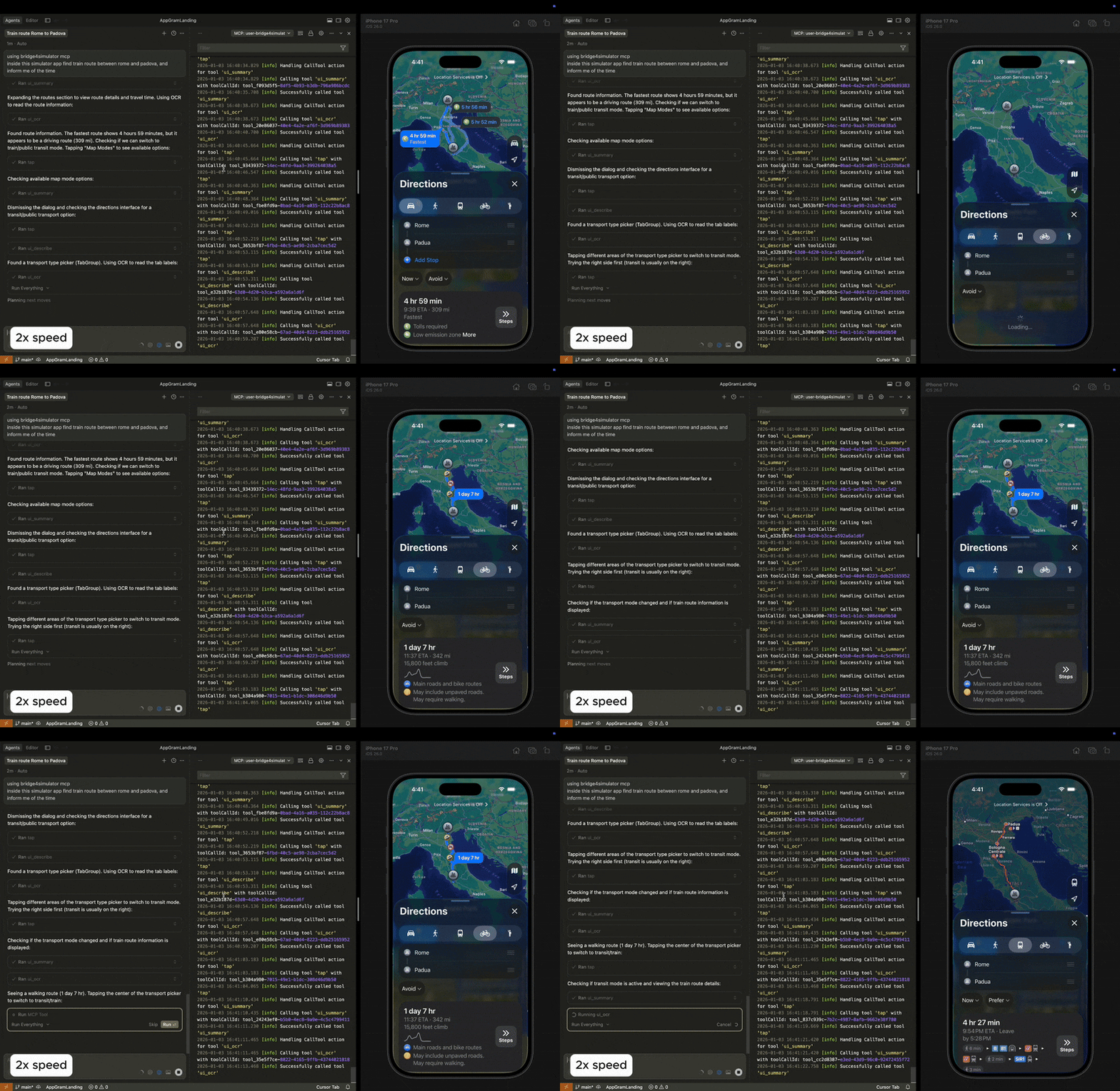
This demo highlights autonomous navigation and the internal reasoning process behind task execution. Under the hood, MCP uses a powerful CLI tool that enables instant OCR and UI extraction while keeping token consumption minimal for rapid problem solving.
| Apple Calendar Demo | Apple Maps Demo |
|--------------------|------------------|
| 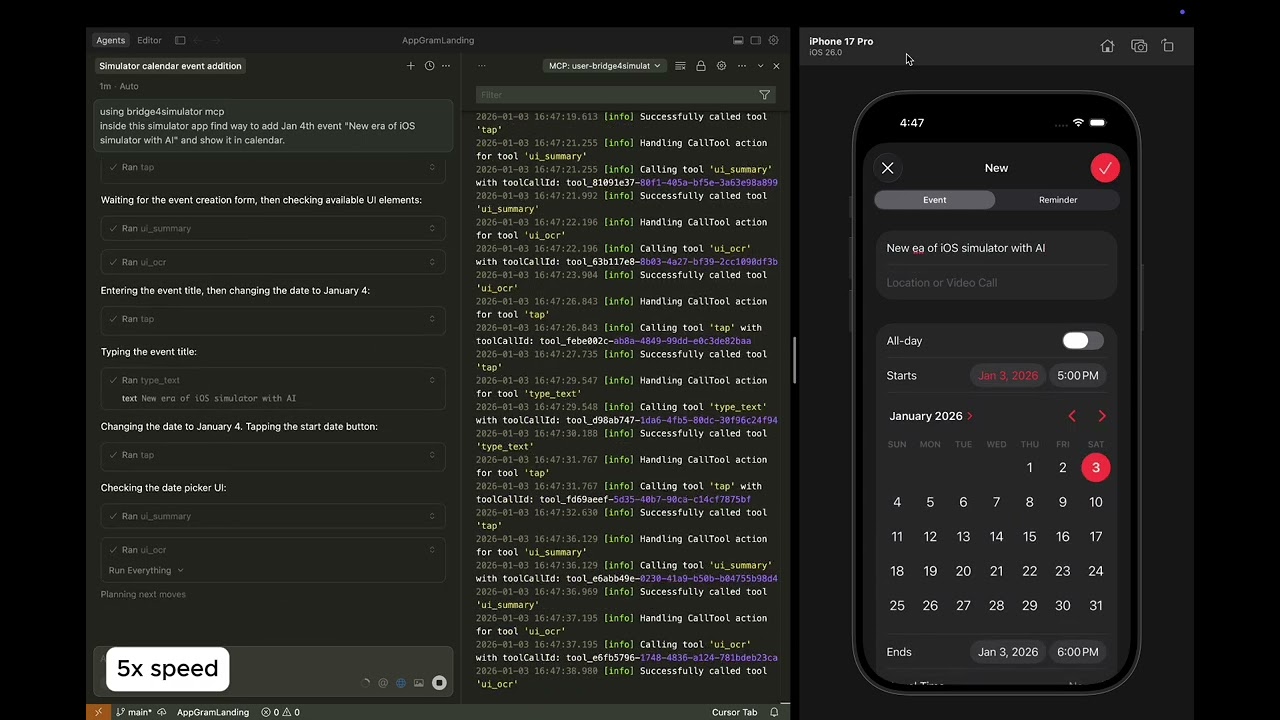
Task was to create an event on specific date. Click to watch.
| 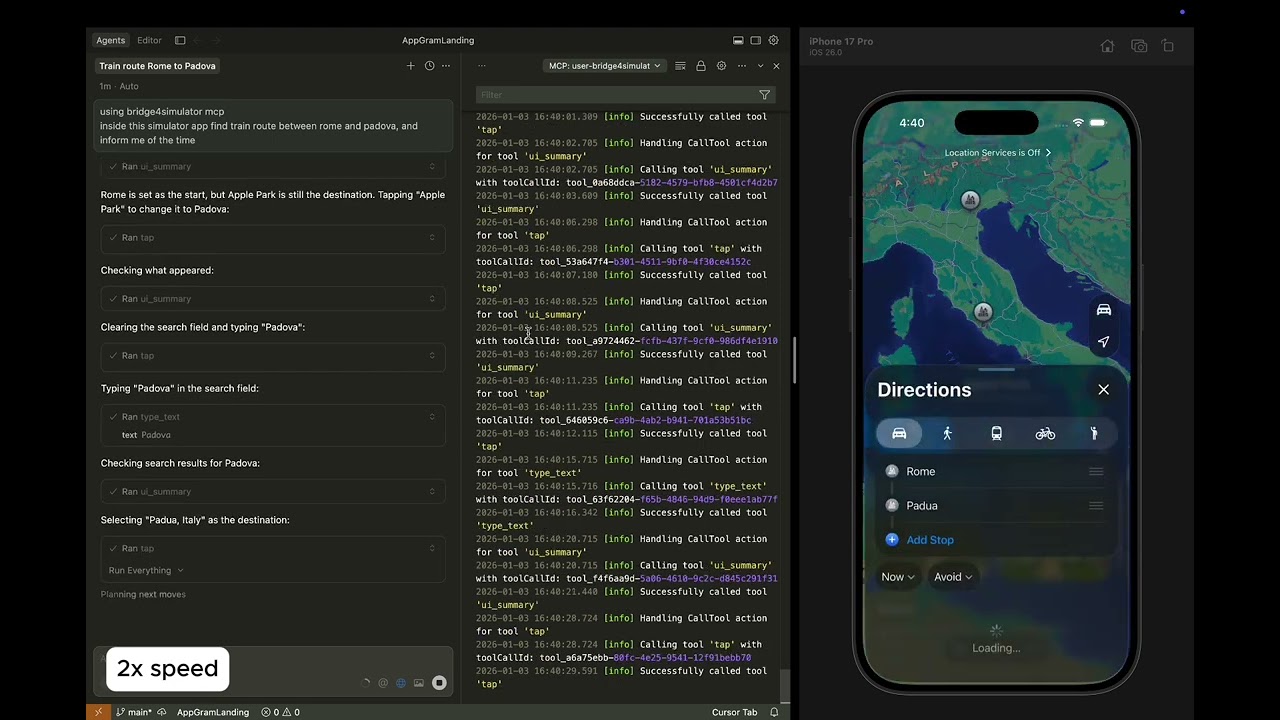
Task is to find train route from Rome to Padova. Click to watch.
|
---
## Available Tools (21)
| Category | Tools | Description |
|----------|-------|-------------|
| **Device** | `device_list`, `device_boot`, `device_shutdown`, `status` | Manage simulator devices |
| **Input** | `tap`, `swipe`, `type_text` | Touch gestures and text input |
| **Capture** | `screenshot`, `record_start`, `record_stop` | Screen capture and recording |
| **Apps** | `app_install`, `app_launch`, `app_terminate` | Application lifecycle |
| **Navigation** | `open_url` | Open URLs and deep links |
| **UI** | `ui_describe`, `ui_find`, `ui_search`, `ui_summary`, `ui_point`, `ui_ocr` | Accessibility tree and OCR |
| **Macros** | `macro_play`, `macro_list` | Automation sequences |
---
## Example Workflows
Once configured, ask your AI assistant:
**UI Interaction:**
> "Find train route between Rome and Florance inside running app"
**Screenshot & Analysis:**
> "Take a screenshot of the iOS Simulator and describe what's on screen"
**Navigation:**
> "Scroll down the list and find the settings option"
**App Testing:**
> "Launch the app com.example.myapp and take a screenshot"
---
## Requirements
- **Xcode Command Line Tools**
- **iOS Simulator** (via Xcode)
---
## Manual Download
| Platform | Download |
|----------|----------|
| Apple Silicon (M1/M2/M3/M4/M5) | [bridge4simulator-darwin-arm64.tar.gz](https://github.com/AppGram/bridge4simulator/releases/latest/download/bridge4simulator-darwin-arm64.tar.gz) |
| Intel Macs | [bridge4simulator-darwin-amd64.tar.gz](https://github.com/AppGram/bridge4simulator/releases/latest/download/bridge4simulator-darwin-amd64.tar.gz) |
---
## Running the Server
```bash
# Start MCP server (JSON-RPC over stdio)
bridge4simulator mcp
```
The server reads JSON-RPC 2.0 requests from stdin and writes responses to stdout.
---
## Support
- **Documentation**: [GitHub](https://github.com/appgram/bridge4simulator)
- **Issues**: [GitHub Issues](https://github.com/appgram/bridge4simulator/issues)
- **Email**: support@appgram.dev
---
**Version 1.0.0** | [AppGram](https://appgram.dev)