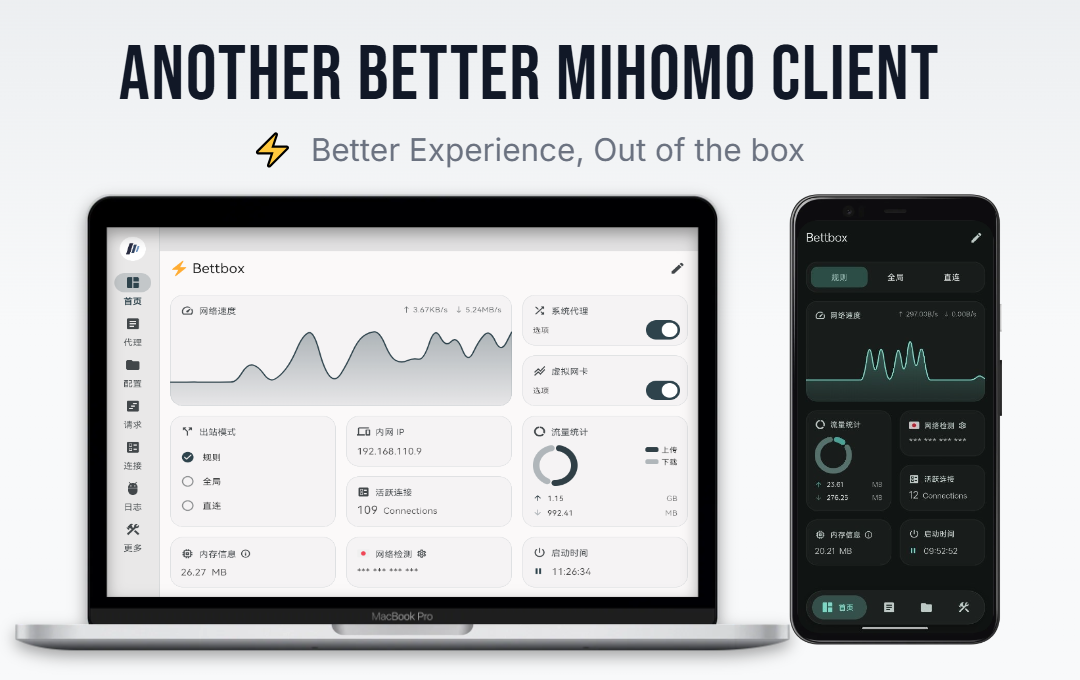
Another Better Mihomo Client, Forked from FlClash
**Bettbox is a cross-platform traffic routing and DNS debugging tool, deeply built on the powerful Mihomo core. We focus on privacy, security, and refined feature details, dedicated to delivering a better client experience (The project has already taken the lead in passing manual security provenance review by the SignPath Foundation, and the Windows client is signed with an OV digital certificate).** Guided by the principle of "Better Experience", Bettbox inherits the original sleek UI while deeply optimizing numerous details along with practical features and logic across platforms. Core characteristics and goals: smooth foreground, power-saving background — dedicated to becoming a better Mihomo client that runs stably over the long term with minimal resource consumption. Bettbox stands for: Better Experience, Out of the box. [](https://github.com/appshubcc/Bettbox/releases/latest) [](https://github.com/MetaCubeX/mihomo/releases/latest)
yay -S bettbox-bin or paru -S bettbox-bin (Maintained by [ lyj404 ](https://github.com/lyj404/bettbox-aur))yay -S bettbox-compatible-bin or paru -S bettbox-compatible-bin (Maintained by [ VillagerTom ](https://github.com/VillagerTom))
---
## ❓ Frequently Asked Questions
1. **Installation, Startup & Security Issues**:
- Android devices: **Ensure sufficient background permissions are granted and minimum requirements are met**: Android 8.0+
- Legacy desktop devices: Check if your CPU architecture **requires downloading a specific CPU-level Compatible version**.
- **Security: Bettbox is fully open-source and transparent with zero telemetry. Current builds have passed SignPath security audit.**
2. **Desktop FAQs**:
- Windows Admin Permissions: Bettbox installer handles this in advance — **no manual re-authorization required**.
- Unable to enable TUN mode: macOS and Linux users **must enter the correct password to grant network permissions**.
- Other errors: Provide debug logs and **ensure no conflicting proxy software or services are running**.
- If issues persist, please submit a GitHub Issue.
3. **macOS Installation Notes**:
- Download the appropriate `.dmg` file for your architecture (Intel / Apple Silicon) and double-click to open.
- Drag the Bettbox icon into the `Applications` folder.
- **Bypassing system security checks during installation or updates** ([as Apple Developer Certificate is not currently purchased](https://support.apple.com/en-us/102445)):
- **Recommended**: Open `Applications`, **right-click the Bettbox icon**, select **"Open"**, and click **"Open"** again in the confirmation prompt.
- **Alternative**: If blocked, go to System Settings -> Privacy & Security, scroll to find Bettbox, and click **"Open Anyway"**.
- Upon enabling TUN mode for the first time, a password authorization prompt will appear; **please enter the password of the currently logged-in user to allow Bettbox to configure the network**.
4. **Unable to Import Subscription Links**:
- **Always try resetting the subscription link first** to ensure it is valid before importing.
- If issues persist, please contact your service provider first. If debugging confirms it is caused by the app, please submit a GitHub Issue.
---
## 💻 Build & UI Customization
Building on Windows:
* Requires a Windows PC (OS ≥ Windows 10)
* Dependencies: Git, Visual Studio, Flutter 3.47.x, Golang, Inno Setup, Rust
```bash
* flutter pub get
* dart .\setup.dart windows --arch amd64 --out core (Build Core only)
* dart .\setup.dart windows --arch amd64 --out app --compatible (Optional Compatible build)
* Output binaries are located in the `dist/` directory
```
Custom Script UI Adaptation:
* Starting from v1.18.8, Bettbox supports external override scripts for UI adaptation. Taking AIsouler's **[Script/Config Repository](https://github.com/AIsouler/MyClash)** as an example, simply add the following declaration on the first line of your script to enable Bettbox built-in visual toggles:
* const Compatible_With_Bettbox = { ruleOptionsEnable: true };
* If a script mixes policy group switches with other feature switches, declare which ones belong to policy groups via `policyGroupOptions`. Undeclared switches are collected into an "⚙️ Other Settings" second-level page at the end of the list, while policy group switches keep the original list layout:
```js
const Compatible_With_Bettbox = {
ruleOptionsEnable: true,
// Names of the switches that belong to policy groups; must match the keys of ruleOptionsEnable exactly
policyGroupOptions: ['🚀 Node Select', '🛑 Ad Block'],
};
```
* Without `policyGroupOptions`, or when the declared names match no switch, the layout stays exactly the same as before (all switches in a single list).
---
### ☕ Sponsorship
**If you find this project helpful, consider supporting development via:**
* TRON (TRC-20): TCkTtZfF2WrciZLaJj3e1aqrh3zdTnCkDa
* Bitcoin: bc1qu950cl6035qvllmzk6cfw3l30j2lg3cq9n6g6h
---
## 🙏 Acknowledgments

|
Free code signing on Windows provided by SignPath.io, certificate by SignPath Foundation |