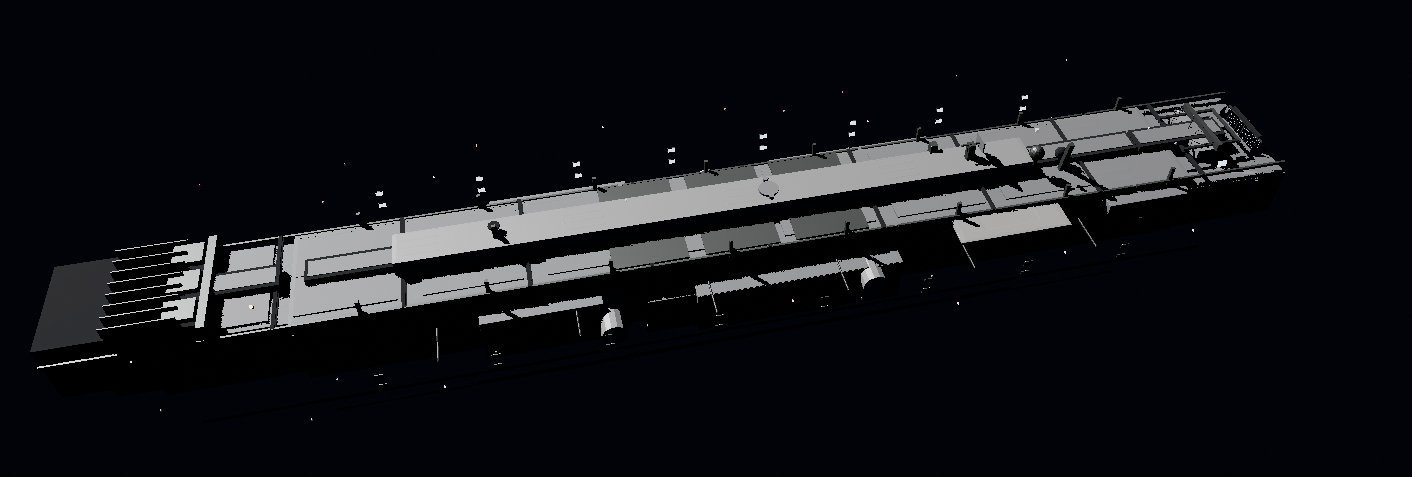
# Blender Skills
**94 Specialized Skills for Blender Artists.**
**Transform Cursor, Claude Code, Kiro, and Codex into your Senior Technical Art team — not a tutorial bot.**
[](version.json)
[](LICENSE)
[](.claude/skills/)
[](docs/BLENDER_MCP_SETUP.md)
[](https://cursor.com)
[](https://docs.anthropic.com/en/docs/claude-code)
[](https://kiro.dev)
[](https://openai.com/codex)
[](https://blender-skills.vercel.app/)
---
## Quick Start
> **Marketplace listing is currently under review by Anthropic.**
> Install directly from GitHub in the meantime.
Works with **Cursor**, **Claude Code**, **Kiro**, and **Codex** — same skill pack, Blender MCP execution.
**Claude Code**
```bash
git clone https://github.com/arjun988/blender-skills.git
cp -r blender-skills/.claude/skills /path/to/your/project/.claude/skills/
```
**Cursor (Windows)**
```powershell
git clone https://github.com/arjun988/blender-skills.git
Copy-Item -Recurse -Force "blender-skills\.claude\skills\*" ".cursor\skills\"
```
**Kiro**
```bash
# Copy skill folders into your Kiro skills directory, then restart Kiro
cp -r blender-skills/.claude/skills/* /path/to/kiro/skills/
```
**Codex**
```bash
# Mount or copy skills into your Codex skills path
cp -r blender-skills/.claude/skills/* /path/to/codex/skills/
# or: ln -s /path/to/blender-skills/.claude/skills /path/to/codex/skills/blender-skills
```
For all installation methods and first steps, see the **[Quick Start Guide](https://blender-skills.vercel.app/getting-started/)**.
**Full documentation:** [blender-skills.vercel.app](https://blender-skills.vercel.app/)
---
## Skills (94)
94 specialized skills across modeling, production, technical, pipeline, art styles, horror packs, worlds, moods, and gameplay genre direction.
See **[Skills Guide](SKILLS_GUIDE.md)** for the full list, subtype coverage map, decision trees, and workflow combinations.
### Usage Patterns
#### Orchestrated Execution
The **blender-director** skill analyzes your request and routes automatically:
```
# Hard Surface Asset
"Build a game-ready sci-fi rifle for Unreal Engine, 3k tris, realistic PBR"
→ blender-director → hard-surface → uv-workflow → materials → asset-optimization → export-pipeline
# Environment
"Create a modular horror corridor kit — narrow, flickering fluorescent, Silent Hill feel"
→ blender-director → horror-style → environment-artist → lighting → export-pipeline
# Character
"Retopologize this creature sculpt for game animation, 15k triangle budget"
→ blender-director → retopology → uv-workflow → texture-workflow → rigging
```
#### Reference Image Matching
Attach a photo or concept art and the agent matches it:
```
"Match this reference — industrial spaceship, analyze first then build in Blender"
→ blender-director → reference-image-match
→ Camera match → Geometry tiers → Materials → Lighting → Screenshot comparison loop
```
### Skill Categories
| Category | Skills |
|----------|--------|
| **Orchestration** | [blender-director](.claude/skills/blender-director/) |
| **Modeling** | blender-modeler, hard-surface, prop-artist, vehicle-artist, environment-artist, vegetation-artist, character-artist, creature-artist, character-archetypes |
| **Production** | sculpting, retopology, uv-workflow, materials, texture-workflow, hair-groom, cloth-sim, lookdev |
| **Technical** | geometry-nodes, lighting, camera-cinematography, rendering, compositing, animation, rigging, vfx-fx, physics-sim |
| **Pipeline** | procedural-modeling, scene-assembly, set-dressing, asset-optimization, lod-pipeline, collision-proxy, export-pipeline, unity-export, unreal-export, godot-export, qa-review, archviz |
| **Core styles** | horror-style, psx-horror-style, lowpoly-style, anime-style, voxel-style, isometric-style, stylized-style, realistic-style |
| **Extended styles** | cartoon, comic-book, manga, pixel-art, hand-painted, painterly, stop-motion-craft, chibi, noir, minimalist, vector, retro-8bit, retro-16bit, hd-2d, frutiger-aero |
| **Horror packs** | cosmic-eldritch, body-horror, analog-found-footage, liminal-space, folk-horror, mascot-puppet, dream-weirdcore, indie-horror-aesthetics |
| **Worlds / moods** | fantasy-worlds, sci-fi-punk-worlds, historical-worlds, apocalypse-worlds, biome-worlds, cozy-wholesome, dark-gritty, dream-surreal, neon-retrofuturism, brutalist |
| **Genre direction** | action-combat, shooter, rpg, survival, stealth, puzzle-platformer, metroidvania-roguelike, soulslike, strategy-sim, racing-sports, narrative-vn, card-party-idle, open-world-sandbox |
| **Eras** | visual-console-eras |
Full paths and workflows: **[SKILLS_GUIDE.md](SKILLS_GUIDE.md)**.
---
## Blender MCP
Every skill executes **directly in Blender** via MCP — no UI walkthroughs, no manual steps.
```
Blender (running) ← BlenderMCP addon ← Cursor / Claude Code / Kiro / Codex
```
**Setup in 4 steps:**
1. Install [uv](https://docs.astral.sh/uv/getting-started/installation/)
2. Install the [BlenderMCP addon](https://github.com/ahujasid/blender-mcp) in Blender
3. Blender sidebar `N` → **BlenderMCP** → **Connect to Claude**
4. Restart your agent — Cursor ships `.cursor/mcp.json`; Claude Code uses `.mcp.json`
Full guide: **[docs/BLENDER_MCP_SETUP.md](docs/BLENDER_MCP_SETUP.md)**
| Config / Path | Client |
|---------------|--------|
| `.cursor/mcp.json` + `.cursor/skills/` | Cursor |
| `.mcp.json` + `.claude/skills/` | Claude Code |
| Kiro skills dir + Blender MCP | Kiro |
| Codex skills path + Blender MCP | Codex |
---
## Workflow Pipelines
### Hero Hard Surface Prop
```
blender-director → hard-surface → uv-workflow → materials → asset-optimization → export-pipeline
```
### Game Character
```
blender-director → character-artist → sculpting → retopology
→ uv-workflow → texture-workflow → rigging → animation → export-pipeline
```
### Horror Environment
```
blender-director → horror-style → environment-artist → lighting
→ lowpoly-style → asset-optimization → export-pipeline
```
### Modular Kit
```
blender-director → environment-artist → geometry-nodes
→ uv-workflow → texture-workflow → asset-optimization → export-pipeline
```
### Reference Image Match
```
blender-director → reference-image-match.md
→ Reference Analysis → Camera match → Geometry tiers
→ Materials → Lighting → Screenshot compare loop
→ visual-match-checklist → validation-checklist
```
---
## Philosophy
Every skill in this pack:
- **Thinks before acting** — Plans the full pipeline before touching Blender
- **Executes via MCP** — Uses Blender MCP tools when connected, never narrates UI steps
- **Matches references** — Analyzes photo first, camera-matches, screenshot-compares in a loop
- **Follows production standards** — Naming conventions, polycount budgets, game-ready output
- **Validates before export** — Asset optimization and checklist gate on every delivery
---
## Project Structure
```
.claude-plugin/ # Claude Code plugin manifest
.claude/skills/ # 94 skills + 175+ reference files
├── blender-director/
├── hard-surface/
├── prop-artist/
├── genre-shooter/
├── sci-fi-punk-worlds/
├── ... (89 more skills)
└── references/ # Asset pipeline, naming, MCP tools, checklists
.cursor/skills/ # Synced mirror for Cursor
.cursor/mcp.json # Blender MCP config (Cursor)
.mcp.json # Blender MCP config (Claude Code)
site/ # Website (blender-skills.vercel.app)
docs/
└── BLENDER_MCP_SETUP.md
```
---
## Documentation
| Doc | Purpose |
|-----|---------|
| [QUICKSTART.md](QUICKSTART.md) | Installation and first steps |
| [SKILLS_GUIDE.md](SKILLS_GUIDE.md) | Skill index, decision trees, workflows |
| [docs/BLENDER_MCP_SETUP.md](docs/BLENDER_MCP_SETUP.md) | Blender MCP connection guide |
| [CONTRIBUTING.md](CONTRIBUTING.md) | How to add skills and contribute |
| [CHANGELOG.md](CHANGELOG.md) | Version history |
| [.claude/skills/references/](.claude/skills/references/) | Shared pipeline standards |
---
## Contributing
See **[CONTRIBUTING.md](CONTRIBUTING.md)** for guidelines on adding skills, writing references, and submitting pull requests.
---
## Changelog
See **[CHANGELOG.md](CHANGELOG.md)** for full version history and release notes.
---
## License
MIT License — See [LICENSE](LICENSE) for details.
---
## Support
- **Website:** [blender-skills.vercel.app](https://blender-skills.vercel.app/)
- **Issues:** [GitHub Issues](https://github.com/arjun988/blender-skills/issues)
- **Discussions:** [GitHub Discussions](https://github.com/arjun988/blender-skills/discussions)
- **Repository:** [github.com/arjun988/blender-skills](https://github.com/arjun988/blender-skills)
---
**Built for Cursor, Claude Code, Kiro & Codex** | **Blender MCP** | **94 Skills** | **175+ Reference Files**
Inspired by [jeffallan/claude-skills](https://github.com/Jeffallan/claude-skills)