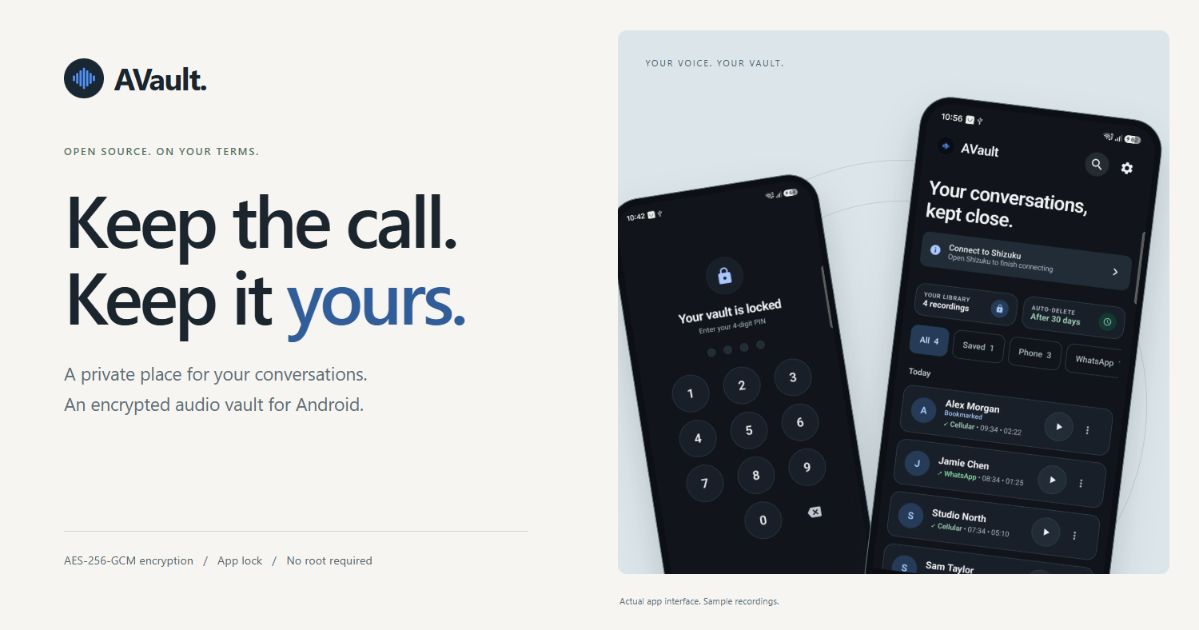
A private place for your conversations.
Website · Download · Setup & configuration · Security
AVault is a free, open-source Android call recorder and encrypted audio vault. Keep recordings organised, find a conversation quickly, and choose what stays in your library. > **Intended use:** lawful research, education and consent-based evaluation on devices and conversations you are authorised to record. AVault does not obtain consent or determine legal permission for you. The software is provided as-is, subject to the applicable license notices and non-excludable law. Read the [use, warranty and liability disclaimer](DISCLAIMER.md) before use. The app uses **Shizuku** for system access without root. It installs on **Android 11 (API 30) and later**; recording support depends on your phone, Android version, audio source and calling app. Make a test recording before relying on your setup. ## A look inside
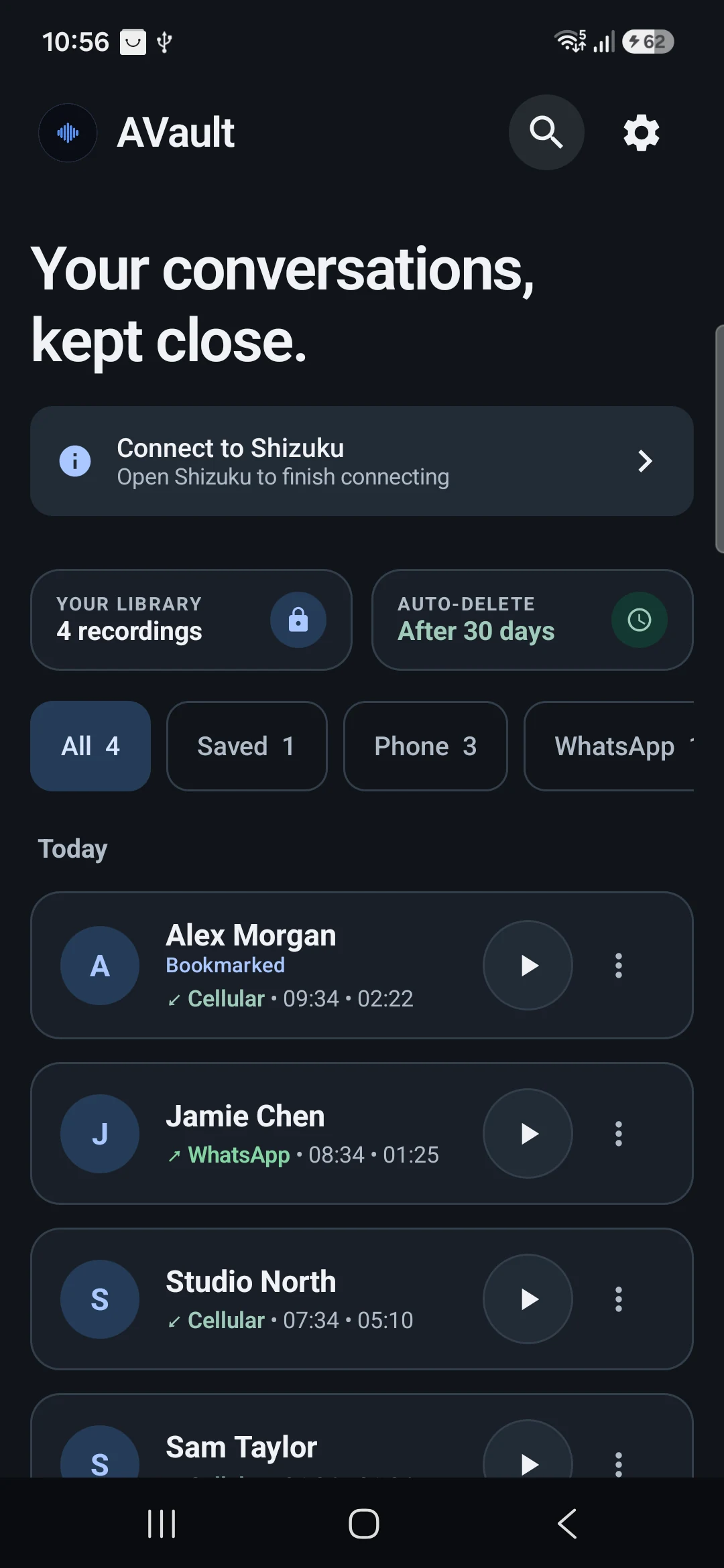
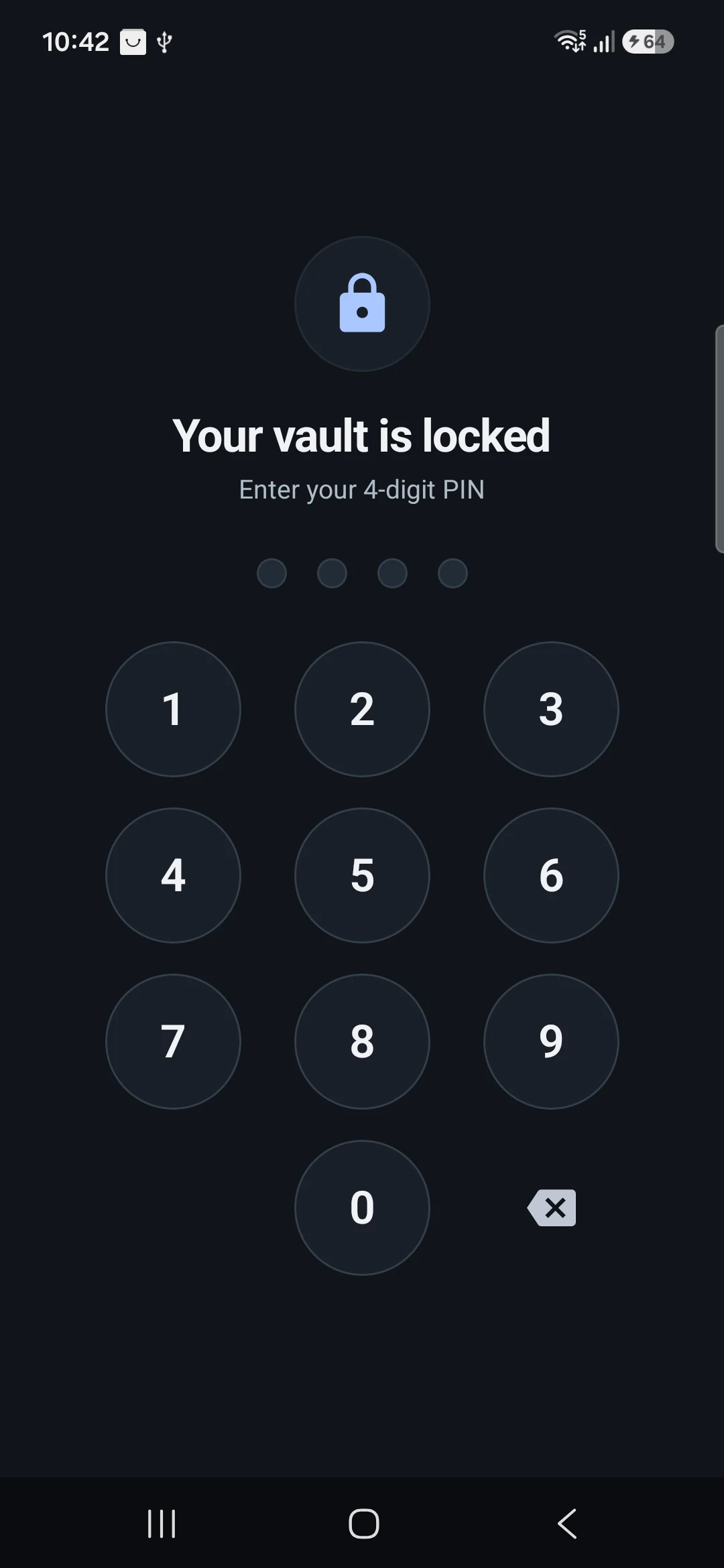
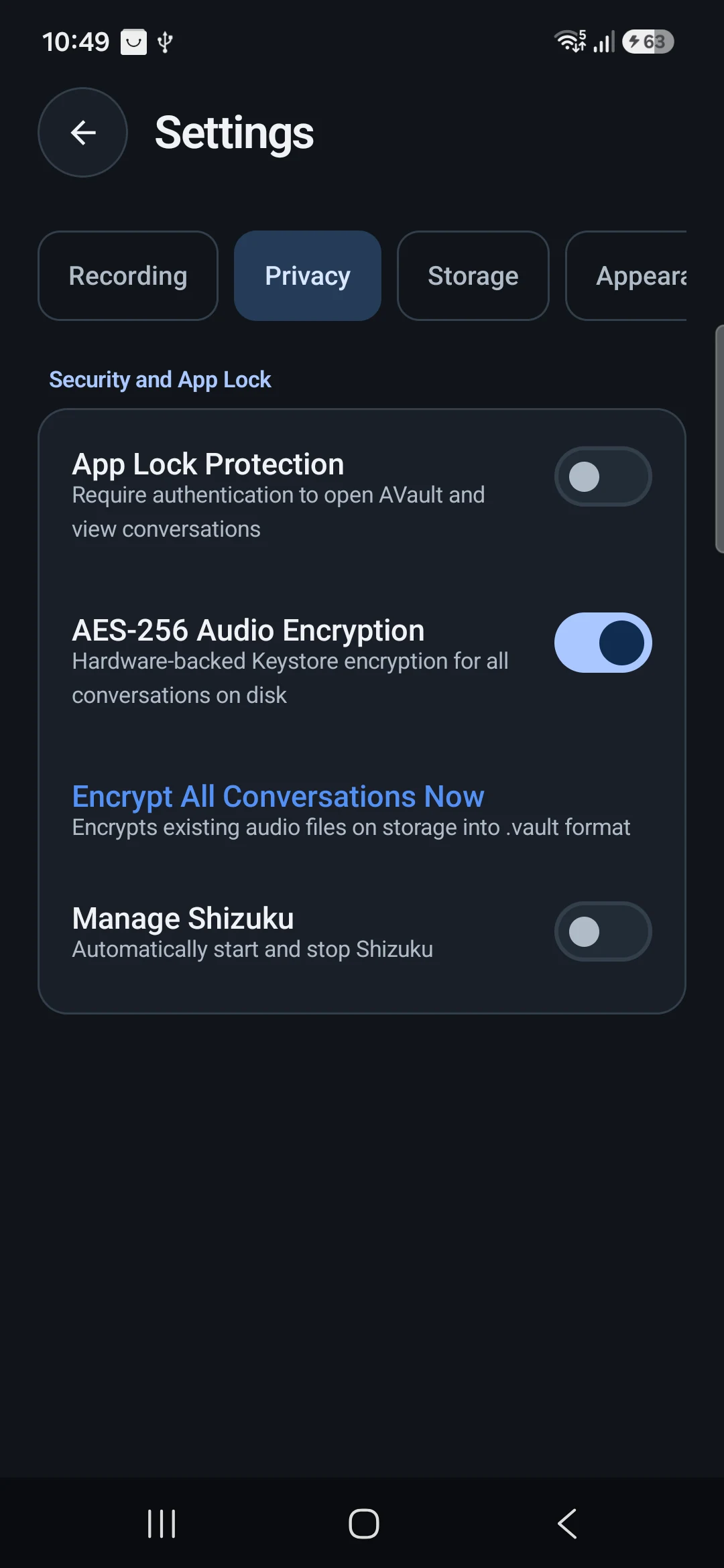
Actual Android app screens. Contacts and recordings are illustrative sample data.
## Contents - [Features](#features) - [Installation and Shizuku setup](#get-started) - [Configuration reference](#configuration-reference) - [How the application works](#how-the-application-works) - [Encryption format and key management](#encryption-format-and-key-management) - [Privacy and security boundaries](#privacy-accurately-described) - [Build from source](#build-from-source) - [Troubleshooting](#troubleshooting) - [Validation and compatibility](#validation-and-compatibility) - [Website and translations](#website-and-product-images) - [Responsible use, warranty and liability](#responsible-use-warranty-and-liability) - [Licensing notes](#licensing-notes) ## Features - **An organised library.** Search by contact, phone number or app, with filters for phone calls, supported calling apps and saved recordings. - **Encrypted audio.** AES-256-GCM encrypts recordings when enabled, with keys managed by Android Keystore. Hardware backing depends on the device. - **App lock.** Protect access with a dedicated PIN or supported biometric/device authentication. Configure automatic locking and screen privacy. - **Your retention rules.** Choose an auto-delete period or keep auto-delete off. Bookmarks exclude recordings from automatic cleanup. - **Playback and sharing.** Listen inside the app or explicitly share an audio copy with another app. - **A considered interface.** A readable library, grouped settings, and support for the existing light, dark and dynamic colour preferences. ## Get started 1. Download an APK from [GitHub Releases](https://github.com/arpanjot-coding/AVault/releases/latest) and install it on your phone. 2. Install [Shizuku](https://shizuku.rikka.app/) and follow its [setup guide](https://shizuku.rikka.app/guide/setup/) to start the service through wireless debugging or ADB. 3. Open AVault, read its first-run notice and follow the permission checklist. Authorise AVault in Shizuku. 4. Choose your recording rules, encryption, app lock and retention settings. Make a test recording and check both sides of the conversation. Shizuku may need to be started again after the phone restarts. Third-party calling apps can restrict recording or produce one-sided/silent audio. See the [configuration guide](docs/configuration.md) and [troubleshooting guide](docs/troubleshooting.md). ### Wireless debugging Use Shizuku's pairing workflow on a supported Android device. Connect to a trusted Wi-Fi network, enable Developer options and Wireless debugging, then follow the pairing instructions in Shizuku. Start its service and authorise AVault when prompted. Do not publish a pairing code or debugging connection details. ### USB / ADB Enable USB debugging and approve the computer on your phone. Confirm that ADB lists the intended device as `device`, not `unauthorized` or `offline`: ```sh adb devices -l ``` After installing Shizuku, its documented USB startup command is: ```sh adb shell sh /sdcard/Android/data/moe.shizuku.privileged.api/start.sh ``` Use the Shizuku application's current instructions if the startup path differs. Authorisation remains an on-device decision. When several devices are attached, use `adb -s DEVICE_SERIAL ...` for installation and diagnostics. ### Updating an existing vault Install a compatible APK over the current installation. Preserve the existing app data and signing key. Uninstalling, clearing storage or losing Keystore access can make encrypted recordings unrecoverable. The app's PIN is not an independent recovery key for the audio encryption key. ## Configuration reference Settings are grouped by task so recording rules and privacy controls are easier to find. ### Recording - Select the supported call detection method. InCallService and phone-state detection have different permission requirements. - Configure incoming and outgoing auto-recording separately. - Include or exclude anonymous callers, cross-country calls and selected contacts where the chosen mode provides the required information. - Enable third-party call capture only after testing the specific calling app. Integration with Android Telecom does not guarantee that both audio directions can be captured. - Choose post-call notifications, vibration, output formatting and other recording preferences. Caller identity can be delayed or unavailable. Filters depend on the information Android and the calling app expose; they are not a legal-compliance mechanism. ### Audio The recording engine offers Opus and AAC-family encoders, subject to codecs exposed by the device. Choose a supported source, codec, bitrate and channel configuration. Lower bitrates reduce file size but can reduce quality or behave differently across encoders. Split-channel recording depends on the selected capture route and codec. Change one audio setting at a time and verify a short, authorised recording before a longer session. Silence on one side is a compatibility issue to investigate, not proof of successful two-way capture. ### Privacy - Enable app lock and configure a dedicated four-digit PIN. - Choose supported biometric/device authentication and automatic lock timeout. - Enable recording encryption and the screen/recents privacy option. - Review Shizuku connection options and grant only the permissions needed by your configuration. An app PIN and biometrics are alternative access methods; AVault does not require them together as multi-factor authentication. The PIN gates the interface rather than deriving the recording key. ### Storage Auto-delete is optional. Available retention periods are **7, 14, 30, 60, 90, 180 and 365 days**. Bookmarked recordings are excluded from automatic cleanup, regardless of whether auto-delete is currently enabled. A bookmark does not prevent manual deletion or protect against device/app data loss. Cleanup can run on app startup and through the settings action. Do not treat the selected period as a guaranteed real-time deletion deadline. Deletion is ordinary file removal, not certified sanitisation of flash storage. ### Appearance and Advanced Choose light, dark, system or supported dynamic colours through the appearance controls. Advanced settings contain diagnostic functions and project information. Diagnostic logs may contain sensitive details: inspect and redact them before sharing a report. ## How the application works AVault is a Kotlin / Jetpack Compose Android application, with Material 3 components and a separate privileged shell-service integration. 1. **Call detection:** InCallService or a phone-state receiver reports call state changes. 2. **Decision:** RecordingDecisionEngine applies the configured recording rules and available caller information. 3. **Capture:** RecordingForegroundService coordinates recording through the Shizuku shell service and the selected audio capture route. 4. **Encoding:** The selected Android media encoder produces an audio file. Recording depends on platform and calling-app behaviour. 5. **Finalisation:** When encryption is enabled, the service attempts to encrypt the completed audio file into a `.vault` container and remove the original. Plaintext can exist during capture or if encryption fails; this is not direct encrypted streaming from the microphone. 6. **Indexing:** CallLogRepository persists the recording index and publishes library updates to the UI. 7. **Playback / export:** The UI requests temporary decryption for playback or explicit sharing. Those temporary copies have different protection and lifetime from the encrypted original. Key source areas: ```text app/src/main/java/com/kitsumed/shizucallrecorder/ data/ Preferences, call index and recording models integrations/shizuku/ Binder connection and permission handling onboarding/ Setup and permission status services/ Call detection, foreground recording and shell capture system/security/ Keystore encryption and app lock system/storage/ Recording locations and shareable URIs ui/screens/ Library, settings, setup and lock screens ui/theme/ Colour and typography system android-framework-hidden-stubs/ Compile-time Android framework type stubs app/src/screenshots/ Isolated sample app for product photography ``` The hidden framework stubs satisfy compile-time references; the real Android framework supplies the runtime implementations. The screenshots build has a distinct application ID and does not update the normal vault. ## Encryption format and key management The current `.vault` format is implemented by [VaultEncryptionManager](app/src/main/java/com/kitsumed/shizucallrecorder/system/security/VaultEncryptionManager.kt): - **Bytes 0–7:** eight-byte ASCII header `AVAULT01`. - **Bytes 8–19:** a 12-byte random initialisation vector. - **Remaining bytes:** AES-GCM ciphertext followed by its 128-bit authentication tag. - **Cipher:** `AES/GCM/NoPadding`, with a 256-bit AES key. - **Key provider:** `AndroidKeyStore`, alias `AVaultMasterEncryptionKey`. Authentication failures are reported by the cryptographic implementation. A filename extension or recognised header alone does not prove that a file is valid or decryptable. A `.vault` file is not a portable password-protected backup; decryption requires the associated device/app Keystore key. The app does not require or independently attest StrongBox. Hardware backing depends on the device. It does not promise protection against a compromised OS, a compromised app process, privileged debugging access, or someone who can use an unlocked session. App PIN hashes use **PBKDF2-HMAC-SHA256**, a random 16-byte salt, **150,000 iterations** and a 256-bit derived value. Legacy SHA-256 hashes are upgraded after successful verification. Failed attempts trigger an application-managed timeout; it is not a hardware-enforced exponential lockout. See [AppLockManager](app/src/main/java/com/kitsumed/shizucallrecorder/system/security/AppLockManager.kt). ## Privacy, accurately described The vault protects stored audio; it is not a promise of protection against every threat. Playback decrypts audio into a temporary file in the app's private cache. Sharing creates a decrypted copy for the receiving app. A shared copy is outside the vault's protection. The app lock controls access to AVault's interface. Its encryption key is managed separately through Android Keystore and is not derived from your app PIN. A compromised or unlocked device can weaken these protections. Deleting a file does not guarantee forensic erasure on flash storage. Read [SECURITY.md](SECURITY.md) for implementation details and limitations. Record only when you have the appropriate permission and consent. ## Build from source Use JDK 17 or later, Android SDK Platform 37, and the standard Android SDK build tools. The hidden framework stubs are included in this repository; no extra clone is required. ```sh git clone https://github.com/arpanjot-coding/AVault.git cd AVault ``` Set `ANDROID_HOME` to your SDK, or add its path as `sdk.dir` in an untracked `local.properties` file. The Gradle wrapper downloads the pinned Gradle version and verifies its configured SHA-256 checksum. On macOS / Linux: ```sh ./gradlew assembleDebug ``` On Windows PowerShell: ```powershell .\gradlew.bat assembleDebug ``` The APK is written to `app/build/outputs/apk/debug/app-debug.apk`. ```sh adb install -r app/build/outputs/apk/debug/app-debug.apk ``` Updating an existing installation requires the same signing key. Do not uninstall an existing vault to work around a signing mismatch: that removes the app's data and its Keystore keys. Official release builds require the project's release signing credentials; a local debug build uses a development key. ## Troubleshooting ### The phone is not detected Check the USB cable, USB debugging switch and on-device computer authorisation. `adb devices -l` must show the intended serial as connected. An offline emulator is a separate target; explicitly select the physical phone when both are listed. ### Shizuku is not available Open Shizuku and confirm its service is running. Restart it after a device reboot if required, then return to AVault and authorise the connection. The library's connection status refreshes on return and when the Binder connection changes. ### A recording is silent or one-sided Verify the Android version, device model, calling app, detection mode, capture source and codec. Try another supported capture configuration and a short call with permission. Android and third-party app restrictions may prevent a working configuration. ### A recording will not play Keep the encrypted original. Confirm that it belongs to the current installation and Keystore key. A corrupt file, an incomplete recording, a missing key or unsupported media can prevent playback. Do not delete the vault or clear app storage as a troubleshooting shortcut. ### The recording is missing from a filter Choose All and clear the search query. Saved shows bookmarks; it is independent of whether automatic retention is enabled. Check whether a non-bookmarked recording was eligible for the selected retention policy. ### An APK will not update A signature mismatch requires a build signed with the original key. A higher version code cannot override a different signing identity. Keep the current app installed while resolving the build/signing issue. ### Reporting a bug Include the AVault version, Android version, device model, calling app, selected capture/detection configuration and reproducible steps. Use synthetic data where possible. Do not attach real recordings, unredacted phone numbers, debugging credentials or Keystore material to a public issue. More detail is available in [troubleshooting](docs/troubleshooting.md) and [support](docs/SUPPORT.md). ## Validation and compatibility The 2.0.1 refresh was built with the pinned Gradle toolchain and installed over an existing vault on a **Samsung Galaxy A26, Android 16 / API 36**. Manual UI checks used an isolated sample app and covered PIN unlock, name search, Saved filtering, Privacy/Storage navigation and light/dark appearance. The website was checked at desktop and phone widths, including Russian, Arabic RTL and Thai. Generated pages were checked for complete translations, working local assets, per-language canonical URLs, reciprocal language alternates and a 12-language sitemap. These checks do not establish compatibility with every Android phone or calling app. **A live-call audio capture test was not performed during this refresh.** No independent security audit, legal certification or professional customer endorsement is claimed. The downloadable APK is explicitly a debug-signed development build. ## Website and product images The product page is a static site in `docs/`, published through GitHub Pages. English, Russian, Simplified Chinese, Japanese, Vietnamese, Thai, Hindi, Arabic, French, German, Spanish and Italian each have a crawlable URL, translated metadata and reciprocal language links. Arabic uses a right-to-left layout. The public GitHub API refreshes the star count, with a dated static snapshot when unavailable. There are no testimonials or customer-count claims. Edit `tools/site-template.html` and `docs/locales/*.json`, then regenerate the pages with `python tools/build_website.py`. It uses only the Python standard library; assets and system fonts are local. ```sh python -m http.server 4173 --directory docs ``` Open `http://localhost:4173`. Search metadata includes a canonical URL, Open Graph / Twitter card, SoftwareApplication structured data, sitemap and robots file. Keep the canonical origin and social-image URLs aligned if the public domain changes. For reproducible photography, `assembleScreenshots` builds an isolated sample app with the `.screenshots` application ID. It does not update the installed vault and uses generated silence and fictional contacts. Launch `com.kitsumed.shizucallrecorder.screenshots.ScreenshotActivity` with a `screen` string extra of `library`, `lock` or `settings`. The sample-only PIN is `2468`. This edition is for product images and manual UI checks, not daily recording. ## Contribute Issues, reproducible compatibility reports and focused pull requests are welcome. Read [CONTRIBUTING.md](CONTRIBUTING.md) before contributing. For a security issue, use [private vulnerability reporting](https://github.com/arpanjot-coding/AVault/security/advisories/new) when available rather than publishing sensitive details in an issue. ## Responsible use, warranty and liability AVault is presented primarily for **lawful research, education and consent-based evaluation**. Use it only on devices, accounts and conversations you are authorised to access and record. Obtain any required participant consent and notices before recording; the app does not do this for you. Do not use it for unlawful interception, covert surveillance without lawful authorisation, harassment, stalking, unauthorised access, or unlawful collection/disclosure of recordings. A research label does not establish permission to record. You remain responsible for your deployment, permissions, recording choices, retention, security and sharing. The software and documentation are provided as-is, without a promise of fitness, accuracy, uninterrupted operation, recording completeness, legal compliance or security against every threat. To the extent permitted by applicable law and the governing licenses, the authors, contributors and distributors disclaim warranties and liability arising from use, inability to use, data loss, disclosure or misuse. Nothing in these notices excludes rights or liabilities that cannot lawfully be excluded, or changes an express written warranty. Read the complete [DISCLAIMER.md](DISCLAIMER.md). These notices describe intended use and allocate responsibility; they do not guarantee immunity from liability or add a research-only restriction to existing open-source license grants. ## Licensing notes The repository currently includes an [MIT LICENSE file](LICENSE), while many source files contain **GPL-3.0-or-later** notices. The applicable notice for a file, its upstream licensing and dependencies must be respected; the top-level file should not be read as removing those obligations. The [standard GPL v3 text](LICENSES/GPL-3.0-or-later.txt) is included to accompany the existing source notices. This refresh preserves the original license file and source notices. It does not resolve copyright ownership or relicense the combined application. Maintainer clarification of the repository-wide licensing presentation remains necessary before representing the whole project under a single license. Both the [MIT reference text](https://opensource.org/license/mit) and [GPL v3 reference text](https://opensource.org/license/gpl-3.0) contain warranty/liability provisions, subject to applicable law.