
MiddleClick 
Emulate a scroll wheel click with three finger Click or Tap on MacBook trackpad and Magic Mouse
with macOS Sequoia15 support!
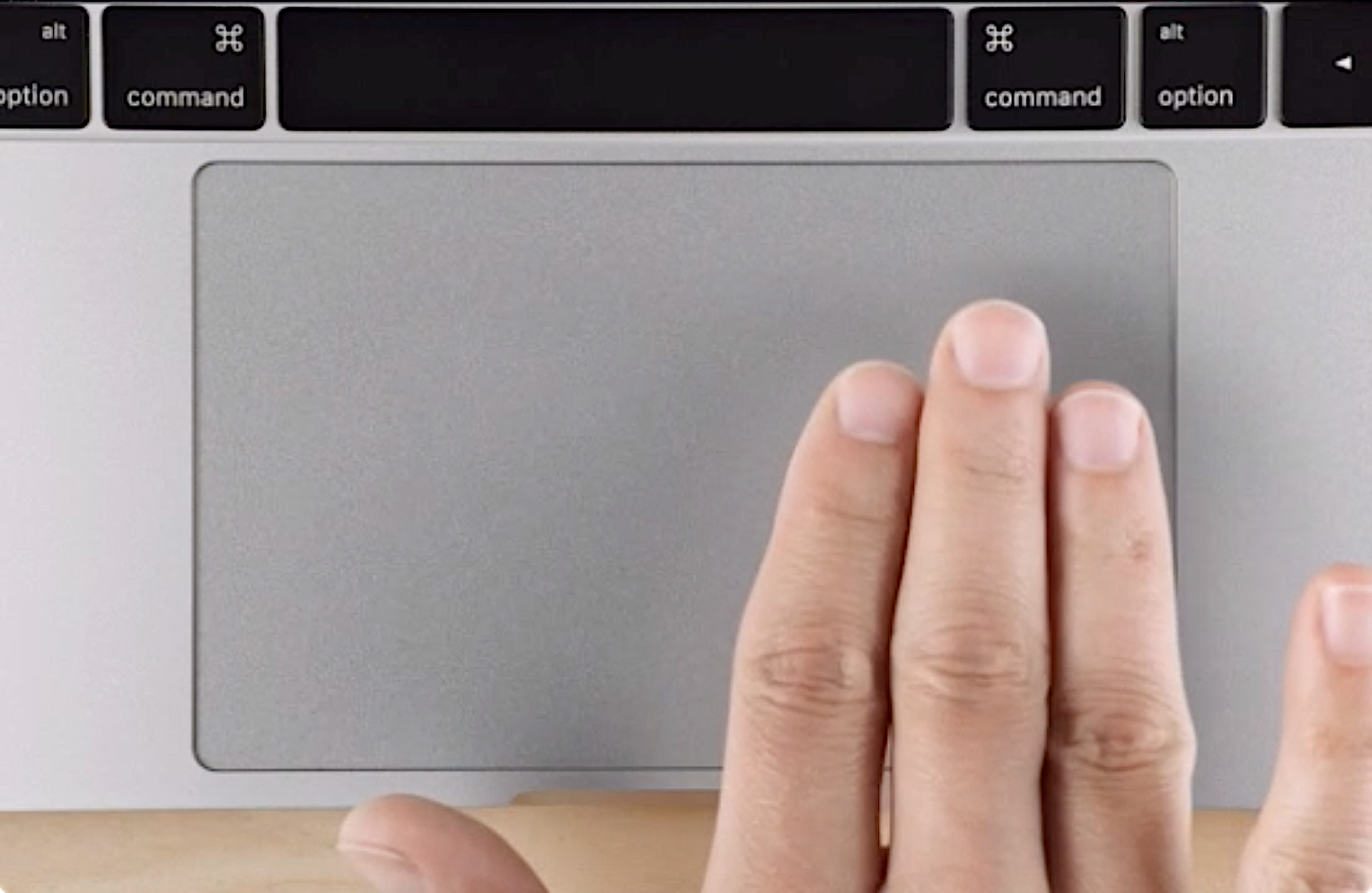
:mag: Usage
It's more than just `⌘`+click
`System-wide` · close tabs by middleclicking on them
`In Safari` · middleclicking on a link opens it in the background as a new tab
`In Terminal` · paste selected text
## Install
### Via :beer: [Homebrew](https://brew.sh) (Recommended)
```ps1
brew install --cask middleclick
```
> Check out [the cask](https://github.com/Homebrew/homebrew-cask/blob/master/Casks/m/middleclick.rb) if you're interested
### Direct Download ·  If you've used v1 or v2 — glance over [How to migrate](./docs/MIGRATIONS.md).
## Preferences
### Hide Status Bar Item
> This is a native macOS feature — works the same for any app.
1. Hold `⌘` and drag the icon away from the menu bar until you see :heavy_multiplication_x:
2. Release
To bring it back — just open MiddleClick again while it's already running.
### Number of Fingers
- Want to use 4, 5 or 2 fingers for middleclicking? No trouble. Even 10 is possible.
- **Note:** setting `fingers` to `2` will conflict with normal two-finger right-clicks and single-finger clicks.
```ps1
defaults write art.ginzburg.MiddleClick fingers 4
```
> Default is 3
### Allow to click with more than the defined number of fingers.
- This is useful if your second hand accidentally touches the touchpad.
- Unfortunately, this does not serve as a palm rejection technique for huge touchpads.
```ps1
defaults write art.ginzburg.MiddleClick allowMoreFingers true
```
> Default is false, so that the number of fingers is precise
### Tapping preferences
#### Max Distance Delta
- The maximum distance the cursor can travel between touch and release for a tap to be considered valid.
- The position is normalized and values go from 0 to 1.
```ps1
defaults write art.ginzburg.MiddleClick maxDistanceDelta 0.03
```
> Default is 0.05
#### Max Time Delta
- The maximum interval in milliseconds between touch and release for a tap to be considered valid.
```ps1
defaults write art.ginzburg.MiddleClick maxTimeDelta 150
```
> Default is 300
## Troubleshooting
- [Accessibility permissions not working after an update](./docs/troubleshooting.md#accessibility-permissions-not-working-after-an-update)
- [Antivirus / CleanMyMac false positive](./docs/troubleshooting.md#antivirus--cleanmymac-flags-middleclick-as-adware)
- [Three Finger Drag conflicts](./docs/three-finger-drag.md)
## Building from source
> Assuming you have `Command Line Tools` installed
1. Clone the repo
2. Run `make`
3. You'll get a `MiddleClick.app` in `./build/`
## Credits
Created by [Clément Beffa](https://clement.beffa.org/),
fixed by [Alex Galonsky](https://github.com/galonsky) and [Carlos E. Hernandez](https://github.com/carlosh),
revived by [Pascâl Hartmann](https://github.com/LoPablo),
maintained by [Arthur Ginzburg](https://github.com/artginzburg)