# Images Dataset Studio
[](LICENSE)
[](https://github.com/artificialguybr/images-dataset-studio/releases)
Local-first tooling for building, cleaning, reviewing, annotating, versioning, and exporting image datasets.
The original files stay safe, automated checks stay explainable, and final dataset decisions stay with a human reviewer. The Studio does not train models or hide destructive actions inside an opaque pipeline.
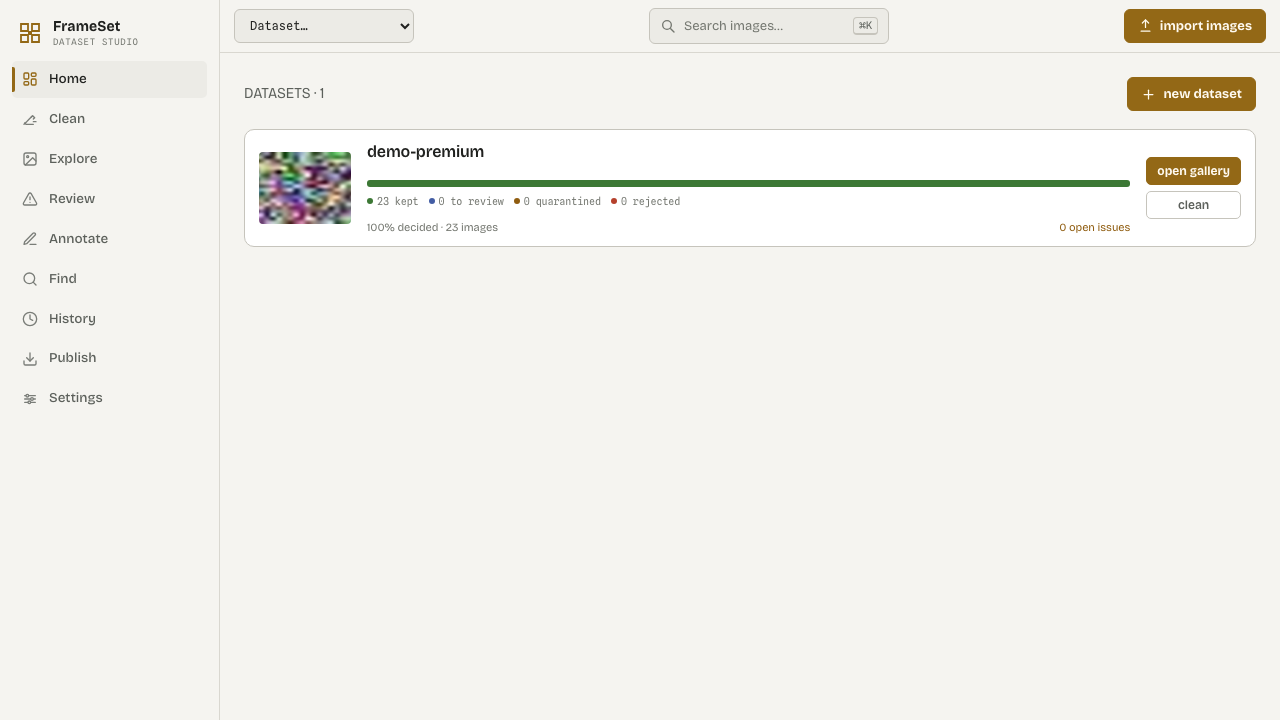
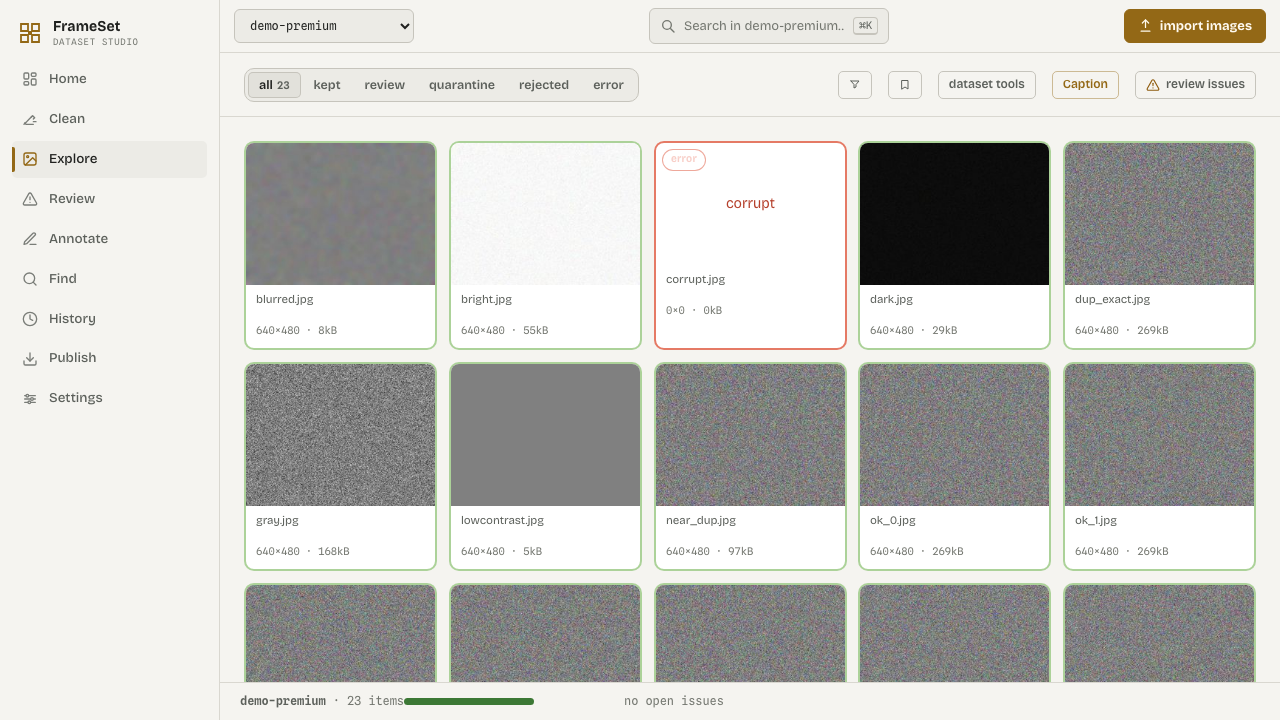
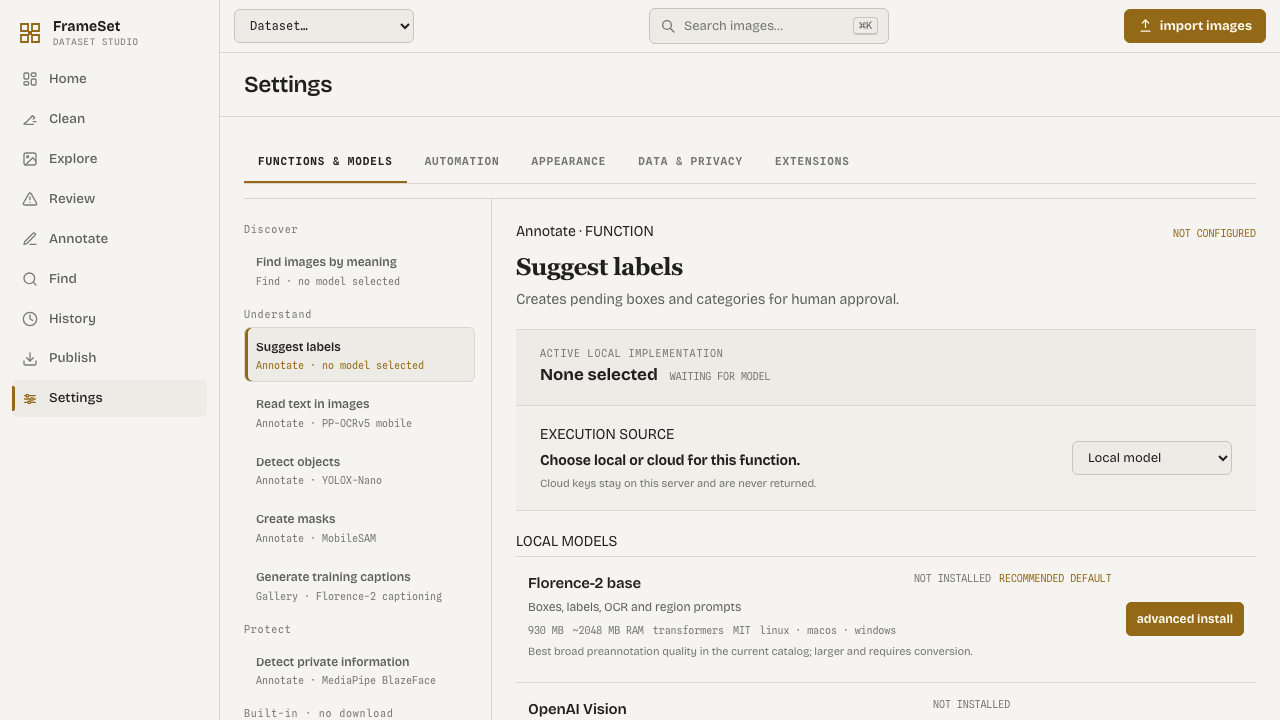
## Features
- Import folders, ZIP files, ImageFolder, YOLO, COCO, Pascal VOC, ImageNet, and URL manifests.
- Preserve source paths, original bytes, SHA-256 hashes, perceptual hashes, dimensions, thumbnails, and EXIF metadata.
- Review blur, exposure, contrast, entropy, resolution, aspect ratio, grayscale, screenshots, watermarks, and corrupt files.
- Find exact and near duplicates without deleting anything automatically.
- Keep reversible decisions: `keep`, `review`, `quarantine`, `reject`, and `restore`.
- Annotate classifications, bounding boxes, polygons, masks, and keypoints.
- Generate captions, label suggestions, OCR results, detections, masks, and PII issues through local plugins or opt-in cloud providers.
- Search by text or reference image when the optional embedding provider is installed.
- Create immutable versions with manifests, checksums, diffs, and restore support.
- Export ImageFolder, COCO, YOLO, JSONL/CSV manifests, and Parquet datasets.
- Inspect each image with a color RGB histogram, general file facts, adaptive EXIF metadata, labels, quality issues, and decisions.
## Requirements
- Python 3.11+
- [`uv`](https://docs.astral.sh/uv/)
- Node.js 20+ and npm, or [Bun](https://bun.sh/)
- macOS, Linux, or Windows
SQLite is the default local database. GPU support is optional and only needed for selected local ML providers.
## Install and run
Clone the repository and run the same Python command on every supported OS:
```bash
git clone https://github.com/artificialguybr/images-dataset-studio.git
cd images-dataset-studio
python tools/setup.py
cp .env.example .env # macOS/Linux; copy manually on Windows
python tools/start.py
```
`tools/setup.py` installs backend dependencies with `uv` and frontend dependencies with Bun or npm. `tools/start.py` starts both services, handles Ctrl+C, and works on Windows, macOS, and Linux.
Open . The API runs at .
### Windows PowerShell
```powershell
py tools\setup.py
Copy-Item .env.example .env
py tools\start.py
```
### macOS/Linux shell convenience
The existing `ids-studio.sh` launcher remains available when a single-process FastAPI preview is preferred:
```bash
./ids-studio.sh
```
Set `IDS_PORT` to change its port. The cross-platform Python launcher is the recommended default because it keeps the API and Vite development server separate.
## Provider configuration
The Settings → Functions & Models screen lets an operator choose local models or cloud providers independently for pre-annotation, captioning, and PII scanning. Each function can use a different provider and model ID. API keys are write-only in the UI and never returned by the API. The local server stores them in `data/provider-settings.json` with owner-only permissions where the platform supports them.
Environment variables remain supported for headless deployments. Copy `.env.example` and set the provider selection, credentials, and default models there.
| Capability | Built-in provider | Setup |
|---|---|---|
| Embeddings and semantic search | `openclip` | `uv sync --extra ml` |
| Pre-annotation, captions, PII | `openai_vision` | OpenAI key + model |
| Pre-annotation, captions, PII | `replicate` | Replicate token + model slug |
| Pre-annotation, captions, PII | `falai` | fal.ai key + model ID |
| Label quality | `cleanlab` | Install `cleanlab` separately |
Cloud adapters use the vendors' server-side APIs. The exact input fields are model-specific; configure a vision model that accepts an image plus prompt. References: [Replicate HTTP API](https://replicate.com/docs/reference/http), [fal.ai model APIs](https://fal.ai/docs/documentation/model-apis/common-parameters).
Provider status is exposed through `GET /api/providers`. An unavailable provider fails the job with an actionable explanation instead of returning fake results.
## MCP
The repository ships an MCP stdio server. Start the API first, then configure an MCP client with [`mcp-config.example.json`](mcp-config.example.json), replacing its `cwd` with the repository path:
```bash
uv run python -m backend.mcp_server
```
The server exposes health, dataset listing/creation, image listing/inspection, image decisions, asynchronous jobs, job status, and exports. It talks to the local REST API, so the same validation and data-safety rules apply. Set `IDS_API_URL` when the API is not on `http://127.0.0.1:8766`.
## Extensions for company models
The repository ships source packs adapted to the image domain:
| Pack | Capabilities |
|---|---|
| `vision-local` | embeddings, detection, segmentation, pre-annotation, captioning |
| `privacy-local` | OCR and image PII detection |
Build platform-specific packs from tracked source:
```bash
uv run python plugins/build_packs.py --target all
```
A company can also ship a self-contained `.pluginpack` without modifying the
Studio core. Install it from Settings → Extensions or `POST /api/plugins/install`.
A pack contains a relative executable and `manifest.json`:
```json
{
"id": "company-vision",
"name": "Company Vision",
"version": "1.0.0",
"command": ["./run.py"],
"capabilities": ["preannotation", "captioning"],
"permissions": ["filesystem:input", "model:cache"]
}
```
The executable is a persistent JSONL process. Each request has this shape:
```json
{"protocol":"ids-plugin.v1","capability":"captioning","payload":{"image_path":"/absolute/path/image.jpg","prompt":"Describe this image"}}
```
Return one JSON object per request:
```json
{"type":"result","output":{"caption":"a red car on a wet street","confidence":0.94}}
```
The runtime validates paths, capabilities, permissions, process boundaries,
timeouts, and output shape. This is the extension seam for private company
models, on-prem inference, or hardware-specific runtimes.
## API
The FastAPI service is the complete integration surface and publishes generated OpenAPI documentation:
-
-
-
Endpoint groups include health, datasets, imports, jobs, items/files/thumbnails, decisions/tags/licenses, issues, duplicates, labels, captions, versions, semantic search, clusters, derived datasets, exports, provider status/settings, model catalog, plugin installation/invocation, automation, redaction, and cached image inspection assets.
Example:
```bash
curl http://127.0.0.1:8766/api/health
curl http://127.0.0.1:8766/api/datasets
```
## Tests
Run the backend checks directly without an additional test runner:
```bash
uv run python backend/tests/test_units.py
uv run python backend/tests/test_contracts.py
```
Run frontend checks from `frontend/`:
```bash
bun run lint
bun run build
```
## Data safety
- Original source files are never rewritten by analysis or annotation jobs.
- Quarantine is reversible and does not delete source bytes.
- Dataset exports exclude quarantined items.
- Automated analysis creates issues or pending suggestions; a human makes the final decision.
- Import paths, ZIP members, file access, and thumbnail access are validated.
- Runtime data, databases, credentials, caches, and build output are ignored by Git.
## Repository layout
```text
backend/app/ FastAPI application, models, jobs, analyzers, providers, exporters
backend/tests/ Backend unit and contract tests
backend/mcp_server.py MCP stdio server
frontend/src/ React application and visual system
frontend/public/ Static UI assets and reference pages
plugins/ Optional local provider runtimes
tools/ Cross-platform setup and launcher
mcp-config.example.json
ids-studio.sh Single-process local launcher
pyproject.toml Python dependencies and optional ML extra
.env.example Safe configuration template
```
## Scope and limitations
- This is a local single-user application; authentication, multi-user permissions, and collaboration are not included.
- SQLite is the default storage backend. PostgreSQL and distributed workers are outside the current scope.
- Semantic search and clustering require the optional ML extra and appropriate model resources.
- Cloud model inputs vary by provider/model; the configured model must accept the common image-plus-prompt request.
- Cleanlab requires external class-probability data for label-quality analysis.
- The app prepares datasets for external training tools; it is not a training framework.
## License
This project is licensed under the [MIT License](LICENSE).