# Audio Dataset Studio
[](LICENSE)
[](https://github.com/artificialguybr/voice-dataset-studio/releases)
**Local-first tooling for curating audio / speech datasets.** Import audio, inventory,
it, listen, inspect waveforms and spectrograms, cut segments, transcribe,
diarize, annotate, review, version, and export speech-ready packages — all
locally, SQLite, no GPU required. Raw files are never modified; automated
results are always reviewable suggestions.
It is a dataset curation studio — not a model-training framework.
## Product tour
### Catalog and provenance
Start from an empty workspace or create a dataset in one click. The Catalog
keeps datasets, counts, and open issues visible without hiding the local-first model.
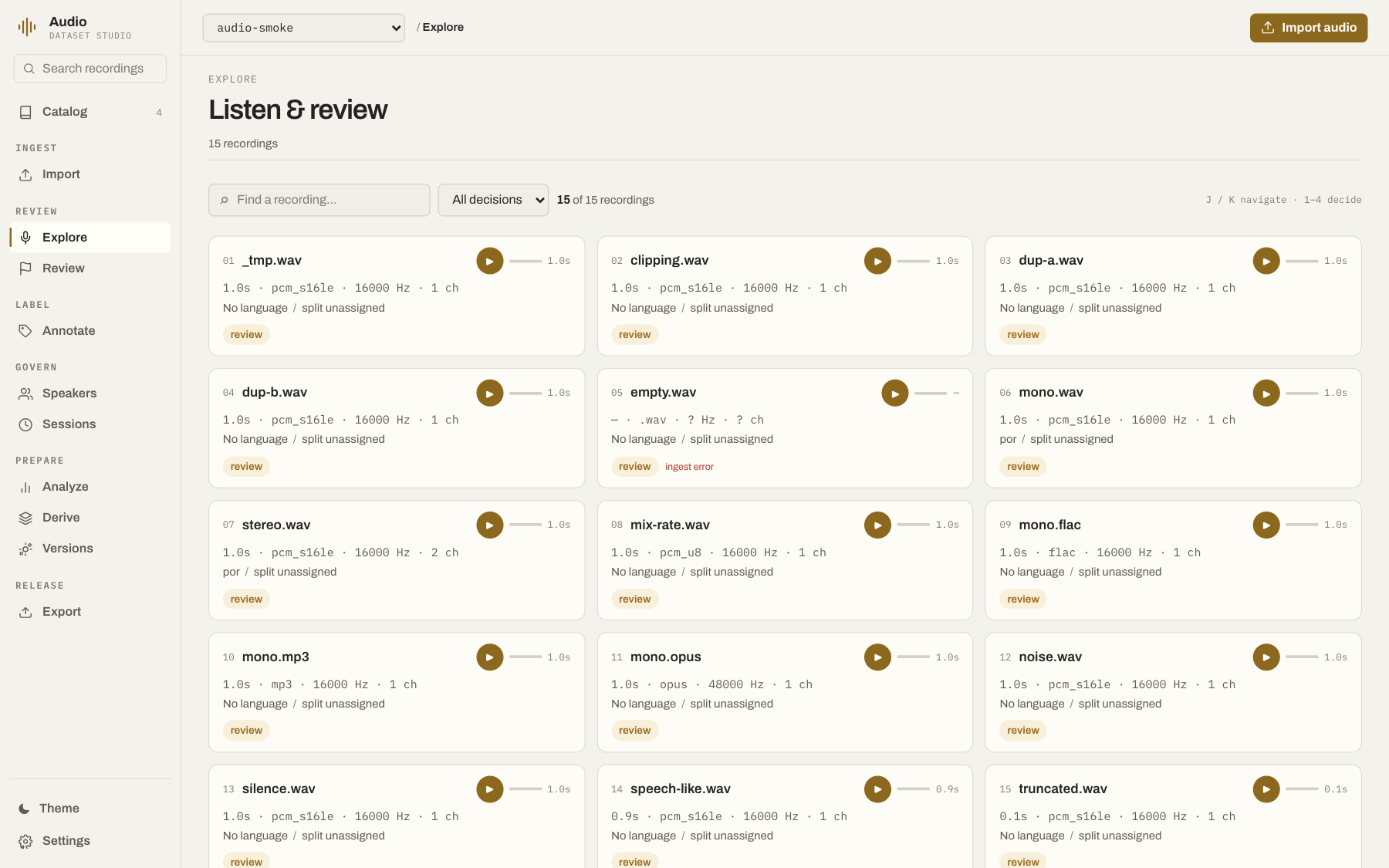
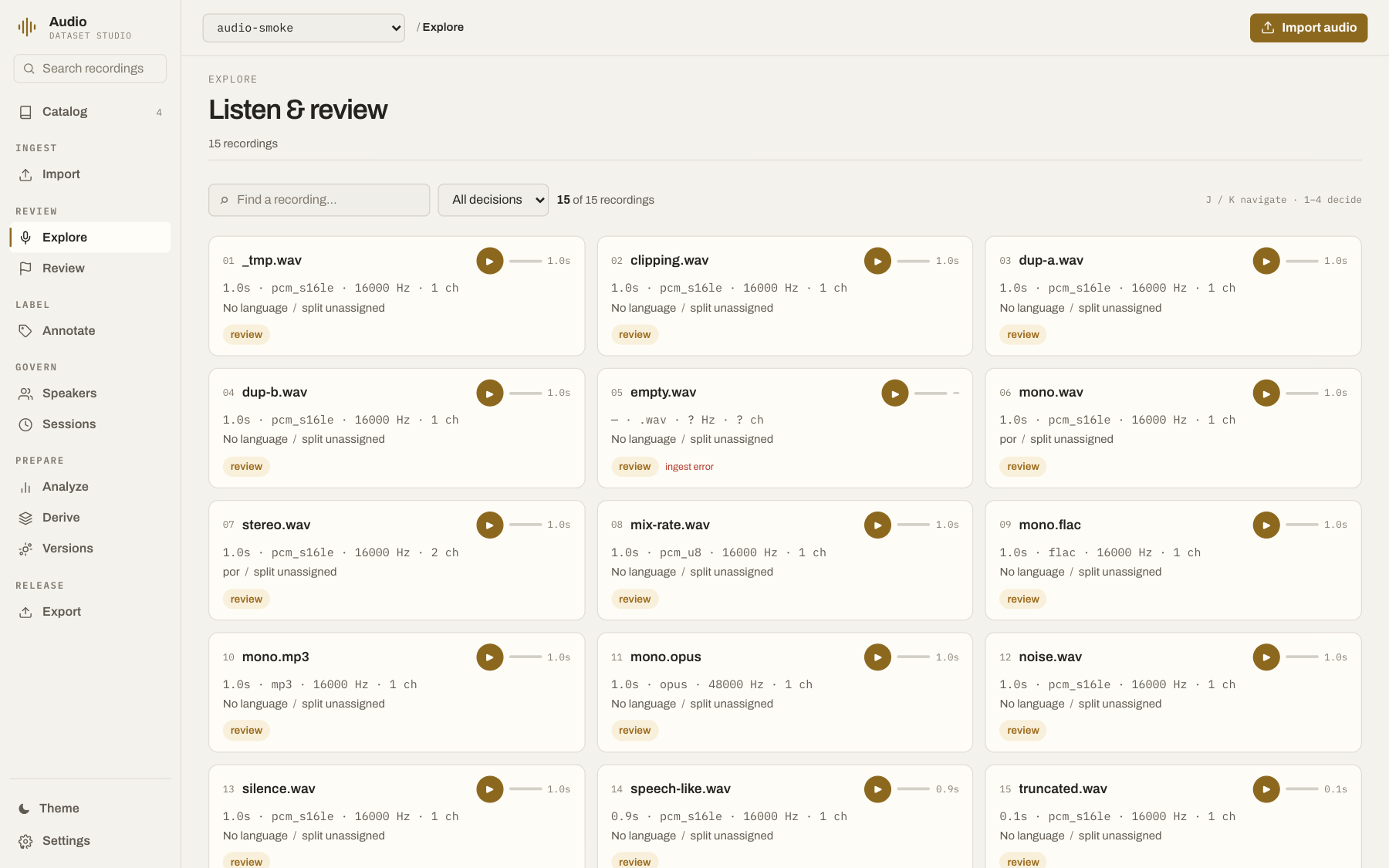
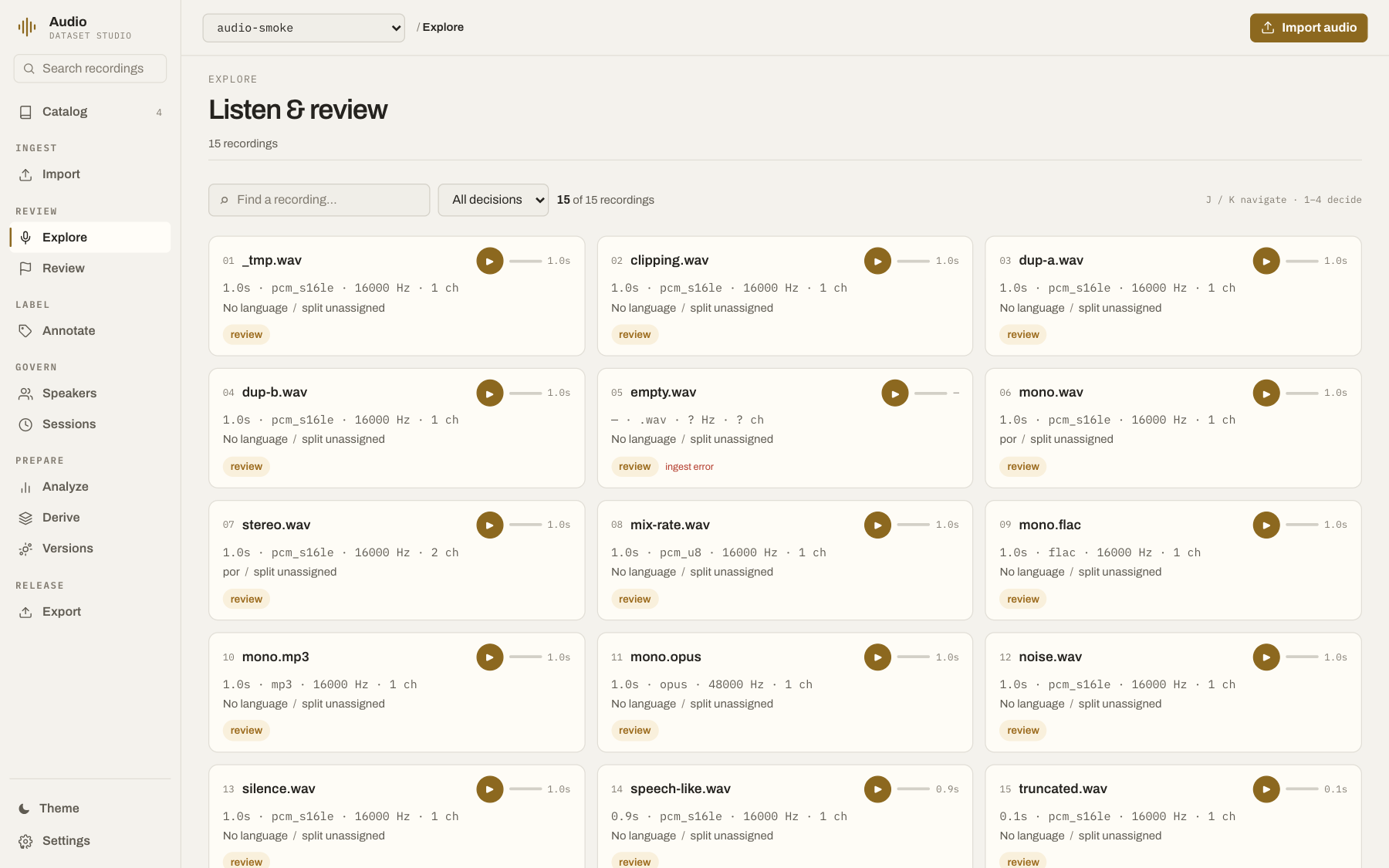
### Listen and review
One Explorer workspace lists every recording with inline playback, waveform,
spectrogram, temporal selection, and keyboard review (`j`/`k` navigate,
`1`–`4` decide). Selecting a recording opens the inspector: transport,
decisions, segments, transcript, speakers, issues, and annotations, organized in
tabs — technical detail stays on demand.
### Staged analysis
Analyze is one gated progression — Files, Risk, Speech, Release. Each gate
exposes one primary check, its configuration, result facts, and what the next gate
unlocks. Advanced checks stay behind a disclosure; nothing runs before you ask.
### Release workflow
Versions keep a checkpoint ledger with lineage and checksums, diff, and
restore-as-new-checkpoint confirmation. Export is a four-step wizard —
readiness blockers, package, contents, export — with the final action disabled
until every blocker clears.
## Features
- Import single files, folders, public links, Hugging Face dataset files, JSONL/CSV/TSV/Parquet manifests, Kaldi `wav.scp` directories, and traversal-safe ZIPs.
- Preserve source paths, original bytes, SHA-256 hashes, probe metadata (codec, sample rate, channels), licenses, and provenance.
- Review with a persistent player: waveform canvas, spectrogram, temporal selection, quick play, keyboard decisions (`keep`/`review`/`quarantine`/`reject`, reversible).
- Cut segments and derive clips (raw untouched); annotate temporal rubrics; register speakers, turns, consent, and recording sessions.
- Quality checks (silence, clipping, low RMS, zero duration…) → issues with evidence, never auto-reject.
- PII/secret scan on transcripts; exact, re-encoded, and acoustic duplicate groups; leakage checks.
- Speaker-aware deterministic splits; immutable versions with manifests, checksums, diffs, restore; speaker/audio withdrawal with audit trail.
- Exports: kaldi, rttm, textgrid, lhotse, hf (parquet), webdataset, audformat-style, jsonl — each with manifest, checksums, and license/consent/quality/provenance/split reports. Strict validation blocks misleading packages.
- Providers report honest status with setup instructions (`GET /api/providers`).
## Requirements
- Python 3.11+
- [`uv`](https://docs.astral.sh/uv/)
- Node.js 20+ and npm, or [Bun](https://bun.sh/)
- FFmpeg/ffprobe on PATH enables non-WAV decode; plain WAV works with the stdlib.
SQLite is the default local database. GPU support is optional and only needed for selected local ML providers.
## Install and run
git clone https://github.com/artificialguybr/voice-dataset-studio.git
cd voice-dataset-studio
python tools/setup.py
cp .env.example .env # optional; the app runs without it
python tools/start.py
```
Open . On Windows PowerShell use `py tools\setup.py` and
`py tools\start.py`.
`tools/setup.py` installs backend dependencies with `uv` and frontend
dependencies with Bun or npm. `tools/start.py` serves the built frontend
from the API process and handles Ctrl+C on every OS.
For frontend development instead of the built bundle:
```bash
cd frontend && bun run dev
```
## Providers and optional speech models
The base installation stays lightweight and every optional provider is
integrated: the app runs fully without them and activates each adapter the
moment its package appears.
```bash
uv sync --extra speech # whisperx + pyannote.audio
uv sync --extra features # speechbrain embeddings
uv sync --extra augmentation # audiomentations recipes
uv sync --extra export # native lhotse/audformat writers
```
| Capability | Provider | Setup |
|---|---|---|
| Transcription and alignment | `whisperx` | `uv sync --extra speech` |
| Diarization, VAD, speaker embeddings | `pyannote.audio` | `uv sync --extra speech` |
| Learned audio/speaker embeddings | `speechbrain` | `uv sync --extra features` |
| Extended augmentation recipes | `audiomentations` | `uv sync --extra augmentation` |
| Native CutSet/audb writers | `lhotse` / `audformat` | `uv sync --extra export` |
| Decode, probe, previews | FFmpeg | install FFmpeg on PATH |
A missing provider fails the job with an actionable explanation instead of
returning a fake result; provider availability is always visible at
`GET /api/providers` and in Settings.
## Modular plugins
Settings exposes the same modular extension seam used by the other Dataset
Studios. The repository ships source packs adapted to the audio domain:
| Pack | Capabilities |
|---|---|
| `audio-local` | RMS/peak/duration features and acoustic fingerprints |
| `speech-local` | WhisperX transcription plus pyannote diarization/VAD |
| `audio-export` | Lhotse and audformat availability/runtime checks |
Build a platform-specific pack from tracked source:
```bash
uv run python plugins/build_packs.py --plugin all
```
Install a generated `.pluginpack` from Settings or through:
```bash
curl -X POST http://127.0.0.1:8767/api/plugins/install \
-H 'content-type: application/json' \
-d '{"path":"/absolute/path/to/audio-local.pluginpack"}'
```
Plugins use the shared `ids-plugin.v1` JSONL protocol (the voice-specific
`ads-plugin.v1` alias is accepted for compatibility), persistent processes,
least-privilege permissions, path containment checks, timeout handling, and
automatic idle unloading. Optional speech/export capabilities fail honestly
with the required `uv sync --extra ...` hint when their dependency is absent.
## MCP integration
The repository ships an MCP stdio server for Claude Desktop, Cursor, and other
MCP clients:
1. Start the Studio API (`python tools/start.py`).
2. Copy [`mcp-config.example.json`](mcp-config.example.json) and replace its
`cwd` with your repository path.
3. Start the server from the repository root:
```bash
uv run python -m backend.mcp_server
```
The MCP adapter exposes: health, dataset listing, audio search/inspection,
segment comparison, issue review, explicit audio decisions, transcript/
alignment/diarization proposals, speaker-turn assignment, asynchronous jobs and
status, versions with diff, withdrawal (explicit ids required), and exports.
It talks to the same local REST API, so the same validation and
data-safety rules apply. Set `ADS_API_URL` when the API is not on
.
## API
The FastAPI service is the complete integration surface.
```bash
curl http://127.0.0.1:8767/api/health
curl http://127.0.0.1:8767/api/openapi.json # full contract
```
Groups: datasets, imports/jobs (202 + job status), audio
list/detail/stream/waveform/spectrogram/comparison, decisions, issues,
segments (+derive/join), transcripts (+transcribe/align), speakers/turns
(+diarize/VAD), annotations, consent, provenance, features, derived audio,
duplicates, leakage, splits, versions (diff/restore), withdraw, exports, providers.
## Development and tests
Backend tests (against a running API on port 8767):
```bash
uv run python backend/tests/make_fixtures.py # synthetic audio (no real voices)
cd backend && uv run uvicorn app.main:app --port 8767 &
uv run --with pytest python -m pytest backend/tests -q
```
Frontend production build:
```bash
cd frontend && bun run build
```
## License
MIT — see [LICENSE](LICENSE).