# OpenCanvas
### Stop reading AI replies. Watch them assemble on an infinite canvas.
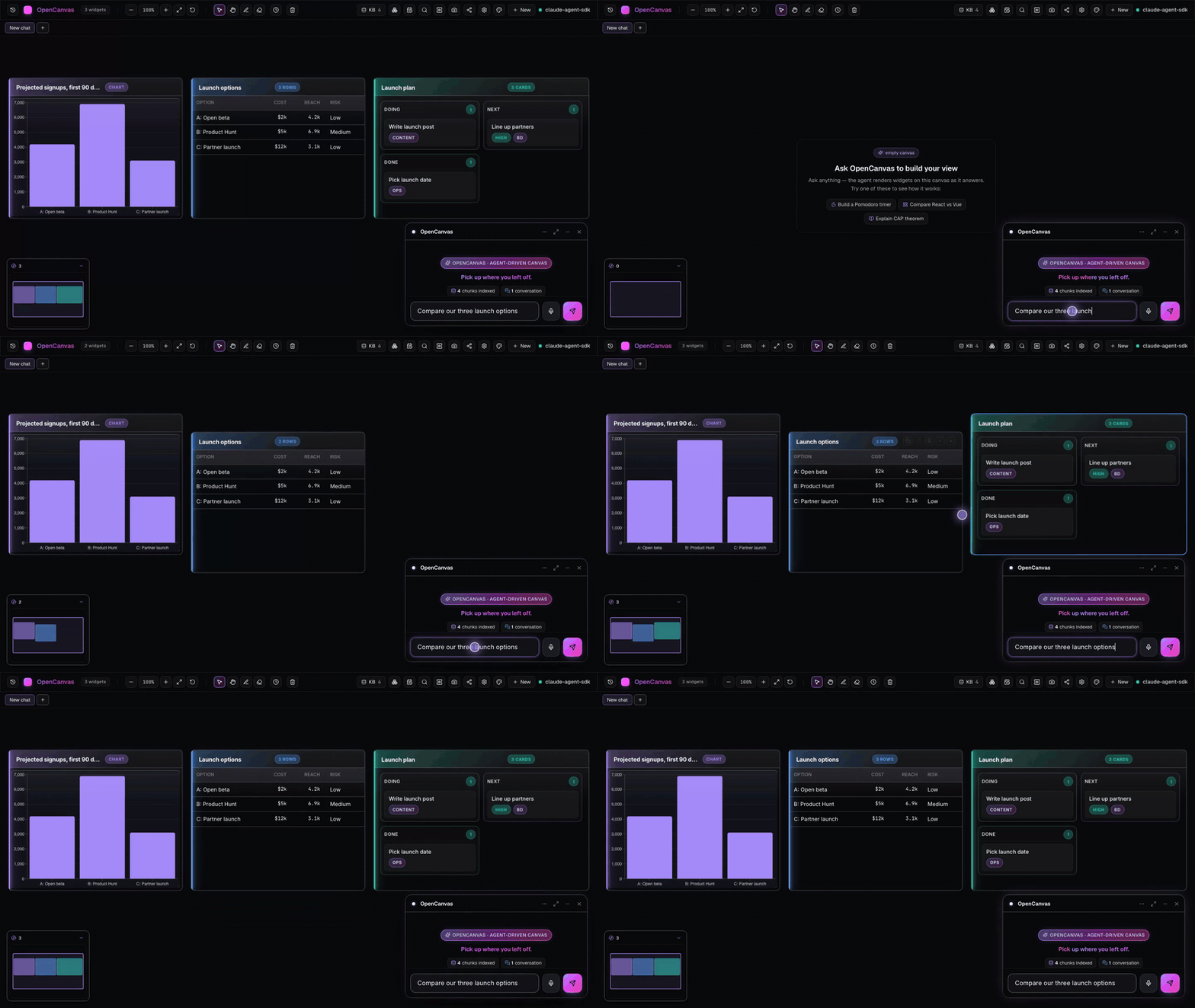
Ask a question and get a chart, a table and a kanban side by side, each one a real widget you can drag, pin and keep. Any model, including local, running on your machine under MIT.
[](https://github.com/ashark-ai-05/opencanvas/actions/workflows/ci.yml)
[](./docs/guide.md#develop)
[](./LICENSE)
[](https://github.com/ashark-ai-05/opencanvas/stargazers)
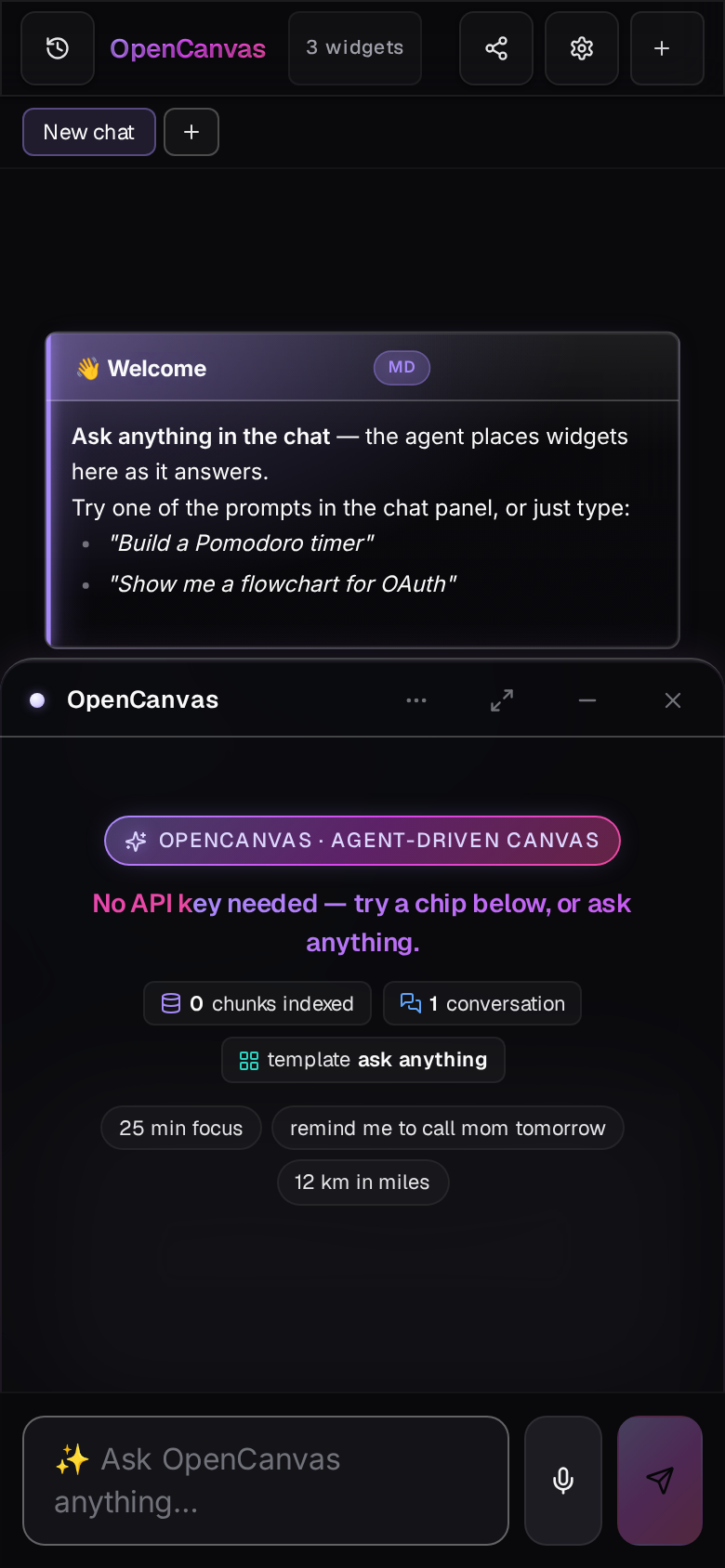
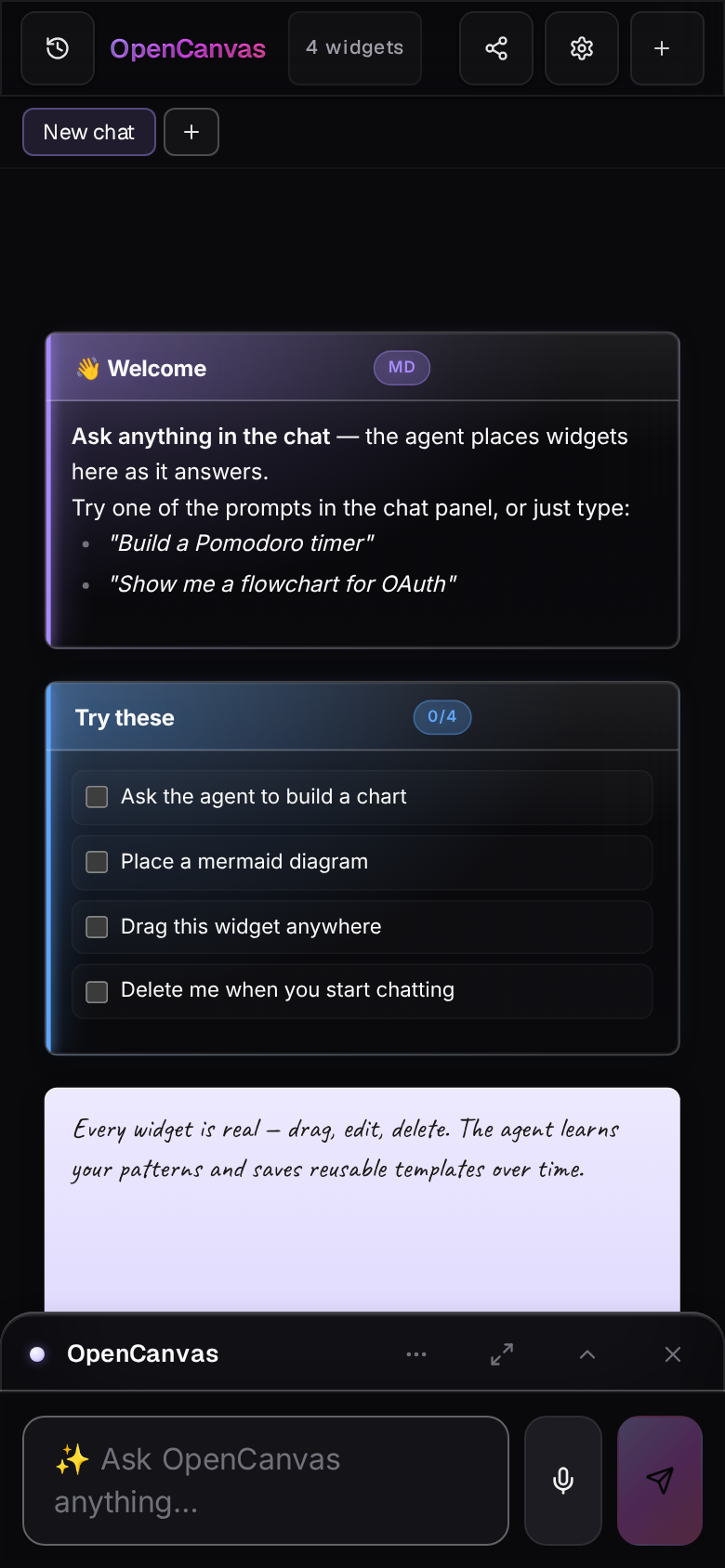
Works on your phone too: the chat docks as a bottom sheet and gets out of the way when a widget lands. Open the demo link on your phone to try it.
▶︎ Try the live demo
·
🚀 Run it locally
·
⭐ Star the repo
---
## Why a canvas
Chat is a stream. The things you actually want from a model are not.
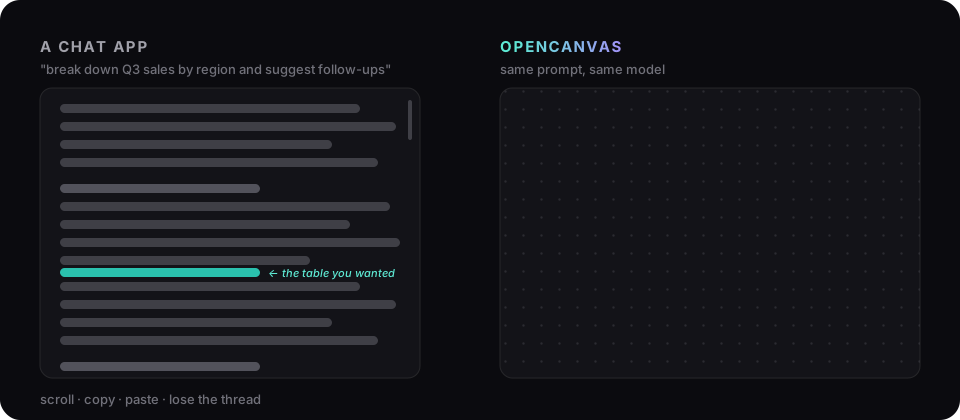
The model never prints the answer. It calls `place_widget` with a typed payload, a schema checks it, tldraw draws it. Answers become objects you can drag, pin, link and export. The chat shrinks to one line. The canvas remembers everything across conversations.
---
## Start in 60 seconds
```bash
npx @ashark/opencanvas # Node 24+. Installs to ~/.opencanvas/app and opens http://127.0.0.1:3457
```
| Other ways in | |
|---|---|
| **Docker** | `docker run --rm -p 127.0.0.1:3457:3457 -v opencanvas:/root/.opencanvas ghcr.io/ashark-ai-05/opencanvas` |
| **Desktop app** | macOS, Windows and Linux installers on the [latest release](https://github.com/ashark-ai-05/opencanvas/releases/latest). Unsigned for now: on macOS run `xattr -dr com.apple.quarantine /Applications/OpenCanvas.app` once. |
| **From source** | `git clone https://github.com/ashark-ai-05/opencanvas.git && cd opencanvas && pnpm install && pnpm start` |
One process, one port, no `.env` needed. **Already have a model?** On first run OpenCanvas picks it up automatically: an `ANTHROPIC_API_KEY`, `OPENAI_API_KEY`, `GEMINI_API_KEY`, `GROQ_API_KEY` or `OPENROUTER_API_KEY` in your environment, or a running Ollama. Otherwise connect one later in **Settings** ([Pick a model](./docs/guide.md#pick-a-model)). Prefer the desktop app? `pnpm electron:dev`. Hacking on the UI with hot reload? `pnpm dev`.
**No API key? Start typing anyway.** Timers, checklists, reminders, events, notes, arithmetic and unit conversions are recognised as you type and placed on Enter, with no model call at all. This is an unedited recording of a fresh install:
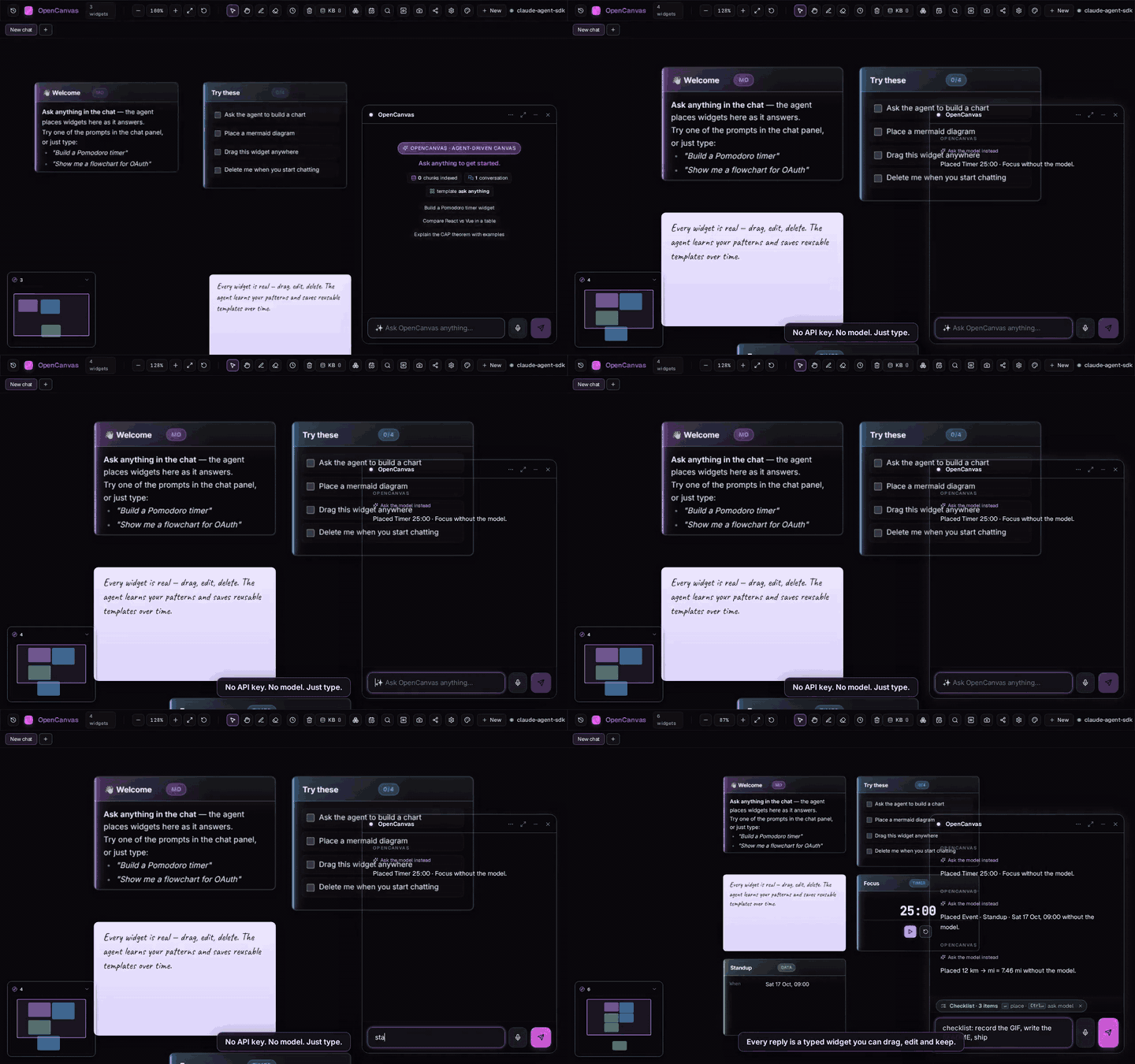
Recorded with node scripts/record-first-run.mjs against pnpm start. No API key — the fast lane places widgets, the canvas auto-tidies after the first few, and a script POSTs this repo's real git log to /v1/canvas/widgets. The hero GIF above is a scripted dashboard streamed in over the same REST API (scripts/record-demo.mjs), not a live model run.
---
## What you get
- **Any model, same agent.** Anthropic, OpenAI, Gemini, Groq, OpenRouter, or Ollama for fully offline. One tool-calling loop for all of them.
- **15 typed widget kinds**, from Vega-Lite charts and kanbans to live timers and sandboxed HTML. Adding one is a schema and a component; the model picks it up from the tool description.
- **The model grows its own toolbox.** It can register new widget kinds mid-conversation and reuse them later. A Python REPL and a JS REPL ship as examples.
- **MCP-native.** Point it at your filesystem, GitHub or Jira through any MCP server. Works with every provider, not just Claude.
- **Memory that compounds.** Every conversation indexes into a local SQLite + sqlite-vec store. `⌘K` finds any widget from any chat, weeks later.
- **Drive it from anywhere.** A REST API and SSE bus let cron jobs, scripts and other agents place widgets on your canvas.
- **Yours.** Binds to `127.0.0.1`, token-guarded routes, null-origin sandboxes for model-written HTML, no telemetry. [Threat model](./SECURITY.md).
- **Canvas that keeps itself neat.** After the first few widgets the layout auto-tidies; click the widget count (or `/tidy`) anytime. Wide tables get a full row.
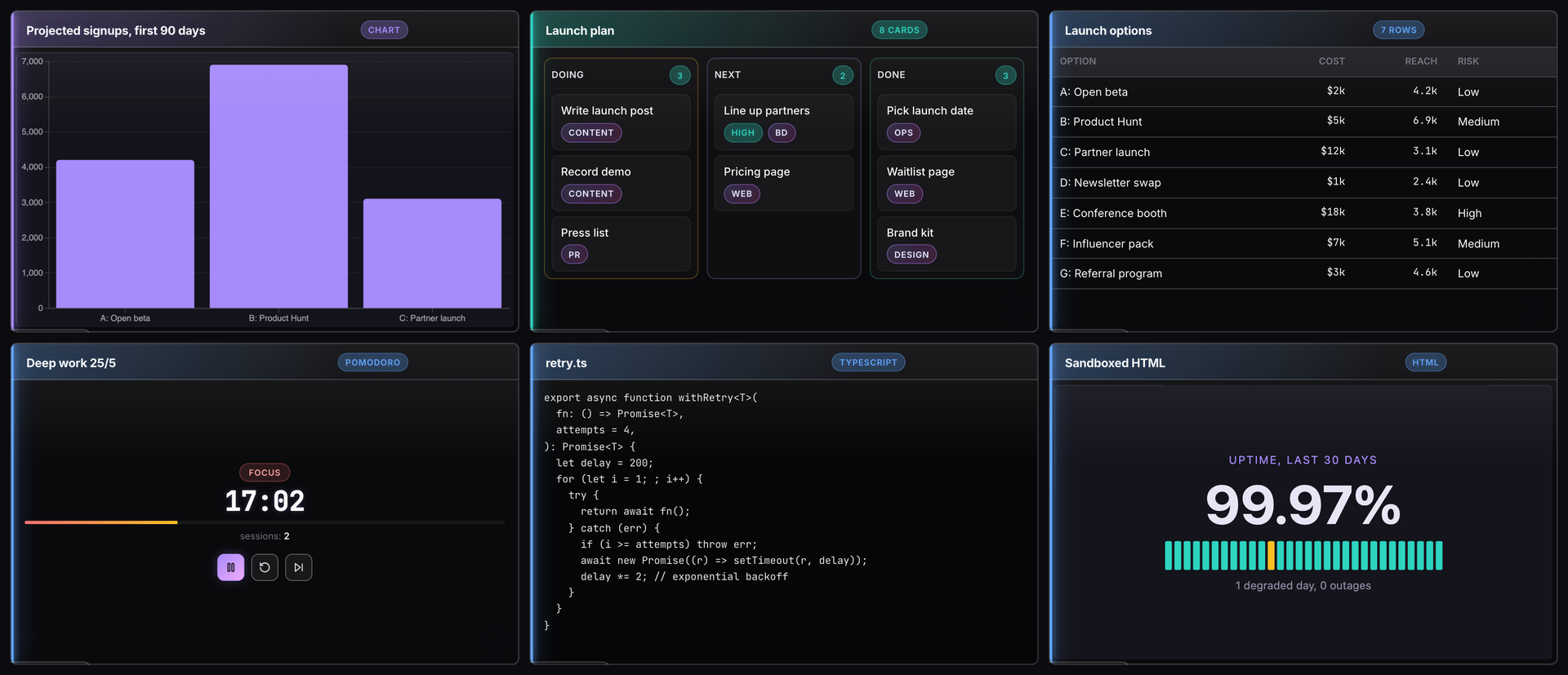
*Six of the 15 built-in widget kinds. Each is a schema plus a React component; the model learns them from the tool description.*
### Sibling project: mcp-screen
**Your terminal agent can finally show you things, and you can point back.** [mcp-screen](https://github.com/ashark-ai-05/mcp-screen) takes the canvas idea and hands it to the agent you already run. One command opens a browser tab next to Claude Code, Codex or opencode:
```bash
claude mcp add screen -- npx mcp-screen
```
From then on the agent puts charts, diffs, flow diagrams, log tails and plans on the screen as real widgets instead of ASCII. Circle the bar that looks wrong, type "why?", and the agent reads exactly what you circled. When it needs a decision, `ask_user` shows choice cards you click rather than a numbered list to type back. MCP Apps that would land in a terminal as a wall of JSON render in a null-origin sandbox. Agents glide across a live map of your repo as they edit it. Local, token-guarded, no API keys.
| You want… | Use |
|---|---|
| A full chat-plus-canvas workspace with any model, memory, a KB and schedules | **OpenCanvas** (this repo) |
| A screen your existing terminal agent draws on, and that you can draw back on | **[mcp-screen](https://github.com/ashark-ai-05/mcp-screen)** |
mcp-screen reuses OpenCanvas's event bus, widget-registry and sandbox designs, without tldraw or a chat UI of its own. Scripts and agents can also draw on OpenCanvas directly: `POST /v1/canvas/widgets` ([API reference](https://ashark-ai-05.github.io/opencanvas/api.html)).
---
## Go deeper
| I want to… | Read |
|---|---|
| Configure providers, MCP servers, plugins, the REST API | [docs/guide.md](./docs/guide.md) |
| Browse every endpoint | [API reference](https://ashark-ai-05.github.io/opencanvas/api.html) |
| Understand how the agent and canvas fit together | [docs/plans/unified-agent.md](./docs/plans/unified-agent.md) |
| See how instant widgets work without a model | [docs/plans/fast-lane-intent.md](./docs/plans/fast-lane-intent.md) |
| Host my own public demo in ten minutes | [docs/deploy-railway.md](./docs/deploy-railway.md) |
| Contribute a widget kind or fix a bug | [CONTRIBUTING.md](./CONTRIBUTING.md) |
| Report a vulnerability or read the security model | [SECURITY.md](./SECURITY.md) |
| See what changed | [CHANGELOG.md](./CHANGELOG.md) · [Discussions](https://github.com/ashark-ai-05/opencanvas/discussions) |
---
If this is the direction you want AI tools to go, **[star the repo](https://github.com/ashark-ai-05/opencanvas/stargazers)**. It's how other people find it.
[MIT](./LICENSE) · built with tldraw, Hono, SQLite and the Vercel AI SDK