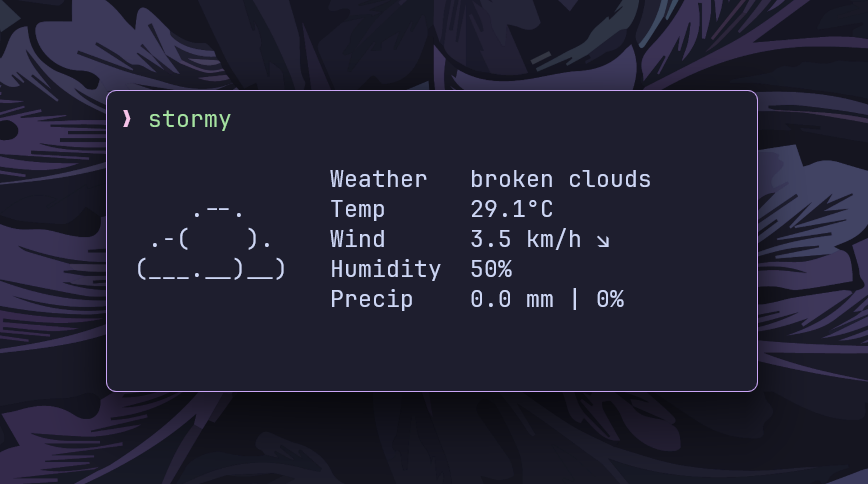
stormy
Minimal, customizable, and neofetch-like weather CLI inspired by
rainy, written in Go
Featured on

---
## Motivation
stormy’s idea, structure, and design are based off
[rainy](https://github.com/liveslol/rainy), but it’s written in Go instead of
Python.
I built this because I really liked the concept of a Neofetch-style weather CLI.
The simplicity and visual appeal of _rainy_ instantly clicked with me, and I
wanted to recreate that experience in Go — partly for my own satisfaction and
partly because I enjoy building clean CLI tools.
## Features
- Multiple weather providers: OpenMeteo (default, no API key required) and OpenWeatherMap
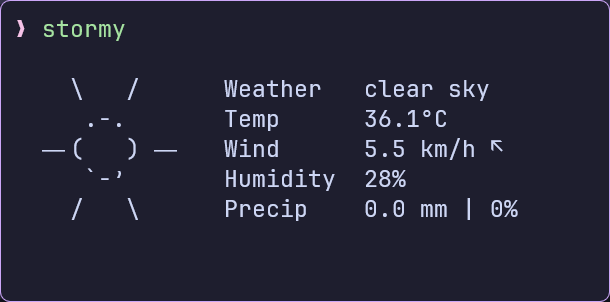
- Current weather conditions with ASCII art representation
- Temperature, wind, humidity, and precipitation information
- Customizable units (metric, imperial, standard)
- Local configuration file
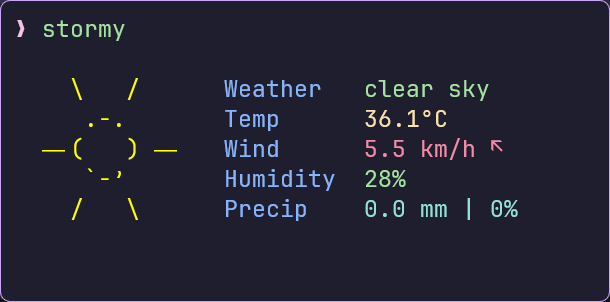
- Color support for terminals
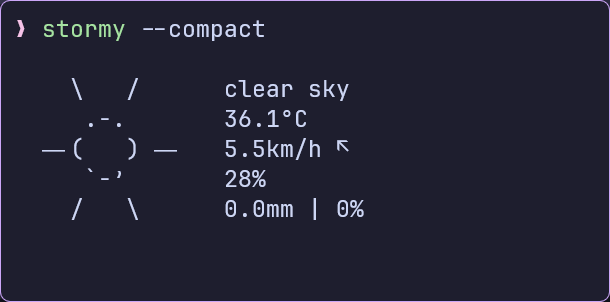
- Compact display mode
- Works out of the box with OpenMeteo
---
## Installation
[](https://repology.org/project/stormy/versions)
### AUR
```bash
yay -S stormy
```
### FreeBSD
```bash
pkg install stormy
```
### Homebrew
```bash
brew install stormy
```
### Nix
```bash
nix profile install github:ashish0kumar/stormy#stormy
```
### Via `go install`
```bash
go install github.com/ashish0kumar/stormy@latest
```
### Build from Source
```bash
# Clone the repository
git clone https://github.com/ashish0kumar/stormy.git
cd stormy
# Build the application
go build
# Move to a directory in your PATH
sudo mv stormy /usr/local/bin/
```
---
## Configuration
`stormy` follows the XDG Base Directory Specification for configuration files and will create a default configuration
file on first run:
- Linux/macOS: `~/.config/stormy/stormy.toml`
- Windows: `%APPDATA%\stormy\stormy.toml`
- Custom: Set `XDG_CONFIG_HOME` environment variable to override the default location
### Configuration Options
- `provider`: Weather data provider ("`OpenMeteo`" or "`OpenWeatherMap`"). Defaults to "`OpenMeteo`".
- `api_key`: Your OpenWeatherMap API key.
- `city`: The city for which to fetch weather data.
- `units`: Units for temperature and wind speed (`metric`, `imperial` or
`standard`).
- `showcityname`: Whether to display the city name (`true` or `false`).
- `use_colors`: Enables and disables text colors (`true` or `false`).
- `live_mode`: Enables the "live" mode — long-running mode with frequent polling, never stops (`true` or `false`).
- `compact`: Use a more compact display format (`true` or `false`).
### Example Config
#### Default Configuration (OpenMeteo — No API Key Required)
```toml
provider = "OpenMeteo"
api_key = ""
city = "New Delhi"
units = "metric"
showcityname = false
use_colors = false
live_mode = false
compact = false
```
#### OpenWeatherMap Configuration (Requires an API key from [OpenWeatherMap](https://openweathermap.org/api))
```toml
provider = "OpenWeatherMap"
api_key = "your_openweathermap_api_key"
city = "New Delhi"
units = "metric"
showcityname = false
use_colors = false
live_mode = false
compact = false
```
---
## Usage
```bash
# Basic usage
stormy
# Specify city via command line
stormy --city "New York"
# Use imperial units
stormy --units imperial
# Use compact display mode
stormy --compact
# Show version
stormy --version
# Show help
stormy --help
```
---
## Display Examples
|  |  |
|----------------------------------|-------------------------------------|
|  | 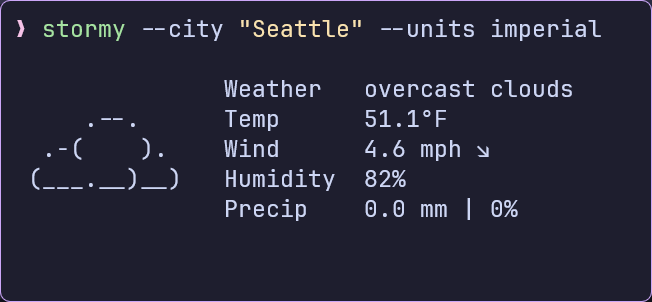 |
| 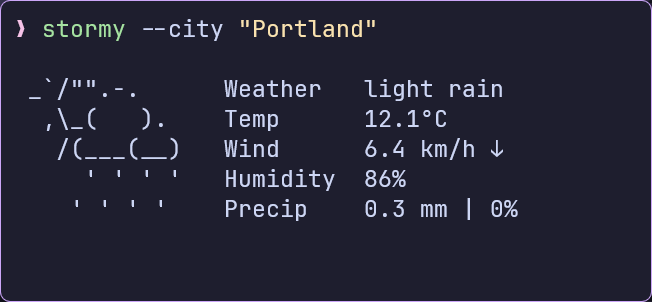 | 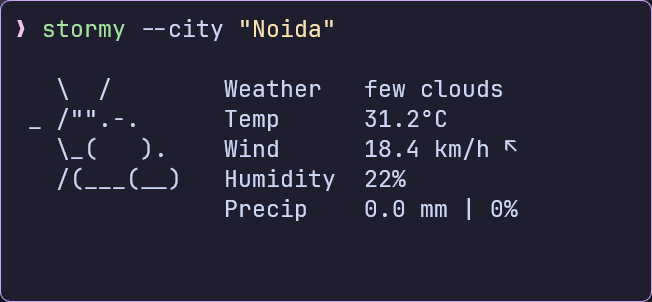 |
---
## Acknowledgements
- [OpenWeatherMap](https://openweathermap.org/) and [Open-Meteo](https://open-meteo.com/) for providing weather data
- [rainy](https://github.com/liveslol/rainy) for the overall idea, structure, and
design of the project
- [wttr.in](https://github.com/chubin/wttr.in?tab=readme-ov-file) for the ASCII
weather icons
## Contributing
Contributions are always welcome! If you have ideas, bug reports, or want to submit code, please feel free to open an issue or a pull request.
## Contributors


© 2025-present Ashish Kumar