# RiffPlayer
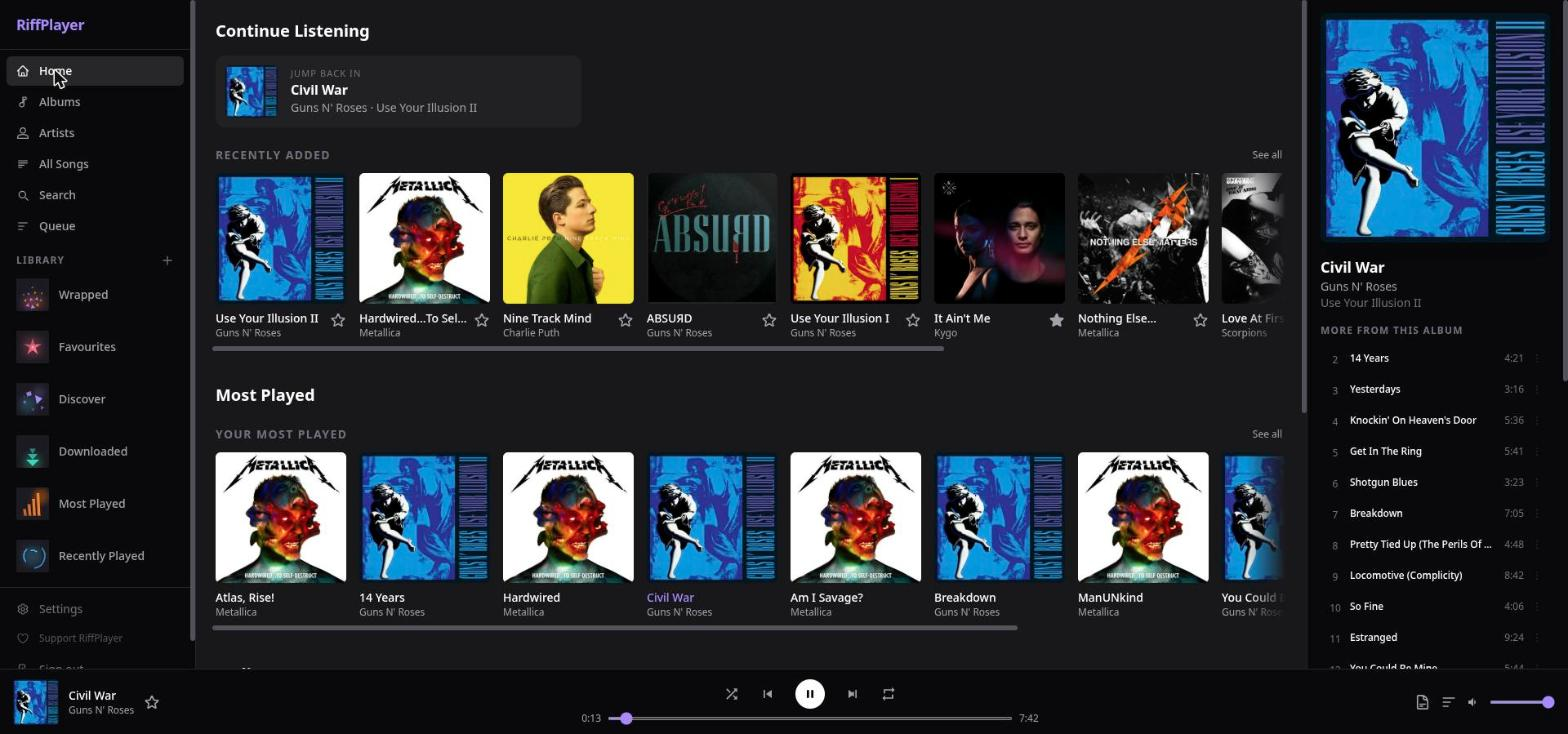
A self-hosted music server with a polished first-party web client, an Android app, and full Subsonic API compatibility. Stream your own music library from anywhere — use RiffPlayer's built-in web app, the Flutter Android app, or any Subsonic-compatible client (Amperfy, Symfonium, DSub, Feishin, …).
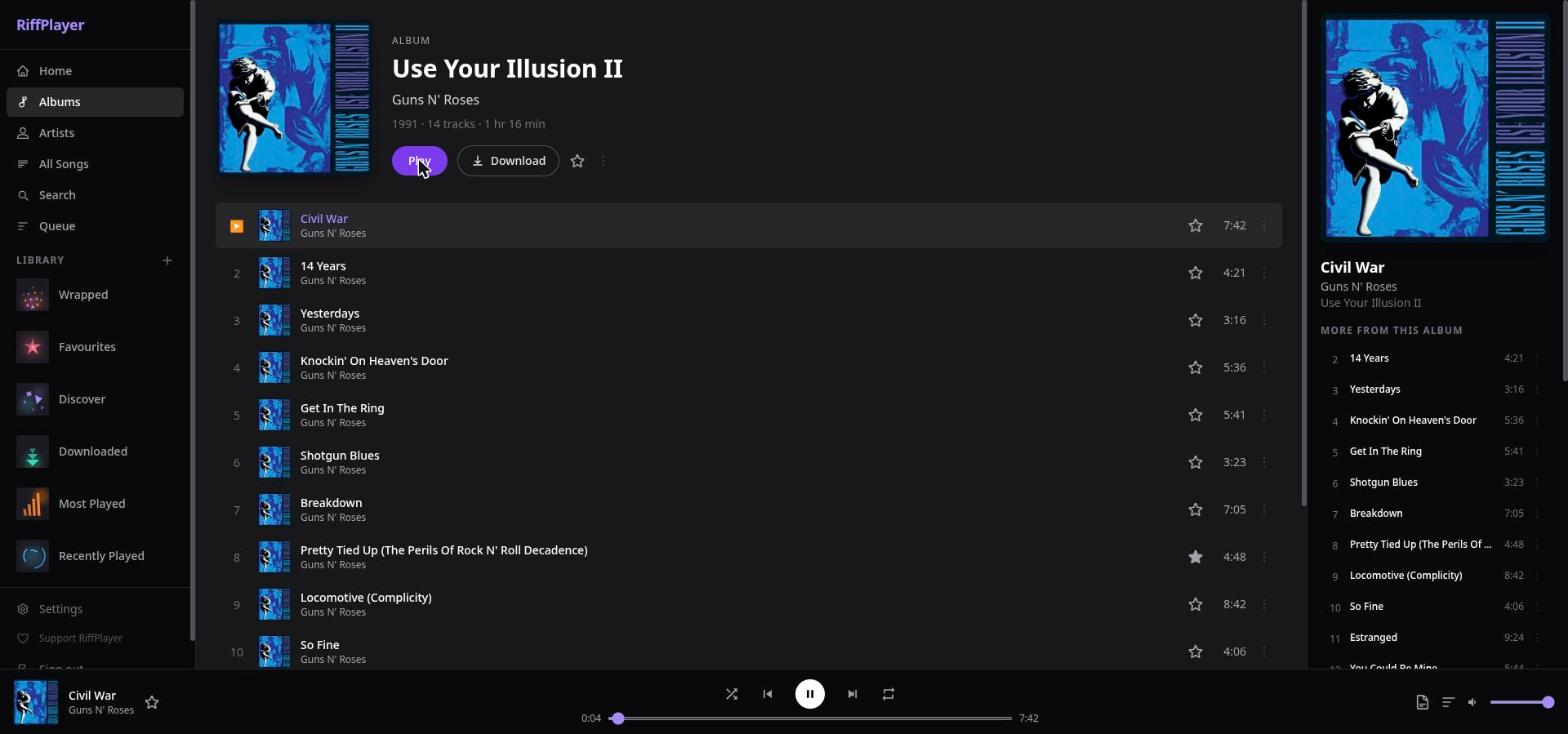
## Screenshots
| | |
|---|---|
|  |  |
|  |  |
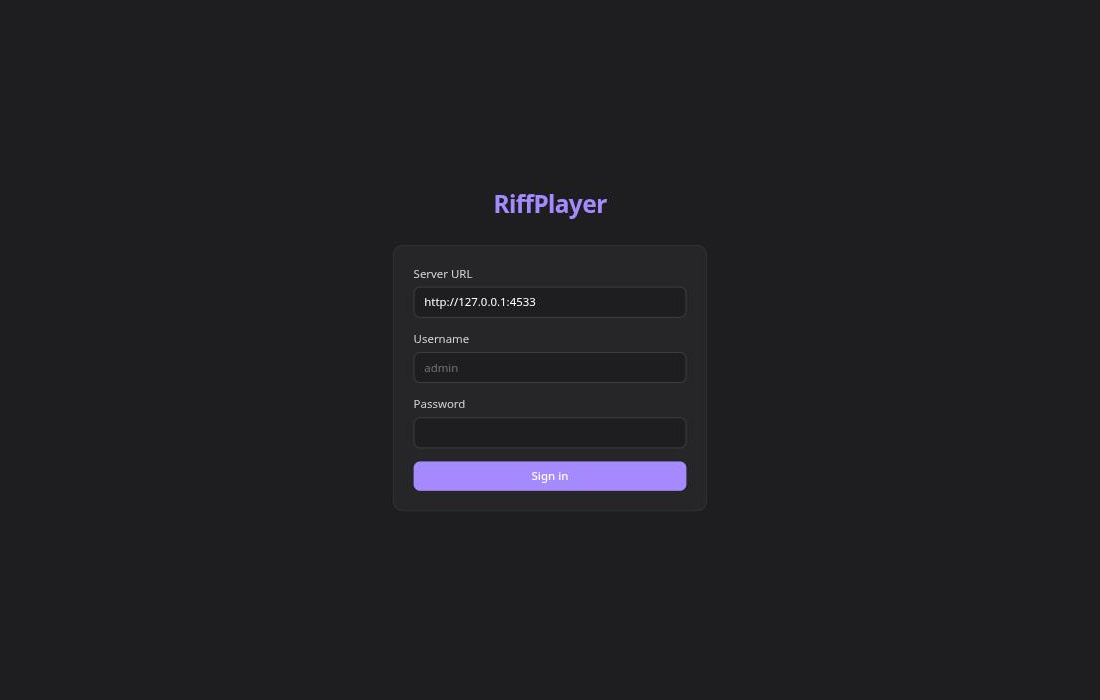
Login
## Features
### Server
- **Subsonic / OpenSubsonic API** — speaks the same API as Navidrome and Airsonic, so existing Subsonic clients are expected to work (see [compatibility](#subsonic-client-setup))
- **Library indexing** — walks your music folder, reads tags via `music-metadata`, upserts artists/albums/tracks into SQLite; re-scans skip unchanged files
- **Streaming** — serves originals or transcodes on the fly with ffmpeg (MP3, AAC, Opus, OGG, FLAC); HTTP range requests for seeking
- **Per-user transcode settings** — each user can set a preferred format and bitrate cap (useful for mobile data)
- **ReplayGain** — reads RG tags during indexing; applies `-af volume=XdB` via ffmpeg when transcoding
- **Cover art pipeline** — embedded art → Cover Art Archive (via MusicBrainz release MBID) → manual upload; cached to disk
- **Synced lyrics** — `getLyricsBySongId` (OpenSubsonic): checks `.lrc` sidecar files, then LRCLIB API; caches in DB
- **Play history** — every play logged from day one (`play_history` table); feeds recently-played, most-played, recommendations, and Wrapped
- **Scrobbling** — Last.fm (with proper `api_sig` signing) and ListenBrainz, opt-in per-user; fires after confirmed plays
- **JWT authentication** — `POST /api/v1/auth/login` issues a 90-day token; `/api/v1` routes accept Bearer JWT with Subsonic token fallback
- **Audio quality profile** — records sample rate, bit depth, channels, codec and lossless/lossy per track (exposed as the OpenSubsonic `samplingRate` / `bitDepth` / `channelCount` fields); the first scan after upgrading re-reads existing files once to fill them in
- **Filters and sorting** — `search3` accepts optional `genre`, `sort` (title / date added) and `quality` (lossless / Hi-Res) parameters, `getAlbumList2` accepts `quality`; stock Subsonic clients simply ignore them
- **Playlist cover mosaics** — a playlist without an uploaded cover gets a 2×2 collage of its first four albums' covers
- **Track credits** — composer, lyricist, producer, label, ISRC and more, read from the file's own tags on demand (`GET /api/v1/tracks/:id/credits`)
- **RiffPlayer Connect** — a user's devices see each other and hand playback over / remote-control it, Spotify-Connect style ([details](#riffplayer-connect)); in-memory relay over server-sent events, no database tables, nothing leaves your server
### Web client
- **React + TypeScript PWA** — installable, responsive; dark, light or follow-the-system theme (amber on deep navy / warm cream)
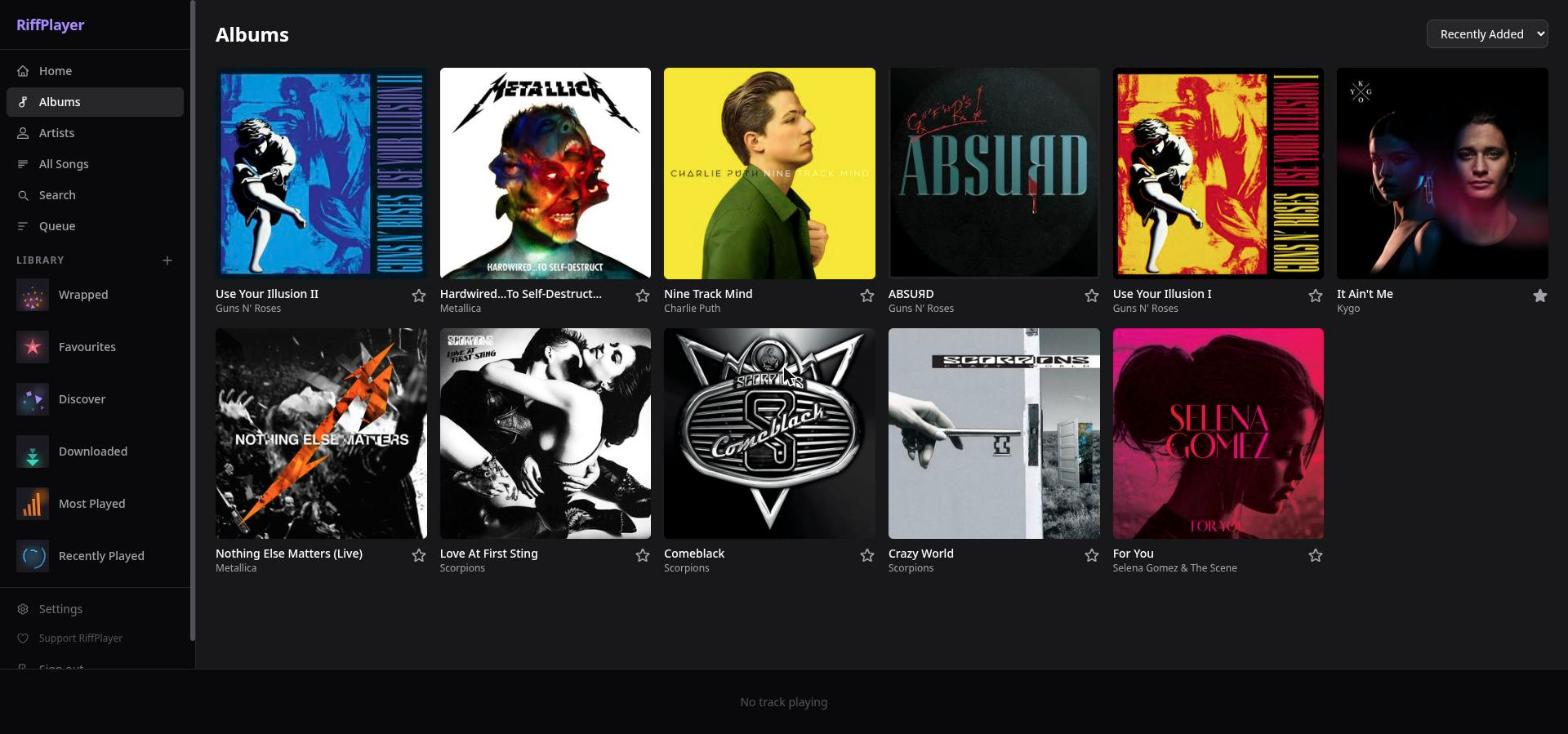
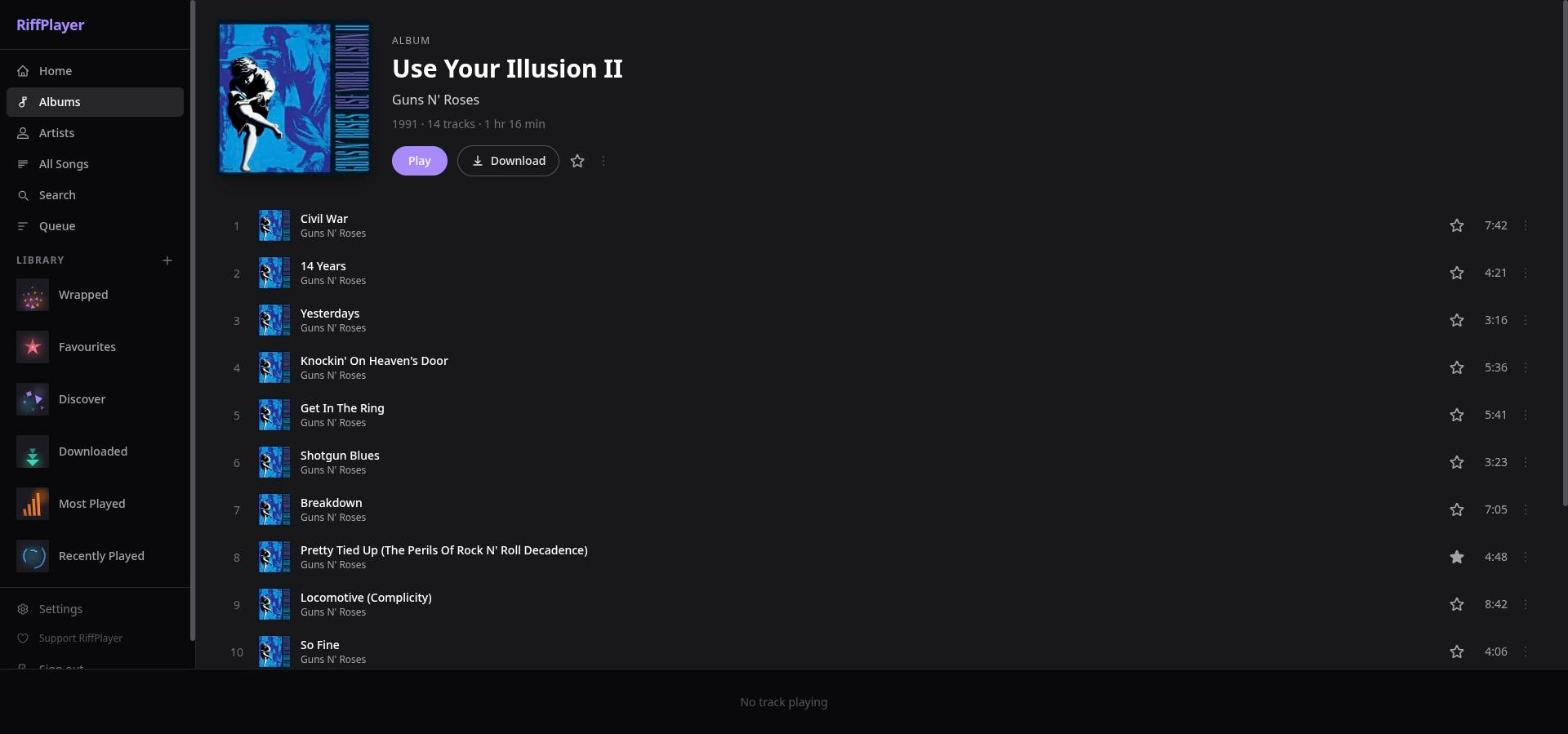
- **Library browse** — albums grid (sort by newest / recently played / most played / starred / A–Z / random), artist index, album and artist detail pages
- **Search** — finds artists, albums, and songs simultaneously
- **Queue management** — add tracks, drag-to-reorder (@dnd-kit), remove, clear; persistent across navigation
- **Player** — HTML5 audio, play/pause/next/prev, seek bar, volume
- **Hi-Fi playback** — quality badge (Hi-Res / Lossless / format) and a signal-path view (source → delivery → playback); ReplayGain off / track / album with a pre-amp; gapless playback; crossfade (0–12 s); 10-band equalizer (needs the audio to come from the same address as the page)
- **Interface styles** — besides the standard look: iPod Classic (with Cover Flow album browsing), Winamp and Windows Vista / Media Player 11
- **Filters** — All Songs by genre, quality (lossless / Hi-Res only) and date added; Albums by quality
- **Song info** — format details, credits and the signal path
- **Synced lyrics panel** — slide-in overlay with per-line time sync and auto-scroll; toggled from the player bar
- **Favourites** — star/unstar tracks, albums, and artists; dedicated Favourites page
- **Playlists** — create, rename, delete, drag-to-reorder tracks, upload custom cover image
- **Recently played + most played** — backed by `play_history` via `getAlbumList2?type=recent/frequent`
- **Admin panel** — manage users (create, change password/role, delete), music libraries (add path, trigger scan, remove), and server settings
- **User settings** — per-user transcoding preferences, ListenBrainz token, Last.fm session key
- **Discover / recommendations** — opt-in; similar-artist picks from Last.fm or fully local AI via Ollama; only suggests tracks already in your library, never external links
- **Year-end Wrapped** — top tracks, artists, albums, total hours, plays-by-month chart; optional Ollama AI narrative summary
- **Device picker** — speaker button in the player: see your other devices, send playback to one, or control what another device plays
- **Media Session API** — lock-screen metadata and transport controls in supported browsers
- **Workbox service worker** — cover art cached for offline browsing
### Mobile (Flutter — Android)
- **Background playback** with lock-screen controls and skip shortcuts (`audio_service` + `just_audio`)
- **Offline downloads** — stores originals on device (Dio + SQLite); played from local file when available
- **Full parity** with web: browse, search, queue, playlists, favourites
- **Full-screen player** with seek slider, star/unstar, prev/play/next
- **Per-tab navigation** with persistent mini-player across all screens
- **Themes and interface styles** — dark, light or system, plus the iPod Classic (Cover Flow), Winamp and Windows Vista styles
- **Gestures** — pull the full-screen player down from anywhere to close it, flick the mini player up to open it, swipe songs to queue or favourite
- **Hi-Fi** — quality badge, signal path and credits in the player and song info; lossless / Hi-Res filter; ReplayGain off / track / album with a pre-amp; gapless playback; equalizer (Android's own, so the number of bands depends on the phone); crossfade is not available on mobile yet
- **Device picker** — control the PC's playback from the phone (or the other way round), or move what is playing between them
### Infrastructure
- **Multi-user** — each user has their own play history, favourites, playlists, and scrobbling config; admin manages everything
- **Docker** — three-stage build (web → server → runtime); `RIFFPLAYER_ADMIN_PASSWORD` configurable before first boot; serves web app statically from the same port
- **SQLite** — single-file database, zero external dependencies; WAL mode; full migration history
## Install
RiffPlayer has two parts: a **server** you run on your own machine (it serves your music files and the web app), and **apps** that connect to it.
### 1. Run the server (Docker)
Create a `docker-compose.yml`:
```yaml
services:
riffplayer:
image: ghcr.io/atabayrak460/riffplayer:latest
ports:
- "4533:4533"
# Optional: choose your own admin password. If you leave this out, a random
# one is generated on first boot and printed once in the log.
# environment:
# RIFFPLAYER_ADMIN_PASSWORD: change-me
volumes:
- riffplayer_data:/data # database + cover-art cache
- /path/to/your/music:/music:ro # ← your music folder (read-only is fine)
restart: unless-stopped
volumes:
riffplayer_data:
```
Then:
```bash
# Pull the newest image first — Docker reuses a locally cached `latest` otherwise
docker compose pull
docker compose up -d
# Find the generated admin password (skip this if you set RIFFPLAYER_ADMIN_PASSWORD):
docker compose logs riffplayer | grep "generated password"
```
Open **http://localhost:4533** and sign in as `admin`. Change the password under **Admin → Users**, then [index your library](#index-your-library). The image is built for `amd64` and `arm64` and includes ffmpeg for transcoding.
> **Exposing it to the internet?** Put it behind a reverse proxy with HTTPS. Don't publish port 4533 directly.
> **Behind a reverse proxy?** [RiffPlayer Connect](#riffplayer-connect) keeps one long-lived HTTP response open per device, so the proxy must not buffer or time out streaming responses — see [Reverse proxy settings](#reverse-proxy-settings).
### 2. Get an app
| Where | How |
|---|---|
| **Android** | Download the APK from the [latest release](https://github.com/atabayrak460/riffplayer/releases/latest). Pick **`arm64-v8a`** for nearly every phone made since ~2017; `armeabi-v7a` is for older 32-bit devices, `x86_64` for emulators and Chromebooks. Android will ask you to allow installing from your browser or file manager. Open the app, enter your server address (for example `http://192.168.1.10:4533`) and sign in. |
| **Computer (Windows, macOS, Linux)** | Open your server address in any browser. To install it like an app, use the install icon in the address bar (Chrome, Edge) or **Share → Add to Dock** (Safari). There is no separate native desktop app yet. |
| **Other Subsonic clients** | Point them at your server address. See [Subsonic client setup](#subsonic-client-setup). |
Release APKs are signed with the project's release key, so updates install over each other. They are not on the Play Store or F-Droid yet.
### Build from source
```bash
git clone https://github.com/atabayrak460/riffplayer.git
cd riffplayer
# Edit docker-compose.yml so the /music volume points at your library, then:
docker compose up -d --build
```
For a development setup (hot reload, tests), see [Development](#development).
### Index your library
1. Sign in as admin.
2. Go to **Admin → Libraries**, add the path to your music (e.g. `/music`).
3. Click **⟳ Scan** — RiffPlayer walks the directory, reads tags, and populates the database.
4. Refresh the Albums page.
Re-scanning is safe and fast: unchanged files (same mtime) are skipped.
## Configuration
All runtime configuration is via environment variables. Everything else is in the admin panel.
| Variable | Default | Description |
|---|---|---|
| `PORT` | `4533` | HTTP port |
| `HOST` | `0.0.0.0` | Listen address |
| `DB_PATH` | `./riffplayer.db` | SQLite database path |
| `COVERS_DIR` | `./covers` | Cover art cache directory |
| `RIFFPLAYER_ADMIN_USER` | `admin` | Username for the auto-created admin account |
| `RIFFPLAYER_ADMIN_PASSWORD` | _random_ | Password for the auto-created admin account. If unset, a random one is generated on first boot and printed once in the server log (`docker compose logs riffplayer`) |
| `NODE_ENV` | `development` | Set to `production` in Docker |
## Development
### Prerequisites
- Node.js 22+
- ffmpeg (for transcoding; optional for basic browsing)
- Flutter SDK ≥ 3.22 (for mobile only)
```bash
# Install all workspace dependencies
npm install
# Start the API server (port 4533, hot-reload)
npm run server
# Start the web dev server (port 5173, proxies /rest and /api to 4533)
npm run web
# Run server tests
npm test --workspace=server
# Type-check server
npm run -w server build
# Type-check web
cd web && npx tsc --noEmit
```
### Project layout
```
/server Node.js + TypeScript API
src/
auth/ JWT, Subsonic token auth, credential crypto
db/ SQLite init + migration runner
indexer/ Library scanner (music-metadata)
recommendations/ Last.fm + Ollama + Wrapped stats
routes/
subsonic/ Subsonic / OpenSubsonic endpoints
api/ Custom REST API (/api/v1)
migrations/ SQL migration files (run on startup)
/web React + TypeScript PWA
src/
api/ Subsonic JSON client + types
components/ Shared UI (CoverArt, PlayerBar, LyricsPanel, …)
pages/ Route-level views
store/ Zustand stores (auth, player)
/mobile Flutter app (Android)
lib/
api/ Subsonic Dart client
audio/ audio_service AudioHandler
providers/ Riverpod state
screens/ All screens
services/ Auth storage, offline downloads (sqflite)
widgets/ Shared widgets
/docs Architecture + feature specs
Dockerfile 3-stage build: web → server → runtime image
docker-compose.yml Example deployment
```
## Subsonic client setup
Point any Subsonic client at `http://your-server:4533` and sign in with your RiffPlayer credentials. RiffPlayer implements the OpenSubsonic extensions (`songLyrics` via `getLyricsBySongId`, `replayGain` fields on songs).
**Compatibility:** RiffPlayer implements the Subsonic API, so clients such as Amperfy, Symfonium (Android), DSub (Android) and Feishin (desktop) are expected to work. The maintainer has not verified each of them yet — reports of what works and what doesn't are very welcome.
## Scrobbling
### Last.fm
1. **Admin → Settings**: enter your **API key** and **shared secret** from [last.fm/api](https://www.last.fm/api/account/create) and enable Last.fm.
2. **Each user → Settings → Last.fm**: paste your **session key** (obtain via the Last.fm auth flow or any `lastfm-session-key` helper tool).
### ListenBrainz
**Settings → ListenBrainz**: paste your token from [listenbrainz.org/profile](https://listenbrainz.org/profile/).
## Recommendations
Recommendations are opt-in and default off. Enable in **Admin → Settings → Recommendations**.
| Mode | Setup | Data leaves server? |
|---|---|---|
| **Last.fm** (default) | Last.fm API key in Admin → Settings | Artist names sent to Last.fm |
| **Ollama** (advanced) | `ollama_url` + `ollama_model` in Admin → Settings | Nothing — fully local |
All suggestions are tracks already in your library. RiffPlayer never shows external links or sources to acquire music.
### Ollama setup
```bash
# Install Ollama — https://ollama.com
ollama pull llama3.2
# Default URL: http://localhost:11434
# Set in Admin → Settings → Ollama URL
```
## Year-end Wrapped
**Wrapped** (`/wrapped` in the web app) shows your year-in-music stats: top tracks, artists, albums, total hours, and a monthly listening chart — all derived from your local `play_history` table. If Ollama is configured, click **Generate with Ollama** for a personalised narrative summary.
## Mobile app
The Flutter app (Android) lives in [`mobile/`](mobile/README.md). It supports background playback with lock-screen controls, offline downloads (single tracks and whole playlists), and everything the web app does. For development: install Flutter ≥ 3.22, then `cd mobile && flutter pub get && flutter run`.
## RiffPlayer Connect
Your devices can see each other and work together, like Spotify Connect: start a song on the PC, pick up the phone and control it from there, or send what is playing to the phone with one tap. Only **one device plays at a time**; the others show what is playing and act as remote controls.
**Using it**
- Open RiffPlayer on two devices signed in as the same user (web in a browser tab, and/or the Android app).
- Tap the **speaker button** in the player. You see your devices; tap one to move playback there. "Play here" on this device brings it back.
- While another device plays, the player bar shows **Playing on **; play/pause, next/previous and the seek bar control that device.
- The **volume slider** then sets *that* device's volume (on the phone: the slider in the device list). It is the app's own volume, separate from the phone's hardware volume keys.
- The **Queue** page shows and edits the queue of the device that is playing: tap a song to jump to it, remove or drag songs, and "Play next" / "Add to queue" on any song add it to *that* device's queue.
- Starting a song on a device takes over from whichever device was playing.
- If the playing device disappears (laptop asleep, tab closed) you get **" is unreachable · Continue here"**: the queue and position move to the device you are holding.
- Rename a device under **Settings → This device** (default: e.g. "Web · Firefox on Linux", or the phone model).
**Good to know**
- It works between RiffPlayer's own clients only (web and Android); third-party Subsonic apps can't take part.
- You only ever see and control **your own** devices.
- A browser tab that plays music has to stay open; a phone has to have the app open or playing. Paused, backgrounded apps disconnect after about three minutes to save battery. There are no push notifications and no third-party services involved.
- A device that is playing can't have its current song removed from another device's queue view (that would stop the music); everything else in the queue can be changed.
- Older servers without Connect simply don't show the speaker button; nothing else changes. Subsonic compatibility is untouched (everything lives under `/api/v1/connect`).
**Privacy and security**
Everything happens on your own server: device names, what is playing and the queue are held in the server's memory and relayed to your own devices over your own login. No database tables, no external service. Each stream is tied to your login token and is closed when the token is revoked (for example when you change your password); a device can't send commands to another user's devices.
### Reverse proxy settings
Each device keeps one server-sent-events response open (the server sends a small heartbeat every 20 seconds). If a proxy buffers or cuts such responses, the clients notice (no first message within 8 seconds, or silence for 45 seconds) and **fall back to long-polling automatically**, so Connect still works — only slightly slower. To get the instant behaviour, make sure streaming responses are not buffered:
**nginx**
```nginx
location / {
proxy_pass http://127.0.0.1:4533;
proxy_http_version 1.1;
proxy_buffering off; # let events through immediately
proxy_read_timeout 1h; # the stream is long-lived
}
```
(RiffPlayer also sends `X-Accel-Buffering: no`, which nginx honours.)
**Caddy** needs no special settings (`reverse_proxy 127.0.0.1:4533` streams by default).
**Traefik** — avoid response-compression middleware on the RiffPlayer router; it buffers streams.
**Cloudflare** (orange-cloud proxy or a named Tunnel) passes server-sent events as long as the origin keeps sending — the 20-second heartbeat is well inside Cloudflare's ~100-second limit. *Quick Tunnels* (`trycloudflare.com`) do **not** support server-sent events; Connect then uses the long-poll fallback.
## Principles
- **Your files only.** RiffPlayer streams the music you already own. It never downloads or sources audio from anywhere else, and recommendations only ever suggest tracks already in your library.
- **Private by default.** No telemetry, no analytics, no accounts with us. Your audio and your listening history stay on your server. The server does make a few outside requests, so you should know exactly what they are:
- **LRCLIB** (synced lyrics) — only when a track has no lyrics file next to it. Sends the track's title, artist, album and duration.
- **Cover Art Archive** (album covers) — only when an album has no embedded artwork. Sends the album's MusicBrainz ID.
- Both are on by default and can be switched off separately under **Admin → Settings → External metadata lookups**.
- **Last.fm / ListenBrainz** scrobbling and **Last.fm recommendations** — off until you configure them.
- AI features run locally through Ollama; nothing is sent anywhere.
- **Subsonic compatible.** Built to work with existing Subsonic and OpenSubsonic clients; RiffPlayer's own extras live on a separate API, so they never break that.
## License
[AGPL-3.0](LICENSE)
RiffPlayer is free software. You may run it privately, share it with family, or fork and redistribute it — as long as the source of any derivative stays open under the same licence.